engine CHEVROLET CAMARO SS 2010 Owner's Manual
[x] Cancel search | Manufacturer: CHEVROLET, Model Year: 2010, Model line: CAMARO SS, Model: CHEVROLET CAMARO SS 2010Pages: 372, PDF Size: 1.91 MB
Page 103 of 372
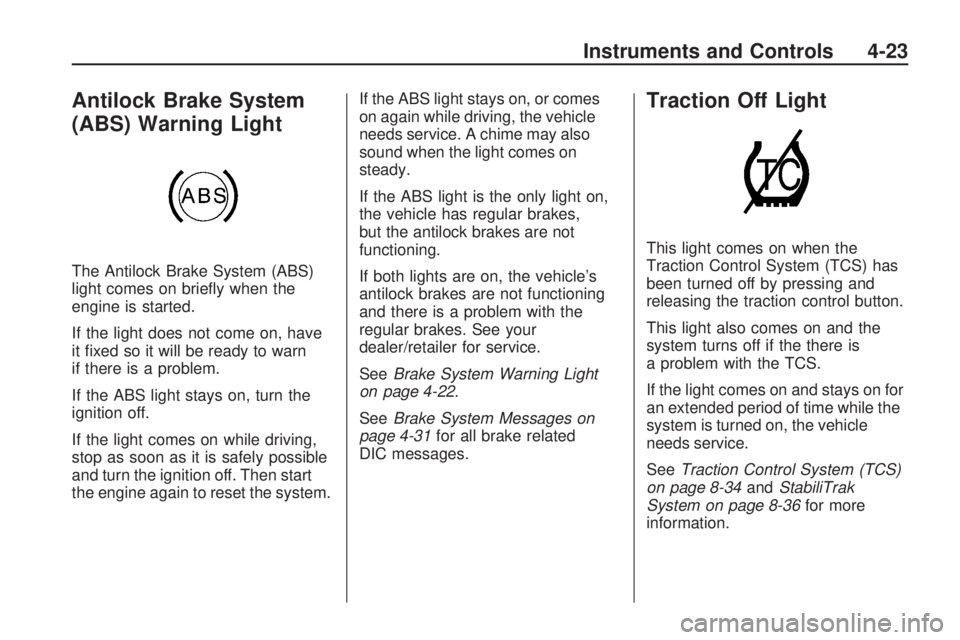
Antilock Brake System
(ABS) Warning Light
The Antilock Brake System (ABS)
light comes on briefly when the
engine is started.
If the light does not come on, have
it fixed so it will be ready to warn
if there is a problem.
If the ABS light stays on, turn the
ignition off.
If the light comes on while driving,
stop as soon as it is safely possible
and turn the ignition off. Then start
the engine again to reset the system.If the ABS light stays on, or comes
on again while driving, the vehicle
needs service. A chime may also
sound when the light comes on
steady.
If the ABS light is the only light on,
the vehicle has regular brakes,
but the antilock brakes are not
functioning.
If both lights are on, the vehicle’s
antilock brakes are not functioning
and there is a problem with the
regular brakes. See your
dealer/retailer for service.
SeeBrake System Warning Light
on page 4-22.
SeeBrake System Messages on
page 4-31for all brake related
DIC messages.
Traction Off Light
This light comes on when the
Traction Control System (TCS) has
been turned off by pressing and
releasing the traction control button.
This light also comes on and the
system turns off if the there is
a problem with the TCS.
If the light comes on and stays on for
an extended period of time while the
system is turned on, the vehicle
needs service.
SeeTraction Control System (TCS)
on page 8-34andStabiliTrak
System on page 8-36for more
information.
Instruments and Controls 4-23
Page 104 of 372
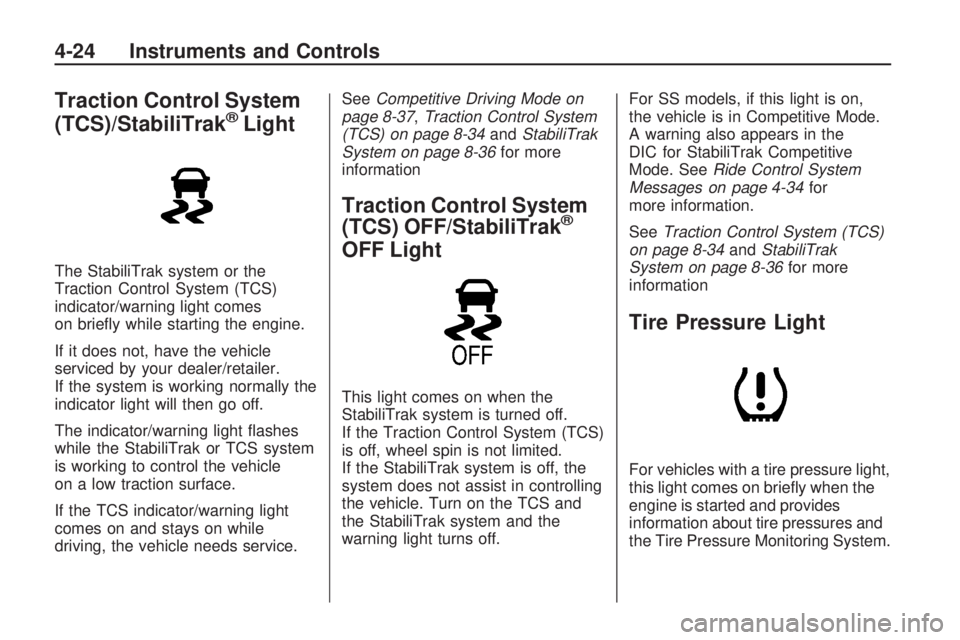
Traction Control System
(TCS)/StabiliTrak®Light
The StabiliTrak system or the
Traction Control System (TCS)
indicator/warning light comes
on briefly while starting the engine.
If it does not, have the vehicle
serviced by your dealer/retailer.
If the system is working normally the
indicator light will then go off.
The indicator/warning light flashes
while the StabiliTrak or TCS system
is working to control the vehicle
on a low traction surface.
If the TCS indicator/warning light
comes on and stays on while
driving, the vehicle needs service.SeeCompetitive Driving Mode on
page 8-37,Traction Control System
(TCS) on page 8-34andStabiliTrak
System on page 8-36for more
information
Traction Control System
(TCS) OFF/StabiliTrak®
OFF Light
This light comes on when the
StabiliTrak system is turned off.
If the Traction Control System (TCS)
is off, wheel spin is not limited.
If the StabiliTrak system is off, the
system does not assist in controlling
the vehicle. Turn on the TCS and
the StabiliTrak system and the
warning light turns off.For SS models, if this light is on,
the vehicle is in Competitive Mode.
A warning also appears in the
DIC for StabiliTrak Competitive
Mode. SeeRide Control System
Messages on page 4-34for
more information.
SeeTraction Control System (TCS)
on page 8-34andStabiliTrak
System on page 8-36for more
information
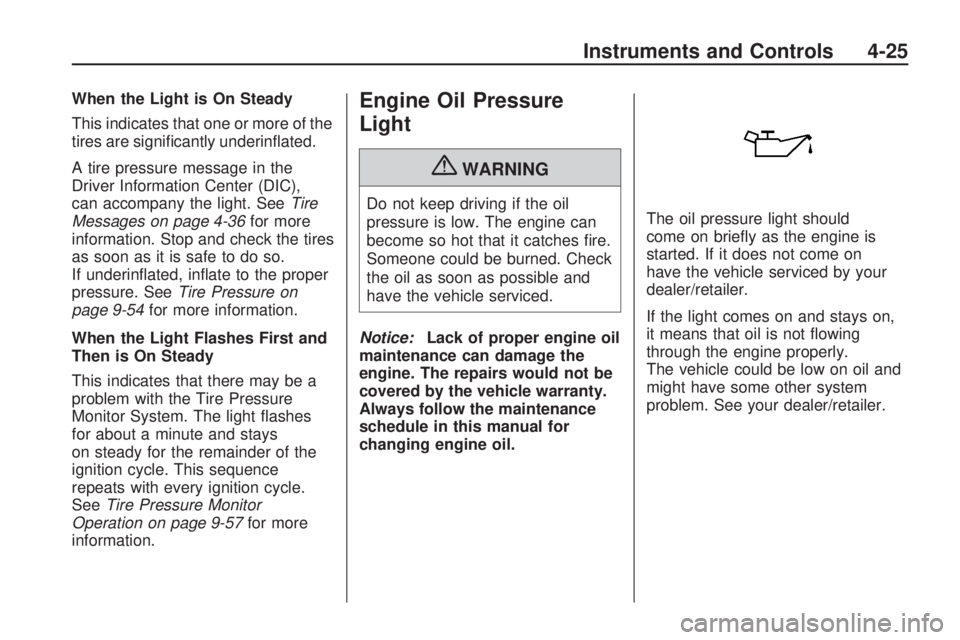
Tire Pressure Light
For vehicles with a tire pressure light,
this light comes on briefly when the
engine is started and provides
information about tire pressures and
the Tire Pressure Monitoring System.
4-24 Instruments and Controls
Page 105 of 372
When the Light is On Steady
This indicates that one or more of the
tires are significantly underinflated.
A tire pressure message in the
Driver Information Center (DIC),
can accompany the light. SeeTire
Messages on page 4-36for more
information. Stop and check the tires
as soon as it is safe to do so.
If underinflated, inflate to the proper
pressure. SeeTire Pressure on
page 9-54for more information.
When the Light Flashes First and
Then is On Steady
This indicates that there may be a
problem with the Tire Pressure
Monitor System. The light flashes
for about a minute and stays
on steady for the remainder of the
ignition cycle. This sequence
repeats with every ignition cycle.
SeeTire Pressure Monitor
Operation on page 9-57for more
information.Engine Oil Pressure
Light
{WARNING
Do not keep driving if the oil
pressure is low. The engine can
become so hot that it catches fire.
Someone could be burned. Check
the oil as soon as possible and
have the vehicle serviced.
Notice:Lack of proper engine oil
maintenance can damage the
engine. The repairs would not be
covered by the vehicle warranty.
Always follow the maintenance
schedule in this manual for
changing engine oil.The oil pressure light should
come on briefly as the engine is
started. If it does not come on
have the vehicle serviced by your
dealer/retailer.
If the light comes on and stays on,
it means that oil is not flowing
through the engine properly.
The vehicle could be low on oil and
might have some other system
problem. See your dealer/retailer.
Instruments and Controls 4-25
Page 106 of 372

Immobilizer Light
The immobilizer light should come
on briefly as the engine is started.
If it does not come on have the
vehicle serviced by your dealer/
retailer. If the system is working
normally the indicator light will go off.
This light comes on when the
ignition is turned from OFF to ON
and stays on if the vehicle is
immobilized. This happens when an
incorrect key or an unprogrammed
key is used to start the vehicle.
If the light stays on and the engine
does not start, there could be a
problem with the theft-deterrent
system. SeeImmobilizer Operation
on page 1-11for more information.
Fog Lamp Light
The fog lamp light comes on when
the fog lamps are in use.
The light goes out when the fog
lamps are turned off. SeeFront
Fog Lamps on page 5-5for more
information.
Taillamp Indicator Light
This light comes on when the
taillamps are on.
Cruise Control Light
This light is white when the cruise
control is set and will be green when
the system is active.
The light goes out when the cruise
control is turned off. SeeCruise
Control on page 8-38for more
information.
4-26 Instruments and Controls
Page 109 of 372
OnStar Turn by Turn
This display is used for the OnStar
Turn by Turn guidance. SeeOnStar
®
System on page 4-42for more
information.
Blank Display
This display shows no information.
Vehicle Information
Menu Items
Press the MENU button on the
turn signal lever until Vehicle
Information Menu is displayed.
Use the thumbwheel to scroll
through the following menu items:
•Unit
•Tire Pressure
•Remaining Oil Life
•Coolant Temp
•Battery Voltage
•Speed WarningUnit
Move the thumbwheel up or down to
switch between US or Metric when
the Unit display is active. Press SET
to confirm the setting. This will
change the displays on the cluster
and DIC to either English (US) or
metric measurements.
Tire Pressure
The display will show a vehicle with
the approximate pressures of all
four tires. Tire pressure is displayed
in either pounds per square
inch (psi) or in kilopascal (kPa).
SeeTire Pressure Monitor System
on page 9-56andTire Pressure
Monitor Operation on page 9-57
for more information.
Remaining Oil Life
This display shows an estimate
of the oil’s remaining useful life.
If Remaining Oil Life 99% is
displayed, that means 99% of
the current oil life remains.When the remaining oil life is low,
the CHANGE ENGINE OIL SOON
message will appear on the
display. SeeEngine Oil Messages
on page 4-32. The oil should
changed as soon as possible.
SeeEngine Oil on page 9-10.
In addition to the engine oil life
system monitoring the oil life,
additional maintenance is
recommended in the Maintenance
Schedule in this manual.
SeeScheduled Maintenance on
page 10-2for more information.
Remember, the Oil Life display
must be reset after each oil change.
It will not reset itself. Also, be
careful not to reset the Oil Life
display accidentally at any time
other than when the oil has
just been changed. It cannot be
reset accurately until the next
oil change. To reset the engine oil
life system press the SET button
while the Oil Life display is active.
SeeEngine Oil Life System on
page 9-13.
Instruments and Controls 4-29
Page 110 of 372
Coolant Temperature
This display shows the temperature
of the engine cooling system fluid in
either degrees Fahrenheit (°F) or
degrees Celsius (°C).
Battery Voltage
This display, available on some
vehicles, shows the current battery
voltage. If the voltage is in the
normal range, the value will display.
For example, the display may
read Battery Voltage 15.0 Volts.
The vehicle’s charging system
regulates voltage based on the
state of the battery. The battery
voltage can fluctuate while viewing
this information on the DIC.
This is normal. SeeCharging
System Light on page 4-19
for more information.If there is a problem with the battery
charging system, the DIC will
display a message. SeeBattery
Voltage and Charging Messages
on page 4-30.
Speed Warning
Speed Warning allows the driver to
set a speed that they do not want
to exceed. To set the Speed
Warning press SET when Speed
Warning is displayed.
Compass
The vehicle may have a compass
display in the Driver Information
Center (DIC). SeeCompass
on page 4-8for more information.
Vehicle Messages
Battery Voltage and
Charging Messages
Battery Saver Active
This message displays when the
vehicle has detected that the battery
voltage is dropping beyond a
reasonable point. The battery saver
system starts reducing certain
features of the vehicle that you may
be able to notice. At the point that
features are disabled, this message
is displayed. It means that the
vehicle is trying to save the charge in
the battery. Turn off unnecessary
accessories to allow the battery to
recharge.
4-30 Instruments and Controls
Page 112 of 372
Engine Cooling System
Messages
A/C Off Due to High
Engine Temp
This message displays when the
engine coolant becomes hotter than
the normal operating temperature.
To avoid added strain on a hot
engine, the air conditioning
compressor automatically turns off.
When the coolant temperature
returns to normal, the air conditioning
compressor turns back on. You can
continue to drive your vehicle.
If this message continues to appear,
have the system repaired by your
dealer/retailer as soon as possible
to avoid damage to the engine.
Coolant Level Low Add
Coolant
This message will display if the
coolant is low, seeEngine Coolant
on page 9-19.
Engine Overheated — Idle
Engine
This message displays when the
engine coolant temperature is
too hot. Stop and allow the vehicle
to idle until it cools down.
Engine Overheated — Stop
Engine
This message displays and a
continuous chime sounds if the
engine cooling system reaches
unsafe temperatures for operation.
Stop and turn off the vehicle as
soon as it is safe to do so to avoid
severe damage. This message
clears when the engine has cooled
to a safe operating temperature.
High Coolant Temperature
This message displays if the coolant
temperature is hot, seeEngine
Overheating on page 9-24.
Engine Oil Messages
Change Engine Oil Soon
This message displays when the
engine oil needs to be changed.
When you change the engine oil,
be sure to reset the CHANGE
ENGINE OIL SOON message.
SeeEngine Oil Life System
on page 9-13andDriver Information
Center (DIC) on page 4-27for
information on how to reset
the message. SeeEngine Oil
on page 9-10andScheduled
Maintenance on page 10-2for
more information.
Engine Oil Hot, Idle Engine
This message displays when
the engine oil temperature is too
hot. Stop and allow the vehicle
to idle until it cools down.
Engine Oil Low – Add Oil
This message displays when
the engine oil level is too low.
Check the oil level. SeeEngine Oil
on page 9-10.
4-32 Instruments and Controls
Page 113 of 372
Oil Pressure Low – Stop
Engine
This message displays if low oil
pressure levels occur. Stop the
vehicle as soon as safely possible
and do not operate it until the cause
of the low oil pressure has been
corrected. Check the oil as soon as
possible and have your vehicle
serviced by your dealer/retailer.
Engine Power Messages
Engine Power Is Reduced
This message displays when the
vehicle’s engine power is reduced.
Reduced engine power can affect the
vehicle’s ability to accelerate. If this
message is on, but there is no
reduction in performance, proceed to
your destination. The performance
may be reduced the next time the
vehicle is driven. The vehicle may
be driven at a reduced speed whilethis message is on, but maximum
acceleration and speed may be
reduced. Anytime this message
stays on, the vehicle should be taken
to your dealer/retailer for service as
soon as possible.
Fuel System Messages
Fuel Level Low
This message displays when the
vehicle is low on fuel. Refuel
as soon as possible
Tighten Gas Cap
This message displays when the
fuel cap is not on tight. Tighten the
fuel cap.
Change Fuel Filter
This message displays when the
fuel needs to be replaced. Take the
vehicle to your dealer/retailer for
service.
Key and Lock Messages
Number Of Keys Programmed
This message displays when
programming new keys to the
vehicle.
Replace Battery In Remote Key
This message displays when the
battery in the Remote Keyless
Entry (RKE) transmitter needs to be
replaced.
Lamp Messages
Automatic Light Control On
This message is displayed when the
automatic light control has been
turned on. SeeAutomatic Headlamp
System on page 5-3.
Instruments and Controls 4-33
Page 114 of 372

Automatic Light Control Off
This message is displayed when the
automatic light control has been
turned off. SeeAutomatic Headlamp
System on page 5-3.
Left Front Turn Indicator
Failure
This message is displayed if the
turn signal bulb needs to be
replaced. SeeHeadlamps, Front
Turn Signal and Parking Lamps
(Base Vehicle) on page 9-37
orHeadlamps, Front Turn Signal
and Parking Lamps (Up-Level
Vehicle) on page 9-38and
Replacement Bulbs on page 9-41
for more information.
Left Rear Turn Indicator
Failure
This message is displayed if the
turn signal bulb needs to be
replaced. SeeTaillamps, Turn
Signal, and Stoplamps on page 9-40
andReplacement Bulbs on
page 9-41for more information.
Right Front Turn Indicator
Failure
This message is displayed if the
turn signal bulb needs to be
replaced. SeeHeadlamps, Front
Turn Signal and Parking Lamps
(Base Vehicle) on page 9-37
orHeadlamps, Front Turn Signal
and Parking Lamps (Up-Level
Vehicle) on page 9-38and
Replacement Bulbs on page 9-41
for more information.
Right Rear Turn Indicator
Failure
This message is displayed if the
turn signal bulb needs to be
replaced. SeeTaillamps, Turn
Signal, and Stoplamps on page 9-40
andReplacement Bulbs on
page 9-41for more information.
Turn Signal On
This message is displayed if the
turn signal has been left on.
Turn off the turn signal.
Object Detection System
Messages
Park Assist Off
This message is displayed when the
park assist has been turned off.
SeeUltrasonic Parking Assist
on page 8-41.
Service Park Assist
This message is displayed if there
is a problem with the park assist.
Take the vehicle to your dealer/
retailer for service.
Ride Control System
Messages
StabiliTrak Competitive Mode
(V8 Engine Only)
This message displays when
competitive mode is selected.
SeeCompetitive Driving Mode on
page 8-37for more information.
4-34 Instruments and Controls
Page 115 of 372
Service Traction Control
This message displays when there
is a problem with the Traction
Control System (TCS). When this
message is displayed, the system
will not limit wheel spin. Adjust your
driving accordingly. See your
dealer/retailer for service.
Service StabiliTrak
This message displays if there is
a problem with the StabiliTrak®
system. If this message appears,
try to reset the system. Stop; turn off
the engine and remove the key
from the ignition; open and close the
driver door and wait for at least
one minute. During this time you
should notice the lights on the
cluster turn off. After a minute has
passed start the engine again.
If this message still comes on,
it means there is a problem.
See your dealer/retailer for service.
The vehicle is safe to drive,
however, you do not have the
benefit of StabiliTrak, so reduce
your speed and drive accordingly.
Airbag System Messages
Service Airbag
This message is displayed if there is
a problem with the airbag system.
Take the vehicle to your dealer/
retailer for service.
Safety Belt Messages
Buckle Seatbelt
This message displays as a
reminder when the safety belt is
not buckled.
Anti-Theft Alarm System
Messages
Theft Attempted
This message displays if the vehicle
detects a tamper condition.
Service Vehicle
Messages
Service AC System
This message is displayed if there is
a problem with the air conditioning
system. Take the vehicle to your
dealer/retailer for service.
Service Power Steering
This message is displayed if there is
a problem with the power steering
system. Take the vehicle to
your dealer/retailer for service.
Service Vehicle Soon
This message is displayed if
there is a problem with the vehicle.
Take the vehicle to your dealer/
retailer for service.
Instruments and Controls 4-35