warning light CHEVROLET CAMARO SS 2010 Owner's Guide
[x] Cancel search | Manufacturer: CHEVROLET, Model Year: 2010, Model line: CAMARO SS, Model: CHEVROLET CAMARO SS 2010Pages: 372, PDF Size: 1.91 MB
Page 208 of 372
Let us say the road is wet and you
are driving safely. Suddenly, an
animal jumps out in front of you.
You slam on the brakes and
continue braking. Here is what
happens with ABS:
A computer senses that the wheels
are slowing down. If one of the
wheels is about to stop rolling,
the computer will separately work
the brakes at each wheel.
ABS can change the brake pressure
to each wheel, as required, faster
than any driver could. This can
help the driver steer around
the obstacle while braking hard.
As the brakes are applied, the
computer keeps receiving updates
on wheel speed and controls braking
pressure accordingly.Remember: ABS does not change
the time needed to get a foot up to
the brake pedal or always decrease
stopping distance. If you get too
close to the vehicle in front of you,
there will not be enough time to
apply the brakes if that vehicle
suddenly slows or stops. Always
leave enough room up ahead to
stop, even with ABS.
Using ABS
Do not pump the brakes. Just hold
the brake pedal down firmly and let
antilock work. The antilock pump
or motor might be heard operating,
and the brake pedal might be felt to
pulsate, but this is normal.
Braking in Emergencies
ABS allows the driver to steer and
brake at the same time. In many
emergencies, steering can help
more than even the very best
braking.
Parking Brake
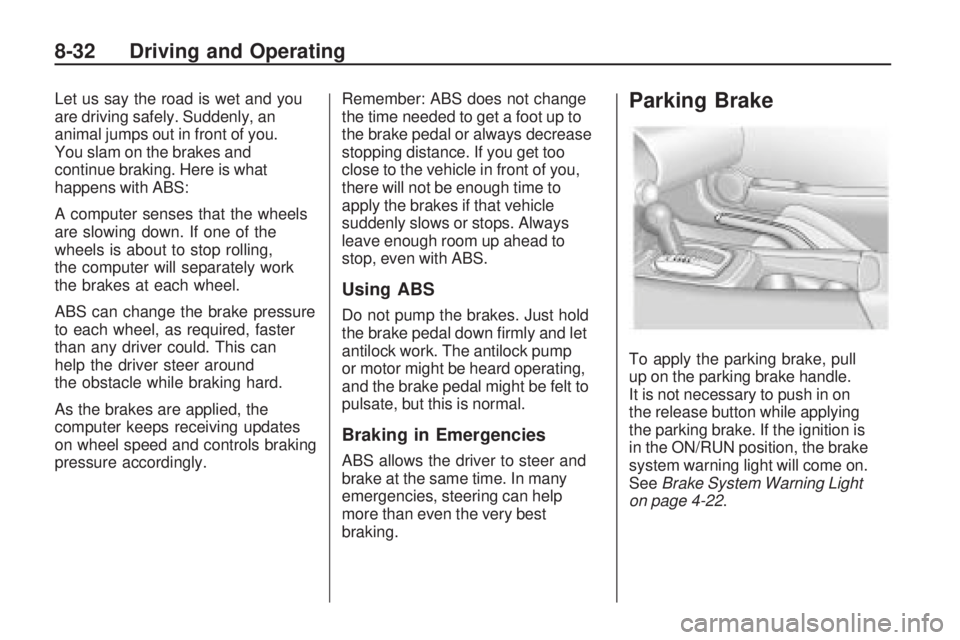
To apply the parking brake, pull
up on the parking brake handle.
It is not necessary to push in on
the release button while applying
the parking brake. If the ignition is
in the ON/RUN position, the brake
system warning light will come on.
SeeBrake System Warning Light
on page 4-22.
8-32 Driving and Operating
Page 209 of 372
To release the parking brake:
1. Hold the brake pedal down.
2. Pull the parking brake handle up
until you can press the release
button.
3. Hold the release button in as you
move the brake handle all the
way down.
Notice:Driving with the parking
brake on can overheat the brake
system and cause premature wear
or damage to brake system parts.
Make sure that the parking brake
is fully released and the brake
warning light is off before driving.Driving with the parking brake
applied will cause a warning chime to
sound and the Park Brake message
to appear in the DIC. The message
will remain on until:
•the parking brake is released
•the vehicle comes to a stop.
If you are towing a trailer and you
are parking on a hill, seeDriving
Characteristics and Towing Tips
on page 8-49.
Brake Assist
This vehicle has a Brake Assist
feature designed to assist the driver
in stopping or decreasing vehicle
speed in emergency driving
conditions. This feature uses the
stability system hydraulic brakecontrol module to supplement
the power brake system under
conditions where the driver has
quickly and forcefully applied the
brake pedal in an attempt to quickly
stop or slow down the vehicle.
The stability system hydraulic brake
control module increases brake
pressure at each corner of the
vehicle until the ABS activates.
Minor brake pedal pulsations or
pedal movement during this time
is normal and the driver should
continue to apply the brake pedal
as the driving situation dictates
The Brake Assist feature will
automatically disengage when the
brake pedal is released or brake
pedal pressure is quickly decreased.
Driving and Operating 8-33
Page 210 of 372

Ride Control Systems
Traction Control
System (TCS)
The vehicle has a Traction Control
System (TCS) that limits wheel spin.
The system utilizes engine and
braking controls to control wheel
spin during acceleration at all driving
speeds for maximum driver control
regardless of conditions. When the
system senses impending wheel slip
during acceleration, it signals the
throttle control to reduce drive wheel
torque. Under extreme situations,
such as going from pavement to ice
during acceleration, the system
will selectively apply the brakes to
maintain control. The system may
be heard or felt while it is working,
but this is normal.The TCS/StabiliTrak warning light
flashes when the traction control
system is limiting wheel spin.
The StabiliTrak/TCS warning light
comes on solid if there is a problem
with the traction control system.
SeeTraction Control System
(TCS)/StabiliTrak
®Light on
page 4-24for more information.
If the light stays on, see your
dealer/retailer for service. When the
TCS/StabiliTrak warning light is on,
the system will not limit wheel spin.
Adjust your driving accordingly.
TCS automatically comes on
whenever the vehicle is started.
To limit wheel spin, especially in
slippery road conditions, the systemshould always be left on, but it may
be necessary to turn the system off if
the vehicle is stuck in sand, mud or
snow and rocking the vehicle is
required. Also, turn TCS off while
in deep snow or on loose gravel,
to assist vehicle motion at lower
speeds. SeeIf the Vehicle is Stuck
on page 8-11for more information.
See alsoWinter Driving on
page 8-10for information on using
TCS when driving in snowy or icy
conditions.
To turn the system off, press
and release the StabiliTrak/TCS
button located on the console
in front of the shift lever.
8-34 Driving and Operating
Page 211 of 372
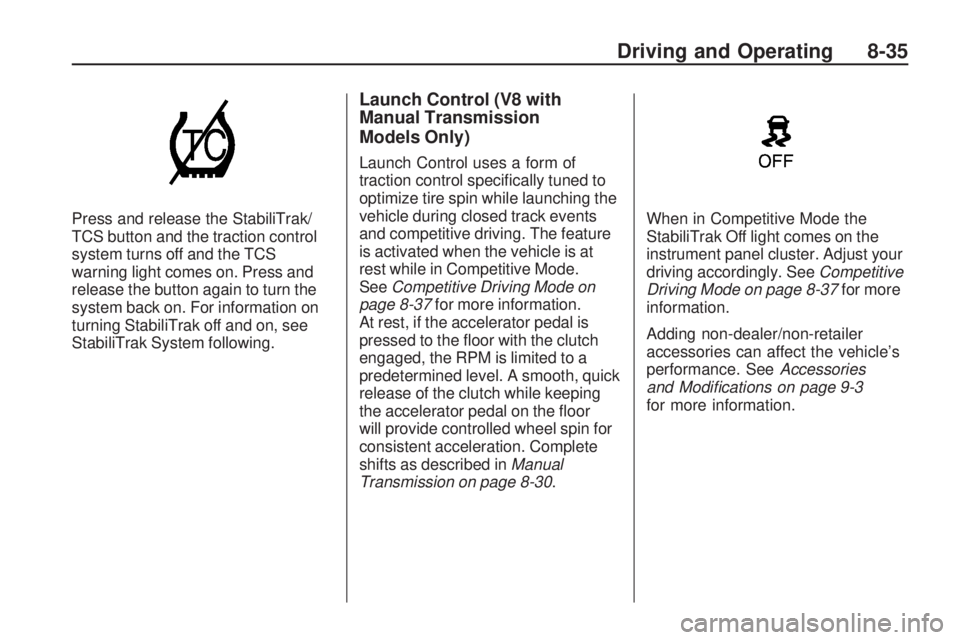
Press and release the StabiliTrak/
TCS button and the traction control
system turns off and the TCS
warning light comes on. Press and
release the button again to turn the
system back on. For information on
turning StabiliTrak off and on, see
StabiliTrak System following.
Launch Control (V8 with
Manual Transmission
Models Only)
Launch Control uses a form of
traction control specifically tuned to
optimize tire spin while launching the
vehicle during closed track events
and competitive driving. The feature
is activated when the vehicle is at
rest while in Competitive Mode.
SeeCompetitive Driving Mode on
page 8-37for more information.
At rest, if the accelerator pedal is
pressed to the floor with the clutch
engaged, the RPM is limited to a
predetermined level. A smooth, quick
release of the clutch while keeping
the accelerator pedal on the floor
will provide controlled wheel spin for
consistent acceleration. Complete
shifts as described inManual
Transmission on page 8-30.When in Competitive Mode the
StabiliTrak Off light comes on the
instrument panel cluster. Adjust your
driving accordingly. SeeCompetitive
Driving Mode on page 8-37for more
information.
Adding non-dealer/non-retailer
accessories can affect the vehicle’s
performance. SeeAccessories
and Modications on page 9-3
for more information.
Driving and Operating 8-35
Page 212 of 372
StabiliTrak System
The vehicle has an electronic
stability control system called
StabiliTrak. It is an advanced
computer controlled system that
assists with directional control of the
vehicle in difficult driving conditions.
StabiliTrak activates when the
computer senses a discrepancy
between the intended path and
the direction the vehicle is actually
traveling. StabiliTrak selectively
applies braking pressure at any
one of the vehicle’s brakes to help
steer the vehicle in the direction
which you are steering.
If cruise control is being used when
StabiliTrak activates, the cruise
control will automatically disengage.
Press the cruise control button to
reengage when road conditions
allow. SeeCruise Control on
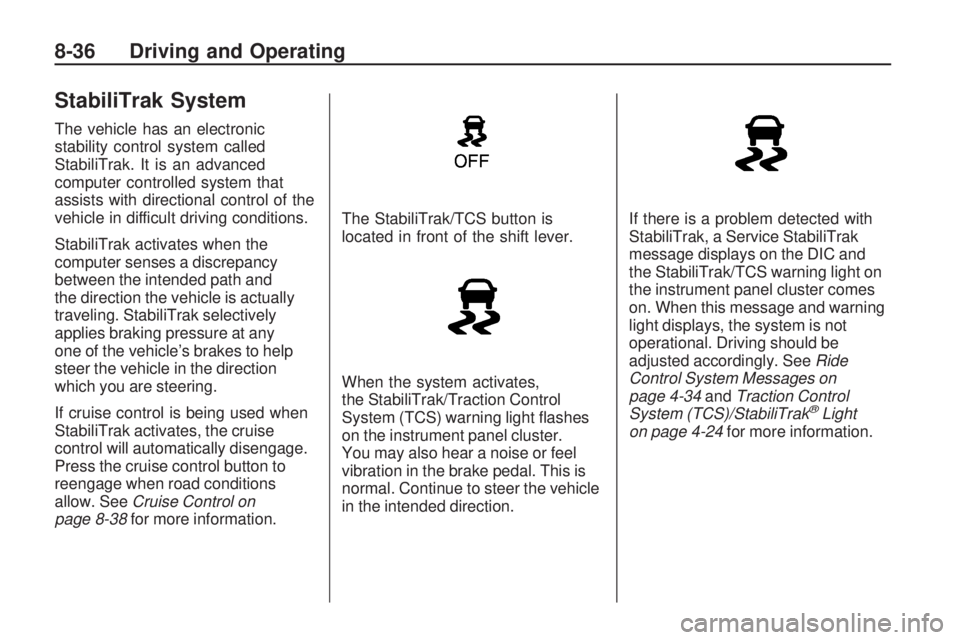
page 8-38for more information.The StabiliTrak/TCS button is
located in front of the shift lever.
When the system activates,
the StabiliTrak/Traction Control
System (TCS) warning light flashes
on the instrument panel cluster.
You may also hear a noise or feel
vibration in the brake pedal. This is
normal. Continue to steer the vehicle
in the intended direction.If there is a problem detected with
StabiliTrak, a Service StabiliTrak
message displays on the DIC and
the StabiliTrak/TCS warning light on
the instrument panel cluster comes
on. When this message and warning
light displays, the system is not
operational. Driving should be
adjusted accordingly. SeeRide
Control System Messages on
page 4-34andTraction Control
System (TCS)/StabiliTrak
®Light
on page 4-24for more information.
8-36 Driving and Operating
Page 215 of 372
Setting Cruise Control
{WARNING
If you leave your cruise control
on when you are not using cruise,
you might hit a button and go into
cruise when you do not want to.
You could be startled and even
lose control. Keep the cruise
control switch off until you want
to use cruise control.
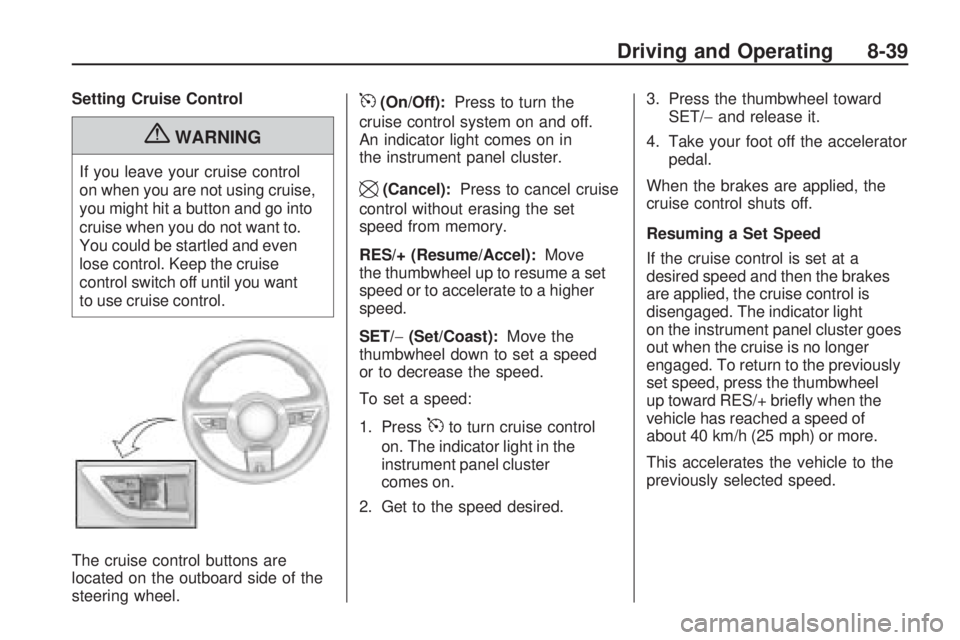
The cruise control buttons are
located on the outboard side of the
steering wheel.
5(On/Off):Press to turn the
cruise control system on and off.
An indicator light comes on in
the instrument panel cluster.
\(Cancel):Press to cancel cruise
control without erasing the set
speed from memory.
RES/+ (Resume/Accel):Move
the thumbwheel up to resume a set
speed or to accelerate to a higher
speed.
SET/−(Set/Coast):Move the
thumbwheel down to set a speed
or to decrease the speed.
To set a speed:
1. Press
5to turn cruise control
on. The indicator light in the
instrument panel cluster
comes on.
2. Get to the speed desired.3. Press the thumbwheel toward
SET/−and release it.
4. Take your foot off the accelerator
pedal.
When the brakes are applied, the
cruise control shuts off.
Resuming a Set Speed
If the cruise control is set at a
desired speed and then the brakes
are applied, the cruise control is
disengaged. The indicator light
on the instrument panel cluster goes
out when the cruise is no longer
engaged. To return to the previously
set speed, press the thumbwheel
up toward RES/+ briefly when the
vehicle has reached a speed of
about 40 km/h (25 mph) or more.
This accelerates the vehicle to the
previously selected speed.
Driving and Operating 8-39
Page 217 of 372

Object Detection
Systems
Ultrasonic Parking Assist
For vehicles with the Ultrasonic
Rear Parking Assist (URPA)
system, it assists the driver with
parking and avoiding objects while
in R (Reverse). URPA operates at
speeds less than 8 km/h (5 mph),
and the sensors on the rear bumper
detect objects up to 2.4m (8 feet)
behind the vehicle, and at least
20 cm (8 inches) off the ground.
{WARNING
The Ultrasonic Rear Parking
Assist (URPA) system does not
replace driver vision. It cannot
detect:
•objects that are below the
bumper, underneath the
vehicle, or if they are too
close or far from the vehicle
•children, pedestrians,
bicyclists, or pets.
If you do not use proper care
before and while backing; vehicle
damage, injury, or death could
occur. Even with URPA, always
check behind the vehicle before
backing up. While backing, be
sure to look for objects and check
the vehicle’s mirrors.The display is located in the center
of the rear seat back filler panel
trim and uses three color-coded
lights to provide distance and
system information.
Driving and Operating 8-41
Page 223 of 372
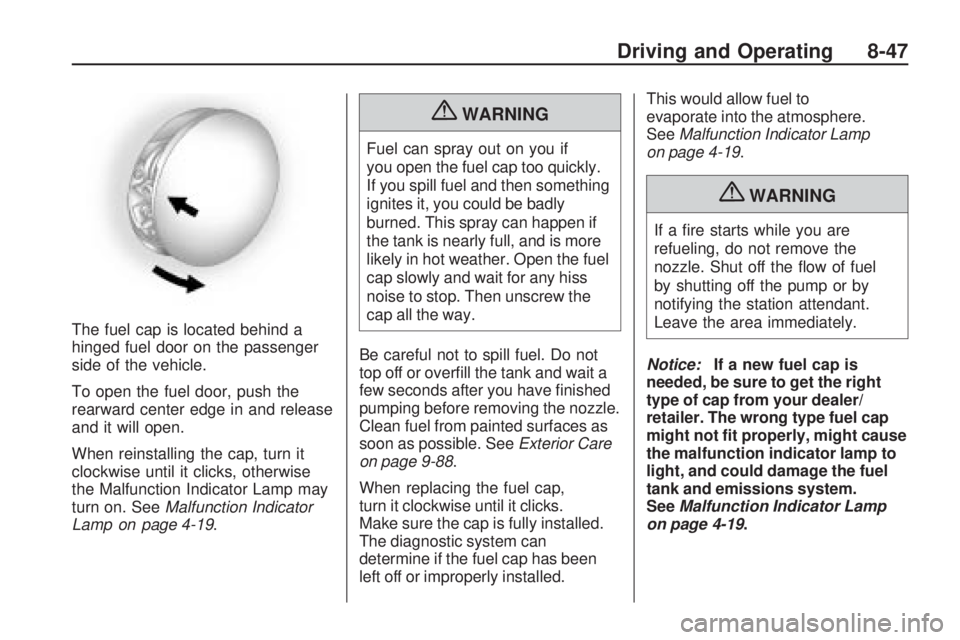
The fuel cap is located behind a
hinged fuel door on the passenger
side of the vehicle.
To open the fuel door, push the
rearward center edge in and release
and it will open.
When reinstalling the cap, turn it
clockwise until it clicks, otherwise
the Malfunction Indicator Lamp may
turn on. SeeMalfunction Indicator
Lamp on page 4-19.
{WARNING
Fuel can spray out on you if
you open the fuel cap too quickly.
If you spill fuel and then something
ignites it, you could be badly
burned. This spray can happen if
the tank is nearly full, and is more
likely in hot weather. Open the fuel
cap slowly and wait for any hiss
noise to stop. Then unscrew the
cap all the way.
Be careful not to spill fuel. Do not
top off or overfill the tank and wait a
few seconds after you have finished
pumping before removing the nozzle.
Clean fuel from painted surfaces as
soon as possible. SeeExterior Care
on page 9-88.
When replacing the fuel cap,
turn it clockwise until it clicks.
Make sure the cap is fully installed.
The diagnostic system can
determine if the fuel cap has been
left off or improperly installed.This would allow fuel to
evaporate into the atmosphere.
SeeMalfunction Indicator Lamp
on page 4-19.
{WARNING
If a fire starts while you are
refueling, do not remove the
nozzle. Shut off the flow of fuel
by shutting off the pump or by
notifying the station attendant.
Leave the area immediately.
Notice:If a new fuel cap is
needed, be sure to get the right
type of cap from your dealer/
retailer. The wrong type fuel cap
might not t properly, might cause
the malfunction indicator lamp to
light, and could damage the fuel
tank and emissions system.
SeeMalfunction Indicator Lamp
on page 4-19.
Driving and Operating 8-47
Page 233 of 372
Vehicle Care
General InformationGeneral Information...............9-2
California Proposition 65
Warning.............................9-2
California Perchlorate
Materials Requirements........9-3
Accessories and
Modifications.......................9-3
Vehicle ChecksDoing Your Own
Service Work......................9-4
Hood...................................9-5
Engine Compartment
Overview............................9-6
Engine Cover.......................9-9
Engine Oil..........................9-10
Engine Oil Life System.........9-13
Automatic Transmission
Fluid................................9-14
Manual Transmission Fluid. . . .9-15
Hydraulic Clutch..................9-15
Engine Air Cleaner/Filter.......9-16
Cooling System...................9-17
Engine Coolant...................9-19
Engine Overheating.............9-24
Power Steering Fluid............9-25Washer Fluid......................9-26
Brakes...............................9-27
Brake Fluid.........................9-28
Battery...............................9-29
Rear Axle...........................9-30
Starter Switch Check............9-31
Automatic Transmission
Shift Lock Control
System Check...................9-32
Ignition Transmission
Lock Check.......................9-32
Park Brake and P (Park)
Mechanism Check..............9-32
Wiper Blade Replacement......9-33Headlamp AimingHeadlamp Aiming................9-34
Bulb ReplacementBulb Replacement...............9-37
Halogen Bulbs....................9-37
High Intensity Discharge
(HID) Lighting....................9-37
Headlamps, Front Turn
Signal and Parking Lamps
(Base Vehicle)...................9-37
Headlamps, Front Turn
Signal and Parking Lamps
(Up-Level Vehicle)..............9-38
Daytime Running
Lamps (DRL)....................9-39
Fog Lamps.........................9-40Taillamps, Turn Signal, and
Stoplamps.........................9-40
License Plate Lamp.............9-40
Replacement Bulbs..............9-41
Electrical SystemElectrical System
Overload...........................9-41
Fuses and Circuit
Breakers...........................9-42
Engine Compartment
Fuse Block.......................9-42
Instrument Panel
Fuse Block.......................9-45
Rear Compartment
Fuse Block.......................9-46
Wheels and TiresTires..................................9-48
Winter Tires........................9-48
Tire Sidewall Labeling..........9-49
Tire Designations.................9-51
Tire Terminology and
Definitions.........................9-52
Tire Pressure......................9-54
Tire Pressure for
High-Speed Operation........9-56
Tire Pressure Monitor
System.............................9-56
Tire Pressure Monitor
Operation..........................9-57
Tire Inspection....................9-61
Vehicle Care 9-1
Page 256 of 372

Engine Overheating
The vehicle has an indicator to warn
of engine overheating.
There is an engine coolant
temperature warning light on
your vehicle’s instrument panel.
SeeEngine Coolant Temperature
Gage on page 4-14.
You may decide not to lift the hood
when this warning appears, but
instead get service help right away.
SeeRoadside Assistance Program
on page 12-6.
If you do decide to lift the hood,
make sure the vehicle is parked
on a level surface.Then check to see if the engine
cooling fans are running. If the
engine is overheating, both fans
should be running. If they are
not, do not continue to run the
engine and have the vehicle
serviced.
Notice:Engine damage from
running the engine without
coolant is not covered by the
warranty.
Notice:If the engine catches
re because of being driven with
no coolant, your vehicle can be
badly damaged. The costly repairs
would not be covered by the
vehicle warranty.
If Steam Is Coming From The
Engine Compartment
{WARNING
Steam from an overheated engine
can burn you badly, even if you
just open the hood. Stay away
from the engine if you see or hear
steam coming from it. Just turn it
off and get everyone away from
the vehicle until it cools down. Wait
until there is no sign of steam or
coolant before you open the hood.
If you keep driving when your
engine is overheated, the liquids
in it can catch fire. You or others
could be badly burned. Stop your
engine if it overheats, and get out
of the vehicle until the engine
is cool.
9-24 Vehicle Care