infotainment CHEVROLET CAMARO SS 2010 Owners Manual
[x] Cancel search | Manufacturer: CHEVROLET, Model Year: 2010, Model line: CAMARO SS, Model: CHEVROLET CAMARO SS 2010Pages: 372, PDF Size: 1.91 MB
Page 1 of 372
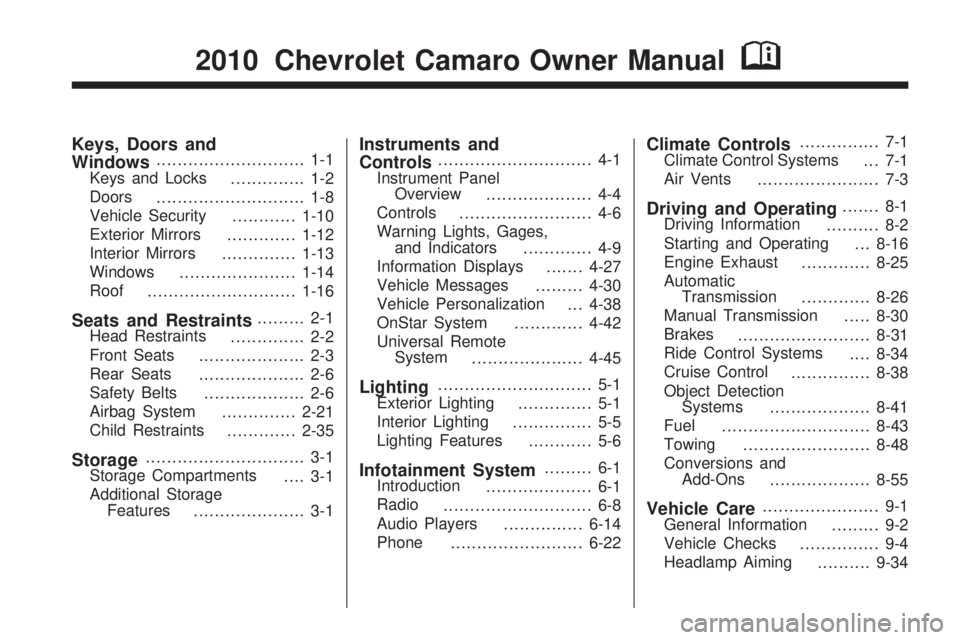
Keys, Doors and
Windows............................ 1-1
Keys and Locks
.............. 1-2
Doors
............................ 1-8
Vehicle Security
............1-10
Exterior Mirrors
.............1-12
Interior Mirrors
..............1-13
Windows
......................1-14
Roof
............................1-16
Seats and Restraints......... 2-1
Head Restraints
.............. 2-2
Front Seats
.................... 2-3
Rear Seats
.................... 2-6
Safety Belts
................... 2-6
Airbag System
..............2-21
Child Restraints
.............2-35
Storage.............................. 3-1
Storage Compartments
.... 3-1
Additional Storage
Features
..................... 3-1
Instruments and
Controls............................. 4-1
Instrument Panel
Overview
.................... 4-4
Controls
......................... 4-6
Warning Lights, Gages,
and Indicators
............. 4-9
Information Displays
.......4-27
Vehicle Messages
.........4-30
Vehicle Personalization
. . . 4-38
OnStar System
.............4-42
Universal Remote
System
.....................4-45
Lighting............................. 5-1
Exterior Lighting
.............. 5-1
Interior Lighting
............... 5-5
Lighting Features
............ 5-6
Infotainment System......... 6-1
Introduction
.................... 6-1
Radio
............................ 6-8
Audio Players
...............6-14
Phone
.........................6-22
Climate Controls............... 7-1
Climate Control Systems
... 7-1
Air Vents
....................... 7-3
Driving and Operating....... 8-1
Driving Information
.......... 8-2
Starting and Operating
. . . 8-16
Engine Exhaust
.............8-25
Automatic
Transmission
.............8-26
Manual Transmission
.....8-30
Brakes
.........................8-31
Ride Control Systems
....8-34
Cruise Control
...............8-38
Object Detection
Systems
...................8-41
Fuel
............................8-43
Towing
........................8-48
Conversions and
Add-Ons
...................8-55
Vehicle Care...................... 9-1
General Information
......... 9-2
Vehicle Checks
............... 9-4
Headlamp Aiming
..........9-34
2010 Chevrolet Camaro Owner ManualM
Page 86 of 372
Controls
Steering Wheel
Adjustment
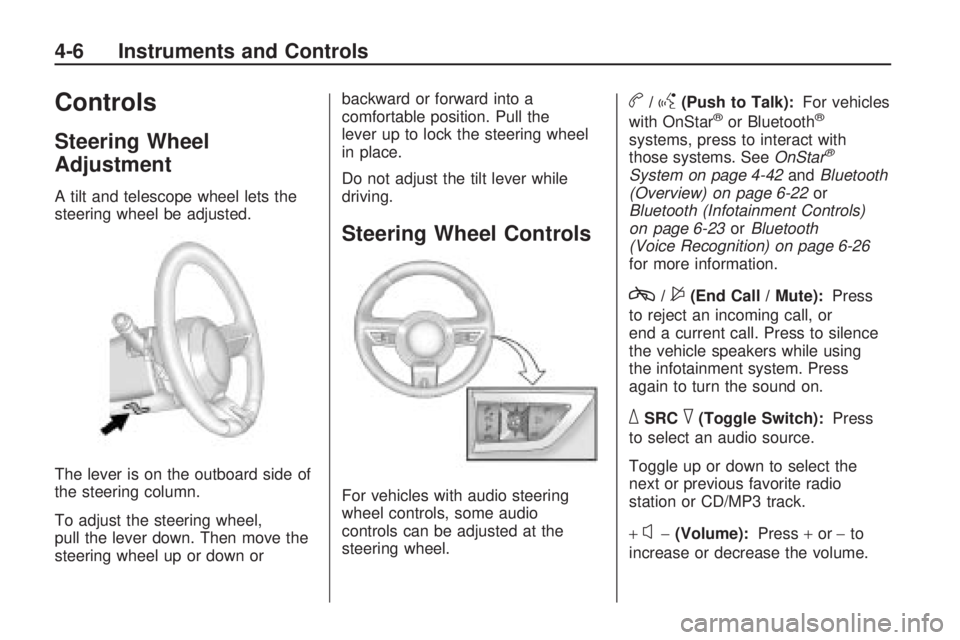
A tilt and telescope wheel lets the
steering wheel be adjusted.
The lever is on the outboard side of
the steering column.
To adjust the steering wheel,
pull the lever down. Then move the
steering wheel up or down orbackward or forward into a
comfortable position. Pull the
lever up to lock the steering wheel
in place.
Do not adjust the tilt lever while
driving.
Steering Wheel Controls
For vehicles with audio steering
wheel controls, some audio
controls can be adjusted at the
steering wheel.
b/g(Push to Talk):For vehicles
with OnStar®or Bluetooth®
systems, press to interact with
those systems. SeeOnStar®
System on page 4-42andBluetooth
(Overview) on page 6-22or
Bluetooth (Infotainment Controls)
on page 6-23orBluetooth
(Voice Recognition) on page 6-26
for more information.
c/$(End Call / Mute):Press
to reject an incoming call, or
end a current call. Press to silence
the vehicle speakers while using
the infotainment system. Press
again to turn the sound on.
_SRC^(Toggle Switch):Press
to select an audio source.
Toggle up or down to select the
next or previous favorite radio
station or CD/MP3 track.
+
x−(Volume):Press+or−to
increase or decrease the volume.
4-6 Instruments and Controls
Page 88 of 372
Compass
The vehicle may have a compass
display on the Driver Information
Center (DIC). The compass is
an OnStar compass and receives its
heading and other information
from OnStar. SeeOnStar
®System
on page 4-42for more information
about the OnStar system.
Clock
The infotainment system controls
are used to access the time
and date settings through the
menu system. SeeOperation on
page 6-4for information about
how to use the menu system.
Setting the Time and Date
1. Press the CONFIG button.
2. Select Time and Date Settings.
3. Select Set Time or Set Date.
4. Turn the MENU/SELECT knob to
adjust the highlighted value.
5. Press the MENU/SELECT knob
to select the next value.
6. To save the time or date and
return to the Time and Date
Settings menu, press the
0BACK button at any time or
press MENU/SELECT knob after
adjusting the minutes or year.
Setting the 12/24 Hour Format
1. Press the CONFIG button.
2. Select Time and Date Settings.
3. Highlight 12/24 Hour Format.
4. Press the MENU/SELECT knob
to select the 12 hour or 24 hour
display format.
Setting the Month & Day
Format
1. Press the CONFIG button.
2. Select Time and Date Settings.
3. Highlight Month & Day Format.
4. Press the MENU/SELECT knob
to select MM/DD (month/day) or
DD/MM (day/month).
Setting the Auto Time Adjust
1. Press the CONFIG button.
2. Select Time and Date Settings.
3. Highlight Auto Time Adjust.
4. Press the MENU/SELECT knob
to turn Auto Time Adjust on or off.
4-8 Instruments and Controls
Page 139 of 372
Infotainment
System
IntroductionIntroduction..........................6-1
Theft-Deterrent Feature..........6-2
Overview..............................6-2
Operation.............................6-4
RadioAM-FM Radio.......................6-8
Satellite Radio.....................6-10
Radio Reception..................6-13
Backglass Antenna..............6-13
Satellite Radio Antenna........6-14
Audio PlayersCD Player..........................6-14
Auxiliary Devices.................6-16
PhoneBluetooth (Overview)............6-22
Bluetooth
(Infotainment Controls)........6-23
Bluetooth
(Voice Recognition)............6-26
Introduction
Read the following pages to
become familiar with the
infotainment system features.
{WARNING
Taking your eyes off the road
for extended periods could cause
a crash resulting in injury or
death to you or others. Do not
give extended attention to
entertainment tasks while driving.
This system provides access to
many audio and non audio listings.
To minimize taking your eyes off
the road while driving, do the
following while the vehicle is parked:
•Become familiar with the
operation and controls of
the audio system.
•Set up the tone, speaker
adjustments, and preset radio
stations.For more information, seeDefensive
Driving on page 8-2.
Notice:Contact your
dealer/retailer before adding any
equipment.
Adding audio or communication
equipment could interfere
with the operation of the vehicle’s
engine, radio, or other systems,
and could damage them.
Follow federal rules covering
mobile radio and telephone
equipment.
The vehicle has Retained Accessory
Power (RAP). With RAP, the
infotainment system can play even
after the ignition is turned off.
SeeRetained Accessory Power
(RAP) on page 8-19for more
information.
Infotainment System 6-1
Page 140 of 372
Theft-Deterrent Feature
The theft-deterrent feature works by
learning a portion of the Vehicle
Identification Number (VIN) to
the infotainment system. The system
does not operate if it is stolen or
moved to a different vehicle.
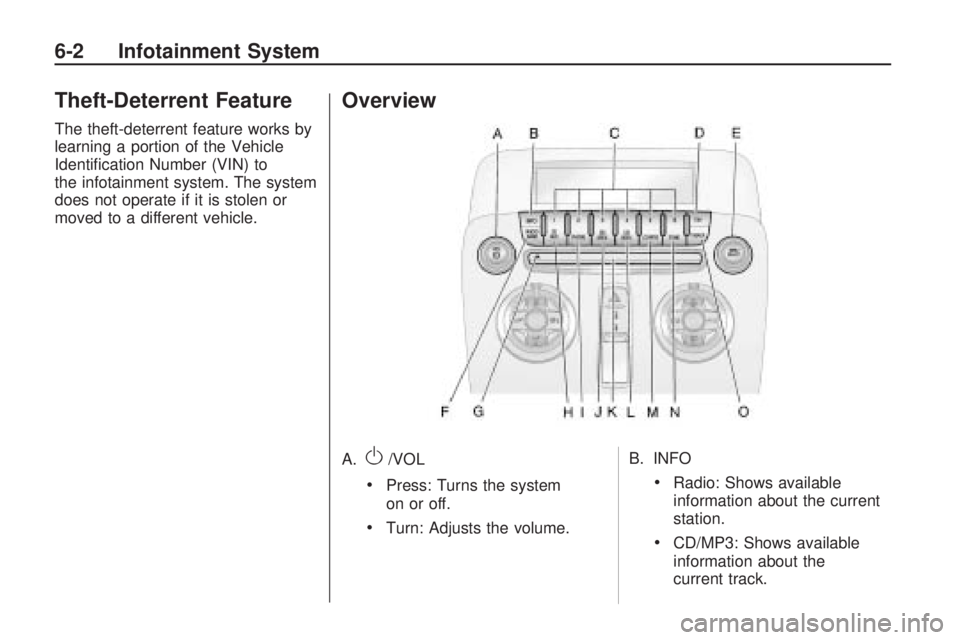
Overview
A.O/VOL
•Press: Turns the system
on or off.
•Turn: Adjusts the volume.B. INFO
•Radio: Shows available
information about the current
station.
•CD/MP3: Shows available
information about the
current track.
6-2 Infotainment System
Page 141 of 372

C. Buttons1-6
•Radio: Saves and selects
favorite stations.
D. FAV
•Radio: Opens the favorites list.
E. MENU/SELECT
•Press: Opens the menus and
selects menu items.
•Turn: Highlights menu items
or sets values while in a
menu. Manually selects radio
stations while listening to
the radio.
F. RADIO/BAND
•Changes the band while
listening to the radio.
•Selects the radio when
listening to a different audio
source.G.
ZCD Eject
•Removes CD from slot.
H. CD/AUX
•Selects between the CD
player or a connected external
audio source.
I. PHONE
•Opens the phone main menu.
•Mutes the audio system.
J.
gSEEK
•Radio: Seeks the previous
station.
•CD: Selects the previous
track or rewinds within a track.
K. CD Slot
•Insert a CD.L.
lSEEK
•Radio: Seeks the next station.
•CD: Selects the next track
or fast forwards within a
track.
M. CONFIG
•Opens the settings menu.
N. TONE
•Opens the tone menu.
O.
0BACK
•Menu: Moves one level back.
•Character Input: Deletes
the last character.
Infotainment System 6-3
Page 142 of 372
Operation
Controls
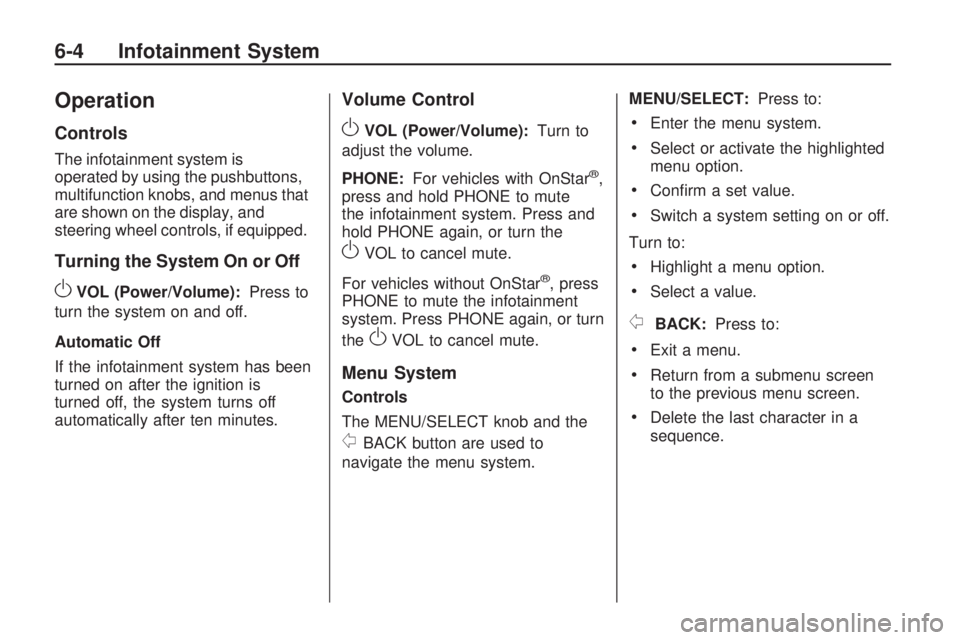
The infotainment system is
operated by using the pushbuttons,
multifunction knobs, and menus that
are shown on the display, and
steering wheel controls, if equipped.
Turning the System On or Off
OVOL (Power/Volume):Press to
turn the system on and off.
Automatic Off
If the infotainment system has been
turned on after the ignition is
turned off, the system turns off
automatically after ten minutes.
Volume Control
OVOL (Power/Volume):Turn to
adjust the volume.
PHONE:For vehicles with OnStar
®,
press and hold PHONE to mute
the infotainment system. Press and
hold PHONE again, or turn the
OVOL to cancel mute.
For vehicles without OnStar
®, press
PHONE to mute the infotainment
system. Press PHONE again, or turn
the
OVOL to cancel mute.
Menu System
Controls
The MENU/SELECT knob and the
0BACK button are used to
navigate the menu system.MENU/SELECT:Press to:
•Enter the menu system.
•Select or activate the highlighted
menu option.
•Confirm a set value.
•Switch a system setting on or off.
Turn to:
•Highlight a menu option.
•Select a value.
0BACK:Press to:
•Exit a menu.
•Return from a submenu screen
to the previous menu screen.
•Delete the last character in a
sequence.
6-4 Infotainment System
Page 143 of 372

Selecting a Menu Option
1. Turn the MENU/SELECT knob to
move the highlighted bar.
2. Press the MENU/SELECT knob
to select the highlighted option.
Submenus
An arrow on the right-hand edge of
the menu indicates that it has a
submenu with other options.Activating a Setting
1. Turn the MENU/SELECT knob to
highlight the setting.
2. Press the MENU/SELECT knob
to activate the setting.
Setting a Value
1. Turn the MENU/SELECT knob to
change the current value of the
setting.
2. Press the MENU/SELECT knob
to confirm the setting.Turning a Function On or Off
1. Turn the MENU/SELECT knob to
highlight the function.
2. Press the MENU/SELECT knob
to turn the function on or off.
Entering a Character Sequence
1. Turn the MENU/SELECT knob to
highlight the character.
2. Press the MENU/SELECT knob
to select the character.
Infotainment System 6-5
Page 144 of 372

Press the0BACK button to delete
the last character or press and
hold
0BACK to delete the entire
character sequence.
Audio Settings
The audio settings can be set for
each radio band and each audio
player source.
To adjust the audio setting, press
the TONE button and select the
audio setting. Press the
0BACK
button to go back to the Tone
Settings menu.
To quickly reset an audio setting
value to 0:
1. Highlight the option.
2. Press and hold the
MENU/SELECT knob until the
value changes to 0.Adjusting the Treble, Midrange,
and Bass
1. Select Treble, Midrange, or Bass.
2. Select the value.
Adjusting the Fader and Balance
1. Select Fader or Balance.
2. Select the value.Adjusting the EQ (Equalizer)
For vehicles that have an equalizer:
1. Select EQ.
2. Select the setting.
6-6 Infotainment System
Page 145 of 372

System Settings
Conguring the Number of
Favorite Pages
To configure the number of available
favorite pages:
1. Press the CONFIG button.
2. Select Radio Settings.
3. Select Radio Favorites.
4. Select the number of available
favorite pages.
5. Press the
0BACK button to
go back to the System
Configuration menu.Auto Volume
The auto volume feature
automatically adjusts the radio
volume to compensate for road and
wind noise as the vehicle speeds
up or slows down, so that the
volume level is consistent
The level of volume compensation
can be selected, or the auto
volume feature can be turned off.
1. Press the CONFIG button.
2. Select Radio Settings.
3. Select Auto Volume.
4. Select the setting
5. Press the
0BACK button
to go back to the System
Configuration menu.Maximum Startup Volume
The maximum volume played when
the radio is first turned on can be set.
1. Press the CONFIG button.
2. Select Radio Settings.
3. Select Maximum Startup Volume.
4. Select the setting
5. Press the
0BACK button
to go back to the System
Configuration menu.
Infotainment System 6-7