warning CHEVROLET CAMARO SS 2018 User Guide
[x] Cancel search | Manufacturer: CHEVROLET, Model Year: 2018, Model line: CAMARO SS, Model: CHEVROLET CAMARO SS 2018Pages: 386, PDF Size: 5.57 MB
Page 39 of 386
Chevrolet Camaro Owner Manual (GMNA-Localizing-U.S./Canada/Mexico-
11348325) - 2018 - crc - 4/11/17
38 Keys, Doors, and Windows
Warning (Continued)
being thrown out of the
vehicle in a crash is
increased if the doors are
not locked. So, all
passengers should wear
seat belts properly and the
doors should be locked
whenever the vehicle is
driven.
. Young children who get into
unlocked vehicles may be
unable to get out. A child
can be overcome by
extreme heat and can suffer
permanent injuries or even
death from heat stroke.
Always lock the vehicle
whenever leaving it.
. Outsiders can easily enter
through an unlocked door
when you slow down or stop
the vehicle. Locking the
doors can help prevent this
from happening.
To lock or unlock the doors from
outside the vehicle: .
Press
QorKon the Remote
Keyless Entry (RKE) transmitter.
. Use the key in the driver door.
The key cylinder is covered with
a cap.
To lock or unlock the doors from
inside the vehicle:
. Press
QorKon the power door
lock switch.
. Pulling an interior door handle
will unlock the door. Pulling the
door handle again unlatches it.
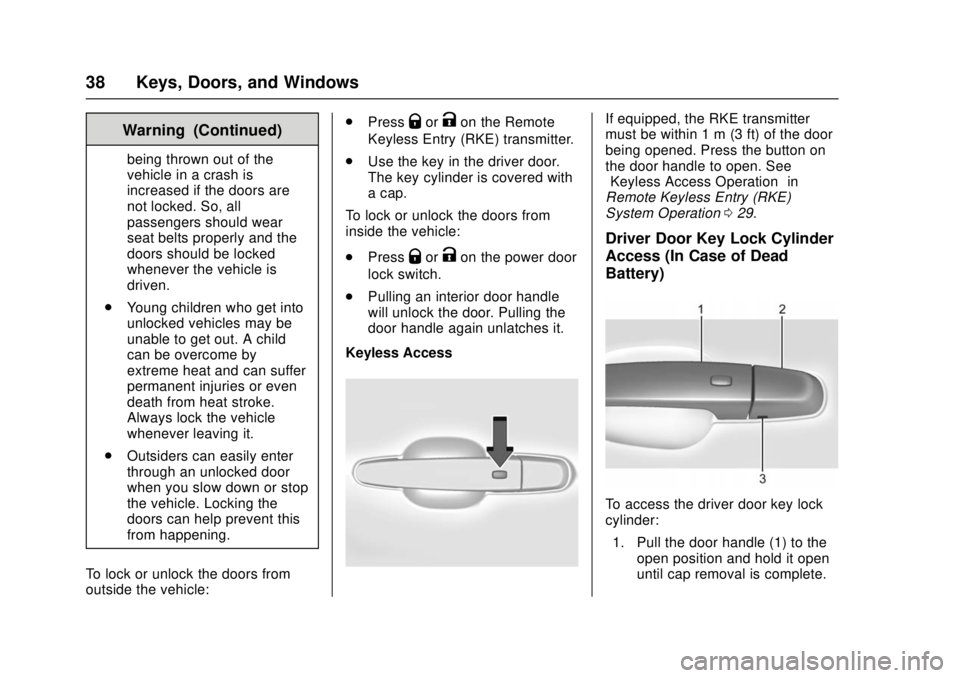
Keyless Access
If equipped, the RKE transmitter
must be within 1 m (3 ft) of the door
being opened. Press the button on
the door handle to open. See
“Keyless Access Operation” in
Remote Keyless Entry (RKE)
System Operation 029.
Driver Door Key Lock Cylinder
Access (In Case of Dead
Battery)
To access the driver door key lock
cylinder:
1. Pull the door handle (1) to the open position and hold it open
until cap removal is complete.
Page 42 of 386
Chevrolet Camaro Owner Manual (GMNA-Localizing-U.S./Canada/Mexico-
11348325) - 2018 - crc - 4/11/17
Keys, Doors, and Windows 41
Open Door Anti-Lockout
If Open Door Anti-Lockout is turned
on and the vehicle is off, the driver
door is open, and locking is
requested, all the doors will lock and
only the driver door will unlock. The
Open Door Anti-Lockout feature can
be turned on or off. SeeVehicle
Personalization 0137.Doors
Trunk
{Warning
Exhaust gases can enter the
vehicle if it is driven with the
liftgate, trunk/hatch open, or with
any objects that pass through the
seal between the body and the
trunk/hatch or liftgate. Engine
exhaust contains carbon
monoxide (CO) which cannot be
seen or smelled. It can cause
unconsciousness and even death.
If the vehicle must be driven with
the liftgate, or trunk/hatch open:
. Close all of the windows.
. Fully open the air outlets on
or under the instrument
panel.
. Adjust the climate control
system to a setting that
brings in only outside air
and set the fan speed to the
(Continued)
Warning (Continued)
highest setting. See
“Climate Control Systems”
in the Index.
. If the vehicle has a power
liftgate, disable the power
liftgate function.
For more information about
carbon monoxide, see Engine
Exhaust 0217.
Trunk Release
To open the trunk from outside of
the vehicle:
.
Press
Xtwice quickly on the
Remote Keyless Entry (RKE)
transmitter.
. Press the touch pad in the area
above the license plate after
unlocking all doors.
. For Keyless Access, press the
touch pad in the area above the
license plate when the
transmitter is within 1 m (3 ft) of
the rear of the vehicle.
Page 47 of 386
Chevrolet Camaro Owner Manual (GMNA-Localizing-U.S./Canada/Mexico-
11348325) - 2018 - crc - 4/11/17
46 Keys, Doors, and Windows
Do not leave the transmitter or
device that disarms or deactivates
the theft-deterrent system in the
vehicle.Exterior Mirrors
Convex Mirrors
{Warning
A convex mirror can make things,
like other vehicles, look farther
away than they really are. If you
cut too sharply into the right lane,
you could hit a vehicle on the
right. Check the inside mirror or
glance over your shoulder before
changing lanes.
The driver and passenger side
mirrors are convex shaped.
A convex mirror's surface is curved
so more can be seen from the
driver seat.
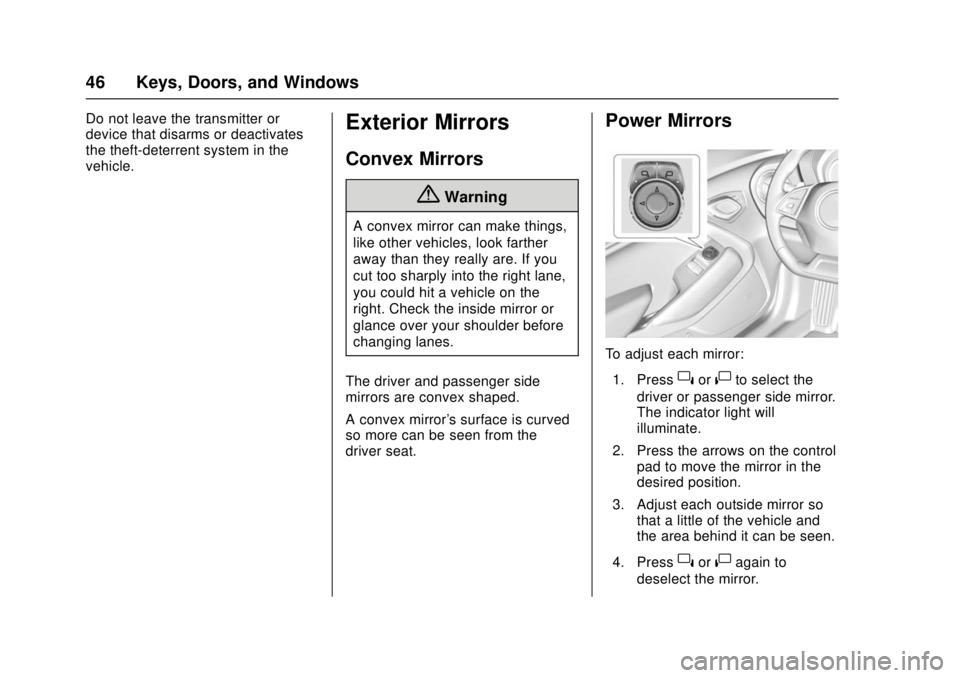
Power Mirrors
To adjust each mirror: 1. Press
}or|to select the
driver or passenger side mirror.
The indicator light will
illuminate.
2. Press the arrows on the control pad to move the mirror in the
desired position.
3. Adjust each outside mirror so that a little of the vehicle and
the area behind it can be seen.
4. Press
}or|again to
deselect the mirror.
Page 49 of 386
Chevrolet Camaro Owner Manual (GMNA-Localizing-U.S./Canada/Mexico-
11348325) - 2018 - crc - 4/11/17
48 Keys, Doors, and Windows
Automatic Dimming
Rearview Mirror
If equipped, automatic dimming
reduces the glare of headlamps
from behind. The dimming feature
comes on when the vehicle is
started.
Windows
{Warning
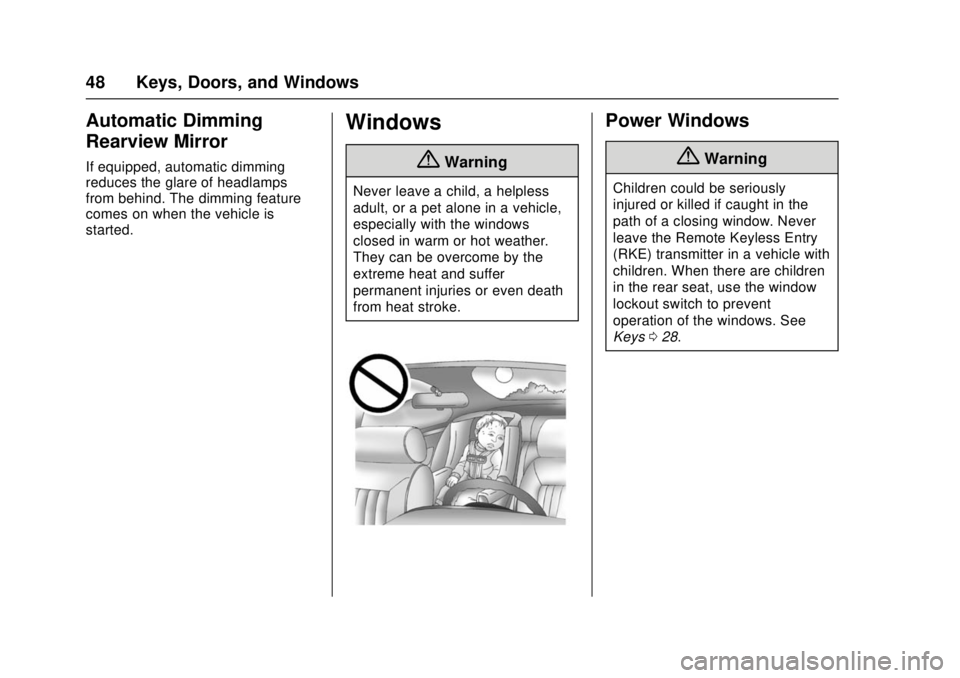
Never leave a child, a helpless
adult, or a pet alone in a vehicle,
especially with the windows
closed in warm or hot weather.
They can be overcome by the
extreme heat and suffer
permanent injuries or even death
from heat stroke.
Power Windows
{Warning
Children could be seriously
injured or killed if caught in the
path of a closing window. Never
leave the Remote Keyless Entry
(RKE) transmitter in a vehicle with
children. When there are children
in the rear seat, use the window
lockout switch to prevent
operation of the windows. See
Keys028.
Page 51 of 386
Chevrolet Camaro Owner Manual (GMNA-Localizing-U.S./Canada/Mexico-
11348325) - 2018 - crc - 4/11/17
50 Keys, Doors, and Windows
Window Automatic Reversal
System
The express-close feature will
reverse window movement if it
comes in contact with an object.
Extreme cold or ice could cause the
window to auto-reverse. The
window will operate normally after
the object or condition is removed.
Automatic Reversal System
Override
{Warning
If automatic reversal system
override is active, the window will
not reverse automatically. You or
others could be injured and the
window could be damaged.
Before using automatic reversal
system override, make sure that
all people and obstructions are
clear of the window path.
When the engine is on, override the
automatic reversal system by pulling
and holding the window switch if
conditions prevent it from closing.
Programming the Power
Windows
Programming may be necessary if
the vehicle's battery has been
disconnected or discharged. If the
window is unable to express-close,
program each express-close
window: 1. Close all doors.
2. Place the ignition on or to ACC/ ACCESSORY.
3. Partially open the window to be programmed. Then close it and
continue to pull the switch
briefly after the window has
fully closed.
4. Open the window and continue to press the switch briefly after
the window has fully opened.
Window Operation with
Convertible Top
Windows will automatically lower
fully when the convertible top is
lowered or raised. See Convertible
Top 052. The rear windows should always be
raised before the front windows to
ensure the best seal.
Remote Window Operation
If equipped, this feature allows the
windows to be opened remotely.
If enabled, press and hold
Kon
the RKE transmitter. See Vehicle
Personalization 0137.
Window Indexing
If the window freezes to the door:
1. Push the top of the window inward while opening the door.
2. Clear all snow and ice from the door and glass.
3. Open the window completely and then close it.
4. Close the door.
When fully closed, indexing
automatically lowers the window a
small amount when the door is
opened. When the door is closed,
the window will raise to its previous
position. If either window does not
index properly, it could be due to
Page 53 of 386
Chevrolet Camaro Owner Manual (GMNA-Localizing-U.S./Canada/Mexico-
11348325) - 2018 - crc - 4/11/17
52 Keys, Doors, and Windows
The sunshade can be opened
manually, but must be closed
manually.
The sunroof glass panel cannot be
opened or closed if the vehicle has
an electrical failure.
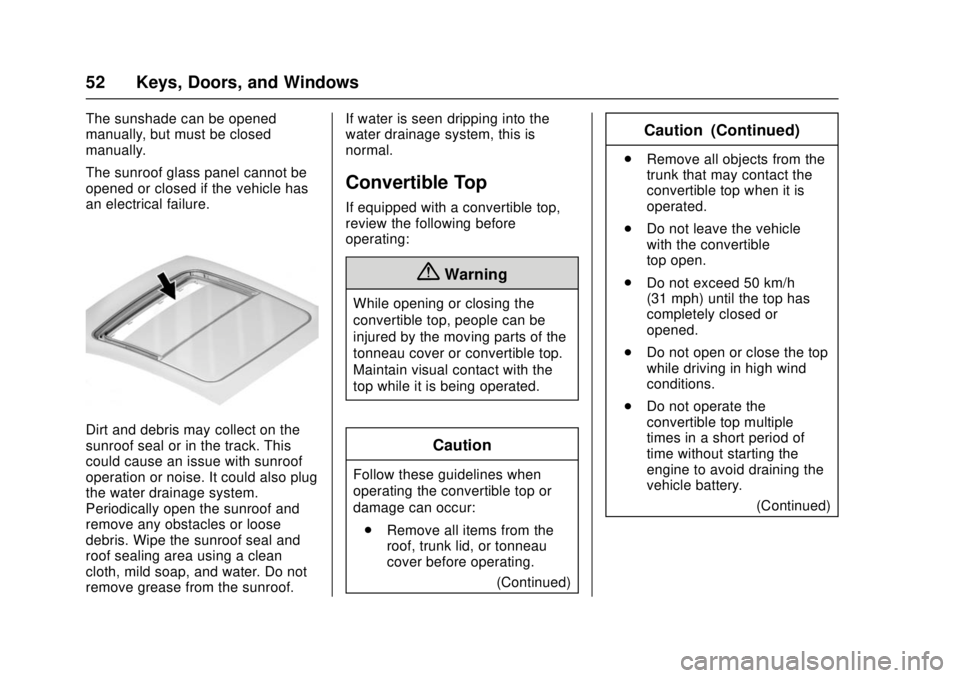
Dirt and debris may collect on the
sunroof seal or in the track. This
could cause an issue with sunroof
operation or noise. It could also plug
the water drainage system.
Periodically open the sunroof and
remove any obstacles or loose
debris. Wipe the sunroof seal and
roof sealing area using a clean
cloth, mild soap, and water. Do not
remove grease from the sunroof.If water is seen dripping into the
water drainage system, this is
normal.
Convertible Top
If equipped with a convertible top,
review the following before
operating:
{Warning
While opening or closing the
convertible top, people can be
injured by the moving parts of the
tonneau cover or convertible top.
Maintain visual contact with the
top while it is being operated.
Caution
Follow these guidelines when
operating the convertible top or
damage can occur:
. Remove all items from the
roof, trunk lid, or tonneau
cover before operating.
(Continued)
Caution (Continued)
.Remove all objects from the
trunk that may contact the
convertible top when it is
operated.
. Do not leave the vehicle
with the convertible
top open.
. Do not exceed 50 km/h
(31 mph) until the top has
completely closed or
opened.
. Do not open or close the top
while driving in high wind
conditions.
. Do not operate the
convertible top multiple
times in a short period of
time without starting the
engine to avoid draining the
vehicle battery.
(Continued)
Page 60 of 386
Chevrolet Camaro Owner Manual (GMNA-Localizing-U.S./Canada/Mexico-
11348325) - 2018 - crc - 4/11/17
Seats and Restraints 59
Head Restraints
The vehicle’s front seats have
adjustable head restraints in the
outboard seating positions.
{Warning
With head restraints that are not
installed and adjusted properly,
there is a greater chance that
occupants will suffer a neck/
spinal injury in a crash. Do not
drive until the head restraints for
all occupants are installed and
adjusted properly.
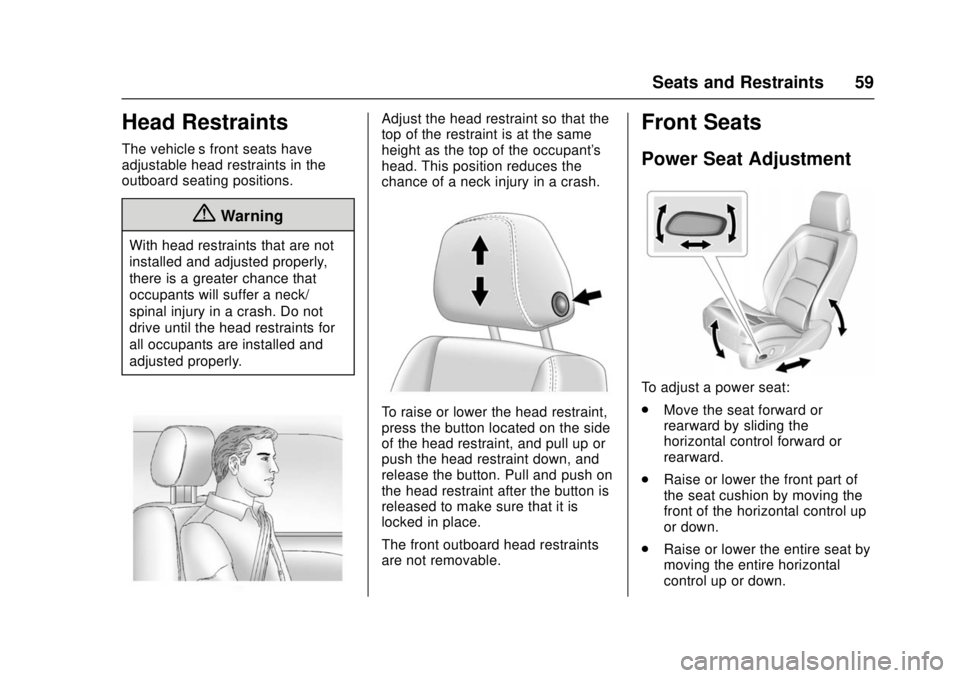
Adjust the head restraint so that the
top of the restraint is at the same
height as the top of the occupant's
head. This position reduces the
chance of a neck injury in a crash.
To raise or lower the head restraint,
press the button located on the side
of the head restraint, and pull up or
push the head restraint down, and
release the button. Pull and push on
the head restraint after the button is
released to make sure that it is
locked in place.
The front outboard head restraints
are not removable.
Front Seats
Power Seat Adjustment
To adjust a power seat:
.Move the seat forward or
rearward by sliding the
horizontal control forward or
rearward.
. Raise or lower the front part of
the seat cushion by moving the
front of the horizontal control up
or down.
. Raise or lower the entire seat by
moving the entire horizontal
control up or down.
Page 61 of 386
Chevrolet Camaro Owner Manual (GMNA-Localizing-U.S./Canada/Mexico-
11348325) - 2018 - crc - 4/11/17
60 Seats and Restraints
Reclining Seatbacks
{Warning
Sitting in a reclined position when
the vehicle is in motion can be
dangerous. Even when buckled
up, the seat belts cannot do
their job.
The shoulder belt will not be
against your body. Instead, it will
be in front of you. In a crash, you
could go into it, receiving neck or
other injuries.
The lap belt could go up over
your abdomen. The belt forces
would be there, not at your pelvic
bones. This could cause serious
internal injuries.
For proper protection when the
vehicle is in motion, have the
seatback upright. Then sit well
back in the seat and wear the
seat belt properly.
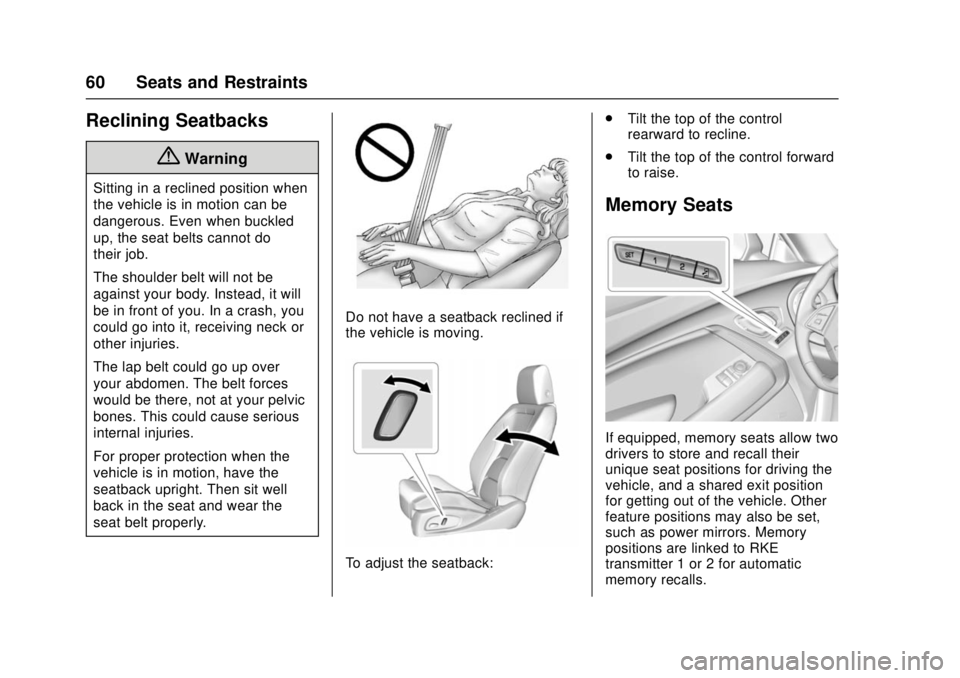
Do not have a seatback reclined if
the vehicle is moving.
To adjust the seatback:.
Tilt the top of the control
rearward to recline.
. Tilt the top of the control forward
to raise.
Memory Seats
If equipped, memory seats allow two
drivers to store and recall their
unique seat positions for driving the
vehicle, and a shared exit position
for getting out of the vehicle. Other
feature positions may also be set,
such as power mirrors. Memory
positions are linked to RKE
transmitter 1 or 2 for automatic
memory recalls.
Page 64 of 386
Chevrolet Camaro Owner Manual (GMNA-Localizing-U.S./Canada/Mexico-
11348325) - 2018 - crc - 4/11/17
Seats and Restraints 63
button number that positions were
saved to. Try storing the position to
the other memory button or try the
other RKE transmitter.
Easy Exit Recall
Easy Exit Recall is not linked to an
RKE transmitter. The position stored
to
Bis used for all drivers. To turn
Easy Exit Recall on or off, see
"Vehicle Personalization Settings"
previously in this section and
Vehicle Personalization 0137.
If turned on, the positions saved to
Bare automatically recalled when
one of the following occurs:
. The vehicle is turned off and the
driver door is opened within a
short time.
. The vehicle is turned off with the
driver door open.
To stop Easy Exit Recall movement,
press any of the following memory
controls:
. Power seat
. Memory SET, 1, 2, or
B
.Power mirror, with the driver or
passenger side mirror selected
Obstructions
If something has blocked the driver
seat while recalling a memory
position, the recall may stop.
Remove the obstruction and try the
recall again. If the memory position
still does not recall, see your dealer
for service.
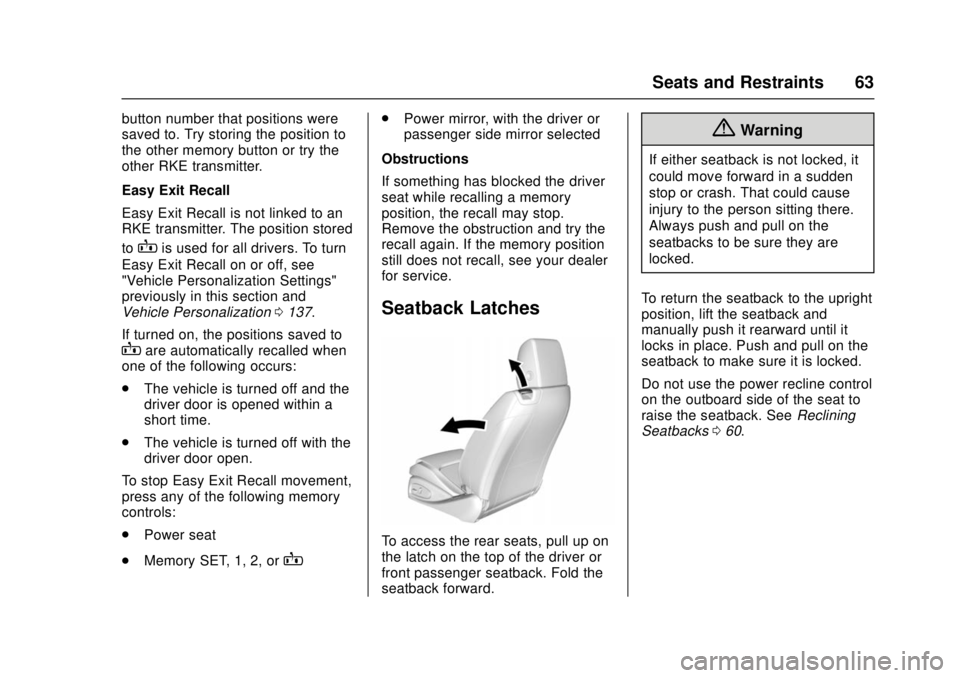
Seatback Latches
To access the rear seats, pull up on
the latch on the top of the driver or
front passenger seatback. Fold the
seatback forward.
{Warning
If either seatback is not locked, it
could move forward in a sudden
stop or crash. That could cause
injury to the person sitting there.
Always push and pull on the
seatbacks to be sure they are
locked.
To return the seatback to the upright
position, lift the seatback and
manually push it rearward until it
locks in place. Push and pull on the
seatback to make sure it is locked.
Do not use the power recline control
on the outboard side of the seat to
raise the seatback. See Reclining
Seatbacks 060.
Page 65 of 386
Chevrolet Camaro Owner Manual (GMNA-Localizing-U.S./Canada/Mexico-
11348325) - 2018 - crc - 4/11/17
64 Seats and Restraints
Heated and Ventilated
Front Seats
{Warning
If temperature change or pain to
the skin cannot be felt, the seat
heater may cause burns. To
reduce the risk of burns, use care
when using the seat heater,
especially for long periods of
time. Do not place anything on
the seat that insulates against
heat, such as a blanket, cushion,
cover, or similar item. This may
cause the seat heater to
overheat. An overheated seat
heater may cause a burn or may
damage the seat.
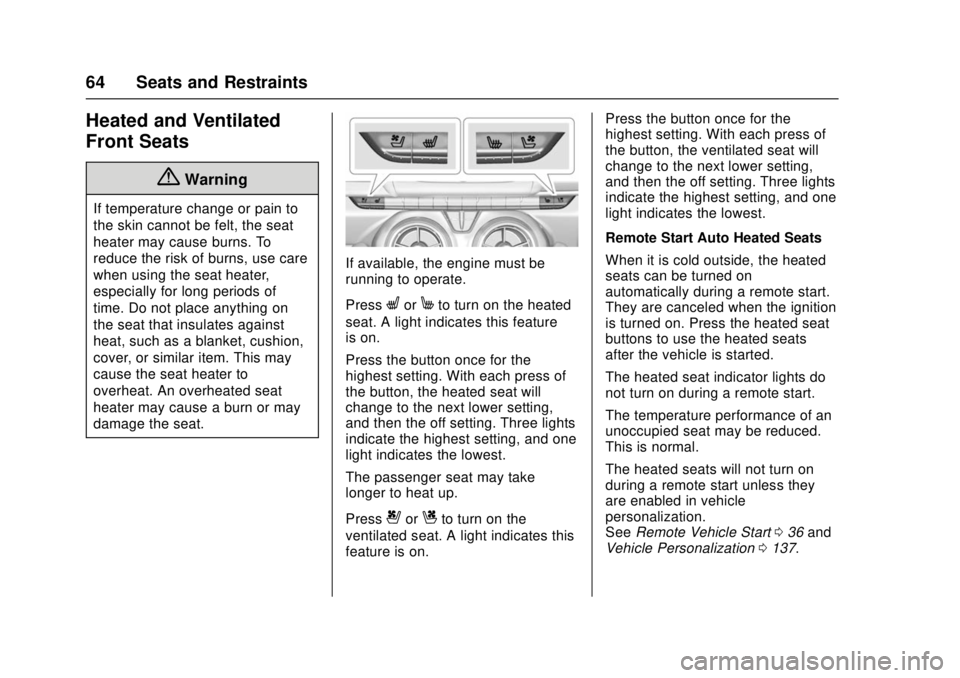
If available, the engine must be
running to operate.
Press
LorMto turn on the heated
seat. A light indicates this feature
is on.
Press the button once for the
highest setting. With each press of
the button, the heated seat will
change to the next lower setting,
and then the off setting. Three lights
indicate the highest setting, and one
light indicates the lowest.
The passenger seat may take
longer to heat up.
Press
{orCto turn on the
ventilated seat. A light indicates this
feature is on. Press the button once for the
highest setting. With each press of
the button, the ventilated seat will
change to the next lower setting,
and then the off setting. Three lights
indicate the highest setting, and one
light indicates the lowest.
Remote Start Auto Heated Seats
When it is cold outside, the heated
seats can be turned on
automatically during a remote start.
They are canceled when the ignition
is turned on. Press the heated seat
buttons to use the heated seats
after the vehicle is started.
The heated seat indicator lights do
not turn on during a remote start.
The temperature performance of an
unoccupied seat may be reduced.
This is normal.
The heated seats will not turn on
during a remote start unless they
are enabled in vehicle
personalization.
See
Remote Vehicle Start 036 and
Vehicle Personalization 0137.