ignition CHEVROLET CAMARO SS 2018 Owners Manual
[x] Cancel search | Manufacturer: CHEVROLET, Model Year: 2018, Model line: CAMARO SS, Model: CHEVROLET CAMARO SS 2018Pages: 386, PDF Size: 5.57 MB
Page 8 of 386

Chevrolet Camaro Owner Manual (GMNA-Localizing-U.S./Canada/Mexico-
11348325) - 2018 - crc - 4/11/17
In Brief 7
1.Air Vents 0192.
2. Instrument Panel Illumination
Control 0152.
3. Exterior Lamp Controls 0149.
Turn Signal Lever. See Turn
and Lane-Change Signals
0 151.
Headlamp High/Low-Beam
Changer 0149.
4. Tap Shift (If Equipped). See Manual Mode 0220.
Active Rev Match 0224 (If
Equipped).
5. Instrument Cluster 0112.
6. Windshield Wiper/Washer
0105.
7. Infotainment 0155.
8. Light Sensor. See Automatic
Headlamp System 0150.
9. Automatic Climate Control
System 0186 orDual
Automatic Climate Control
System 0189 (If Equipped).
Heated and Ventilated Front
Seats 064 (If Equipped). 10. Shift Lever.
SeeAutomatic Transmission
0 218 orManual Transmission
0 222.
11. Power Outlets 0108.
12. Electric Parking Brake 0226.
13. Traction Control/Electronic
Stability Control 0228.
Driver Mode Control 0230.
14. Hazard Warning Flashers
0151.
15. ENGINE START/STOP Button. SeeIgnition Positions 0210.
16. Steering Wheel Controls 0104.
Driver Information Center (DIC)
Controls. See Driver
Information Center (DIC) 0130.
17. Audio Controls. See Steering
Wheel Controls 0104.
18. Horn 0105.
19. Steering Wheel Adjustment
0104.
20. Cruise Control 0235.
Heated Steering Wheel 0105
(If Equipped). 21.
Head-Up Display (HUD) 0132
(If Equipped).
22. Data Link Connector (DLC) (Out of View). See Malfunction
Indicator Lamp 0123.
Hood Release (Out of View).
See Hood 0251.
Page 11 of 386
Chevrolet Camaro Owner Manual (GMNA-Localizing-U.S./Canada/Mexico-
11348325) - 2018 - crc - 4/11/17
10 In Brief
.Press the touch pad in the area
above the license plate after
unlocking all doors.
See Trunk 041.
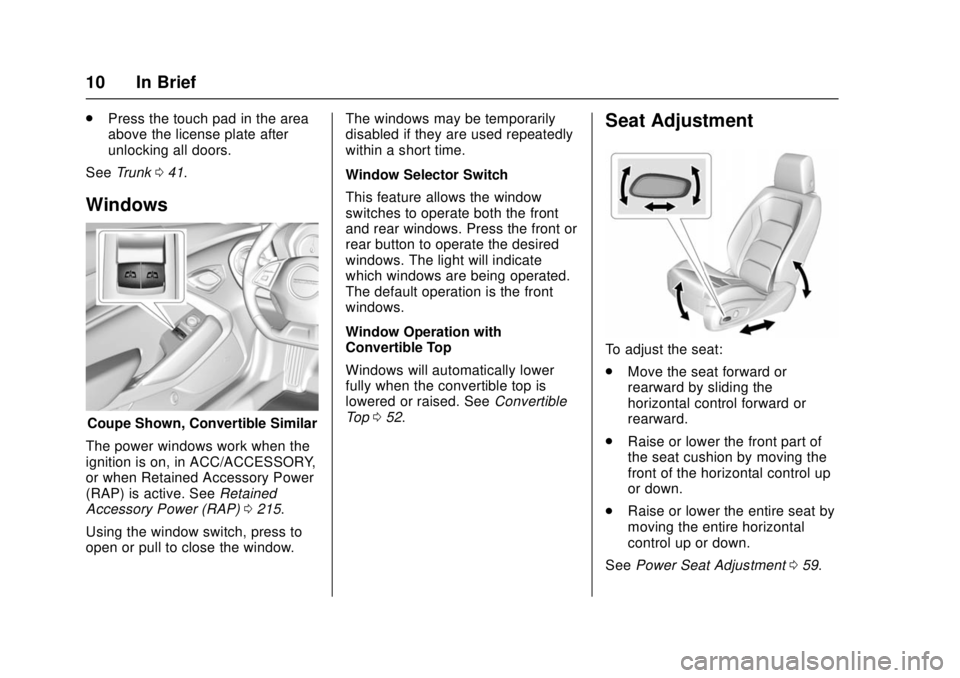
Windows
Coupe Shown, Convertible Similar
The power windows work when the
ignition is on, in ACC/ACCESSORY,
or when Retained Accessory Power
(RAP) is active. See Retained
Accessory Power (RAP) 0215.
Using the window switch, press to
open or pull to close the window. The windows may be temporarily
disabled if they are used repeatedly
within a short time.
Window Selector Switch
This feature allows the window
switches to operate both the front
and rear windows. Press the front or
rear button to operate the desired
windows. The light will indicate
which windows are being operated.
The default operation is the front
windows.
Window Operation with
Convertible Top
Windows will automatically lower
fully when the convertible top is
lowered or raised. See
Convertible
Top 052.
Seat Adjustment
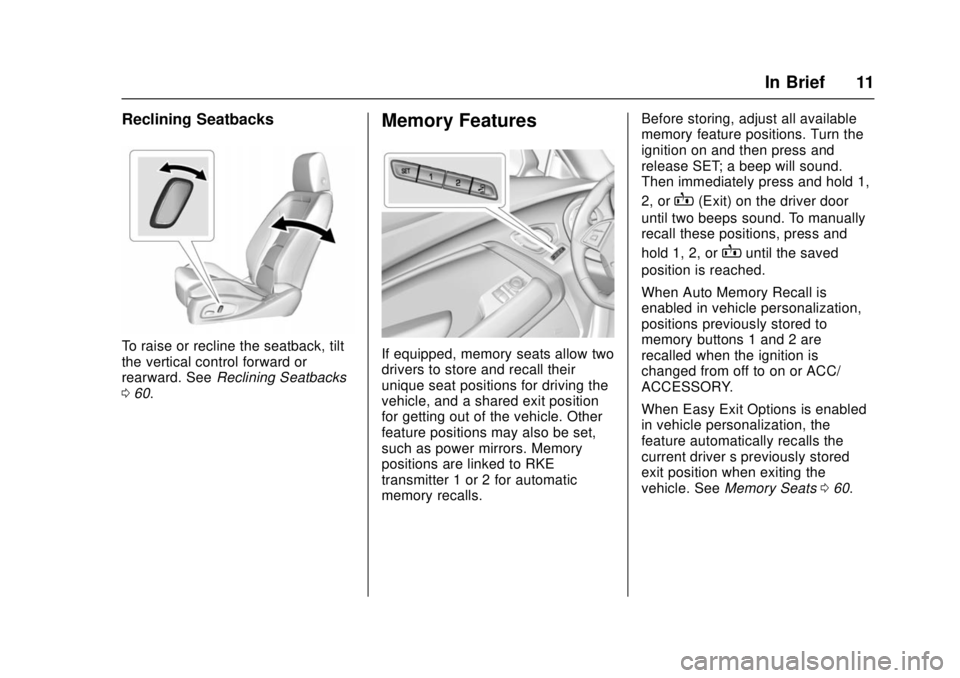
To adjust the seat:
.
Move the seat forward or
rearward by sliding the
horizontal control forward or
rearward.
. Raise or lower the front part of
the seat cushion by moving the
front of the horizontal control up
or down.
. Raise or lower the entire seat by
moving the entire horizontal
control up or down.
See Power Seat Adjustment 059.
Page 12 of 386
Chevrolet Camaro Owner Manual (GMNA-Localizing-U.S./Canada/Mexico-
11348325) - 2018 - crc - 4/11/17
In Brief 11
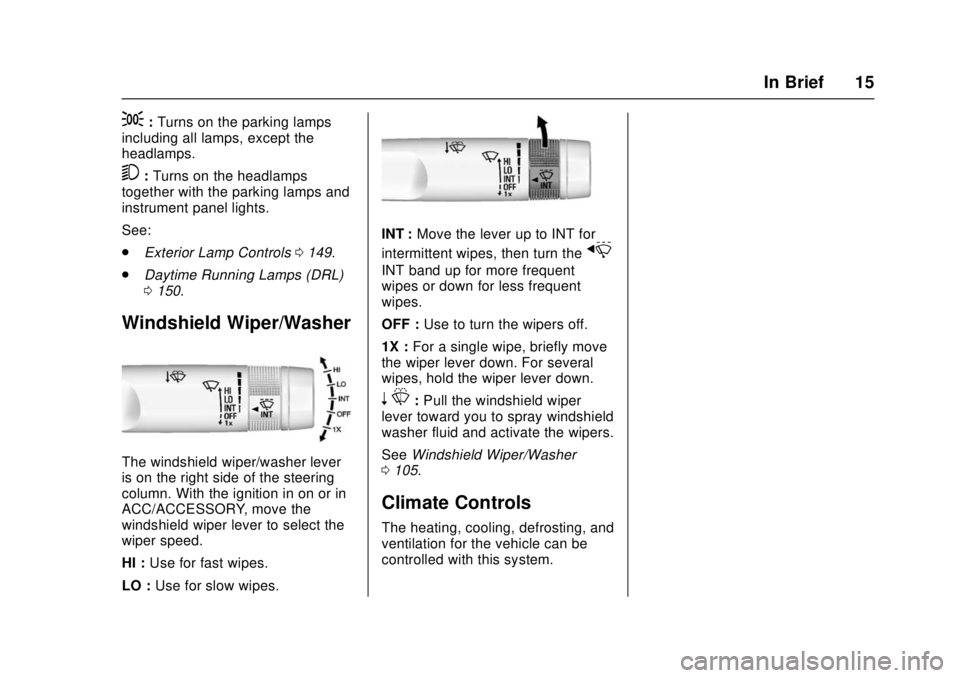
Reclining Seatbacks
To raise or recline the seatback, tilt
the vertical control forward or
rearward. SeeReclining Seatbacks
0 60.
Memory Features
If equipped, memory seats allow two
drivers to store and recall their
unique seat positions for driving the
vehicle, and a shared exit position
for getting out of the vehicle. Other
feature positions may also be set,
such as power mirrors. Memory
positions are linked to RKE
transmitter 1 or 2 for automatic
memory recalls. Before storing, adjust all available
memory feature positions. Turn the
ignition on and then press and
release SET; a beep will sound.
Then immediately press and hold 1,
2, or
B(Exit) on the driver door
until two beeps sound. To manually
recall these positions, press and
hold 1, 2, or
Buntil the saved
position is reached.
When Auto Memory Recall is
enabled in vehicle personalization,
positions previously stored to
memory buttons 1 and 2 are
recalled when the ignition is
changed from off to on or ACC/
ACCESSORY.
When Easy Exit Options is enabled
in vehicle personalization, the
feature automatically recalls the
current driver ’s previously stored
exit position when exiting the
vehicle. See Memory Seats 060.
Page 16 of 386
Chevrolet Camaro Owner Manual (GMNA-Localizing-U.S./Canada/Mexico-
11348325) - 2018 - crc - 4/11/17
In Brief 15
;:Turns on the parking lamps
including all lamps, except the
headlamps.
5: Turns on the headlamps
together with the parking lamps and
instrument panel lights.
See:
. Exterior Lamp Controls 0149.
. Daytime Running Lamps (DRL)
0150.
Windshield Wiper/Washer
The windshield wiper/washer lever
is on the right side of the steering
column. With the ignition in on or in
ACC/ACCESSORY, move the
windshield wiper lever to select the
wiper speed.
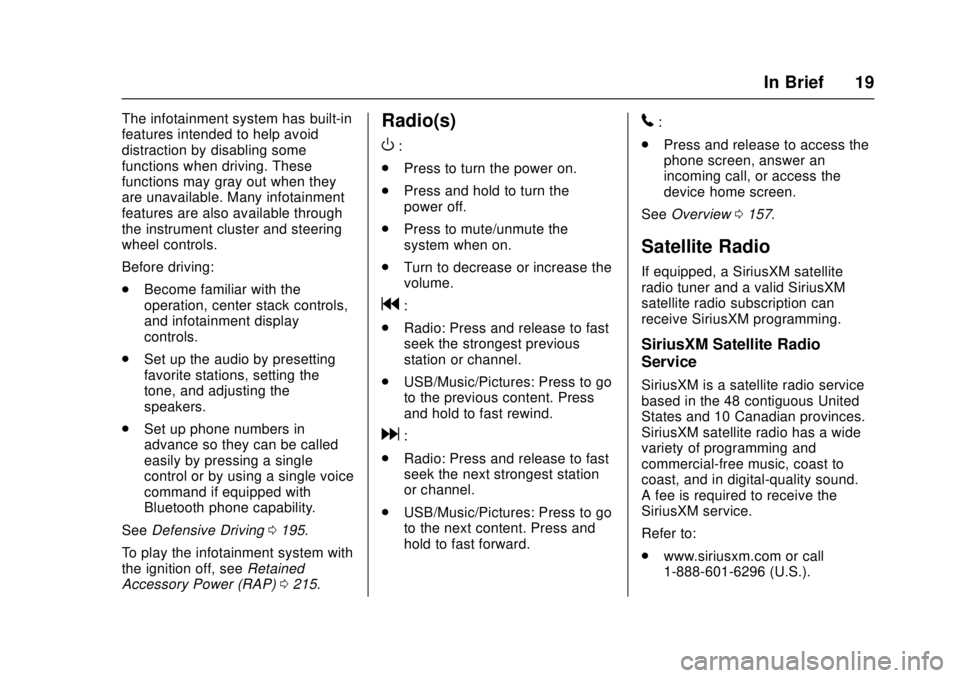
HI : Use for fast wipes.
LO : Use for slow wipes.
INT : Move the lever up to INT for
intermittent wipes, then turn the
x
INT band up for more frequent
wipes or down for less frequent
wipes.
OFF : Use to turn the wipers off.
1X : For a single wipe, briefly move
the wiper lever down. For several
wipes, hold the wiper lever down.
n L: Pull the windshield wiper
lever toward you to spray windshield
washer fluid and activate the wipers.
See Windshield Wiper/Washer
0 105.
Climate Controls
The heating, cooling, defrosting, and
ventilation for the vehicle can be
controlled with this system.
Page 20 of 386
Chevrolet Camaro Owner Manual (GMNA-Localizing-U.S./Canada/Mexico-
11348325) - 2018 - crc - 4/11/17
In Brief 19
The infotainment system has built-in
features intended to help avoid
distraction by disabling some
functions when driving. These
functions may gray out when they
are unavailable. Many infotainment
features are also available through
the instrument cluster and steering
wheel controls.
Before driving:
.Become familiar with the
operation, center stack controls,
and infotainment display
controls.
. Set up the audio by presetting
favorite stations, setting the
tone, and adjusting the
speakers.
. Set up phone numbers in
advance so they can be called
easily by pressing a single
control or by using a single voice
command if equipped with
Bluetooth phone capability.
See Defensive Driving 0195.
To play the infotainment system with
the ignition off, see Retained
Accessory Power (RAP) 0215.Radio(s)
O
:
. Press to turn the power on.
. Press and hold to turn the
power off.
. Press to mute/unmute the
system when on.
. Turn to decrease or increase the
volume.
g:
. Radio: Press and release to fast
seek the strongest previous
station or channel.
. USB/Music/Pictures: Press to go
to the previous content. Press
and hold to fast rewind.
d:
. Radio: Press and release to fast
seek the next strongest station
or channel.
. USB/Music/Pictures: Press to go
to the next content. Press and
hold to fast forward.
5:
. Press and release to access the
phone screen, answer an
incoming call, or access the
device home screen.
See Overview 0157.
Satellite Radio
If equipped, a SiriusXM satellite
radio tuner and a valid SiriusXM
satellite radio subscription can
receive SiriusXM programming.
SiriusXM Satellite Radio
Service
SiriusXM is a satellite radio service
based in the 48 contiguous United
States and 10 Canadian provinces.
SiriusXM satellite radio has a wide
variety of programming and
commercial-free music, coast to
coast, and in digital-quality sound.
A fee is required to receive the
SiriusXM service.
Refer to:
.
www.siriusxm.com or call
1-888-601-6296 (U.S.).
Page 24 of 386
Chevrolet Camaro Owner Manual (GMNA-Localizing-U.S./Canada/Mexico-
11348325) - 2018 - crc - 4/11/17
In Brief 23
Parking Assist
If equipped, Rear Parking Assist
(RPA) uses sensors on the rear
bumper to assist with parking and
avoiding objects while in
R (Reverse). It operates at speeds
less than 8 km/h (5 mph). RPA may
show a warning triangle on the
infotainment display and/or a
graphic on the instrument cluster to
provide the object distance. In
addition, multiple beeps may occur
if very close to an object.
SeeAssistance Systems for Parking
or Backing 0239.
Power Outlets
The vehicle has an accessory
power outlet on the center floor
console in front of the cupholders.
It can be used to plug in electrical
equipment, such as a cell phone or
an MP3 player.
The accessory power outlet does
not work when the ignition is turned
off and the driver door is opened.
This helps to preserve the battery
life of the vehicle. See
Power Outlets 0108.
Universal Remote System
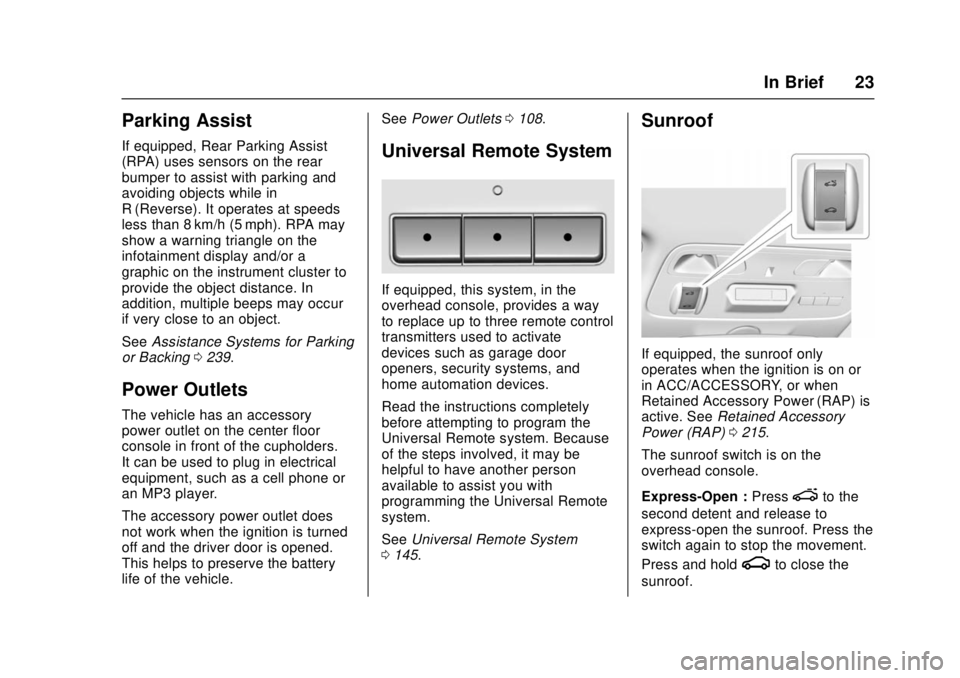
If equipped, this system, in the
overhead console, provides a way
to replace up to three remote control
transmitters used to activate
devices such as garage door
openers, security systems, and
home automation devices.
Read the instructions completely
before attempting to program the
Universal Remote system. Because
of the steps involved, it may be
helpful to have another person
available to assist you with
programming the Universal Remote
system.
See Universal Remote System
0 145.
Sunroof
If equipped, the sunroof only
operates when the ignition is on or
in ACC/ACCESSORY, or when
Retained Accessory Power (RAP) is
active. See Retained Accessory
Power (RAP) 0215.
The sunroof switch is on the
overhead console.
Express-Open : Press
eto the
second detent and release to
express-open the sunroof. Press the
switch again to stop the movement.
Press and hold
gto close the
sunroof.
Page 32 of 386

Chevrolet Camaro Owner Manual (GMNA-Localizing-U.S./Canada/Mexico-
11348325) - 2018 - crc - 4/11/17
Keys, Doors, and Windows 31
Press and hold7for at least
three seconds to sound the panic
alarm. The horn sounds and the
turn signals flash until
7is pressed
again or the ignition is turned on.
Convertible Top
. Do not try to start the vehicle
while using the RKE transmitter
to open the convertible top.
Release
Mon the RKE
transmitter and ENGINE START/
STOP. Wait a few seconds
before starting the vehicle
normally.
. The passive door unlock feature
may not operate properly while
using the RKE transmitter to
open the convertible top.
The convertible top can also be
opened using a button in the
overhead console. See Convertible
Top 052.
Keyless Access Operation
The Keyless Access system lets
you lock and unlock the doors and
access the trunk without removing
the RKE transmitter from your pocket, purse, briefcase, etc. The
RKE transmitter should be within
1 m (3 ft) of the door or trunk being
opened. If equipped, there will be
buttons on the outside door
handles.
Keyless Access can be
programmed to unlock all doors on
the first lock/unlock press from the
driver door. See
Vehicle
Personalization 0137.
If equipped with memory seats, RKE
transmitters 1 and 2 are linked to
the seating positions of memory 1 or
2. See Memory Seats 060.
Keyless Unlocking/Locking from
the Driver Door
When the doors are locked and the
RKE transmitter is within 1 m (3 ft)
of the driver door handle, pressing
the lock/unlock button on the driver
door handle will unlock the driver
door. If the lock/unlock button is
pressed again within five seconds,
the passenger door will unlock. Pull
the door handle to unlatch the door.
Driver Side Shown, Passenger Side Similar
Pressing the lock/unlock button will
cause all doors to lock if any of the
following occur:
. It has been more than
five seconds since the first lock/
unlock button press.
. Two lock/unlock button presses
were used to unlock all doors.
. Any vehicle door has opened
and all doors are now closed.
Page 38 of 386
Chevrolet Camaro Owner Manual (GMNA-Localizing-U.S./Canada/Mexico-
11348325) - 2018 - crc - 4/11/17
Keys, Doors, and Windows 37
When the engine starts, the
parking lamps will turn on and
remain on as long as the
engine is running. The
vehicle's doors will be locked
and the climate control system
may come on.
The engine will continue to run
for 10 minutes. After
30 seconds, repeat the steps
for a 10-minute time extension.
Remote start can be extended
only once.
Start the vehicle before driving.
If the vehicle is low on fuel, do not
use the remote start feature. The
vehicle may run out of fuel.
Extending Engine Run Time
The engine run time can also be
extended by another 10 minutes,
if during the first 10 minutes
Steps 1 and 2 are repeated while
the engine is still running. An
extension can be requested,
30 seconds after starting. This
provides a total of 20 minutes.
The remote start can only be
extended once. When the remote start is extended,
the second 10-minute period is
added on to the first 10 minutes for
a total of 20 minutes.
A maximum of two remote starts,
or a remote start with an extension,
are allowed between ignition cycles.
The ignition must be turned on and
then OFF before the remote start
procedure can be used again.
Canceling a Remote Start
To cancel a remote start, do one of
the following:
.
Press and hold
/until the
parking lamps turn off.
. Turn on the hazard warning
flashers.
. Turn the vehicle on and then off.
Conditions in Which Remote Start
Will Not Work
The remote start will not operate if:
. The RKE transmitter is in the
vehicle.
. The hood is not closed. .
The hazard warning flashers
are on.
. There is an emission control
system malfunction.
. The engine coolant temperature
is too high.
. The oil pressure is low.
. Two remote vehicle starts, or a
single remote start with an
extension, have already
been used.
. The vehicle is not in P (Park).Door Locks
{Warning
Unlocked doors can be
dangerous.
. Passengers, especially
children, can easily open
the doors and fall out of a
moving vehicle. The doors
can be unlocked and
opened while the vehicle is
moving. The chance of
(Continued)
Page 41 of 386
Chevrolet Camaro Owner Manual (GMNA-Localizing-U.S./Canada/Mexico-
11348325) - 2018 - crc - 4/11/17
40 Keys, Doors, and Windows
Q:Press to lock the doors.
K:Press to unlock the doors.
Delayed Locking
This feature delays the locking of
the doors until five seconds after all
doors are closed.
Delayed locking can only be turned
on when the Open Door
Anti-Lockout feature has been
turned off.
When
Qis pressed on the power
door lock switch while the door is
open, a chime will sound three
times indicating delayed locking is
active.
The doors will lock automatically
five seconds after all doors are
closed. If a door is reopened before
that time, the five-second timer will
reset when all doors are closed
again.
Press
Qon the door lock switch
again or press
Qon the RKE
transmitter to lock the doors
immediately. This feature can also be
programmed. See
Vehicle
Personalization 0137.
Automatic Door Locks
When the doors are closed, the
ignition is on, and the shift lever is
moved out of P (Park) for automatic
transmissions, or the vehicle speed
is above 13 km/h (8 mph) for
manual transmissions, the doors
will lock.
To unlock the doors:
.
Press
Kon a power door lock
switch.
. If equipped with an automatic
transmission, shift the
transmission into P (Park).
. If equipped with a manual
transmission, turn the vehicle off
when parked.
Automatic door locking cannot be
disabled. Automatic door unlocking
can be enabled through vehicle
personalization. See Vehicle
Personalization 0137.
Lockout Protection
If the vehicle is on or in ACC/
ACCESSORY and the power door
lock switch is pressed with the
driver door open, all the doors will
lock and only the driver door will
unlock.
If the vehicle is off and locking is
requested while a door is open,
when all doors are closed the
vehicle will check for RKE
transmitters inside. If an RKE
transmitter is detected and the
number of RKE transmitters inside
has not reduced, the driver door will
unlock and the horn will chirp three
times.
Lockout Protection can be manually
overridden with the driver door open
by pressing and holding
Qon the
power door lock switch.
Page 46 of 386
Chevrolet Camaro Owner Manual (GMNA-Localizing-U.S./Canada/Mexico-
11348325) - 2018 - crc - 4/11/17
Keys, Doors, and Windows 45
To avoid setting off the alarm by
accident:
.Lock the vehicle with the RKE
transmitter after all occupants
have left the vehicle and all
doors are closed.
. Always unlock the vehicle with
the RKE transmitter. Unlocking
the driver door with the key will
not disarm the alarm.
How to Detect a Tamper
Condition
IfKis pressed on the RKE
transmitter and the horn chirps and
the lights flash three times, a
previous alarm occurred while the
system was armed.
If the alarm has been activated, a
message will appear on the Driver
Information Center (DIC).
Immobilizer
See Radio Frequency Statement
0 358.
Immobilizer Operation
This vehicle has a passive
theft-deterrent system.
The system does not have to be
manually armed or disarmed.
The vehicle is automatically
immobilized when the transmitter
leaves the vehicle.
The immobilization system is
disarmed when the ignition button is
pressed and a valid transmitter is
found in the vehicle.
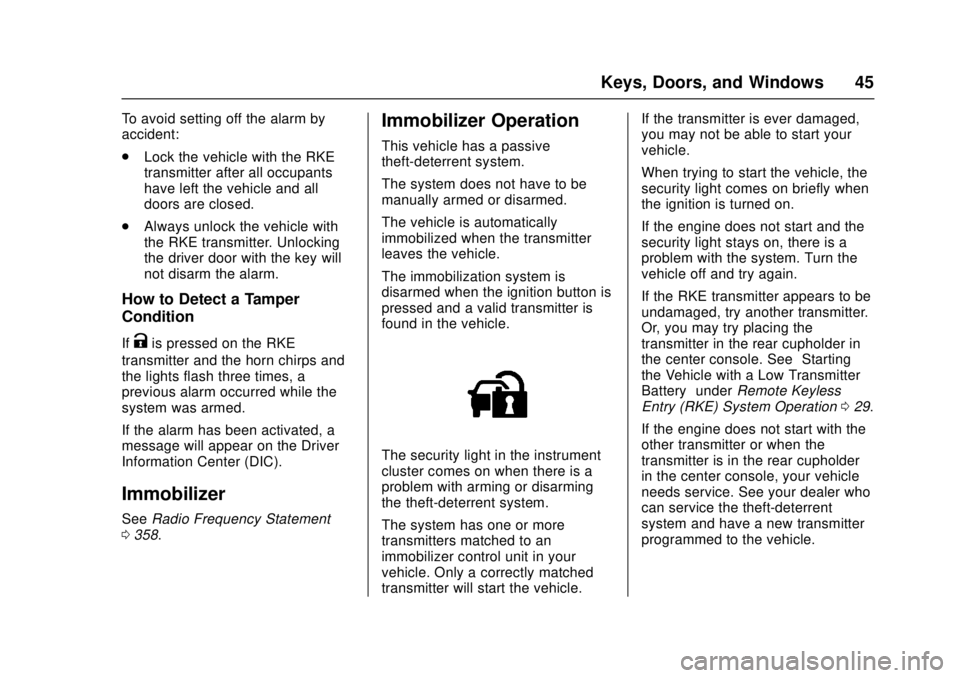
The security light in the instrument
cluster comes on when there is a
problem with arming or disarming
the theft-deterrent system.
The system has one or more
transmitters matched to an
immobilizer control unit in your
vehicle. Only a correctly matched
transmitter will start the vehicle. If the transmitter is ever damaged,
you may not be able to start your
vehicle.
When trying to start the vehicle, the
security light comes on briefly when
the ignition is turned on.
If the engine does not start and the
security light stays on, there is a
problem with the system. Turn the
vehicle off and try again.
If the RKE transmitter appears to be
undamaged, try another transmitter.
Or, you may try placing the
transmitter in the rear cupholder in
the center console. See
“Starting
the Vehicle with a Low Transmitter
Battery” underRemote Keyless
Entry (RKE) System Operation 029.
If the engine does not start with the
other transmitter or when the
transmitter is in the rear cupholder
in the center console, your vehicle
needs service. See your dealer who
can service the theft-deterrent
system and have a new transmitter
programmed to the vehicle.