odometer CHEVROLET CAPTIVA SPORT 2013 Owners Manual
[x] Cancel search | Manufacturer: CHEVROLET, Model Year: 2013, Model line: CAPTIVA SPORT, Model: CHEVROLET CAPTIVA SPORT 2013Pages: 374, PDF Size: 6.66 MB
Page 97 of 374
Black plate (1,1)Chevrolet Captiva Sport Owner Manual - 2013 - crc - 11/12/12
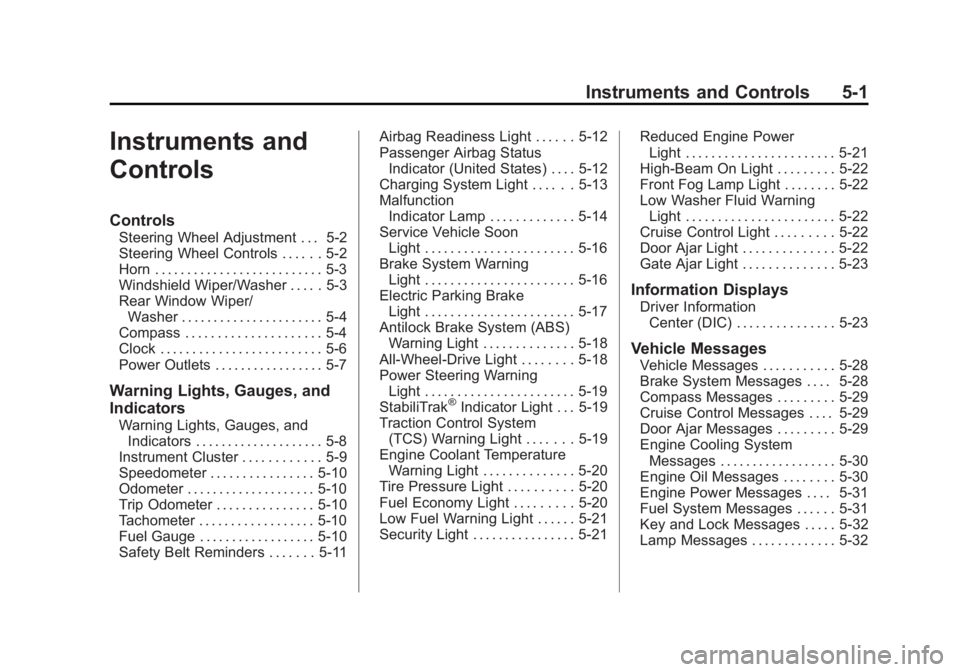
Instruments and Controls 5-1
Instruments and
Controls Controls Steering Wheel Adjustment . . . 5-2
Steering Wheel Controls . . . . . . 5-2
Horn . . . . . . . . . . . . . . . . . . . . . . . . . . 5-3
Windshield Wiper/Washer . . . . . 5-3
Rear Window Wiper/
Washer . . . . . . . . . . . . . . . . . . . . . . 5-4
Compass . . . . . . . . . . . . . . . . . . . . . 5-4
Clock . . . . . . . . . . . . . . . . . . . . . . . . . 5-6
Power Outlets . . . . . . . . . . . . . . . . . 5-7
Warning Lights, Gauges, and
Indicators Warning Lights, Gauges, and
Indicators . . . . . . . . . . . . . . . . . . . . 5-8
Instrument Cluster . . . . . . . . . . . . 5-9
Speedometer . . . . . . . . . . . . . . . . 5-10
Odometer . . . . . . . . . . . . . . . . . . . . 5-10
Trip Odometer . . . . . . . . . . . . . . . 5-10
Tachometer . . . . . . . . . . . . . . . . . . 5-10
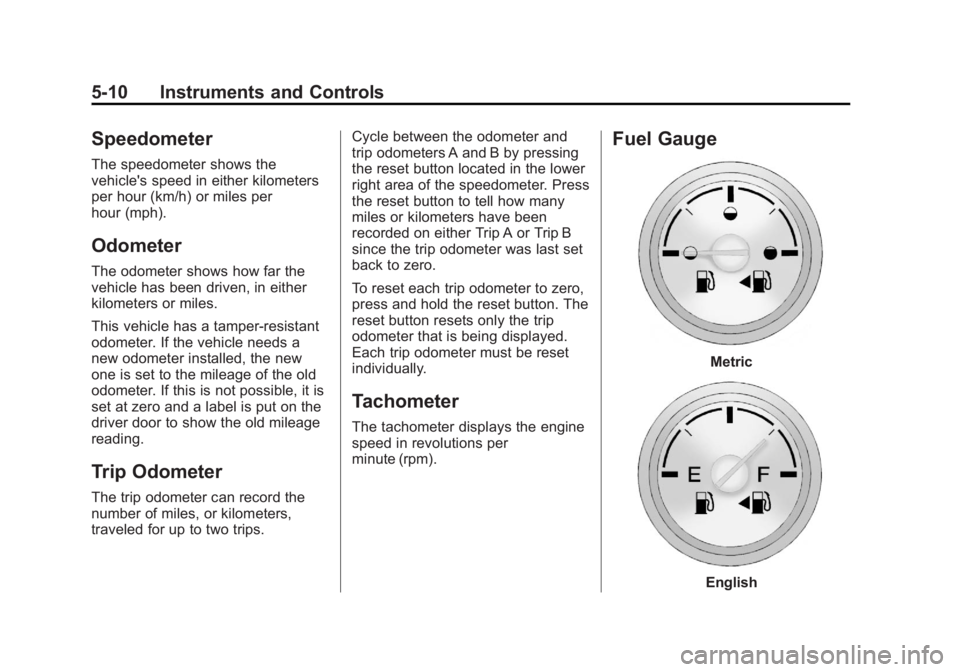
Fuel Gauge . . . . . . . . . . . . . . . . . . 5-10
Safety Belt Reminders . . . . . . . 5-11 Airbag Readiness Light . . . . . . 5-12
Passenger Airbag Status
Indicator (United States) . . . . 5-12
Charging System Light . . . . . . 5-13
Malfunction
Indicator Lamp . . . . . . . . . . . . . 5-14
Service Vehicle Soon
Light . . . . . . . . . . . . . . . . . . . . . . . 5-16
Brake System Warning
Light . . . . . . . . . . . . . . . . . . . . . . . 5-16
Electric Parking Brake
Light . . . . . . . . . . . . . . . . . . . . . . . 5-17
Antilock Brake System (ABS)
Warning Light . . . . . . . . . . . . . . 5-18
All-Wheel-Drive Light . . . . . . . . 5-18
Power Steering Warning
Light . . . . . . . . . . . . . . . . . . . . . . . 5-19
StabiliTrak ®
Indicator Light . . . 5-19
Traction Control System
(TCS) Warning Light . . . . . . . 5-19
Engine Coolant Temperature
Warning Light . . . . . . . . . . . . . . 5-20
Tire Pressure Light . . . . . . . . . . 5-20
Fuel Economy Light . . . . . . . . . 5-20
Low Fuel Warning Light . . . . . . 5-21
Security Light . . . . . . . . . . . . . . . . 5-21 Reduced Engine Power
Light . . . . . . . . . . . . . . . . . . . . . . . 5-21
High-Beam On Light . . . . . . . . . 5-22
Front Fog Lamp Light . . . . . . . . 5-22
Low Washer Fluid Warning
Light . . . . . . . . . . . . . . . . . . . . . . . 5-22
Cruise Control Light . . . . . . . . . 5-22
Door Ajar Light . . . . . . . . . . . . . . 5-22
Gate Ajar Light . . . . . . . . . . . . . . 5-23
Information Displays Driver Information
Center (DIC) . . . . . . . . . . . . . . . 5-23
Vehicle Messages Vehicle Messages . . . . . . . . . . . 5-28
Brake System Messages . . . . 5-28
Compass Messages . . . . . . . . . 5-29
Cruise Control Messages . . . . 5-29
Door Ajar Messages . . . . . . . . . 5-29
Engine Cooling System
Messages . . . . . . . . . . . . . . . . . . 5-30
Engine Oil Messages . . . . . . . . 5-30
Engine Power Messages . . . . 5-31
Fuel System Messages . . . . . . 5-31
Key and Lock Messages . . . . . 5-32
Lamp Messages . . . . . . . . . . . . . 5-32
Page 106 of 374
Black plate (10,1)Chevrolet Captiva Sport Owner Manual - 2013 - crc - 11/12/12
5-10 Instruments and Controls
Speedometer The speedometer shows the
vehicle's speed in either kilometers
per hour (km/h) or miles per
hour (mph).
Odometer The odometer shows how far the
vehicle has been driven, in either
kilometers or miles.
This vehicle has a tamper-resistant
odometer. If the vehicle needs a
new odometer installed, the new
one is set to the mileage of the old
odometer. If this is not possible, it is
set at zero and a label is put on the
driver door to show the old mileage
reading.
Trip Odometer The trip odometer can record the
number of miles, or kilometers,
traveled for up to two trips. Cycle between the odometer and
trip odometers A and B by pressing
the reset button located in the lower
right area of the speedometer. Press
the reset button to tell how many
miles or kilometers have been
recorded on either Trip A or Trip B
since the trip odometer was last set
back to zero.
To reset each trip odometer to zero,
press and hold the reset button. The
reset button resets only the trip
odometer that is being displayed.
Each trip odometer must be reset
individually.
Tachometer The tachometer displays the engine
speed in revolutions per
minute (rpm). Fuel Gauge
Metric
English
Page 120 of 374
Black plate (24,1)Chevrolet Captiva Sport Owner Manual - 2013 - crc - 11/12/12
5-24 Instruments and Controls The buttons are the trip/fuel, vehicle
information, customization, and set/
reset buttons. The button functions
are detailed in the following pages.
3 (Trip/Fuel): Press this button
to display the odometer, trip
odometer, fuel range, average
economy, fuel used, and elapsed
time. Some vehicles also display
instantaneous economy. The
compass and outside temperature
will also be shown in the display.
The temperature will be shown
in °C or °F depending on the units
selected.
T (Vehicle Information): Press
this button to display the oil life, rear
park assist, units, tire pressure
readings and tire pressure sensor
learning for vehicles with the Tire
Pressure Monitor System (TPMS),
compass zone setting, compass
recalibration on vehicles with this
feature, coolant temperature, and
battery voltage. U (Customization): Press this
button to customize the feature
settings on the vehicle. See Vehicle
Personalization on page 5 ‑ 36 for
more information.
V (Set/Reset): Press this button to
set or reset certain functions and to
turn off or acknowledge messages
on the DIC.
Trip/Fuel Menu Items
3 (Trip/Fuel): Press this button
to scroll through the following menu
items:
Odometer
Press
3 until ODOMETER
displays. This display shows the
distance the vehicle has been
driven in either kilometers (km) or
miles (mi). Pressing the trip
odometer reset stem will also
display the odometer.
To switch between metric and
English measurements, see “ Units ”
later in this section. Trip Odometer
Press
3 until TRIP A or TRIP B
displays. This display shows the
current distance traveled in either
kilometers (km) or miles (mi) since
the last reset for the trip odometer.
Pressing the trip odometer reset
stem will also display the trip
odometer.
Each trip odometer can be reset to
zero separately by pressing
V while
the trip odometer is displayed. You
can also reset the trip odometer
while it is displayed by pressing and
holding the trip odometer
reset stem.
Fuel Range
Press
3 until RANGE displays.
This display shows the approximate
number of remaining kilometers (km)
or miles (mi) the vehicle can be
driven without refueling. This display
will show LOW if the fuel level
is low.
Page 124 of 374
Black plate (28,1)Chevrolet Captiva Sport Owner Manual - 2013 - crc - 11/12/12
5-28 Instruments and Controls
Vehicle Messages Messages are displayed on the DIC
to notify the driver that the status of
the vehicle has changed and that
some action may be needed by the
driver to correct the condition.
Multiple messages may appear one
after another.
Some messages may not require
immediate action, but you can press
any of the DIC buttons, or the trip
odometer reset stem on the
instrument cluster, to acknowledge
that you received the messages and
to clear them from the display.
Some messages cannot be cleared
from the DIC display because they
are more urgent. These messages
require action before they can be
cleared. Take any messages that
appear on the display seriously and
remember that clearing the
messages will only make the
messages disappear, not correct the
problem. You will find the possible messages
that can be displayed and some
information about them grouped by
subject in the following information.
Brake System Messages PARK BRAKE RELEASED For vehicles with the Electric
Parking Brake, this message
displays when the parking brake
has been released from the set
position. See Parking Brake on
page 9 ‑ 25 for more information.
PARK BRAKE SET For vehicles with the Electric
Parking Brake, this message
displays when the parking brake
has been applied to the set position.
See Parking Brake on page 9 ‑ 25 for
more information. RELEASE PARK BRAKE
SWITCH For vehicles with the Electric
Parking Brake, this message
displays if the Park Brake switch is
pulled while the vehicle is moving.
See Parking Brake on page 9 ‑ 25 for
more information.
SERVICE BRAKE SYSTEM This message displays along with
the brake system warning light if
there is a problem with the brake
system or when the brake fluid level
is low. See Brake System Warning
Light on page 5 ‑ 16 . Have the brake
system serviced by your dealer as
soon as possible.
SERVICE PARKING BRAKE
For vehicles with the Electric
Parking Brake, this message
displays if a problem is detected
with the electric parking brake
system. See Parking Brake on
page 9 ‑ 25 for more information.
Page 128 of 374
Black plate (32,1)Chevrolet Captiva Sport Owner Manual - 2013 - crc - 11/12/12
5-32 Instruments and Controls cap allows fuel to evaporate into the
atmosphere. A few driving trips with
the cap properly installed should
turn this light and message off.
Key and Lock Messages REPLACE REMOTE KEY FOB
BATTERY This message displays if a Remote
Keyless Entry (RKE) transmitter
battery is low. The battery needs to
be replaced in the transmitter. See
“ Battery Replacement ” under
Remote Keyless Entry (RKE)
System Operation on page 2 ‑ 2 .
Lamp Messages AUTOMATIC LIGHT
CONTROL ON
This message displays when the
automatic headlamp system is
activated by turning the exterior
lamps control to AUTO. AUTOMATIC LIGHT
CONTROL OFF This message displays when the
automatic headlamp system has
been turned off.
Object Detection System
Messages PARK ASST (Assist)
BLOCKED SEE OWNERS
MANUAL This message displays if there is
something interfering with the park
assist system. See Ultrasonic
Parking Assist on page 9 ‑ 31 for
more information.
PARK ASSIST OFF
After the vehicle has been started,
this message displays to remind the
driver that the URPA system has
been turned off. Press the set/reset
button or the trip odometer reset
stem to acknowledge this message and clear it from the DIC display.
For more information see Ultrasonic
Parking Assist on page 9 ‑ 31 .
SERVICE PARK ASSIST This message displays if there is a
problem with the Ultrasonic Rear
Parking Assist (URPA) system. Do
not use this system to help you
park. See Ultrasonic Parking Assist
on page 9 ‑ 31 for more information.
See your dealer for service.
Ride Control System
Messages SERVICE STABILITRAK This message displays if there is a
problem with the StabiliTrak ®
system. A warning light also
appears on the instrument cluster.
See StabiliTrak ®
Indicator Light on
page 5 ‑ 19 . See StabiliTrak ®
System
on page 9 ‑ 28 for more information.
If this message turns on while you
are driving, pull off the road as soon
as possible and stop carefully. Try
Page 289 of 374
Black plate (55,1)Chevrolet Captiva Sport Owner Manual - 2013 - crc - 11/12/12
Vehicle Care 10-55road, the tires and wheels might
need to be rebalanced. See your
dealer for proper diagnosis.
Wheel Replacement Replace any wheel that is bent,
cracked, or badly rusted or
corroded. If wheel nuts keep coming
loose, the wheel, wheel bolts, and
wheel nuts should be replaced.
If the wheel leaks air, replace it.
Some aluminum wheels can be
repaired. See your dealer if any of
these conditions exist.
Your dealer will know the kind of
wheel that is needed.
Each new wheel should have the
same load-carrying capacity,
diameter, width, offset, and be
mounted the same way as the one it
replaces.
Replace wheels, wheel bolts, wheel
nuts, or Tire Pressure Monitor
System (TPMS) sensors with new
GM original equipment parts. { WARNINGUsing the wrong replacement
wheels, wheel bolts, or wheel
nuts can be dangerous. It could
affect the braking and handling of
the vehicle. Tires can lose air,
and cause loss of control, causing
a crash. Always use the correct
wheel, wheel bolts, and wheel
nuts for replacement.
Notice: The wrong wheel can
also cause problems with bearing
life, brake cooling, speedometer
or odometer calibration,
headlamp aim, bumper height,
vehicle ground clearance, and tire
or tire chain clearance to the
body and chassis. Used Replacement Wheels
{ WARNINGReplacing a wheel with a used
one is dangerous. How it has
been used or how far it has been
driven may be unknown. It could
fail suddenly and cause a crash.
When replacing wheels, use a
new GM original equipment
wheel.
Tire Chains
{ WARNING
Do not use tire chains. There is
not enough clearance. Tire chains
used on a vehicle without the
proper amount of clearance can
cause damage to the brakes,
suspension, or other vehicle
(Continued)
Page 329 of 374
Black plate (15,1)Chevrolet Captiva Sport Owner Manual - 2013 - crc - 11/12/12
Service and Maintenance 11-15
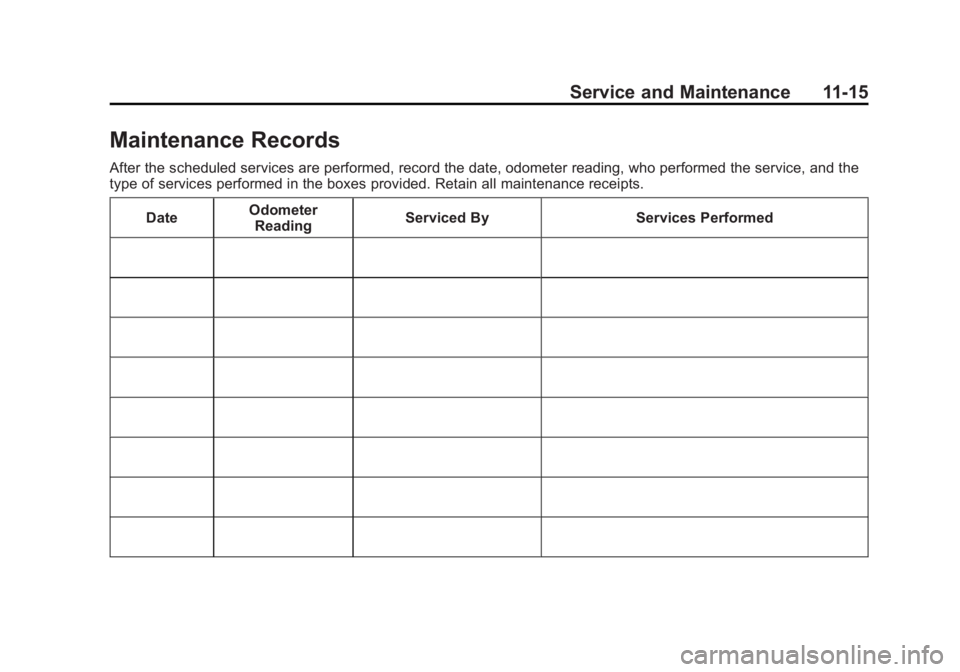
Maintenance Records After the scheduled services are performed, record the date, odometer reading, who performed the service, and the
type of services performed in the boxes provided. Retain all maintenance receipts.
Date Odometer
Reading Serviced By Services Performed
Page 330 of 374
Black plate (16,1)Chevrolet Captiva Sport Owner Manual - 2013 - crc - 11/12/12
11-16 Service and Maintenance Date Odometer
Reading Serviced By Services Performed
Page 345 of 374
Black plate (11,1)Chevrolet Captiva Sport Owner Manual - 2013 - crc - 11/12/12
Customer Information 13-11
Roadside Assistance
Program (U.S. and
Canada) For U.S.-purchased vehicles, call
1-800-243-8872; (Text Telephone
(TTY): 1-888-889-2438).
For Canadian-purchased vehicles,
call 1-800-268-6800.
Service is available 24 hours a day,
365 days a year.
Calling for Assistance When calling Roadside Assistance,
have the following information
ready: .
Your name, home address, and
home telephone number. .
Telephone number of your
location. .
Location of the vehicle. .
Model, year, color, and license
plate number of the vehicle. .
Odometer reading, Vehicle
Identification Number (VIN), and
delivery date of the vehicle. .
Description of the problem.
Coverage Services are provided up to 5 years/
160 000 km (100,000 mi), whichever
comes first.
In the U.S., anyone driving the
vehicle is covered. In Canada, a
person driving the vehicle without
permission from the owner is not
covered.
Roadside Assistance is not a part of
the New Vehicle Limited Warranty.
Chevrolet and General Motors of
Canada Limited reserve the right to
make any changes or discontinue
the Roadside Assistance program at
any time without notification.
Chevrolet and General Motors of
Canada Limited reserve the right to
limit services or payment to an
owner or driver if they decide the claims are made too often, or the
same type of claim is made many
times.
Services Provided .
Emergency Fuel Delivery:
Delivery of enough fuel for the
vehicle to get to the nearest
service station. .
Lock-Out Service: Service to
unlock the vehicle if you are
locked out. A remote unlock may
be available if you have OnStar.
For security reasons, the driver
must present identification
before this service is given. .
Emergency Tow from a Public
Road or Highway: Tow to the
nearest Chevrolet dealer for
warranty service, or if the vehicle
was in a crash and cannot be
driven. Assistance is also given
when the vehicle is stuck in the
sand, mud, or snow. .
Flat Tire Change: Service to
change a flat tire with the spare
tire. The spare tire, if equipped,
Page 367 of 374
Black plate (5,1)Chevrolet Captiva Sport Owner Manual - 2013 - crc - 11/12/12
INDEX i-5Fuel . . . . . . . . . . . . . . . . . . . . . . . . . . . 9-35
Additives . . . . . . . . . . . . . . . . . . . . . 9-36
E85 (85% Ethanol) . . . . . . . . . . . 9-36
Economy Driving . . . . . . . . . . . . . 1-21
Economy Light . . . . . . . . . . . . . . . 5-20
Filling a Portable Fuel
Container . . . . . . . . . . . . . . . . . . . 9-38
Filling the Tank . . . . . . . . . . . . . . . 9-37
Foreign Countries . . . . . . . . . . . . 9-36
Gasoline Specifications . . . . . . . 9-35
Gauge . . . . . . . . . . . . . . . . . . . . . . . . 5-10
Low Fuel Warning Light . . . . . . . 5-21
Recommended . . . . . . . . . . . . . . . 9-35
System Messages . . . . . . . . . . . . 5-31
Fuel Economy Mode . . . . . . . . . . . 9-23
Fuses
Engine Compartment
Fuse Block . . . . . . . . . . . . . . . . 10-30
Fuses and Circuit
Breakers . . . . . . . . . . . . . . . . . . 10-30
Instrument Panel Fuse
Block . . . . . . . . . . . . . . . . . . . . . . 10-33 G Garage Door Opener . . . . . . . . . . 5-41
Programming . . . . . . . . . . . . . . . . . 5-41
Gasoline
Specifications . . . . . . . . . . . . . . . . . 9-35
Gate Ajar Light . . . . . . . . . . . . . . . . 5-23
Gauges
Fuel . . . . . . . . . . . . . . . . . . . . . . . . . . 5-10
Odometer . . . . . . . . . . . . . . . . . . . . . 5-10
Speedometer . . . . . . . . . . . . . . . . . 5-10
Tachometer . . . . . . . . . . . . . . . . . . . 5-10
Trip Odometer . . . . . . . . . . . . . . . . 5-10
Warning Lights and
Indicators . . . . . . . . . . . . . . . . . . . . 5-8
General Information
Service and Maintenance . . . . . 11-1
Towing . . . . . . . . . . . . . . . . . . . . . . . . 9-39
Vehicle Care . . . . . . . . . . . . . . . . . . 10-2
Glove Box . . . . . . . . . . . . . . . . . . . . . . 4-1
GM Mobility Reimbursement
Program . . . . . . . . . . . . . . . . . . . . . . 13-7 H Halogen Bulbs . . . . . . . . . . . . . . . . 10-26
Hazard Warning Flashers . . . . . . . 6-3
Head Restraints . . . . . . . . . . . . . . . . 3-2
Active . . . . . . . . . . . . . . . . . . . . . . . . . 3-3
Headlamps . . . . . . . . . . . . . . . . . . . 10-26
Aiming . . . . . . . . . . . . . . . . . . . . . . 10-26
Automatic . . . . . . . . . . . . . . . . . . . . . . 6-3
Bulb Replacement . . . . . . . . . . 10-26
Daytime Running
Lamps (DRL) . . . . . . . . . . . . . . . . . 6-2
Flash-to-Pass . . . . . . . . . . . . . . . . . . 6-2
High-Beam On Light . . . . . . . . . . 5-22
High/Low Beam Changer . . . . . . 6-2
Heated Front Seats . . . . . . . . . . . . . 3-6
Heated Mirrors . . . . . . . . . . . . . . . . . 2-13
Heating and Air
Conditioning . . . . . . . . . . . . . . . 8-1, 8-4
High-Beam On Light . . . . . . . . . . . 5-22
High-Speed Operation . . . . . . . . 10-44
Highway Hypnosis . . . . . . . . . . . . . . 9-7
Hill and Mountain Roads . . . . . . . . 9-7
Hood . . . . . . . . . . . . . . . . . . . . . . . . . . 10-3
Horn . . . . . . . . . . . . . . . . . . . . . . . . . . . . 5-3
How to Wear Safety Belts
Properly . . . . . . . . . . . . . . . . . . . . . . 3-11