engine CHEVROLET CAPTIVA SPORT 2014 Owner's Guide
[x] Cancel search | Manufacturer: CHEVROLET, Model Year: 2014, Model line: CAPTIVA SPORT, Model: CHEVROLET CAPTIVA SPORT 2014Pages: 382, PDF Size: 4.12 MB
Page 115 of 382
Black plate (17,1)Chevrolet Captiva Sport Owner Manual (GMNA-Localizing-U.S./Mexico-
6014141) - 2014 - crc - 8/13/13
Instruments and Controls 5-17
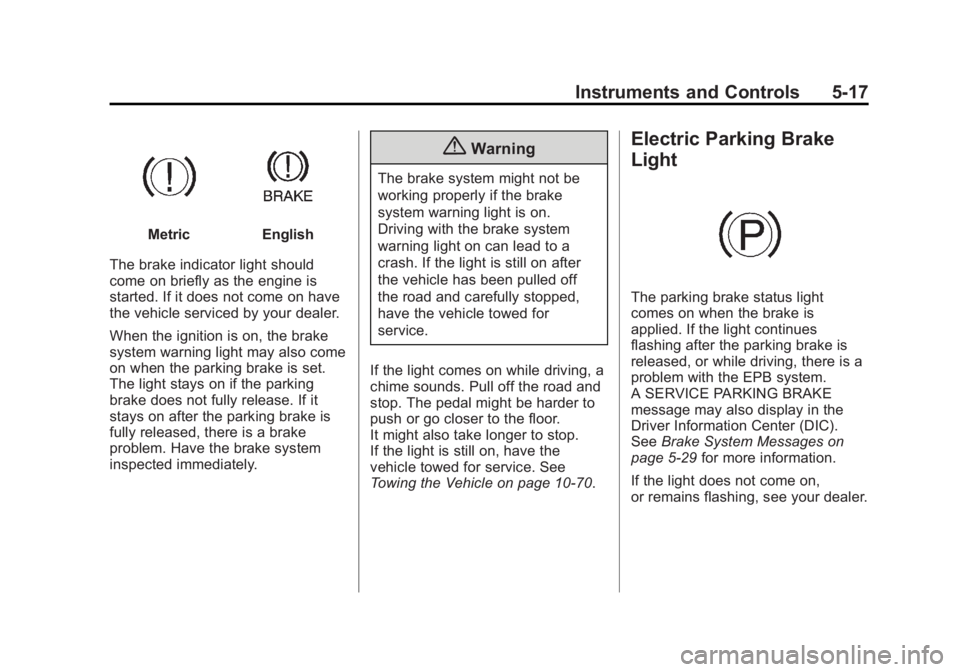
MetricEnglish
The brake indicator light should
come on briefly as the engine is
started. If it does not come on have
the vehicle serviced by your dealer.
When the ignition is on, the brake
system warning light may also come
on when the parking brake is set.
The light stays on if the parking
brake does not fully release. If it
stays on after the parking brake is
fully released, there is a brake
problem. Have the brake system
inspected immediately.
{Warning
The brake system might not be
working properly if the brake
system warning light is on.
Driving with the brake system
warning light on can lead to a
crash. If the light is still on after
the vehicle has been pulled off
the road and carefully stopped,
have the vehicle towed for
service.
If the light comes on while driving, a
chime sounds. Pull off the road and
stop. The pedal might be harder to
push or go closer to the floor.
It might also take longer to stop.
If the light is still on, have the
vehicle towed for service. See
Towing the Vehicle on page 10-70.
Electric Parking Brake
Light
The parking brake status light
comes on when the brake is
applied. If the light continues
flashing after the parking brake is
released, or while driving, there is a
problem with the EPB system.
A SERVICE PARKING BRAKE
message may also display in the
Driver Information Center (DIC).
See Brake System Messages on
page 5-29 for more information.
If the light does not come on,
or remains flashing, see your dealer.
Page 117 of 382
Black plate (19,1)Chevrolet Captiva Sport Owner Manual (GMNA-Localizing-U.S./Mexico-
6014141) - 2014 - crc - 8/13/13
Instruments and Controls 5-19
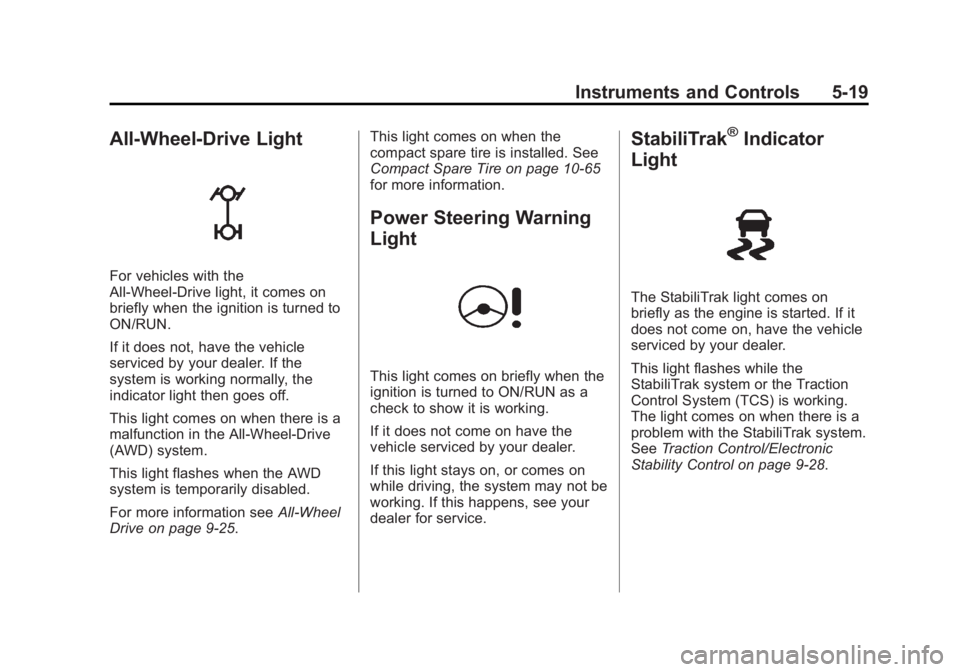
All-Wheel-Drive Light
For vehicles with the
All-Wheel-Drive light, it comes on
briefly when the ignition is turned to
ON/RUN.
If it does not, have the vehicle
serviced by your dealer. If the
system is working normally, the
indicator light then goes off.
This light comes on when there is a
malfunction in the All-Wheel-Drive
(AWD) system.
This light flashes when the AWD
system is temporarily disabled.
For more information seeAll-Wheel
Drive on page 9-25. This light comes on when the
compact spare tire is installed. See
Compact Spare Tire on page 10-65
for more information.
Power Steering Warning
Light
This light comes on briefly when the
ignition is turned to ON/RUN as a
check to show it is working.
If it does not come on have the
vehicle serviced by your dealer.
If this light stays on, or comes on
while driving, the system may not be
working. If this happens, see your
dealer for service.
StabiliTrak®Indicator
Light
The StabiliTrak light comes on
briefly as the engine is started. If it
does not come on, have the vehicle
serviced by your dealer.
This light flashes while the
StabiliTrak system or the Traction
Control System (TCS) is working.
The light comes on when there is a
problem with the StabiliTrak system.
See Traction Control/Electronic
Stability Control on page 9-28.
Page 118 of 382
Black plate (20,1)Chevrolet Captiva Sport Owner Manual (GMNA-Localizing-U.S./Mexico-
6014141) - 2014 - crc - 8/13/13
5-20 Instruments and Controls
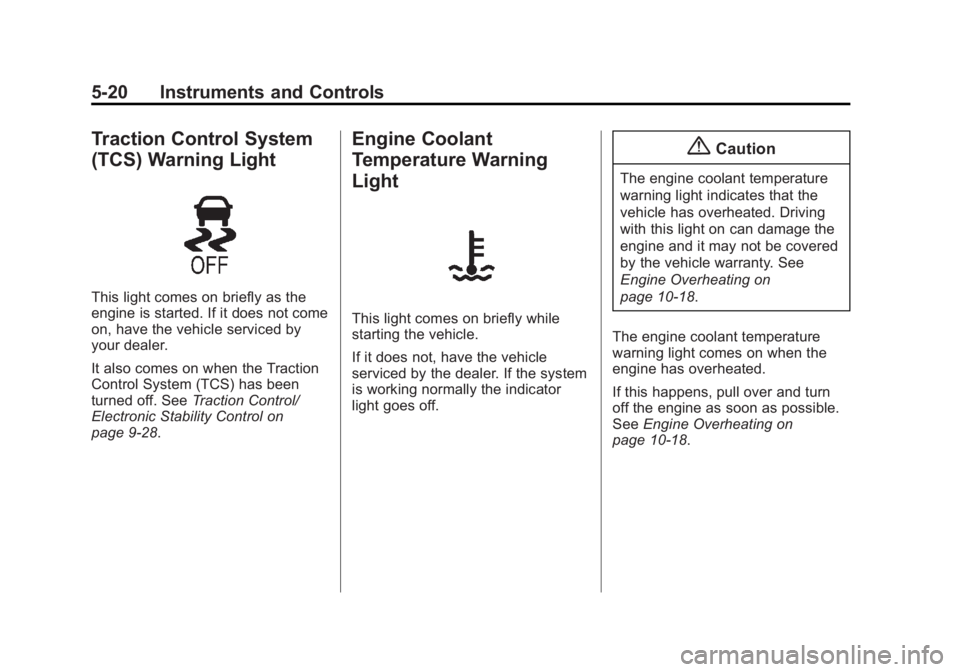
Traction Control System
(TCS) Warning Light
This light comes on briefly as the
engine is started. If it does not come
on, have the vehicle serviced by
your dealer.
It also comes on when the Traction
Control System (TCS) has been
turned off. SeeTraction Control/
Electronic Stability Control on
page 9-28.
Engine Coolant
Temperature Warning
Light
This light comes on briefly while
starting the vehicle.
If it does not, have the vehicle
serviced by the dealer. If the system
is working normally the indicator
light goes off.
{Caution
The engine coolant temperature
warning light indicates that the
vehicle has overheated. Driving
with this light on can damage the
engine and it may not be covered
by the vehicle warranty. See
Engine Overheating on
page 10-18.
The engine coolant temperature
warning light comes on when the
engine has overheated.
If this happens, pull over and turn
off the engine as soon as possible.
See Engine Overheating on
page 10-18.
Page 119 of 382
Black plate (21,1)Chevrolet Captiva Sport Owner Manual (GMNA-Localizing-U.S./Mexico-
6014141) - 2014 - crc - 8/13/13
Instruments and Controls 5-21
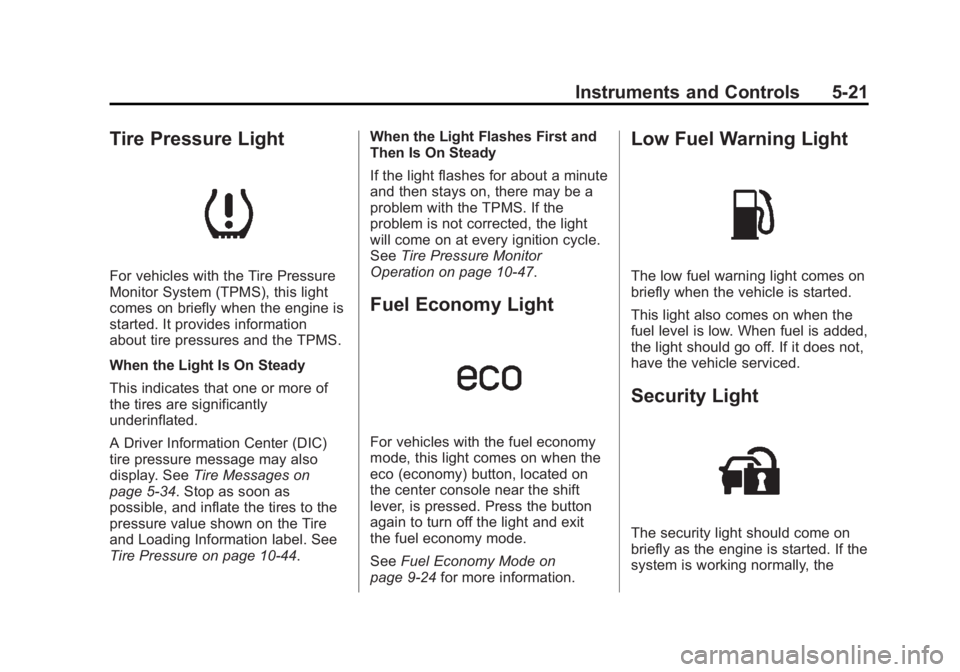
Tire Pressure Light
For vehicles with the Tire Pressure
Monitor System (TPMS), this light
comes on briefly when the engine is
started. It provides information
about tire pressures and the TPMS.
When the Light Is On Steady
This indicates that one or more of
the tires are significantly
underinflated.
A Driver Information Center (DIC)
tire pressure message may also
display. SeeTire Messages on
page 5-34. Stop as soon as
possible, and inflate the tires to the
pressure value shown on the Tire
and Loading Information label. See
Tire Pressure on page 10-44. When the Light Flashes First and
Then Is On Steady
If the light flashes for about a minute
and then stays on, there may be a
problem with the TPMS. If the
problem is not corrected, the light
will come on at every ignition cycle.
See
Tire Pressure Monitor
Operation on page 10-47.
Fuel Economy Light
For vehicles with the fuel economy
mode, this light comes on when the
eco (economy) button, located on
the center console near the shift
lever, is pressed. Press the button
again to turn off the light and exit
the fuel economy mode.
See Fuel Economy Mode on
page 9-24 for more information.
Low Fuel Warning Light
The low fuel warning light comes on
briefly when the vehicle is started.
This light also comes on when the
fuel level is low. When fuel is added,
the light should go off. If it does not,
have the vehicle serviced.
Security Light
The security light should come on
briefly as the engine is started. If the
system is working normally, the
Page 120 of 382
Black plate (22,1)Chevrolet Captiva Sport Owner Manual (GMNA-Localizing-U.S./Mexico-
6014141) - 2014 - crc - 8/13/13
5-22 Instruments and Controls
indicator light turns off. If it does not
come on, have the vehicle serviced
by your dealer.
If the light stays on and the engine
does not start, there could be a
problem with the theft-deterrent
system.
This light is also used to indicate the
status of the anti-theft alarm system
when the ignition is turned off. The
light will flash rapidly if the alarm
system is arming and one or more
of the monitored entry points is not
closed. The light will stay on if the
alarm is arming and all entry points
are closed.
For information regarding this light
and the vehicle's security system,
seeVehicle Alarm System on
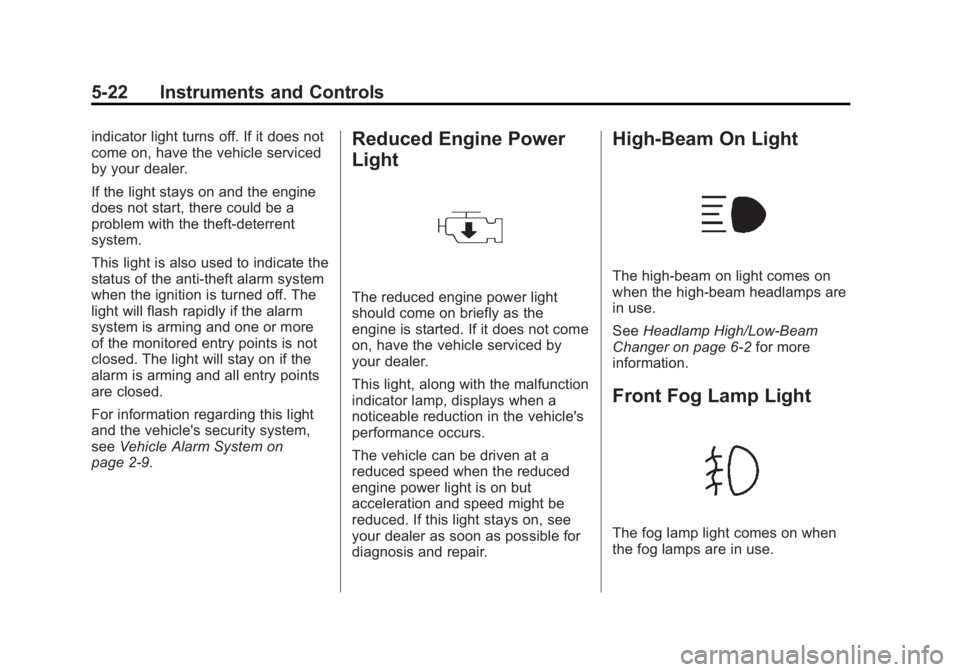
page 2-9.Reduced Engine Power
Light
The reduced engine power light
should come on briefly as the
engine is started. If it does not come
on, have the vehicle serviced by
your dealer.
This light, along with the malfunction
indicator lamp, displays when a
noticeable reduction in the vehicle's
performance occurs.
The vehicle can be driven at a
reduced speed when the reduced
engine power light is on but
acceleration and speed might be
reduced. If this light stays on, see
your dealer as soon as possible for
diagnosis and repair.
High-Beam On Light
The high-beam on light comes on
when the high-beam headlamps are
in use.
See Headlamp High/Low-Beam
Changer on page 6-2 for more
information.
Front Fog Lamp Light
The fog lamp light comes on when
the fog lamps are in use.
Page 121 of 382
Black plate (23,1)Chevrolet Captiva Sport Owner Manual (GMNA-Localizing-U.S./Mexico-
6014141) - 2014 - crc - 8/13/13
Instruments and Controls 5-23
The light goes out when the fog
lamps are turned off. SeeFog
Lamps on page 6-4 for more
information.
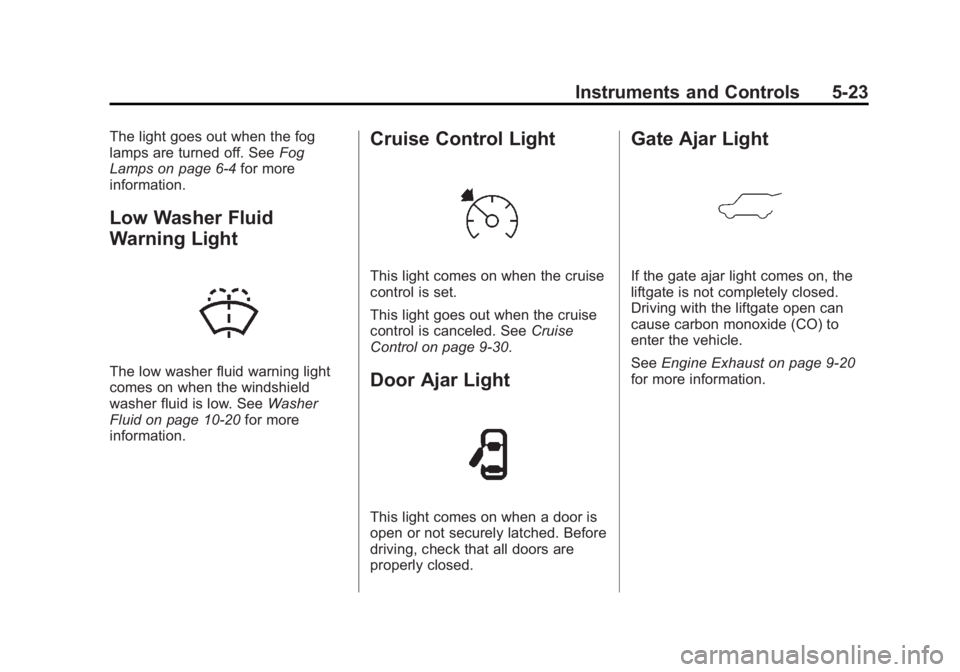
Low Washer Fluid
Warning Light
The low washer fluid warning light
comes on when the windshield
washer fluid is low. See Washer
Fluid on page 10-20 for more
information.
Cruise Control Light
This light comes on when the cruise
control is set.
This light goes out when the cruise
control is canceled. See Cruise
Control on page 9-30.
Door Ajar Light
This light comes on when a door is
open or not securely latched. Before
driving, check that all doors are
properly closed.
Gate Ajar Light
If the gate ajar light comes on, the
liftgate is not completely closed.
Driving with the liftgate open can
cause carbon monoxide (CO) to
enter the vehicle.
See Engine Exhaust on page 9-20
for more information.
Page 122 of 382
Black plate (24,1)Chevrolet Captiva Sport Owner Manual (GMNA-Localizing-U.S./Mexico-
6014141) - 2014 - crc - 8/13/13
5-24 Instruments and Controls
Information Displays
Driver Information
Center (DIC)
The vehicle has a Driver Information
Center (DIC).
All information appears in the DIC
display in the instrument cluster.
The DIC comes on when the ignition
is on. After a short delay, the DIC
displays the information that was
last displayed before the engine
was turned off.
The DIC displays trip, fuel, and
vehicle system information, and
warning messages if a system
problem is detected.
The DIC also displays the compass
direction, outside air temperature,
and shift position indicator at the top
of the DIC display. If there is a
problem with the system that
controls the temperature display, the
numbers will be replaced with
dashes. If this occurs, have thevehicle serviced by your dealer.
If an abnormal temperature reading
is displayed for an extended period
of time, consult your dealer. Under
certain circumstances, especially
when the engine is idling, a delay in
updating the temperature display is
normal.
See
Compass on page 5-4 and
Automatic Transmission on
page 9-21.
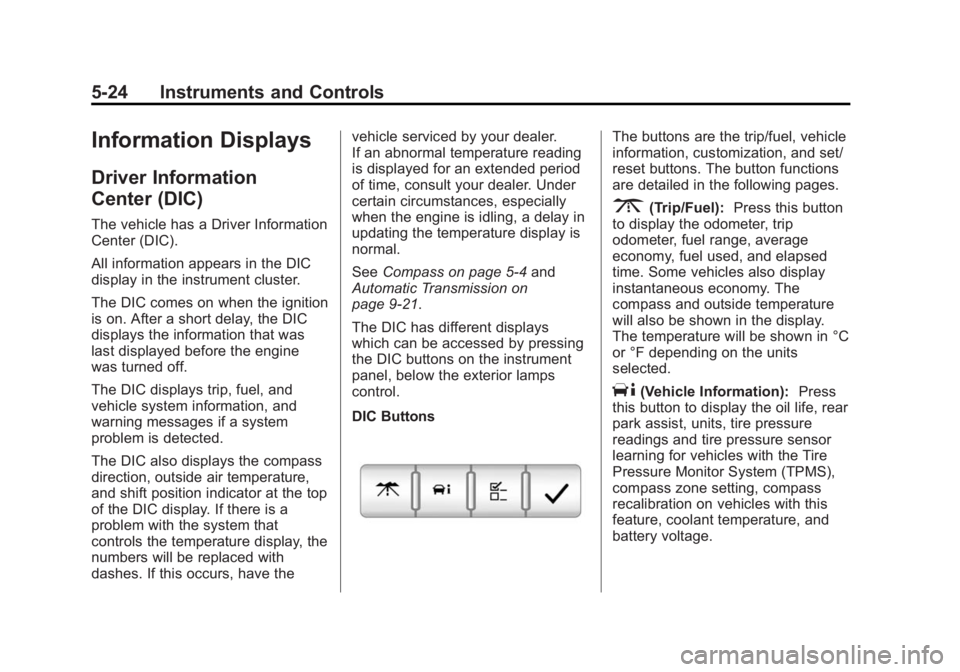
The DIC has different displays
which can be accessed by pressing
the DIC buttons on the instrument
panel, below the exterior lamps
control.
DIC Buttons
The buttons are the trip/fuel, vehicle
information, customization, and set/
reset buttons. The button functions
are detailed in the following pages.
3(Trip/Fuel): Press this button
to display the odometer, trip
odometer, fuel range, average
economy, fuel used, and elapsed
time. Some vehicles also display
instantaneous economy. The
compass and outside temperature
will also be shown in the display.
The temperature will be shown in °C
or °F depending on the units
selected.
T(Vehicle Information): Press
this button to display the oil life, rear
park assist, units, tire pressure
readings and tire pressure sensor
learning for vehicles with the Tire
Pressure Monitor System (TPMS),
compass zone setting, compass
recalibration on vehicles with this
feature, coolant temperature, and
battery voltage.
Page 124 of 382
Black plate (26,1)Chevrolet Captiva Sport Owner Manual (GMNA-Localizing-U.S./Mexico-
6014141) - 2014 - crc - 8/13/13
5-26 Instruments and Controls
Average Fuel Economy
Press
3until AVERAGE FUEL
ECONOMY displays. This display
shows the approximate average
liters per 100 kilometers (L/100 km)
or kilometers per liter (km/L) or
miles per gallon (mpg). This number
is calculated based on the number
of L/100 km (km/L) (mpg) recorded
since the last time this menu item
was reset. To reset the AVERAGE
FUEL ECONOMY, press and hold
V. The display will show zero.
Fuel Used
Press
3until FUEL USED
displays. This display shows the
number of liters (L) or gallons (gal)
of fuel used since the last reset of
this menu item. To reset the fuel
used information, press and hold
V
while FUEL USED is displayed.
Elapsed Time
Press
3until ELAPSED TIME
displays. This display can be used
as a timer. To start the timer, press the set/
reset button while ELAPSED TIME
is displayed. The display will show
the amount of time that has passed
since the timer was last reset, not
including time the ignition is off.
Time will continue to be counted as
long as the ignition is on, even if
another display is being shown on
the DIC. The timer will record up to
99 hours, 59 minutes and
59 seconds (99:59:59) after which
the display will return to zero.
To stop the timer, press
Vbriefly
while ELAPSED TIME is displayed.
To reset the timer to zero, press and
hold
Vwhile ELAPSED TIME is
displayed.
Instantaneous Fuel Economy
If the vehicle has this display, press
3until INSTANT FUEL
ECONOMY displays. This display
shows the current fuel economy at a
particular moment and will change
frequently as driving conditions
change. This display shows the instantaneous fuel economy in liters
per 100 kilometers (L/100 km) or
miles per gallon (mpg). Unlike
average fuel economy, this display
cannot be reset.
Blank Display
This display shows no information.
Vehicle Information Menu
Items
T(Vehicle Information):
Press
this button to scroll through the
following menu items:
Oil Life
Press
Tuntil OIL LIFE
REMAINING displays. This display
shows an estimate of the oil's
remaining useful life. If you see
99% OIL LIFE REMAINING on the
display, that means 99% of the
current oil life remains. The engine
oil life system will alert you to
change the oil on a schedule
consistent with the driving
conditions.
Page 125 of 382
Black plate (27,1)Chevrolet Captiva Sport Owner Manual (GMNA-Localizing-U.S./Mexico-
6014141) - 2014 - crc - 8/13/13
Instruments and Controls 5-27
When the remaining oil life is low,
the CHANGE ENGINE OIL SOON
message will appear on the display.
See“CHANGE ENGINE OIL SOON”
under Engine Oil Messages on
page 5-31. You should change the
oil as soon as you can. See Engine
Oil on page 10-8. In addition to the
engine oil life system monitoring the
oil life, additional maintenance is
recommended in the Maintenance
Schedule in this manual. See
Maintenance Schedule on
page 11-2 for more information.
Whenever the oil is changed, the Oil
Life System will need to be reset. To
reset the system through the DIC,
press and hold
Vwhile this display
is shown. When the system is reset,
the display will show 100% OIL LIFE
REMAINING.
Park Assist
If the vehicle has the Ultrasonic
Rear Parking Assist (URPA) system,
press
Tuntil PARK ASSIST
displays. This display allows the
system to be turned on or off. Once in this display, press
Vto select
between ON or OFF. The URPA
system automatically turns back on
after each vehicle start. When the
URPA system is turned off and the
vehicle is shifted out of P (Park), the
DIC will display the PARK ASSIST
OFF message as a reminder that
the system has been turned off. See
Object Detection System Messages
on page 5-33 andUltrasonic
Parking Assist on page 9-32 for
more information.
Units
Press
Tuntil UNITS displays. This
display allows you to select between
metric or English units of
measurement. Once in this display,
press
Vto select between METRIC
or ENGLISH units. All of the vehicle
information will then be displayed in
the unit of measurement selected. Coolant Temperature
Press
Tuntil the coolant
temperature is displayed. The
temperature will be shown in °C or °
F depending on the units selected.
If the coolant temperature display
shows dashes instead of a value,
there may be a problem with the
vehicle. If this happens often, see
your dealer for service.
Battery Voltage
Press
Tuntil the battery voltage is
displayed.
If the battery voltage display shows
dashes instead of a value, there
may be a problem with the vehicle.
If this happens often, see your
dealer for service.
Tire Pressure
If the vehicle has the Tire Pressure
Monitor System (TPMS), the
pressure for each tire can be viewed
in the DIC. The tire pressure will be
shown in either kilopascals (kPa) or
pounds per square inch (psi). Press
Page 128 of 382
Black plate (30,1)Chevrolet Captiva Sport Owner Manual (GMNA-Localizing-U.S./Mexico-
6014141) - 2014 - crc - 8/13/13
5-30 Instruments and Controls
Cruise Control Messages
CRUISE SET TO XXX
This message will display when the
cruise control is set and it will show
the speed it was set to. SeeCruise
Control on page 9-30 for more
information.
Door Ajar Messages
DRIVER DOOR OPEN
This message will display when the
driver door is not closed properly.
Close the door completely.
HOOD OPEN
If the vehicle has the remote start
feature, this message displays
along with a chime when the hood is
not closed properly. Make sure that
the hood is closed completely. See
Hood on page 10-3. This message
displays while the ignition is in ON/
RUN. Press any of the DIC buttons
to acknowledge this message and
to clear it from the screen. This message continues to display
for two seconds if it has not been
acknowledged when the engine is
turned off. The message comes
back on for two seconds if it has
been acknowledged, but the
condition still exists when the
engine is turned off. If the condition
still exists, the message reappears
when the engine is turned on.
LIFTGATE OPEN
This message will display when the
liftgate is not closed properly. Close
the liftgate completely.
PASSENGER DOOR OPEN
This message will display when the
passenger doors are not closed
properly. Close the door completely.
Engine Cooling System
Messages
ENGINE HOT A/C (Air
Conditioning) OFF
This message displays when the
engine coolant becomes hotter than
the normal operating temperature.
To avoid added strain on a hot
engine, the air conditioning
compressor is automatically turned
off. When the coolant temperature
returns to normal, the A/C operation
automatically resumes. You can
continue to drive the vehicle.
ENGINE OVERHEATED IDLE
ENGINE
This message displays when the
engine coolant temperature is too
hot. Stop and allow the vehicle to
idle until it cools down.