check engine CHEVROLET CAVALIER 1993 1.G User Guide
[x] Cancel search | Manufacturer: CHEVROLET, Model Year: 1993, Model line: CAVALIER, Model: CHEVROLET CAVALIER 1993 1.GPages: 308, PDF Size: 15.62 MB
Page 98 of 308
Downloaded from www.Manualslib.com manuals search engine Features & Controls
Warning Lights,
Gages and Indicators
This section describes the warning lights
and gages that may be on your vehicle.
The pictures will help
you locate them.
Warning lights and gages can signal that something is wrong before it becomes
serious enough
to cause an expensive
repair or replacement. Paying attention
to your warning lights and gages could also save you or others from injury.
Warning lights
go on when there may be
or is a problem
with one of your
vehicle’s functions.
As you will see in
the details on the next few pages, some
warning lights come on briefly when
you turn the ignition key just to let you
know they’re working. If you are
familiar with this section, you should
not be alarmed when this happens. Gages can indicate when there
may be
or is a problem with one
of your
vehicle’s functions. Often gages
and
warning lights work together to let you
know when there’s a problem with your
vehicle.
When one of the warning lights comes
on and stays on when you are driving,
or when one
of the gages shows there
may be a problem, check the section
that tells you what to do about it. Please
follow the manual’s advice. Waiting to
do repairs can be costly-and even
dangerous.
So please get to know your
warning lights and gages. They’re a big
help.
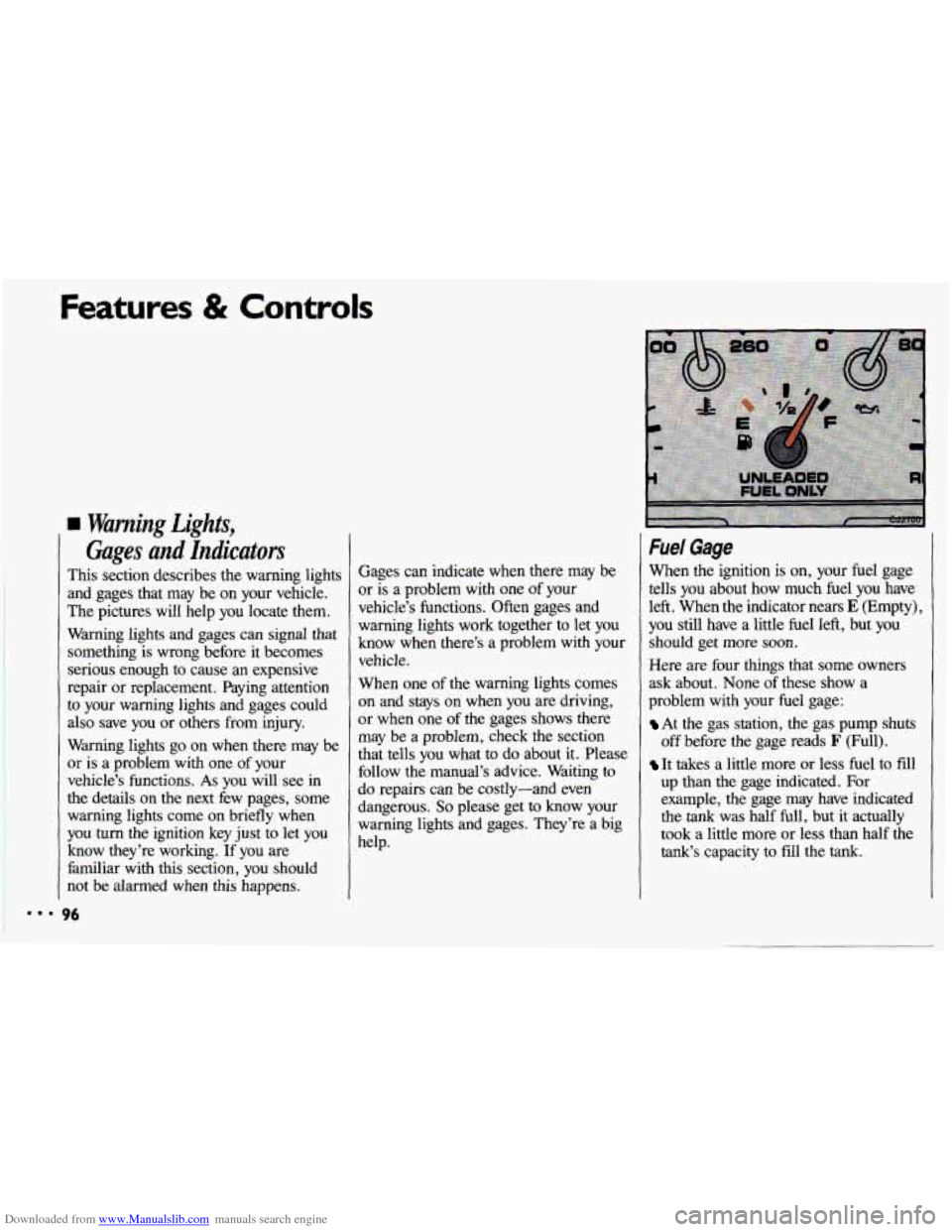
Fuel Gage
When the ignition is on, your fuel gage
tells
you about how much fuel you have
left. When the indicator nears
E (Empty),
you still have a little fuel left, but you
should get more soon.
Here are four things that some owners
ask about. None
of these show a
problem with your fuel gage:
At the gas station, the gas pump shuts
off before the gage reads
F (Full).
It takes a little more or less fuel to fdl
up than the gage indicated. For
example, the gage may have indicated
the
tank was half full, but it actually
took a little more or less than half the
tank‘s capacity to fill the tank.
Page 100 of 308
Downloaded from www.Manualslib.com manuals search engine Features & Controls
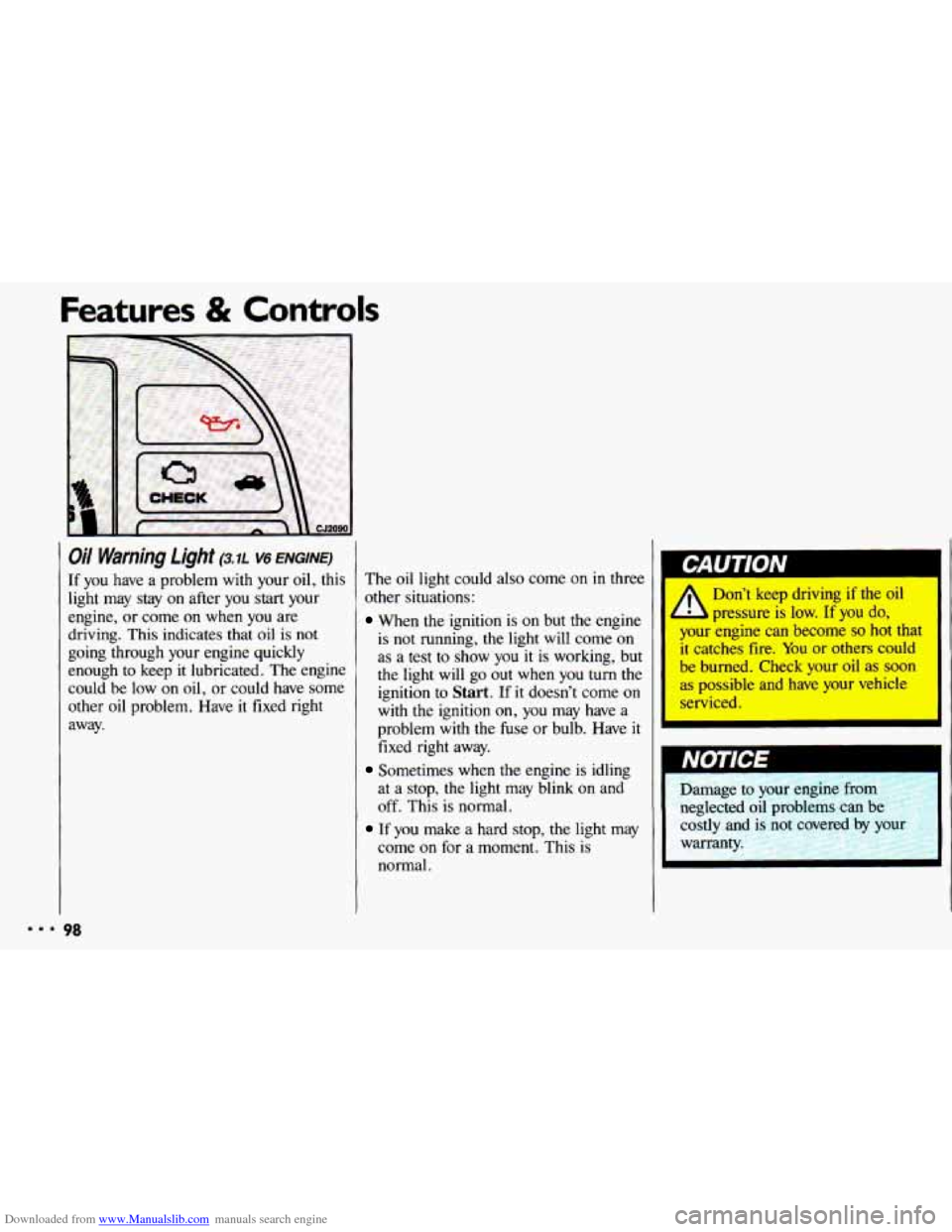
Oil Warning Light (3.7~ v6 ENGINE)
If you have a problem with your oil, this
light may stay on after you start your
engine, or come on when you are
driving. This indicates that oil is not
going through your engine quickly
enough to keep it lubricated. The engine
could be low on
oil, or could have some
other oil problem. Have it fixed right
away.
98
The oil light could also come on in three
other situations:
When the ignition is on but the engine
is
not running, the light will come on
as a test
to show you it is working, but
the light will
go out when you turn the
ignition to
Start. If it doesn’t come on
with the ignition on, you may have a
problem with the fuse or bulb. Have
it
fixed right away.
Sometimes when the engine is idling
at
a stop, the light may blink on and
off. This is normal.
If you make a hard stop, the light may
come
on for a moment. This is
normal. Don’t
keep driving
if the oil
b pressure is low. If you do,
your engine can become
so hot that
It catches fire. You or others could
be burned. Check your oil as soon
as possible and have your vehicle
serviced.
Damage to your engine
from
neglected oil problems can be
costly and
is not covered by YOL
warranty.
Page 101 of 308
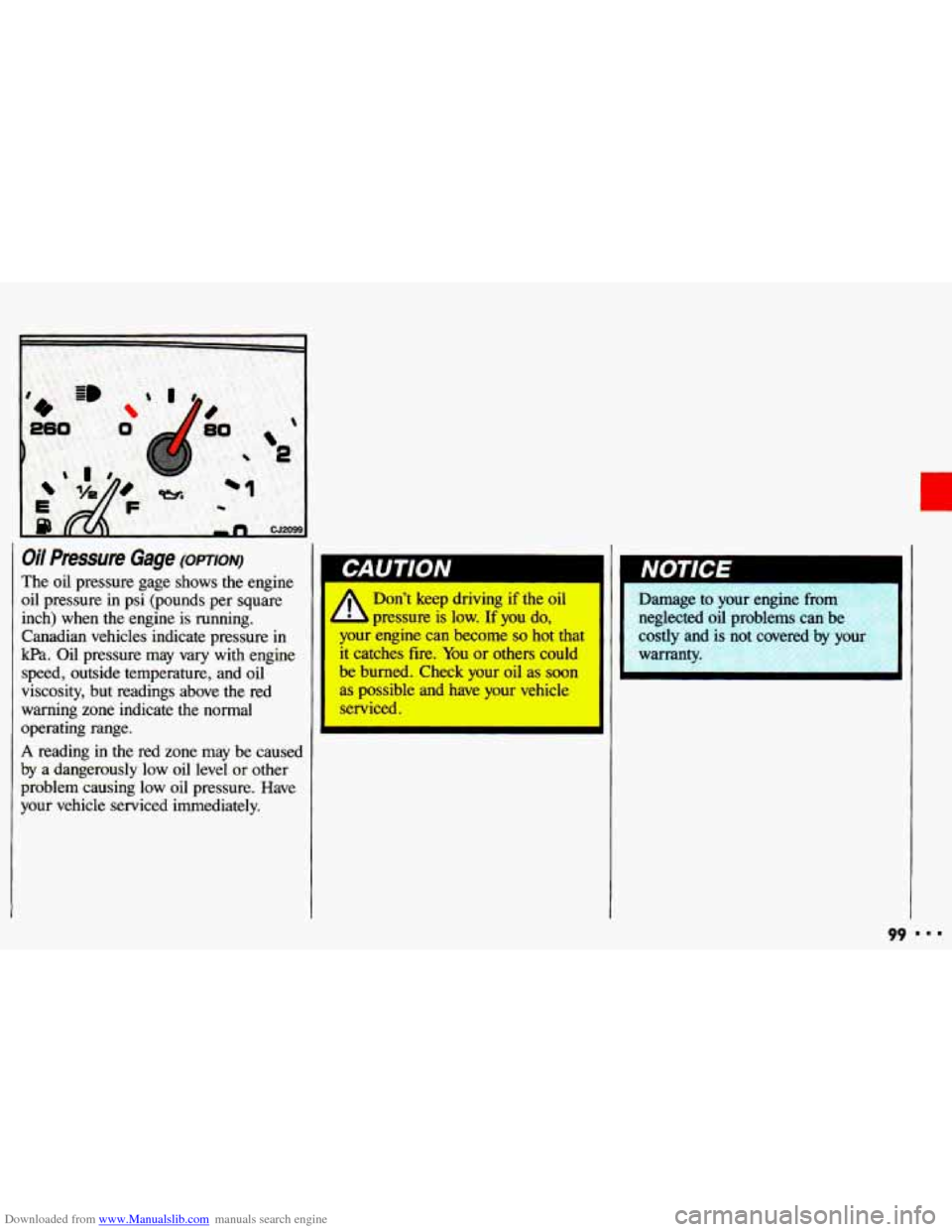
Downloaded from www.Manualslib.com manuals search engine Oil Pressure Gage (opTIoN)
The oil pressure gage shows the engine
oil pressure in psi (pounds per square
inch) when the engine is running.
Canadian vehicles indicate pressure
in
kpa. Oil pressure may vary with engine
speed, outside temperature, and oil
viscosity, but readings above the red
warning zone indicate the normal
operating range.
A reading in the red zone may be caused
by a dangerously low oil level
or other
problem causing low oil pressure. Have
your vehicle serviced immediately.
I
Don’t keep driving if the oil
3 pressure is low. If you do,
your engine can become so hot that
it catches fire. You or others could
be burned. Check your oil as soon
as possible and have your vehicle
serviced.
L
Nut IG-E I
Damage to your engine from
neglected oil problems can be
costly and
is not covered by your
warrant
99
Page 102 of 308
Downloaded from www.Manualslib.com manuals search engine Features & Controls
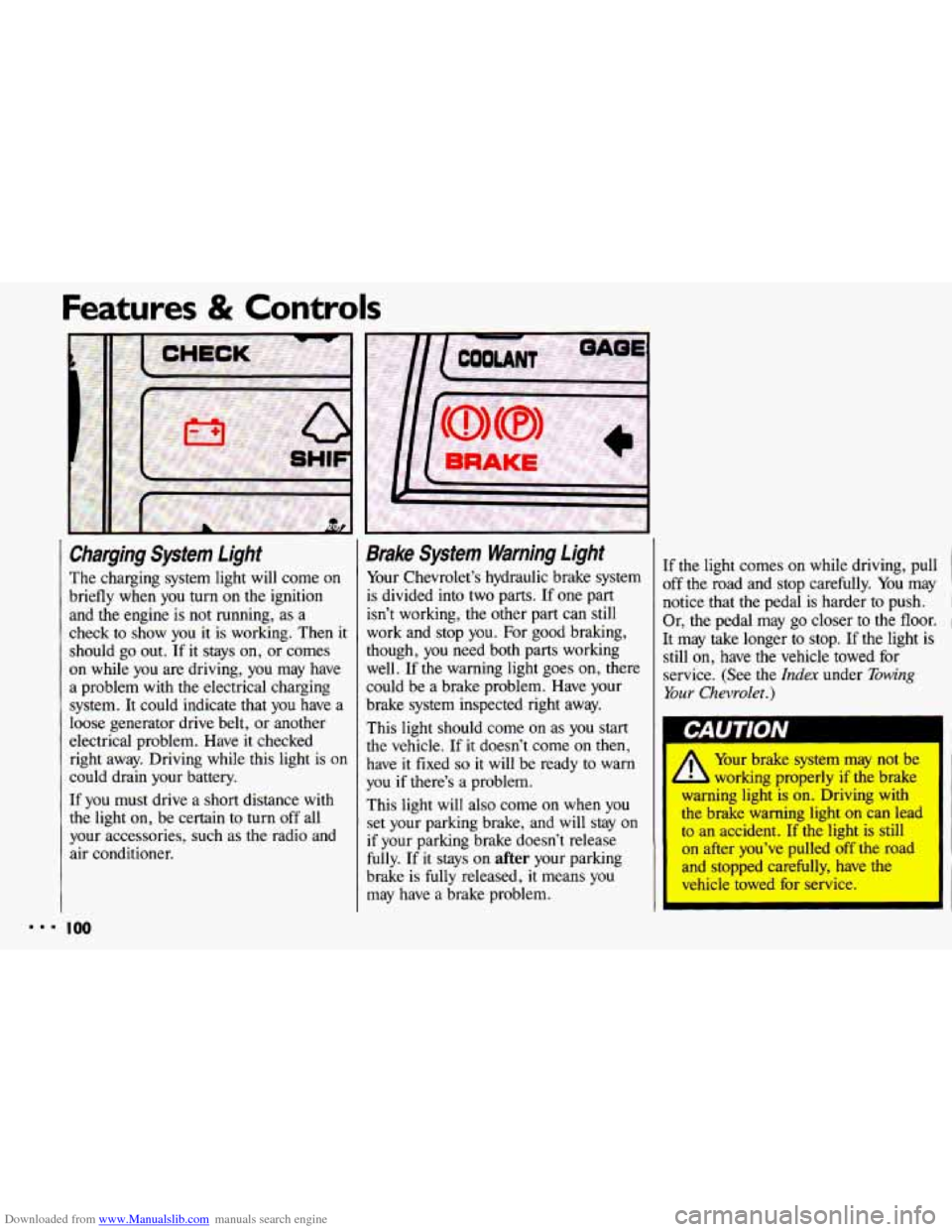
Charging System Light
The charging system light will come on
briefly when
you turn on the ignition
and the engine is not running, as a
check to show you it is working. Then it
should go out. If it stays on, or comes
on while you are driving, you may have
a problem with the electrical charging
system.
It could indicate that you have a
loose generator drive belt, or another
electrical problem. Have
it checked
right away. Driving while this light is on
could drain your battery.
If you must drive a short distance with
the light on, be certain to turn off all
your accessories, such as the radio and
air conditioner.
Brake Sysfem Warning Light
Your Chevrolet’s hydraulic brake system
is divided into two parts. If one part
isn’t working, the other part can still
work and stop you. For good braking,
though, you need both parts working
well. If the warning light goes on, there
could be a brake problem. Have your
brake system inspected right away.
This light should come on as you start
the vehicle. If it doesn’t come on then,
have
it fixed so it will be ready to warn
you if there’s
a problem.
This light will also come on when you
set your parking brake, and will stay
on
if your parking brake doesn’t release
fully. If it stays
on after your parking
brake is fully released,
it means you
may have
a brake problem. If
the light comes
on while driving, pull
off the road and stop carefully. You may
notice that the pedal is harder to push.
I
Or, the pedal may go closer to the floor. 1
It may take longer to stop. If the light is
still on, have the vehicle towed for
service. (See the
Index under Towing
Your Chevrolet.)
L-AU I IVN
I
/1 Your brake system may not be
L working properly if the brake
warning light is on. Driving with
the brake warning light
on can lead
to an accident. If the light is still
on after you’ve pulled off the road
and stopped carefully, have the
vehicle towed for service.
I
Page 104 of 308
Downloaded from www.Manualslib.com manuals search engine ..I
Features & Controls
I
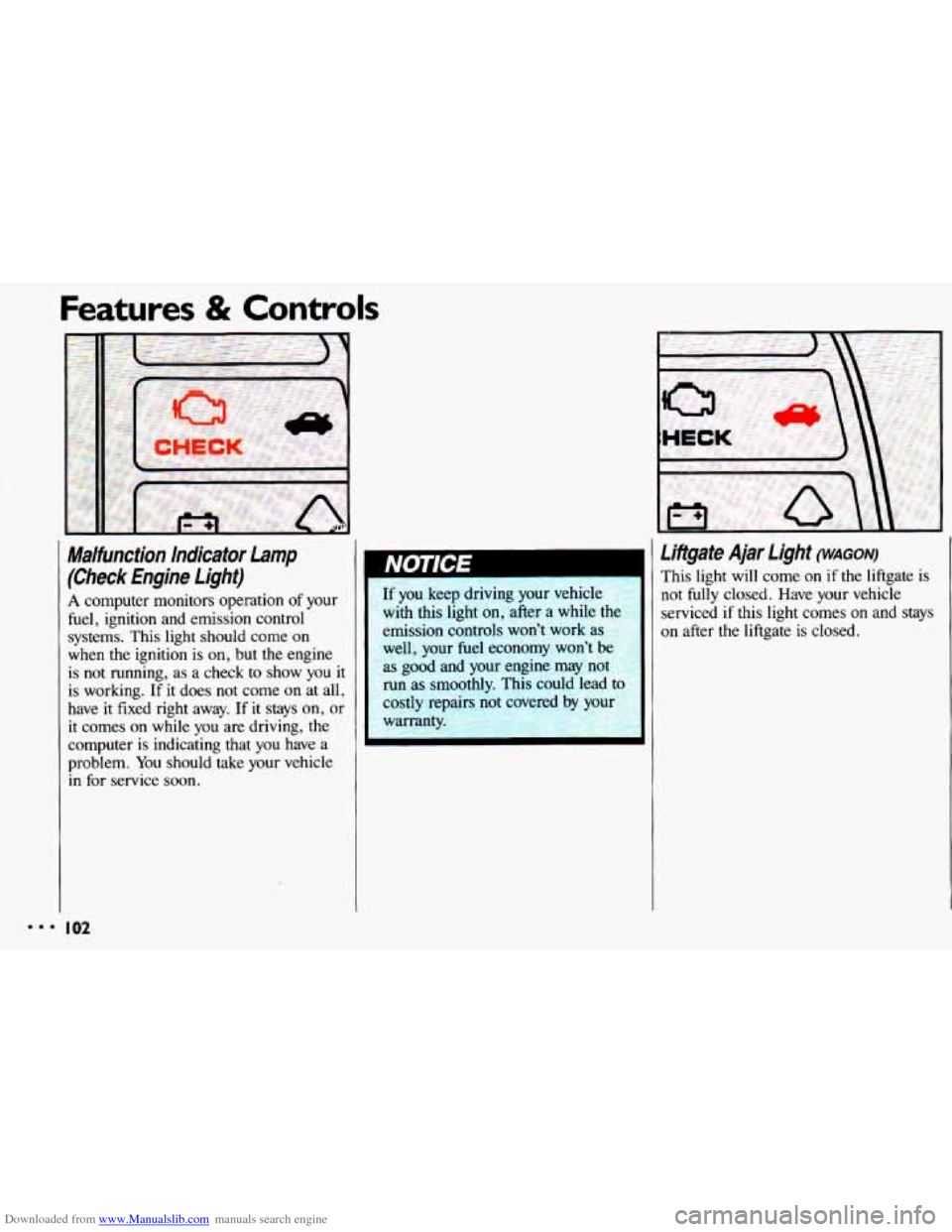
Malfunction Indicator Lamp
(Check Engine Lighf)
A computer monitors operation of your
fuel, ignition and emission control
systems. This light should come on
when
the ignition is on, but the engine
is not running, as a check to show you
it
is working. If it does not come on at all,
have
it fixed right away. If it stays on, or
it comes on while you are driving, the
computer is indicating that
you have a
problem.
You should take your vehicle
in for service soon.
I02
If you keep driving your vehicle
with this light on, after a while the
emission controls won’t work as
well, your fuel economy won’t be
as good and your engine may not
run as smoothly. This could lead to
costly repairs not rwered by your
warranty.
Liftgate Ajar Light (WAGON)
This light will come on if the liftgate is
not fully closed. Have your vehicle
serviced
if this light comes on and stays
on after the liftgate is closed.
Page 105 of 308
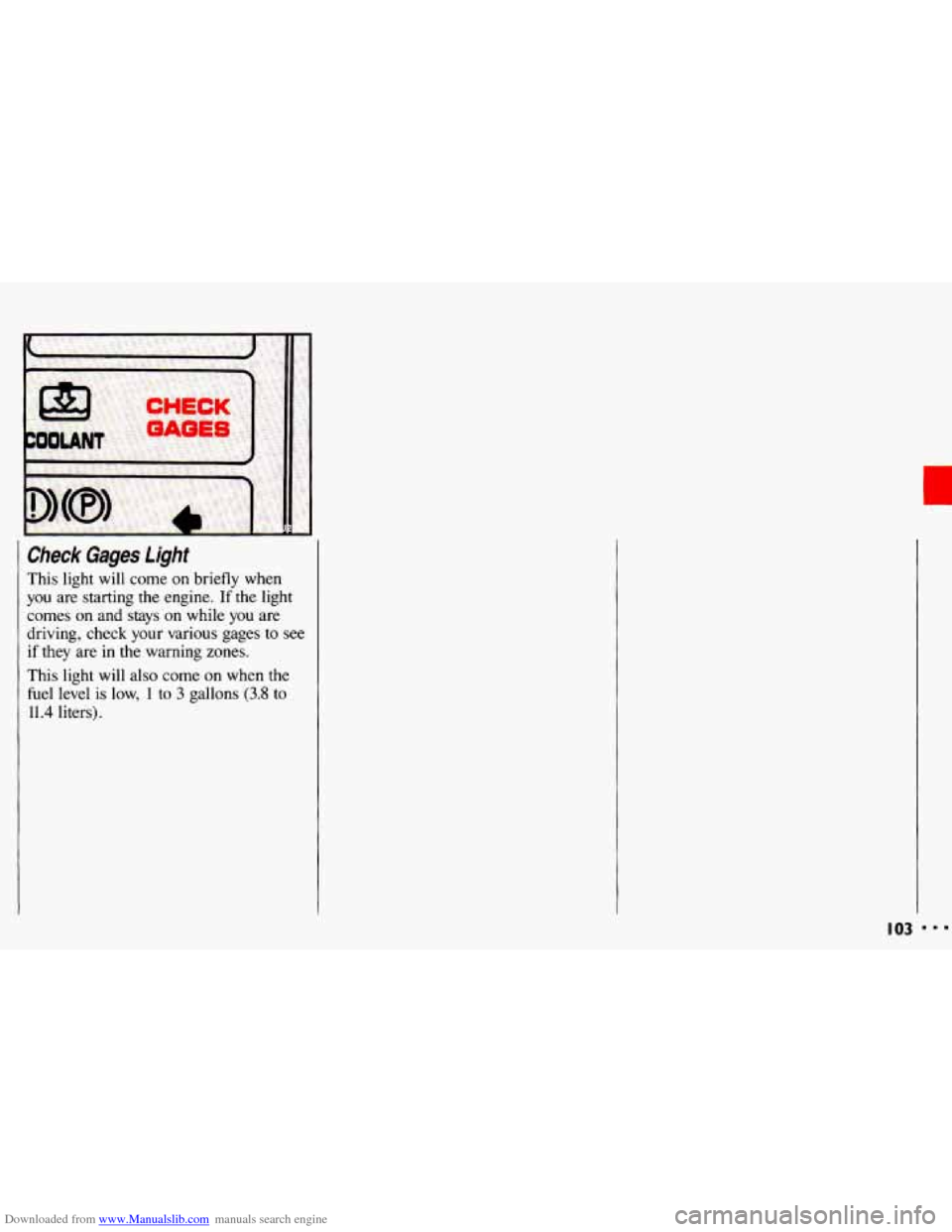
Downloaded from www.Manualslib.com manuals search engine Check Gages light
This light will come on briefly when
you are starting the engine. If the light
comes on
and stays on while you are
driving, check your various gages
to see
if they are in the warning zones.
This light will also come on when the
fuel level is low, 1 to 3 gallons (3.8 to
11.4 liters).
103
Page 124 of 308
Downloaded from www.Manualslib.com manuals search engine Comfort Controls & Audio Systems
Care of Your Cassette Tape
Player
(CONT.)
Clean your tape player with a wiping-
action, non-abrasive cleaning cassette,
and follgw the directions provided with it.
Cassettes are subject to wear and the
sound quality may degrade over time.
Always make sure that the cassette tape is
in good condition before you have
your tape player serviced.
I22
X3074 m
Care of Your Compact Discs
Handle discs carefully. Store them in
their original cases or other protective
cases and away from direct sunlight and
dust. If the surface
of a disc is soiled,
dampen a clean,
soft cloth in a mild,
neutral detergent solution and clean
it,
wiping from the center to the edge.
Be sure never to touch the signal surface
when handling discs. Pick up discs by
grasping the outer edges or the edge
of
the hole and the outer edge.
Fixed Mast Antenna
The fixed mast antenna can withstand
most car washes without being
damaged.
If the mast should ever
become slightly bent, you can straighten it out by hand.
If the mast is badly bent,
as
it might be by vandals, you should
replace it.
Check every once in a while to be sure
the mast is still tightened
to the fender.
Page 136 of 308
Downloaded from www.Manualslib.com manuals search engine Your Driving and the Road
Anti-Lock Brakes (ABS)
Your Chevrolet has an advanced
electronic braking system that will help
prevent skidding.
This light
on the instrument panel will
go
on when you start your vehicle.
When you start your vehicle and begin
to drive away you may hear a
momentary motor or clicking noise and
you may even notice that your brake
pedal moves a little while this is going
on. This is the ABS system testing itself.
If you have your foot on the brake pedal,
this check won’t happen
until the vehicle
goes about
4 mph (6 km/h) or until you
take your foot
off the brake pedal. After an
ABS stop,
you may hear a
clicking noise the next time the vehicle
goes about
4 mph (6 km/h).
If there’s a problem
with the anti-lock
brake system, the anti-lock brake system warning light will stay on or flash.
See
the Index under Anti-Lock Brake
System Warning Light.
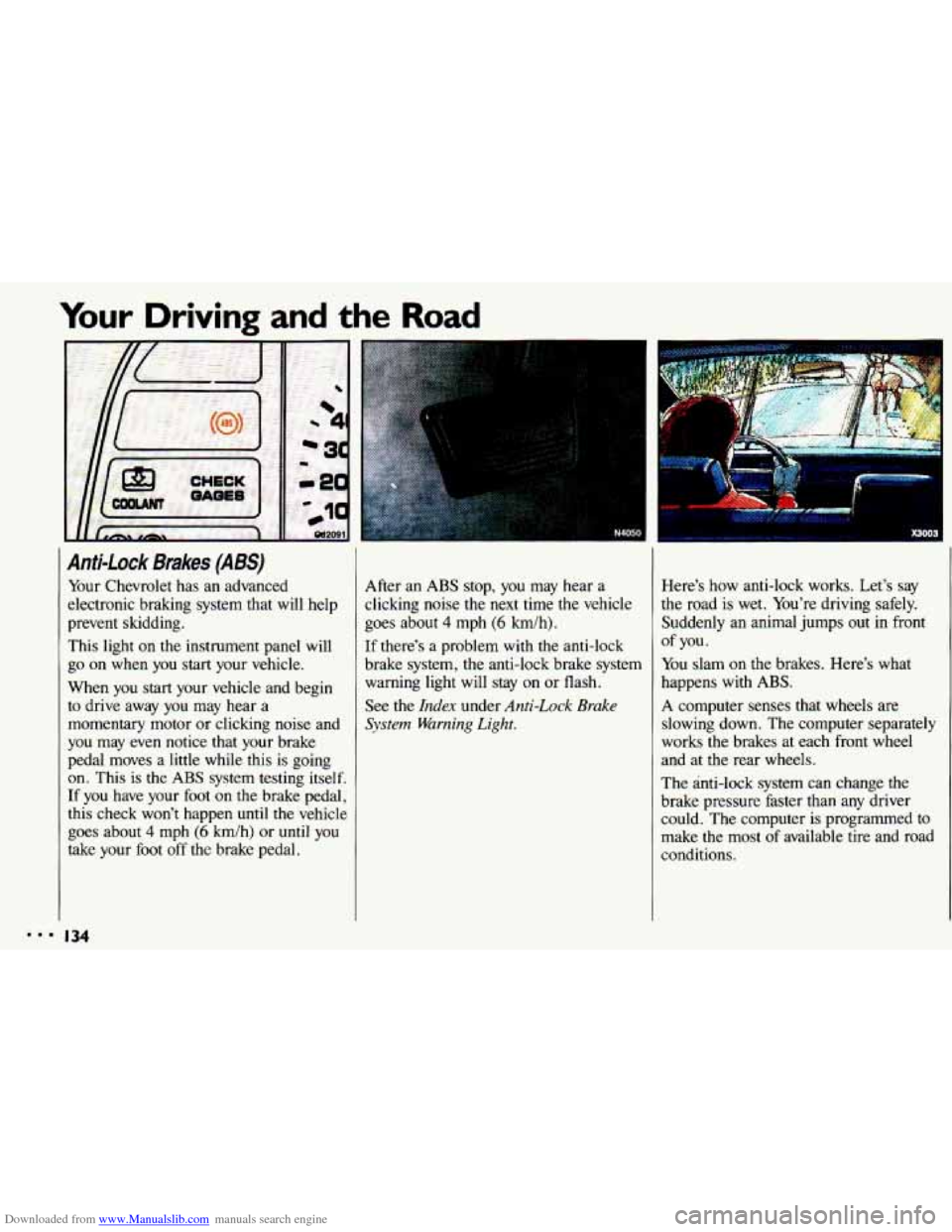
Here’s how anti-lock works. Let’s say
the road is wet. You’re driving safely.
Suddenly an animal jumps out
in front
You slam
on the brakes. Here’s what
happens with ABS.
A computer senses that wheels are
slowing down. The computer separately
works the brakes at each front wheel
and at the rear wheels.
The anti-lock
system can change the
brake pressure faster than any driver
could. The computer is programmed to
make the most of available tire and road
conditions.
of you.
134
Page 143 of 308
Downloaded from www.Manualslib.com manuals search engine If you suspect that the driver of the
vehicle
you want to pass isn’t aware of
your presence, tap the horn a couple
of times before passing.
Do not get too close to the vehicle you
want
to pass while you’re awaiting an
opportunity. For one thing, following
too closely reduces your area
of
vision, especially if you’re following a
larger vehicle. Also, you won’t have
adequate space if the vehicle ahead suddenly slows or stops. Keep back a
reasonable distance.
When it looks like a chance to pass is
coming up, start to accelerate but stay
in the right lane and don’t get too
close. Time your move
so you will be
increasing
speed as the time comes to
move into the other lane.
If the way is
clear to pass, you will have a “running
start” that more than makes up for the
distance you would lose by dropping
back. And
if something happens to
cause you
to cance1,your pass, you
need only slow down and drop back
again and wait for another opportunity.
slow vehicle, wait your turn. But take
care that someone isn’t trying
to pass
you as you pull out to pass the slow
vehicle. Remember to glance over
your shoulder and check the blind
spot.
Check your mirrors, glance over your
shoulder, and
start your left lane
change signal before moving out of the
right lane to pass. When you are far
enough ahead of the passed vehicle to
see its front in your inside mirror,
activate your right lane change signal
If other cars are lined up to pass a and
move back into the right lane.
(Remember that your right outside
mirror is convex. The vehicle you just
passed may
seem to be further away
from you than it really
is.)
Try not to pass more than one vehicle
at a time on two-lane roads.
Reconsider before passing the next
vehicle.
vehicle too rapidly. Even though the
brake lights are not flashing, it may be
slowing down or starting to
turn.
If you’re being passed, make it easy
for the following driver to get ahead of
you. Perhaps you can ease a
little to
the right.
Don’t overtake a slowly moving
I41
Page 147 of 308
Downloaded from www.Manualslib.com manuals search engine A Few More Night Driving
Suggestions
Keep your windshield and all the glass
on your vehicle clean-inside and out.
Glare at night is made much worse by
dirt
on the glass. Even the inside of the
glass can build up a film caused by dust.
Tobacco smoke also makes inside glass
surfaces
very filmy and can be a vision
hazard
if it's left there.
Dirty glass makes lights dazzle and
flash more than clean glass would,
making the pupils of your eyes contract
repeatedly. You might even want
to keep
a cloth and some glass cleaner in your
vehicle if you need
to clean your glass
frequently. Remember that your headlights light
up
far less of a roadway when you are in a
turn or curve.
Keep your eyes moving; that way, it's
easier to pick out dimly lighted objects.
Just as your headlights should be
checked regularly for proper aim,
so
should your eyes be examined regularly.
Some drivers suffer from night
blindness-the inability to see
in dim
light-and aren't even aware of
it.
Driving in the Rain
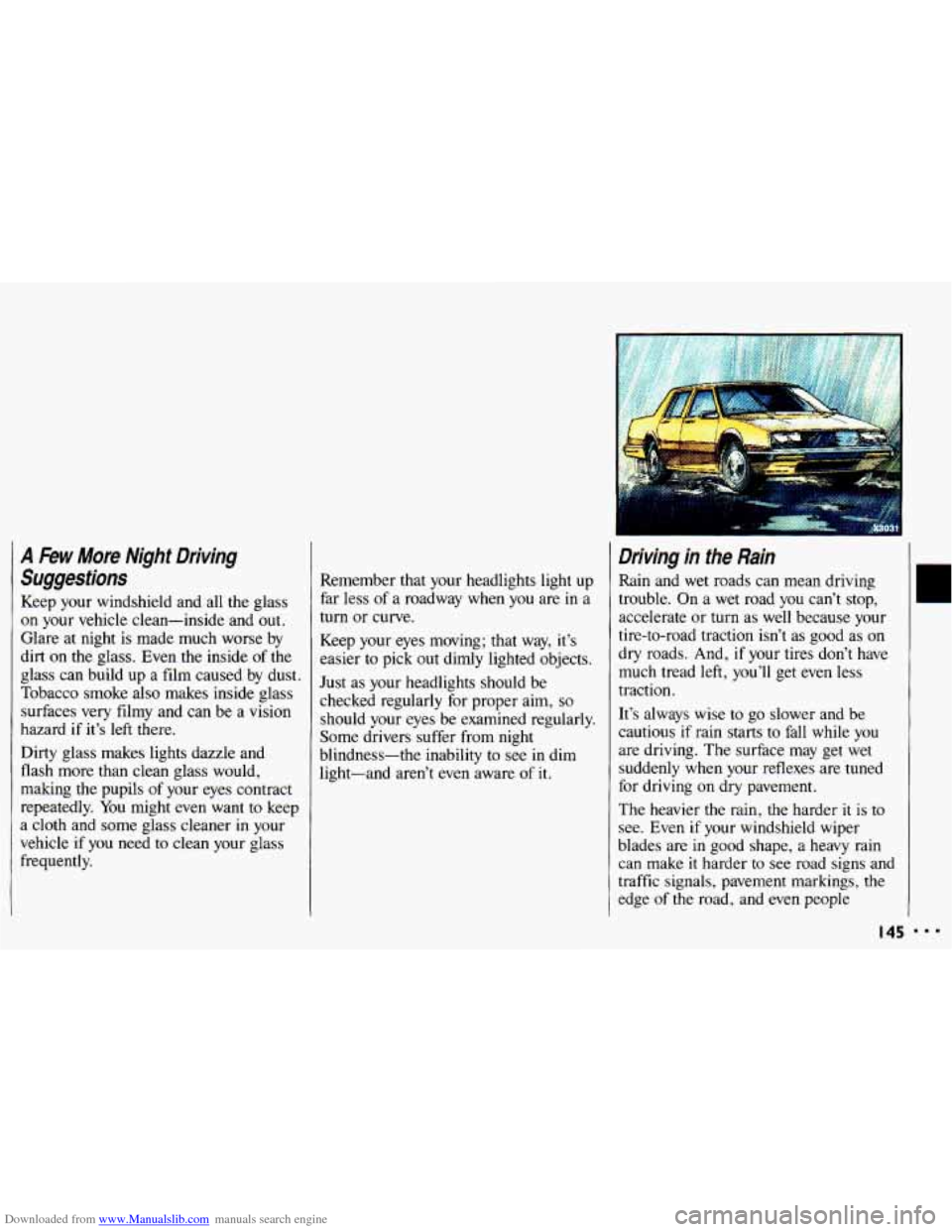
Rain and wet roads can mean driving
trouble. On a wet road you can't stop,
accelerate or turn as well because your
tire-to-road traction isn't as good as on
dry roads. And,
if your tires don't have
much tread left, you'll get even less
traction.
It's always wise to go slower and
be
cautious if rain starts to fall while you
are driving. The surface may get wet
suddenly when your reflexes are tuned
for driving on dry pavement.
The heavier the rain, the harder
it is to
see. Even if your windshield wiper
blades are in good shape, a heavy rain
can make
it harder to see road signs and
traffic signals, pavement markings, the
edge
of the road, and even people
IC
I45 ...