ignition CHEVROLET CAVALIER 1993 1.G Owner's Manual
[x] Cancel search | Manufacturer: CHEVROLET, Model Year: 1993, Model line: CAVALIER, Model: CHEVROLET CAVALIER 1993 1.GPages: 308, PDF Size: 15.62 MB
Page 111 of 308
Downloaded from www.Manualslib.com manuals search engine i; . ... ..- -. . ,' $,
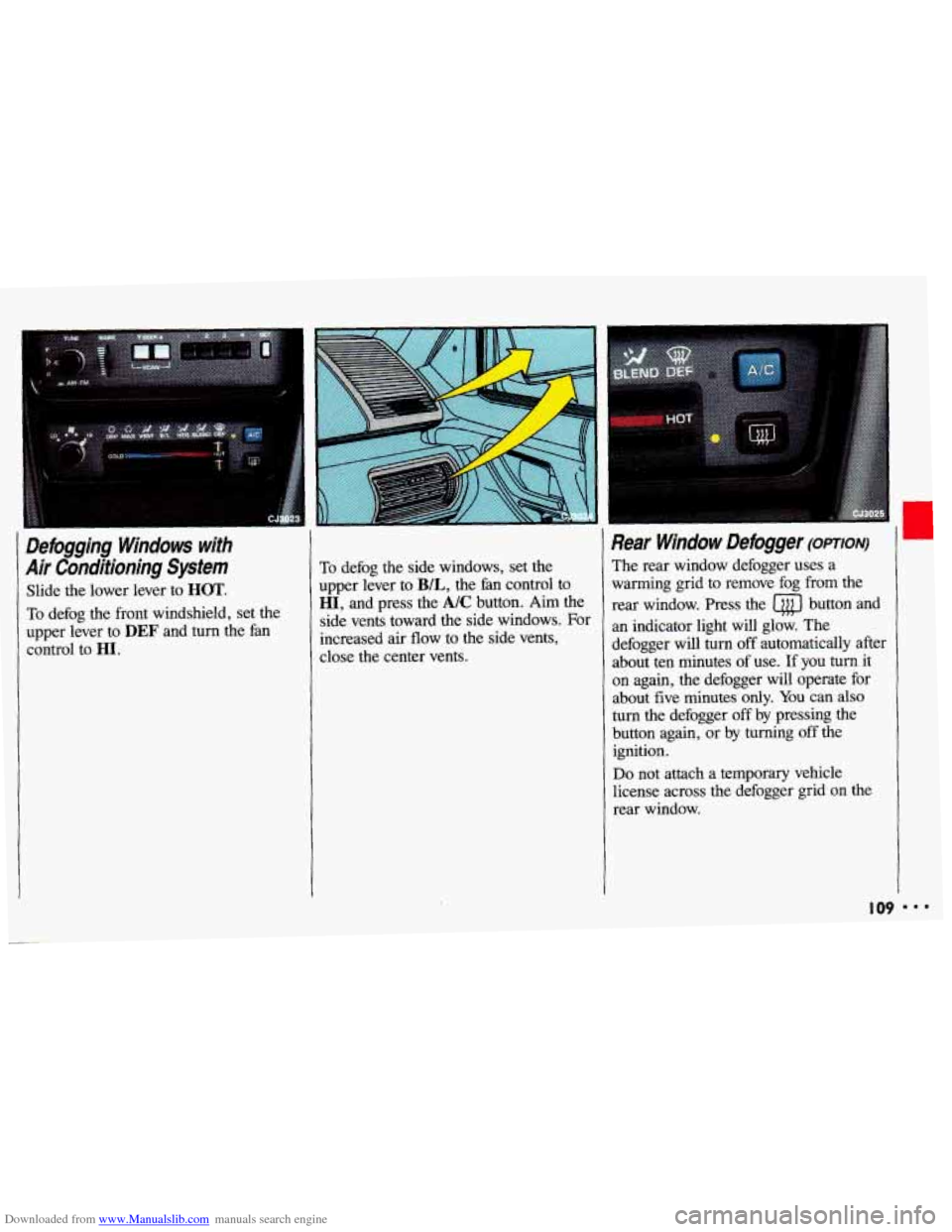
Defogging Windows with
Air Conditioning System
Slide the lower lever to HOT.
To defog the front windshield, set the
upper lever to
DEF and turn the fan
control to HI.
To defog the side windows, set the
upper lever to
B/L, the fan control to
HI, and press the A/C button. Aim the
side vents toward the side windows. For
increased air flow to the side vents,
close the center vents.
Rear Window Defogger (omoN)
The rear window defogger uses a
warming grid to remove fog from the
rear window. Press the
a button and
an indicator light will glow. The
defogger will turn
off automatically after
about ten minutes of use. If you
turn it
on again, the defogger will operate for
about five minutes
only. You can also
turn the defogger off by pressing the
button again, or by turning off the
ignition.
Do not attach a temporary vehicle
license across the defogger grid on
the
rear window.
I09 I..
Page 113 of 308
Downloaded from www.Manualslib.com manuals search engine I Audio Systems
The following pages describe the audio systems available for your Chevrolet, and
how to get the best performance from them. Please read about the system in your
vehicle.
IOU. equip:
I A Hearing damage from loud noise is almost undetectable until it is too
late. Your hearing can adapt to higher volumes
of sound. Sound that
seems normal can be loud and harmful to your hearing. Take precautions by
I
hearing adapts to it.
To help avoid hearing loss or damage:
1. Adjust the volume control to the lowest setting.
I adjusting the volume control on your radio to a safe sound level before your
[ I 2. Increase volume slowly until you hear comfortably and clearly.
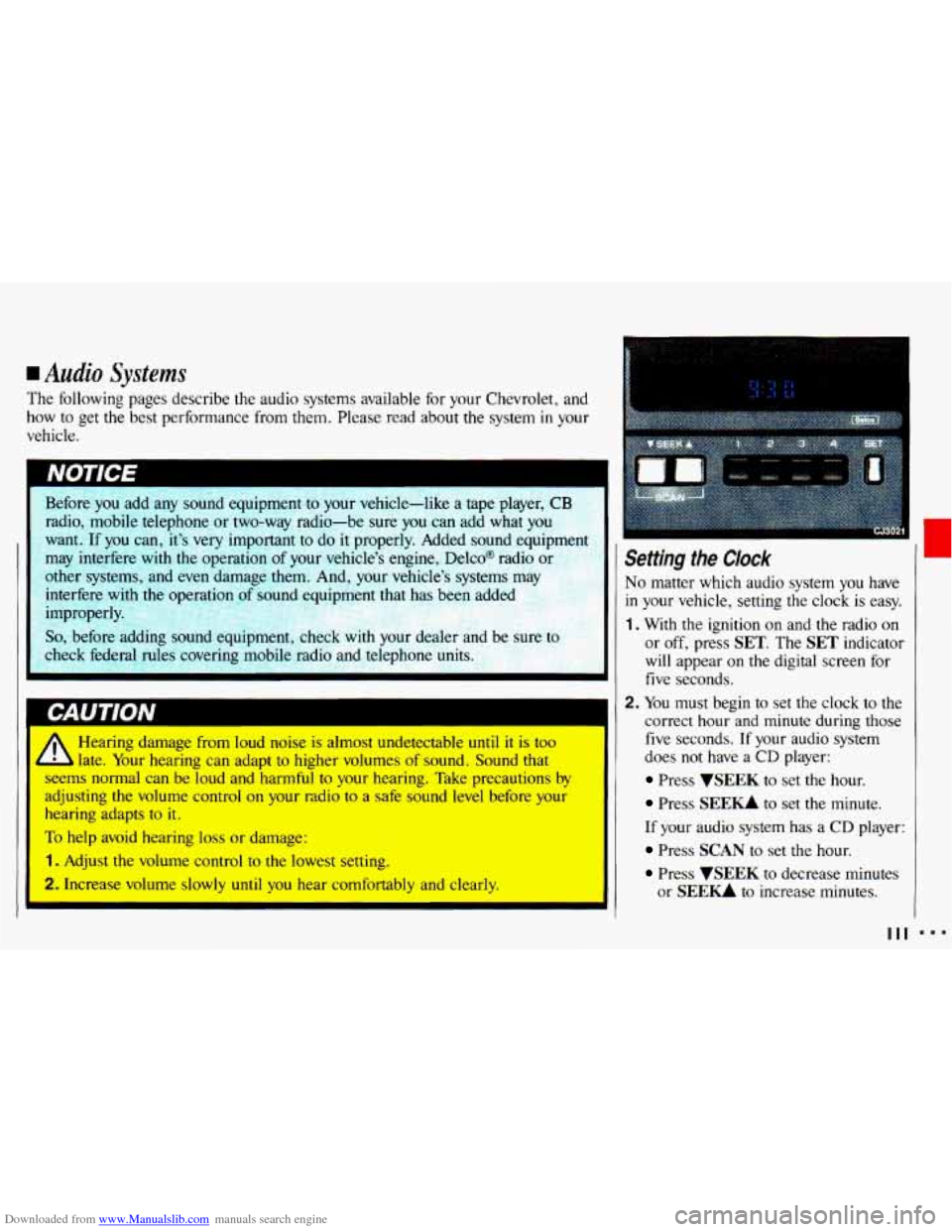
Setting the Clock
No matter which audio system you have
in your vehicle, setting the clock is easy.
1. With the ignition on and the radio on
or off, press SET. The SET indicator
will appear on the digital screen for
five seconds.
2. You must begin to set the clock to the
correct hour and minute during those
five seconds. If your audio system
does
not have a CD player:
Press VSEEK to set the hour.
Press SEE- to set the minute.
If your audio system has a CD player:
Press SCAN to set the hour.
Press WEEK to decrease minutes
or
SEE- to increase minutes.
I
111
Page 114 of 308
Downloaded from www.Manualslib.com manuals search engine ...
Comfort Controls & Audio Systems
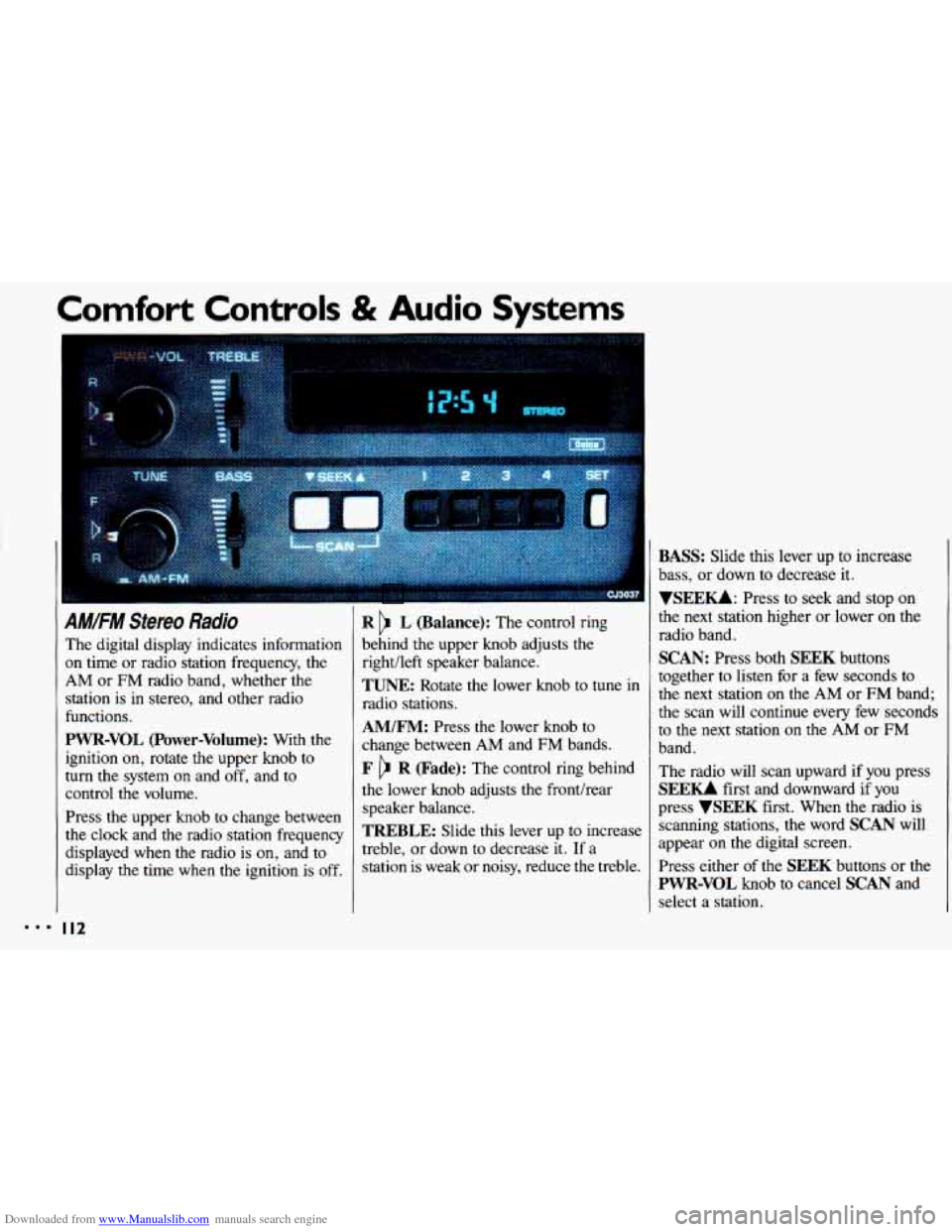
AM/FM Stereo Radio
The digital display indicates information
on time or radio station frequency, the
AM or FM radio band, whether the
station is
in stereo, and other radio
functions.
PWR-VOL (Power-Volume): With the
ignition on, rotate the upper knob to
turn the system
on and off, and to
control the volume.
Press the upper knob to change between
the clock and the radio station frequency
displayed when the radio is
on, and to
display
the time when the ignition is off.
I I2
R L (Balance): The control ring
behind the upper knob adjusts the
right/left speaker balance,
TUNE: Rotate the lower knob to tune in
radio stations.
AM/FM: Press the lower knob to
change between AM and FM bands.
F R (Fade): The control ring behind
the lower knob adjusts the fronthear
speaker balance.
TREBLE: Slide this lever up to increase
treble, or down
to decrease it. If a
station is weak or noisy, reduce the treble.
BASS: Slide this lever up to increase
bass, or down to decrease it.
YSEEKk Press to seek and stop on
the next station higher
or lower on the
radio band.
SCAN: Press both SEEK buttons
together to listen for a few seconds to
the next station
on the AM or FM band;
the scan will continue every few seconds
to the next station
on the AM or FM
band.
The radio will scan upward if you press
SEEU first and downward if you
press
VSEEK first. When the radio is
scanning stations,
the word SCAN will
appear on the digital screen.
Press either of the
SEEK buttons or the
PWR-VOL knob to cancel SCAN and
select a station.
Page 115 of 308
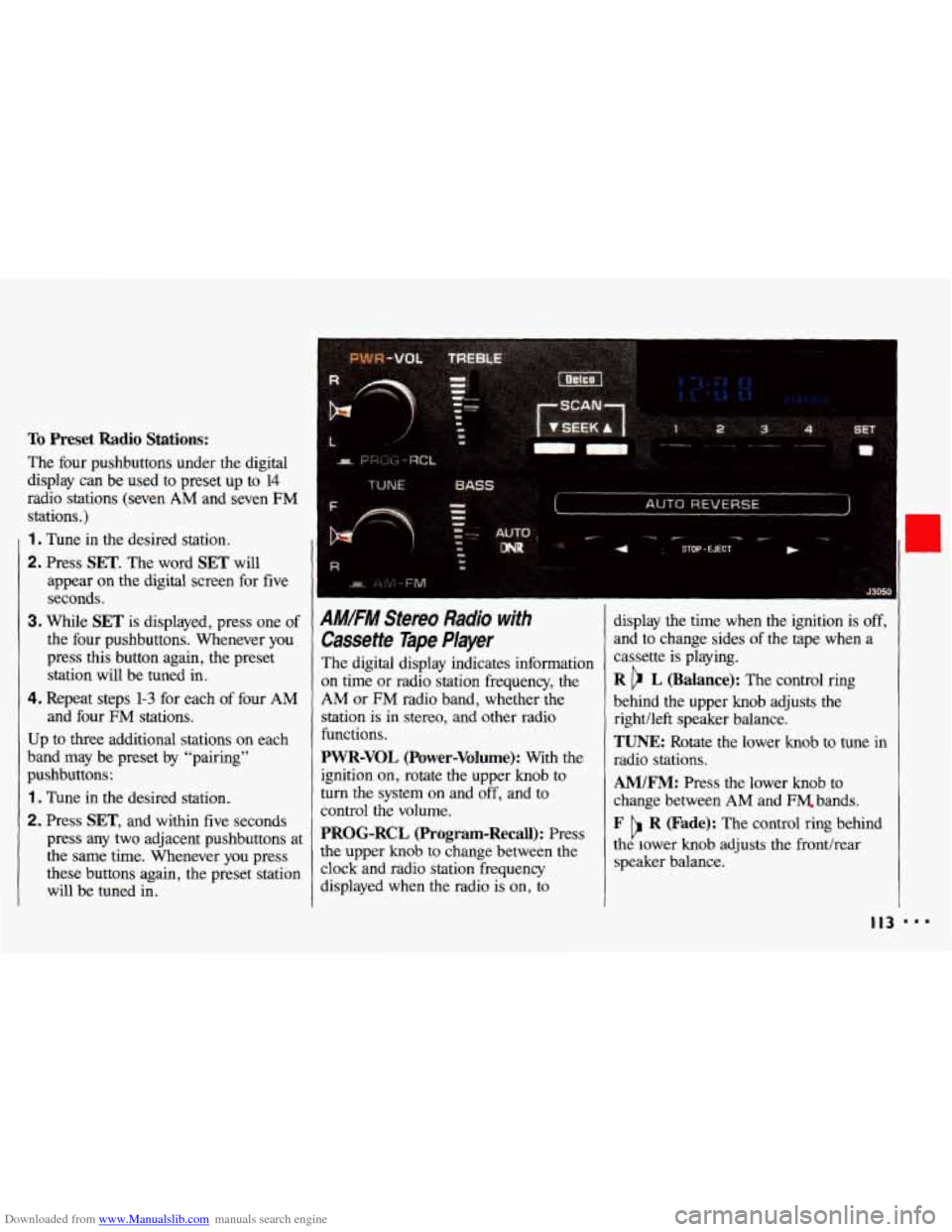
Downloaded from www.Manualslib.com manuals search engine To Preset Radio Stations:
The four pushbuttons under the digital
display can be
used to preset up to 14
radio stations (seven AM and seven FM
stations.)
1 . Tune in the desired station.
2. Press SET. The word SET will
appear on the digital screen for five
seconds,
3. While SET is displayed, press one of
the four pushbuttons. Whenever you
press this button again, the preset
station will be tuned in.
4. Repeat steps 1-3 for each of four AM
and four FM stations.
Up
to three additional stations on each
band may be preset by “pairing”
pushbuttons:
1 . Tune in the desired station.
2. Press SET, and within five seconds
press any
two adjacent pushbuttons at
the same time. Whenever you press
these buttons again, the preset station
will be tuned in.
AMIFM Stereo Radio with
Cassette Tape Player
The digital display indicates information
on time or radio station frequency, the
AM or FM radio band, whether the
station
is in stereo, and other radio
functions.
PWR-VOL (Power-Volume): With the display
the time when the ignition is off,
and
to change sides of the tape when a
cassette
is playing.
R b L (Balance): The control ring
behind the upper knob adjusts the
rightlleft speaker balance.
TUNE: Rotate the lower knob to tune in
radio stations.
ignition on, rotate the upper knob to
turn the system on and off, and to
control the volume.
PROG-RCL (Program-Recall): Press
the upper knob to change between the
clock and radio station freauencv
AM/FM: Press the lower knob to
change between
AM and FM. bands.
F R (Fade): The control ring behind
the lower knob adjusts the fronthear
speaker balance. b
displayed when the radio is’ on, io
I I3 ...
Page 118 of 308
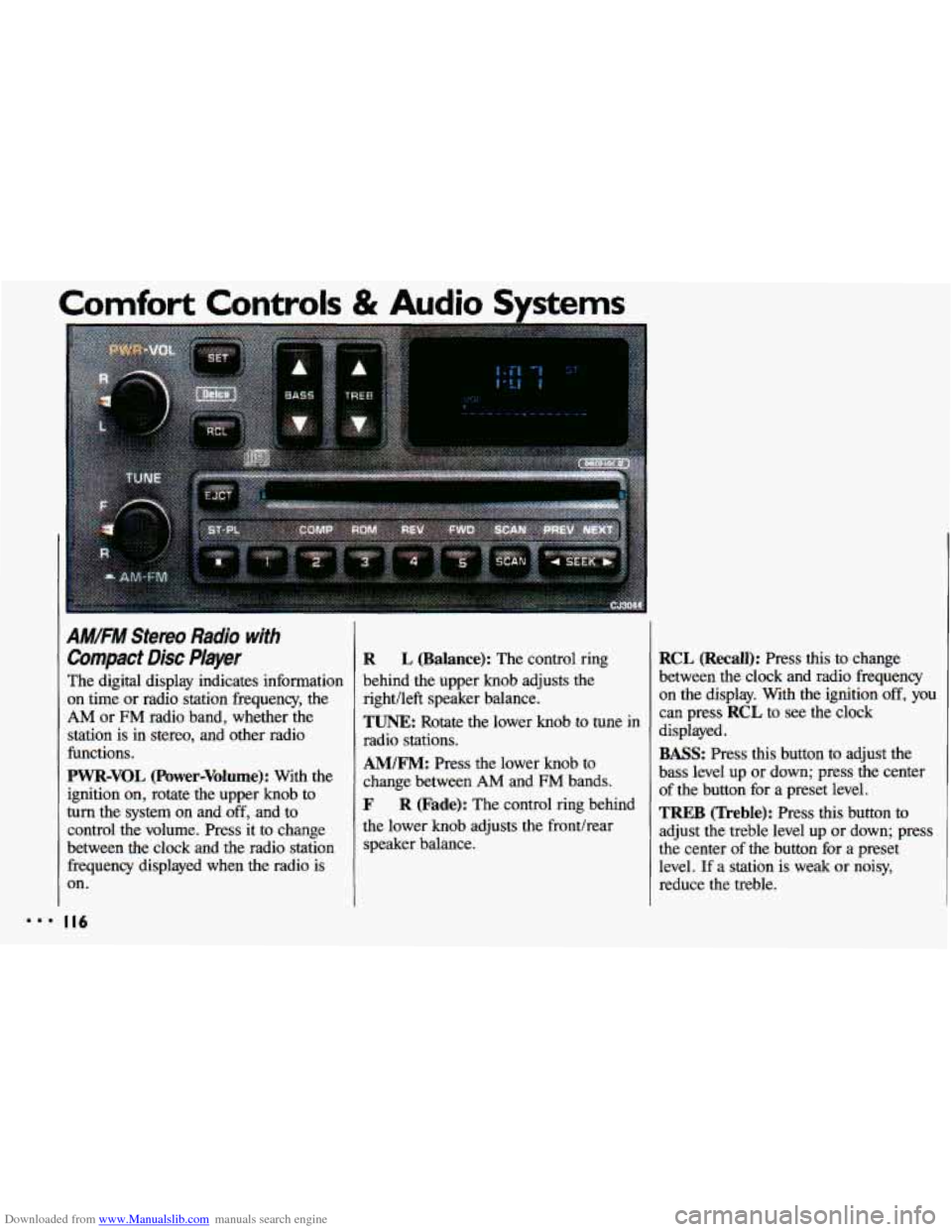
Downloaded from www.Manualslib.com manuals search engine AM/FM Stereo Radio with
Compact Disc Player
The digital display indicates information
on time or radio station frequency, the
AM or FM radio band, whether the
station is in stereo, and other radio
functions.
PWR-VOL (Power-Volume): With the
ignition on, rotate the upper knob to
turn the system on and off, and to
control the volume. Press it to change
between the clock and the radio station frequency displayed
when the radio is
on.
R L (Balance): The control ring
behind the upper knob adjusts the
right/left speaker balance.
TUNE: Rotate the lower knob to tune in
radio stations.
AM/FM: Press the lower knob to
change between
AM and FM bands.
F R (Fade): The control ring behind
the lower knob adjusts the fronthear
speaker balance.
RCL (Recall): Press this to change
between the clock and radio frequency
on the display. With the ignition
off, you
can press RCL to see the clock
displayed.
BASS: Press this button to adjust the
bass level up or down; press the center
of the button for a preset level.
TREB (Treble): Press this button to
adjust the treble level
up or down; press
the center of the button for a preset
level.
If a station is weak or noisy,
reduce the treble.
Page 121 of 308
Downloaded from www.Manualslib.com manuals search engine When Finished with the Compact Disc Player:
If you turn the radio off, or turn off the
ignition, the disc
will stay in the player
and
start again when you turn on the
ignition or the
PWR-VOL button. The
disc will begin playing at the point
where it had been stopped.
ST-PL (Stop-Play): Press to stop the
disc player; the radio will play. Press
again
to play the disc (the player will
start playing the disc where it had
stopped earlier).
EJCT(Eject): Press to eject the disc;
the radio
will play. The disc will start at
track
1 when you reinsert it. EJCT
works even when the radio or the
ignition is off.
CD Player Anti-Theit Feature
Delco LOC IP is a security feature that
can be used or ignored. If you ignore
it,
the radio will play normally. If you use
it, your radio cannot be turned
on if it is
stolen. These instructions will tell you
how
to enter a secret code into the radio.
If battery power is lost for any reason,
the secret code must be entered again
before your audio system can be turned
on.
To Set the Anti-Theft System:
1. Write down any six-digit number and
keep
it in a safe place. This is your
secret code.
2. Turn the ignition on.
3. Rotate the PWR knob to turn the
radio
off.
4. Press station preset buttons 1 and 4 at
the same time and hold
until "---"
shows on the display.
You now have only
15 seconds
between each
of the following steps.
5. Press SET, and 000 will appear on
the display.
6. Press SCAN until the first digit of
your code appears.
7. Press SEEK until the second and
third digits of your code appear.
8. Press the TUNE knob (000 will
appear on the display).
9. Press SCAN until the fourth digit of
your code appears.
10. Press SEEK until the fifth and sixth
digits of your code appear.
11. Press the TUNE knob (rEP will
appear for five seconds, then
000).
12. Repeat steps 6 through 10. Then
press the
TUNE knob again. SEC
will appear, indicating that Delco
LOC II@ is set, and your radio is
secure.
If "- - -" appears, the steps
were not successful and you must
repeat the entire procedure.
r
888 I I9
Page 122 of 308
Downloaded from www.Manualslib.com manuals search engine Comfort Controls & Audio Systems
CD Player Anti-Theft kature
(CONT.)
To Disable the Anti-Theft System:
Enter your secret code by following
these steps
(you will have only 15
seconds between each step).
1. Turn the ignition on and the radio
off, then press station preset buttons
1 and 4. SEC will appear, showing
the radio is secure.
2. Press SET and 000 will appear on
the display.
3. Press SCAN until the first digit of
your secret code appears.
4. Press SEEK until the second and
third digits of your code appear.
5. Press the TUNE knob (000 will
appear
on the display).
I20
6. Press SCAN until the fourth digit of
your code appears.
7. Press SEEK until the fifth and sixth
digits
of your code appear.
8. Press the TUNE knob. If the display
shows
"- - -;' the radio is unsecured
and will play again. If the display
shows
SEC, the steps were not
successful and the numbers did not
match
the secret code.
If
you lose or forget your code, see your
dealer. If you
lose battery power, when
the
battery is reconnected the radio will not
turn on and LOC will appear. Follow
steps
1-8 for disabling your system, and
the time will appear if you are
successful.
If SEC appears, the numbers
did not match and your unit is still
locked.
Page 156 of 308
Downloaded from www.Manualslib.com manuals search engine Your Driving and the Road
mmm ‘I
”- .
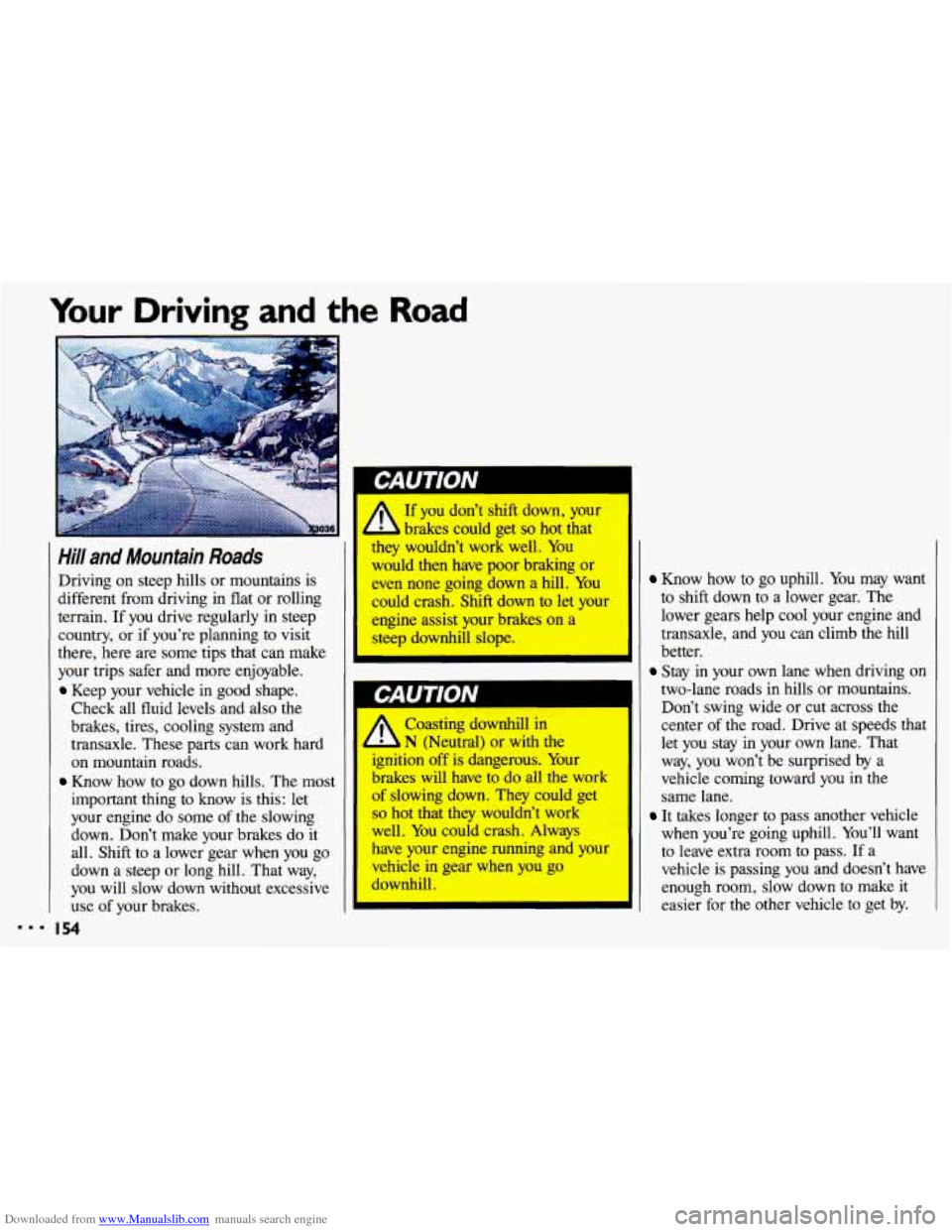
Hill and Mountain Roads
Driving on steep hills or mountains is
different from driving in flat or rolling
terrain. If you drive regularly in steep
country, or if you’re planning to visit
there, here are some tips that can make
your trips safer and more enjoyable.
Keep your vehicle in good shape.
Check all fluid levels and
also the
brakes, tires, cooling system and
transaxle. These parts can work hard
on mountain roads.
Know how to go down hills. The most
important thing to know is this: let
your engine do some
of the slowing
down. Don’t make your brakes do it
all. Shift to a lower gear when you go
down a steep or long hill. That way,
you will slow down without excessive use of your brakes.
I 54
r If you don’t shift down, your
brakes could get
so hot that
they wouldn’t work well. You
would then have poor braking or
even none going down a hill. You
could crash. Shift down to let your
engine assist your brakes on a
steep downhill slope.
Coasting downhill in
N (Neutral) or with the
ignition
off is dangerous. Your
brakes will have
to do all the work
of slowing down. They could get
so hot that they wouldn’t work
well.
You could crash. Always
have
your engine running and your
vehicle in gear when you go
downhill.
Know how to go uphill. You may want
to shift down to a lower gear. The
lower gears help cool your engine and
transaxle, and
you can climb the hill
better.
Stay in your own lane when driving on
two-lane roads in hills or mountains.
Don’t swing wide or cut across the
center of the road. Drive at speeds that
let you stay in your own lane. That
way, you won’t be surprised by a
vehicle coming toward you in the
same lane.
It takes longer to pass another vehicle
when you’re going uphill. You’ll want
to leave extra room to pass.
If a
vehicle is passing you and doesn’t have
enough room, slow down to make it
~ easier for the other vehicle to get by.
Page 168 of 308
Downloaded from www.Manualslib.com manuals search engine Problems on the Road
Jump Starting (CONT:)
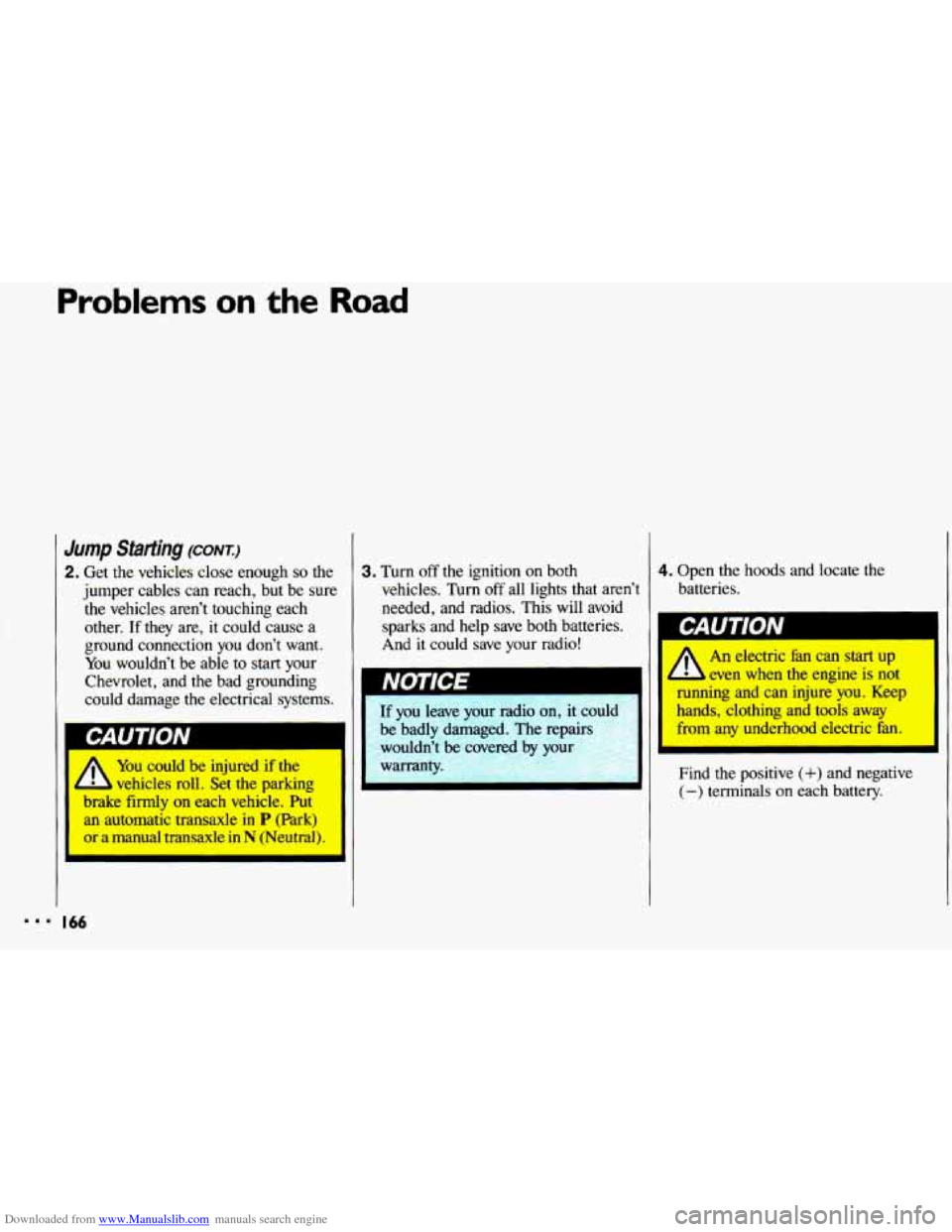
2. Get the vehicles close enough so the
jumper cables can reach, but be sure
the vehicles aren’t touching each
other.
If they are, it could cause a
ground connection
you don’t want.
You wouldn’t be able to start your
Chevrolet, and the bad grounding
could damage the electrical systems.
I
A You could be injured if the
vehicles roll. Set
the parking
brake
firmly on each vehicle. Put
an automatic transaxle in P (Park)
or a manual transaxle in N (Neutral).
3. Turn off the ignition on both
vehicles. Turn off all lights that aren’t
needed, and radios. This
will avoid
sparks and help save both batteries.
And it could save your radio!
If you leave your radio on, it could
be badly damaged. The repairs wouldn’t be covered by
you-
warranty.
4. Open the hoods and locate the
batteries.
I
1 An electric fan can start up I I
even when the engine is not
running and can injure you. Keep
Find the positive
(+) and negative
(-) terminals on each battery.
Page 172 of 308
Downloaded from www.Manualslib.com manuals search engine Problems on the Road
bwing Your Chevrolet (CONI)
To help avoid injury to you or
lers:
a Never let passengers ride in a
vehicle that is being towed.
a Never tow faster than safe or
posted speeds.
* Never tow with damaged parts
not fully secured.
* Never get under your vehicle after
it
has been lifted by the tow truck.
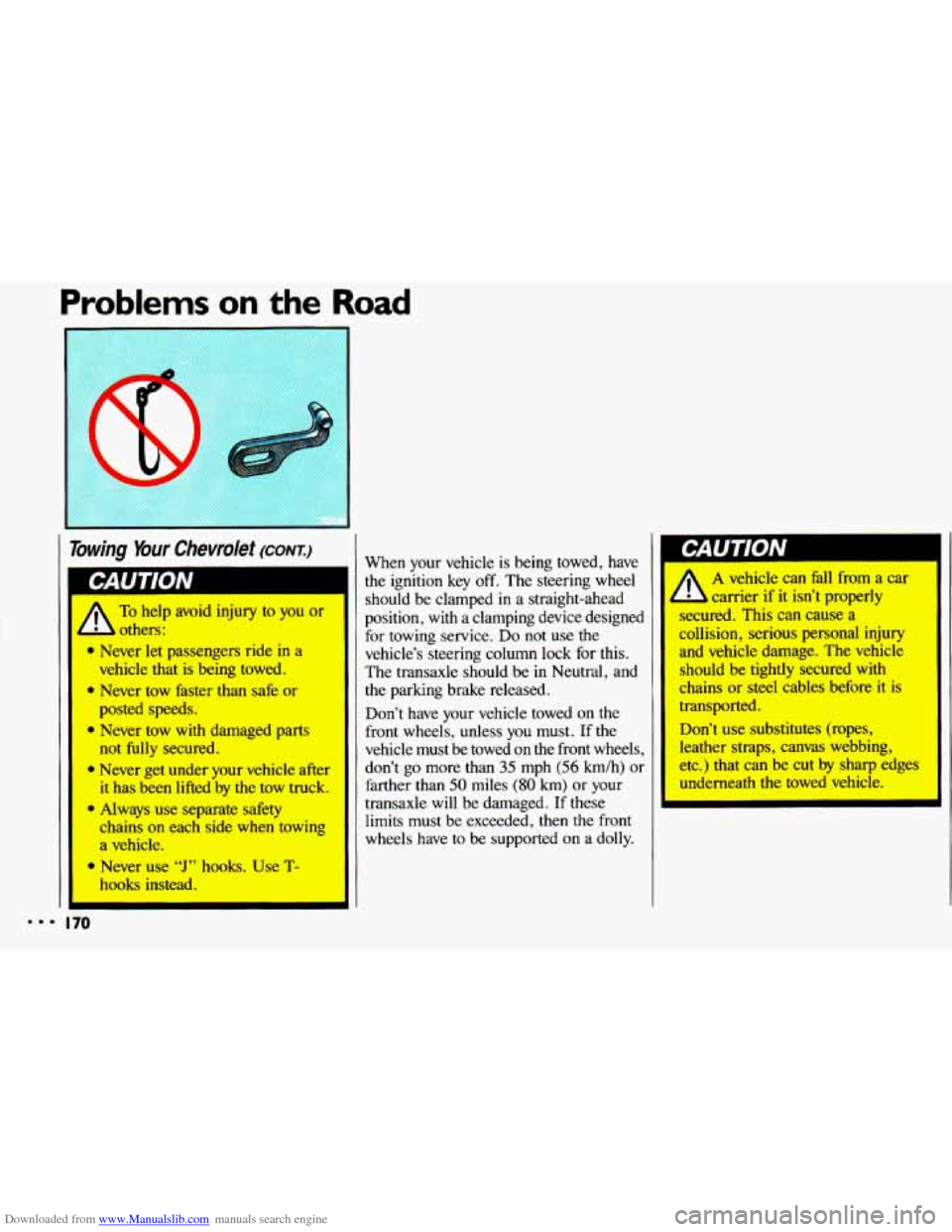
* Always use separate safety
chains on each side when towing
a vehicle.
Never use
“J” hooks. Use T-
hooks instead.
the ignition key off. The steering wheel
should be clamped
in a straight-ahead
position,
with a clamping device designed
for towing service. Do not use the
vehicle’s steering column lock for this.
The transaxle should be
in Neutral, and
the parking brake released.
Don’t have your vehicle towed on the
front wheels, unless
you must. If the
vehicle must be towed on the front wheels,
don’t go more than
35 mph (56 km/h) or
farther than
50 miles (80 km) or your
transaxle will be damaged. If these
limits must be exceeded, then
the front
wheels have to be supported on a dolly.
p-AU I IUN I
A vehicle can fall from a car
carrier if it isn’t properly
secured. This can cause a
collision, serious personal injury
and vehicle damage. The vehicle
should be tightly secured with
chains or steel cables before it is
transported.
Don’t use substitutes (ropes,
leather straps, canvas webbing,
etc.) that can be cut
by sharp edges
underneath
the towed vehicle.
A
mmm 170