brake CHEVROLET CAVALIER 1993 1.G Owners Manual
[x] Cancel search | Manufacturer: CHEVROLET, Model Year: 1993, Model line: CAVALIER, Model: CHEVROLET CAVALIER 1993 1.GPages: 308, PDF Size: 15.62 MB
Page 11 of 308
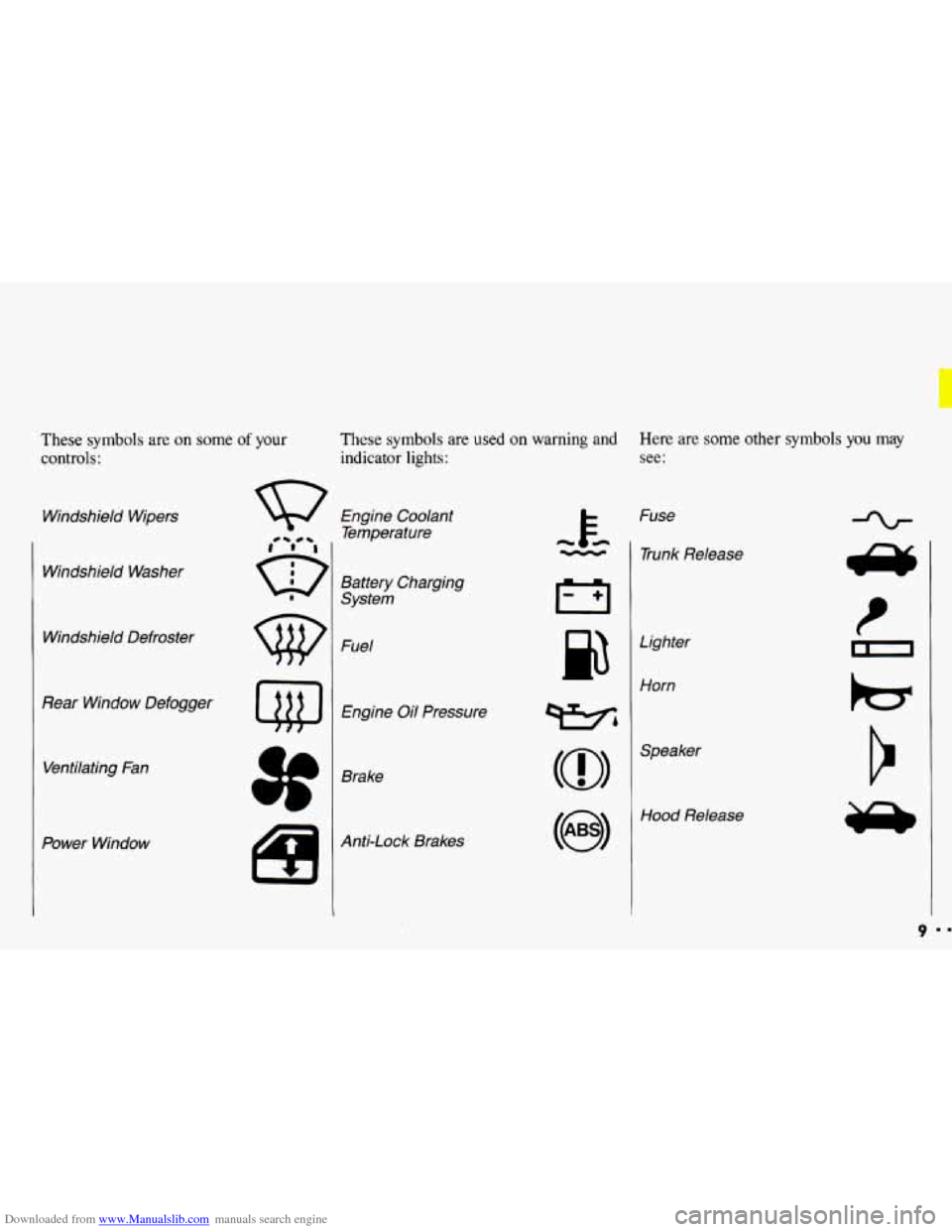
Downloaded from www.Manualslib.com manuals search engine These symbols are on some of your
controls:
Windshield Wipers
Windshield Washer
Windshield Defroster
Rear Window Defogger Ventilating Fan
Power Window
These symbols are used on warning and Here are some other symbols you may
indicator lights: see:
Engine Coolant
Temperature
Battery Charging
System
Fuel
Engine Oil Pressure
Brake
Anti-Lock Brakes Fuse
- 1 Trunk Release
cc
Lighter
Horn
wbl
(@I
Hood Release
9
Page 49 of 308
Downloaded from www.Manualslib.com manuals search engine ..
.; . I
Here you can learn about the
many standard and optional features
on your Chevrolet. and information
on starting. shifting and braking
.
Also explained are the instrument
panel and the warning systems that
tell you
if everything is working
properly-and what to
do if you have
a problem
.
Part 2
Features & Controls
Keys ............................................................ 48
Locks ........................................................... 49
GloveBox ....................................................... 53
Ignition ......................................................... 55
StartingYourEngine ............................................... 56
Engine Block Heater ............................................... 59
Shifting the Transaxle
.............................................. 60
ParkingBrake .................................................... 66
ShiftingintoPark .................................................. 67
Windows
........................................................ 71
Turn SignaVHeadlight Beam Lever
................................... -73
Cruisecontrol
.................................................... 74
Headlights
....................................................... 78
Interior Lights
.................................................... 81
Windshield Wipers
................................................ 83
Windshield Washer
................................................ 84
Mirrors
......................................................... 85
Ashtrays and Lighter
............................................... 87
Sunroof ......................................................... 88
Instrumentpanel .................................................. 93
Warning Lights, Gages and Indicators
.................................. 96
47
c
...
Page 54 of 308
Downloaded from www.Manualslib.com manuals search engine Features & Controls
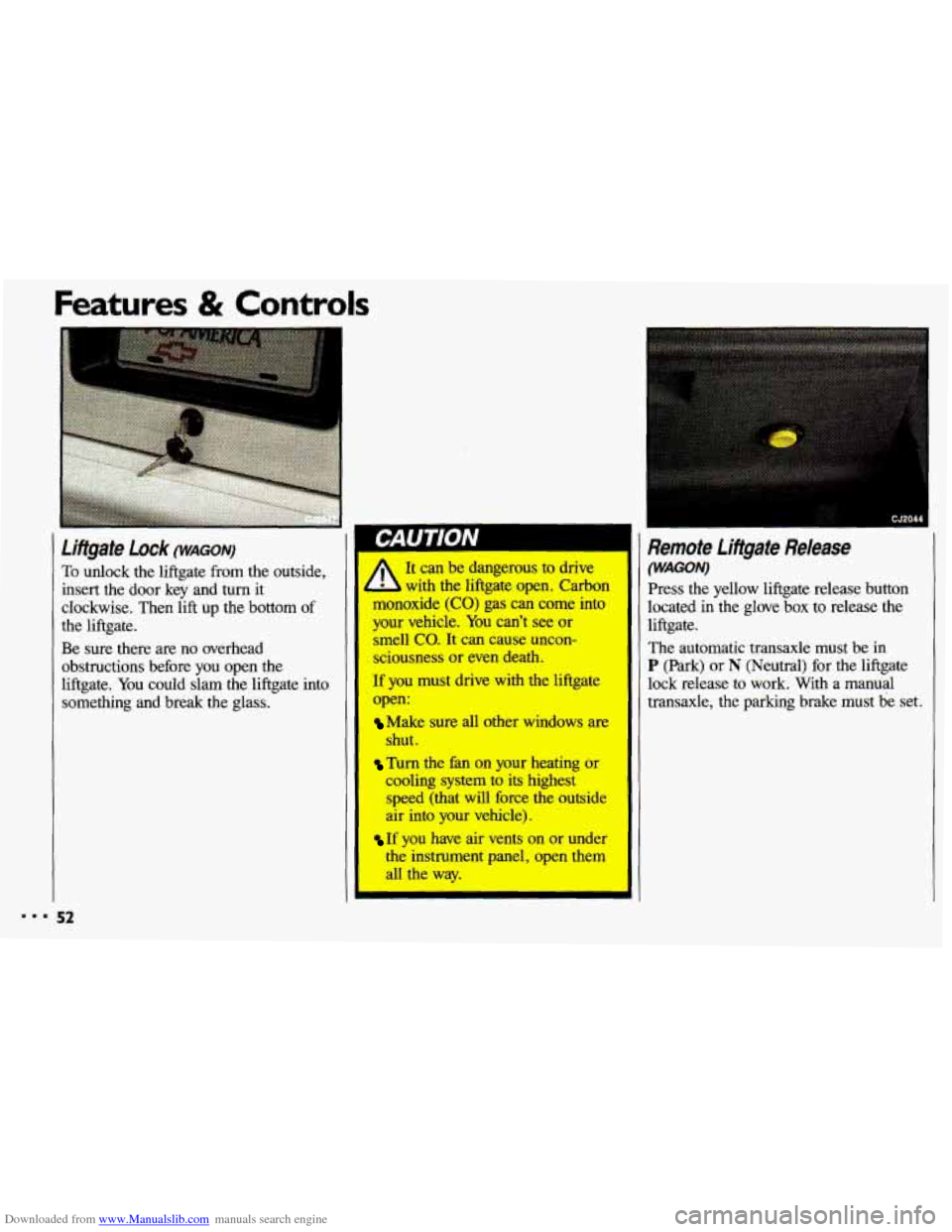
To &dock the liftgate from the outside,
insert the door key and turn it
clockwise. Then
lift up the bottom of
the liftgate.
Be sure there are no overhead
obstructions before you open the
liftgate. You could slam the liftgate into
something and break the glass.
I CJ2044
Remote Lifigate Release
(WAGON) It can be dangerous to drive
L with the liftgate open. Carbon
monoxide
(CO) gas can come into
your vehicle.
You can’t see or I smell co. It can cause uncon-
sciousness or even death.
If you must drive with the liftgate lock release to work. With a manual
open: transaxle, the parking brake must be set.
I
The automatic transaxle must be in
P (Park) or N (Neutral) for the liftgate
Make sure all other windows are
shut.
Turn the fan on your heating or
cooling system to its highest
speed (that will force the outside
air into your vehicle).
If you have air vents on or under
the instrument panel, open them
all the way. Press the
yellow liftgate release button
located in the glove box to release the
liftgate.
Page 56 of 308
Downloaded from www.Manualslib.com manuals search engine Features & Controls
. . ,. .
. ... .
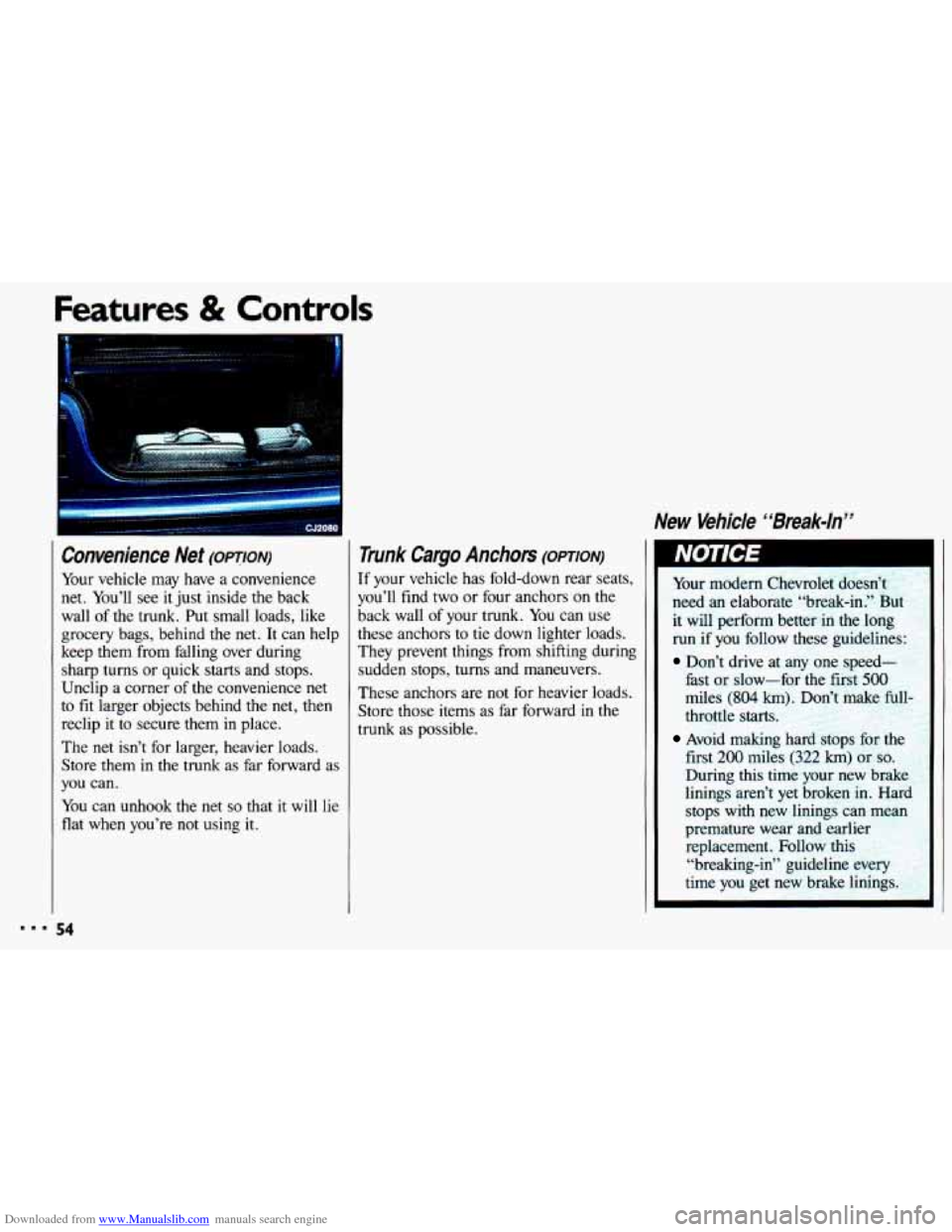
Convenience Net (OPTION)
Your vehicle may have a convenience
net. You’ll see it just inside
the back
wall of the trunk. Put small loads, like
grocery bags, behind the net. It can help
keep them from falling over during
sharp turns or quick
starts and stops.
Unclip a corner of the convenience net
to
fit larger objects behind the net, then
reclip it to secure them in place.
The
net isn’t for larger, heavier loads.
Store them in the trunk as far forward
as
you can.
You can unhook the net
so that it will lie
flat when you’re not using it.
Trunk Cargo Anchors (omoN)
If your vehicle has fold-down rear seats,
you’ll find two or four anchors on the
back wall of your trunk. You can use
these anchors to tie down lighter loads.
They prevent things from shifting during sudden stops, turns and maneuvers.
These anchors are not for heavier loads.
Store those items as far forward in
the
trunk as possible.
New Vehicle “Break-ln”
Your modern Chevrolet doesn’t
need an elaborate “break-in.” But
it will perform better in the long run
if you follow these guidelines:
Don’t drive at any one speed-
fast or slow-for the first
500
miles (804 km 3on’t make full
throttle starts.
first 200 miles (322 km) or so.
During this time your new brake
linings aren’t yet broken in.
Harc
stops with new linings can mean
premature wear and earlier replacement. Follow this
“breaking-in” guideline eveq
time
you get new brake linings.
Avoid making hard stops for 1
Page 62 of 308
Downloaded from www.Manualslib.com manuals search engine Features & Controls
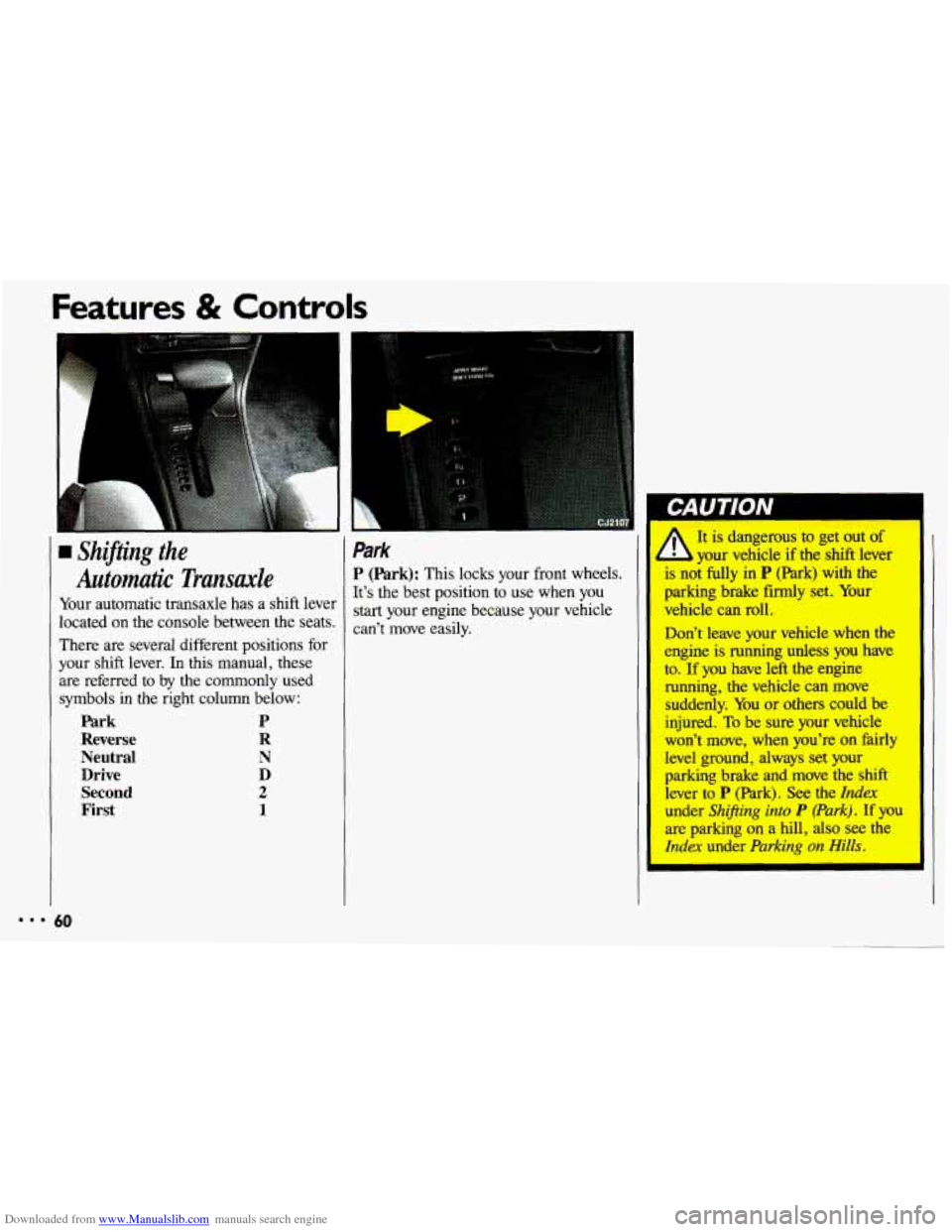
rn Shifting the
Automatic Transaxle
Your automatic transaxle has a shift lever
located
on the console between the seats.
There are several different positions for
your shift lever. In this manual, these
are referred to by the commonly used
symbols in
the right column below:
Park P
Reverse R
Neutral
N
Drive D
Second
2
First 1
Park
P (Park): This locks your front wheels.
It’s the best position to use when you
start your engine because your vehicle
can’t move easily.
I It is dangerous to get out of
your vehicle if the shift lever
is noi fully in
P (Park) with the
parking brake firmly set. Your
vehicle can roll.
Don’t leave your vehicle when the
engine is running unless
you have
to.
If you have left the engine
running, the vehicle can move
suddenly. You or others could be
injured.
To be sure your vehicle
won’t move, when you’re on fairly
level ground, always set your
parking brake and move the shift
lever to
P (Park). See the Index
under Shifting into P (Park). If you
are parking on a hill, also see the
Index under Parking on Hills.
Page 63 of 308
Downloaded from www.Manualslib.com manuals search engine Ensure the shift lever is fully in P (Park)
range before starting the engine. Your
Chevrolet has a brake-transaxle shift
interlock. You have to fully
apply your
regular brakes
before you can shift fiom
P (Park) when the ignition key is in the
Run position. If you cannot shift out of
P (Park), ease pressure on the shift
lever-push the shift lever
all the way
into
P (Park) and also release the shift
lever button as you maintain brake
application. Then move the shift lever
into
the gear you wish. See the Index
under Shifting Out of P (Park),
U
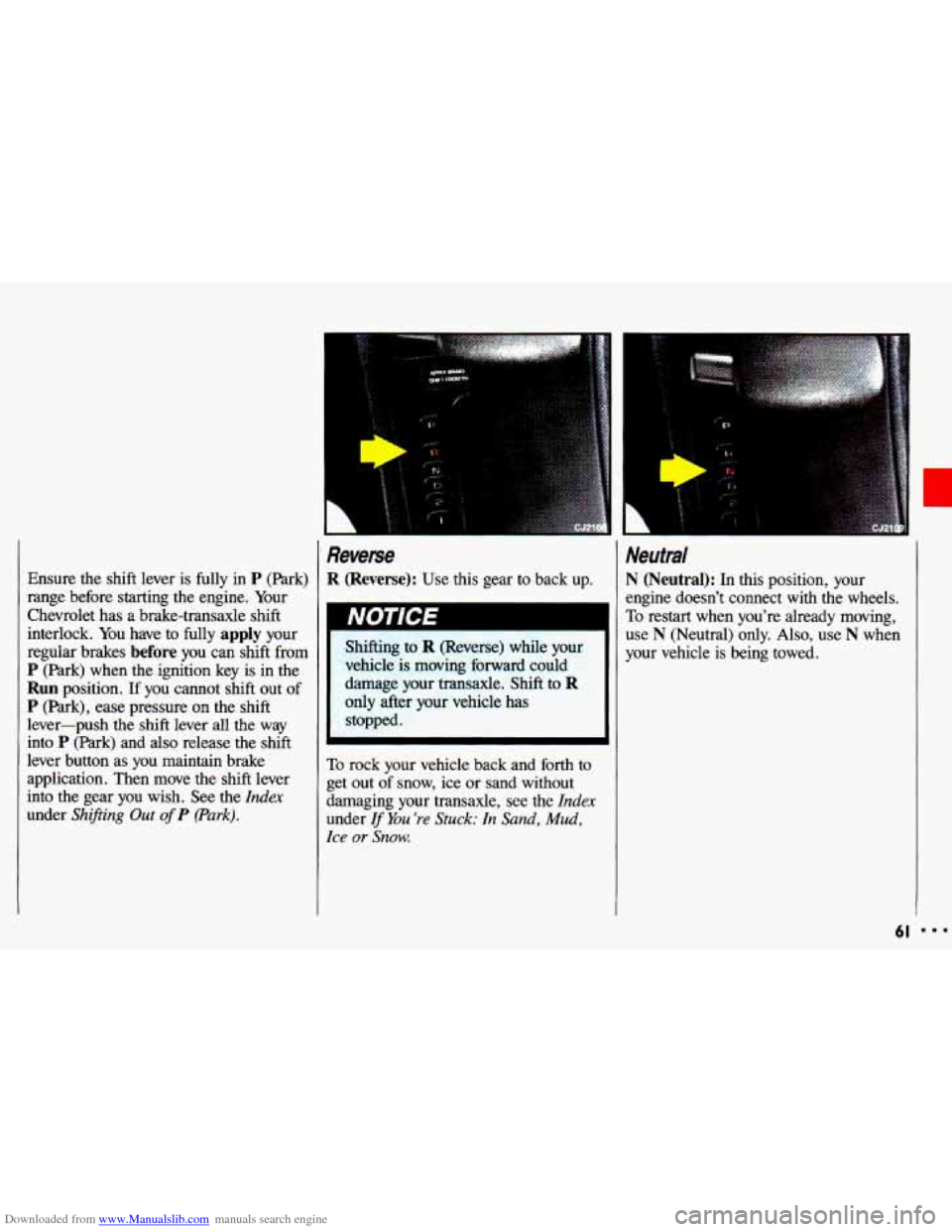
Reverse
R (Reverse): Use this gear to back up.
Shifting to
R (Reverse) while your
vehicle
is moving forward could
damage your transaxle. Shift
to R
only after your vehicle has
Stopped-
Neutmi
N (Neutral): In this position, your
engine doesn’t connect with the wheels.
To restart when you’re already moving,
use
N (Neutral) only. Also, use N when
your vehicle
is being towed.
To rock your vehicle back and forth to
get out of snow, ice or sand without
damaging your transaxle, see the
Index
under If You ’re Stuck: In Sand, Mud,
Ice or Snow.
61
Page 64 of 308
Downloaded from www.Manualslib.com manuals search engine Features & Controls
Neutral (CONT:)
Shifting out of P (Park) or N
(Neutral) while your engine is
--racing” (running at high speed) is
dangerous. Unless your foot is
firmly on the brake pedal, your
vehicle could
move very rapidly.
You could lose control and hit
people or objects. Don’t shift out
of
P (Park) or N (Neutral) while
your engine is racing.
62
Damage to your transaxle caused
by shifting
out of P (Park) or $i;$JJ
N (Neutral) with the engine racing
isn’t covered
by your warranty.
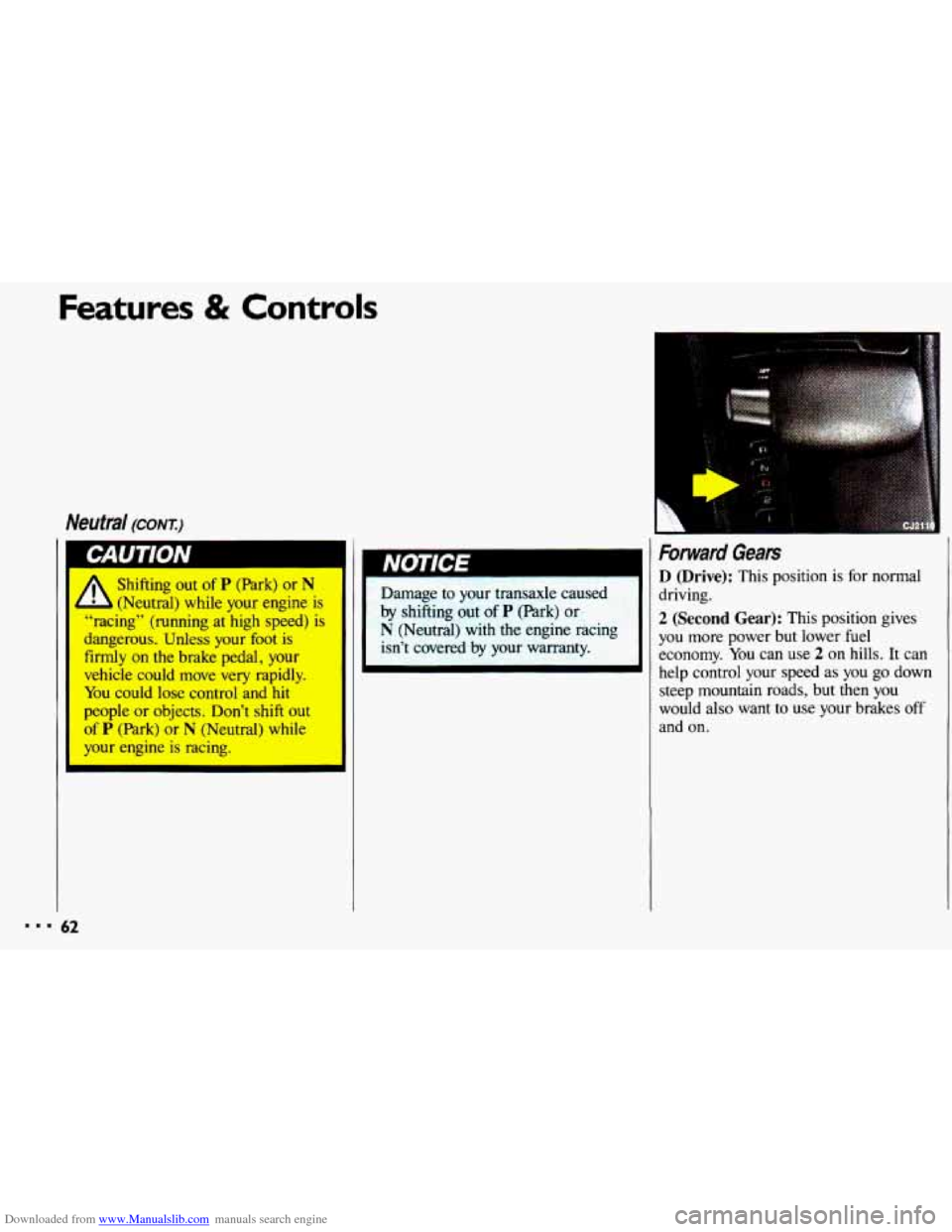
Forward Gears
D (Drive): This position is for normal
driving.
2 (Second Gear): This position gives
you
more power but lower fuel
economy. You can
use 2 on hills. It can
help control your speed
as you go down
steep mountain roads, but then you
would also want to
use your brakes off
and on.
Page 65 of 308
Downloaded from www.Manualslib.com manuals search engine Don’t drive in 2 (Second Gear) fo
more than 5 miles (8 km), or at
speeds over
55 mph (88 km/h), or
you can damage your transaxle. U!
D as much as possible.
Don’t
shift into 2 unless you are going
slower than
65 mph (105 km/h),
you can damage your engine.
r I
1 (First Gear): This position gives you
even more power (but lower fuel II
If your front wheels can’t rotate,
don’t try to drive. This might
happen if
you were stuck in very
deep sand or mud or were up
against a solid object.
aula
damage your transal-’
Also, if you stop when going
uphill, don’t hold your vehicle
there with only
the accelerator
-
pedal. This cduld overheat and
damage the transaxle.
Use your
brakes or shift into
P (Park) to
hold lr vehicle
in position on a
hill.
economy)
than 2. You can use it crh very
steep hills, or in deep snow or mud. If
the selector lever is put in 1, the
transaxle won’t shift
into first gear until
the vehicle is going slowly enough.
3.lL V6 Engine:
Maximum engine speed is limited to
protect driveline components from
improper operation.
Page 66 of 308
Downloaded from www.Manualslib.com manuals search engine Features & Controls
1 Shifting the 5-Speed
Manual Transude
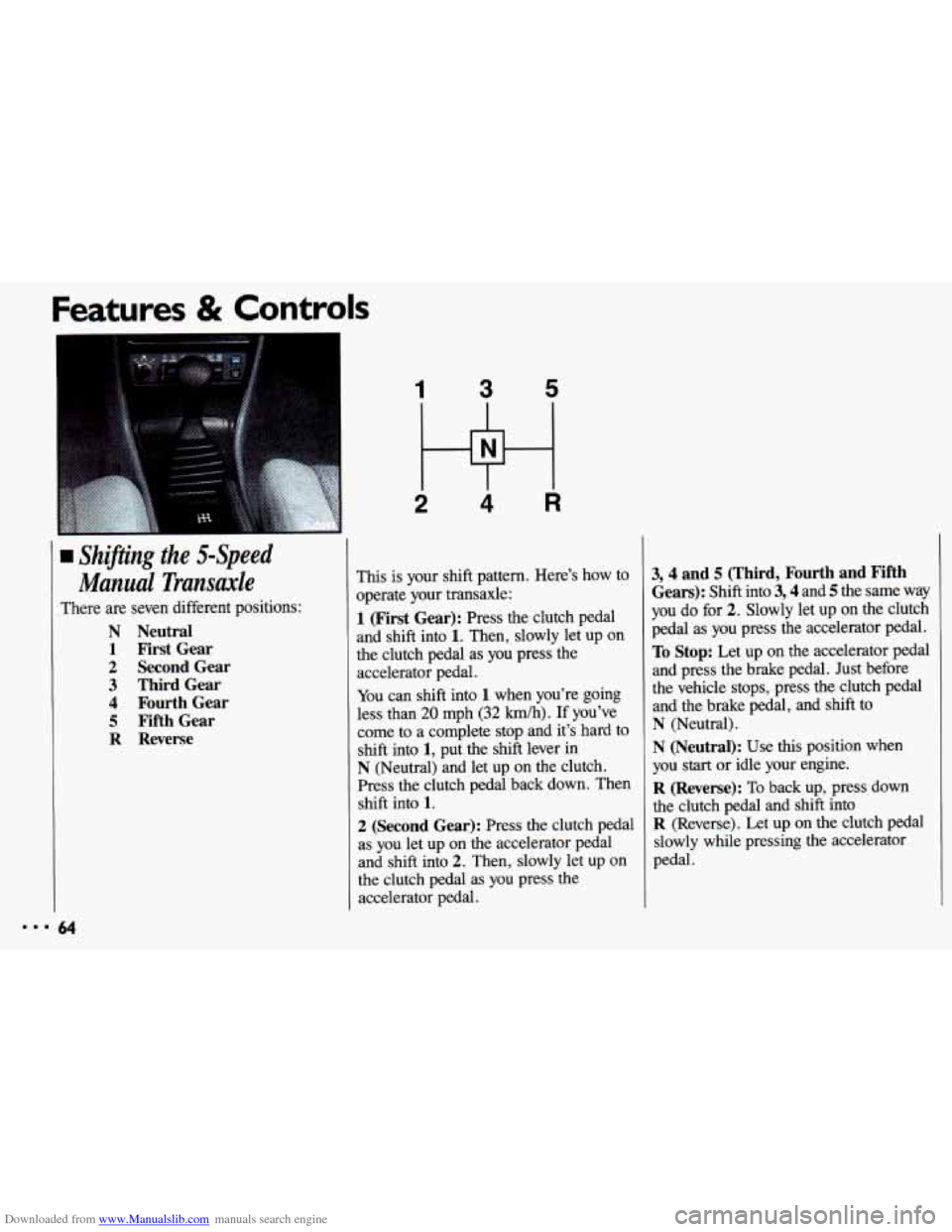
There are seven different positions:
N Neutral
1 First Gear
2 Second Gear
3 Third Gear
4 Fourth Gear
5 Fifth Gear
R Reverse
1 3 5
2 Hi 4 R
This is your shift pattern. Here’s how to
operate your transaxle:
1 (First Gear): Press the clutch pedal
and shift into
1. Then, slowly let up on
the clutch pedal as you press the
accelerator pedal.
You can shift into 1 when you’re going
less than
20 mph (32 km/h). If you’ve
come to a complete stop and it’s hard to
shift into
1, put the shift lever in
N (Neutral) and let up on the clutch.
Press the clutch pedal back down. Then
shift into
1.
2 (Second Gear): Press the clutch pedal
as you let up on the accelerator pedal
and shift into
2. Then, slowly let up on
the clutch pedal as you press the
accelerator pedal.
3,4 and 5 (Third, Fourth and Fifth
Gears):
Shift into 3,4 and 5 the same way
you do for
2. Slowly let up on the clutch
pedal as you press the accelerator pedal.
To Stop: Let up on the accelerator pedal
and press the brake pedal. Just before
the vehicle stops, press the clutch pedal
and the brake pedal, and shift to
N (Neutral).
N (Neutral): Use this position when
you
start or idle your engine.
R (Reverse): To back up, press down
the clutch pedal and shift into
R (Reverse). Let up on the clutch pedal
slowly while pressing the accelerator
pedal.
Page 67 of 308
Downloaded from www.Manualslib.com manuals search engine r
Shift to R (Reverse) only afte
vehicle is stopped. Shifting to
R (Reverse) while your vehicle is
moving could damage your transaxle.
Also, use
R (Reverse), along with the
parking brake,
for parking your vehicle.
Shift Light (MANUAL TRANSAXLE)
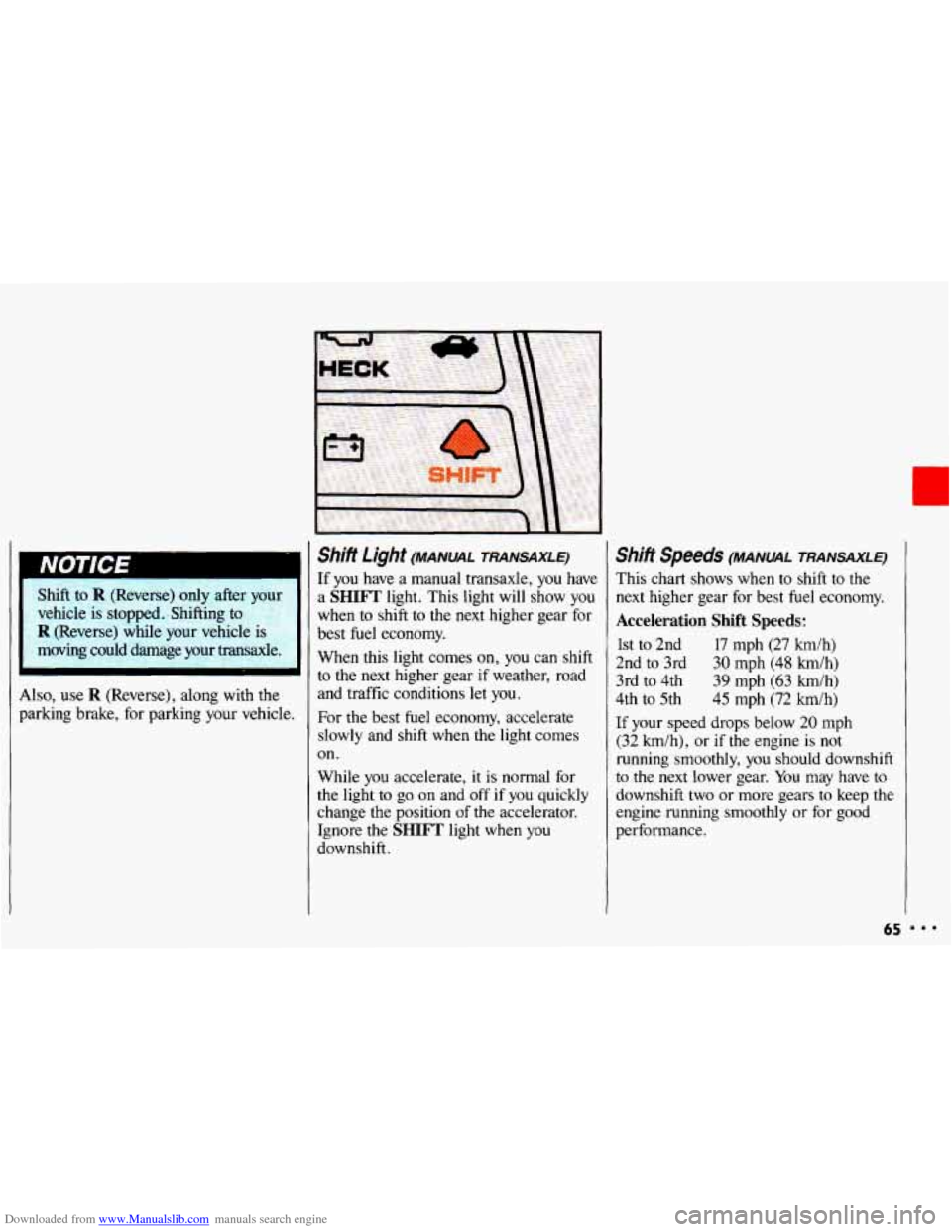
If you have a manual transaxle, you have
a
SHIFT light. This light will show you
when to shift to the next higher gear for
best fuel economy.
When this light comes
on, you can shift
to the next higher gear if weather, road
and traffic conditions let you.
For
the best fuel economy, accelerate
slowly and shift when the light comes
on.
While you accelerate,
it is normal for
the light
to go on and off if you quickly
change the position
of the accelerator.
Ignore the
SHIFT light when you
downshift.
Shifi Speeds (MANUAL TRANSAXLE)
This chart shows when to shift to the
next higher gear for best fuel economy.
Acceleration Shift Speeds:
1st to 2nd 17 mph (27 km/h)
2nd to 3rd
30 mph (48 km/h)
3rd to 4th 39 mph
(63 h/h)
4th
to 5th 45 mph (72 h/h)
If your speed drops below 20 mph
(32 h/h), or if the engine is not
running smoothly,
you should downshift
to the
next lower gear. You may have to
downshift
two or more gears to keep the
engine running smoothly or
for good
performance.
65