change time CHEVROLET CAVALIER 1994 1.G Owners Manual
[x] Cancel search | Manufacturer: CHEVROLET, Model Year: 1994, Model line: CAVALIER, Model: CHEVROLET CAVALIER 1994 1.GPages: 243, PDF Size: 15.06 MB
Page 3 of 243
Downloaded from www.Manualslib.com manuals search engine Important Notes About this Manual
Please keep this manual in your Chevrolet, so it will be there if you ever need it when you’re on the road. If you sell the
vehicle, please leave this manual in it
so the new owner can use it.
This manual includes the latest information at the time it was printed. We reserve the right to make changes in the product
after that time without further notice.
Vote to Canadian Owners
?or vehicles first sold in Canada, substitute the name “General Motors of Canada Limited” for Chevrolet Motor
Iivision whenever it appears in this manual.
?or Canadian Owners Who Prefer a French Language Manual:
lux proprietaires canadiens: Vous pouvez vous procurer un exemplaire de ce guide en francais chez votre
:oncessionaire ou au
DGN Marketing Services Ltd., 1500 Bonhill Road, Mississauga, Ontario L5T 1C7.
’ublished by
Chevrolet Motor Division
General Motors Corporation General Motors, GM and
the GM emblem, the word
Chevrolet, the Chevrolet emblem and the name
Cavalier are registered trademarks
of General Motors
Corporation.
The word
Delco is a registered trademark of General
Motors Corporation.
0 Copyright 1993 General Motors Corporation, Chevrolet Motor Division. All rights reserved.
2
Page 65 of 243
Downloaded from www.Manualslib.com manuals search engine Features & Controls
Operation of Lights
Although your vehicle’s lighting system
(headlights, parking lights, fog lamps,
side marker lights and taillights) meets
all applicable federal lighting
requirements, certain states and
provinces may apply their own lighting
regulations that may require special
attention before you operate these lights,
For example, some jurisdictions may
require that you operate your lower
beam lights with fog lamps at all times,
or that headlights be turned on
whenever you must use your windshield
wipers. In addition, most jurisdictions
prohibit driving solely with parking
lights, especially at dawn or dusk.
It is
recommended that you check with your
own state or provincial highway
authority for applicable lighting
regulations.
LLJ’ n
-
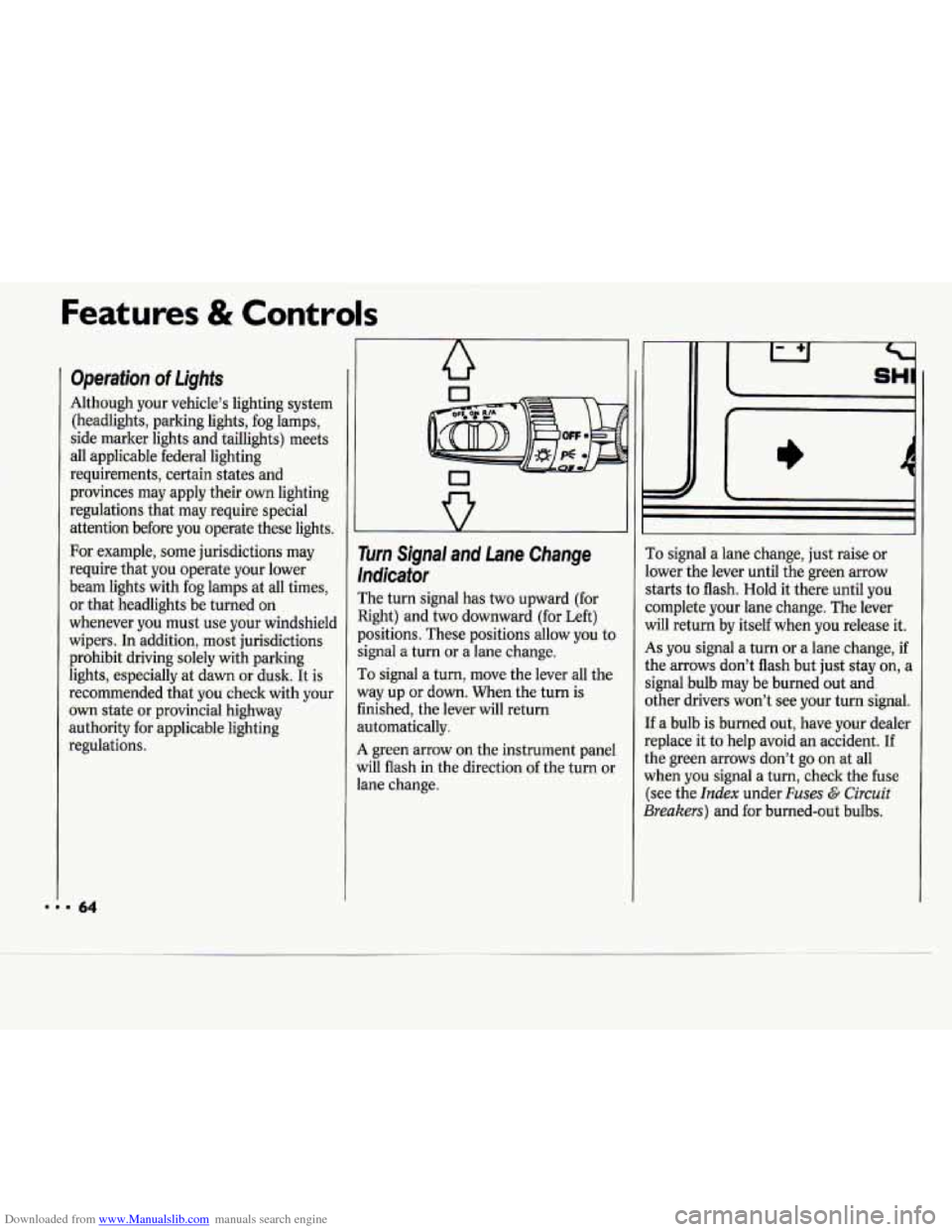
Turn Signal and Lane Change
Indicator
The turn signal has two upward (for
Right) and two downward (for Left)
positions. These positions allow you to
signal a turn or
a lane change.
To signal a turn, move the lever all the
way up or down. When the turn is
finished, the lever will return
automatically.
A green arrow on the instrument panel
will flash in the direction of the turn or
lane change.
I)
To signal a lane change, just raise or
lower the lever until the green arrow
starts to flash. Hold it there until you
complete your lane change. The lever
will return by itself when you release it.
As you signal a turn or a lane change, if
the arrows don’t flash but just stay on, a
signal bulb may be burned out and
other drivers won’t see your turn signal.
If a bulb is burned out, have your dealer
replace
it to help avoid an accident. If
the green arrows don’t go on at all
when
you signal a turn, check the fuse
(see the
Index under Fuses G Circuit
Breakers) and for burned-out bulbs.
Page 67 of 243
Downloaded from www.Manualslib.com manuals search engine Features & Controls
The high beam headlights will come on
at reduced brightness in daylight when:
The ignition is on
The headlight switch is off, and
The parking brake is released.
When you turn on your headlights, the
DRL will switch off and the exterior
lights will come on. When you turn off
the headlights, the exterior lights will go
out and the high beams will change to
the reduced brightness
of DRL again.
The DRL indicator light on the
instrument panel will go on whenever
the DRL are on. This light means that
only the DRL are on. When you turn on
your exterior lights, this light will go
out. Of course, you may still turn on the
headlights any time
you need to.
To idle your vehicle with the DRL off,
set the parking brake. The
DRL will
stay
off until you release the parking
brake.
J
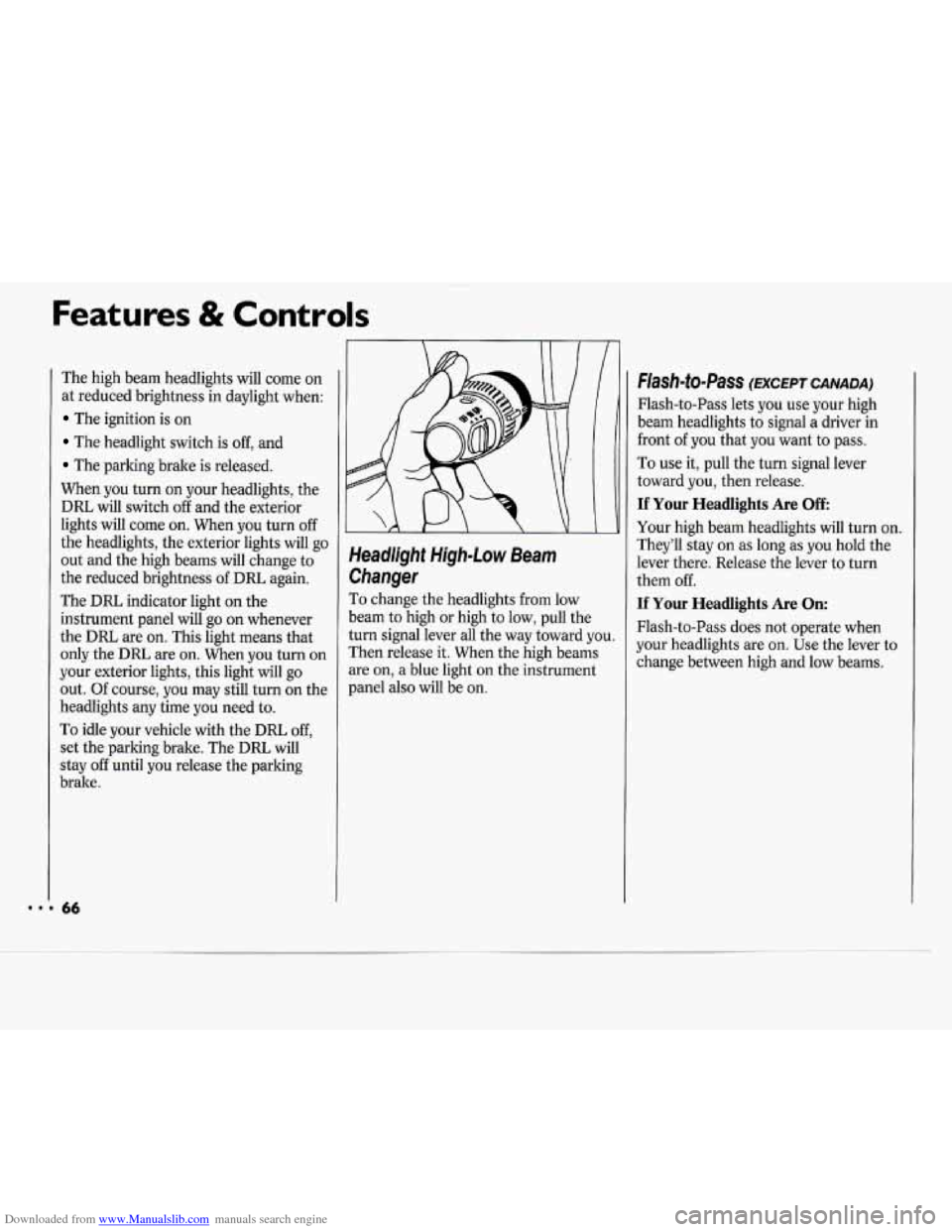
Headlight High-Low Beam
Changer
To change the headlights from low
beam
to high or high to low, pull the
turn signal lever all the way toward you.
Then release it. When the high beams
are on, a blue light on the instrument
panel also will be on.
Flash-to-Pass (EXCEPT CANADA)
Flash-to-Pass lets you use your high
beam headlights to signal a driver in
front
of you that you want to pass.
To use it, pull the turn signal lever
toward you, then release.
If Your Headlights Are Off
Your high beam headlights will turn on.
They’ll stay on
as long as you hold the
lever there. Release the lever to turn
them off.
If Your Headlights Are On:
Flash-to-Pass does not operate when
your headlights are on. Use the lever to
change between high and low beams.
Page 93 of 243
Downloaded from www.Manualslib.com manuals search engine Comfort Controls & Audio Systems
I Climate Control System
Nith this system, you can control the
rentilation and heating in your vehicle.
four vehicle also has the flow-through
Jentilation system described later in this
rection.
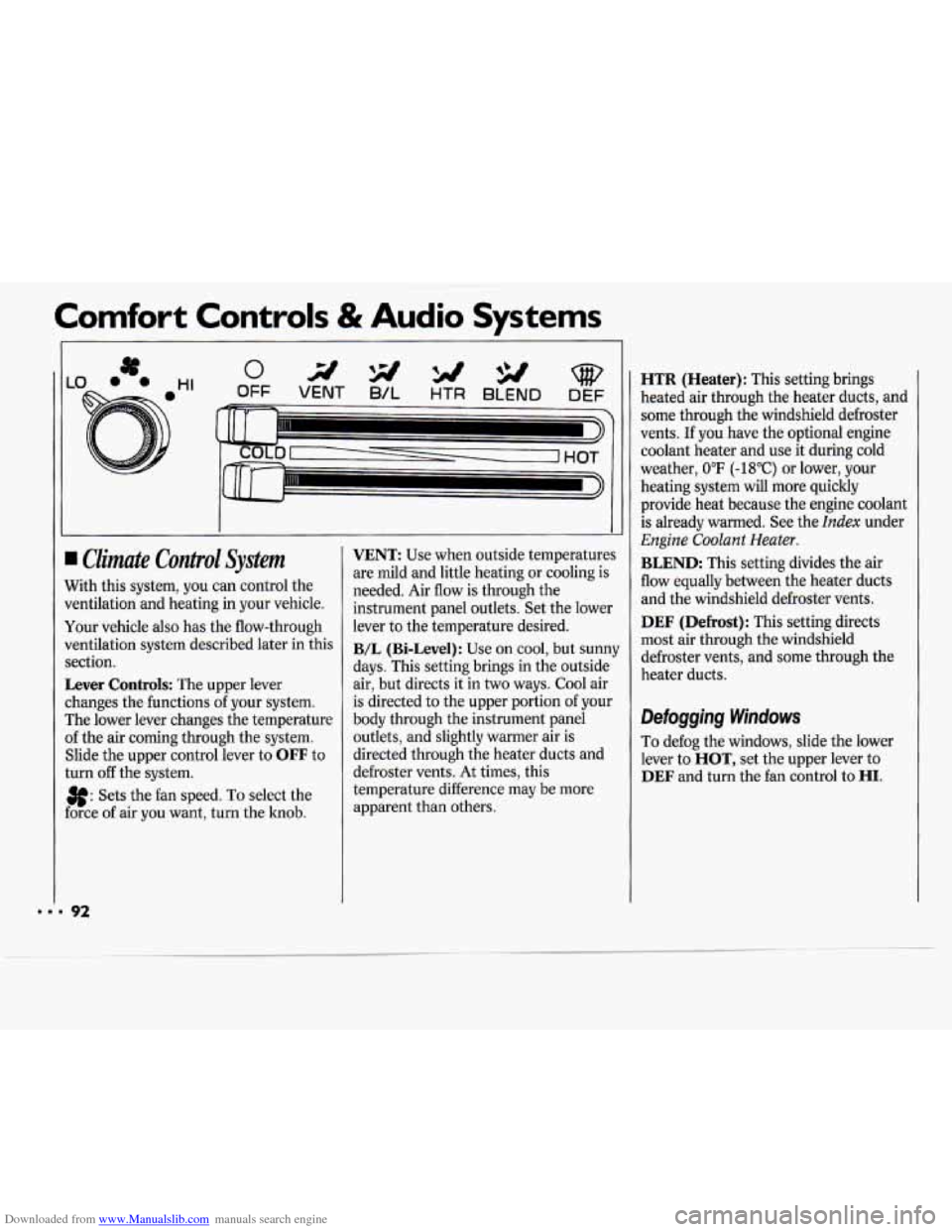
Lever Controls: The upper lever
:hanges the functions
of your system.
rhe lower lever changes the temperature
If the air coming through the system.
Slide the upper control lever to
OFF to
:urn
off the system.
3f: Sets the fan speed. To select the
:orce of air you want, turn the knob.
VENT: Use when outside temperatures
are mild and little heating or cooling is
needed. Air flow is through the
instrument panel outlets. Set the lower
lever to the temperature desired.
B/L (Bi-Level): Use on cool, but sunny
days. This setting brings in the outside
air, but directs it in two ways. Cool air
is directed to the upper portion of your
body through the instrument panel
outlets, and slightly warmer air is
directed through the heater ducts and
defroster vents.
At times, this
temperature difference may be more
apparent than others.
HTR (Heater): This setting brings
heated air through the heater ducts, and
some through the windshield defroster
vents.
If you have the optional engine
coolant heater and use it during cold
weather,
0°F (-18°C) or lower, your
heating system will more quickly
provide heat because the engine coolant
is already warmed. See the
Index under
Engine Coolant Heater.
BLEND: This setting divides the air
flow equally between the heater duets
and the windshield defroster vents.
DEF (Defrost): This setting directs
most air through the windshield
defroster vents, and some through the
heater ducts.
Defogging Windows
To defog the windows, slide the lower
lever to
HOT, set the upper lever to
DEF and turn the fan control to HI.
Page 94 of 243
Downloaded from www.Manualslib.com manuals search engine Air Conditioning System
(OPTION)
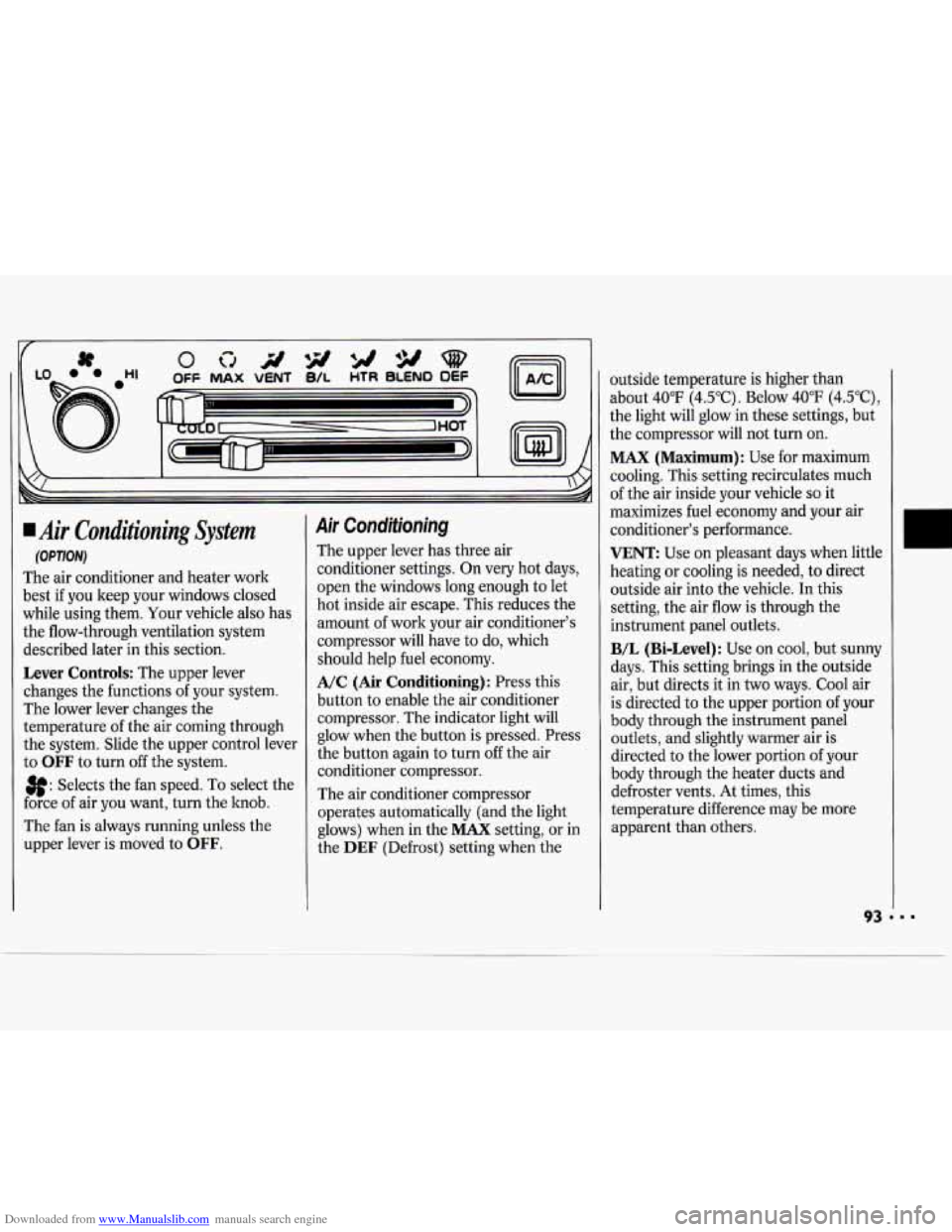
The air conditioner and heater work
best if you keep your windows closed
while using them. Your vehicle also has
the flow-through ventilation system
described later in this section.
Lever Controls: The upper lever
changes the functions
of your system.
The lower lever changes the
temperature of the air coming through
the system. Slide the upper control lever
to
OFF to turn off the system.
3f: Selects the fan speed. To select the
force of air you want, turn the hob.
The fan is always running unless the
upper lever is moved to
OFF.
Air Conditioning
The upper lever has three air
conditioner settings. On very hot days,
open the windows long enough to let
hot inside air escape. This reduces the
amount of work your air conditioner's
compressor will have to do, which
should help fuel economy.
A/C (Air Conditioning): Press this
button
to enable the air conditioner
compressor. The indicator light will
glow when the button is pressed. Press
the button again to turn
off the air
conditioner compressor.
The air conditioner compressor
operates automatically (and the light
glows) when in the
MAX setting, or in
the
DEF (Defrost) setting when the outside temperature
is higher than
about 40°F (4.5"C). Below 40°F (4.5"C),
the light will glow in these settings, but
the compressor will not turn on.
MAX (Maximum): Use for maximum
cooling. This setting recirculates much
of the air inside your vehicle
so it
maximizes fuel economy and your air
conditioner's performance.
VENT: Use on pleasant days when little
heating or cooling is needed, to direct
outside air into the vehicle.
In this
setting, the air flow is through the
instrument panel outlets.
B/L (Bi-Level): Use on cool, but sunny
days. This setting brings in the outside
air, but directs it in two ways. Cool air
is directed to the upper portion of your
body through the instrument panel
outlets, and slightly warmer air is
directed to the lower portion of your
body through the heater ducts and
defroster vents. At times, this
temperature difference may be more
apparent than others.
Page 98 of 243
Downloaded from www.Manualslib.com manuals search engine If- 71
c
VSEEKA 1234sET
I ILSCANA
I' I
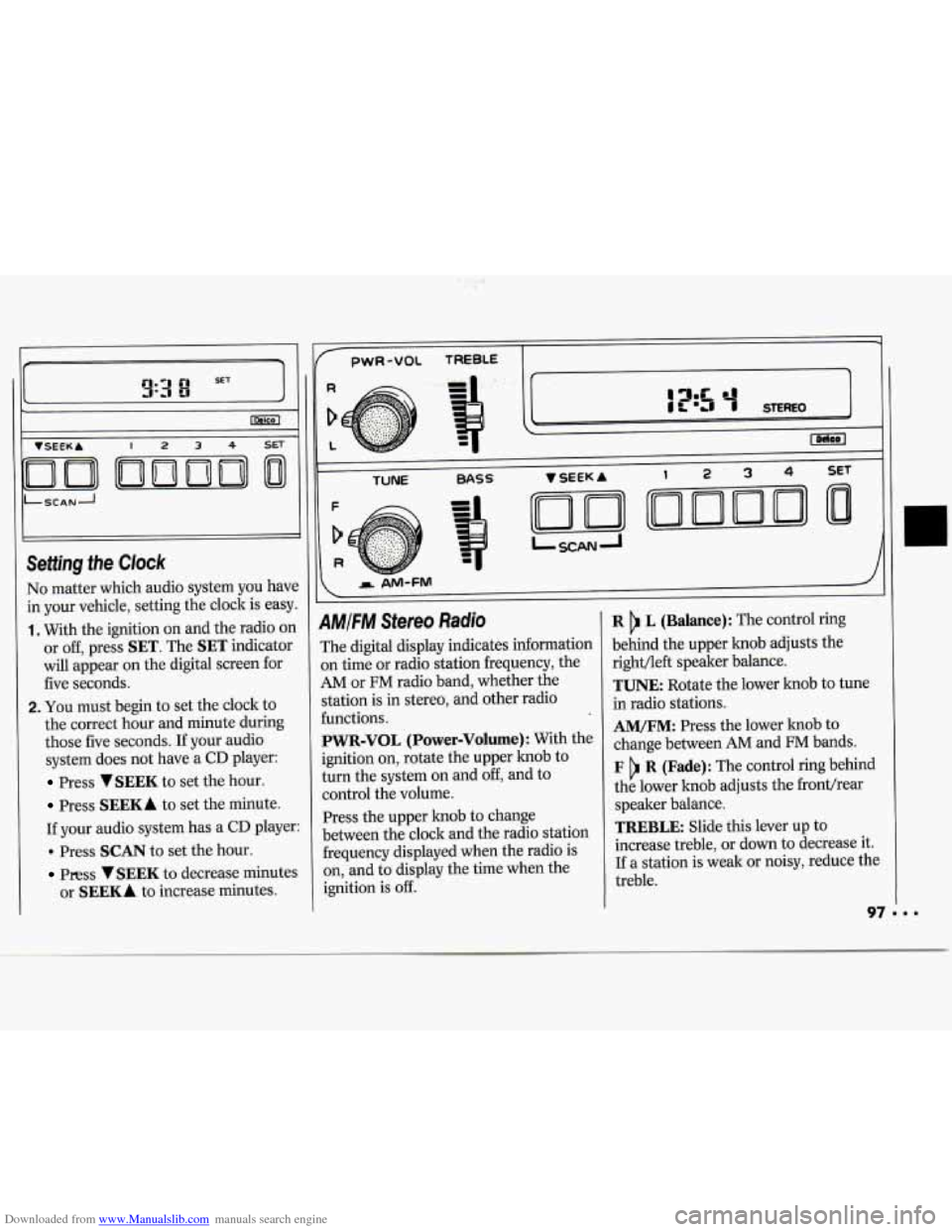
No matter which audio system you have
in your vehicle, setting the clock is easy.
1. With the ignition on and the radio on
or off, press
SET. The SET indicator
will appear on the digital screen for
five seconds.
2. You must begin to set the clock to
the correct hour and minute during
those five seconds. If your audio
system does not have a
CD player:
Press VSEEK to set the hour.
Press SEEKA to set the minute.
If your audio system has a
CD player:
. Press SCAN to set the hour.
Press VSEEK to decrease minutes
or
SEEKA to increase minutes.
1
pwR-VOL TREBLE -
TUNE BASS
AMIFM Stereo Radio
The digital display indicates information
on time
or radio station frequency, the
AM or FM radio band, whether the
station is in stereo, and other radio
functions.
PWR-VOL (Power-Volume): With the
ignition
on, rotate the upper knob to
turn the system
on and off, and to
control the volume.
Press the upper knob to change
between the clock and the radio station
frequency displayed when the radio is
on, and to display the time when the
ignition is
off.
R L (Balance): The control ring
behind the upper knob adjusts the
right/left speaker balance.
TUNE: Rotate the lower knob to tune
in radio stations.
AM/FM: Press the lower knob to
change between
AM and FM bands.
F R (Fade): The control ring behind
the lower knob adjusts the fronthear
speaker balance.
TREBLE: Slide this lever up to
increase treble, or
down to decrease it.
If a station is weak or noisy, reduce the
treble.
Page 100 of 243
Downloaded from www.Manualslib.com manuals search engine -
PWR-VOL TREBLE
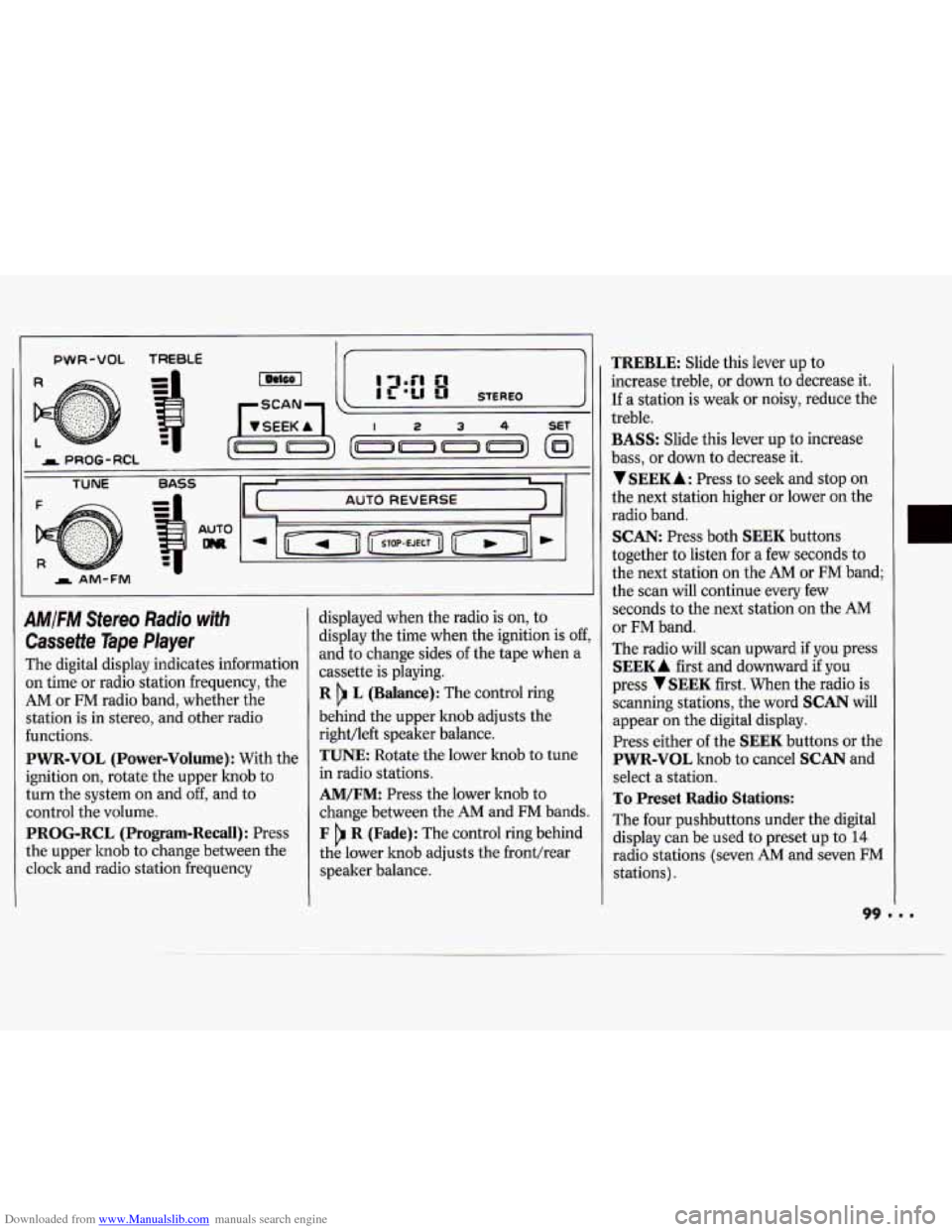
AM/FM Stereo Radio with
Cassette Tape Player
The digital display indicates information
on time or radio station frequency, the
AM or FM radio band, whether the
station is in stereo, and other radio
functions.
PWR-VOL (Power-Volume) : With the
ignition on, rotate the upper lmob to
turn the system on and
off, and to
control the volume.
PROG-RCL (Program-Recall): Press
the upper knob to change between the
clock and radio station frequency displayed
when the radio is
on, to
display the time when the ignition is
off,
and to change sides of the tape when a
cassette is playing.
R L (Balance): The control ring
behind the upper knob adjusts the
right/left speaker balance.
TUNE Rotate the lower knob to tune
in radio stations.
AM/FM: Press the lower knob to
change between the
AM and FM bands.
F R (Fade): The control ring behind
the lower knob adjusts the fronthear
speaker balance.
TREBLE: Slide this lever up to
increase treble, or down to decrease it.
If a station is weak or noisy, reduce the
treble.
BASS: Slide this lever up to increase
bass, or down
to decrease it.
VSEEKA: Press to seek and stop on
the next station higher or lower on the
radio band.
SCAN: Press both SEEK buttons
together to listen for a few seconds to
the next station on the
AM or FM band;
the scan will continue every few
seconds to the next station on the AM
or FM band.
The radio will scan upward if you press
SEEKA first and downward if you
press
VSEEK first. When the radio is
scanning stations, the word
SCAN will
appear on the digital display.
Press either
of the SEEK buttons or the
PWR-VOL knob to cancel SCAN and
select a station.
To Preset Radio Stations:
The four pushbuttons under the digital
display can be used to preset up to
14
radio stations (seven AM and seven FM
stations).
Page 101 of 243
Downloaded from www.Manualslib.com manuals search engine Comfort Controls & Audio Systems
1. Tune in the desired station.
2. Press SET. The word SET will
appear on the digital display for five
seconds.
3. While SET is displayed, press one of
the four pushbuttons. Whenever you
press this button again, the preset
station will be tuned in.
4. Repeat steps 1-3 for each of the four
AM and four FM stations.
Up to three additional stations on each
band may be preset by “pairing”
pushbuttons:
1. Tune in the desired station.
2. Press SET, and within five seconds
press any two adjacent pushbuttons
at the same time. Whenever you press
these buttons again, the preset
station will be tuned in.
AUTO DNR: This unit is equipped
with an automatic Dynamic Noise
Reduction system that reduces
background hiss on
AM or FM radio
broadcasts, as well as on cassette tapes.
Cassette Tape Player
With the power on, insert a tape into
the cassette door.
Do not use tapes that
are longer than
45 minutes on each side.
When the left arrow is lit, selections
listed on the top side of the cassette are
playing. When the right indicator arrow
is lit, selections listed on the bottom
side of the cassette are playing. To
change sides
of the tape, press the
upper control knob
(PROG) while the
cassette is playing. The tape player
automatically begins playing the other
side when it reaches the end
of the tape.
Fast Forward Press the button with
the arrow pointing in the same direction
that the tape is playing. To stop fast
forward, press the
STOP-EJECT
button.
Reverse: Press the button with the
arrow pointing in the opposite direction
that the tape is playing. To stop reverse,
press the
STOP-EJECT button.
STOP-EJECT: To stop playing a tape,
fully press this button (the cassette will
be partially ejected, and the radio will
begin playing).
Page 113 of 243
Downloaded from www.Manualslib.com manuals search engine Your Driving and the Road
And you may even notice that your
brake pedal moves a little while this is
going on. This is the ABS system
testing itself.
If there’s a problem with
the anti-lock brake system, the anti-lock
brake system warning light will stay on
or flash.
See
Anti-lock Brake System Warning
Light
in the Index.
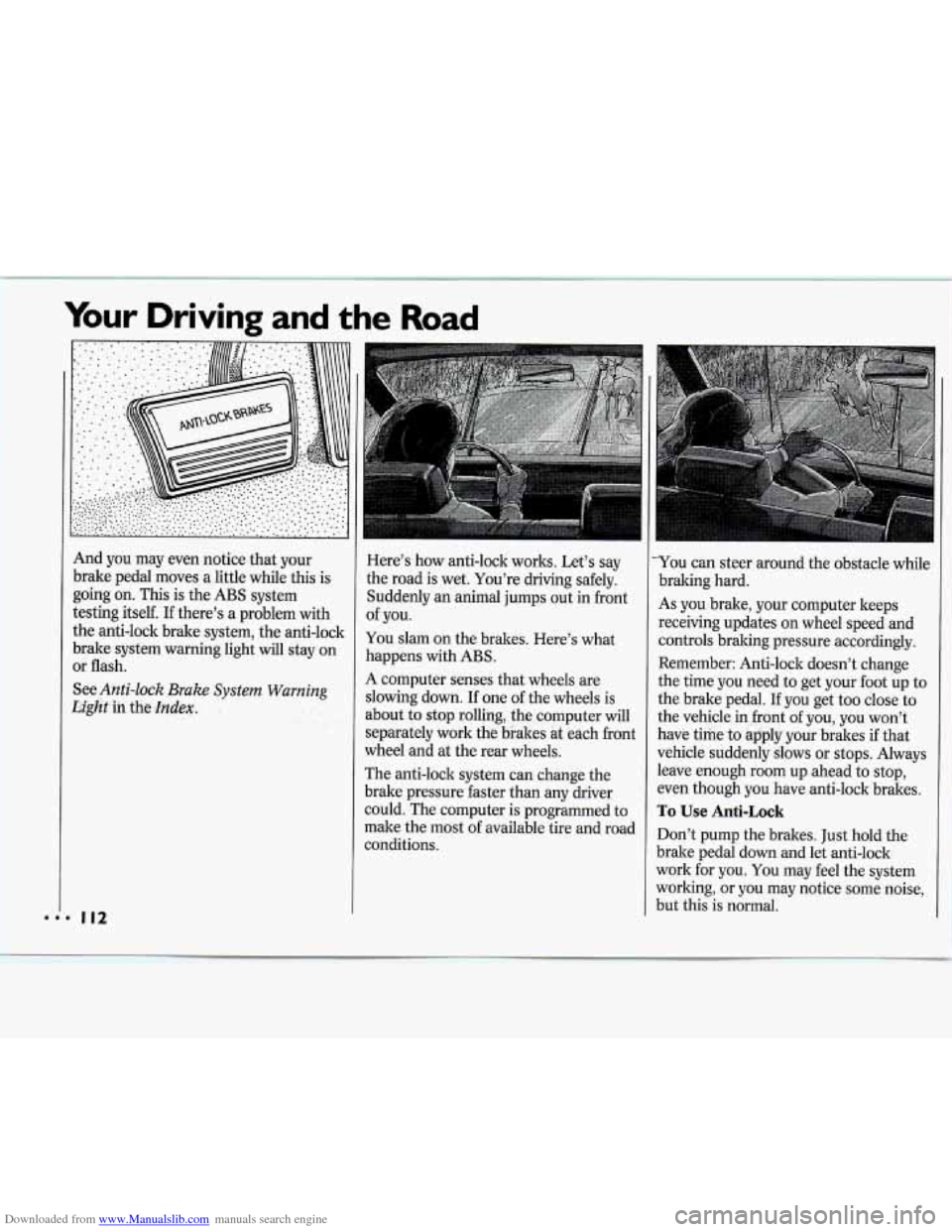
Here’s how anti-lock works. Let’s say
the road is wet. You’re driving safely.
Suddenly
an animal jumps out in front
of you.
You slam on the brakes. Here’s what
happens with ABS.
A computer senses that wheels are
slowing down.
If one of the wheels is
about to stop rolling, the computer wil
separately work the brakes at each fro]
wheel and at the rear wheels.
The anti-lock system can change the
brake pressure faster than any driver
1
nt
could.*The computer is programmed to
make the most of available tire and road
conditions.
L-
You can steer around the obstacle while
braking hard.
As you brake, your computer keeps
receiving updates on wheel speed and
controls braking pressure accordingly.
Remember: Anti-lock doesn’t change
the time you need to get your foot up to
the brake pedal. If you get too close to
the vehicle in front of you, you won’t
have time to apply your brakes if that
vehicle suddenly slows or stops. Always
leave enough room up ahead to stop,
even though you have anti-lock brakes.
To Use Anti-Lock
Don’t pump the brakes. Just hold the
brake pedal down and let anti-lock
work for you. You may feel the system
working, or you may notice some noise,
but this is normal.
Page 114 of 243
Downloaded from www.Manualslib.com manuals search engine Braking in Emergencies
Use your anti-lock braking system when
you need to. With anti-lock, you can
steer and brake at the same time. In
many emergencies, steering can help
you more than even the very best
braking.
Power Steering
If you lose power steering assist
because the engine stops or the system
is not functioning, you can steer but it
will take much more effort.
Steering Tips
Driving on Curves
It’s important to take curves at a
reasonable speed.
A lot of the “driver lost control”
accidents mentioned
on the news
happen
on curves. Here’s why:
Experienced driver or beginner, each
of
us is subject to the same laws of physics
when driving on curves. The traction of
the tires against the road surface makes
it possible for the vehicle to change its
path when you turn the front wheels.
If
there’s no traction, inertia will keep the
vehicle going in the same direction.
If
you’ve ever tried to steer a vehicle on
wet ice, you’ll understand this.
The traction you can get in a curve
depends on the condition of your tires
and the road surface, the angle at which
the curve
is banked, and your speed.
While you’re in a curve, speed is the one
factor you can control.
Suppose you’re steering through a
sharp curve. Then you suddenly accelerate.
Both control systems
-
steering and acceleration - have to do
their work where the tires meet the
road. Adding the sudden acceleration
can demand too much
of those places.
You can lose control.
What should you do if this ever
happens? Ease up on the accelerator
pedal, steer the vehicle the way you
want it to go, and slow down.
Speed limit signs near curves warn that
you should adjust your speed. Of
course, the posted speeds are based on
good weather and road conditions.
Under less favorable conditions you’ll
want to go slower.
If you need to reduce your speed as you
approach
a curve, do it before you enter
the curve, while your front wheels are
straight ahead.
Try to adjust your speed
so you can
“drive” through the curve. Maintain a
reasonable, steady speed. Wait to
accelerate until you are out of the curve,
and then accelerate gently into the
straightaway.