lock CHEVROLET CAVALIER 1995 3.G User Guide
[x] Cancel search | Manufacturer: CHEVROLET, Model Year: 1995, Model line: CAVALIER, Model: CHEVROLET CAVALIER 1995 3.GPages: 340, PDF Size: 17.09 MB
Page 60 of 340
Downloaded from www.Manualslib.com manuals search engine 1 Power Door Locks (Option) ~
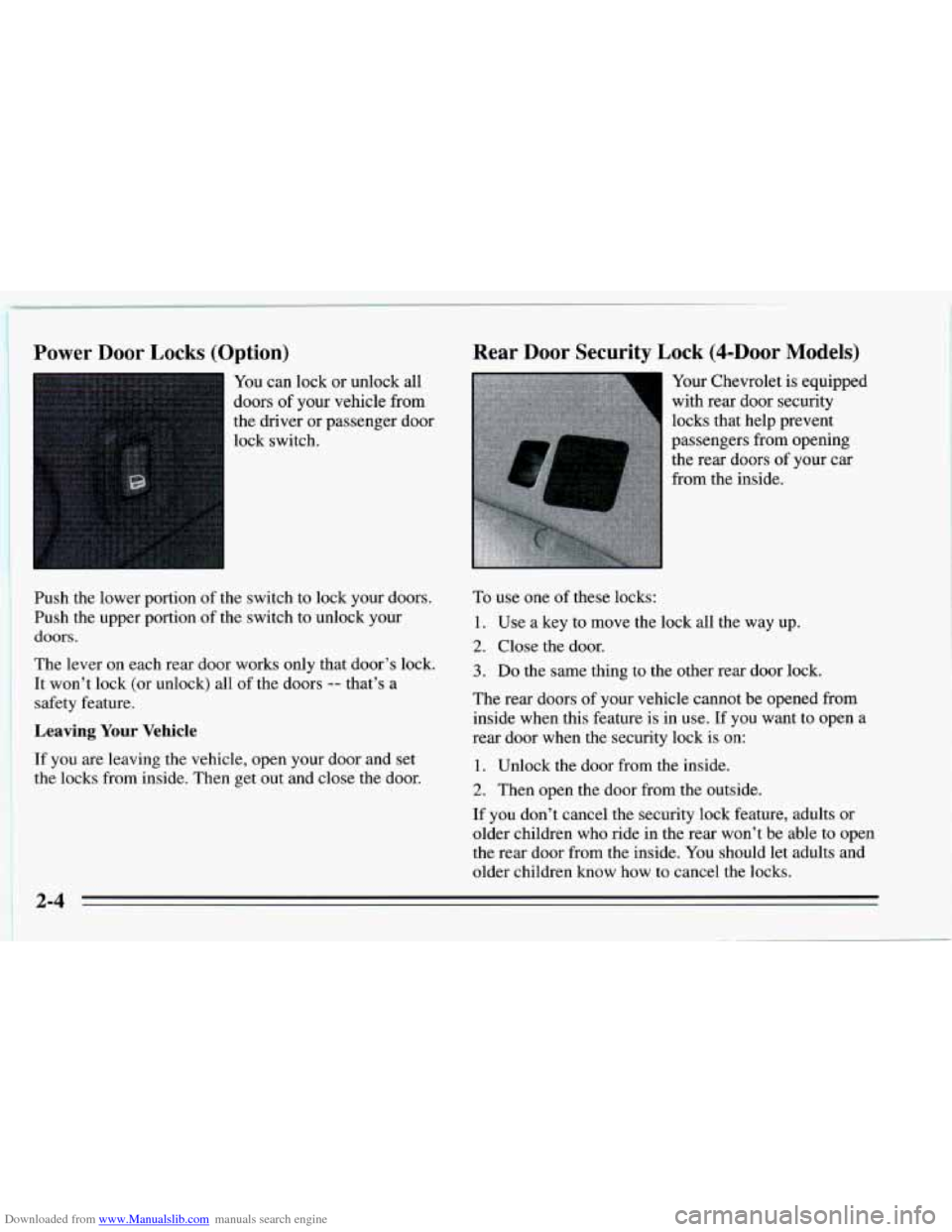
You can lock or unlock all
doors
of your vehicle from
the driver or passenger door
lock switch.
Push the lower portion of the switch to lock your doors.
Push the upper portion of the switch to unlock your
doors.
The lever on each rear door works only that door’s lock.
It won’t lock (or unlock) all of the doors
-- that’s a
safety feature.
Leaving Your Vehicle
If you are leaving the vehicle, open your door and set
the locks from inside. Then get out and close the door.
Rear Door Security Lock (4-DOOr Models)
Your Chevrolet is equipped
with rear door security
locks that help prevent
passengers from opening the rear doors
of your car
from the inside.
To use one of these locks:
1. Use a key to move the lock all the way up.
2. Close the door.
3. Do the same thing to the other rear door lock.
The rear doors of your vehicle cannot be opened from
inside when this feature is in use. If you want to open a
rear door when the security lock
is on:
1. Unlock the door from the inside.
2. Then open the door from the outside.
If you don’t cancel the security lock feature, adults or
older children who ride in the rear won’t be able to open
the rear door from the inside. You should let adults and
older children know
how to cancel the locks.
Page 61 of 340
Downloaded from www.Manualslib.com manuals search engine To cancel the rear door lock:
I. Unlock the door from the inside and open the door
from the outside.
2. Use a key to move the lock all the way down.
3. Do the same for the other rear door.
The rear door
locks will now work normally.
Remote Trunk Release (Option)
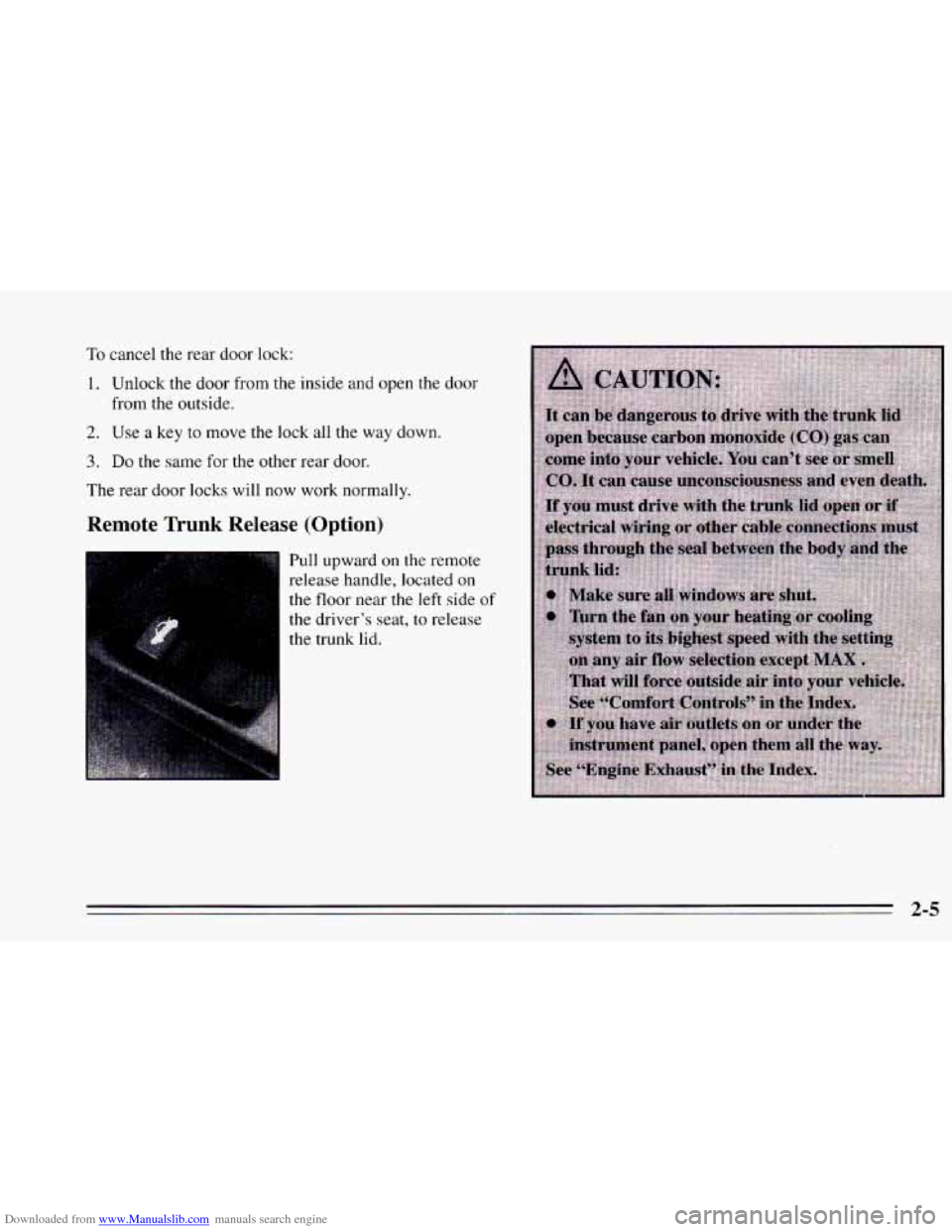
Pull upward on the remote
release handle, located
on
the floor near the left side of
the driver’s seat, to release
the trunk lid.
2-5
Page 62 of 340
Downloaded from www.Manualslib.com manuals search engine Theft Parking at Night
Vehicle theft is big business, especially in some cities.
Although your Chevrolet has a number
of theft-deterrent
features, we know that nothing we put on it can make it
impossible to steal. However, there are ways
you can
help.
Key in the Ignition
If you walk away from your vehicle with the keys
inside, it’s an easy target for
joy riders or professional
thieves
-- so don’t do it.
When
you park your Chevrolet and open the driver’s
door,
you’ll hear a chime reminding you to remove your
key
from the ignition and take it with you. Always do
this. Your steering wheel will be locked, and so will
your ignition.
If you have an automatic transaxle, taking
your key out also locks your transaxle. And remember
to lock the doors. Park
in a
lighted spot, close all windows and lock your
vehicle. Remember to keep your valuables out
of sight.
Put them in
a storage area, or take them with you.
Parking Lots
If you park in a lot where someone will be watching
your vehicle, it’s best to lock it up and take your keys.
But what
if you have to leave your ignition key? What if
you have to leave something valuable in your vehicle?
Put your valuables in a storage area, like your trunk
or glove box.
Lock all the doors except the driver’s.
Then take the door key with you.
Page 63 of 340
Downloaded from www.Manualslib.com manuals search engine Passlock (Option)
Your vehicle may be equipped with the Passlock
theft-deterrent system.
To find out if your vehicle has
Passlock, turn the ignition key to RUN position.
If the
THEFT SYSTEM light comes on, then your vehicle is
equipped with Passlock. Passlock
is a passive
theft-deterrent system. The system is armed once the
key is removed from the ignition. Passlock enables fuel
if the ignition lock cylinder is turned with a valid key. If
a correct key is not used, fuel is disabled.
During normal operation, the
THEFT SYSTEM light will
go
off after the engine is started. In the unlikely event that
the engine stalls and the
THEFI’ SYSTEM light flashes,
wait until the light stops flashing before
trying to restart
the engine. Remember to release the key from.the START
position
as soon as the engine starts. If after several tries
the vehicle still does not start, the vehicle may need
service. At
this the, you may also want to check the fuses
(see “Fuses and Circuit Breakers” in the Index).
See your
Chevrolet dealer for service.
If the THEFT SYSTEM light comes on while the engine
is running, a problem has been detected and
the system
may need service. See your Chevrolet dealer for service.
In an emergency, call the Chevrolet Roadside Assistance
Program at 1-800-CHEV USA (1-800-243-8872).
New Vehicle “Break-In”
Your modern Chevrolet doesn’t need an
elaborate “break-in.” But it will perform better
in the long run if you follow these guidelines:
e
e
0
Don’t drive at any one speed -- fast or
slow
-- for the first 500 miles (804 h).
Don’t make full-throttle starts.
Avoid making hard stops for the
first
200 miles (322 km) or so. During this time
your new brake linings aren’t yet broken
in. Hard stops with new linings can mean
premature wear and earlier replacement.
Follow this “breaking-in” guideline every
time you get new brake linings.
Don’t tow a trailer during “break-in.” See
“Towing a Trailer’’ in the Index for more
information.
2-7
Page 64 of 340
Downloaded from www.Manualslib.com manuals search engine Ignition Switch
E
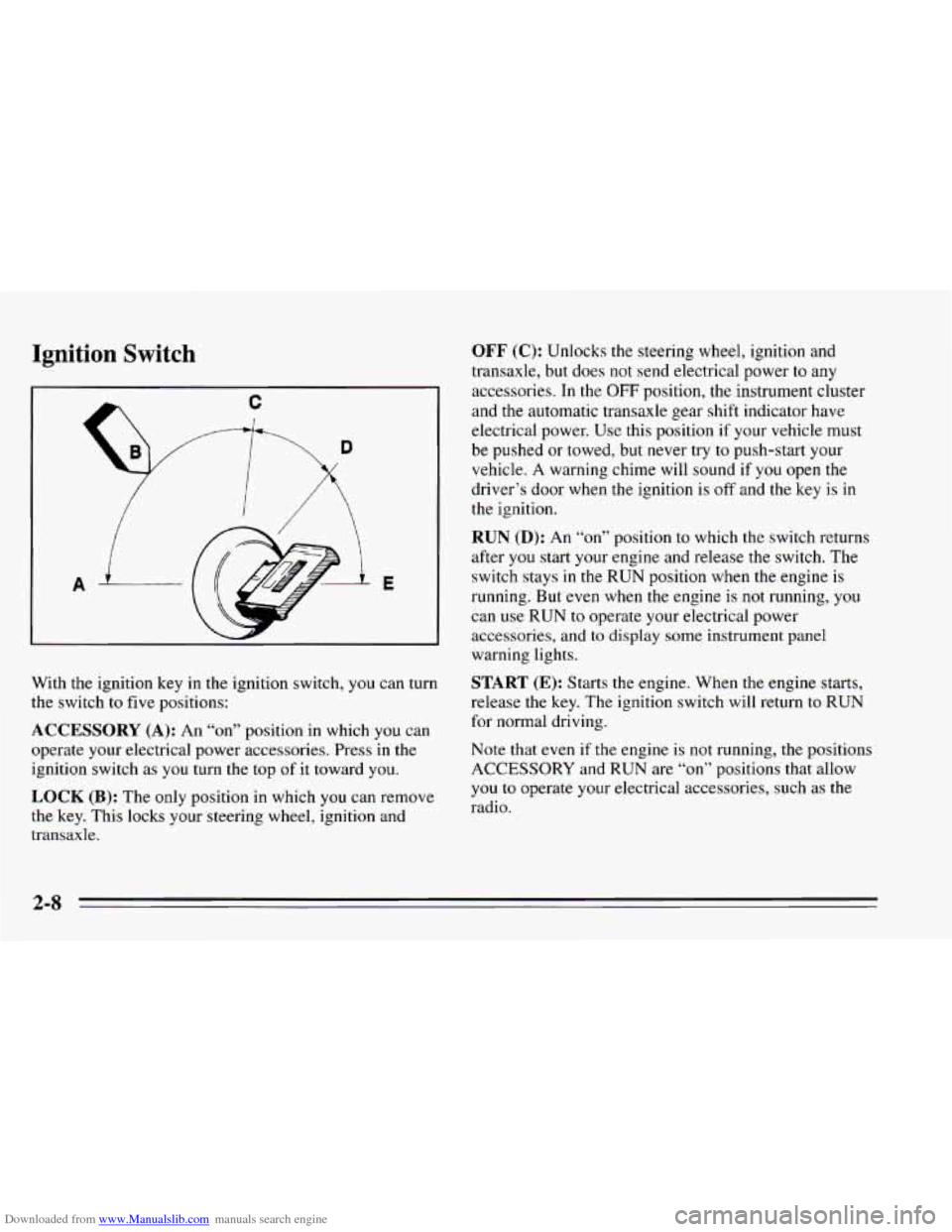
With the ignition key in the ignition switch, you can turn
the switch to five positions:
ACCESSORY (A): An “on” position in which you can
operate your electrical power accessories. Press in the
ignition switch as
you turn the top of it toward you.
LOCK (B): The only position in which you can remove
the key. This locks your steering wheel, ignition and
transaxle.
OFF (C): Unlocks the steering wheel, ignition and
transaxle, but does not send electrical power
to any
accessories. In the
OFF position, the instrument cluster
and the automatic transaxle gear shift indicator have
electrical power. Use this position if your vehicle must
be pushed or towed, but never try
to push-start your
vehicle. A warning chime will sound if
you open the
driver’s door when the ignition is
off and the key is in
the ignition.
RUN (D): An “on7’ position to which the switch returns
after
you start your engine and release the switch. The
switch stays
in the RUN position when the engine is
running. But
even when the engine is not running, you
can use
RUN to operate your electrical power
accessories,
and to display some instrument panel
warning lights.
START (E): Starts the engine. When the engine starts,
release the key. The ignition switch will return
to RUN
for normal driving.
Note that even if
the engine is not running, the positions
ACCESSORY and RUN are
“on” positions that allow
you
to operate your electrical accessories, such as the
radio.
Page 65 of 340
Downloaded from www.Manualslib.com manuals search engine NOTICE:
If your key seems stuck in LOCK and you can’t
turn it, be sure it is all the
way in. If it is, then
turn the steering wheel left and right while you
turn the key hard. But turn the key only with
your hand. Using
a tool to force it could break
the key or the ignition switch.
If none of this
works, then your vehicle needs service.
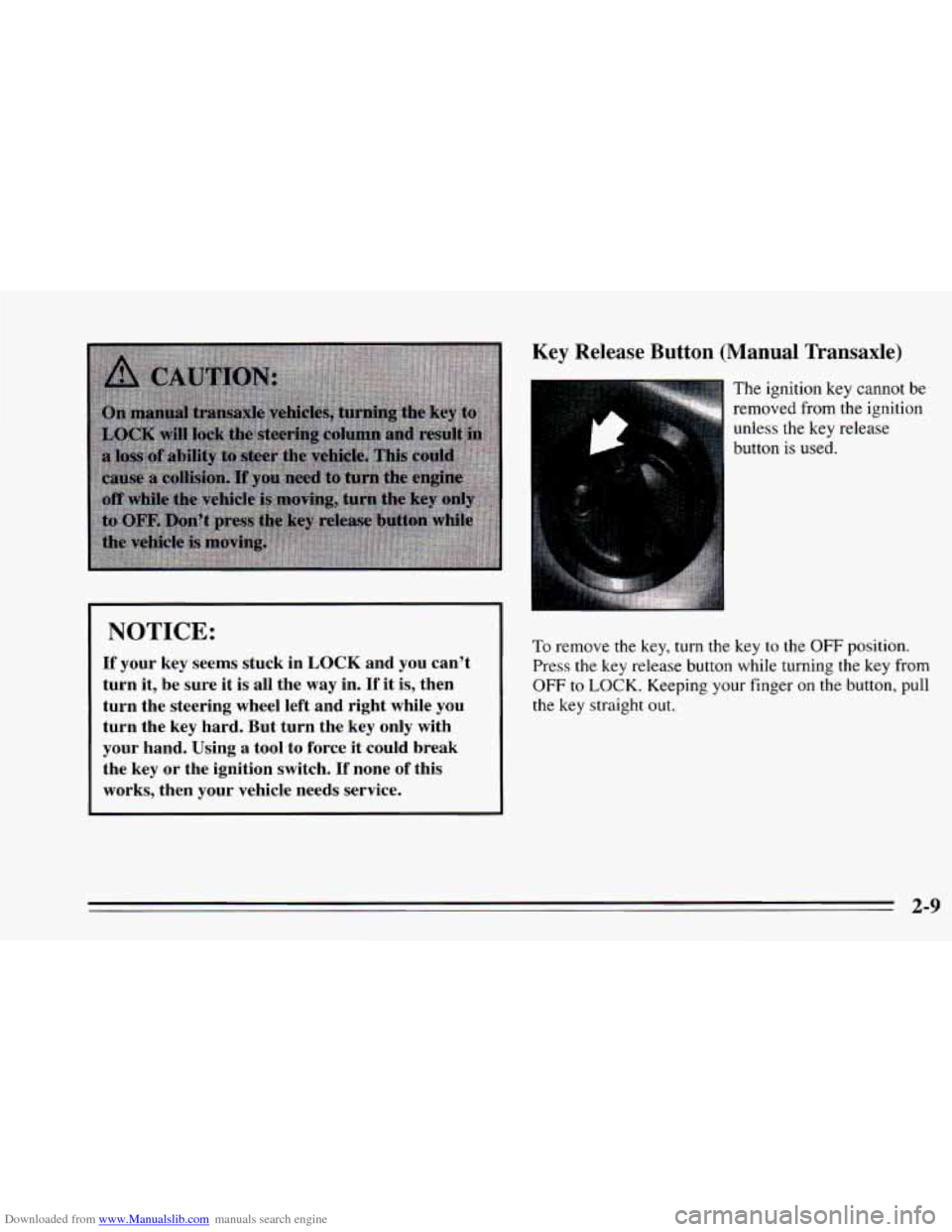
Key Release Button (Manual Transaxle)
The ignition key cannot be
removed from the ignition
unless the key release
button is used.
10 remove the key, turn the key to the OFF position.
Press
the key release button while turning the key from
OFF
to LOCK. Keeping your finger on the button, pull
the key straight out.
2-9
Page 70 of 340
Downloaded from www.Manualslib.com manuals search engine Automatic Transaxle
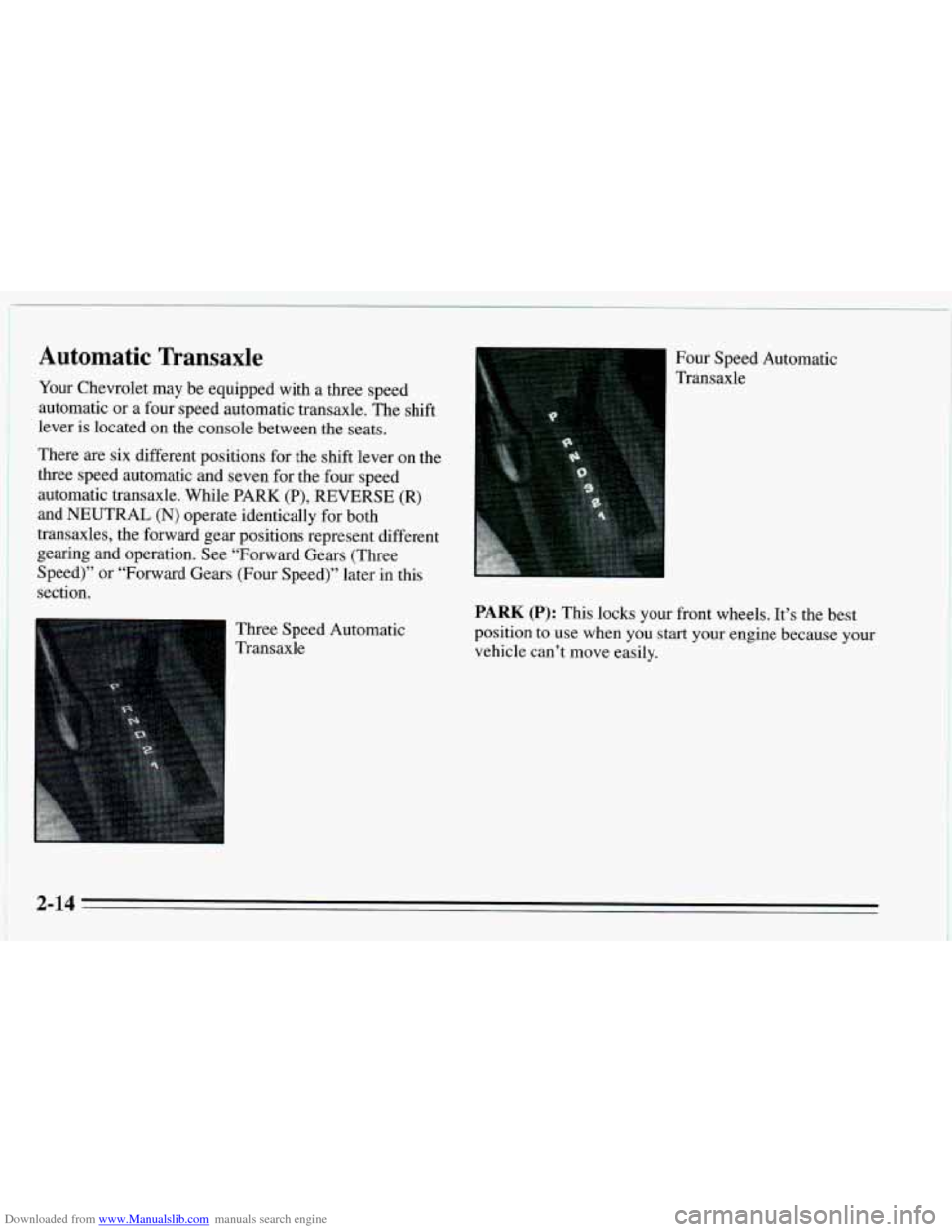
Your Chevrolet may be equipped with a three speed
automatic or a four speed automatic transaxle. The shift
lever is located on the console between the seats.
There are six different positions for the shift lever on the
three speed automatic and seven for the four speed
automatic transaxle. While PARK
(P), REVERSE (R)
and NEUTRAL (N) operate identically for both
transaxles, the forward gear positions represent different
gearing and operation. See “Forward Gears (Three
Speed)” or “Forward Gears (Four Speed)” later in this
section.
Three Speed Automatic
1 Transaxle Four Speed Automatic
Transaxle
PARK (P): This locks your front wheels. It’s the best
position to use when you start your engine because
your
vehicle can’t move easily.
2-14
Page 71 of 340
Downloaded from www.Manualslib.com manuals search engine Ensure the shift lever is fully in PARK (P) range before
starting the engine. Your Chevrolet has
a
brake-transaxle shift interlock. You have to fully apply
your regular brakes before you can shift from PARK (P)
when the ignition key is in the RUN position. If you
cannot shift out of PARK (P), ease pressure on the shift
lever
-- push the shift lever all the way into PARK (P)
and also release the shift lever button on floor shift
console models as
you maintain brake application. Then
move the shift lever into the gear you
wish. (Press the
shift lever button before moving the shift lever.) See
“Shifting
Out of PARK (P)” in the Index.
REVERSE (R): Use this gear to back up.
NOTICE:
Shifting to REVERSE (R) while your vehicle is
moving forward could damage your transaxle. Shift to REVERSE
(R) only after your vehicle is
stopped.
To rock your vehicle back and forth to get out of snow,
ice or sand without damaging your transaxle, see “If
You’re Stuck: In Sand,
Mud, Ice or Snow” in the Index.
NEUTRAL (N): In this position, your engine doesn’t
connect with the wheels.
To restart when you’re
already moving, use NEUTRAL (N) only. Also, use
NEUTRAL (N) when your vehicle
is being towed.
2-15
Page 79 of 340
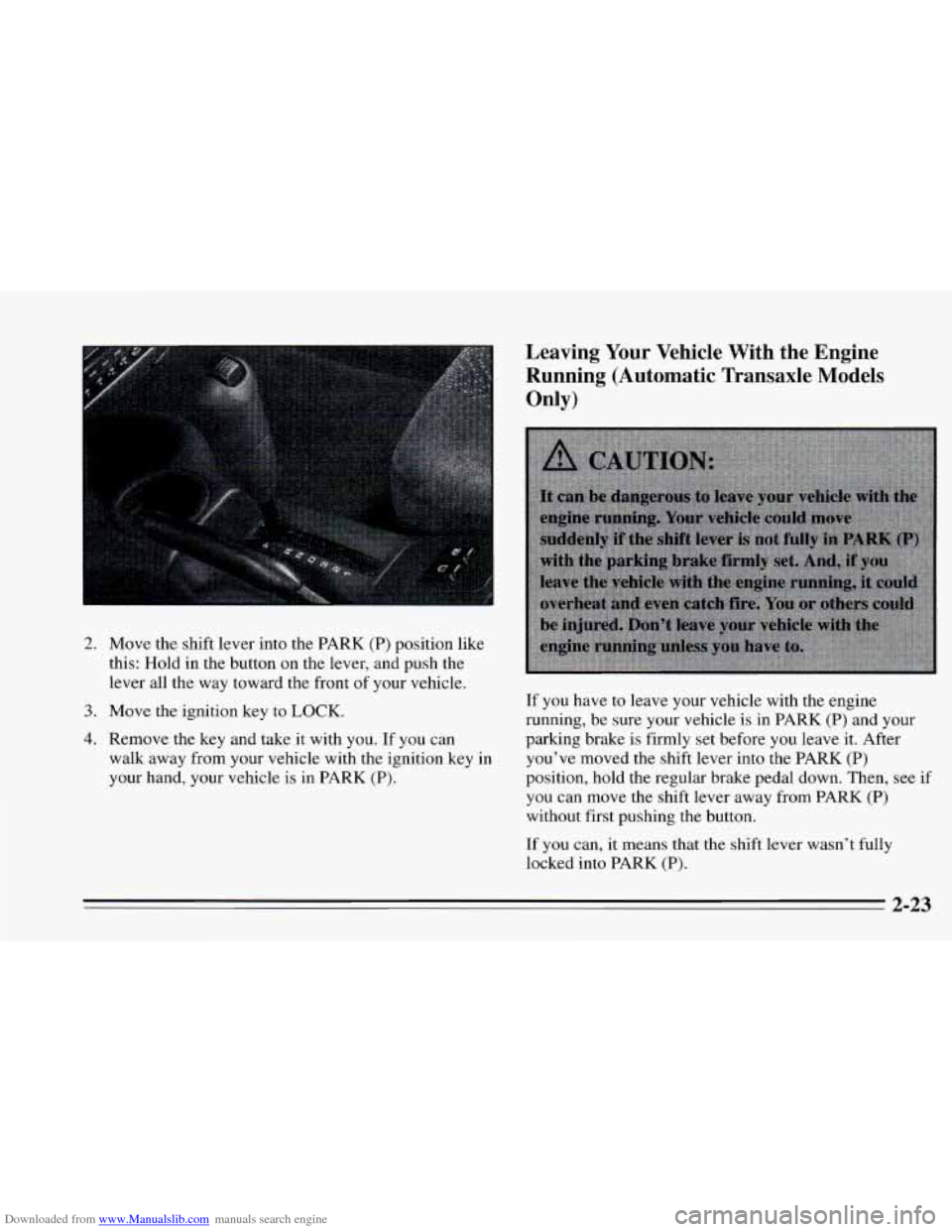
Downloaded from www.Manualslib.com manuals search engine 2. Move the shift lever into the PARK (P) position like
this: Hold in the button on the lever, and push the
lever all the way toward the front
of your vehicle.
3. Move the ignition key to LOCK.
4. Remove the key and take it with you. If you can
walk away from your vehicle with the ignition key in
your hand, your vehicle is in PARK (P).
Leaving Your Vehicle With the Engine
Running (Automatic Transaxle Models
Only)
If you have to leave your vehicle with the engine
running, be sure your vehicle
is in PARK (P) and your
parking brake is firmly set before you leave it. After
you’ve moved the shift lever into the PARK (P)
position,
hold the regular brake pedal down. Then, see if
you can move the shift lever away from PARK (P)
without first pushing the button.
If you can, it means that the shift lever wasn’t fully
locked into PARK
(P).
2-23
Page 80 of 340
Downloaded from www.Manualslib.com manuals search engine Torque Lock (Automatic Transaxle)
If you are parking on a hill and you don’t shift. your
transaxle into PARK (P) properly, the weight
of the
vehicle may put too much force on the parking pawl in
the transaxle. You may find it difficult to pull the shift
lever
out of PARK (P). This is called “torque lock.” To
prevent torque lock, set the parking brake and then shift
into PARK (P) properly before you leave the driver’s
seat.
To find out how, see “Shifting Into PARK (P)” in
the Index.
When you are ready to drive, move the shift lever
out of
PARK (P) before you release the parking brake.
If “torque lock” does occur,
you may need to have
another vehicle push yours a little uphill
to take some of
the pressure from the transaxle, so you can pull the shift
lever out of
PARK (P).
Shifting Out of PARK (P)
(Automatic Transaxle)
Your Chevrolet has a brake-transaxle shift interlock.
You have
to fully apply your regular brakes before you
can shift from PARK
(P) when the ignition is in the
RUN position. See “Automatic Transaxle” in the Index.
If you cannot shift out of PARK (P), ease pressure on
the shift lever -- push the shift lever all the way into
PARK
(P) and also release the shift lever button on floor
shift console models as you maintain brake application.
Then move the shift lever into the gear
you wish. (Press
the shift lever button before moving the shift lever.)
If you ever hold the brake pedal down but still can’t
shift out
of PARK (P), try this:
1. Turn the key to OFF.
2. Apply and hold the brake until the end of Step 4.
3. Shift to NEUTRAL (N).
4. Start the vehicle and then shift to the drive gear you
want.
5. Have the vehicle fixed as soon as you can.
Parking Your Vehicle (Manual Transaxle)
Before you get out of your vehicle, put your manual
transaxle
in REVERSE (R) and firmly apply the parking
brake.
2-24