change time CHEVROLET CAVALIER 1998 3.G Owners Manual
[x] Cancel search | Manufacturer: CHEVROLET, Model Year: 1998, Model line: CAVALIER, Model: CHEVROLET CAVALIER 1998 3.GPages: 400, PDF Size: 20.74 MB
Page 12 of 400
Downloaded from www.Manualslib.com manuals search engine GENERAL MOTORS, GM, the GM Emblem,
CHEVROLET, the CHEVROLET Emblem and the
name CAVALIER are registered trademarks of
General Motors Corporation.
This manual includes the latest information at the time
it
was printed. We reserve the right to make changes in the
product after that time without further notice. For
vehicles first sold in Canada, substitute the name
“General Motors
of Canada Limited” for Chevrolet
Motor Division whenever it appears in this manual.
Please keep this manual in your vehicle,
so it will be
there if you ever need it when you’re on the road. If you
sell the vehicle, please leave this manual in it
so the new
owner can use it.
Litho in
U.S.A.
Part No. 10296279 B First Edition
LA
CERTIFIED
-w- Thl
WE SUPPORT
VOLUNTARY TECHNICIAN
CERTIFICATION THROUGH
National Institute for AUTOMOTIVE SERVICE
EXCELLENCE
We support voluntary
technician certification.
For Canadian Owners Who Prefer a
French Language Manual:
Aux propribtaires canadiens: Vous pouvez vous
procurer
un exemplaire de ce guide en franqais chez
votre concessionaire ou au:
DGN Marketing Services Ltd.
1577 Meyerside Dr.
Mississauga, Ontario
L5T 1B9
@Copyright General Motors Corporation
1997
All Rights Reserved
Page 83 of 400
Downloaded from www.Manualslib.com manuals search engine This device complies with Part 15 of the FCC Rules.
Operation is subject to the following two conditions:
(1) this device may not cause harmful interference,
and
(2) this device must accept any interference
received, including interference that may cause
undesired operation.
This device complies with
RSS-210 of Industry
Canada. Operation is subject to the following two
conditions:
(1) this device may not cause interference,
and
(2) this device must accept any interference
received, including interference that may cause
undesired operation of the device.
Changes or modifications to this system by other than an
authorized service facility could void authorization to
use this equipment. This system has
a range of about
3 feet (1 m) up to
30 feet (9 m). At times you may notice a decrease in
range. This is normal for any remote keyless entry
system. If the transmitter does not work or
if you have
to stand closer to your vehicle for the transmitter to
work, try this:
Check to determine if battery replacement or
resynchronization is necessary. See the instructions
that follow.
Check the distance. You may be too far from your
vehicle. You may need to stand closer during rainy
or snowy weather.
Check the location. Other vehicles or objects may be blocking the signal. Take a few steps to the left or
right, hold the transmitter higher, and try again.
If you’re still having trouble, see your dealer or a
qualified technician for service.
2-7
Page 85 of 400
Downloaded from www.Manualslib.com manuals search engine Battery Replacement
Under normal use, the battery in your remote keyless
Replacing the Battery in the Keyless Entry
System Transmitter
entry transmitter should last about two years.
You can tell the battery is weak if the transmitter won’t
work at the normal range in
any location. If you have to
get close to your vehicle before the transmitter works,
it’s probably time to change the battery.
NOTICE:
When replacing the battery, use care not to touch
any
of the circuitry. Static from your body
transferred to these surfaces may damage the
transmitter.
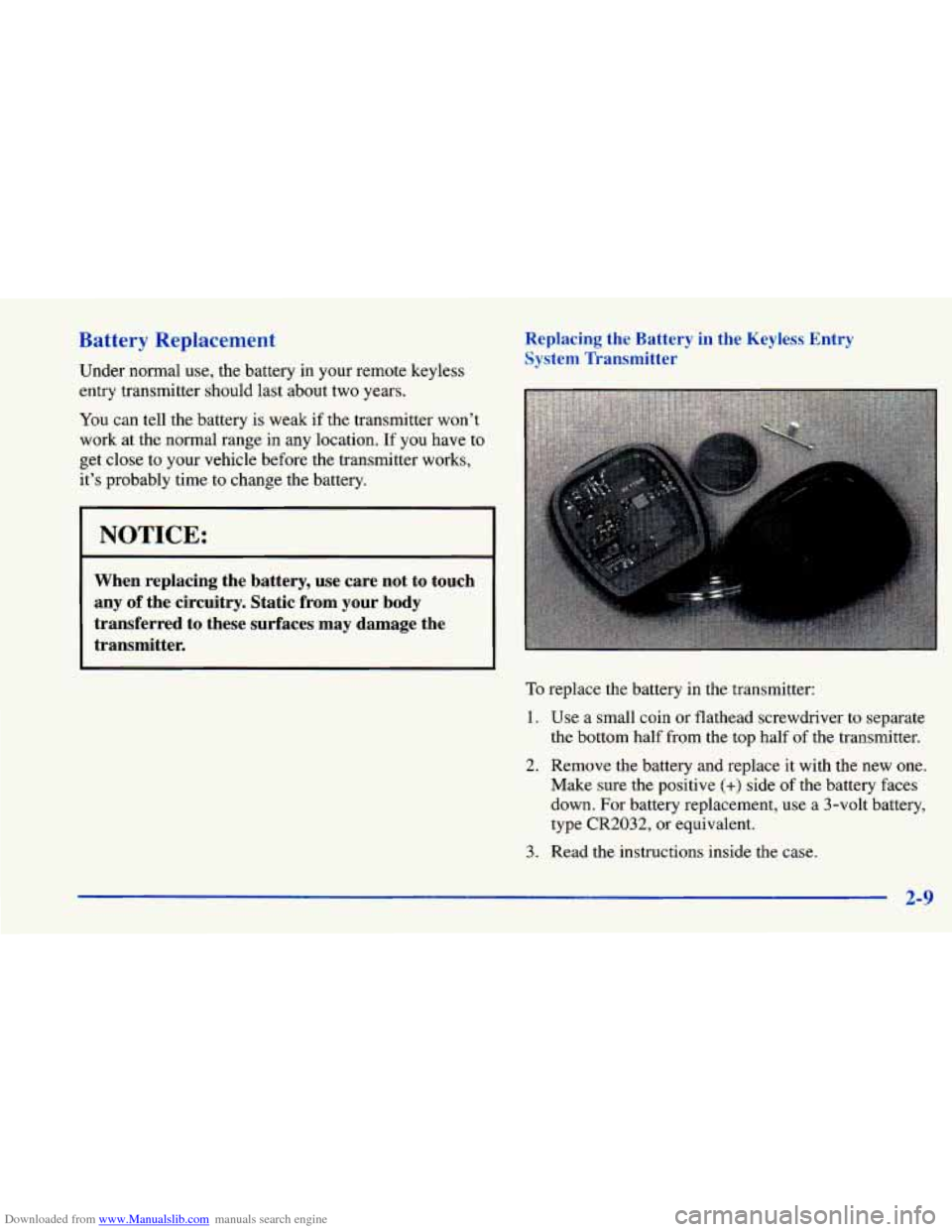
To replace the battery in the transmitter:
1. Use a small coin or flathead screwdriver to separate
the bottom half from the
top half of the transmitter.
2. Remove the battery and replace it with the new one.
Make sure the positive
(+) side of the battery faces
down. For battery replacement, use a 3-volt battery,
type
CR2032, or equivalent.
3. Read the instructions inside the case.
2-9
Page 92 of 400
Downloaded from www.Manualslib.com manuals search engine Starting Your 2.2 Liter Engine
1. Without pushing the accelerator pedal, turn your
ignition key to START. When the engine starts, let
go of the key. The idle speed will go down as your
engine gets warm.
r NOTICE:
Holding your key in START for longer than
15 seconds at a time will cause your battery to be
drained much sooner. And the excessive heat can
damage your starter motor.
2. If your engine still won’t start (or starts but then
stops), it could be flooded with too much gasoline.
Try pushing your accelerator pedal all the way to the
floor and holding it there as you hold the key in
START for about three seconds.
If the vehicle starts
briefly but then stops again, do the same thing, but
this time keep
the pedal down for five or six seconds.
This clears the
extra gasoline from the engine.
NOTICE:
Your engine is designed to work with the
electronics in your vehicle. If you add electrical
parts or accessories, you could change the
way
the engine operates. Before adding electrical
equipment, check with your dealer.
If you don’t,
your engine might not perform properly.
If you ever have to have your vehicle towed, see
the part of this manual that tells how
to do it
without damaging your vehicle. See “Towing
Your Vehicle” in the Index.
2-16
Page 93 of 400
Downloaded from www.Manualslib.com manuals search engine Starting Your 2.4 Liter Engine
1. With your foot off the accelerator pedal, turn your
ignition key to
START. When the engine starts, let
go
of the key. The idle speed will go down as your
engine warms
up.
NOTICE:
Holding your key in START for longer than
15 seconds at a time will cause your battery to be
drained much sooner. And the excessive heat can
damage your starter motor.
2. If the engine doesn’t start right away, and if the
weather is very cold (below -20” F or -29” C), push
the accelerator pedal about one-quarter
of the way
down while
you turn the key to START. Do this
until the engine starts. As soon as it does, let go
of the key.
3. If your engine still won’t start (or starts but then stops),
it could be flooded with too much gasoline. Try
pushing your accelerator pedal all the way to the floor
and holding it there as you hold the key in START for
a maximurn of 15 seconds. This clears the extra
gasoline
from the engine. If the engine still won’t start
or starts briefly but then stops again, repeat step 1 or 2,
depending on temperature. When the engine starts,
release the key and the accelerator pedal.
NOTICE:
1 Your engine is designed to work with the
electronics in your vehicle.
If you add electrical
parts or accessories, you could change the
way
the engine operates. Before adding electrical
~ equipment, check with your dealer. If you don’t,
your engine might not perform properly.
If you ever have to have your vehicle towed, see
the part
of this manual that tells how to do it
without damaging your vehicle. See “Towing.
Your Vehicle” in the Index.
2-17
Page 169 of 400
Downloaded from www.Manualslib.com manuals search engine REV (4): Press this button to reverse the tape rapidly.
Press it again to return to playing speed. The radio will
play the last-selected station while the tape reverses.
00 (5): Press this button to reduce background noise.
Note that the double-D symbol will appear on the display.
Dolby Noise Reduction is manufactured under a license from Dolby Laboratories Licensing Corporation. Dolby and the double-D symbol are trademarks of Dolby
Laboratories Licensing Corporation.
FWD (6): Press this button to advance quickly to
another part
of the tape. Press the button again to return
to playing speed. The radio will play the last-selected
station while the tape advances.
AM-FM: Press this button to play the radio when a tape
is in the player.
TAPE AUX: Press this button to change to the tape
function when the radio is on. The tape symbol with an
arrow will appear on the display when the tape is active.
If your system is equipped with a remote playback
device, pressing
this button a second time will allow the
remote device to play.
EJECT Press this button to remove the tape. The radio
will play. EJECT may be activated with either the
ignition or radio off. Cassettes may be loaded with the
radio off if this button is pressed first. If you leave a cassette tape
in the player while listening to the radio, it
may become
warm.
CLN: If this message appears on the display, the cassette
tape player needs to be cleaned. It will still play tapes, bu\
t you should clean it as soon as possible to prevent damage
to
the tapes and player. See “Care of Your Cassette Tape
Player” in the Index. After you clean the player, press and\
hold EJECT for five seconds to reset the CLN indicator.
The radio will display
--- to show the indicator was reset.
CD Adapter Kits
It is possible to use a CD adapter kit with your cassette
tape player after activating the bypass feature
on your
tape player.
To activate the bypass feature, use the following steps:
1. Turn the ignition to RUN or ACCESSORY.
2. Turn the radio off.
3. Press and hold the TAPE AUX button for five
seconds. The tape symbol
on the display will flash
for two seconds, indicating the feature is active.
4. Insert the adapter. It will power up the radio and
This override routine will remain active until EJECT
is pressed. begin playing.
3-15
Page 173 of 400
Downloaded from www.Manualslib.com manuals search engine RDM (2): Press this button to hear the tracks in random,
rather than sequential, order. RANDOM will show on
the display. Press RDM again to turn off random play.
RDM is reset to off when the disc is ejected.
NEXT (3): Press this button or the right SEEK arrow
to go to the next track. If you hold the button or press
it more than once, the player will continue moving
forward through the disc, The sound will mute
while seeking.
REV (4): Press and hold this button to quickly reverse
within a track. Release it
to play the passage. You can
use the counter reading on the display to locate a
passage more easily.
FWD (6): Press and hold this button to advance
quickly within a track. Release it to resume playing.
You can use the counter reading on the display to locate
a passage easily.
RECALL: Press this button to see which track is
playing. Press it again within five seconds to
see how
long it has been playing (elapsed time). The track
number also appears when you change the volume or
when a new track starts to play.
AM-FM: Press this button to play the radio when
a disc is in the player. The letters CD will go off
the display.
CD AUX: Press this button to change to the disc
function when the radio
is on. A CD icon will appear on
the display when the disc is in the player, whether it is
active or not. If your system
is equipped with a remote
playback device, pressing this button a second time will
allow the remote device to play.
EJECT Press this button to remove the disc. The
radio will play. The disc will start at the first track when
you reinsert it.
If you turn off the ignition or radio with a disc in the
player,
it will stay in the player. When you turn on the
ignition or system, the disc will start playing where it
was stopped.
If you press EJECT but don’t remove
the disc, the player will pull the disc back in to protect
it after about one minute. If
you leave a compact disc
in the player while listening to the radio, it may
become warm.
3-19
Page 188 of 400
Downloaded from www.Manualslib.com manuals search engine The anti-lock system can change the brake pressure faster
than
any driver could. The computer is programmed to
make the
most of available tire and road conditions.
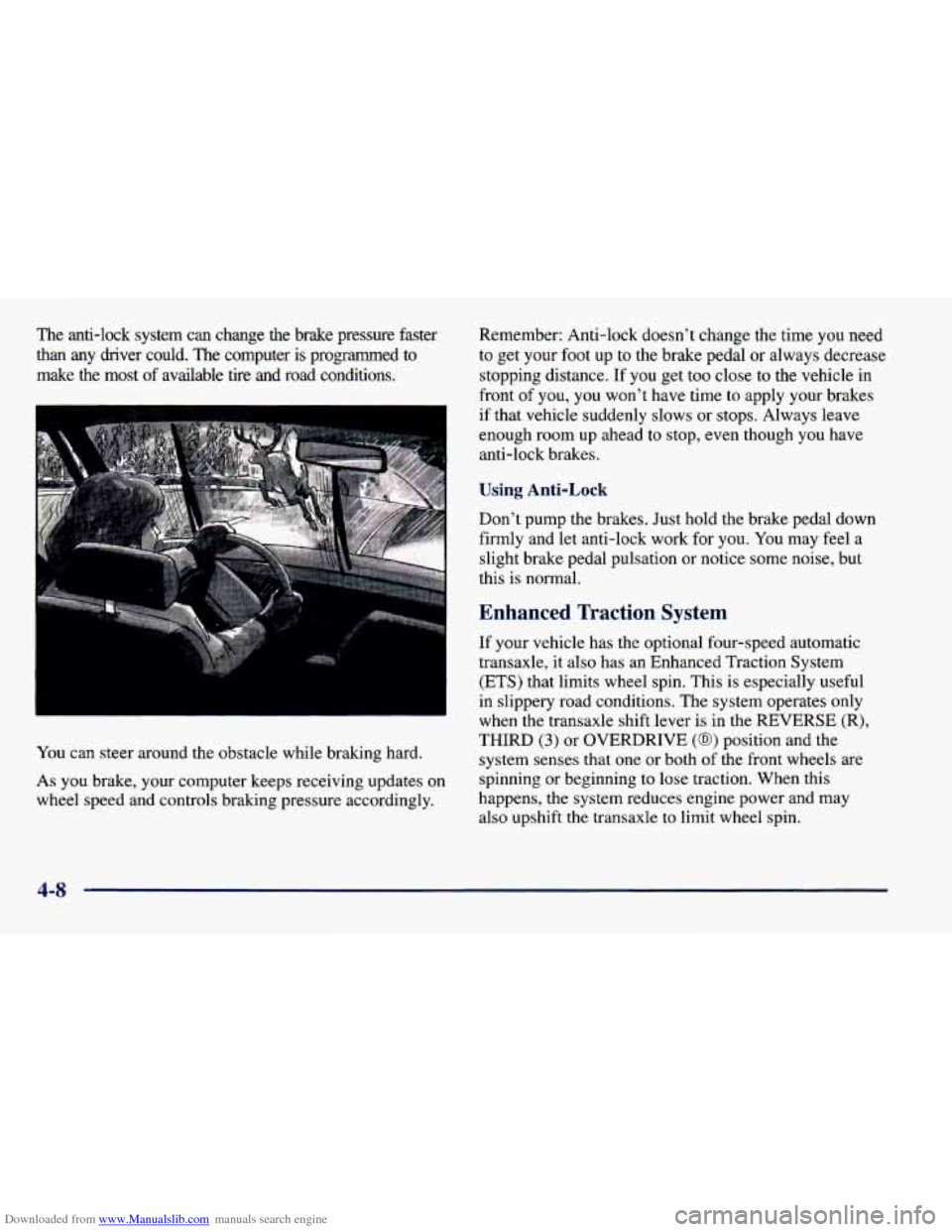
You can steer around the obstacle while braking hard.
As you brake, your computer keeps receiving updates on
wheel speed and controls braking pressure accordingly. Remember:
Anti-lock doesn’t change the time
you need
to get your foot up to the brake pedal or always decrease
stopping distance. If you get too close to the vehicle in
front
of you, you won’t have time to apply your brakes
if that vehicle suddenly slows or stops. Always leave
enough room up ahead to stop, even though you have
anti-lock brakes.
Using Anti-Lock
Don’t pump the brakes. Just hold the brake pedal down
firmly and let anti-lock work
for you. You may feel a
slight brake pedal pulsation or notice some noise, but
this
is normal.
Enhanced Traction System
If your vehicle has the optional four-speed automatic
transaxle, it also has an Enhanced Traction System
(ETS) that limits wheel spin. This is especially useful
in slippery road conditions. The system operates only
when the transaxle shift lever
is in the REVERSE (R),
THIRD (3) or OVERDRIVE (@) position and the
system senses that one or both of the front wheels are
spinning or beginning to lose traction. When this
happens, the system reduces engine power and may
also upshift the transaxle
to limit wheel spin.
4-8
Page 190 of 400
Downloaded from www.Manualslib.com manuals search engine Braking in Emergencies
With anti-lock, you can steer and brake at the same
time. In many emergencies, steering can help you more
than even the very best braking.
Steering
Power Steering
If you lose power steering assist because the engine
stops or the system is not functioning, you can steer but
it will take much more effort.
Steering Tips
Driving on Curves
It’s important to take curves at a reasonable speed.
A lot of the “driver lost control” accidents mentioned on
the news happen on curves. Here’s why:
Experienced driver or beginner, each
of us is subject to
the same laws of physics when driving
on curves. The
traction
of the tires against the road surface makes it
possible for the vehicle to change its path when
you turn
the front wheels. If there’s no traction, inertia will keep
the vehicle going in the same direction.
If you’ve ever
tried
to steer a vehicle on wet ice, you’ll understand this. The
traction you can get in a curve depends
on the
condition
of your tires and the road surface, the angle at
which the curve is banked, and your speed. While you’re
in a curve, speed is the one factor you can control.
Suppose you’re steering through a sharp curve. Then you
suddenly accelerate. Both control systems
-- steering and
acceleration
-- have to do their work where the tires meet
the road. Adding the sudden acceleration can demand too
much of those places. You can lose control. Refer to
“Enhanced Traction System” in the Index.
What should
you do if this ever happens? Ease up on the
accelerator pedal, steer the vehicle the way you want it
to go, and slow down.
Speed limit signs near curves warn that you should
adjust your speed. Of course, the posted speeds are
based on good weather and road conditions. Under less
favorable conditions you’ll want to go slower.
If you need to reduce your speed as
you approach a
curve, do it before you enter the curve, while your front
wheels are straight ahead.
Try
to adjust your speed so you can “drive” through the
curve. Maintain a reasonable, steady speed. Wait to
accelerate
until you are out of the curve, and then
accelerate gently into the straightaway.
4-10
Page 193 of 400
Downloaded from www.Manualslib.com manuals search engine 0 0
0
Do not get too close to the vehicle you want to
pass while you’re awaiting an opportunity. For one
thing, following too closely reduces your area of
vision, especially if you’re following
a larger
vehicle. Also, you won’t have adequate space if the vehicle ahead suddenly slows or stops. Keep back a
reasonable distance.
When it looks like a chance to pass is coming up,
start to accelerate but stay in the right lane and don’t
get too close. Time your move so you will be
increasing speed as the time comes to move into the
other lane. If the way is clear
to pass, you will have a
“running start” that more than makes up for the
distance you would lose by dropping back. And if
something happens to cause you to cancel your pass,
you need only slow down and drop back again and wait for another opportunity.
If other
cars are lined up to pass a slow vehicle, wait
your turn. But take care that someone isn’t trying to
pass you as you pull out to pass the slow vehicle.
Remember to glance over your shoulder and check
the blind spot.
0 Check your mirrors, glance over your shoulder, and
start your left lane change signal before moving out
of the right lane to pass. When you are
far enough
ahead of the passed vehicle to see its front in your
inside mirror, activate your right lane change signal
and move back into the right lane. (Remember that
your right outside mirror is convex. The vehicle you
just passed may seem to be farther away from you
than it really
is.)
Try not to pass more than one vehicle at a time on
two-lane roads. Reconsider before passing the next
vehicle.
Don’t overtake a slowly moving vehicle too rapidly.
Even though the brake lamps are not flashing, it may
be slowing down or starting to turn.
following driver to get ahead of you. Perhaps you
can ease
a little to the right.
If you’re being passed, make it easy for the
4-13