tow CHEVROLET CAVALIER 2004 3.G User Guide
[x] Cancel search | Manufacturer: CHEVROLET, Model Year: 2004, Model line: CAVALIER, Model: CHEVROLET CAVALIER 2004 3.GPages: 354, PDF Size: 2.42 MB
Page 94 of 354
Mirrors
Manual Rearview Mirror
To reduce glare from lamps behind you, move the lever
toward you to the night position.
Outside Remote Control Mirror
The outside rearview mirror should be adjusted so you
can see a little of the side of your vehicle when you
are sitting in a comfortable driving position.
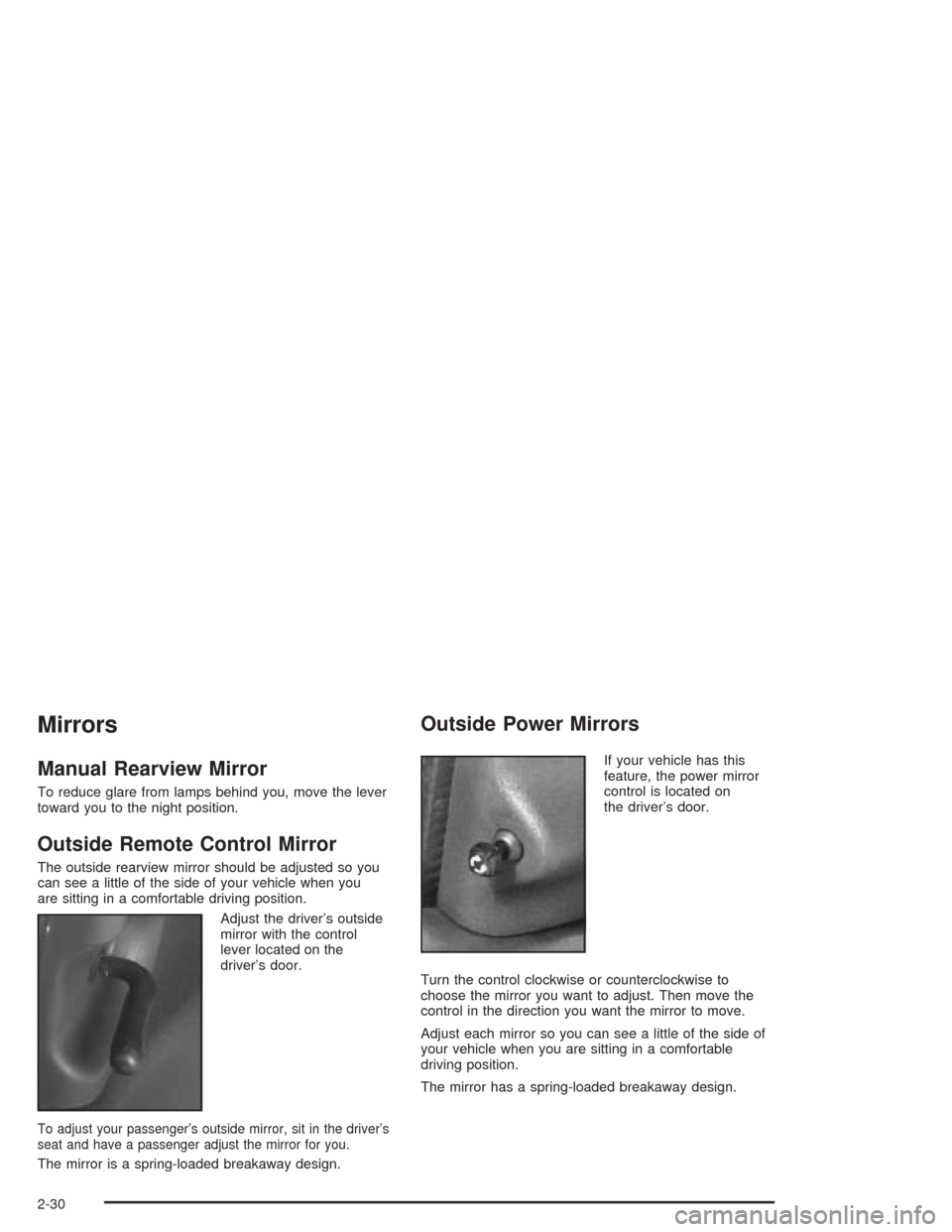
Adjust the driver’s outside
mirror with the control
lever located on the
driver’s door.
To adjust your passenger’s outside mirror, sit in the driver’s
seat and have a passenger adjust the mirror for you.
The mirror is a spring-loaded breakaway design.
Outside Power Mirrors
If your vehicle has this
feature, the power mirror
control is located on
the driver’s door.
Turn the control clockwise or counterclockwise to
choose the mirror you want to adjust. Then move the
control in the direction you want the mirror to move.
Adjust each mirror so you can see a little of the side of
your vehicle when you are sitting in a comfortable
driving position.
The mirror has a spring-loaded breakaway design.
2-30
Page 95 of 354
Outside Convex Mirror
Your passenger’s side mirror is convex. A convex
mirror’s surface is curved so you can see more from the
driver’s seat.
{CAUTION:
A convex mirror can make things (like other
vehicles) look farther away than they really are.
If you cut too sharply into the right lane, you
could hit a vehicle on your right. Check your
inside mirror or glance over your shoulder
before changing lanes.
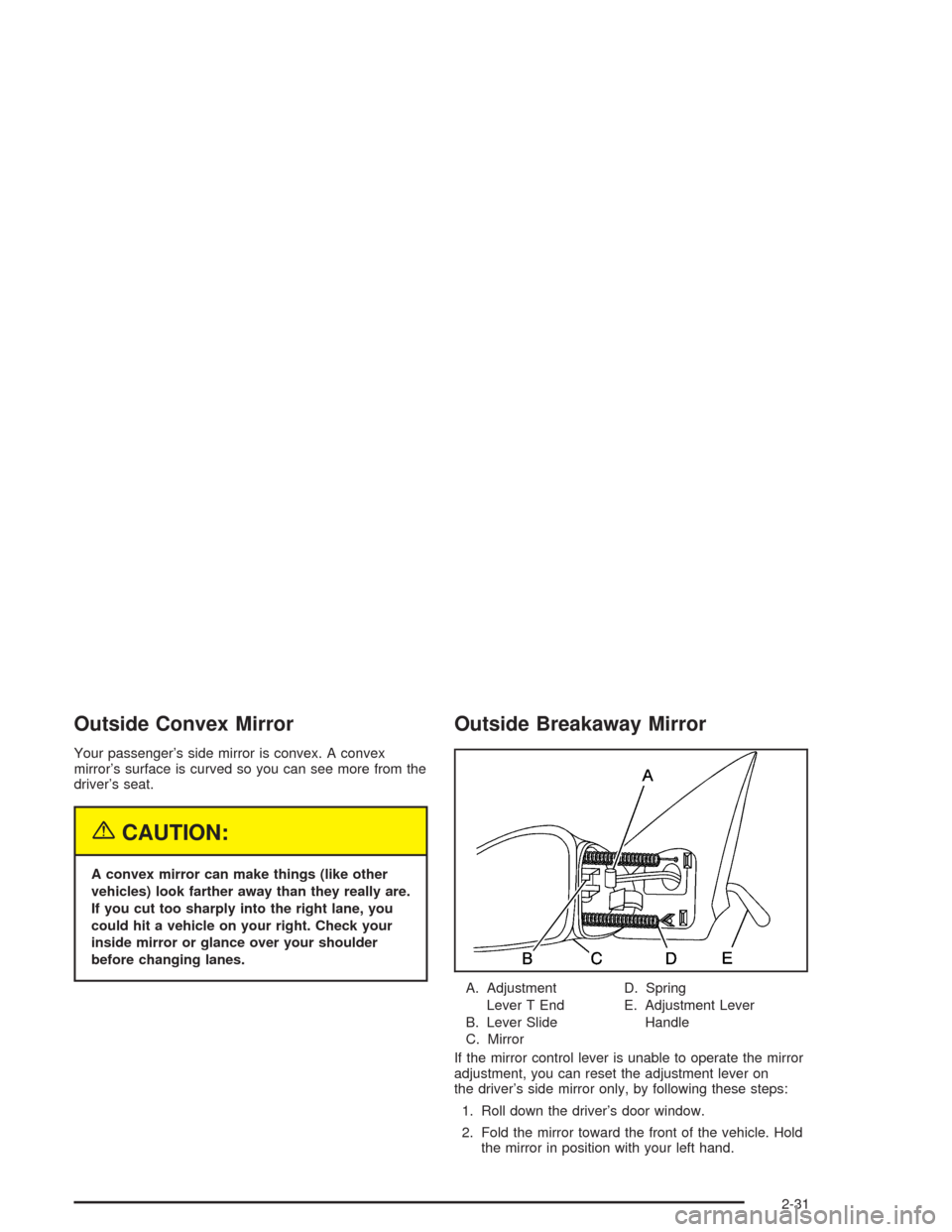
Outside Breakaway Mirror
A. Adjustment
Lever T End
B. Lever Slide
C. MirrorD. Spring
E. Adjustment Lever
Handle
If the mirror control lever is unable to operate the mirror
adjustment, you can reset the adjustment lever on
the driver’s side mirror only, by following these steps:
1. Roll down the driver’s door window.
2. Fold the mirror toward the front of the vehicle. Hold
the mirror in position with your left hand.
2-31
Page 105 of 354
Headlamp High/Low-Beam Changer
To change the headlamps from low beam to high or high
beam to low, pull the turn signal lever all the way
toward you. Then release it.
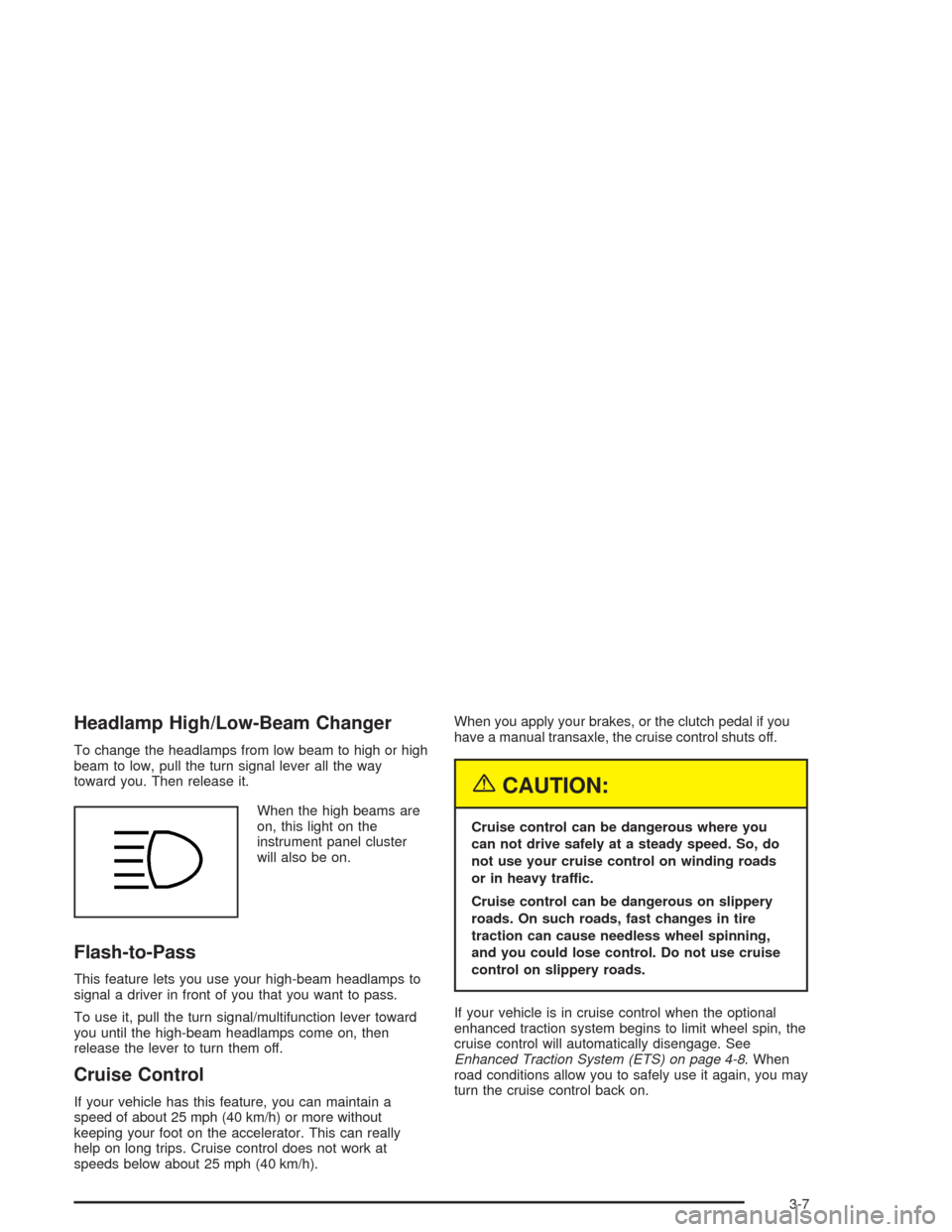
When the high beams are
on, this light on the
instrument panel cluster
will also be on.
Flash-to-Pass
This feature lets you use your high-beam headlamps to
signal a driver in front of you that you want to pass.
To use it, pull the turn signal/multifunction lever toward
you until the high-beam headlamps come on, then
release the lever to turn them off.
Cruise Control
If your vehicle has this feature, you can maintain a
speed of about 25 mph (40 km/h) or more without
keeping your foot on the accelerator. This can really
help on long trips. Cruise control does not work at
speeds below about 25 mph (40 km/h).When you apply your brakes, or the clutch pedal if you
have a manual transaxle, the cruise control shuts off.
{CAUTION:
Cruise control can be dangerous where you
can not drive safely at a steady speed. So, do
not use your cruise control on winding roads
or in heavy traffic.
Cruise control can be dangerous on slippery
roads. On such roads, fast changes in tire
traction can cause needless wheel spinning,
and you could lose control. Do not use cruise
control on slippery roads.
If your vehicle is in cruise control when the optional
enhanced traction system begins to limit wheel spin, the
cruise control will automatically disengage. See
Enhanced Traction System (ETS) on page 4-8. When
road conditions allow you to safely use it again, you may
turn the cruise control back on.
3-7
Page 109 of 354
Windshield Washers
To wash your windshield, pull the lever with the wiper
symbol on it toward you one time. When you release the
lever, the washers will stop. The wipers continue
wiping for about three cycles and will then either stop or
return to your preset speed.
{CAUTION:
In freezing weather, do not use your washer
until the windshield is warmed. Otherwise the
washer uid can form ice on the windshield,
blocking your vision.
Exterior Lamps
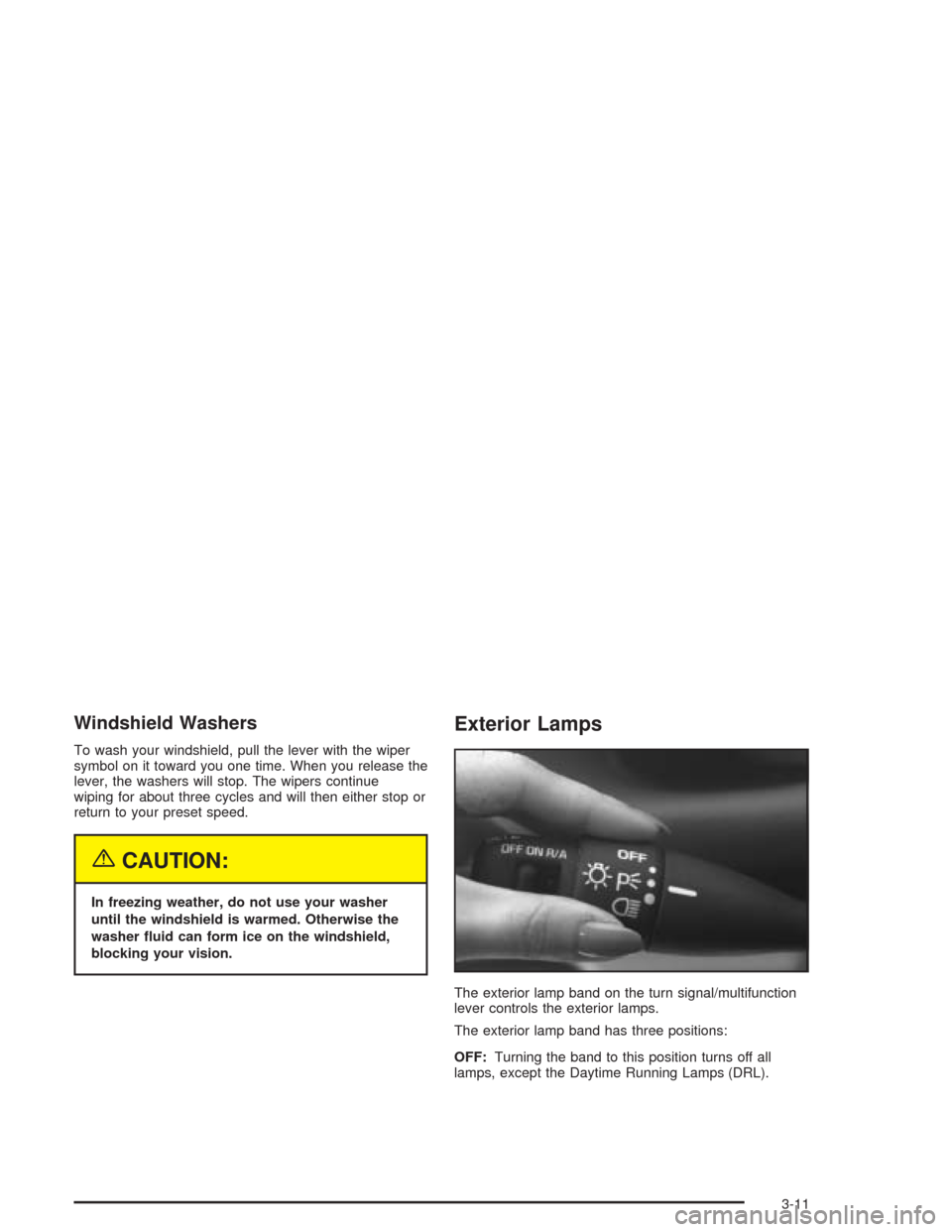
The exterior lamp band on the turn signal/multifunction
lever controls the exterior lamps.
The exterior lamp band has three positions:
OFF:Turning the band to this position turns off all
lamps, except the Daytime Running Lamps (DRL).
3-11
Page 116 of 354
Defogging and Defrosting
Fog on the inside of windows is a result of high humidity
(moisture) condensing on the cool window glass. This
can be minimized if the climate control system is
used properly. There are two modes to clear fog or frost
from your windshield and side windows. Use the
defog mode to clear the windows of fog or moisture and
warm the passengers. Use the defrost mode to
remove fog or frost from the windshield more quickly.
For best results, clear all snow and ice from the
windshield before defrosting.
Turn the right knob to select the defog or defrost mode.
-(Defog):This mode directs half of the air to the
windshield and the side window outlets and half to the
oor outlets. When you select this mode, the system
runs the air-conditioning compressor unless the outside
temperature is at or below freezing. The air-conditioning
indicator light will also be on in this setting. To defog
the windows faster, turn the temperature control
knob clockwise to the warmest setting.
0(Defrost):This mode directs most of the air to the
windshield, with some air directed to the side window
outlets and the oor outlets. When you select this mode,
the system runs the air-conditioning compressor
unless the outside temperature is at or below freezing.
The air-conditioning indicator light will also be on in
this setting.
To defog the side windows, set the right knob to oor
and the fan knob to the highest setting. You can use the
air conditioning while in this setting by pressing the air
conditioning button. In both cases, aim the side
outlets toward the side windows. For increased airow
to the side outlets, close the center outlets. Do not drive
the vehicle until all the windows are clear.
3-18
Page 124 of 354
If the light comes on while you are driving, pull off the
road and stop carefully. You may notice that the pedal is
harder to push. Or, the pedal may go closer to the
oor. It may take longer to stop. If the light is still on,
have the vehicle towed for service. SeeTowing
Your Vehicle on page 4-29.
{CAUTION:
Your brake system may not be working
properly if the brake system warning light is
on. Driving with the brake system warning light
on can lead to an accident. If the light is still
on after you have pulled off the road and
stopped carefully, have the vehicle towed for
service.
Anti-Lock Brake System
Warning Light
If your vehicle is equipped
with the anti-lock brake
system, the light will come
on when your engine is
started and may stay on for
several seconds. That’s
normal.
If the light stays on, turn the ignition to OFF. Or, if the
light comes on when you’re driving, stop as soon
as possible and turn the ignition off. Then start the
engine again to reset the system. If the light still stays
on, or comes on again while you’re driving, your vehicle
needs service. If the regular brake system warning
light isn’t on, you still have brakes, but you don’t have
anti-lock brakes. If the regular brake system warning
light is also on, you don’t have anti-lock brakes
and there’s a problem with your regular brakes. See
Brake System Warning Light on page 3-25.
The anti-lock brake system warning light will come on
briey when you turn the ignition key to RUN. This
is normal. If the light doesn’t come on then, have it xed
so it will be ready to warn you if there is a problem.
3-26
Page 128 of 354
Notice:If you keep driving your vehicle with this
light on, after a while, your emission controls
may not work as well, your fuel economy may not
be as good and your engine may not run as
smoothly. This could lead to costly repairs that may
not be covered by your warranty.
Notice:Modications made to the engine,
transaxle, exhaust, intake or fuel system of your
vehicle or the replacement of the original tires with
other than those of the same Tire Performance
Criteria (TPC) can affect your vehicle’s emission
controls and may cause this light to come on.
Modications to these systems could lead to costly
repairs not covered by your warranty. This may
also result in a failure to pass a required Emission
Inspection/Maintenance test.
This light should come on, as a check to show you it is
working, when the ignition is on and the engine is
not running. If the light does not come on, have it
repaired. This light will also come on during a
malfunction in one of two ways:
Light Flashing— A misre condition has been
detected. A misre increases vehicle emissions and
may damage the emission control system on your
vehicle. Diagnosis and service may be required.
Light On Steady— An emission control system
malfunction has been detected on your vehicle.
Diagnosis and service may be required.
If the Light Is Flashing
The following may prevent more serious damage to
your vehicle:
Reducing vehicle speed.
Avoiding hard accelerations.
Avoiding steep uphill grades.
If you are towing a trailer, reduce the amount of
cargo being hauled as soon as it is possible.
If the light stops ashing and remains on steady, see “If
the Light Is On Steady” following.
If the light continues to ash, when it is safe to do so,
stop the vehicle.
Find a safe place to park your vehicle. Turn the key off,
wait at least 10 seconds and restart the engine. If
the light remains on steady, see “If the Light Is On
Steady” following. If the light is still ashing, follow the
previous steps, and see your dealer for service as soon
as possible.
3-30
Page 136 of 354
To adjust both tone controls and both speaker controls
to the middle position, rst end out of audio mode
by pressing another button, causing the radio to perform
that function, or by waiting ve seconds for the display
to return to time of day. Then press and hold AUDIO for
more than two seconds until you hear a beep. CEN
will appear on the display.
Adjusting the Speakers (Balance/Fade)
AUDIO:To adjust the balance between the right
and the left speakers, press and release the AUDIO
button until BAL appears on the display. Then press and
hold the up or the down arrow to move the sound
toward the right or the left speakers.
To adjust the fade between the front and the rear
speakers, press and release AUDIO until FAD appears
on the display. Then press and hold the up or the
down arrow to move the sound toward the front or the
rear speakers.
To adjust balance or fade to the middle position, select
BAL or FAD. Then press and hold AUDIO for more
than two seconds until you hear a beep. L and a zero
or F and a zero will appear on the display.To adjust both tone controls and both speaker controls
to the middle position, rst end out of audio mode
by pressing another button, causing the radio to perform
that function, or by waiting ve seconds for the display
to return to time of day. Then press and hold AUDIO for
more than two seconds until you hear a beep. CEN
will appear on the display.
Radio Messages
CAL (Calibration):The audio system has been
calibrated for your vehicle from the factory. If CAL
appears on the display it means that the radio has not
been congured properly for your vehicle and must
be returned to the dealer for service.
LOC (Locked):This message is displayed when the
THEFTLOCK
®system has locked up. Take the vehicle
to the dealer for service.
If any error occurs repeatedly or if an error cannot be
corrected, contact your dealer.
3-38
Page 138 of 354
Setting Preset Stations
The six numbered pushbuttons let you return to
your favorite stations. You can set up to 18 stations
(six FM1, six FM2, and six AM) by performing the
following steps:
1. Turn the radio on.
2. Press AM FM to select FM1, FM2, or AM.
3. Tune in the desired station.
4. Press and hold one of the six numbered
pushbuttons until you hear a beep. Whenever you
press that numbered pushbutton, the station
you set will return.
5. Repeat the steps for each pushbutton.
Setting the Tone (Bass/Treble)
AUDIO:To adjust the bass or the treble, press and
release the AUDIO button until BAS or TRE appears on
the display. Then press and hold the up or the down
arrow to increase or to decrease. If a station is weak or
noisy, you may want to decrease the treble.
To adjust bass or treble to the middle position, select
BAS or TRE. Then press and hold the AUDIO button for
more than two seconds until you hear a beep. B and
a zero or T and a zero will appear on the display.To adjust both tone controls and both speaker controls
to the middle position, rst end out of audio mode
by pressing another button, causing the radio to perform
that function, or by waiting ve seconds for the display
to return to the time of day. Then press and hold
the AUDIO button for more than two seconds until you
hear a beep. CEN will appear on the display.
Adjusting the Speakers (Balance/Fade)
AUDIO:To adjust the balance between the right
and the left speakers, press and release the AUDIO
button until BAL appears on the display. Then press and
hold the up or the down arrow to move the sound
toward the right or the left speakers.
To adjust the fade between the front and the rear
speakers, press and release the AUDIO button until
FAD appears on the display. Then press and hold the up
or the down arrow to move the sound toward the front
or the rear speakers.
To adjust balance or fade to the middle position, select
BAL or FAD. Then press and hold AUDIO for more
than two seconds until you hear a beep. L and a zero
or F and a zero will appear on the display.
3-40
Page 143 of 354
qPSCAN (Preset Scan)r:Press and hold either
arrow for more than two seconds. SCAN will appear on
the display and the radio will produce one beep. The
radio will go to the rst preset station stored on the
pushbuttons, play for a few seconds, then go on to the
next preset station. Press either arrow again or one
of the pushbuttons to stop scanning presets.
The radio will scan only to stations that are in the
selected band and only to those with a strong signal.
Setting Preset Stations
The six numbered pushbuttons let you return to your
favorite stations. You can set up to 30 stations (six FM1,
six FM2 and six AM, six XM1 and six XM2 (48
contiguous US states, if equipped), by performing the
following steps:
1. Turn the radio on.
2. Press BAND to select FM1, FM2, AM, or XM1
or XM2.
3. Tune in the desired station.
4. Press AUTO TONE to select the equalization.
5. Press and hold one of the six numbered
pushbuttons until you hear a beep. Whenever you
press that numbered pushbutton, the station
you set will return and the equalization that you
selected will be automatically stored for that
pushbutton.
6. Repeat the steps for each pushbutton.
Setting the Tone (Bass/Treble)
AUDIO:Push and release the AUDIO knob until BASS
or TREB appears on the display. Turn the knob to
increase or to decrease. The display will show the bass
or the treble level. If a station is weak or noisy, you
may want to decrease the treble.
To adjust the bass and the treble to the middle position,
push and hold the AUDIO knob. The radio will produce
one beep.
To adjust all tone and speaker controls to the middle
position, push and hold the AUDIO knob when no tone
or speaker control is displayed. ALL will appear on
the display and you will hear a beep.
AUTO TONE (Automatic Tone):Press this button to
select customized equalization settings designed
for country/western, jazz, talk, pop, rock, and classical.
To return the bass and treble to the manual mode,
push and release the AUDIO knob until MANUAL
is displayed.
Adjusting the Speakers (Balance/Fade)
AUDIO:To adjust the balance between the right
and the left speakers, push and release the AUDIO
knob until BAL appears on the display. Turn the knob to
move the sound toward the right or the left speakers.
3-45