radio CHEVROLET CITY EXPRESS 2015 Owner's Manual
[x] Cancel search | Manufacturer: CHEVROLET, Model Year: 2015, Model line: CITY EXPRESS, Model: CHEVROLET CITY EXPRESS 2015Pages: 297, PDF Size: 3.5 MB
Page 126 of 297
Black plate (9,1)Chevrolet City Express Owner Manual (GMNA-Localizing-U.S./Canada-
7707496) - 2015 - CRC - 11/26/14
Infotainment System 7-9CD-R- or CD-RW-Supported File
and Folder Structure
The radio supports: .
Up to eight folders in depth. .
Up to 255 folders. .
Up to 512 files. .
Up to 255 files for one folder.
Root Directory
The root directory is treated as a
folder. Files are stored in the root
directory when the disc or storage
device does not contain folders.
Empty Folder
Folders that do not contain files are
skipped, and the player advances to
the next folder that contains files.
Order of Play
The playback order is the order in
which the files were written by the
writing software. Therefore, the files
may not play in the desired order. File System and Naming
The artist/song title that displays is
the artist/song title contained in the
ID3 tag. The ID3 tag information is
displayed on the artist/song title line
on the screen.
Text character limit is
128 characters.
CD Player Messages CHECK DISC: If this message
displays and/or the CD ejects, it
could be for one of the following
reasons: .
Confirm that the CD is inserted
correctly (the label side is facing
up, etc.). .
Confirm that the CD is not bent
or warped and it is free of
scratches.
PRESS EJECT: This is an error
due to excessive temperature inside
the player. Remove the CD by
pressing
X . After a short time, reinsert the CD. The CD can be
played when the temperature of the
player returns to normal.
UNPLAYABLE: The file is
unplayable in this audio system
(only MP3 or WMA, if equipped.
If the CD is not playing correctly, for
any other reason, try a known
good CD.
Auxiliary Jack Using the Auxiliary Input Jack The auxiliary input jack is on the
lower right side of the faceplate.
External devices such as an iPod ®
,
laptop computer, MP3 player,
cassette player, or CD changer can
be connected to the auxiliary port
using a 3.5 mm (1/8 in) input cable.
This input jack is not an audio
output; do not plug headphones into
the front auxiliary input jack.
Page 136 of 297

Black plate (19,1)Chevrolet City Express Owner Manual (GMNA-Localizing-U.S./Canada-
7707496) - 2015 - CRC - 11/26/14
Infotainment System 7-192. The system responds with
“ Showing Manual Options. ”
3. Browse the menu by
pressing
Q TUNE/FF-REW
FOLDER
R up or down. The
system will speak the current
menu option. Depending on the
audio display, it will also show
the current menu option.
4. Press
g V to select the menu
option.
5. Press
V to go back to the
previous menu.
6. Press and hold
V for
five seconds to exit. Trademarks and
License Agreements FCC Information
See Radio Frequency Statement on
page 13-12 .
“ Made for iPod ” and “ Made for
iPhone ” mean that an electronic
accessory has been designed to
connect specifically to iPod or
iPhone and has been certified by
the developer to meet Apple
performance standards. iPod and iPhone are trademarks of
Apple Computer, Inc., registered in
the U.S. and other countries.
Bluetooth The Bluetooth ®
word mark and
logos are owned by the Bluetooth ®
SIG, Inc. and any use of such marks
by General Motors is under license.
Other trademarks and trade names
are those of their respective owners.
Page 143 of 297
Black plate (2,1)Chevrolet City Express Owner Manual (GMNA-Localizing-U.S./Canada-
7707496) - 2015 - CRC - 11/26/14
9-2 Driving and Operating
Driving Information Distracted Driving Distraction comes in many forms
and can take your focus from the
task of driving. Exercise good
judgment and do not let other
activities divert your attention away
from the road. Many local
governments have enacted laws
regarding driver distraction. Become
familiar with the local laws in
your area.
To avoid distracted driving, always
keep your eyes on the road, hands
on the wheel, and mind on the drive. .
Do not use a phone in
demanding driving situations.
Use a hands-free method to
place or receive necessary
phone calls. .
Watch the road. Do not read,
take notes, or look up
information on phones or other
electronic devices. .
Designate a front seat
passenger to handle potential
distractions. .
Become familiar with vehicle
features before driving, such as
programming favorite radio
stations and adjusting climate
control and seat settings.
Program all trip information into
any navigation device prior to
driving. .
Wait until the vehicle is parked
to retrieve items that have fallen
to the floor. .
Stop or park the vehicle to tend
to children. .
Keep pets in an appropriate
carrier or restraint. .
Avoid stressful conversations
while driving, whether with a
passenger or on a cell phone. { WarningTaking your eyes off the road too
long or too often could cause a
crash resulting in injury or death.
Focus your attention on driving.
Refer to the infotainment section for
more information on using that
system and the navigation system,
if equipped, including pairing and
using a cell phone.
Defensive Driving Defensive driving means “ always
expect the unexpected. ” The first
step in driving defensively is to wear
the safety belt. See Safety Belts on
page 3-8 . .
Assume that other road users
(pedestrians, bicyclists, and
other drivers) are going to be
careless and make mistakes.
Anticipate what they might do
and be ready.
Page 156 of 297
Black plate (15,1)Chevrolet City Express Owner Manual (GMNA-Localizing-U.S./Canada-
7707496) - 2015 - CRC - 11/26/14
Driving and Operating 9-15
{ CautionUsing a tool to force the key to
turn in the ignition could cause
damage to the switch or break the
key. Use the correct key, make
sure it is all the way in, and turn it
only with your hand. If the key
cannot be turned by hand, see
your dealer.
Ignition Switch Positions
LOCK (0): Normal parking position.
OFF (1): The engine can be turned
off without locking the steering
wheel.
ACC (2): Accessories. This position
activates electrical accessories such
as the radio when the engine is not
running.
ON (3): Normal operating position.
This position turns on the ignition
system and the electrical
accessories. START (4): This position starts the
engine. As soon as the engine has
started, release the key.
It automatically returns to the ON
position.
Starting the Engine To place the transmission in the
proper gear:
Move the shift lever to P (Park) or
N (Neutral). The engine will not start
in any other position. To restart the
engine when the vehicle is already
moving, use N (Neutral) only.
{ Caution
If you add electrical parts or
accessories, you could change
the way the engine operates. Any
resulting damage would not be
covered by the vehicle warranty.
See Add-On Electrical Equipment
on page 9-41 .{ CautionDo not try to shift to P (Park) if the
vehicle is moving. If you do, you
could damage the transmission.
Shift to P (Park) only when the
vehicle is stopped.
Starting Procedure
1. Apply the parking brake.
2. Move the shift lever to P (Park)
or N (Neutral). P (Park) is
recommended.
The shift lever cannot be moved
out of P (Park) and into any of
the other gear positions if the
ignition switch is turned to the
OFF position or if the key is
removed from the ignition switch.
The starter is designed not to
operate if the shift lever is in any
of the driving positions.
3. Crank the engine with your foot
off the accelerator pedalby
placing the ignition switch in the
Page 177 of 297
Black plate (36,1)Chevrolet City Express Owner Manual (GMNA-Localizing-U.S./Canada-
7707496) - 2015 - CRC - 11/26/14
9-36 Driving and Operating .
When the shift lever is shifted to
R (Reverse), the screen
automatically changes to the
RVC mode. However, the radio
can be heard. .
It may take some time until the
RVC is displayed after the shift
lever has been shifted to
R (Reverse). Objects may be
distorted momentarily until the
RVC screen is displayed
completely. When the shift lever
is returned to a position other
than R (Reverse), it may take
some time until the screen
changes. Objects on the screen
may be distorted until they are
completely displayed. .
When the temperature is
extremely high or low, the
screen may not clearly display
objects. This is not a
malfunction. .
When strong light directly enters
the camera, objects may not be
displayed clearly. .
Vertical lines may be seen in
objects on the screen. This is
due to strong reflected light from
the bumper. This is not a
malfunction. .
The screen may flicker under
fluorescent light. This is not a
malfunction. .
The colors of objects on the
display may differ somewhat
from those of the actual object. .
When the contrast of objects is
low at night, pressing the
SETTING button or MENU
button may not change the
brightness. .
Objects on the display may not
be clear in a dark place or at
night. .
If dirt, rain or snow attaches to
the camera, the RVC may not
display objects. Clean the
camera. .
Do not use body wax on the
camera window. If body wax
does get on the camera window,
wipe off the wax with a clean
cloth dampened with mild
detergent diluted with water.
Page 219 of 297
Black plate (36,1)Chevrolet City Express Owner Manual (GMNA-Localizing-U.S./Canada-
7707496) - 2015 - CRC - 11/26/14
10-36 Vehicle Care the vehicle has not been driven
for at least three hours or no
more than 1.6 km (1 mi).
Remove the valve cap from the
tire valve stem. Press the tire
gauge firmly onto the valve to
get a pressure measurement.
If the cold tire inflation pressure
matches the recommended
pressure on the Tire and
Loading Information label, no
further adjustment is necessary.
If the inflation pressure is low,
add air until the recommended
pressure is reached. If the
inflation pressure is high, press
on the metal stem in the center
of the tire valve to release air.
Re-check the tire pressure with
the tire gauge.
Return the valve caps on the
valve stems to prevent leaks
and keep out dirt and moisture. Tire Pressure Monitor
System The Tire Pressure Monitor System
(TPMS) uses radio and sensor
technology to check tire pressure
levels. The TPMS sensors monitor
the air pressure in your tires and
transmit tire pressure readings to a
receiver located in the vehicle.
Each tire, including the spare (if
provided), should be checked
monthly when cold and inflated to
the inflation pressure recommended
by the vehicle manufacturer on the
vehicle placard or tire inflation
pressure label. (If your vehicle has
tires of a different size than the size
indicated on the vehicle placard or
tire inflation pressure label, you
should determine the proper tire
inflation pressure for those tires.)
As an added safety feature, your
vehicle has been equipped with a
tire pressure monitoring system
(TPMS) that illuminates a low tire pressure telltale when one or more
of your tires is significantly
under-inflated.
Accordingly, when the low tire
pressure telltale illuminates, you
should stop and check your tires as
soon as possible, and inflate them
to the proper pressure. Driving on a
significantly under-inflated tire
causes the tire to overheat and can
lead to tire failure. Under-inflation
also reduces fuel efficiency and tire
tread life, and may affect the
vehicle's handling and stopping
ability.
Please note that the TPMS is not a
substitute for proper tire
maintenance, and it is the driver's
responsibility to maintain correct tire
pressure, even if under-inflation has
not reached the level to trigger
illumination of the TPMS low tire
pressure telltale.
Your vehicle has also been
equipped with a TPMS malfunction
indicator to indicate when the
system is not operating properly.
Page 220 of 297
Black plate (37,1)Chevrolet City Express Owner Manual (GMNA-Localizing-U.S./Canada-
7707496) - 2015 - CRC - 11/26/14
Vehicle Care 10-37The TPMS malfunction indicator is
combined with the low tire pressure
telltale. When the system detects a
malfunction, the telltale will flash for
approximately one minute and then
remain continuously illuminated.
This sequence will continue upon
subsequent vehicle start-ups as
long as the malfunction exists.
When the malfunction indicator is
illuminated, the system may not be
able to detect or signal low tire
pressure as intended. TPMS
malfunctions may occur for a variety
of reasons, including the installation
of replacement or alternate tires or
wheels on the vehicle that prevent
the TPMS from functioning properly.
Always check the TPMS malfunction
telltale after replacing one or more
tires or wheels on your vehicle to
ensure that the replacement or
alternate tires and wheels allow the
TPMS to continue to function
properly.
See Tire Pressure Monitor
Operation on page 10-37 . See Radio Frequency Statement on
page 13-12 .
Tire Pressure Monitor
Operation This vehicle may have a Tire
Pressure Monitor System (TPMS).
The TPMS is designed to warn the
driver when a low tire pressure
condition exists. TPMS sensors are
mounted onto each tire and wheel
assembly, excluding the spare tire
and wheel assembly. The TPMS
sensors monitor the air pressure in
the tires and transmit the tire
pressure readings to a receiver
located in the vehicle.
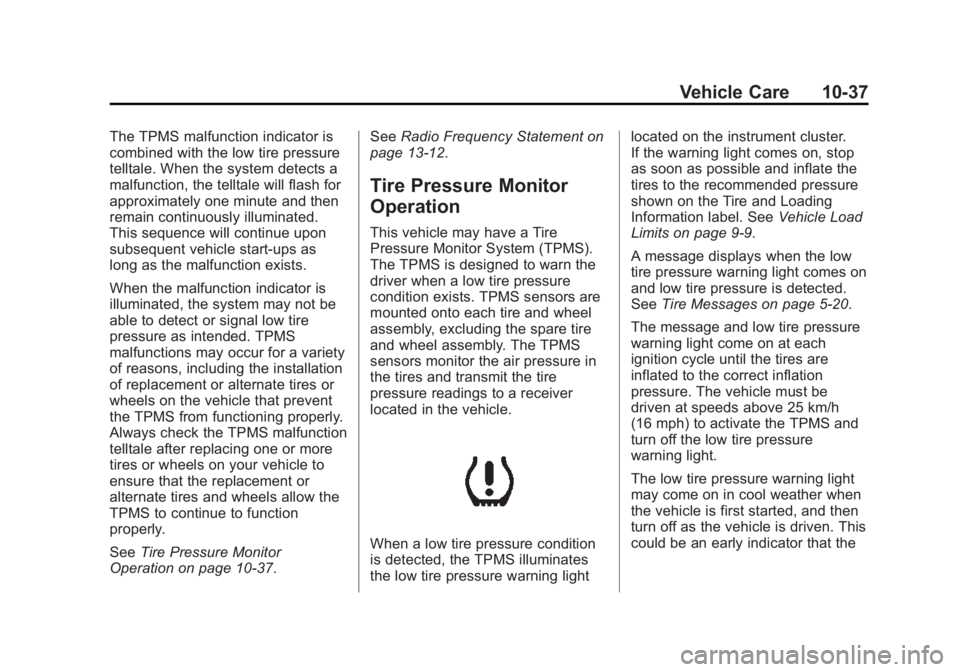
When a low tire pressure condition
is detected, the TPMS illuminates
the low tire pressure warning light located on the instrument cluster.
If the warning light comes on, stop
as soon as possible and inflate the
tires to the recommended pressure
shown on the Tire and Loading
Information label. See Vehicle Load
Limits on page 9-9 .
A message displays when the low
tire pressure warning light comes on
and low tire pressure is detected.
See Tire Messages on page 5-20 .
The message and low tire pressure
warning light come on at each
ignition cycle until the tires are
inflated to the correct inflation
pressure. The vehicle must be
driven at speeds above 25 km/h
(16 mph) to activate the TPMS and
turn off the low tire pressure
warning light.
The low tire pressure warning light
may come on in cool weather when
the vehicle is first started, and then
turn off as the vehicle is driven. This
could be an early indicator that the
Page 222 of 297
Black plate (39,1)Chevrolet City Express Owner Manual (GMNA-Localizing-U.S./Canada-
7707496) - 2015 - CRC - 11/26/14
Vehicle Care 10-39other than those recommended
could prevent the TPMS from
functioning properly. See Buying
New Tires on page 10-41 ..
Operating electronic devices or
being near facilities using radio
wave frequencies similar to the
TPMS could cause the TPMS
sensors to malfunction.
If the TPMS is not functioning
properly, it cannot detect or signal a
low tire condition. See your dealer
for service if the TPMS malfunction
light comes on and stays on.
TPMS Sensor Matching
Process Each TPMS sensor has a unique
identification code. The identification
code needs to be matched to a new
tire/wheel position after rotating the
vehicle ’ s tires or replacing one or
more of the TPMS sensors. Also,
the TPMS sensor matching process
should be performed after replacing
a spare tire with a road tire
containing the TPMS sensor. The
malfunction light will go off when the vehicle is driven at speeds above
25 km/h (16 mph) after the next
ignition cycle.
See your dealer to perform the
TPMS sensor matching process.
Tire Inspection We recommend that the tires,
including the spare tire, if the
vehicle has one, be inspected
for signs of wear or damage at
least once a month.
Replace the tire if: .
The indicators at three or
more places around the tire
can be seen. .
There is cord or fabric
showing through the tire's
rubber. .
The tread or sidewall is
cracked, cut, or snagged
deep enough to show cord or
fabric. .
The tire has a bump, bulge,
or split. .
The tire has a puncture, cut,
or other damage that cannot
be repaired well because of
the size or location of the
damage.
Tire Rotation Tires should be rotated every
8 000 km (5,000 mi). See
Maintenance Schedule on
page 11-3 .
Tires are rotated to achieve a
uniform wear for all tires. The
first rotation is the most
important.
Page 240 of 297
Black plate (57,1)Chevrolet City Express Owner Manual (GMNA-Localizing-U.S./Canada-
7707496) - 2015 - CRC - 11/26/14
Vehicle Care 10-572. Get the vehicles close enough
so the jumper cables can reach,
but be sure the vehicles are not
touching each other. If they are,
it could cause a ground
connection you do not want. You
would not be able to start your
vehicle, and the bad grounding
could damage the electrical
systems.
To avoid the possibility of the
vehicles rolling, set the parking
brake firmly on both vehicles
involved in the jump start
procedure. Put an automatic
transmission in P (Park) or a
manual transmission in Neutral
before setting the parking brake.
{ Caution
If any accessories are left on or
plugged in during the jump
starting procedure, they could be
damaged. The repairs would not
be covered by the vehicle
(Continued) Caution (Continued) warranty. Whenever possible, turn
off or unplug all accessories on
either vehicle when jump starting.
3. Turn off the ignition on both
vehicles. Unplug unnecessary
accessories from the cigarette
lighter or the accessory power
outlet. Turn off the radio and all
lamps that are not needed. This
will avoid sparks and help save
both batteries. And it could save
the radio!
4. Open the hoods and locate the
positive (+) and negative ( − )
terminal locations of the other
vehicle.
{ Warning
Using a match near a battery can
cause battery gas to explode.
People have been hurt doing this,
(Continued) Warning (Continued) and some have been blinded.
Use a flashlight if you need more
light.
Battery fluid contains acid that
can burn you. Do not get it on
you. If you accidentally get it in
your eyes or on your skin, flush
the place with water and get
medical help immediately.
{ Warning
Fans or other moving engine
parts can injure you badly. Keep
your hands away from moving
parts once the engine is running.
Page 250 of 297
Black plate (67,1)Chevrolet City Express Owner Manual (GMNA-Localizing-U.S./Canada-
7707496) - 2015 - CRC - 11/26/14
Vehicle Care 10-67Speaker Covers Vacuum around a speaker cover
gently, so that the speaker will not
be damaged. Clean spots with just
water and mild soap.
Coated Moldings Coated moldings should be cleaned. .
When lightly soiled, wipe with a
sponge or soft lint-free cloth
dampened with water. .
When heavily soiled, use warm
soapy water.
Fabric/Carpet/Suede Start by vacuuming the surface
using a soft brush attachment. If a
rotating brush attachment is being
used during vacuuming, only use it
on the floor carpet. Before cleaning,
gently remove as much of the soil
as possible using one of the
following techniques: .
Gently blot liquids with a paper
towel. Continue blotting until no
more soil can be removed. .
For solid soils, remove as much
as possible prior to vacuuming.
To clean:
1. Saturate a clean lint-free
colorfast cloth with water.
Microfiber cloth is recommended
to prevent lint transfer to the
fabric or carpet.
2. Remove excess moisture by
gently wringing until water does
not drip from the cleaning cloth.
3. Start on the outside edge of the
soil and gently rub toward the
center. Rotate the cleaning cloth
to a clean area frequently to
prevent forcing the soil in to the
fabric.
4. Continue gently rubbing the
soiled area until there is no
longer any color transfer from
the soil to the cleaning cloth.
5. If the soil is not completely
removed, use a mild soap
solution followed only by plain
water. If the soil is not completely
removed, it may be necessary to
use a commercial upholstery
cleaner or spot lifter. Test a small
hidden area for colorfastness before
using a commercial upholstery
cleaner or spot lifter. If ring
formation occurs, clean the entire
fabric or carpet.
Following the cleaning process, a
paper towel can be used to blot
excess moisture.
Cleaning High Gloss Surfaces
and Vehicle Information and
Radio Displays For vehicles with high gloss
surfaces or vehicle displays, use a
microfiber cloth to wipe surfaces.
Before wiping the surface with the
microfiber cloth, use a soft bristle
brush to remove dirt that could
scratch the surface. Then use the
microfiber cloth by gently rubbing to
clean. Never use window cleaners
or solvents. Periodically hand wash
the microfiber cloth separately,