light CHEVROLET CITY EXPRESS 2018 Workshop Manual
[x] Cancel search | Manufacturer: CHEVROLET, Model Year: 2018, Model line: CITY EXPRESS, Model: CHEVROLET CITY EXPRESS 2018Pages: 287, PDF Size: 4.19 MB
Page 155 of 287
Chevrolet City Express Owner Manual (GMNA-Localizing-U.S./Canada-
11683523) - 2018 - CRC - 7/10/17
154 Driving and Operating
Each time the engine is started,
or when the shift lever is shifted to
any position other than D (Drive),
the Overdrive off mode will be
automatically turned off.
Accelerator Downshift in D
Position
For passing or hill climbing, press
the accelerator pedal to the floor.
This shifts the transmission down
into a lower gear, depending on the
vehicle speed.
High Fluid Temperature
Protection Mode
If the fluid temperature becomes too
high from climbing a steep grade in
high temperatures, such as towing a
trailer. Engine power and vehicle
speed will be decreased
automatically to reduce the chance
of transmission damage. Vehicle
speed can be controlled with the
accelerator pedal but the engine
and vehicle speed may be limited.Fail Safe
When the fail-safe operation occurs,
the CVT will not be shifted into the
selected driving position.
If the vehicle is driven under
extreme conditions, such as
excessive wheel spinning and
subsequent hard braking, the
fail-safe system may be activated.
The malfunction indicator lamp may
come on to indicate the fail-safe
mode is activated. See
Malfunction
Indicator Lamp (Check Engine
Light) 091. This will occur even if all
electrical circuits are functioning
properly. In this case, place the
ignition switch in the OFF position
and wait for 10 seconds. Then place
the ignition switch back in the ON
position. The vehicle should return
to its normal operating condition. If it
does not return to its normal
operating condition, have a dealer
check the transmission and repair if
necessary.
{Warning
When the high fluid temperature
protection mode or fail-safe
operation occurs, vehicle speed
may be gradually reduced. The
reduced speed may be lower than
other traffic, which could increase
the chance of a collision. Be
especially careful when driving.
If necessary, pull to the side of
the road at a safe place and allow
the transmission to return to
normal operation, or have it
repaired if necessary.
Page 156 of 287
Chevrolet City Express Owner Manual (GMNA-Localizing-U.S./Canada-
11683523) - 2018 - CRC - 7/10/17
Driving and Operating 155
Brakes
Antilock Brake
System (ABS)
This vehicle has an Antilock Brake
System (ABS), an advanced
electronic braking system that helps
prevent a braking skid. The ABS
operates at speeds above 5–
10 km/h (3–6 mph). The speed
varies according to road conditions.
{Warning
.The ABS is a sophisticated
device, but it cannot prevent
accidents resulting from
careless or dangerous
driving techniques. It can
help maintain vehicle control
during braking on slippery
surfaces. Remember that
stopping distances on
slippery surfaces will be
longer than on normal
surfaces even with ABS.
Stopping distances may
(Continued)
Warning (Continued)
also be longer on rough,
gravel or snow covered
roads, or if you are using
tire chains. Always maintain
a safe distance from the
vehicle in front of you.
Ultimately, the driver is
responsible for safety.
. Tire type and condition may
also affect braking
effectiveness.
. When replacing tires, install
the specified size of tires on
all four wheels.
. When installing a spare tire,
make sure that it is the
proper size and type as
specified on the Tire and
Loading Information label.
. For additional information,
refer to “Wheels and Tires”
in the “Vehicle Care” section
of this manual. When the vehicle begins to drive
away, ABS checks itself.
A momentary motor or clicking noise
might be heard while this test is
going on, and it might even be
noticed that the brake pedal moves
a little. This is normal.
MetricEnglish
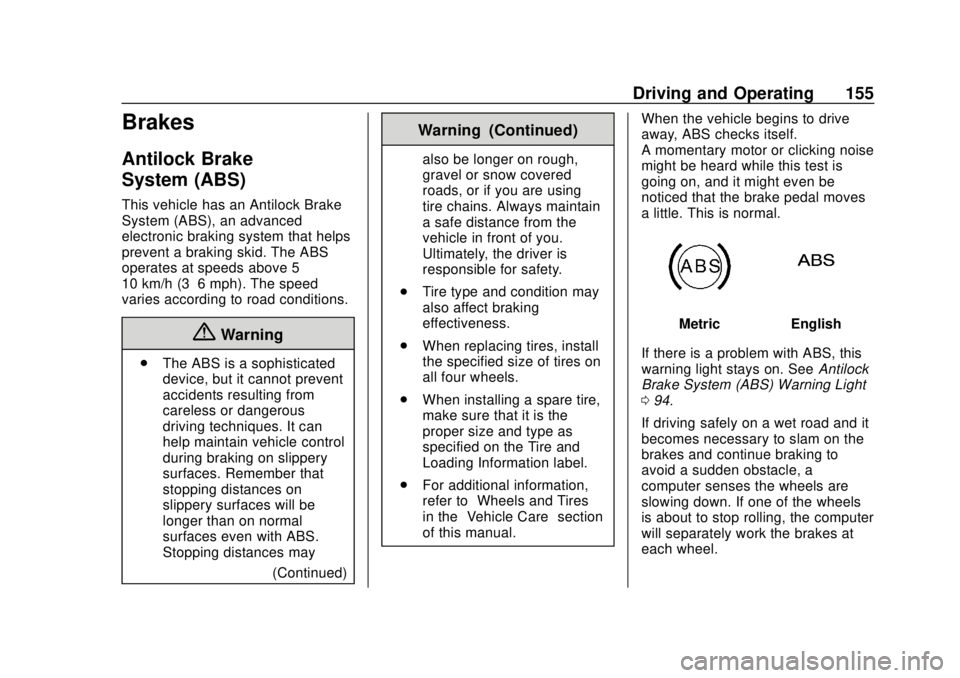
If there is a problem with ABS, this
warning light stays on. See Antilock
Brake System (ABS) Warning Light
0 94.
If driving safely on a wet road and it
becomes necessary to slam on the
brakes and continue braking to
avoid a sudden obstacle, a
computer senses the wheels are
slowing down. If one of the wheels
is about to stop rolling, the computer
will separately work the brakes at
each wheel.
Page 157 of 287
Chevrolet City Express Owner Manual (GMNA-Localizing-U.S./Canada-
11683523) - 2018 - CRC - 7/10/17
156 Driving and Operating
ABS can change the brake pressure
to each wheel, as required, faster
than any driver could. This can help
you steer around the obstacle while
braking hard.
As the brakes are applied, the
computer keeps receiving updates
on wheel speed and controls
braking pressure accordingly.
Remember: ABS does not change
the time needed to get a foot up to
the brake pedal or always decrease
stopping distance. If you get too
close to the vehicle in front of you,
there will not be enough time to
apply the brakes if that vehicle
suddenly slows or stops. Always
leave enough room up ahead to
stop, even with ABS.
Using ABS
Do not pump the brakes. Just hold
the brake pedal down firmly and let
ABS work. You may hear the ABS
pump or motor operating and feel
the brake pedal pulsate. This is
normal.
Braking in Emergencies
ABS allows you to steer and brake
at the same time. In many
emergencies, steering can help
more than even the very best
braking.
Brake Force Distribution
During braking while driving through
turns, the system optimizes the
distribution of force to each of the
four wheels depending on the radius
of the turn.
Parking Brake
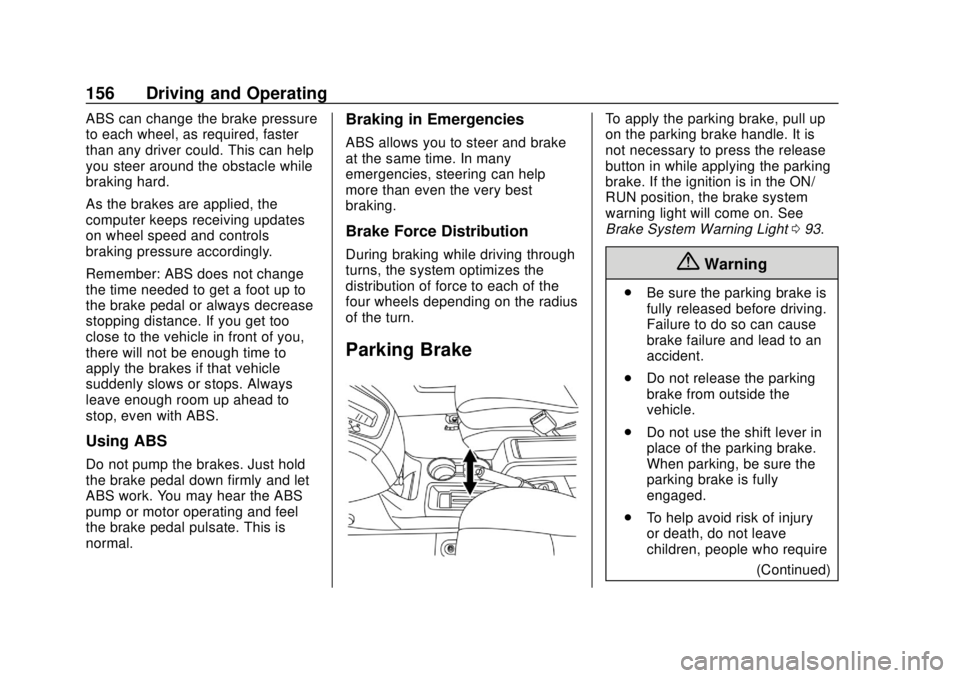
To apply the parking brake, pull up
on the parking brake handle. It is
not necessary to press the release
button in while applying the parking
brake. If the ignition is in the ON/
RUN position, the brake system
warning light will come on. See
Brake System Warning Light093.
{Warning
.
Be sure the parking brake is
fully released before driving.
Failure to do so can cause
brake failure and lead to an
accident.
. Do not release the parking
brake from outside the
vehicle.
. Do not use the shift lever in
place of the parking brake.
When parking, be sure the
parking brake is fully
engaged.
. To help avoid risk of injury
or death, do not leave
children, people who require
(Continued)
Page 158 of 287
Chevrolet City Express Owner Manual (GMNA-Localizing-U.S./Canada-
11683523) - 2018 - CRC - 7/10/17
Driving and Operating 157
Warning (Continued)
the assistance of others,
or pets unattended in your
vehicle. Additionally, the
temperature inside a closed
vehicle on a warm day can
quickly become high
enough to cause a
significant risk of injury or
death to people and pets.
To release the parking brake: 1. Shift the transmission to P (Park). Hold the brake
pedal down.
2. Pull the parking brake handle up until you can press the
release button.
3. Hold the release button in as you move the brake handle all
the way down.
Caution
Driving with the parking brake on
can overheat the brake system
and cause premature wear or
damage to brake system parts.
Make sure that the parking brake
is fully released and the brake
warning light is off before driving.
Parking Brake Break-in
Break-in the brake shoes whenever
the effect of the parking brake is
weakened or whenever the brake
shoes and/or drums are replaced, in
order to assure the best brake
performance. This procedure can be
performed at the dealer.
Hill Start Assist (HSA)
{Warning
. Never rely solely on the hill
start assist system to
prevent the vehicle from
(Continued)
Warning (Continued)
moving backward on a hill.
Always drive carefully and
attentively. Depress the
brake pedal when the
vehicle is stopped on a
steep hill. Be especially
careful when stopped on a
hill on frozen or muddy
roads. Failure to prevent the
vehicle from rolling
backwards may result in a
loss of control of the vehicle
and possible serious injury
or death.
. The hill start assist system
is not designed to hold the
vehicle at a standstill on a
hill. Depress the brake
pedal when the vehicle is
stopped on a steep hill.
Failure to do so may cause
the vehicle to roll backwards
and may result in a collision
or serious personal injury.
(Continued)
Page 160 of 287
Chevrolet City Express Owner Manual (GMNA-Localizing-U.S./Canada-
11683523) - 2018 - CRC - 7/10/17
Driving and Operating 159
.Control brake pressure at
individual wheels and engine
output to help the driver maintain
control of the vehicle in the
following conditions:
‐Understeer (vehicle tends to
not follow the steered path
despite increased steering
input)
‐ Oversteer (vehicle tends to
spin due to certain road or
driving conditions)
TCS and Electronic Stability Control
can help the driver to maintain
control of the vehicle, but cannot
prevent loss of vehicle control in all
driving situations.
When the TCS and Electronic
Stability Control systems operate,
the
dindicator in the instrument
cluster flashes to note the following:
. The road may be slippery or the
system may determine some
action is required to help keep
the vehicle on the steered path. .
You may feel a pulsation in the
brake pedal and hear a noise or
vibration from under the hood.
This is normal and indicates that
the traction control system is
working properly.
. Adjust your speed and driving to
the road conditions.
See Traction Control System (TCS)/
Electronic Stability Control Light
0 95 and Electronic Stability Control
(ESC) Off Light 096.
If a malfunction occurs in the
systems, the
dindicator comes on
in the instrument cluster. The TCS
and Electronic Stability Control
systems automatically turn off when
the indicator light is on.
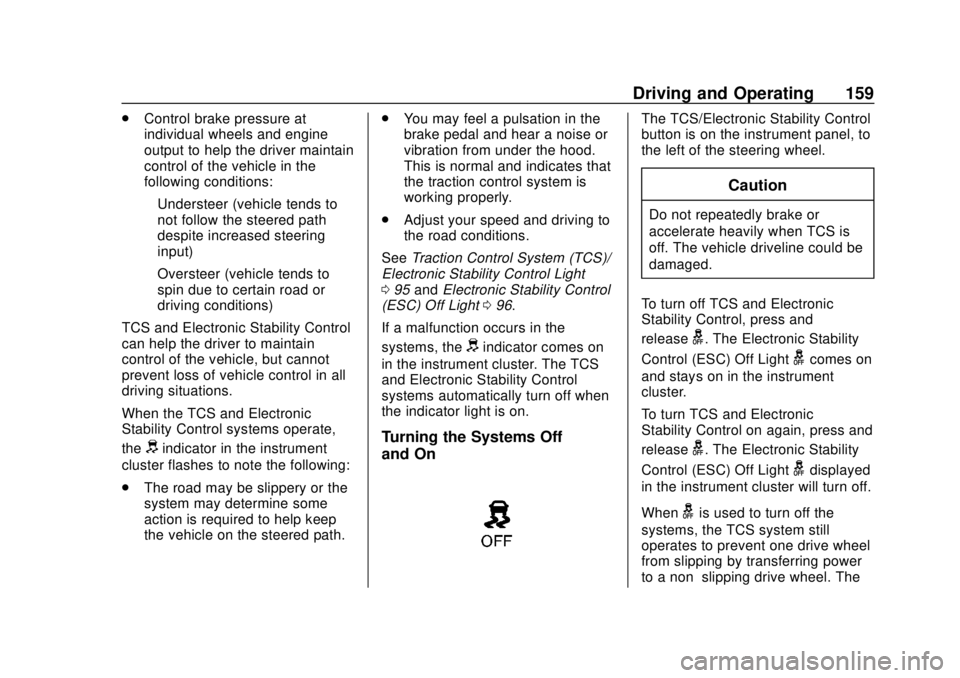
Turning the Systems Off
and On
The TCS/Electronic Stability Control
button is on the instrument panel, to
the left of the steering wheel.
Caution
Do not repeatedly brake or
accelerate heavily when TCS is
off. The vehicle driveline could be
damaged.
To turn off TCS and Electronic
Stability Control, press and
release
g. The Electronic Stability
Control (ESC) Off Light
gcomes on
and stays on in the instrument
cluster.
To turn TCS and Electronic
Stability Control on again, press and
release
g. The Electronic Stability
Control (ESC) Off Light
gdisplayed
in the instrument cluster will turn off.
When
gis used to turn off the
systems, the TCS system still
operates to prevent one drive wheel
from slipping by transferring power
to a non–slipping drive wheel. The
Page 161 of 287
Chevrolet City Express Owner Manual (GMNA-Localizing-U.S./Canada-
11683523) - 2018 - CRC - 7/10/17
160 Driving and Operating
dindicator flashes if this occurs. All
other functions are off and the
d
indicator will not flash.
The TCS and Electronic Stability
Control systems are automatically
reset to on when the ignition is
placed in the OFF position then
back to the ON position.
The systems have a built in
diagnostic feature that test the
systems each time the engine is
started and the vehicle moved
forward or in reverse at a slow
speed. When the test occurs a clunk
noise may be heard and/or a
pulsation in the brake pedal may be
felt. This is normal and is not an
indication of a malfunction.
Adding accessories can affect the
vehicle performance. See
Accessories and Modifications
0 178.
{Warning
.
The Traction Control
System (TCS) and
Electronic Stability Control
(ESC) system are designed
to help the driver maintain
stability but do not prevent
accidents due to abrupt
steering operation at high
speeds or by careless or
dangerous driving
techniques. Reduce vehicle
speed and be especially
careful when driving and
cornering on slippery
surfaces and always drive
carefully.
. Do not modify the vehicle’ s
suspension. If suspension
parts such as shock
absorbers, struts, springs,
stabilizer bars, bushings,
and wheels are not
recommended for your
vehicle or are extremely
deteriorated, the TCS and
(Continued)
Warning (Continued)
ESC systems may not
operate properly. This could
adversely affect vehicle
handling performance, and
the
dindicator may flash or
the
dindicator light may
illuminate.
. If brake related parts such
as brake pads, rotors, and
calipers are not
recommended or are
extremely deteriorated, the
TCS and ESC systems may
not operate properly and the
dindicator light may
illuminate.
. If engine control related
parts are not recommended
or are extremely
deteriorated, the
dindicator
light may illuminate.
. When driving on extremely
inclined surfaces such as
higher banked corners, the
(Continued)
Page 162 of 287
Chevrolet City Express Owner Manual (GMNA-Localizing-U.S./Canada-
11683523) - 2018 - CRC - 7/10/17
Driving and Operating 161
Warning (Continued)
TCS and ESC systems may
not operate properly and
the
dindicator may flash or
the
dindicator light may
illuminate. Do not drive on
these types of roads.
. When driving on an
unstable surface such as a
turntable, ferry, elevator,
or ramp, the
dindicator
may flash or the
dindicator
light may illuminate. This is
not a malfunction. Restart
the engine after driving onto
a stable surface.
(Continued)
Warning (Continued)
.If wheels or tires other than
the recommended ones are
used, the TCS and ESC
systems may not operate
properly and the
dindicator
may flash or the
dindicator
light may illuminate.
. The TCS and ESC systems
are not a substitute for
winter tires or tire chains on
a snow covered road.
Cruise Control
{Warning
Cruise control can be dangerous
where you cannot drive safely at
a steady speed. Do not use
cruise control on winding roads or
in heavy traffic.
Cruise control can be dangerous
on slippery roads. On such roads,
fast changes in tire traction can
cause excessive wheel slip, and
you could lose control. Do not use
cruise control on slippery roads.
If equipped with cruise control, a
speed of about 48 km/h (30 mph) or
more can be maintained without
keeping your foot on the
accelerator. Cruise control does not
work at speeds below about
48 km/h (30 mph).
If the brakes are applied, cruise
control disengages.
Page 164 of 287
Chevrolet City Express Owner Manual (GMNA-Localizing-U.S./Canada-
11683523) - 2018 - CRC - 7/10/17
Driving and Operating 163
Reducing Speed While Using
Cruise Control
If the cruise control system is
already activated:
.Press and hold COAST/SET
until the desired lower speed is
reached, then release it.
. To decrease the vehicle speed in
small increments, briefly press
COAST/SET. For each press,
the vehicle goes about 1.6 km/h
(1 mph) slower.
Passing Another Vehicle While
Using Cruise Control
Use the accelerator pedal to
increase the vehicle speed. When
you take your foot off the pedal, the
vehicle will slow down to the
previous set cruise speed. While
pressing the accelerator pedal or
shortly following the release to
override cruise control, briefly
pressing COAST/SET will result in
cruise set to the current vehicle
speed. Ending Cruise Control
There are four ways to end cruise
control:
.
Step lightly on the brake pedal.
. Press CANCEL.
. Shift the transmission to
N (Neutral).
. To turn off cruise control, press
CRUISE ON/OFF.
Erasing Speed Memory
The cruise control set speed is
erased from memory if CRUISE ON/
OFF is pressed or if the vehicle is
turned off.Driver Assistance
Systems
Rear Vision
Camera (RVC)
If equipped, when the shift lever is
shifted into R (Reverse), the display
shows the view to the rear of the
vehicle.
{Warning
. Failure to follow the
warnings and instructions
for proper use of the Rear
Vision Camera (RVC) could
result in serious injury or
death.
. The RVC is a convenience
but it is not a substitute for
proper backing. Always turn
and look out the windows,
and check mirrors to be
sure that it is safe to move
before operating the vehicle.
Always back up slowly.
(Continued)
Page 169 of 287
Chevrolet City Express Owner Manual (GMNA-Localizing-U.S./Canada-
11683523) - 2018 - CRC - 7/10/17
168 Driving and Operating
5. PressBagain to access
the Auto settings.
6. Turn TUNE/FOLDER to adjust the setting up or down.
Do not adjust the display settings of
the RVC while the vehicle is
moving.
Operating Tips
Caution
.Do not use alcohol, benzine
or thinner to clean the
camera. This will cause
discoloration. To clean the
camera, wipe with a cloth
dampened with a diluted
mild cleaning agent and
then wipe with a dry cloth.
. Do not damage the camera
as the monitor screen may
be adversely affected. .
When the shift lever is shifted to
R (Reverse), the screen
automatically changes to the
RVC mode. However, the radio
can be heard.
. It may take some time until the
RVC is displayed after the shift
lever has been shifted to
R (Reverse). Objects may be
distorted momentarily until the
RVC screen is displayed
completely. When the shift lever
is returned to a position other
than R (Reverse), it may take
some time until the screen
changes. Objects on the screen
may be distorted until they are
completely displayed.
. When the temperature is
extremely high or low, the
screen may not clearly display
objects. This is not a
malfunction.
. When strong light directly enters
the camera, objects may not be
displayed clearly. .
Vertical lines may be seen in
objects on the screen. This is
due to strong reflected light from
the bumper. This is not a
malfunction.
. The screen may flicker under
fluorescent light. This is not a
malfunction.
. The colors of objects on the
display may differ somewhat
from those of the actual object.
. When the contrast of objects is
low at night, pressing the
SETTING button or MENU
button may not change the
brightness.
. Objects on the display may not
be clear in a dark place or at
night.
. If dirt, rain or snow attaches to
the camera, the RVC may not
display objects. Clean the
camera.
. Do not use body wax on the
camera window. If body wax
does get on the camera window,
Page 171 of 287

Chevrolet City Express Owner Manual (GMNA-Localizing-U.S./Canada-
11683523) - 2018 - CRC - 7/10/17
170 Driving and Operating
driver to turn the RPA on and off. To
turn the RPA off, the ignition switch
must be placed in ON. An indicator
light on the switch will illuminate
when the system is turned off. If the
indicator light illuminates when the
RPA is not turned off, it may indicate
a malfunction in the RPA.
Keep the RPA sensors, located on
the rear bumper, free from snow,
ice, and large accumulations of dirt.
Do not clean the sensors with sharp
objects. If the sensors are covered,
it will affect the accuracy of
the RPA.Fuel
GM recommends the use of TOP
TIER detergent gasoline to keep the
engine cleaner and reduce engine
deposits. See www.toptiergas.com
for a list of TOP TIER detergent
gasoline marketers and applicable
countries.
Use regular unleaded gasoline
meeting ASTM specification D4814
with a posted octane rating of 87 or
higher. Do not use gasoline with an
octane rating below 87, as it may
cause engine damage and will lower
fuel economy.Use of Seasonal Fuels
Use summer and winter fuels in the
appropriate season. The fuels
industry automatically modifies the
fuel for the appropriate season.
If fuel is left in the vehicle tank for
long periods of time, driving or
starting could be affected. Drive the
vehicle until the fuel is at one-half
tank or less, then refuel with the
current seasonal fuel.
Prohibited Fuels
Gasolines containing oxygenates
such as ethers and ethanol, as well
as reformulated gasolines, are
available in some cities. If these
gasolines comply with the
previously described specification,
then they are acceptable to use.{Warning
.
Using a fuel other than what
is specified could adversely
affect the emission control
system, and may also affect
the warranty coverage.
(Continued)