tire pressure CHEVROLET CITY EXPRESS 2018 Owner's Manual
[x] Cancel search | Manufacturer: CHEVROLET, Model Year: 2018, Model line: CITY EXPRESS, Model: CHEVROLET CITY EXPRESS 2018Pages: 287, PDF Size: 4.19 MB
Page 5 of 287
Chevrolet City Express Owner Manual (GMNA-Localizing-U.S./Canada-
11683523) - 2018 - CRC - 7/11/17
4 Introduction
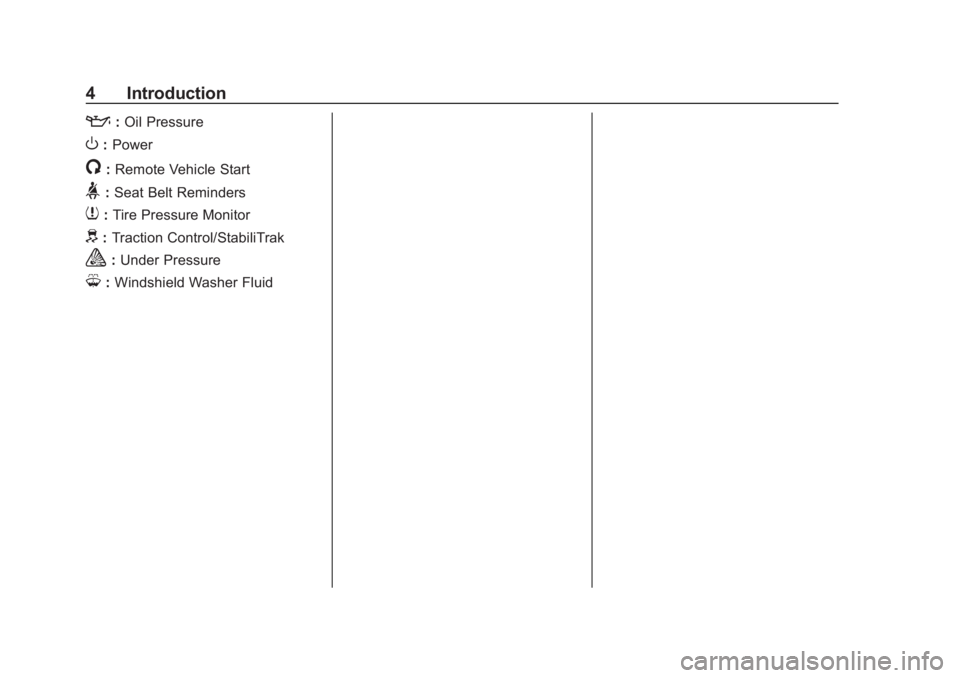
::Oil Pressure
O:Power
/:Remote Vehicle Start
>:Seat Belt Reminders
7: Tire Pressure Monitor
d:Traction Control/StabiliTrak
a:Under Pressure
M: Windshield Washer Fluid
Page 6 of 287
Chevrolet City Express Owner Manual (GMNA-Localizing-U.S./Canada-
11683523) - 2018 - CRC - 7/10/17
In Brief 5
In Brief
Instrument Panel
Instrument Panel . . . . . . . . . . . . . . . . 6
Initial Drive Information
Initial Drive Information . . . . . . . . . . 7
Remote Keyless Entry (RKE)System . . . . . . . . . . . . . . . . . . . . . . . . 7
Door Locks . . . . . . . . . . . . . . . . . . . . . 8
Windows . . . . . . . . . . . . . . . . . . . . . . . . 9
Seat Adjustment . . . . . . . . . . . . . . . . 9
Head Restraint Adjustment . . . . 11
Seat Belts . . . . . . . . . . . . . . . . . . . . . 12
Passenger Sensing System . . . 12
Mirror Adjustment . . . . . . . . . . . . . . 12
Interior Lighting . . . . . . . . . . . . . . . . 13
Exterior Lighting . . . . . . . . . . . . . . . 14
Windshield Wiper/Washer . . . . . . 14
Climate Controls . . . . . . . . . . . . . . . 14
Vehicle Features
Infotainment System . . . . . . . . . . . 15
Radio(s) . . . . . . . . . . . . . . . . . . . . . . . 15
Portable Audio Devices . . . . . . . . 16
Bluetooth
®. . . . . . . . . . . . . . . . . . . . . 16
Steering Wheel Controls . . . . . . . 16
Cruise Control . . . . . . . . . . . . . . . . . 17
Trip Computer . . . . . . . . . . . . . . . . . 17 Rear Vision Camera (RVC) . . . . 18
Parking Assist . . . . . . . . . . . . . . . . . 18
Power Outlets . . . . . . . . . . . . . . . . . 18
Performance and Maintenance
Traction Control/Electronic
Stability Control . . . . . . . . . . . . . . 18
Tire Pressure Monitor . . . . . . . . . . 19
Fuel . . . . . . . . . . . . . . . . . . . . . . . . . . . 19
E85 or FlexFuel . . . . . . . . . . . . . . . . 19
Driving for Better Fuel Economy . . . . . . . . . . . . . . . . . . . . . 19
Roadside Assistance Program . . . . . . . . . . . . . . . . . . . . . . 20
Page 20 of 287
Chevrolet City Express Owner Manual (GMNA-Localizing-U.S./Canada-
11683523) - 2018 - CRC - 7/10/17
In Brief 19
SeeTraction Control/Electronic
Stability Control 0158.
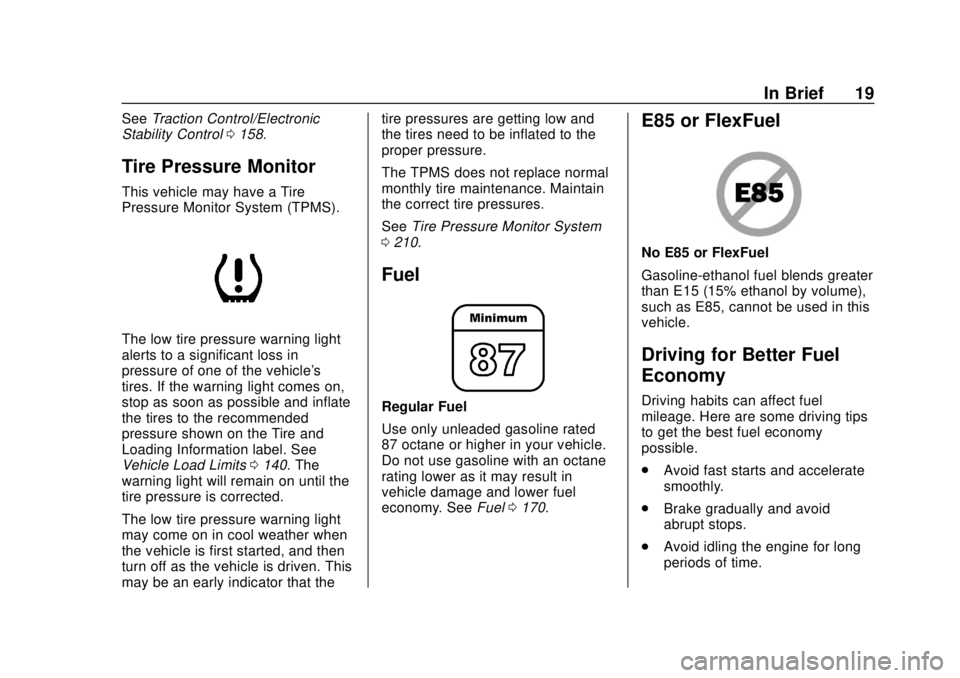
Tire Pressure Monitor
This vehicle may have a Tire
Pressure Monitor System (TPMS).
The low tire pressure warning light
alerts to a significant loss in
pressure of one of the vehicle's
tires. If the warning light comes on,
stop as soon as possible and inflate
the tires to the recommended
pressure shown on the Tire and
Loading Information label. See
Vehicle Load Limits 0140. The
warning light will remain on until the
tire pressure is corrected.
The low tire pressure warning light
may come on in cool weather when
the vehicle is first started, and then
turn off as the vehicle is driven. This
may be an early indicator that the tire pressures are getting low and
the tires need to be inflated to the
proper pressure.
The TPMS does not replace normal
monthly tire maintenance. Maintain
the correct tire pressures.
See
Tire Pressure Monitor System
0 210.
Fuel
Regular Fuel
Use only unleaded gasoline rated
87 octane or higher in your vehicle.
Do not use gasoline with an octane
rating lower as it may result in
vehicle damage and lower fuel
economy. See Fuel0170.
E85 or FlexFuel
No E85 or FlexFuel
Gasoline-ethanol fuel blends greater
than E15 (15% ethanol by volume),
such as E85, cannot be used in this
vehicle.
Driving for Better Fuel
Economy
Driving habits can affect fuel
mileage. Here are some driving tips
to get the best fuel economy
possible.
.
Avoid fast starts and accelerate
smoothly.
. Brake gradually and avoid
abrupt stops.
. Avoid idling the engine for long
periods of time.
Page 82 of 287
Chevrolet City Express Owner Manual (GMNA-Localizing-U.S./Canada-
11683523) - 2018 - CRC - 7/10/17
Instruments and Controls 81
Instruments and
Controls
Controls
Steering Wheel Controls . . . . . . . 82
Horn . . . . . . . . . . . . . . . . . . . . . . . . . . . 83
Windshield Wiper/Washer . . . . . . 83
Clock . . . . . . . . . . . . . . . . . . . . . . . . . . 83
Power Outlets . . . . . . . . . . . . . . . . . 84
Cigarette Lighter . . . . . . . . . . . . . . . 85
Ashtrays . . . . . . . . . . . . . . . . . . . . . . . 85
Warning Lights, Gauges, and
Indicators
Warning Lights, Gauges, andIndicators . . . . . . . . . . . . . . . . . . . . 86
Instrument Cluster . . . . . . . . . . . . . 87
Speedometer . . . . . . . . . . . . . . . . . . 88
Odometer . . . . . . . . . . . . . . . . . . . . . . 88
Trip Odometer . . . . . . . . . . . . . . . . . 88
Tachometer . . . . . . . . . . . . . . . . . . . . 88
Fuel Gauge . . . . . . . . . . . . . . . . . . . . 88
Seat Belt Reminders . . . . . . . . . . . 89
Airbag Readiness Light . . . . . . . . 89
Passenger Airbag Status Indicator . . . . . . . . . . . . . . . . . . . . . . 90
Charging System Light . . . . . . . . . 91 Malfunction Indicator Lamp
(Check Engine Light) . . . . . . . . . 91
Brake System Warning Light . . . 93
Antilock Brake System (ABS) Warning Light . . . . . . . . . . . . . . . . 94
Overdrive Off Light . . . . . . . . . . . . . 94
Power Steering Warning Light . . . . . . . . . . . . . . . . . . . . . . . . . 95
Traction Control System (TCS)/ Electronic Stability Control
Light . . . . . . . . . . . . . . . . . . . . . . . . . 95
Electronic Stability Control (ESC) Off Light . . . . . . . . . . . . . . . 96
Engine Coolant Temperature Warning Light . . . . . . . . . . . . . . . . 96
Tire Pressure Light . . . . . . . . . . . . 96
Engine Oil Pressure Light . . . . . . 97
Low Fuel Warning Light . . . . . . . . 97
Security Light . . . . . . . . . . . . . . . . . . 97
High-Beam On Light . . . . . . . . . . . 98
Low Washer Fluid Warning Light . . . . . . . . . . . . . . . . . . . . . . . . . 98
Cruise Control Light . . . . . . . . . . . 98
Door Ajar Light . . . . . . . . . . . . . . . . 98
Vehicle Messages
Fuel System Messages . . . . . . . . 99
Tire Messages . . . . . . . . . . . . . . . . . 99
Trip Computer
Trip Computer . . . . . . . . . . . . . . . . . 99
Vehicle Personalization
Vehicle Personalization (Radio with Touchscreen Only) . . . . . 100
Page 97 of 287
Chevrolet City Express Owner Manual (GMNA-Localizing-U.S./Canada-
11683523) - 2018 - CRC - 7/10/17
96 Instruments and Controls
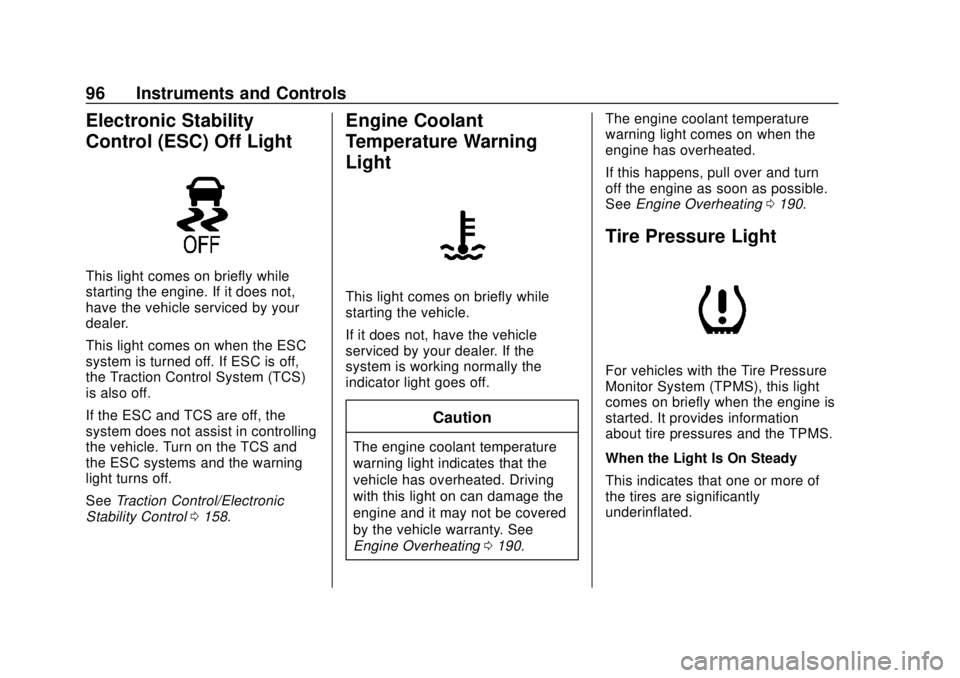
Electronic Stability
Control (ESC) Off Light
This light comes on briefly while
starting the engine. If it does not,
have the vehicle serviced by your
dealer.
This light comes on when the ESC
system is turned off. If ESC is off,
the Traction Control System (TCS)
is also off.
If the ESC and TCS are off, the
system does not assist in controlling
the vehicle. Turn on the TCS and
the ESC systems and the warning
light turns off.
SeeTraction Control/Electronic
Stability Control 0158.
Engine Coolant
Temperature Warning
Light
This light comes on briefly while
starting the vehicle.
If it does not, have the vehicle
serviced by your dealer. If the
system is working normally the
indicator light goes off.
Caution
The engine coolant temperature
warning light indicates that the
vehicle has overheated. Driving
with this light on can damage the
engine and it may not be covered
by the vehicle warranty. See
Engine Overheating 0190. The engine coolant temperature
warning light comes on when the
engine has overheated.
If this happens, pull over and turn
off the engine as soon as possible.
See
Engine Overheating 0190.
Tire Pressure Light
For vehicles with the Tire Pressure
Monitor System (TPMS), this light
comes on briefly when the engine is
started. It provides information
about tire pressures and the TPMS.
When the Light Is On Steady
This indicates that one or more of
the tires are significantly
underinflated.
Page 98 of 287
Chevrolet City Express Owner Manual (GMNA-Localizing-U.S./Canada-
11683523) - 2018 - CRC - 7/10/17
Instruments and Controls 97
Stop as soon as possible, and
inflate the tires to the pressure value
shown on the Tire and Loading
Information label. SeeTire Pressure
0 208.
When the Light Flashes First and
Then Is On Steady
If the light flashes for about a minute
and then stays on, there may be a
problem with the TPMS. If the
problem is not corrected, the light
will come on at every ignition cycle.
See Tire Pressure Monitor
Operation 0211.
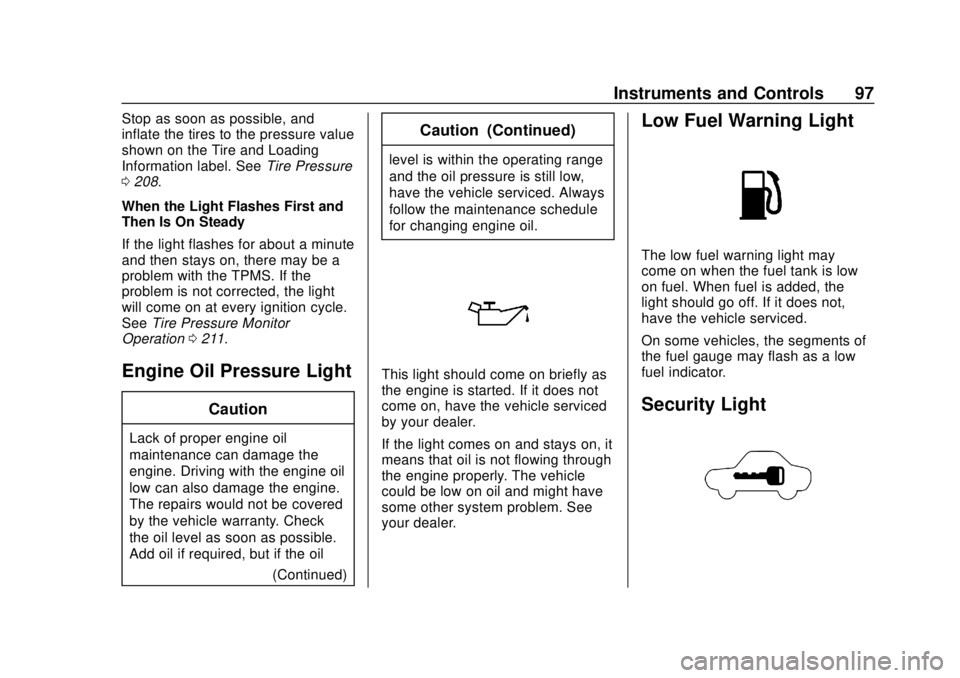
Engine Oil Pressure Light
Caution
Lack of proper engine oil
maintenance can damage the
engine. Driving with the engine oil
low can also damage the engine.
The repairs would not be covered
by the vehicle warranty. Check
the oil level as soon as possible.
Add oil if required, but if the oil
(Continued)
Caution (Continued)
level is within the operating range
and the oil pressure is still low,
have the vehicle serviced. Always
follow the maintenance schedule
for changing engine oil.
This light should come on briefly as
the engine is started. If it does not
come on, have the vehicle serviced
by your dealer.
If the light comes on and stays on, it
means that oil is not flowing through
the engine properly. The vehicle
could be low on oil and might have
some other system problem. See
your dealer.
Low Fuel Warning Light
The low fuel warning light may
come on when the fuel tank is low
on fuel. When fuel is added, the
light should go off. If it does not,
have the vehicle serviced.
On some vehicles, the segments of
the fuel gauge may flash as a low
fuel indicator.
Security Light
Page 100 of 287
Chevrolet City Express Owner Manual (GMNA-Localizing-U.S./Canada-
11683523) - 2018 - CRC - 7/10/17
Instruments and Controls 99
Vehicle Messages
Fuel System Messages
LOOSE FUEL CAP
This message displays when the
fuel cap is not on tight. Tighten the
fuel cap, then press and hold the
trip odometer reset stem to reset the
message.
Tire Messages
CHECK TIRE PRES (Pressure)
If the vehicle has the Tire Pressure
Monitor System (TPMS), this
message displays when the
pressure in one or more of the tires
is low. The low tire pressure warning
light will also come on. SeeTire
Pressure Light 096. If a tire
pressure message appears, stop as
soon as you can. Have the tire
pressures checked and set to those
shown on the Tire and Loading
Information label. See Tires0200,
Vehicle Load Limits 0140, and Tire
Pressure 0208.
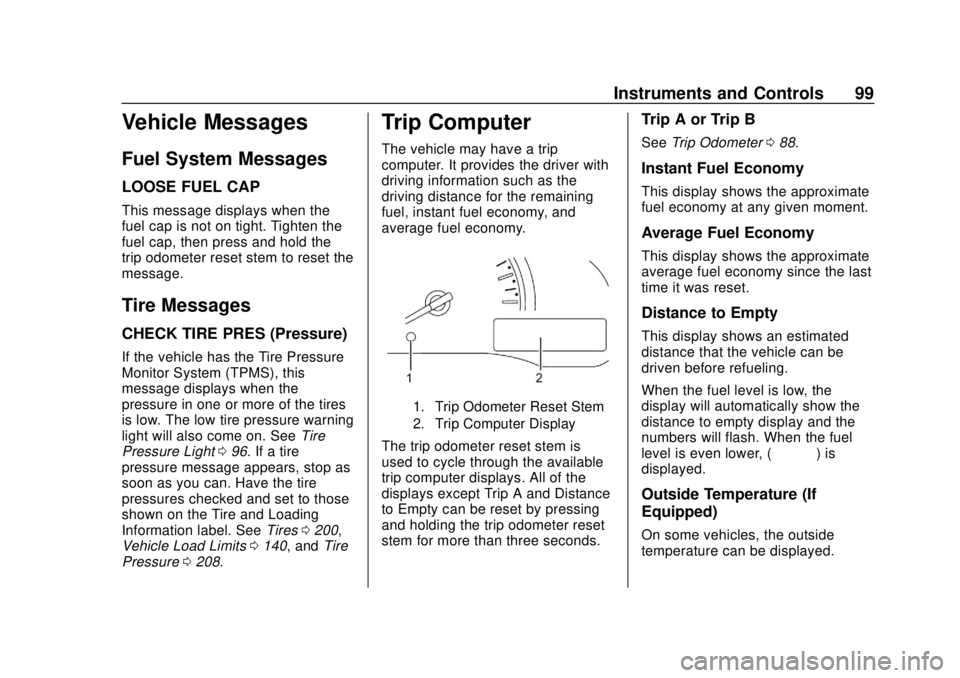
Trip Computer
The vehicle may have a trip
computer. It provides the driver with
driving information such as the
driving distance for the remaining
fuel, instant fuel economy, and
average fuel economy.
1. Trip Odometer Reset Stem
2. Trip Computer Display
The trip odometer reset stem is
used to cycle through the available
trip computer displays. All of the
displays except Trip A and Distance
to Empty can be reset by pressing
and holding the trip odometer reset
stem for more than three seconds.
Trip A or Trip B
See Trip Odometer 088.
Instant Fuel Economy
This display shows the approximate
fuel economy at any given moment.
Average Fuel Economy
This display shows the approximate
average fuel economy since the last
time it was reset.
Distance to Empty
This display shows an estimated
distance that the vehicle can be
driven before refueling.
When the fuel level is low, the
display will automatically show the
distance to empty display and the
numbers will flash. When the fuel
level is even lower, (– – – –) is
displayed.
Outside Temperature (If
Equipped)
On some vehicles, the outside
temperature can be displayed.
Page 142 of 287
Chevrolet City Express Owner Manual (GMNA-Localizing-U.S./Canada-
11683523) - 2018 - CRC - 7/10/17
Driving and Operating 141
{Warning
Do not load the vehicle any
heavier than the Gross
Vehicle Weight Rating
(GVWR), or either the
maximum front or rear Gross
Axle Weight Rating (GAWR).
This can cause systems to
break and change the way the
vehicle handles. This could
cause loss of control and a
crash. Overloading can also
reduce stopping distance,
damage the tires, and shorten
the life of the vehicle. Tire and Loading Information
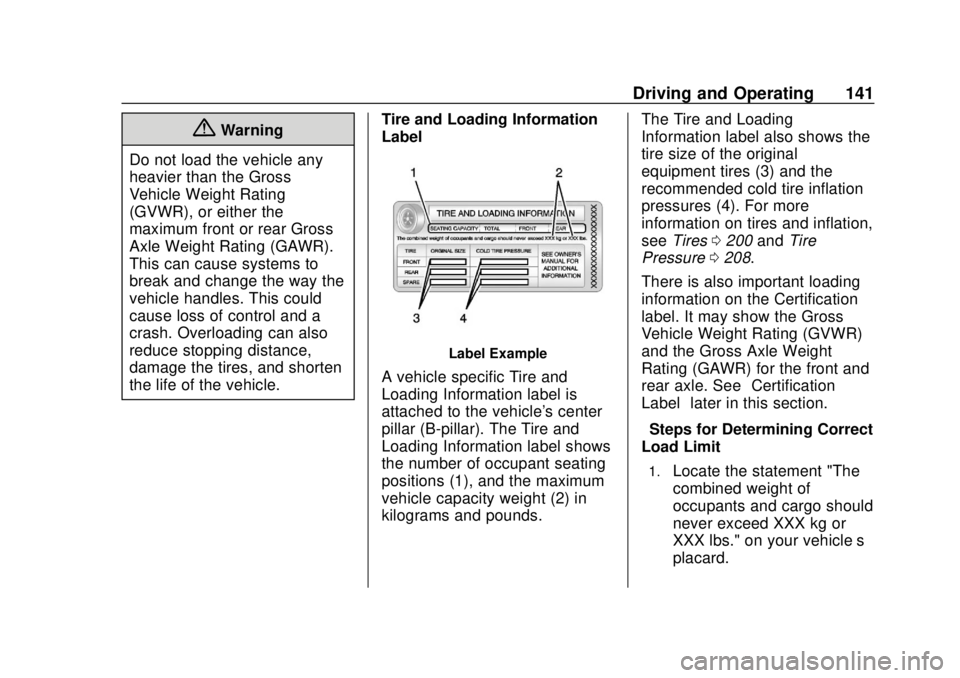
Label
Label Example
A vehicle specific Tire and
Loading Information label is
attached to the vehicle's center
pillar (B-pillar). The Tire and
Loading Information label shows
the number of occupant seating
positions (1), and the maximum
vehicle capacity weight (2) in
kilograms and pounds. The Tire and Loading
Information label also shows the
tire size of the original
equipment tires (3) and the
recommended cold tire inflation
pressures (4). For more
information on tires and inflation,
see
Tires 0200 andTire
Pressure 0208.
There is also important loading
information on the Certification
label. It may show the Gross
Vehicle Weight Rating (GVWR)
and the Gross Axle Weight
Rating (GAWR) for the front and
rear axle. See “Certification
Label” later in this section.
“Steps for Determining Correct
Load Limit–
1.Locate the statement "The
combined weight of
occupants and cargo should
never exceed XXX kg or
XXX lbs." on your vehicle’s
placard.
Page 144 of 287
Chevrolet City Express Owner Manual (GMNA-Localizing-U.S./Canada-
11683523) - 2018 - CRC - 7/10/17
Driving and Operating 143
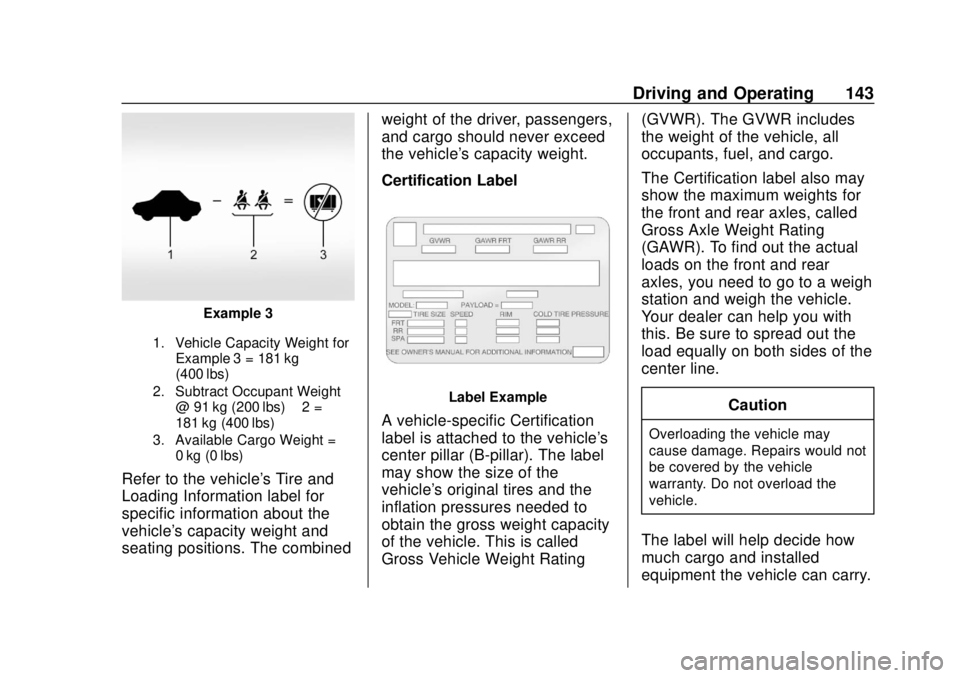
Example 3
1. Vehicle Capacity Weight forExample 3 = 181 kg
(400 lbs)
2. Subtract Occupant Weight @ 91 kg (200 lbs) × 2 =
181 kg (400 lbs)
3. Available Cargo Weight = 0 kg (0 lbs)
Refer to the vehicle's Tire and
Loading Information label for
specific information about the
vehicle's capacity weight and
seating positions. The combined weight of the driver, passengers,
and cargo should never exceed
the vehicle's capacity weight.
Certification Label
Label Example
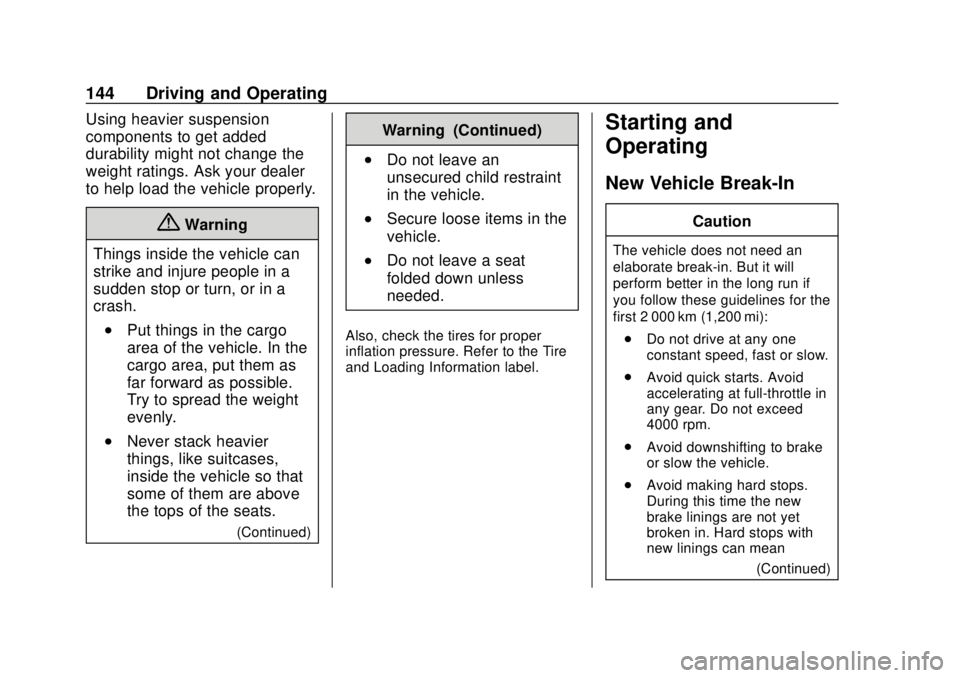
A vehicle-specific Certification
label is attached to the vehicle's
center pillar (B-pillar). The label
may show the size of the
vehicle's original tires and the
inflation pressures needed to
obtain the gross weight capacity
of the vehicle. This is called
Gross Vehicle Weight Rating(GVWR). The GVWR includes
the weight of the vehicle, all
occupants, fuel, and cargo.
The Certification label also may
show the maximum weights for
the front and rear axles, called
Gross Axle Weight Rating
(GAWR). To find out the actual
loads on the front and rear
axles, you need to go to a weigh
station and weigh the vehicle.
Your dealer can help you with
this. Be sure to spread out the
load equally on both sides of the
center line.
CautionOverloading the vehicle may
cause damage. Repairs would not
be covered by the vehicle
warranty. Do not overload the
vehicle.
The label will help decide how
much cargo and installed
equipment the vehicle can carry.
Page 145 of 287
Chevrolet City Express Owner Manual (GMNA-Localizing-U.S./Canada-
11683523) - 2018 - CRC - 7/10/17
144 Driving and Operating
Using heavier suspension
components to get added
durability might not change the
weight ratings. Ask your dealer
to help load the vehicle properly.
{Warning
Things inside the vehicle can
strike and injure people in a
sudden stop or turn, or in a
crash.
.Put things in the cargo
area of the vehicle. In the
cargo area, put them as
far forward as possible.
Try to spread the weight
evenly.
.Never stack heavier
things, like suitcases,
inside the vehicle so that
some of them are above
the tops of the seats.
(Continued)
Warning (Continued)
.Do not leave an
unsecured child restraint
in the vehicle.
.Secure loose items in the
vehicle.
.Do not leave a seat
folded down unless
needed.
Also, check the tires for proper
inflation pressure. Refer to the Tire
and Loading Information label.
Starting and
Operating
New Vehicle Break-In
Caution
The vehicle does not need an
elaborate break-in. But it will
perform better in the long run if
you follow these guidelines for the
first 2 000 km (1,200 mi): . Do not drive at any one
constant speed, fast or slow.
. Avoid quick starts. Avoid
accelerating at full-throttle in
any gear. Do not exceed
4000 rpm.
. Avoid downshifting to brake
or slow the vehicle.
. Avoid making hard stops.
During this time the new
brake linings are not yet
broken in. Hard stops with
new linings can mean
(Continued)