lock CHEVROLET CLASSIC 2004 Owner's Guide
[x] Cancel search | Manufacturer: CHEVROLET, Model Year: 2004, Model line: CLASSIC, Model: CHEVROLET CLASSIC 2004Pages: 348, PDF Size: 5.32 MB
Page 117 of 348
Interior Lamps
Instrument Panel Brightness
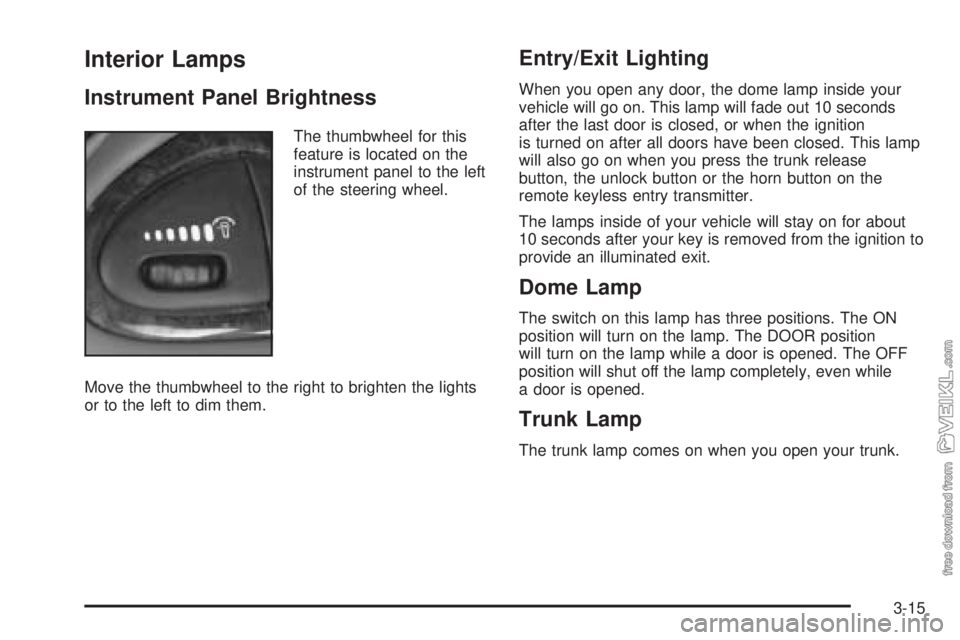
The thumbwheel for this
feature is located on the
instrument panel to the left
of the steering wheel.
Move the thumbwheel to the right to brighten the lights
or to the left to dim them.
Entry/Exit Lighting
When you open any door, the dome lamp inside your
vehicle will go on. This lamp will fade out 10 seconds
after the last door is closed, or when the ignition
is turned on after all doors have been closed. This lamp
will also go on when you press the trunk release
button, the unlock button or the horn button on the
remote keyless entry transmitter.
The lamps inside of your vehicle will stay on for about
10 seconds after your key is removed from the ignition to
provide an illuminated exit.
Dome Lamp
The switch on this lamp has three positions. The ON
position will turn on the lamp. The DOOR position
will turn on the lamp while a door is opened. The OFF
position will shut off the lamp completely, even while
a door is opened.
Trunk Lamp
The trunk lamp comes on when you open your trunk.
3-15
Page 118 of 348
Battery Run-Down Protection
Your vehicle has a battery run-down protection feature
designed to protect your vehicle’s battery.
When any interior lamp (trunk, reading, footwell, visor
vanity or glove box) is left on when the ignition is turned
off, the battery run-down protection system will
automatically shut the lamp(s) off after 20 minutes. This
will avoid draining the battery.
To reactivate the interior lamps, do one of the following:
•Turn on the ignition,
•turn the exterior lamp control off and then on,
•open a door,
•press any remote keyless entry transmitter button
(if equipped),
•press the remote trunk release button, or
•press the power door lock switch.
The battery run-down feature will also be activated
when any door on the vehicle is left open and the
ignition is in OFF.
Accessory Power Outlets
With accessory power outlets you can plug in auxiliary
electrical equipment such as a cellular telephone or
CB radio.
The accessory power outlet is located to the right of the
ashtray.
Notice:Leaving electrical equipment on for
extended periods will drain the battery. Always turn
off electrical equipment when not in use and do
not plug in equipment that exceeds the maximum
amperage rating.
Certain electrical accessories may not be compatible
with the accessory power outlet and could result
in blown vehicle or adapter fuses. If you experience a
problem see your dealer for additional information
on accessory power outlets.
3-16
Page 120 of 348
Climate Controls
Climate Control System
With this system you can control the heating, cooling
and ventilation for your vehicle.
Operation
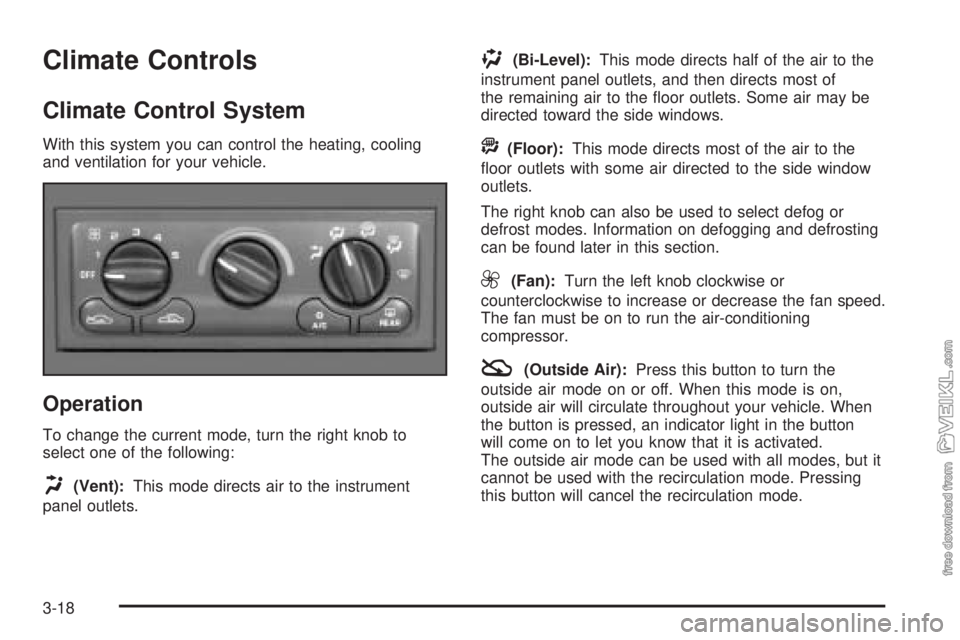
To change the current mode, turn the right knob to
select one of the following:
H(Vent):This mode directs air to the instrument
panel outlets.
)(Bi-Level):This mode directs half of the air to the
instrument panel outlets, and then directs most of
the remaining air to the floor outlets. Some air may be
directed toward the side windows.
A(Floor):This mode directs most of the air to the
floor outlets with some air directed to the side window
outlets.
The right knob can also be used to select defog or
defrost modes. Information on defogging and defrosting
can be found later in this section.
9(Fan):Turn the left knob clockwise or
counterclockwise to increase or decrease the fan speed.
The fan must be on to run the air-conditioning
compressor.
:(Outside Air):Press this button to turn the
outside air mode on or off. When this mode is on,
outside air will circulate throughout your vehicle. When
the button is pressed, an indicator light in the button
will come on to let you know that it is activated.
The outside air mode can be used with all modes, but it
cannot be used with the recirculation mode. Pressing
this button will cancel the recirculation mode.
3-18
Page 121 of 348
?(Recirculation):This mode keeps outside air from
coming in the vehicle. It can be used to prevent outside
air and odors from entering your vehicle or to help heat or
cool the air inside your vehicle more quickly. Press this
button to turn the recirculation mode on or off. When the
button is pressed, an indicator light in the button will come
on to let you know that it is activated. The air-conditioning
compressor comes on. The recirculation mode can be
used with vent, bi-level, or floor modes, but it cannot be
used with the defog or defrost modes. Pressing this
button will cancel the outside air mode. When you switch
to the defog or defrost modes the system will
automatically move from recirculation to outside air.
When you move the mode knob back to another mode,
the system will move back into recirculation. When the
car is turned off and back on the system will default to
outside air automatically.
Temperature Control:Turn the center knob clockwise
or counterclockwise to increase or decrease the
temperature inside your vehicle.
When it’s cold outside 0°F (−18°C) or lower, use the
engine coolant heater, if equipped, to provide warmer air
faster to your vehicle. An engine coolant heater warms
the coolant that the engine uses to provide heat to
warm the inside of your vehicle. For more information,
seeEngine Coolant Heater on page 2-19.#A/C (Air Conditioning):Press this button to turn
the air-conditioning system on or off. When A/C is
pressed, an indicator light in the button will come on to
let you know that air conditioning is activated.
On hot days, open the windows to let hot inside air
escape; then close them. This helps to reduce the time
it takes for your vehicle to cool down. It also helps
the system to operate more efficiently.
For quick cool down on hot days, do the following:
1. Select the vent mode.
2. Select the highest fan speed.
3. Select A/C.
4. Select the recirculation mode.
5. Select the coolest temperature.
Using these settings together for long periods of time
may cause the air inside of your vehicle to become too
dry. To prevent this from happening, after the air in
your vehicle has cooled, turn the recirculation mode off.
The air-conditioning system removes moisture from
the air, so you may sometimes notice a small amount of
water dripping underneath your vehicle while idling or
after turning off the engine. This is normal.
3-19
Page 123 of 348
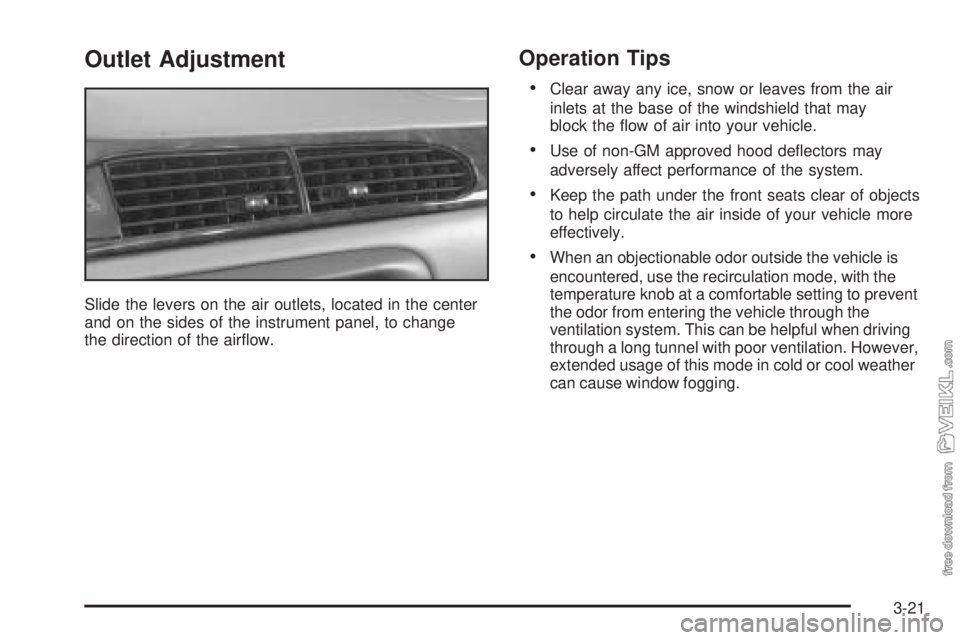
Outlet Adjustment
Slide the levers on the air outlets, located in the center
and on the sides of the instrument panel, to change
the direction of the airflow.
Operation Tips
•Clear away any ice, snow or leaves from the air
inlets at the base of the windshield that may
block the flow of air into your vehicle.
•Use of non-GM approved hood deflectors may
adversely affect performance of the system.
•Keep the path under the front seats clear of objects
to help circulate the air inside of your vehicle more
effectively.
•When an objectionable odor outside the vehicle is
encountered, use the recirculation mode, with the
temperature knob at a comfortable setting to prevent
the odor from entering the vehicle through the
ventilation system. This can be helpful when driving
through a long tunnel with poor ventilation. However,
extended usage of this mode in cold or cool weather
can cause window fogging.
3-21
Page 130 of 348
If the light comes on while you are driving, pull off the
road and stop carefully. You may notice that the pedal is
harder to push. Or, the pedal may go closer to the
floor. It may take longer to stop. If the light is still on,
have the vehicle towed for service. SeeTowing
Your Vehicle on page 4-29.
{CAUTION:
Your brake system may not be working
properly if the brake system warning light is
on. Driving with the brake system warning light
on can lead to an accident. If the light is still
on after you have pulled off the road and
stopped carefully, have the vehicle towed for
service.
Anti-Lock Brake System Warning
Light
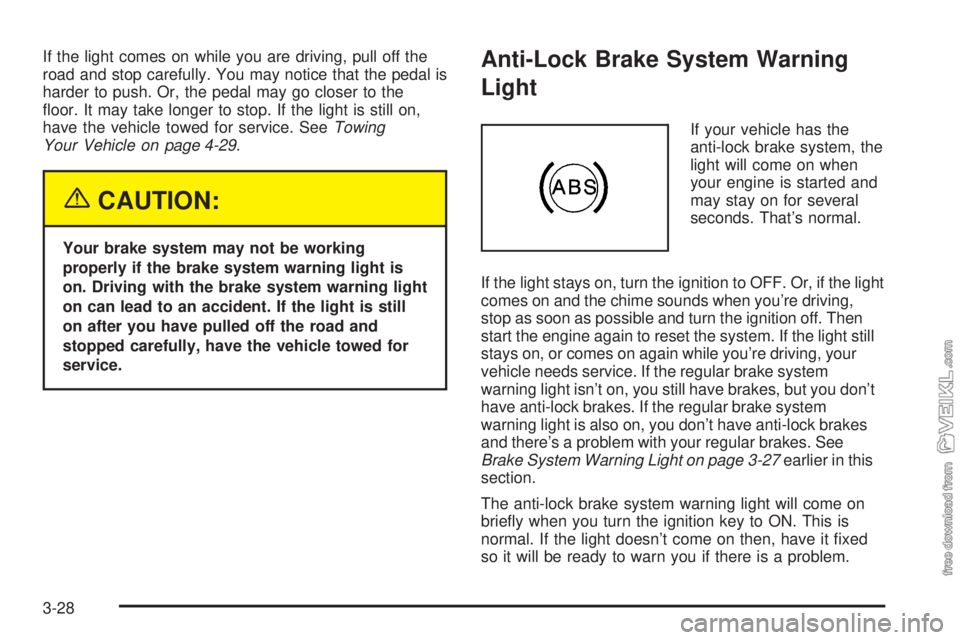
If your vehicle has the
anti-lock brake system, the
light will come on when
your engine is started and
may stay on for several
seconds. That’s normal.
If the light stays on, turn the ignition to OFF. Or, if the light
comes on and the chime sounds when you’re driving,
stop as soon as possible and turn the ignition off. Then
start the engine again to reset the system. If the light still
stays on, or comes on again while you’re driving, your
vehicle needs service. If the regular brake system
warning light isn’t on, you still have brakes, but you don’t
have anti-lock brakes. If the regular brake system
warning light is also on, you don’t have anti-lock brakes
and there’s a problem with your regular brakes. See
Brake System Warning Light on page 3-27earlier in this
section.
The anti-lock brake system warning light will come on
briefly when you turn the ignition key to ON. This is
normal. If the light doesn’t come on then, have it fixed
so it will be ready to warn you if there is a problem.
3-28
Page 136 of 348
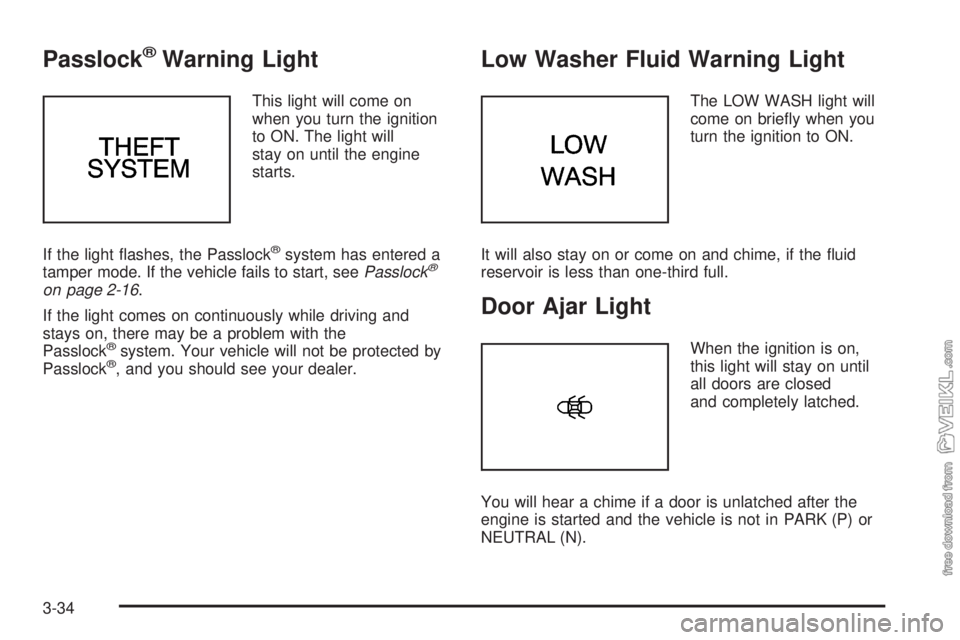
Passlock®Warning Light
This light will come on
when you turn the ignition
to ON. The light will
stay on until the engine
starts.
If the light flashes, the Passlock
®system has entered a
tamper mode. If the vehicle fails to start, seePasslock®
on page 2-16.
If the light comes on continuously while driving and
stays on, there may be a problem with the
Passlock
®system. Your vehicle will not be protected by
Passlock®, and you should see your dealer.
Low Washer Fluid Warning Light
The LOW WASH light will
come on briefly when you
turn the ignition to ON.
It will also stay on or come on and chime, if the fluid
reservoir is less than one-third full.
Door Ajar Light
When the ignition is on,
this light will stay on until
all doors are closed
and completely latched.
You will hear a chime if a door is unlatched after the
engine is started and the vehicle is not in PARK (P) or
NEUTRAL (N).
3-34
Page 139 of 348
Your audio system has been designed to operate easily
and to give years of listening pleasure. You will get
the most enjoyment out of it if you acquaint yourself with
it first. Figure out which radio you have in your vehicle,
find out what your audio system can do and how to
operate all of its controls to be sure you’re getting the
most out of the advanced engineering that went into it.
Your vehicle has a feature called Retained Accessory
Power (RAP). With RAP, you can play your audio
system even after the ignition is turned off. See
“Retained Accessory Power (RAP)” underIgnition
Positions on page 2-17.
Setting the Time for Radios without
Radio Data Systems (RDS)
Press and hold the HR or MIN arrow for two seconds.
Then press the HR arrow until the correct hour appears
on the display. Press and hold the MIN arrow until
the correct minute appears on the display. The time may
be set with the ignition on or off.
Setting the Time for Radios with
Radio Data Systems (RDS)
Press and hold the HR or MN buttons for two seconds.
Then press and hold HR until the correct hour
appears on the display. AM or PM will appear for
morning or evening hours. Press and hold MN until the
correct minute appears on the display. The time
may be set with the ignition on or off. The clock symbol
will appear on the display in time-set mode.
To synchronize the time with an FM station broadcasting
Radio Data System (RDS) information, press and
hold HR and MN at the same time for two seconds until
UPDATED and the clock symbol appear on the
display. If the time is not available from the station, NO
UPDAT will appear on the display.
RDS time is broadcast once a minute. Once you have
tuned to an RDS broadcast station, it may take a
few minutes for your time to update.
3-37
Page 150 of 348
TRAF (Traffic):If TRAF appears on the display, the
tuned station broadcasts traffic announcements
and when a traffic announcement comes on the tuned
radio station you will hear it.
If the current tuned station does not broadcast traffic
announcements, press this button and the radio
will seek to a station that does. When the radio finds a
station that broadcasts traffic announcements, it will
stop and TRAF will be displayed. When a traffic
announcement comes on the tuned radio station you
will hear it. If no station is found, NO TRAFFIC will
appear on the display.
If TRAF is on the display you can press the TRAF
button to turn of the traffic announcements.
Your radio will play the traffic announcement if the
volume is low. Your radio will interrupt the play of a
cassette tape or CD if the last tuned station broadcasts
traffic announcements.Radio Messages
CAL ERR (Calibration Error):This message is
displayed when the radio has not been calibrated
properly for the vehicle. You must return to the dealer
for service.
LOCKED:This message is displayed when the
THEFTLOCK
®system has locked up. You must return
to the dealer for service.
Playing a Cassette Tape
Your tape player is built to work best with tapes that are
up to 30 to 45 minutes long on each side. Tapes
longer than that are so thin they may not work well in
this player. The longer side with the tape visible should
face to the right. If the ignition is on, but the radio is
off, the tape can be inserted and will begin playing. A
tape symbol is shown on the display whenever a tape is
inserted. If you hear nothing but a garbled sound, the
tape may not be in squarely. Press EJT to remove
the tape and start over.
3-48
Page 152 of 348
qSEEKr:The right arrow is the same as the
NEXT pushbutton, and the left arrow is the same as the
PREV pushbutton. If the arrows are held or pressed
more than once, the player will continue moving forward
or backward through the tape. SEEK and a positive
or a negative number will appear on the display.
BAND:Press this button to listen to the radio when a
cassette tape or a CD is playing. The inactive tape or CD
will remain safely inside the radio for future listening.
TAPE CD:Press this button to play a cassette tape or
CD when listening to the radio. Press TAPE CD to
switch between the tape and CD if both are loaded. The
inactive tape or CD will remain safely inside the radio
for future listening.
ZEJT (Eject):Press this button, located to the right
of the cassette tape slot, to stop a tape when it is playing
or to eject a tape when it is not playing. Eject may be
activated with the radio off. Cassette tapes may be
loaded with the radio off if this button is pressed first.
Cassette Tape Messages
CHK TAPE (Check Tape):If this message appears on
the radio display, the tape will not play because of
one of the following errors.
•The tape is tight and the player cannot turn the
tape hubs. Remove the tape. Hold the tape with
the open end down and try to turn the right
hub counterclockwise with a pencil. Turn the tape
over and repeat. If the hubs do not turn easily, your
tape may be damaged and should not be used in
the player. Try a new tape to make sure your player
is working properly.
•The tape is broken. Try a new tape.
•The tape is wrapped around the tape head. Attempt
to get the cassette out. Try a new tape.
CLEAN:If this message appears on the display, the
cassette tape player needs to be cleaned. It will still play
tapes, but you should clean it as soon as possible to
prevent damage to the tapes and player. SeeCare
of Your Cassette Tape Player on page 3-55.
If any error occurs repeatedly or if an error cannot be
corrected, contact your dealer.
3-50