tow CHEVROLET CLASSIC 2004 Owners Manual
[x] Cancel search | Manufacturer: CHEVROLET, Model Year: 2004, Model line: CLASSIC, Model: CHEVROLET CLASSIC 2004Pages: 348, PDF Size: 5.32 MB
Page 1 of 348
Seats and Restraint Systems........................... 1-1
Front Seats
............................................... 1-2
Rear Seats
............................................... 1-6
Safety Belts
.............................................. 1-8
Child Restraints
.......................................1-32
Supplemental Restraint System (SRS)
..........1-56
Restraint System Check
............................1-62
Features and Controls..................................... 2-1
Keys
........................................................ 2-2
Doors and Locks
....................................... 2-7
Windows
.................................................2-14
Theft-Deterrent Systems
............................2-16
Starting and Operating Your Vehicle
...........2-16
Mirrors
....................................................2-29
Storage Areas
.........................................2-31
Instrument Panel............................................. 3-1
Instrument Panel Overview
.......................... 3-2
Climate Controls
......................................3-18
Warning Lights, Gages and Indicators
.........3-22
Audio System(s)
.......................................3-36Driving Your Vehicle....................................... 4-1
Your Driving, the Road, and Your Vehicle
..... 4-2
Towing
...................................................4-29
Service and Appearance Care.......................... 5-1
Service
..................................................... 5-3
Fuel
......................................................... 5-4
Checking Things Under the Hood
...............5-10
Bulb Replacement
....................................5-45
Windshield Wiper Blade Replacement
.........5-51
Tires
......................................................5-52
Appearance Care
.....................................5-80
Vehicle Identification
.................................5-88
Electrical System
......................................5-89
Capacities and Specifications
.....................5-95
Normal Maintenance Replacement Parts
......5-96
Maintenance Schedule..................................... 6-1
Maintenance Schedule
................................ 6-2
Customer Assistance Information.................... 7-1
Customer Assistance Information
.................. 7-2
Reporting Safety Defects
...........................7-11
Index.................................................................1
2004 Chevrolet Classic Owner ManualM
Page 9 of 348
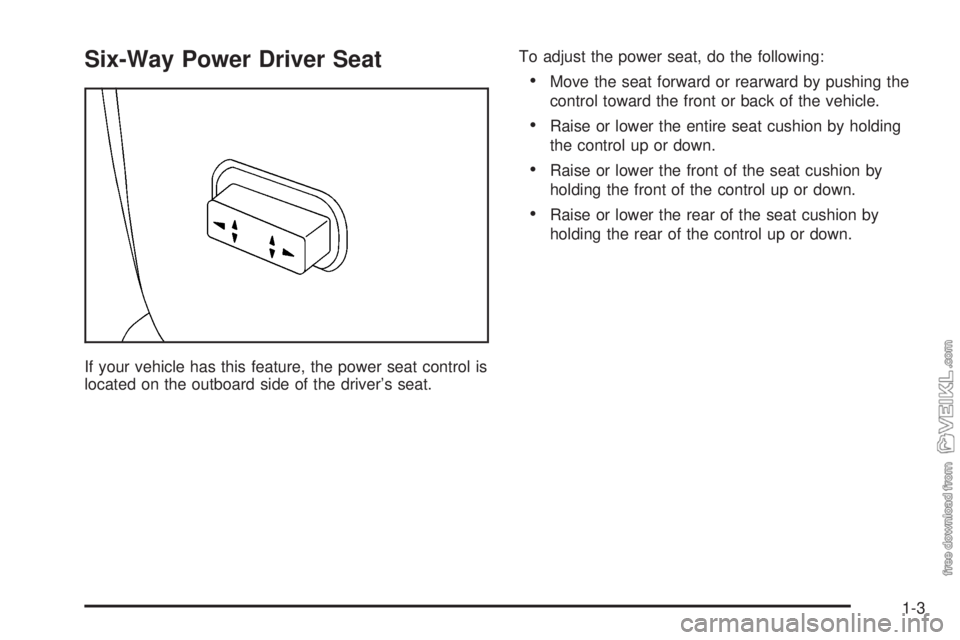
Six-Way Power Driver Seat
If your vehicle has this feature, the power seat control is
located on the outboard side of the driver’s seat.To adjust the power seat, do the following:
•Move the seat forward or rearward by pushing the
control toward the front or back of the vehicle.
•Raise or lower the entire seat cushion by holding
the control up or down.
•Raise or lower the front of the seat cushion by
holding the front of the control up or down.
•Raise or lower the rear of the seat cushion by
holding the rear of the control up or down.
1-3
Page 40 of 348
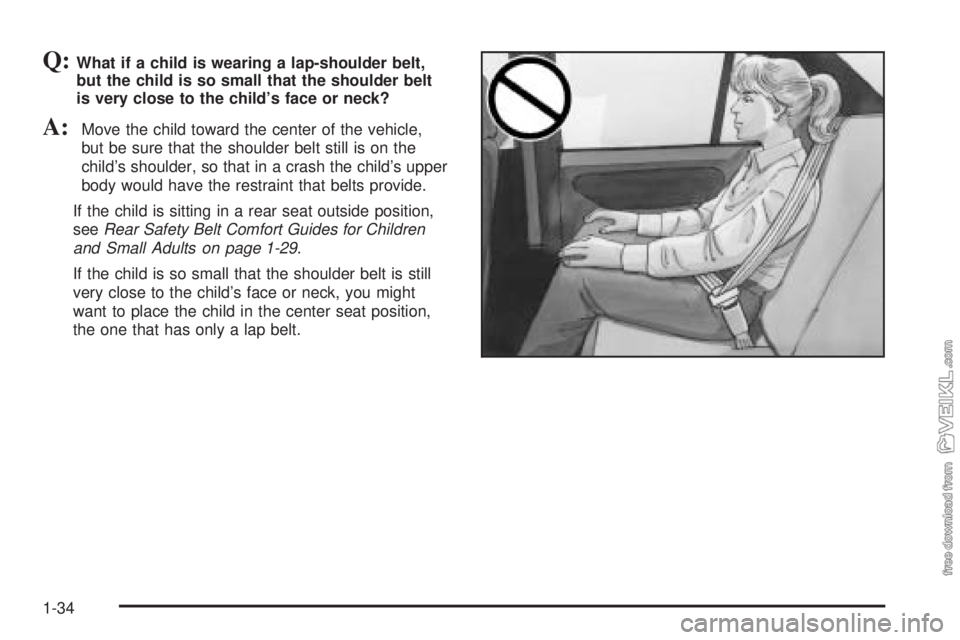
Q:What if a child is wearing a lap-shoulder belt,
but the child is so small that the shoulder belt
is very close to the child’s face or neck?
A:Move the child toward the center of the vehicle,
but be sure that the shoulder belt still is on the
child’s shoulder, so that in a crash the child’s upper
body would have the restraint that belts provide.
If the child is sitting in a rear seat outside position,
seeRear Safety Belt Comfort Guides for Children
and Small Adults on page 1-29.
If the child is so small that the shoulder belt is still
very close to the child’s face or neck, you might
want to place the child in the center seat position,
the one that has only a lap belt.
1-34
Page 45 of 348
{CAUTION:
The body structure of a young child is quite
unlike that of an adult or older child, for whom
the safety belts are designed. A young child’s
hip bones are still so small that the vehicle’s
regular safety belt may not remain low on the
hip bones, as it should. Instead, it may settle
up around the child’s abdomen. In a crash, the
belt would apply force on a body area that’s
unprotected by any bony structure. This alone
could cause serious or fatal injuries. Young
children always should be secured in
appropriate child restraints.
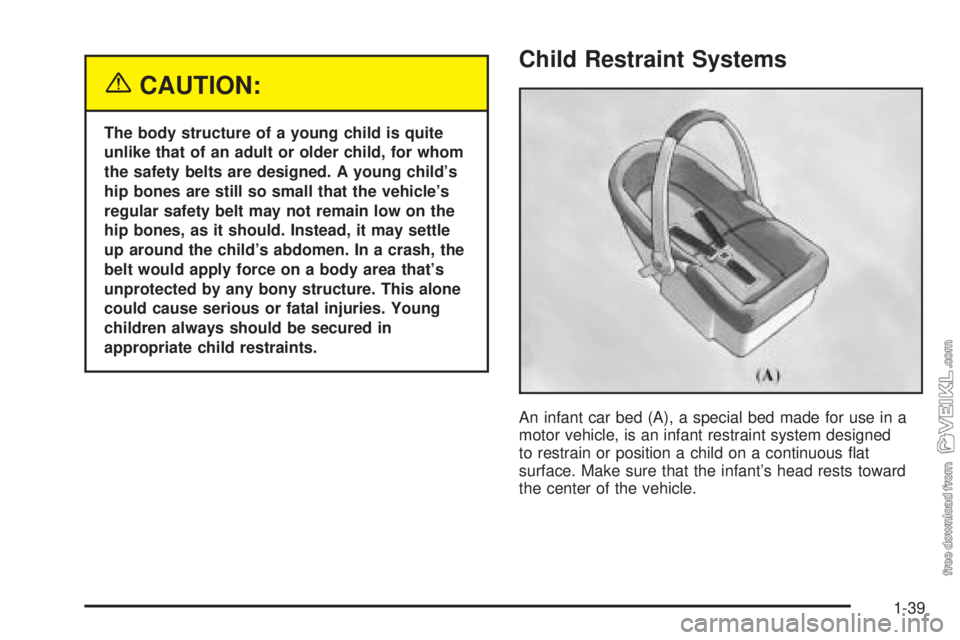
Child Restraint Systems
An infant car bed (A), a special bed made for use in a
motor vehicle, is an infant restraint system designed
to restrain or position a child on a continuous flat
surface. Make sure that the infant’s head rests toward
the center of the vehicle.
1-39
Page 66 of 348

How Does an Air Bag Restrain?
In moderate to severe frontal or near-frontal collisions,
even belted occupants can contact the steering wheel or
the instrument panel. Air bags supplement the protection
provided by safety belts. Air bags distribute the force of
the impact more evenly over the occupant’s upper body,
stopping the occupant more gradually. But air bags would
not help you in many types of collisions, including
rollovers, rear impacts and many side impacts, primarily
because an occupant’s motion is not toward those air
bags. Air bags should never be regarded as anything
more than a supplement to safety belts, and then only in
moderate to severe frontal or near-frontal collisions.
What Will You See After an Air Bag
Inates?
After an air bag inflates, it quickly deflates, so quickly that
some people may not even realize the air bag inflated.
Some components of the air bag module — the steering
wheel hub for the driver’s air bag or the instrument panel
for the right front passenger’s bag — will be hot for a
short time. The parts of the bag that come into contact
with you may be warm, but not too hot to touch. There will
be some smoke and dust coming from the vents in the
deflated air bags. Air bag inflation doesn’t prevent the
driver from seeing or being able to steer the vehicle, nor
does it stop people from leaving the vehicle.
1-60
Page 86 of 348
Theft-Deterrent Systems
Vehicle theft is big business, especially in some cities.
Although your vehicle has a number of theft-deterrent
features, we know that nothing we put on it can make it
impossible to steal.
Passlock®
Your vehicle has the Passlock®theft-deterrent system.
Passlock
®is a passive theft-deterrent system.
Passlock®enables fuel if the ignition lock cylinder is
turned with a valid key. If a correct key is not used or the
ignition lock cylinder is tampered with, the fuel system
is disabled and the vehicle will not start.
During normal operation, the THEFT SYSTEM light will
turn off approximately five seconds after the ignition
key is turned to ON and the engine is started.
After attempting to start the engine, if the THEFT
SYSTEM light flashes or stays on, wait ten minutes with
the key in ON until the light goes off. Then turn the
ignition to OFF before attempting to start the engine
again.
Starting and Operating Your
Vehicle
New Vehicle Break-In
Notice:Your vehicle does not need an elaborate
“break-in.” But it will perform better in the long run
if you follow these guidelines:
Do not drive at any one speed — fast or
slow — for the rst 500 miles (805 km). Do not
make full-throttle starts.
Avoid making hard stops for the rst 200 miles
(322 km) or so. During this time your new
brake linings are not yet broken in. Hard stops
with new linings can mean premature wear
and earlier replacement. Follow this breaking-in
guideline every time you get new brake
linings.
Do not tow a trailer during break-in. SeeTowing
a Trailer on page 4-38for more information.
2-16
Page 87 of 348
Ignition Positions
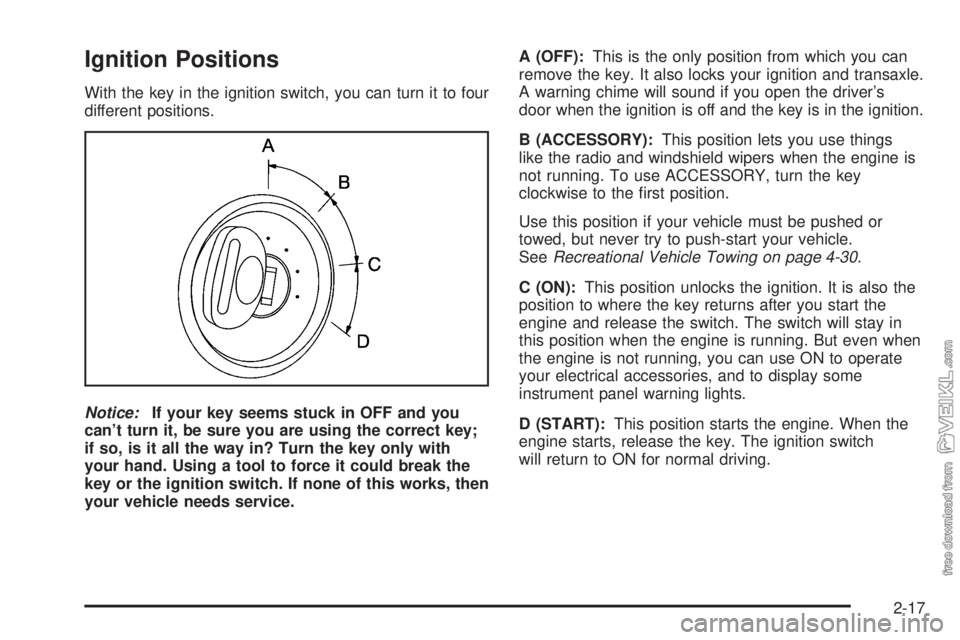
With the key in the ignition switch, you can turn it to four
different positions.
Notice:If your key seems stuck in OFF and you
can’t turn it, be sure you are using the correct key;
if so, is it all the way in? Turn the key only with
your hand. Using a tool to force it could break the
key or the ignition switch. If none of this works, then
your vehicle needs service.A (OFF):This is the only position from which you can
remove the key. It also locks your ignition and transaxle.
A warning chime will sound if you open the driver’s
door when the ignition is off and the key is in the ignition.
B (ACCESSORY):This position lets you use things
like the radio and windshield wipers when the engine is
not running. To use ACCESSORY, turn the key
clockwise to the first position.
Use this position if your vehicle must be pushed or
towed, but never try to push-start your vehicle.
SeeRecreational Vehicle Towing on page 4-30.
C (ON):This position unlocks the ignition. It is also the
position to where the key returns after you start the
engine and release the switch. The switch will stay in
this position when the engine is running. But even when
the engine is not running, you can use ON to operate
your electrical accessories, and to display some
instrument panel warning lights.
D (START):This position starts the engine. When the
engine starts, release the key. The ignition switch
will return to ON for normal driving.
2-17
Page 90 of 348
Automatic Transaxle Operation
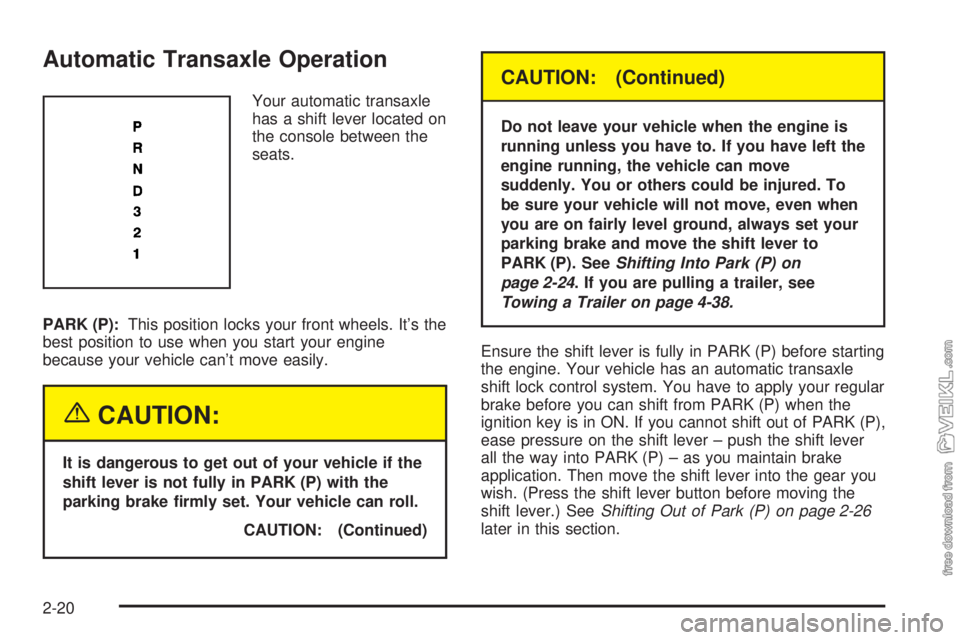
Your automatic transaxle
has a shift lever located on
the console between the
seats.
PARK (P):This position locks your front wheels. It’s the
best position to use when you start your engine
because your vehicle can’t move easily.
{CAUTION:
It is dangerous to get out of your vehicle if the
shift lever is not fully in PARK (P) with the
parking brake rmly set. Your vehicle can roll.
CAUTION: (Continued)
CAUTION: (Continued)
Do not leave your vehicle when the engine is
running unless you have to. If you have left the
engine running, the vehicle can move
suddenly. You or others could be injured. To
be sure your vehicle will not move, even when
you are on fairly level ground, always set your
parking brake and move the shift lever to
PARK (P). SeeShifting Into Park (P) on
page 2-24. If you are pulling a trailer, see
Towing a Trailer on page 4-38.
Ensure the shift lever is fully in PARK (P) before starting
the engine. Your vehicle has an automatic transaxle
shift lock control system. You have to apply your regular
brake before you can shift from PARK (P) when the
ignition key is in ON. If you cannot shift out of PARK (P),
ease pressure on the shift lever – push the shift lever
all the way into PARK (P) – as you maintain brake
application. Then move the shift lever into the gear you
wish. (Press the shift lever button before moving the
shift lever.) SeeShifting Out of Park (P) on page 2-26
later in this section.
2-20
Page 91 of 348
REVERSE (R):Use this gear to back up.
Notice:Shifting to REVERSE (R) while your vehicle
is moving forward could damage the transaxle.
The repairs would not be covered by your warranty.
Shift to REVERSE (R) only after your vehicle is
stopped.
To rock your vehicle back and forth to get out of snow,
ice or sand without damaging your transaxle, see If
You Are Stuck: In Sand, Mud, Ice or Snow on
page 4-28.
NEUTRAL (N):In this position, your engine doesn’t
connect with the wheels. To restart when you’re already
moving, use NEUTRAL (N) only. Also, use
NEUTRAL (N) when your vehicle is being towed.
{CAUTION:
Shifting into a drive gear while your engine is
running at high speed is dangerous. Unless
your foot is rmly on the brake pedal, your
vehicle could move very rapidly. You could
lose control and hit people or objects. Do not
shift into a drive gear while your engine is
running at high speed.
Notice:Shifting out of PARK (P) or NEUTRAL (N)
with the engine racing may damage the transaxle.
The repairs would not be covered by your warranty.
Be sure the engine is not racing when shifting
your vehicle.
AUTOMATIC OVERDRIVE (D):This position is for
normal driving. If you need more power for passing, and
you’re:
•Going less than 35 mph (56 km/h), push your
accelerator pedal about halfway down.
•Going about 35 mph (56 km/h) or more, push the
accelerator all the way down.
2-21
Page 92 of 348
You’ll shift down to the next gear and have more power.
Notice:Driving your vehicle if you notice that it
is moving slowly or not shifting gears as you
increase speed may damage the transaxle. Have
your vehicle serviced right away. You can drive in
SECOND (2) when you are driving less than 35 mph
(55 km/h) and AUTOMATIC OVERDRIVE (D) for
higher speeds until then.
THIRD (3):This position is also used for normal driving.
However, it offers more power and lower fuel economy
than AUTOMATIC OVERDRIVE (D). Here are some
times you might choose THIRD (3) instead of
AUTOMATIC OVERDRIVE (D):
•When driving on hilly, winding roads.
•When towing a trailer, so there is less shifting
between gears.
•When going down a steep hill.SECOND (2):This position gives you more power but
lower fuel economy than THIRD (3). You can use
SECOND (2) on hills. It can help control your speed as
you go down steep mountain roads, but then you
would also want to use your brakes off and on.
Notice:Driving in SECOND (2) for more than
25 miles (40 km) or at speeds over 55 mph (90 km/h)
may damage the transaxle. Also, shifting into
SECOND (2) at speeds above 65 mph (105 km/h) can
cause damage. Drive in THIRD (3) or AUTOMATIC
OVERDRIVE (D) instead of SECOND (2).
FIRST (1):This position gives you even more power
but lower fuel economy than SECOND (2). You can use
it on very steep hills, or in deep snow or mud. If the
shift lever is put in FIRST (1), the transaxle won’t shift
into first gear until the vehicle is going slow enough.
Notice:Spinning the tires or holding the vehicle in
one place on a hill using only the accelerator
pedal may damage the transaxle. If you are stuck,
do not spin the tires. When stopping on a hill,
use the brakes to hold the vehicle in place.
2-22