service CHEVROLET CLASSIC 2005 Owners Manual
[x] Cancel search | Manufacturer: CHEVROLET, Model Year: 2005, Model line: CLASSIC, Model: CHEVROLET CLASSIC 2005Pages: 320, PDF Size: 4.86 MB
Page 1 of 320
Seats and Restraint Systems........................... 1-1
Front Seats
............................................... 1-2
Safety Belts
.............................................. 1-6
Child Restraints
.......................................1-26
Airbag System
.........................................1-46
Restraint System Check
............................1-52
Features and Controls..................................... 2-1
Keys
........................................................ 2-2
Doors and Locks
....................................... 2-7
Windows
.................................................2-13
Theft-Deterrent Systems
............................2-15
Starting and Operating Your Vehicle
...........2-15
Mirrors
....................................................2-27
Storage Areas
.........................................2-28
Instrument Panel............................................. 3-1
Instrument Panel Overview
.......................... 3-4
Climate Controls
......................................3-18
Warning Lights, Gages, and Indicators
........3-22
Audio System(s)
.......................................3-36
Driving Your Vehicle....................................... 4-1
Your Driving, the Road, and Your Vehicle
..... 4-2
Towing
...................................................4-32Service and Appearance Care.......................... 5-1
Service
..................................................... 5-3
Fuel
......................................................... 5-5
Checking Things Under the Hood
...............5-10
Bulb Replacement
....................................5-40
Windshield Wiper Blade Replacement
.........5-46
Tires
......................................................5-47
Appearance Care
.....................................5-71
Vehicle Identification
.................................5-78
Electrical System
......................................5-79
Capacities and Specifications
.....................5-85
Normal Maintenance Replacement Parts
......5-86
Maintenance Schedule..................................... 6-1
Maintenance Schedule
................................ 6-2
Customer Assistance and Information.............. 7-1
Customer Assistance and Information
........... 7-2
Reporting Safety Defects
...........................7-10
Index................................................................ 1
2005 Chevrolet Classic Owner ManualM
Page 57 of 320
How Does an Airbag Restrain?
In moderate to severe frontal or near-frontal collisions,
even belted occupants can contact the steering wheel or
the instrument panel. Airbags supplement the protection
provided by safety belts. Airbags distribute the force of
the impact more evenly over the occupant’s upper body,
stopping the occupant more gradually. But airbags would
not help you in many types of collisions, including
rollovers, rear impacts and many side impacts, primarily
because an occupant’s motion is not toward those
airbags. Airbags should never be regarded as anything
more than a supplement to safety belts, and then only in
moderate to severe frontal or near-frontal collisions.
What Will You See After an Airbag
Inates?
After an airbag inflates, it quickly deflates, so quickly that
some people may not even realize the airbag inflated.
Some components of the airbag module — the steering
wheel hub for the driver’s airbag or the instrument panel
for the right front passenger’s bag — will be hot for a
short time. The parts of the bag that come into contact
with you may be warm, but not too hot to touch. There will
be some smoke and dust coming from the vents in the
deflated airbags. Airbag inflation does not prevent the
driver from seeing or being able to steer the vehicle, nor
does it stop people from leaving the vehicle.
{CAUTION:
When an airbag inates, there is dust in the
air. This dust could cause breathing problems
for people with a history of asthma or other
breathing trouble. To avoid this, everyone in
the vehicle should get out as soon as it is safe
to do so. If you have breathing problems but
cannot get out of the vehicle after an airbag
inates, then get fresh air by opening a
window or a door. If you experience breathing
problems following an airbag deployment, you
should seek medical attention.
In many crashes severe enough to inflate an airbag,
windshields are broken by vehicle deformation.
Additional windshield breakage may also occur from the
right front passenger airbag.
•Airbags are designed to inflate only once. After an
airbag inflates, you will need some new parts for your
airbag system. If you do not get them, the airbag
system will not be there to help protect you in another
crash. A new system will include airbag modules and
possibly other parts. The service manual for your
vehicle covers the need to replace other parts.
1-51
Page 58 of 320
•Your vehicle is equipped with a crash sensing and
diagnostic module which records information after a
crash. SeeVehicle Data Collection and Event Data
Recorders on page 7-8.
•Let only qualified technicians work on your airbag
system. Improper service can mean that your airbag
system will not work properly. See your dealer for
service.
Notice:If you damage the covering for the driver’s
or the right front passenger’s airbag, the airbag
may not work properly. You may have to replace the
airbag module in the steering wheel or both the
airbag module and the instrument panel for the right
front passenger’s airbag. Do not open or break
the airbag coverings.
Servicing Your Airbag-Equipped
Vehicle
Airbags affect how your vehicle should be serviced.
There are parts of the airbag system in several places
around your vehicle. You do not want the system to
inflate while someone is working on your vehicle.
Your dealer and the service manual have information
about servicing your vehicle and the airbag system.
To purchase a service manual, seeService Publications
Ordering Information on page 7-10.
{CAUTION:
For up to 10 minutes after the ignition key is
turned off and the battery is disconnected, an
airbag can still inate during improper service.
You can be injured if you are close to an
airbag when it inates. Avoid yellow
connectors. They are probably part of the
airbag system. Be sure to follow proper
service procedures, and make sure the person
performing work for you is qualied to do so.
The airbag system does not need regular maintenance.
Restraint System Check
Now and then, make sure the safety belt reminder light
and all your belts, buckles, latch plates, retractors
and anchorages are working properly. Look for any other
loose or damaged safety belt system parts. If you see
anything that might keep a safety belt system from doing
its job, have it repaired.
1-52
Page 63 of 320
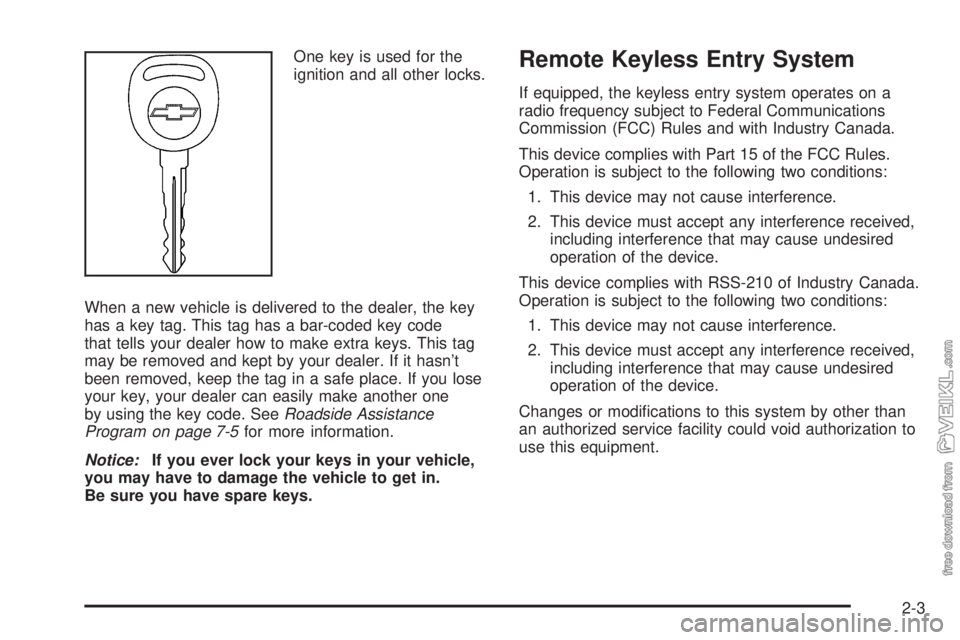
One key is used for the
ignition and all other locks.
When a new vehicle is delivered to the dealer, the key
has a key tag. This tag has a bar-coded key code
that tells your dealer how to make extra keys. This tag
may be removed and kept by your dealer. If it hasn’t
been removed, keep the tag in a safe place. If you lose
your key, your dealer can easily make another one
by using the key code. SeeRoadside Assistance
Program on page 7-5for more information.
Notice:If you ever lock your keys in your vehicle,
you may have to damage the vehicle to get in.
Be sure you have spare keys.Remote Keyless Entry System
If equipped, the keyless entry system operates on a
radio frequency subject to Federal Communications
Commission (FCC) Rules and with Industry Canada.
This device complies with Part 15 of the FCC Rules.
Operation is subject to the following two conditions:
1. This device may not cause interference.
2. This device must accept any interference received,
including interference that may cause undesired
operation of the device.
This device complies with RSS-210 of Industry Canada.
Operation is subject to the following two conditions:
1. This device may not cause interference.
2. This device must accept any interference received,
including interference that may cause undesired
operation of the device.
Changes or modifications to this system by other than
an authorized service facility could void authorization to
use this equipment.
2-3
Page 64 of 320
At times you may notice a decrease in range. This is
normal for any remote keyless entry system. If the
transmitter does not work or if you have to stand closer
to your vehicle for the transmitter to work, try this:
•Check the distance. You may be too far from your
vehicle. You may need to stand closer during
rainy or snowy weather.
•Check the location. Other vehicles or objects may
be blocking the signal. Take a few steps to the
left or right, hold the transmitter higher, and
try again.
•Check to determine if battery replacement is
necessary. See “Battery Replacement” under
Remote Keyless Entry System Operation on
page 2-4.
•If you are still having trouble, see your dealer or
a qualified technician for service.
Remote Keyless Entry System
Operation
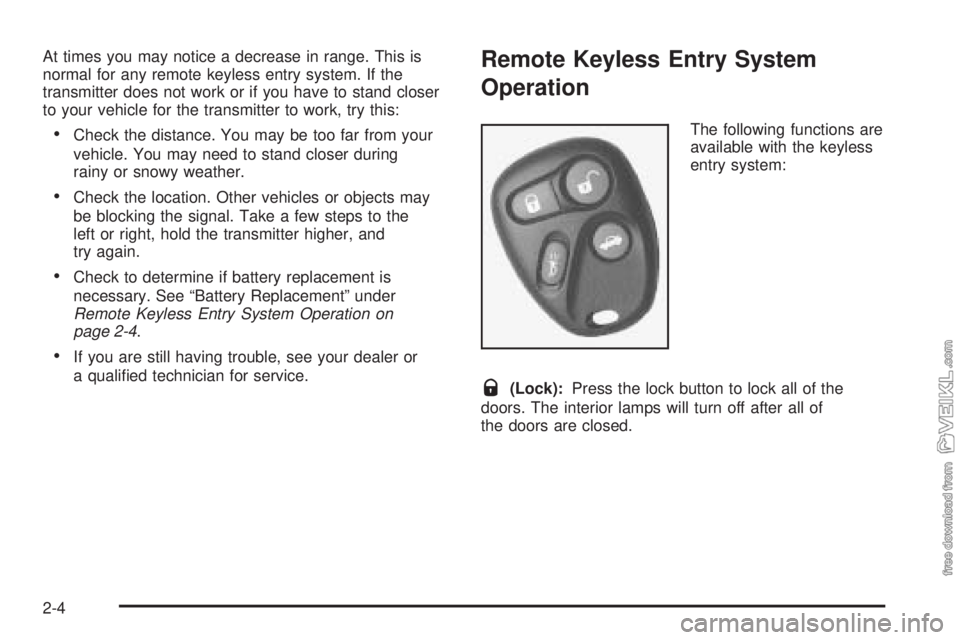
The following functions are
available with the keyless
entry system:
Q(Lock):Press the lock button to lock all of the
doors. The interior lamps will turn off after all of
the doors are closed.
2-4
Page 76 of 320
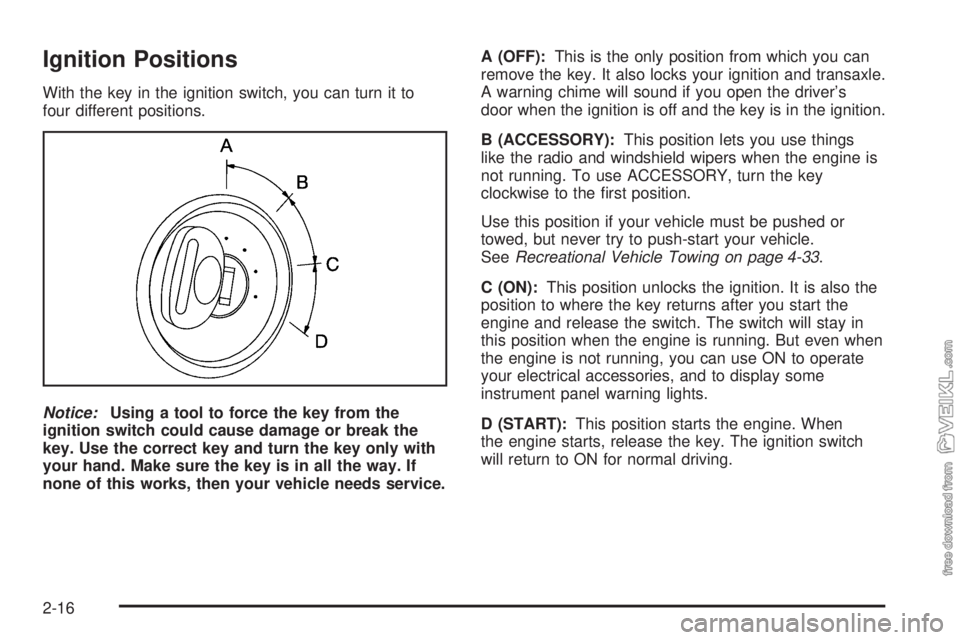
Ignition Positions
With the key in the ignition switch, you can turn it to
four different positions.
Notice:Using a tool to force the key from the
ignition switch could cause damage or break the
key. Use the correct key and turn the key only with
your hand. Make sure the key is in all the way. If
none of this works, then your vehicle needs service.A (OFF):This is the only position from which you can
remove the key. It also locks your ignition and transaxle.
A warning chime will sound if you open the driver’s
door when the ignition is off and the key is in the ignition.
B (ACCESSORY):This position lets you use things
like the radio and windshield wipers when the engine is
not running. To use ACCESSORY, turn the key
clockwise to the first position.
Use this position if your vehicle must be pushed or
towed, but never try to push-start your vehicle.
SeeRecreational Vehicle Towing on page 4-33.
C (ON):This position unlocks the ignition. It is also the
position to where the key returns after you start the
engine and release the switch. The switch will stay in
this position when the engine is running. But even when
the engine is not running, you can use ON to operate
your electrical accessories, and to display some
instrument panel warning lights.
D (START):This position starts the engine. When
the engine starts, release the key. The ignition switch
will return to ON for normal driving.
2-16
Page 81 of 320
AUTOMATIC OVERDRIVE (D):This position is for
normal driving. If you need more power for passing,
and you are:
•Going less than 35 mph (56 km/h), push your
accelerator pedal about halfway down.
•Going about 35 mph (56 km/h) or more, push the
accelerator all the way down.
You will shift down to the next gear and have more
power.
Notice:If your vehicle seems to start up rather
slowly or not shift gears when you go faster, and
you continue to drive your vehicle that way, you
could damage the transaxle. Have your vehicle
serviced right away. You can drive in SECOND (2)
when you are driving less than 35 mph (55 km/h)
and AUTOMATIC OVERDRIVE (D) for higher speeds
until then.THIRD (3):This position is also used for normal driving.
However, it offers more power and lower fuel economy
than AUTOMATIC OVERDRIVE (D). Here are some
times you might choose THIRD (3) instead of
AUTOMATIC OVERDRIVE (D):•When driving on hilly, winding roads.
•When towing a trailer, so there is less shifting
between gears.
•When going down a steep hill.
SECOND (2):This position gives you more power but
lower fuel economy than THIRD (3). You can use
SECOND (2) on hills. It can help control your speed as
you go down steep mountain roads, but then you
would also want to use your brakes off and on.
Notice:Driving in SECOND (2) for more than
25 miles (40 km) or at speeds over 55 mph (90 km/h)
may damage the transaxle. Also, shifting into
SECOND (2) at speeds above 65 mph (105 km/h) can
cause damage. Drive in THIRD (3) or AUTOMATIC
OVERDRIVE (D) instead of SECOND (2).
2-21
Page 89 of 320
Instrument Panel Overview...............................3-4
Hazard Warning Flashers................................3-6
Other Warning Devices...................................3-6
Horn.............................................................3-6
Tilt Wheel.....................................................3-6
Turn Signal/Multifunction Lever.........................3-7
Turn and Lane-Change Signals........................3-8
Headlamp High/Low-Beam Changer..................3-8
Flash-to-Pass.................................................3-8
Windshield Washer.........................................3-9
Windshield Wiper Lever...................................3-9
Cruise Control..............................................3-10
Headlamps..................................................3-13
Headlamps on Reminder................................3-14
Headlamps Off in PARK (P)...........................3-14
Delayed Headlamps......................................3-14
Daytime Running Lamps (DRL).......................3-14
Automatic Headlamp System..........................3-15
Instrument Panel Brightness...........................3-16
Dome Lamp.................................................3-16
Entry/Exit Lighting.........................................3-16
Trunk Lamp.................................................3-16
Battery Run-Down Protection..........................3-16
Accessory Power Outlets...............................3-17
Ashtrays and Cigarette Lighter........................3-18Climate Controls............................................3-18
Climate Control System.................................3-18
Outlet Adjustment.........................................3-21
Warning Lights, Gages, and Indicators............3-22
Instrument Panel Cluster................................3-23
Speedometer and Odometer...........................3-24
Trip Odometer..............................................3-24
Tachometer.................................................3-25
Safety Belt Reminder Light.............................3-25
Airbag Readiness Light..................................3-26
Charging System Light..................................3-27
Brake System Warning Light..........................3-27
Anti-Lock Brake System Warning Light.............3-28
Engine Coolant Temperature Gage..................3-29
Low Coolant Warning Light............................3-29
Malfunction Indicator Lamp.............................3-30
Oil Pressure Light.........................................3-32
Passlock
®Warning Light................................3-33
Highbeam On Light.......................................3-34
Low Washer Fluid Warning Light.....................3-34
Door Ajar Light.............................................3-34
Service Vehicle Soon Light............................3-34
Fuel Gage...................................................3-35
Section 3 Instrument Panel
3-1
Page 114 of 320
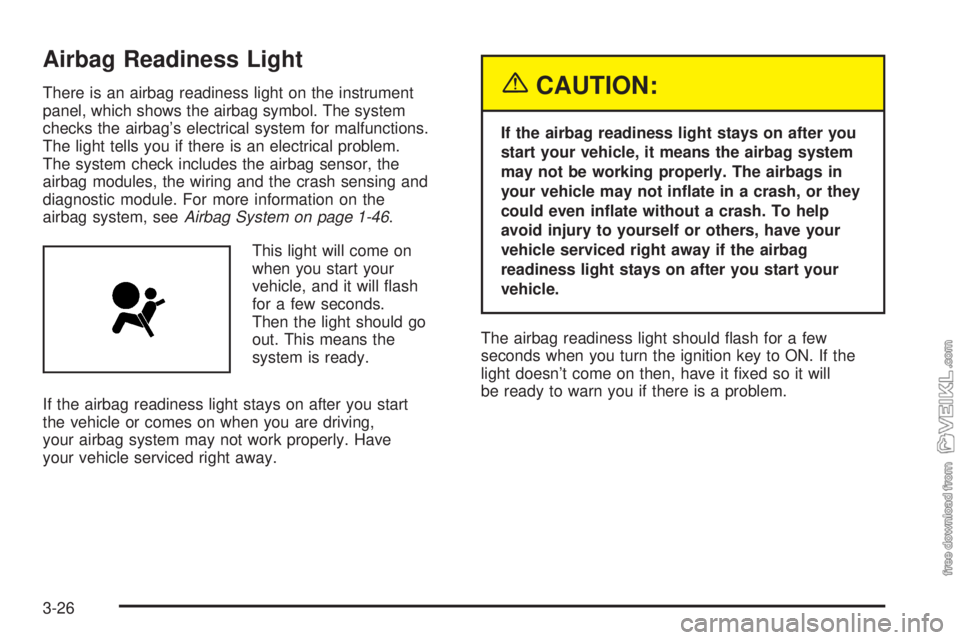
Airbag Readiness Light
There is an airbag readiness light on the instrument
panel, which shows the airbag symbol. The system
checks the airbag’s electrical system for malfunctions.
The light tells you if there is an electrical problem.
The system check includes the airbag sensor, the
airbag modules, the wiring and the crash sensing and
diagnostic module. For more information on the
airbag system, seeAirbag System on page 1-46.
This light will come on
when you start your
vehicle, and it will flash
for a few seconds.
Then the light should go
out. This means the
system is ready.
If the airbag readiness light stays on after you start
the vehicle or comes on when you are driving,
your airbag system may not work properly. Have
your vehicle serviced right away.{CAUTION:
If the airbag readiness light stays on after you
start your vehicle, it means the airbag system
may not be working properly. The airbags in
your vehicle may not inate in a crash, or they
could even inate without a crash. To help
avoid injury to yourself or others, have your
vehicle serviced right away if the airbag
readiness light stays on after you start your
vehicle.
The airbag readiness light should flash for a few
seconds when you turn the ignition key to ON. If the
light doesn’t come on then, have it fixed so it will
be ready to warn you if there is a problem.
3-26
Page 116 of 320
If the light comes on while you are driving, pull off the
road and stop carefully. You may notice that the pedal
is harder to push. Or, the pedal may go closer to
the floor. It may take longer to stop. If the light is still
on, have the vehicle towed for service. SeeTowing Your
Vehicle on page 4-32.
{CAUTION:
Your brake system may not be working
properly if the brake system warning light is
on. Driving with the brake system warning
light on can lead to an accident. If the light
is still on after you have pulled off the road
and stopped carefully, have the vehicle towed
for service.
Anti-Lock Brake System Warning
Light
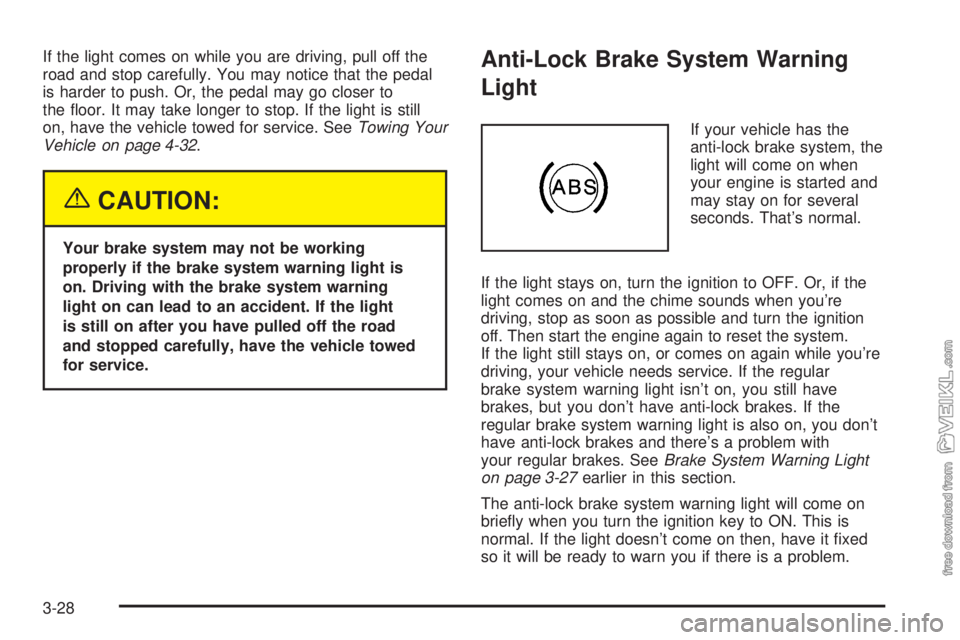
If your vehicle has the
anti-lock brake system, the
light will come on when
your engine is started and
may stay on for several
seconds. That’s normal.
If the light stays on, turn the ignition to OFF. Or, if the
light comes on and the chime sounds when you’re
driving, stop as soon as possible and turn the ignition
off. Then start the engine again to reset the system.
If the light still stays on, or comes on again while you’re
driving, your vehicle needs service. If the regular
brake system warning light isn’t on, you still have
brakes, but you don’t have anti-lock brakes. If the
regular brake system warning light is also on, you don’t
have anti-lock brakes and there’s a problem with
your regular brakes. SeeBrake System Warning Light
on page 3-27earlier in this section.
The anti-lock brake system warning light will come on
briefly when you turn the ignition key to ON. This is
normal. If the light doesn’t come on then, have it fixed
so it will be ready to warn you if there is a problem.
3-28