ignition CHEVROLET COBALT 2005 1.G Owner's Guide
[x] Cancel search | Manufacturer: CHEVROLET, Model Year: 2005, Model line: COBALT, Model: CHEVROLET COBALT 2005 1.GPages: 362, PDF Size: 2.35 MB
Page 130 of 362

Malfunction Indicator Lamp
Check Engine Light
Your vehicle is equipped
with a computer which
monitors operation of the
fuel, ignition, and emission
control systems.
This system is called OBD II (On-Board
Diagnostics-Second Generation) and is intended to
assure that emissions are at acceptable levels for the
life of the vehicle, helping to produce a cleaner
environment. The check engine light comes on to
indicate that there is a problem and service is required.
Malfunctions often will be indicated by the system
before any problem is apparent. This may prevent more
serious damage to your vehicle. This system is also
designed to assist your service technician in correctly
diagnosing any malfunction.
Notice:If you keep driving your vehicle with this
light on, after awhile, your emission controls
may not work as well, your fuel economy may not
be as good, and your engine may not run as
smoothly. This could lead to costly repairs that may
not be covered by your warranty.Notice:Modications made to the engine,
transaxle, exhaust, intake, or fuel system of your
vehicle or the replacement of the original tires with
other than those of the same Tire Performance
Criteria (TPC) can affect your vehicle’s emission
controls and may cause this light to come on.
Modications to these systems could lead to costly
repairs not covered by your warranty. This may
also result in a failure to pass a required Emission
Inspection/Maintenance test.
This light should come on, as a check to show you it is
working, when the ignition is on and the engine is
not running. If the light does not come on, have it
repaired. This light will also come on during a
malfunction in one of two ways:
Light Flashing— A misre condition has been
detected. A misre increases vehicle emissions
and may damage the emission control system on
your vehicle. Diagnosis and service may be
required.
Light On Steady— An emission control system
malfunction has been detected on your vehicle.
Diagnosis and service may be required.
3-30
Page 132 of 362
Emissions Inspection and Maintenance
Programs
Some state/provincial and local governments have or
may begin programs to inspect the emission control
equipment on your vehicle. Failure to pass this
inspection could prevent you from getting a vehicle
registration.
Here are some things you need to know to help your
vehicle pass an inspection:
Your vehicle will not pass this inspection if the check
engine light is on or not working properly.
Your vehicle will not pass this inspection if the OBD
(on-board diagnostic) system determines that critical
emission control systems have not been completely
diagnosed by the system. The vehicle would be
considered not ready for inspection. This can happen if
you have recently replaced your battery or if your
battery has run down. The diagnostic system is
designed to evaluate critical emission control systems
during normal driving. This may take several days
of routine driving. If you have done this and your vehicle
still does not pass the inspection for lack of OBD
system readiness, your GM dealer can prepare the
vehicle for inspection.
Oil Pressure Light
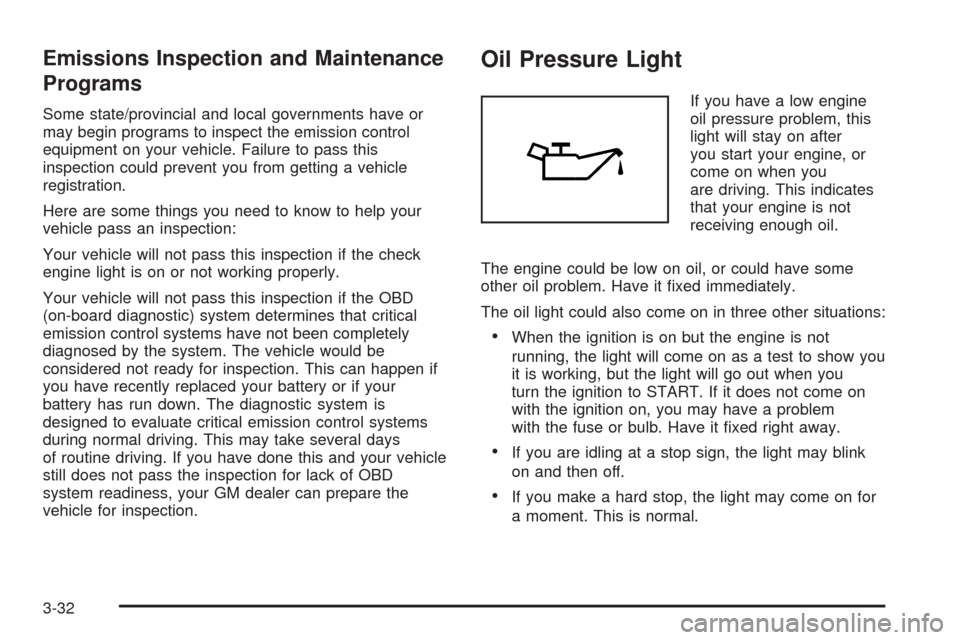
If you have a low engine
oil pressure problem, this
light will stay on after
you start your engine, or
come on when you
are driving. This indicates
that your engine is not
receiving enough oil.
The engine could be low on oil, or could have some
other oil problem. Have it xed immediately.
The oil light could also come on in three other situations:
When the ignition is on but the engine is not
running, the light will come on as a test to show you
it is working, but the light will go out when you
turn the ignition to START. If it does not come on
with the ignition on, you may have a problem
with the fuse or bulb. Have it xed right away.
If you are idling at a stop sign, the light may blink
on and then off.
If you make a hard stop, the light may come on for
a moment. This is normal.
3-32
Page 134 of 362
Fuel Gage
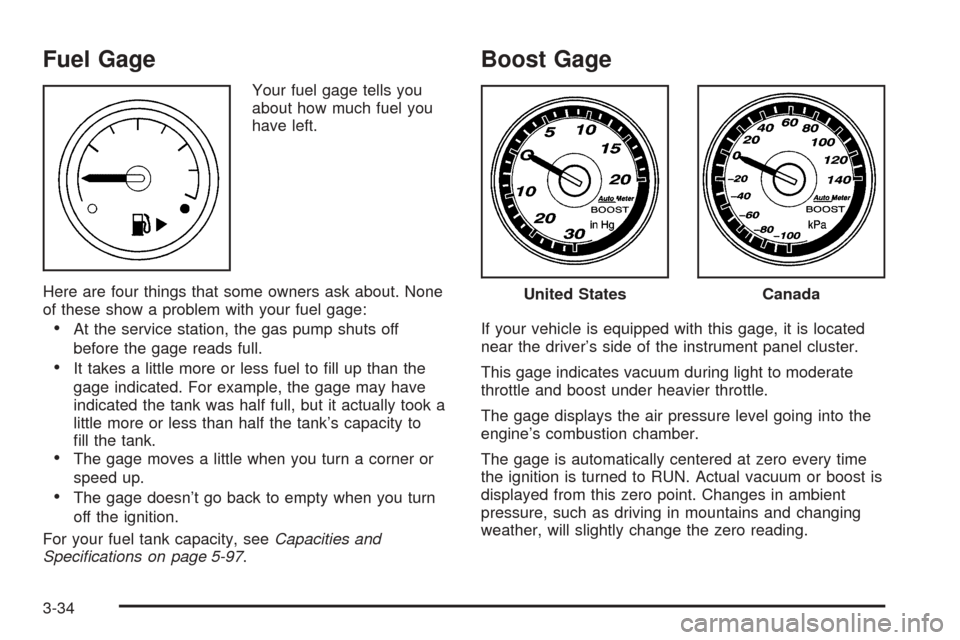
Your fuel gage tells you
about how much fuel you
have left.
Here are four things that some owners ask about. None
of these show a problem with your fuel gage:
At the service station, the gas pump shuts off
before the gage reads full.
It takes a little more or less fuel to ll up than the
gage indicated. For example, the gage may have
indicated the tank was half full, but it actually took a
little more or less than half the tank’s capacity to
ll the tank.
The gage moves a little when you turn a corner or
speed up.
The gage doesn’t go back to empty when you turn
off the ignition.
For your fuel tank capacity, seeCapacities and
Specications on page 5-97.
Boost Gage
If your vehicle is equipped with this gage, it is located
near the driver’s side of the instrument panel cluster.
This gage indicates vacuum during light to moderate
throttle and boost under heavier throttle.
The gage displays the air pressure level going into the
engine’s combustion chamber.
The gage is automatically centered at zero every time
the ignition is turned to RUN. Actual vacuum or boost is
displayed from this zero point. Changes in ambient
pressure, such as driving in mountains and changing
weather, will slightly change the zero reading.
United StatesCanada
3-34
Page 135 of 362
Driver Information Center (DIC)
The Driver Information Center (DIC) display gives
you the status of many of your vehicle’s systems. The
DIC is also used to display driver personalization
menu modes and warning/status messages. All
messages will appear in the DIC display, located at the
bottom of the tachometer on the instrument panel
cluster.
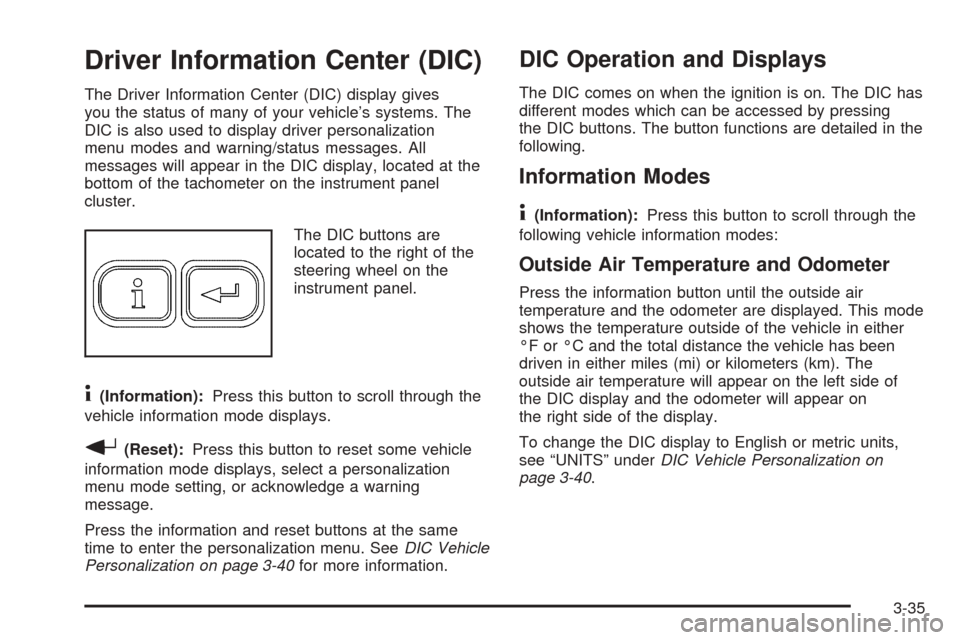
The DIC buttons are
located to the right of the
steering wheel on the
instrument panel.
4(Information):Press this button to scroll through the
vehicle information mode displays.
r(Reset):Press this button to reset some vehicle
information mode displays, select a personalization
menu mode setting, or acknowledge a warning
message.
Press the information and reset buttons at the same
time to enter the personalization menu. SeeDIC Vehicle
Personalization on page 3-40for more information.
DIC Operation and Displays
The DIC comes on when the ignition is on. The DIC has
different modes which can be accessed by pressing
the DIC buttons. The button functions are detailed in the
following.
Information Modes
4
(Information):Press this button to scroll through the
following vehicle information modes:
Outside Air Temperature and Odometer
Press the information button until the outside air
temperature and the odometer are displayed. This mode
shows the temperature outside of the vehicle in either
°F or °C and the total distance the vehicle has been
driven in either miles (mi) or kilometers (km). The
outside air temperature will appear on the left side of
the DIC display and the odometer will appear on
the right side of the display.
To change the DIC display to English or metric units,
see “UNITS” underDIC Vehicle Personalization on
page 3-40.
3-35
Page 137 of 362
OIL LIFE
Press the information button until OIL LIFE is displayed.
The engine oil life system shows an estimate of the
oil’s remaining useful life. It will show 100% when the
system is reset after an oil change. It will alert you
to change your oil on a schedule consistent with your
driving conditions.
In addition to the engine oil life system monitoring the
oil life, additional maintenance is recommended in
the Maintenance Schedule in this manual. SeeEngine
Oil on page 5-15andScheduled Maintenance on
page 6-4.
Always reset the engine oil life system after an oil
change. See “How to Reset the Engine Oil Life System”
underEngine Oil Life System on page 5-19and
“OIL–LIFE RESET” underDIC Vehicle Personalization
on page 3-40.
COOLANT
Press the information button until COOLANT is
displayed. This mode shows the temperature of the
engine coolant in either °F or °C.
Personalization Modes
Press the information and reset buttons at the same
time to enter the personalization menu. SeeDIC Vehicle
Personalization on page 3-40for more information on
the personalization menu modes.
DIC Warnings and Messages
These messages will appear if there is a problem
detected in one of your vehicle’s systems.
Any message will clear when the vehicle’s condition is
no longer present. The warning message will come back
on the next time the vehicle is turned off and back on
if the condition is still present. With most messages,
a warning chime will sound when the message is
displayed. You can also acknowledge and clear some
warning messages from the DIC display by pressing
either the reset or information buttons. Your vehicle may
have other warning messages.
AUTO LIGHTS OFF
This message is displayed if the automatic headlamp
system is disabled with the headlamp switch.
AUTO LIGHTS ON
This message is displayed if the automatic headlamp
system is enabled with the headlamp switch.
BRAKE FLUID
This message will display if the ignition is on to inform
the driver that the brake uid level is low. Have the
brake system serviced by your GM dealer as soon as
possible.
3-37
Page 140 of 362
DIC Vehicle Personalization
Your vehicle has personalization capabilities that allow
you to program certain features to a preferred setting.
All of the features listed may not be available on
your vehicle. Only the features available will be
displayed on your DIC.
The default settings for the features were set when your
vehicle left the factory, but may have been changed
from their default state since then.
To change feature settings, use the following procedure:
Entering Personalization Menu
1. Turn the ignition on while the vehicle is stopped.
2. Press the information and reset buttons at the same
time to enter the personalization menu.
3. Press the information button to scroll through the
available personalization menu modes.
Press the reset button to scroll through the available
settings for each mode.
If you do not make a selection within ten seconds,
the display will go back to the previous information
displayed.
Personalization Menu Modes
OIL-LIFE RESET
When this feature is displayed, you can reset the engine
oil life system. To reset the system to 100%, press
and hold the reset button for at least one second. An
ACKNOWLEDGED display message will appear
for three seconds or until the next button is pressed.
This will tell you the system has been reset. SeeEngine
Oil Life System on page 5-19and “OIL LIFE” under
DIC Operation and Displays on page 3-35for more
information.
UNITS
This feature allows you to select the units of
measurement in which the DIC will display the vehicle
information. When UNITS appears on the display, press
the reset button to scroll through the available settings:
ENGLISH (default in United States):All information
will be displayed in English units. For example, distance
will be shown in miles (mi) and fuel economy in miles
per gallon (mpg).
METRIC (default in Canada):All information will be
displayed in metric units. For example, distance will be
shown in kilometers (km) and fuel economy in liters
per 100 kilometers (L/100 km).
Choose one of the available settings and press the
information button to select it and move on to the next
feature.
3-40
Page 142 of 362

DELAY LOCK
This feature, which delays the actual locking of the
vehicle, can be enabled or disabled. When DELAY
LOCK appears on the display, press the reset button to
scroll through the available settings:
ON (default):The doors will not lock until ve seconds
after the last door is closed. You can temporarily
override delayed locking by pressing the power lock
switch or the lock button on the remote keyless
entry transmitter a second time.
OFF:The doors will lock immediately when pressing
the power lock switch or the lock button on the remote
keyless entry transmitter.
SeePower Door Locks on page 2-8,Delayed Locking
on page 2-8, andRemote Keyless Entry System
Operation on page 2-4for more information.
Choose one of the available settings and press the
information button to select it and move on to the next
feature.
AUTO UNLK (Unlock)
This feature, which allows the vehicle to automatically
unlock certain doors, can be enabled or disabled. When
AUTO UNLK appears on the display, press the reset
button to scroll through the available settings:
ALL (default):All of the doors will automatically unlock.
DRIVER:The driver’s door will automatically unlock.
NONE:None of the doors will automatically unlock. You
will need to manually unlock the doors.
If you have a manual transaxle vehicle, the door(s) will
automatically unlock when the ignition is turned off.
If you have an automatic transaxle vehicle, you
can select when the automatic unlocking will occur. See
“UNLK (Unlock) (Automatic Transaxle Only)” following.
SeeProgrammable Automatic Door Unlock on page 2-9
for more information.
Choose one of the available settings and press the
information button to select it and move on to the next
feature.
3-42
Page 143 of 362

UNLK (Unlock) (Automatic Transaxle Only)
This screen displays only if your vehicle has an
automatic transaxle and DRIVER or ALL is selected for
the AUTO UNLK feature. This feature determines
when the automatic door unlocking will occur. When
UNLK appears on the display, press the reset button to
scroll through the available settings:
KEY OFF:The door(s) will unlock when the ignition is
turned off.
SHIFT TO P (Park) (default):The door(s) will unlock
when the vehicle is shifted into PARK (P).
SeeProgrammable Automatic Door Unlock on page 2-9
for more information.
Choose one of the available settings and press the
information button to select it and move on to the next
feature.
EXT (Exterior) LIGHTS
If your vehicle has remote keyless entry, this feature,
which allows the vehicle’s exterior perimeter lighting to
turn on each time the unlock button on the remote
keyless entry transmitter is pressed, can be enabled or
disabled. When EXT LIGHTS appears on the display,
press the reset button to scroll through the available
settings:
OFF:The exterior perimeter lighting will not turn on
when the unlock button on the remote keyless
entry transmitter is pressed.
ON (default):The exterior perimeter lighting will turn on
when the unlock button on the remote keyless entry
transmitter is pressed.
SeeRemote Keyless Entry System Operation on
page 2-4for more information.
Choose one of the available settings and press the
information button to select it and move on to the next
feature.
3-43
Page 144 of 362
SECURITY
If your vehicle has the remote keyless entry system, this
feature allows you to select the method used to arm
the vehicle’s security system. When SECURITY appears
on the display, press the reset button to scroll through
the available settings:
RKE (Remote Keyless Entry) (default):The content
theft-deterrent system will arm when the lock button
on the remote keyless entry transmitter is pressed
or when the power door lock switch is pressed.
PASSIVE:The content theft-deterrent system will arm
itself 60 seconds after the ignition has been turned
off and all of the doors have been closed.
SeeContent Theft-Deterrent on page 2-14for more
information.
Choose one of the available settings and press the
information button to select it and move on to the next
feature.
LANGUAGE
This feature allows you to select the language in which
the DIC will display. Press the reset button to scroll
through the available settings:
ENGLISH (default):The DIC will display all information
in English.
FRENCH:The DIC will display all information in
French.
SPANISH:The DIC will display all information in
Spanish.
GERMAN:The DIC will display all information in
German.
Choose one of the available settings and press the
information button to select it and exit out of the
personalization menu mode.
3-44
Page 145 of 362
Exiting Personalization Menu
The personalization menu will be exited when any of the
following conditions occur:
A ten second time period has elapsed.
The ignition is turned off.
The end of the personalization menu list is reached.
Audio System(s)
Notice:Before adding any sound equipment to
your vehicle, such as an audio system, CD player,
CB radio, mobile telephone, or two-way radio, make
sure that it can be added by checking with your
dealer. Also, check federal rules covering mobile
radio and telephone units. If sound equipment can
be added, it is very important to do it properly.
Added sound equipment may interfere with
the operation of your vehicle’s engine, radio, or
other systems, and even damage them. Your
vehicle’s systems may interfere with the operation
of sound equipment that has been added.Figure out which audio system is in your vehicle, nd
out what your audio system can do, and how to operate
all of its controls.
Your vehicle has a feature called Retained Accessory
Power (RAP). With RAP, the audio system can be
played even after the ignition is turned off. SeeRetained
Accessory Power (RAP) on page 2-19for more
information.
Setting the Time for Radios without
Radio Data Systems (RDS)
To set the hour, press the clock button. The clock
symbol will appear on the display and the hour number
will ash. Then turn the ADJ knob to increase or to
decrease. To set the minutes, press the clock button
again. The minute numbers will ash. Then turn the ADJ
knob to increase or to decrease. The time can be set
with the ignition on or off.
3-45