warning CHEVROLET COBALT 2006 1.G User Guide
[x] Cancel search | Manufacturer: CHEVROLET, Model Year: 2006, Model line: COBALT, Model: CHEVROLET COBALT 2006 1.GPages: 390, PDF Size: 2.34 MB
Page 128 of 390
Wiper Activated Headlamps
This feature activates the headlamps and parking lamps
after the windshield wipers are turned on. For this feature
to work, automatic lighting must be enabled. See
Headlamps on page 3-13for additional information.
When the ignition is turned off, the wiper-activated
headlamps will immediately turn off. They will also turn
off 15 seconds after the windshield wiper control is
turned off.
Headlamps on Reminder
If you open the driver’s door with the ignition off and the
lamps on, you will hear a warning chime.
Daytime Running Lamps (DRL)
Daytime Running Lamps (DRL) can make it easier for
others to see the front of your vehicle during the day.
DRL can be helpful in many different driving conditions,
but they can be especially helpful in the short periods
after dawn and before sunset. Fully functional daytime
running lamps are required on all vehicles rst sold in
Canada. The vehicle has a light sensor on top of the
instrument panel. Make sure it is not covered, or the
head lamps will be on when not needed.
The DRL system will make your front turn signal lamps
come on when the following conditions are met:
The ignition is on.
The exterior lamps control is in AUTO or the
parking lamps only position.
The light sensor detects daytime light.
The parking brake is released.
When the DRL system is on, the taillamps, sidemarker
lamps, parking lamps, and instrument panel lights
will not be illuminated unless you have turned the
exterior lamps control to the parking lamp position.
As with any vehicle, you should turn on the regular
headlamp system when you need it.
3-14
Page 136 of 390

4. Remove the lter by sliding it out of the housing.
When installing a new air lter make sure the AIR FLOW
arrow is pointing downward. Reverse Steps 1 through
5 making sure the glove box door snaps back into place.
Warning Lights, Gages,
and Indicators
This part describes the warning lights and gages that
may be on your vehicle. The pictures will help you
locate them.
Warning lights and gages can signal that something
is wrong before it becomes serious enough to cause an
expensive repair or replacement. Paying attention to
your warning lights and gages could also save you
or others from injury.
Warning lights come on when there may be or is a
problem with one of your vehicle’s functions. As you will
see in the details on the next few pages, some warning
lights come on briey when you start the engine just to let
you know they’re working. If you are familiar with this
section, you should not be alarmed when this happens.
Gages can indicate when there may be or is a problem
with one of your vehicle’s functions. Often gages and
warning lights work together to let you know when there’s
a problem with your vehicle.
When one of the warning lights comes on and stays on as
you are driving, or when one of the gages shows there
may be a problem, check the section that tells you what
to do about it. Please follow this manual’s advice. Waiting
to do repairs can be costly — and even dangerous. So
please get to know your warning lights and gages.
They’re a big help.
3-22
Page 138 of 390

Speedometer and Odometer
Your speedometer lets you see your speed in both
miles per hour (mph) and kilometers per hour (km/h).
Your vehicle’s odometer works together with the
driver information center. You can set a Trip A and
Trip B odometer. See “Trip Information” underDIC
Operation and Displays on page 3-38.
The odometer mileage can be checked without the
vehicle running. Simply open the driver’s door and the
mileage will be displayed briey.
If your vehicle ever needs a new odometer installed, the
new one will be set to the correct mileage total of the
old odometer.
Tachometer
The tachometer displays the engine speed in revolutions
per minute (rpm).
Notice:If you operate the engine with the
tachometer in the shaded warning area, your vehicle
could be damaged, and the damages would not
be covered by your warranty. Do not operate
the engine with the tachometer in the shaded
warning area.
Safety Belt Reminder Light
When the key is turned to RUN or START, a chime will
sound for several seconds to remind you and your
passengers to buckle your safety belts. The driver safety
belt light will also come on and stay on for several
seconds, then it will ash for several more. You should
buckle your seat belt.
This chime and light will
be repeated if the driver
remains unbuckled and
the vehicle is in motion.
If the driver’s belt is buckled, neither the chime nor the
light will come on.
3-24
Page 143 of 390
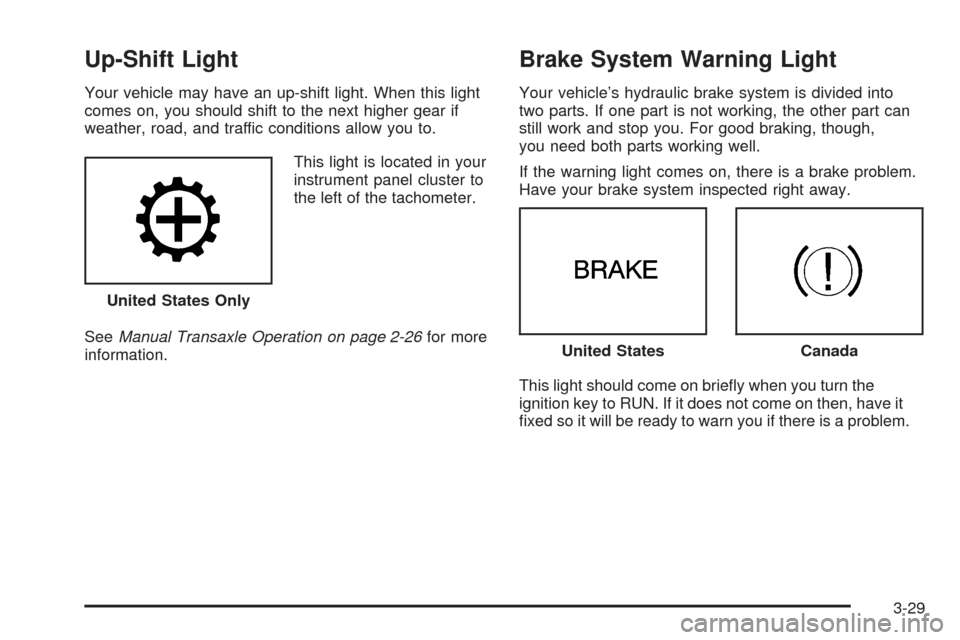
Up-Shift Light
Your vehicle may have an up-shift light. When this light
comes on, you should shift to the next higher gear if
weather, road, and traffic conditions allow you to.
This light is located in your
instrument panel cluster to
the left of the tachometer.
SeeManual Transaxle Operation on page 2-26for more
information.
Brake System Warning Light
Your vehicle’s hydraulic brake system is divided into
two parts. If one part is not working, the other part can
still work and stop you. For good braking, though,
you need both parts working well.
If the warning light comes on, there is a brake problem.
Have your brake system inspected right away.
This light should come on briey when you turn the
ignition key to RUN. If it does not come on then, have it
xed so it will be ready to warn you if there is a problem. United States Only
United StatesCanada
3-29
Page 144 of 390

When the ignition is on, the brake system warning light
will also come on when you set your parking brake. The
light will stay on if your parking brake does not release
fully. If it stays on after your parking brake is fully
released, it means you have a brake problem.
If the light comes on while you are driving, pull off the
road and stop carefully. Make sure the parking brake is
fully released. You may notice that the pedal is harder
to push or, the pedal may go closer to the oor. It
may take longer to stop. If the light is still on, have the
vehicle towed for service. SeeTowing Your Vehicle
on page 4-36.
{CAUTION:
Your brake system may not be working properly
if the brake system warning light is on. Driving
with the brake system warning light on can lead
to an accident. If the light is still on after you
have pulled off the road and stopped carefully,
have the vehicle towed for service.
Anti-Lock Brake System Warning
Light
If your vehicle is equipped
with the anti-lock brake
system, the light will come
on when your engine is
started and may stay on
for several seconds.
That is normal.
If the light stays on, turn the ignition off, if the light comes
on when you are driving, stop as soon as possible and
turn the ignition off. Then start the engine again to reset
the system. If the light still stays on, or comes on again
while you are driving, your vehicle needs service. If the
regular brake system warning light is not on, you still have
brakes, but you do not have anti-lock brakes. If the
regular brake system warning light is also on, you do not
have anti-lock brakes and there is a problem with your
regular brakes. SeeBrake System Warning Light on
page 3-29.
The anti-lock brake system warning light will come on
briey when you turn the ignition key to RUN. This
is normal. If the light does not come on then, have it
xed so it will be ready to warn you if there is a problem.
3-30
Page 145 of 390
Enhanced Traction System
Warning Light
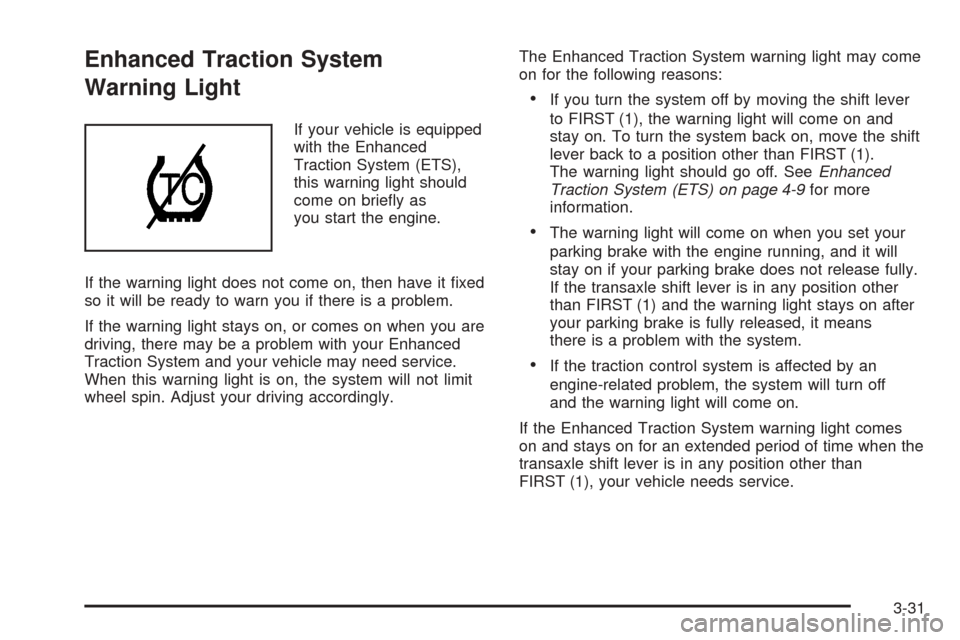
If your vehicle is equipped
with the Enhanced
Traction System (ETS),
this warning light should
come on briey as
you start the engine.
If the warning light does not come on, then have it xed
so it will be ready to warn you if there is a problem.
If the warning light stays on, or comes on when you are
driving, there may be a problem with your Enhanced
Traction System and your vehicle may need service.
When this warning light is on, the system will not limit
wheel spin. Adjust your driving accordingly.The Enhanced Traction System warning light may come
on for the following reasons:
If you turn the system off by moving the shift lever
to FIRST (1), the warning light will come on and
stay on. To turn the system back on, move the shift
lever back to a position other than FIRST (1).
The warning light should go off. SeeEnhanced
Traction System (ETS) on page 4-9for more
information.
The warning light will come on when you set your
parking brake with the engine running, and it will
stay on if your parking brake does not release fully.
If the transaxle shift lever is in any position other
than FIRST (1) and the warning light stays on after
your parking brake is fully released, it means
there is a problem with the system.
If the traction control system is affected by an
engine-related problem, the system will turn off
and the warning light will come on.
If the Enhanced Traction System warning light comes
on and stays on for an extended period of time when the
transaxle shift lever is in any position other than
FIRST (1), your vehicle needs service.
3-31
Page 146 of 390

Engine Coolant Temperature
Warning Light
The engine coolant
temperature warning light
will come on when the
engine has overheated.
If this happens you should pull over and turn off the
engine as soon as possible. SeeEngine Overheating
on page 5-29for more information.
Notice:Driving with the engine coolant temperature
warning light on could cause your vehicle to
overheat. SeeEngine Overheating on page 5-29.
Your vehicle could be damaged, and it might not be
covered by your warranty. Never drive with the
engine coolant temperature warning light on.
This light will also come on when starting your vehicle.
If it doesn’t, have your vehicle serviced.
Malfunction Indicator Lamp
Check Engine Light
Your vehicle has a
computer which monitors
operation of the fuel,
ignition, and emission
control systems.
This system is called OBD II (On-Board
Diagnostics-Second Generation) and is intended to
assure that emissions are at acceptable levels for the life
of the vehicle, helping to produce a cleaner environment.
The check engine light comes on to indicate that there is
a problem and service is required. Malfunctions often
will be indicated by the system before any problem is
apparent. This may prevent more serious damage to
your vehicle. This system is also designed to assist
your service technician in correctly diagnosing any
malfunction.
Notice:If you keep driving your vehicle with
this light on, after awhile, your emission controls
may not work as well, your fuel economy may not be
as good, and your engine may not run as smoothly.
This could lead to costly repairs that may not be
covered by your warranty.
3-32
Page 152 of 390
Driver Information Center (DIC)
The Driver Information Center (DIC) display gives you the
status of many of your vehicle’s systems. The DIC is also
used to display driver personalization menu modes and
warning/status messages. All messages will appear in
the DIC display, located at the bottom of the tachometer
on the instrument panel cluster.
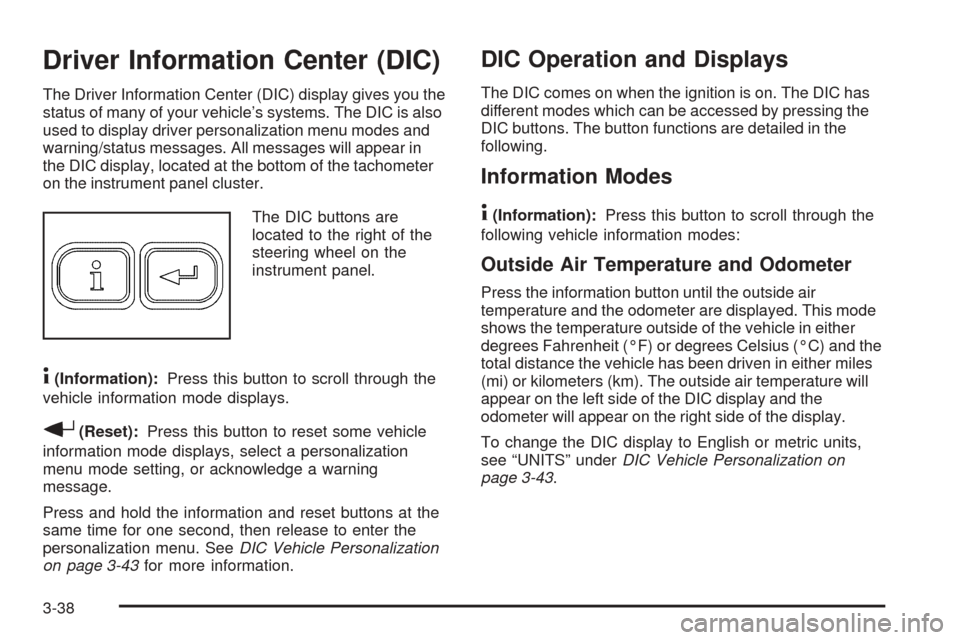
The DIC buttons are
located to the right of the
steering wheel on the
instrument panel.
4(Information):Press this button to scroll through the
vehicle information mode displays.
r(Reset):Press this button to reset some vehicle
information mode displays, select a personalization
menu mode setting, or acknowledge a warning
message.
Press and hold the information and reset buttons at the
same time for one second, then release to enter the
personalization menu. SeeDIC Vehicle Personalization
on page 3-43for more information.
DIC Operation and Displays
The DIC comes on when the ignition is on. The DIC has
different modes which can be accessed by pressing the
DIC buttons. The button functions are detailed in the
following.
Information Modes
4
(Information):Press this button to scroll through the
following vehicle information modes:
Outside Air Temperature and Odometer
Press the information button until the outside air
temperature and the odometer are displayed. This mode
shows the temperature outside of the vehicle in either
degrees Fahrenheit (°F) or degrees Celsius (°C) and the
total distance the vehicle has been driven in either miles
(mi) or kilometers (km). The outside air temperature will
appear on the left side of the DIC display and the
odometer will appear on the right side of the display.
To change the DIC display to English or metric units,
see “UNITS” underDIC Vehicle Personalization on
page 3-43.
3-38
Page 154 of 390

OIL LIFE
Press the information button until OIL LIFE is displayed.
The engine oil life system shows an estimate of the
oil’s remaining useful life. It will show 100% when the
system is reset after an oil change. It will alert you
to change your oil on a schedule consistent with your
driving conditions.
In addition to the engine oil life system monitoring the
oil life, additional maintenance is recommended in
the Maintenance Schedule in this manual. SeeEngine
Oil on page 5-15andScheduled Maintenance on
page 6-4.
Always reset the engine oil life system after an oil
change. See “How to Reset the Engine Oil Life System”
underEngine Oil Life System on page 5-20and
“OIL–LIFE RESET” underDIC Vehicle Personalization
on page 3-43.
COOLANT
Press the information button until COOLANT is
displayed. This mode shows the temperature of the
engine coolant in either degrees Fahrenheit (°F)
or degrees Celsius (°C).
DIC Warnings and Messages
These messages will appear if there is a problem
detected in one of your vehicle’s systems.
Any message will clear when the vehicle’s condition is
no longer present. The warning message will come back
on the next time the vehicle is turned off and back on
if the condition is still present. With most messages,
a warning chime will sound when the message is
displayed. You can also acknowledge and clear some
warning messages from the DIC display by pressing
either the reset or information buttons. Your vehicle may
have other warning messages.
AUTO (Automatic) LIGHTS OFF
This message is displayed if the automatic headlamp
system is disabled with the headlamp switch.
AUTO (Automatic) LIGHTS ON
This message is displayed if the automatic headlamp
system is enabled with the headlamp switch.
BRAKE FLUID
This message will display if the ignition is on to inform
the driver that the brake uid level is low. Have the
brake system serviced by your GM dealer as soon as
possible.
3-40
Page 194 of 390
Control of a Vehicle
You have three systems that make your vehicle go
where you want it to go. They are the brakes, the
steering, and the accelerator. All three systems
have to do their work at the places where the tires
meet the road.
Sometimes, as when you are driving on snow or ice, it is
easy to ask more of those control systems than the tires
and road can provide. That means you can lose control of
your vehicle. SeeEnhanced Traction System (ETS) on
page 4-9.
Adding non-GM accessories can affect your vehicle’s
performance. SeeAccessories and Modications
on page 5-3.
Braking
SeeBrake System Warning Light on page 3-29.
Braking action involves perception time and
reaction time.
First, you have to decide to push on the brake pedal.
That is perception time. Then you have to bring up your
foot and do it. That is reaction time.
Average reaction time is about three-fourths of a
second. But that is only an average. It might be less
with one driver and as long as two or three seconds or
more with another. Age, physical condition, alertness,
coordination, and eyesight all play a part. So do alcohol,
drugs, and frustration. But even in three-fourths of a
second, a vehicle moving at 60 mph (100 km/h) travels
66 feet (20 m). That could be a lot of distance in an
emergency, so keeping enough space between
your vehicle and others is important.
4-6