automatic transmission CHEVROLET COLORADO 2011 1.G User Guide
[x] Cancel search | Manufacturer: CHEVROLET, Model Year: 2011, Model line: COLORADO, Model: CHEVROLET COLORADO 2011 1.GPages: 392, PDF Size: 6.37 MB
Page 202 of 392
Black plate (28,1)Chevrolet Colorado Owner Manual - 2011
9-28 Driving and Operating
B (ACC/ACCESSORY) :This is
the position in which you can
operate the electrical accessories or
items plugged into the accessory
power outlets. On automatic
transmission vehicles, this position
unlocks the ignition. On manual
transmission vehicles, it unlocks the
ignition and steering wheel. Use this
position if the vehicle must be
pushed or towed.
C (ON/RUN): This position can
be used to operate the electrical
accessories and to display some
instrument panel cluster warning
and indicator lights. The switch
stays in this position when the
engine is running. The transmission
is also unlocked in this position on
automatic transmission vehicles.
If you leave the key in the ACC/
ACCESSORY or ON/RUN position
with the engine off, the battery could
be drained. You may not be able to
start your vehicle if the battery is
allowed to drain for an extended
period of time. D (START):
This is the position that
starts the engine. When the engine
starts, release the key. The ignition
switch returns to ON/RUN for
driving.
A warning tone will sound when the
driver door is opened, the ignition is
in ACC/ACCESSORY or LOCK/OFF
and the key is in the ignition.
Starting the Engine
Place the transmission in the
proper gear.
Automatic Transmission
Move the shift lever to P (Park) or
N (Neutral). The engine will not start
in any other position. To restart the
vehicle when it is already moving,
use N (Neutral) only.
Notice: Do not try to shift to
P (Park) if the vehicle is moving.
If you do, you could damage the
transmission. Shift to P (Park)
only when the vehicle is stopped.
Manual Transmission
The shift lever should be in
N (Neutral) and the parking brake
engaged. Hold the clutch pedal
down to the floor and start the
engine. The vehicle will not start if
the clutch pedal is not all the
way down.
Starting Procedure
1. With your foot off the accelerator pedal, turn the ignition key to
START. When the engine starts,
let go of the key. The idle speed
will go down as the engine
warms. Do not race the engine
immediately after starting it.
Operate the engine and
transmission gently to allow the
oil to warm up and lubricate all
moving parts.
The vehicle has a
Computer-Controlled Cranking
System. This feature assists in
starting the engine and protects
components. If the ignition key is
turned to the START position,
and then released when the
Page 204 of 392
Black plate (30,1)Chevrolet Colorado Owner Manual - 2011
9-30 Driving and Operating
3. Plug it into a normal, grounded110-volt AC outlet.
{WARNING
Plugging the cord into an
ungrounded outlet could cause an
electrical shock. Also, the wrong
kind of extension cord could
overheat and cause a fire. You
could be seriously injured. Plug
the cord into a properly grounded
three-prong 110-volt AC outlet.
If the cord will not reach, use a
heavy-duty three-prong extension
cord rated for at least 15 amps.
4. Before starting the engine, be sure to unplug and store the
cord to prevent damage.
The length of time the heater should
remain plugged in depends on
several factors. Ask a dealer in the
area where you will be parking the
vehicle for the best advice on this.
Retained Accessory
Power (RAP)
These vehicle accessories can be
used for up to 20 minutes after the
engine is turned off:
.Audio System
.Wipers
.Power Windows
These features work when the key
is in ON/RUN or ACC/
ACCESSORY. Once the key is
turned from ON/RUN to LOCK/OFF,
power to these features continue to
work for up to 20 minutes or until a
door is opened.
Shifting Into Park
(Automatic Transmission)
{WARNING
It can be dangerous to get out of
the vehicle if the shift lever is not
fully in P (Park) with the parking
brake firmly set. The vehicle can
roll. If you have left the engine
running, the vehicle can move
suddenly. You or others could be
injured. To be sure the vehicle will
not move, even when you are on
fairly level ground, use the steps
that follow. If you are pulling a
trailer, see Driving Characteristics
and Towing Tips on page 9‑56.
1. Hold the brake pedal down with your right foot and set the
parking brake.
See Parking Brake on page 9‑44
for more information.
Page 205 of 392
Black plate (31,1)Chevrolet Colorado Owner Manual - 2011
Driving and Operating 9-31
{WARNING
If you have four-wheel drive, the
vehicle will be free to roll—even
if the shift lever is in P (Park) —if
the transfer case is in Neutral. So,
be sure the transfer case is in a
drive gear, two-wheel high (2H) or
four-wheel high (4H) or
four-wheel low (4L) —not in
Neutral.
2. Move the shift lever into P (Park) by pulling the lever toward you
and moving it up as far as it
will go.
3. Turn the ignition key to LOCK/OFF.
4. Remove the key and take it with you. If you can leave the vehicle
with the key, the vehicle is in
P (Park).
Leaving the Vehicle With the
Engine Running (Automatic
Transmission)
{WARNING
It can be dangerous to leave the
vehicle with the engine running.
The vehicle could move suddenly
if the shift lever is not fully in
P (Park) with the parking brake
firmly set. And, if you leave the
vehicle with the engine running, it
could overheat and even catch
fire. You or others could be
injured. Do not leave the vehicle
with the engine running.
If you have to leave the vehicle with
the engine running, be sure the
vehicle is in P (Park) and the
parking brake is firmly set before
you leave it. After you have moved
the shift lever into P (Park), hold the
regular brake pedal down. Then,
see if you can move the shift lever
away from P (Park) without first pulling it toward you. If you can, the
shift lever was not fully locked into
P (Park).
Torque Lock (Automatic
Transmission)
If you are parking on a hill and you
do not shift the transmission into
P (Park) properly, the weight of
the vehicle may put too much
force on the parking pawl in the
transmission. You may find it difficult
to pull the shift lever out of P (Park).
This is called torque lock. To
prevent torque lock, set the parking
brake and then shift into P (Park)
properly before you leave the driver
seat. To find out how, see
“Shifting
Into Park (Automatic Transmission)”
in this section.
When you are ready to drive, move
the shift lever out of P (Park) before
you release the parking brake.
If torque lock does occur, you may
need to have another vehicle push
yours a little uphill to take some of
Page 206 of 392
Black plate (32,1)Chevrolet Colorado Owner Manual - 2011
9-32 Driving and Operating
the pressure from the parking pawl
in the transmission, so you can pull
the shift lever out of P (Park).
Shifting Out of Park
(Automatic Transmission)
The vehicle has an automatic
transmission shift lock control
system. You have to fully apply the
brake pedal before you can shift
from P (Park) when the ignition is
ON/RUN. SeeAutomatic
Transmission on page 9‑35.
The shift lock control system is
designed to do the following:
.Prevent the ignition key from
being removed unless the shift
lever is in P (Park).
.Prevent movement of the shift
lever out of P (Park), unless the
ignition is in ON/RUN and the
brake pedal is applied.
The shift lock control system is
always functional except in the case
of a dead battery or low voltage
(less than 9 V) battery. If the vehicle has an uncharged
battery or a battery with low voltage,
try charging or jump starting the
battery. See
Jump Starting on
page 10‑86 for more information.
To shift out of P (Park) use the
following:
1. Apply the brake pedal.
2. Move the shift lever to the desired position.
If you still are unable to shift out of
P (Park):
1. Ease the pressure on the shift lever.
2. While holding down the brake pedal, push the shift lever all the
way into P (Park).
3. Move the shift lever to the desired position.
If you are still having a problem
shifting, then have the vehicle
serviced.
Parking (Manual
Transmission)
If the vehicle has a manual
transmission, before you get out of
the vehicle, move the shift lever into
R (Reverse), and firmly apply the
parking brake. Once the shift lever
has been placed into R (Reverse)
with the clutch pedal pressed in,
turn the ignition key to LOCK/OFF,
remove the key and release the
clutch.
If you are parking on a hill, or if the
vehicle is pulling a trailer, see
Driving Characteristics and Towing
Tips on page 9‑56.
Page 208 of 392
Black plate (34,1)Chevrolet Colorado Owner Manual - 2011
9-34 Driving and Operating
Running the Vehicle
While Parked
It is better not to park with the
engine running. But if you ever have
to, here are some things to know.
{WARNING
Idling a vehicle in an enclosed
area with poor ventilation is
dangerous. Engine exhaust may
enter the vehicle. Engine exhaust
contains Carbon Monoxide (CO)
which cannot be seen or smelled.
It can cause unconsciousness
and even death. Never run the
engine in an enclosed area that
has no fresh air ventilation. For
more information, seeEngine
Exhaust on page 9‑33.
{WARNING
It can be dangerous to get out of
the vehicle if the automatic
transmission shift lever is not fully
in P (Park) with the parking brake
firmly set. The vehicle can roll. Do
not leave the vehicle when the
engine is running unless you
have to. If you have left the
engine running, the vehicle can
move suddenly. You or others
could be injured. To be sure the
vehicle will not move, even when
it is on fairly level ground, always
set the parking brake and move
the automatic transmission shift
lever to P (Park), or the manual
transmission shift lever to Neutral.
{WARNING
Four-wheel drive vehicles with the
transfer case in N (Neutral) will
allow the vehicle to roll, even if
the automatic transmission shift
lever is in P (Park). So, be sure
the transfer case is in a drive
gear —not in N (Neutral). Always
set the parking brake.
Follow the proper steps to be sure
the vehicle will not move. See
Shifting Into Park (Automatic
Transmission) on page 9‑30.
If pulling a trailer, see Driving
Characteristics and Towing Tips on
page 9‑56.
Page 209 of 392
Black plate (35,1)Chevrolet Colorado Owner Manual - 2011
Driving and Operating 9-35
Automatic
Transmission
The vehicle has a shift lever on the
steering column.
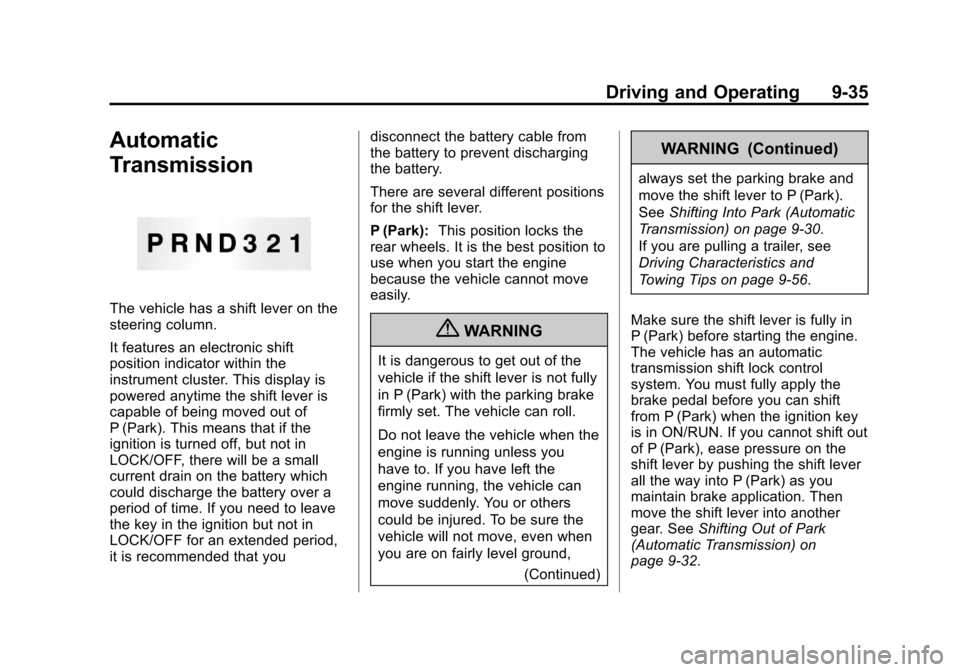
It features an electronic shift
position indicator within the
instrument cluster. This display is
powered anytime the shift lever is
capable of being moved out of
P (Park). This means that if the
ignition is turned off, but not in
LOCK/OFF, there will be a small
current drain on the battery which
could discharge the battery over a
period of time. If you need to leave
the key in the ignition but not in
LOCK/OFF for an extended period,
it is recommended that youdisconnect the battery cable from
the battery to prevent discharging
the battery.
There are several different positions
for the shift lever.
P (Park):
This position locks the
rear wheels. It is the best position to
use when you start the engine
because the vehicle cannot move
easily.
{WARNING
It is dangerous to get out of the
vehicle if the shift lever is not fully
in P (Park) with the parking brake
firmly set. The vehicle can roll.
Do not leave the vehicle when the
engine is running unless you
have to. If you have left the
engine running, the vehicle can
move suddenly. You or others
could be injured. To be sure the
vehicle will not move, even when
you are on fairly level ground,
(Continued)
WARNING (Continued)
always set the parking brake and
move the shift lever to P (Park).
SeeShifting Into Park (Automatic
Transmission) on page 9‑30.
If you are pulling a trailer, see
Driving Characteristics and
Towing Tips on page 9‑56.
Make sure the shift lever is fully in
P (Park) before starting the engine.
The vehicle has an automatic
transmission shift lock control
system. You must fully apply the
brake pedal before you can shift
from P (Park) when the ignition key
is in ON/RUN. If you cannot shift out
of P (Park), ease pressure on the
shift lever by pushing the shift lever
all the way into P (Park) as you
maintain brake application. Then
move the shift lever into another
gear. See Shifting Out of Park
(Automatic Transmission) on
page 9‑32.
Page 215 of 392
Black plate (41,1)Chevrolet Colorado Owner Manual - 2011
Driving and Operating 9-41
You might choose four-wheel low if
you were driving off-road in sand,
mud, or deep snow and while
climbing or descending steep hills.
Shifting into Four‐Wheel Low will
turn Traction Control and
StabiliTrak
®off. SeeTraction
Control System (TCS) on page 9‑46
and StabiliTrak
®System on
page 9‑47 for more information.
Indicator lights in the buttons show
you which setting you are in. The
indicator lights will come on briefly
when you turn on the ignition and
one will stay on the selected setting.
If the lights do not come on, you
should take the vehicle in for
service. An indicator light will flash
while shifting. It will stay on when
the shift is completed.
If the transfer case does not shift, it
will return to the last chosen setting. Shifting from Two-Wheel High to
Four-Wheel High
Press and release the Four-Wheel
High button. This can be done at
any speed, and the front axle will
lock automatically.
Shifting from Four-Wheel High to
Two-Wheel High
Press and release the Two-Wheel
High button. This can be done at
any speed, and the front axle will
unlock automatically.
It is normal to hear and feel the
vehicle's transfer case shift into
Four-Wheel High. If you shift with
the vehicle stopped, the indicator
light may still flash slowly. It may be
necessary to shift the transmission
momentarily into R (Reverse) and
D (Drive), for an automatic
transmission, or R (Reverse) and
1 (First) for a manual transmission
to have the light stop flashing.Shifting from Two-Wheel High or
Four-Wheel High to
Four-Wheel Low
To shift from Two-Wheel High or
Four-Wheel High to Four-Wheel
Low, the vehicle must be stopped or
moving less than 5 km/h (3 mph)
with the transmission in N (Neutral)
for an automatic transmission or the
clutch pedal pressed for a manual
transmission. The preferred method
for shifting into Four-Wheel Low is
to have your vehicle moving
1.6 to 3.2 km/h (1 to 2 mph).
Press and release the Four-Wheel
Low button. You must wait for the
Four-Wheel Low indicator light to
stop flashing and stay on before
shifting the transmission into gear or
releasing the clutch pedal.
If the Four-Wheel Low button is
pressed when the vehicle is in gear
and/or moving faster than 5 km/h
(3 mph), the Four-Wheel Low
indicator light will flash for
30 seconds and not complete the
shift.
Page 216 of 392
Black plate (42,1)Chevrolet Colorado Owner Manual - 2011
9-42 Driving and Operating
Shifting from Four-Wheel Low to
Two-Wheel High or
Four-Wheel High
To shift from Four-Wheel Low to
Two-Wheel High or Four-Wheel
High, the vehicle must be stopped
or moving less than 5 km/h (3 mph)
with the transmission in N (Neutral)
for an automatic transmission or the
clutch pedal pressed for a manual
transmission. The preferred method
for shifting out of Four-Wheel Low is
to have your vehicle moving
1.6 to 3.2 km/h (1 to 2 mph).
Press and release the Four-Wheel
High or Two-Wheel High button. You
must wait for the Four-Wheel High
or Two-Wheel High indicator light to
stop flashing and stay on before
shifting the transmission into gear or
releasing the clutch pedal.
If the Four-Wheel High or
Two-Wheel High button is pressed
when the vehicle is in gear and/or
moving faster than 5 km/h (3 mph),
the Four-Wheel High or Two-WheelHigh indicator light will flash for
30 seconds but not complete the
shift.
Shifting to Neutral
Use N (Neutral) when you plan to
tow the vehicle. See
Recreational
Vehicle Towing on page 10‑90 for
towing instructions. To shift the
transfer case into N (Neutral) do the
following:
1. Set the parking brake.
2. Start the vehicle.
3. Press the regular brake pedal and shift the transmission in
N (Neutral), or press in the clutch
for vehicles with a manual
transmission.
4. Shift the transfer case to Two-Wheel High.
5. Press and hold the Two-Wheel High and Four-Wheel Low
buttons at the same time for
10 seconds. The N (Neutral) light will come on when the transfer
case shift to N (Neutral) is
complete.
6. Press and hold the regular brake pedal and shift the transmission
to R (Reverse) for one second,
then shift the transmission to
D (Drive) for one second,
or 1 (First) for vehicles with
manual transmissions, and let
out the clutch to insure the
transfer case is in N (Neutral).
If the transfer case is not in
N (Neutral), repeat this
procedure starting at Step 3.
7. Turn the engine off by turning the key to ACC/ACCESSORY.
8. Place the transmission shift lever in P (Park), or 1 (First) for
vehicles that have a manual
transmission.
9. Turn the ignition to LOCK/OFF.
Page 217 of 392
Black plate (43,1)Chevrolet Colorado Owner Manual - 2011
Driving and Operating 9-43
Shifting Out of Neutral
After towing the vehicle, you will
have to shift out of N (Neutral) in
order to drive. To shift out of
N (Neutral), do the following:
1. Set the parking brake and applythe regular brake pedal.
2. Start a vehicle with an automatic transmission in P (Park). Use
1 (First) for vehicles with a
manual transmission.
3. Shift the transmission to N (Neutral), or press the clutch
pedal for vehicles with a manual
transmission.
4. Press the button for the desired transfer case shift position
(Two-Wheel High, Four-Wheel
High, or Four-Wheel Low).
5. After the transfer case has shifted out of N (Neutral), the
indicator light will go out.
6. Release the parking brake.
7. Shift the transmission to the desired position.Brakes
Antilock Brake
System (ABS)
This vehicle has the Antilock Brake
System (ABS), an advanced
electronic braking system that helps
prevent a braking skid.
When the engine is started and the
vehicle begins to drive away, ABS
checks itself. A momentary motor or
clicking noise might be heard while
this test is going on, and it might
even be noticed that the brake
pedal moves a little. This is normal.If there is a problem with ABS, this
warning light stays on. See Antilock
Brake System (ABS) Warning Light
on page 5‑16.
If driving safely on a wet road and it
becomes necessary to slam on the
brakes and continue braking to
avoid a sudden obstacle, a
computer senses that the wheels
are slowing down. If one of the
wheels is about to stop rolling, the
computer will separately work the
brakes at each wheel.
ABS can change the brake pressure
to each wheel, as required, faster
than any driver could. This can help
the driver steer around the obstacle
while braking hard.
Page 220 of 392
Black plate (46,1)Chevrolet Colorado Owner Manual - 2011
9-46 Driving and Operating
Ride Control Systems
Traction Control
System (TCS)
The Traction Control System (TCS)
is part of StabiliTrak. TCS limits
wheel slip which is especially useful
in slippery road conditions. The
system operates only if it senses
that any of the wheels are spinning
or beginning to lose traction. When
this happens, TCS applies the
brakes to limit wheel spin and also
reduces engine power. The system
may be heard or felt while it is
working. This is normal and does
not mean there is a problem with
the vehicle.
Notice:If the wheel(s) of one axle
is allowed to spin excessively
while the StabiliTrak
®, ABS, brake
warning lights, and any relevant
DIC messages are displayed, the
transfer case could be damaged.
The repairs would not be covered
by the vehicle warranty. Reduce
engine power and do not spin the wheel(s) excessively while these
lights and messages are
displayed.
TCS can operate on dry roads
under some conditions. When
this happens, the system may be
heard working or a reduction in
acceleration may be noticed. This
is normal and does not mean there
is a problem with the vehicle.
Examples of these conditions
include hard acceleration in a turn,
an abrupt upshift or downshift of the
transmission or driving on rough
roads.
If cruise control is being used when
TCS begins to limit wheel spin, the
cruise control automatically
disengages. The cruise control can
be re-engaged when road
conditions allow. See
Cruise Control
on page 9‑49.
The message TRACTION FAULT
appears in the Driver Information
Center (DIC) when a TCS or
Antilock Brake System (ABS)
problem has been detected and the vehicle needs service. When this
message is on, the system will not
limit wheel spin. Adjust your driving
accordingly. See
Ride Control
System Messages on page 5‑25.
The StabiliTrak/TCS light will flash
on the instrument panel cluster
when the TCS system or StabiliTrak
is both on and activated.
The StabiliTrak/TCS button is
located on the instrument panel.