cruise control CHEVROLET COLORADO 2011 1.G Owners Manual
[x] Cancel search | Manufacturer: CHEVROLET, Model Year: 2011, Model line: COLORADO, Model: CHEVROLET COLORADO 2011 1.GPages: 392, PDF Size: 6.37 MB
Page 2 of 392

Black plate (2,1)Chevrolet Colorado Owner Manual - 2011
2011 Chevrolet Colorado Owner ManualM
Driving and Operating. . . . . . . . 9-1
Driving Information . . . . . . . . . . . . . 9-2
Starting and Operating . . . . . . . 9-26
Engine Exhaust . . . . . . . . . . . . . . 9-33
Automatic Transmission . . . . . . 9-35
Manual Transmission . . . . . . . . . 9-37
Drive Systems . . . . . . . . . . . . . . . . 9-39
Brakes . . . . . . . . . . . . . . . . . . . . . . . 9-43
Ride Control Systems . . . . . . . . 9-46
Cruise Control . . . . . . . . . . . . . . . . 9-49
Fuel . . . . . . . . . . . . . . . . . . . . . . . . . . 9-51
Towing . . . . . . . . . . . . . . . . . . . . . . . 9-56
Conversions and Add-Ons . . . 9-66 Vehicle Care
. . . . . . . . . . . . . . . . . 10-1
General Information . . . . . . . . . . 10-3
Vehicle Checks . . . . . . . . . . . . . . . 10-4
Headlamp Aiming . . . . . . . . . . . 10-35
Bulb Replacement . . . . . . . . . . 10-36
Electrical System . . . . . . . . . . . . 10-40
Wheels and Tires . . . . . . . . . . . 10-46
Jump Starting . . . . . . . . . . . . . . . 10-86
Towing . . . . . . . . . . . . . . . . . . . . . . 10-90
Appearance Care . . . . . . . . . . . 10-95
Service and Maintenance . . . 11-1
General Information . . . . . . . . . . 11-1
Scheduled Maintenance . . . . . . 11-2
Recommended Fluids,
Lubricants, and Parts . . . . . . . 11-6
Maintenance Records . . . . . . . 11-10 Technical Data
. . . . . . . . . . . . . . . 12-1
Vehicle Identification . . . . . . . . . 12-1
Vehicle Data . . . . . . . . . . . . . . . . . . 12-2
Customer Information . . . . . . . 13-1
Customer Information . . . . . . . . 13-1
Reporting Safety Defects . . . . 13-14
Vehicle Data Recording and
Privacy . . . . . . . . . . . . . . . . . . . . 13-16
Index . . . . . . . . . . . . . . . . . . . . . i-1
Page 5 of 392

Black plate (5,1)Chevrolet Colorado Owner Manual - 2011
Introduction v
Vehicle Symbol Chart
Here are some additional symbols
that may be found on the vehicle
and what they mean. For more
information on the symbol, refer to
the Index.
9:Airbag Readiness Light
#:Air Conditioning
!:Antilock Brake System (ABS)
g:Audio Steering Wheel Controls
or OnStar®
$: Brake System Warning Light
":Charging System
I:Cruise Control
B: Engine Coolant Temperature
O:Exterior Lamps
#:Fog Lamps
.: Fuel Gauge
+:Fuses
3: Headlamp High/Low-Beam
Changer
j: LATCH System Child
Restraints
*: Malfunction Indicator Lamp
::Oil Pressure
}:Power
/:Remote Vehicle Start
>:Safety Belt Reminders
7:Tire Pressure Monitor
d:Traction Control
M:Windshield Washer Fluid
Page 7 of 392
Black plate (1,1)Chevrolet Colorado Owner Manual - 2011
In Brief 1-1
In Brief
Instrument Panel
Instrument Panel . . . . . . . . . . . . . . 1-2
Initial Drive Information
Initial Drive Information . . . . . . . . 1-3
Remote Keyless Entry (RKE)System . . . . . . . . . . . . . . . . . . . . . . 1-4
Door Locks . . . . . . . . . . . . . . . . . . . 1-4
Tailgate . . . . . . . . . . . . . . . . . . . . . . . 1-5
Windows . . . . . . . . . . . . . . . . . . . . . . 1-5
Seat Adjustment . . . . . . . . . . . . . . 1-6
Heated Seats . . . . . . . . . . . . . . . . . 1-7
Head Restraint Adjustment . . . . 1-7
Safety Belts . . . . . . . . . . . . . . . . . . . 1-8 Sensing System for Passenger
Airbag . . . . . . . . . . . . . . . . . . . . . . . 1-8
Mirror Adjustment . . . . . . . . . . . . . 1-9
Steering Wheel Adjustment . . . . . . . . . . . . . . . . . 1-10
Interior Lighting . . . . . . . . . . . . . . 1-10
Exterior Lighting . . . . . . . . . . . . . 1-11
Windshield Wiper/Washer . . . . 1-11
Climate Controls . . . . . . . . . . . . . 1-12
Four-Wheel Drive . . . . . . . . . . . . 1-12
Vehicle Features
Radio(s) . . . . . . . . . . . . . . . . . . . . . 1-13
Satellite Radio . . . . . . . . . . . . . . . 1-14
Cruise Control . . . . . . . . . . . . . . . 1-15
Driver Information Center (DIC) . . . . . . . . . . . . . . . 1-15
Power Outlets . . . . . . . . . . . . . . . 1-15
Performance and Maintenance
Traction Control System (TCS) . . . . . . . . . . . . . . 1-16
StabiliTrak
®System . . . . . . . . . 1-16
Tire Pressure Monitor . . . . . . . . 1-16
Engine Oil Life System . . . . . . 1-17
Driving for Better Fuel Economy . . . . . . . . . . . . . . . . . . . 1-17
Roadside Assistance Program . . . . . . . . . . . . . . . . . . . . 1-17
OnStar
®. . . . . . . . . . . . . . . . . . . . . 1-18
Page 21 of 392
Black plate (15,1)Chevrolet Colorado Owner Manual - 2011
In Brief 1-15
Cruise Control
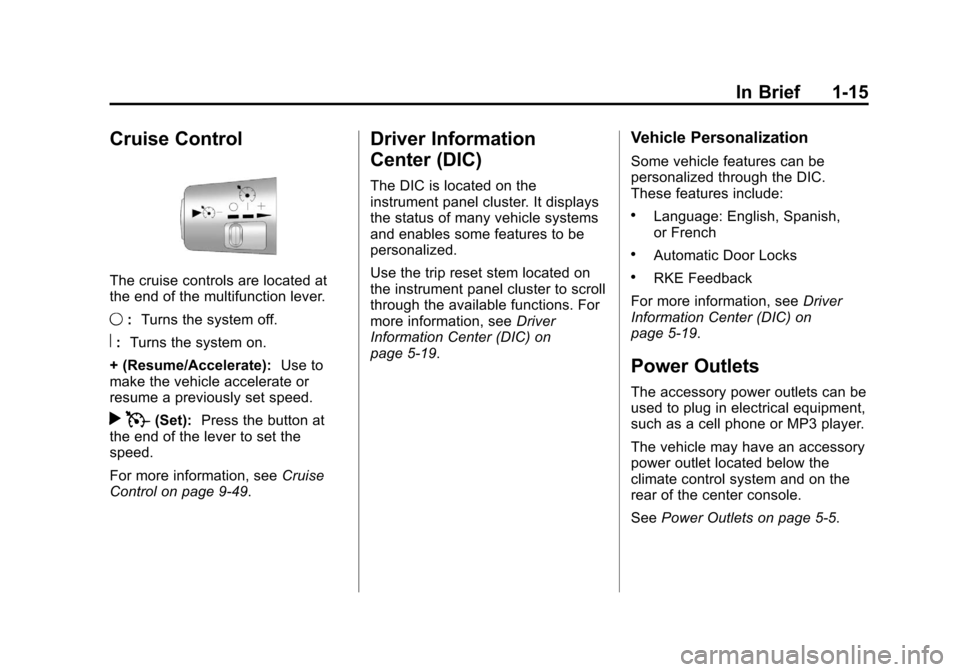
The cruise controls are located at
the end of the multifunction lever.
9:Turns the system off.
R:Turns the system on.
+ (Resume/Accelerate): Use to
make the vehicle accelerate or
resume a previously set speed.
r T(Set): Press the button at
the end of the lever to set the
speed.
For more information, see Cruise
Control on page 9‑49.
Driver Information
Center (DIC)
The DIC is located on the
instrument panel cluster. It displays
the status of many vehicle systems
and enables some features to be
personalized.
Use the trip reset stem located on
the instrument panel cluster to scroll
through the available functions. For
more information, see Driver
Information Center (DIC) on
page 5‑19.
Vehicle Personalization
Some vehicle features can be
personalized through the DIC.
These features include:
.Language: English, Spanish,
or French
.Automatic Door Locks
.RKE Feedback
For more information, see Driver
Information Center (DIC) on
page 5‑19.
Power Outlets
The accessory power outlets can be
used to plug in electrical equipment,
such as a cell phone or MP3 player.
The vehicle may have an accessory
power outlet located below the
climate control system and on the
rear of the center console.
See Power Outlets on page 5‑5.
Page 23 of 392
Black plate (17,1)Chevrolet Colorado Owner Manual - 2011
In Brief 1-17
indicator that the tire pressures are
getting low and the tires need to be
inflated to the proper pressure.
The TPMS does not replace normal
monthly tire maintenance. It is the
driver’s responsibility to maintain
correct tire pressures.
See Tire Pressure Monitor System
on page 10‑55.
Engine Oil Life System
The engine oil life system calculates
engine oil life based on vehicle use
and displays a DIC message when
it is necessary to change the engine
oil and filter.
Resetting the Oil Life System
1. Turn the ignition to ON/RUN,
with the engine off.
2. Press and release the stem in the lower center of the
instrument cluster until the OIL
LIFE message is displayed. 3. Once the alternating OIL LIFE
and RESET messages appear,
press and hold the stem until
several beeps sound. This
confirms that the oil life system
has been reset.
4. Turn the key to LOCK/OFF.
See Engine Oil Life System on
page 10‑12.
Driving for Better Fuel
Economy
Driving habits can affect fuel
mileage. Here are some driving
tips to get the best fuel economy
possible.
.Avoid fast starts and accelerate
smoothly.
.Brake gradually and avoid
abrupt stops.
.Avoid idling the engine for long
periods of time.
.When road and weather
conditions are appropriate, use
cruise control.
.Always follow posted speed
limits or drive more slowly when
conditions require.
.Keep vehicle tires properly
inflated.
.Combine several trips into a
single trip.
.Replace the vehicle's tires with
the same TPC Spec number
molded into the tire's sidewall
near the size.
.Follow recommended scheduled
maintenance.
Roadside Assistance
Program
U.S.: 1-800-243-8872
TTY Users (U.S.): 1-888-889-2438
Canada: 1-800-268-6800
Mexico: 01-800-466-0800
As the owner of a new Chevrolet,
you are automatically enrolled in the
Roadside Assistance program.
Page 113 of 392
Black plate (1,1)Chevrolet Colorado Owner Manual - 2011
Instruments and Controls 5-1
Instruments and
Controls
Controls
Steering Wheel Adjustment . . . 5-2
Horn . . . . . . . . . . . . . . . . . . . . . . . . . . 5-2
Windshield Wiper/Washer . . . . . 5-2
Compass . . . . . . . . . . . . . . . . . . . . . 5-3
Clock . . . . . . . . . . . . . . . . . . . . . . . . . 5-4
Power Outlets . . . . . . . . . . . . . . . . . 5-5
Cigarette Lighter . . . . . . . . . . . . . . 5-5
Ashtrays . . . . . . . . . . . . . . . . . . . . . . 5-6
Warning Lights, Gauges, and
Indicators
Warning Lights, Gauges, andIndicators . . . . . . . . . . . . . . . . . . . . 5-6
Chime Level Adjustment . . . . . . 5-6
Instrument Cluster . . . . . . . . . . . . 5-7
Speedometer . . . . . . . . . . . . . . . . . 5-8
Odometer . . . . . . . . . . . . . . . . . . . . . 5-8
Trip Odometer . . . . . . . . . . . . . . . . . 5-8 Tachometer . . . . . . . . . . . . . . . . . . . 5-8
Fuel Gauge . . . . . . . . . . . . . . . . . . . 5-8
Engine Coolant Temperature
Gauge . . . . . . . . . . . . . . . . . . . . . . . 5-9
Safety Belt Reminders . . . . . . . . 5-9
Airbag Readiness Light . . . . . . 5-10
Passenger Airbag Status
Indicator . . . . . . . . . . . . . . . . . . . . 5-11
Charging System Light . . . . . . 5-12
Malfunction Indicator Lamp . . . . . . . . . . . . . 5-12
Brake System Warning Light . . . . . . . . . . . . . . . . . . . . . . . 5-15
Antilock Brake System (ABS) Warning Light . . . . . . . . . . . . . . 5-16
Up-Shift Light . . . . . . . . . . . . . . . . 5-16
Traction Control System (TCS)/StabiliTrak®Light . . . . 5-17
Tire Pressure Light . . . . . . . . . . 5-17
Engine Oil Pressure Light . . . . 5-18
Security Light . . . . . . . . . . . . . . . . 5-18
High-Beam On Light . . . . . . . . . 5-19
Cruise Control Light . . . . . . . . . 5-19
Information Displays
Driver Information Center (DIC) . . . . . . . . . . . . . . . 5-19
Vehicle Messages
Vehicle Messages . . . . . . . . . . . 5-22
Battery Voltage and ChargingMessages . . . . . . . . . . . . . . . . . . 5-23
Brake System Messages . . . . 5-23
Door Ajar Messages . . . . . . . . . 5-24
Engine Cooling System Messages . . . . . . . . . . . . . . . . . . 5-24
Engine Oil Messages . . . . . . . . 5-24
Engine Power Messages . . . . 5-24
Fuel System Messages . . . . . . 5-25
Lamp Messages . . . . . . . . . . . . . 5-25
Ride Control System Messages . . . . . . . . . . . . . . . . . . 5-25
Service Vehicle Messages . . . 5-26
Tire Messages . . . . . . . . . . . . . . . 5-26
Transmission Messages . . . . . 5-26
Page 131 of 392
Black plate (19,1)Chevrolet Colorado Owner Manual - 2011
Instruments and Controls 5-19
High-Beam On Light
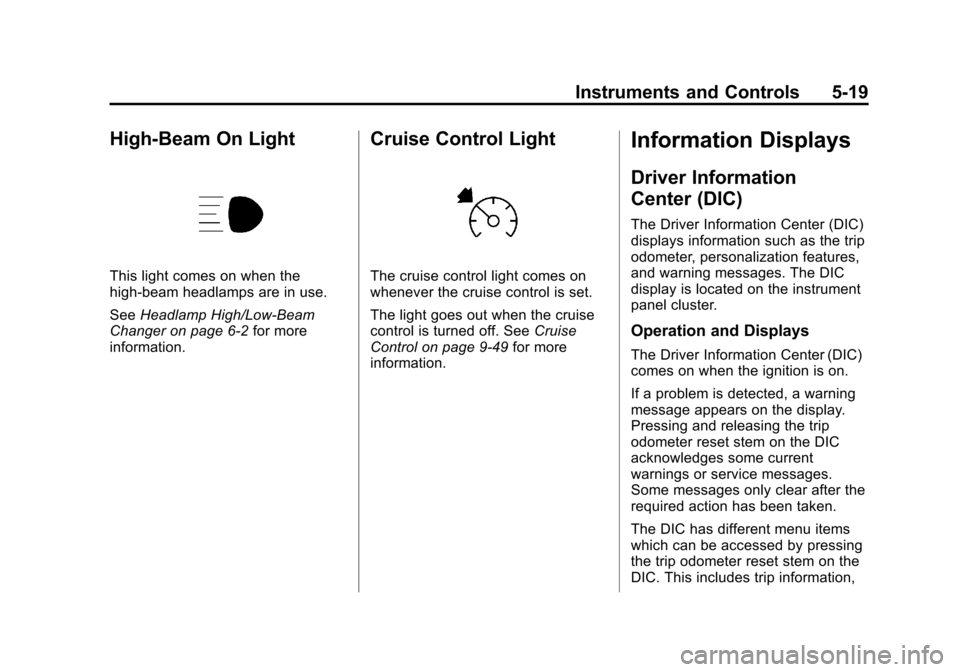
This light comes on when the
high-beam headlamps are in use.
SeeHeadlamp High/Low-Beam
Changer on page 6‑2 for more
information.
Cruise Control Light
The cruise control light comes on
whenever the cruise control is set.
The light goes out when the cruise
control is turned off. See Cruise
Control on page 9‑49 for more
information.
Information Displays
Driver Information
Center (DIC)
The Driver Information Center (DIC)
displays information such as the trip
odometer, personalization features,
and warning messages. The DIC
display is located on the instrument
panel cluster.
Operation and Displays
The Driver Information Center (DIC)
comes on when the ignition is on.
If a problem is detected, a warning
message appears on the display.
Pressing and releasing the trip
odometer reset stem on the DIC
acknowledges some current
warnings or service messages.
Some messages only clear after the
required action has been taken.
The DIC has different menu items
which can be accessed by pressing
the trip odometer reset stem on the
DIC. This includes trip information,
Page 175 of 392
Black plate (1,1)Chevrolet Colorado Owner Manual - 2011
Driving and Operating 9-1
Driving and
Operating
Driving Information
Defensive Driving . . . . . . . . . . . . . 9-2
Drunk Driving . . . . . . . . . . . . . . . . . 9-2
Control of a Vehicle . . . . . . . . . . . 9-3
Braking . . . . . . . . . . . . . . . . . . . . . . . 9-3
Steering . . . . . . . . . . . . . . . . . . . . . . . 9-4
Off-Road Recovery . . . . . . . . . . . . 9-5
Loss of Control . . . . . . . . . . . . . . . . 9-5
Off-Road Driving . . . . . . . . . . . . . . 9-6
Driving on Wet Roads . . . . . . . 9-16
Highway Hypnosis . . . . . . . . . . . 9-16
Hill and Mountain Roads . . . . . 9-17
Winter Driving . . . . . . . . . . . . . . . 9-17
If the Vehicle is Stuck . . . . . . . . 9-19
Vehicle Load Limits . . . . . . . . . . 9-20
Truck-Camper LoadingInformation . . . . . . . . . . . . . . . . . 9-26
Starting and Operating
New Vehicle Break-In . . . . . . . . 9-26
Ignition Positions . . . . . . . . . . . . 9-27
Starting the Engine . . . . . . . . . . 9-28
Engine Heater . . . . . . . . . . . . . . . 9-29 Retained Accessory
Power (RAP) . . . . . . . . . . . . . . . 9-30
Shifting Into Park (Automatic Transmission) . . . . . . . . . . . . . . 9-30
Shifting Out of Park
(Automatic
Transmission) . . . . . . . . . . . . . . 9-32
Parking (Manual Transmission) . . . . . . . . . . . . . . 9-32
Parking Over Things That Burn . . . . . . . . . . . . . . . . . . 9-33
Engine Exhaust
Engine Exhaust . . . . . . . . . . . . . . 9-33
Running the Vehicle WhileParked . . . . . . . . . . . . . . . . . . . . . 9-34
Automatic Transmission
Automatic Transmission . . . . . 9-35
Manual Transmission
Manual Transmission . . . . . . . . 9-37
Drive Systems
Four-Wheel Drive . . . . . . . . . . . . 9-39
Brakes
Antilock BrakeSystem (ABS) . . . . . . . . . . . . . . 9-43
Parking Brake . . . . . . . . . . . . . . . 9-44
Brake Assist . . . . . . . . . . . . . . . . . 9-45
Ride Control Systems
Traction Control System (TCS) . . . . . . . . . . . . . . 9-46
StabiliTrak
®System . . . . . . . . . 9-47
Limited-Slip Rear Axle . . . . . . . 9-48
Cruise Control
Cruise Control . . . . . . . . . . . . . . . 9-49
Fuel
Fuel . . . . . . . . . . . . . . . . . . . . . . . . . 9-51
Recommended Fuel . . . . . . . . . 9-51
Gasoline Specifications (U.S. and Canada Only) . . . . . . . . . . 9-52
California Fuel Requirements . . . . . . . . . . . . . . 9-52
Fuels in Foreign Countries . . . 9-52
Fuel Additives . . . . . . . . . . . . . . . 9-53
Filling the Tank . . . . . . . . . . . . . . 9-54
Filling a Portable Fuel Container . . . . . . . . . . . . . . . . . . . 9-55
Page 190 of 392
Black plate (16,1)Chevrolet Colorado Owner Manual - 2011
9-16 Driving and Operating
The vehicle requires more frequent
service due to off-road use. Refer to
the Maintenance Schedule for
additional information.
Driving on Wet Roads
Rain and wet roads can reduce
vehicle traction and affect your
ability to stop and accelerate.
Always drive slower in these types
of driving conditions and avoid
driving through large puddles and
deep‐standing or flowing water.
{WARNING
Wet brakes can cause crashes.
They might not work as well in a
quick stop and could cause
pulling to one side. You could
lose control of the vehicle.(Continued)
WARNING (Continued)
After driving through a large
puddle of water or a car/vehicle
wash, lightly apply the brake
pedal until the brakes work
normally.
Flowing or rushing water creates
strong forces. Driving through
flowing water could cause your
vehicle to be carried away. If this
happens, you and other vehicle
occupants could drown. Do not
ignore police warnings and be
very cautious about trying to drive
through flowing water.
Hydroplaning
Hydroplaning is dangerous. Water
can build up under the vehicle's
tires so they actually ride on the
water. This can happen if the road is
wet enough and you are going fast
enough. When the vehicle is
hydroplaning, it has little or no
contact with the road. There is no hard and fast rule about
hydroplaning. The best advice is to
slow down when the road is wet.
Other Rainy Weather Tips
Besides slowing down, other wet
weather driving tips include:
.Allow extra following distance.
.Pass with caution.
.Keep windshield wiping
equipment in good shape.
.Keep the windshield washer fluid
reservoir filled.
.Have good tires with proper
tread depth. See
Tires on
page 10‑46.
.Turn off cruise control.
Highway Hypnosis
Always be alert and pay attention to
your surroundings while driving.
If you become tired or sleepy, find a
safe place to park the vehicle
and rest.
Page 192 of 392
Black plate (18,1)Chevrolet Colorado Owner Manual - 2011
9-18 Driving and Operating
Drive with caution, whatever the
condition. Accelerate gently so
traction is not lost. Accelerating too
quickly causes the wheels to spin
and makes the surface under the
tires slick, so there is even less
traction.
Try not to break the fragile traction.
If you accelerate too fast, the drive
wheels will spin and polish the
surface under the tires even more.
TheAntilock Brake System (ABS)
on page 9‑43 improves vehicle
stability during hard stops on
slippery roads, but apply the brakes
sooner than when on dry pavement.
Allow greater following distance on
any slippery road and watch for
slippery spots. Icy patches can
occur on otherwise clear roads in
shaded areas. The surface of a
curve or an overpass can remain icy
when the surrounding roads are
clear. Avoid sudden steering
maneuvers and braking while
on ice. Turn off cruise control on slippery
surfaces.
Blizzard Conditions
Being stuck in snow can be a
serious situation. Stay with the
vehicle unless there is help nearby.
If possible, use the
Roadside
Assistance Program (U.S. and
Canada) on page 13‑7 orRoadside
Assistance Program (Mexico) on
page 13‑9. To get help and keep
everyone in the vehicle safe:
.Turn on the hazard warning
flashers.
.Tie a red cloth to an outside
mirror.
{WARNING
Snow can trap engine exhaust
under the vehicle. This may
cause exhaust gases to get
inside. Engine exhaust contains
Carbon Monoxide (CO) which
(Continued)
WARNING (Continued)
cannot be seen or smelled. It can
cause unconsciousness and even
death.
If the vehicle is stuck in the snow:
.Clear away snow from around
the base of your vehicle,
especially any that is blocking
the exhaust pipe.
.Check again from time to
time to be sure snow does
not collect there.
.Open a window about 5 cm
(2 in) on the side of the
vehicle that is away from the
wind to bring in fresh air.
.Fully open the air outlets on
or under the instrument
panel.(Continued)