ignition CHEVROLET COLORADO 2011 1.G Owner's Guide
[x] Cancel search | Manufacturer: CHEVROLET, Model Year: 2011, Model line: COLORADO, Model: CHEVROLET COLORADO 2011 1.GPages: 392, PDF Size: 6.37 MB
Page 144 of 392
Black plate (6,1)Chevrolet Colorado Owner Manual - 2011
6-6 Lighting
Lighting Features
Exit Lighting
The interior lamps will come on
when the key is removed from the
ignition. The lamps will not come on
if the dome override button is
pressed in.
Battery Load
Management
The vehicle has Electric Power
Management (EPM) that estimates
the battery's temperature and state
of charge. It then adjusts the voltage
for best performance and extended
life of the battery.
When the battery's state of charge
is low, the voltage is raised slightly
to quickly bring the charge back up.
When the state of charge is high,
the voltage is lowered slightly to
prevent overcharging. If the vehicle
has a voltmeter gauge or a voltage
display on the Driver Information
Center (DIC), you may see thevoltage move up or down. This is
normal. If there is a problem, an
alert will be displayed.
The battery can be discharged at
idle if the electrical loads are very
high. This is true for all vehicles.
This is because the generator
(alternator) may not be spinning fast
enough at idle to produce all the
power that is needed for very high
electrical loads.
A high electrical load occurs when
several of the following are on, such
as: headlamps, high beams, fog
lamps, rear window defogger,
climate control fan at high speed,
heated seats, engine cooling fans,
trailer loads, and loads plugged into
accessory power outlets.
EPM works to prevent excessive
discharge of the battery. It does this
by balancing the generator's output
and the vehicle's electrical needs.
It can increase engine idle speed to
generate more power, whenever
needed. It can temporarily reduce
the power demands of some
accessories.
Normally, these actions occur in
steps or levels, without being
noticeable. In rare cases at the
highest levels of corrective action,
this action may be noticeable to the
driver. If so, a Driver Information
Center (DIC) message might be
displayed, such as BATTERY
SAVER ACTIVE, BATTERY
VOLTAGE LOW, or LOW BATTERY.
If one of these messages displays, it
is recommended that the driver
reduce the electrical loads as much
as possible. See
Driver Information
Center (DIC) on page 5‑19.
Battery Power Protection
This feature shuts off the dome
lamp if it is left on for more than
20 minutes when the ignition is in
LOCK/OFF. This helps to prevent
the battery from running down.
Page 146 of 392
Black plate (2,1)Chevrolet Colorado Owner Manual - 2011
7-2 Infotainment System
Notice:Contact your dealer
before adding any equipment.
Adding audio or communication
equipment could interfere with
the operation of the vehicle's
engine, radio, or other systems,
and could damage them. Follow
federal rules covering mobile
radio and telephone equipment.
Notice: The chime signals related
to safety belts, parking brake, and
other functions of your vehicle
operate through the radio/
entertainment system. If that
equipment is replaced or
additional equipment is added to
your vehicle, the chimes may not
work. Make sure that replacement
or additional equipment is
compatible with your vehicle
before installing it. See
Accessories and Modifications on
page 10‑4. The vehicle has Retained
Accessory Power (RAP). With RAP,
the audio system can be played
even after the ignition is turned off.
See
Retained Accessory Power
(RAP) on page 9‑30 for more
information.
Theft-Deterrent Feature
Non-RDS Radios
TheftLock®is designed to
discourage theft of your vehicle's
radio. The feature works
automatically by learning a portion
of the Vehicle Identification
Number (VIN). If the radio is moved
to a different vehicle, it does not
operate and LOC displays.
With TheftLock activated, the radio
does not operate if stolen.
RDS Radios
TheftLock is designed to discourage
theft of your vehicle's radio. The
feature works automatically by
learning a portion of the Vehicle
Identification Number (VIN). If the
radio is moved to a different vehicle,
it does not operate and LOCKED
displays.
When the radio and vehicle are
turned off, the blinking red light
indicates that TheftLock is armed.
With TheftLock activated, the radio
does not operate if stolen.
Page 148 of 392
Black plate (4,1)Chevrolet Colorado Owner Manual - 2011
7-4 Infotainment System
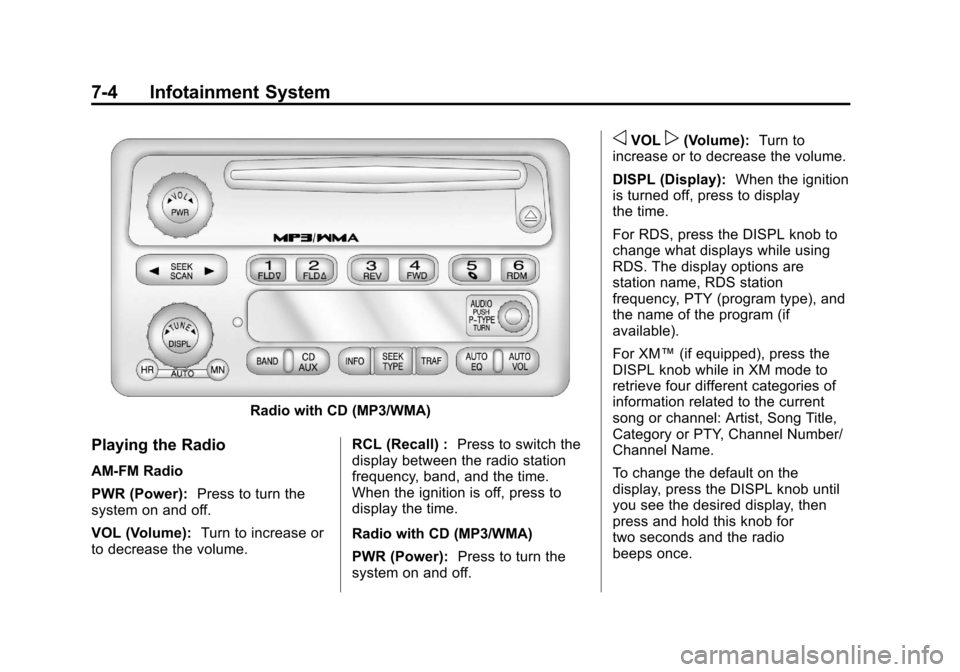
Radio with CD (MP3/WMA)
Playing the Radio
AM-FM Radio
PWR (Power):Press to turn the
system on and off.
VOL (Volume): Turn to increase or
to decrease the volume. RCL (Recall) :
Press to switch the
display between the radio station
frequency, band, and the time.
When the ignition is off, press to
display the time.
Radio with CD (MP3/WMA)
PWR (Power): Press to turn the
system on and off.
oVOLp(Volume): Turn to
increase or to decrease the volume.
DISPL (Display): When the ignition
is turned off, press to display
the time.
For RDS, press the DISPL knob to
change what displays while using
RDS. The display options are
station name, RDS station
frequency, PTY (program type), and
the name of the program (if
available).
For XM™ (if equipped), press the
DISPL knob while in XM mode to
retrieve four different categories of
information related to the current
song or channel: Artist, Song Title,
Category or PTY, Channel Number/
Channel Name.
To change the default on the
display, press the DISPL knob until
you see the desired display, then
press and hold this knob for
two seconds and the radio
beeps once.
Page 159 of 392
Black plate (15,1)Chevrolet Colorado Owner Manual - 2011
Infotainment System 7-15
If the surface of a CD is soiled, take
a soft, lint free cloth or dampen a
clean, soft cloth in a mild, neutral
detergent solution mixed with water,
and clean it. Make sure the wiping
process starts from the center to
the edge.
Playing a CD
Insert a CD partway into the slot,
label side up. The player pulls it in,
and READING displays. The CD
should begin playing. To insert a CD
with the ignition off, first press the
Z(eject) button or the
DISPL knob.
If the ignition or radio is turned off
with a CD in the player it stays in
the player. When the ignition or
radio is turned on, the CD starts to
play where it stopped, if it was the
last selected audio source.
When the CD is inserted, the CD
symbol displays. As each new track
starts to play, the track number
displays. The CD player can play the smaller
8 cm (3 in) single CDs with an
adapter ring. Full-size CDs and the
smaller CDs are loaded in the same
manner.
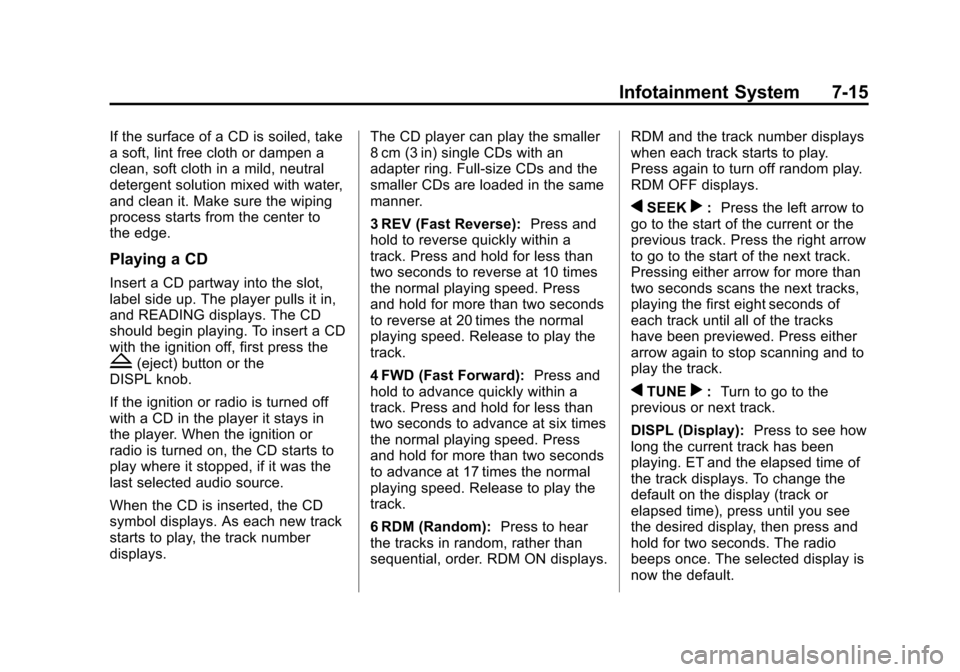
3 REV (Fast Reverse):
Press and
hold to reverse quickly within a
track. Press and hold for less than
two seconds to reverse at 10 times
the normal playing speed. Press
and hold for more than two seconds
to reverse at 20 times the normal
playing speed. Release to play the
track.
4 FWD (Fast Forward): Press and
hold to advance quickly within a
track. Press and hold for less than
two seconds to advance at six times
the normal playing speed. Press
and hold for more than two seconds
to advance at 17 times the normal
playing speed. Release to play the
track.
6 RDM (Random): Press to hear
the tracks in random, rather than
sequential, order. RDM ON displays. RDM and the track number displays
when each track starts to play.
Press again to turn off random play.
RDM OFF displays.
qSEEKr:
Press the left arrow to
go to the start of the current or the
previous track. Press the right arrow
to go to the start of the next track.
Pressing either arrow for more than
two seconds scans the next tracks,
playing the first eight seconds of
each track until all of the tracks
have been previewed. Press either
arrow again to stop scanning and to
play the track.
qTUNEr: Turn to go to the
previous or next track.
DISPL (Display): Press to see how
long the current track has been
playing. ET and the elapsed time of
the track displays. To change the
default on the display (track or
elapsed time), press until you see
the desired display, then press and
hold for two seconds. The radio
beeps once. The selected display is
now the default.
Page 160 of 392
Black plate (16,1)Chevrolet Colorado Owner Manual - 2011
7-16 Infotainment System
BAND:Press to listen to the radio
when a CD is playing. The inactive
CD remains inside the radio for
future listening.
CD AUX (Auxiliary): Press to play
a CD when listening to the radio.
The CD symbol displays when a CD
is loaded.
Z(Eject): Press to eject a CD.
Eject can be activated with either
the ignition or radio off. CDs can be
loaded with the ignition and radio off
if this button is pressed first.
Playing an MP3/WMA Disc
MP3/WMA CD-R Disc Format
If you burn your own MP3/WMA
disc on a personal computer:
.Make sure the MP3/WMA files
are recorded on a CD-R disc.
.Make sure playlists have a .m3u
or .wpl extension, other file
extensions might not work.
.Files can be recorded with a
variety of fixed or variable bit
rates. Song title, artist name, and album are displayed by the
radio when recorded using ID3
tags version 1 and 2.
.Create a folder structure that
makes it easy to find songs
while driving. Organize songs by
albums using one folder for each
album. Each folder or album
should contain 18 songs or less.
.Make sure to finalize the disc
when burning an MP3/WMA
disc, using multiple sessions.
It is usually better to burn the
disc all at once.
The player is able to read and
play a maximum of 253 folders,
50 playlists, 20 sessions, and
949 files. Long file names, folder
names, or playlist names may use
more disc memory space than
necessary. To conserve space on
the disc, minimize the length of the
file, folder, or playlist names. An
MP3/WMA CD-R that was recorded
using no file folders can also be
used. The system can support up to
11 folders in depth, though, keep the depth of the folders to a minimum in
order to keep down the complexity
and confusion in trying to locate a
particular folder during playback.
If a CD contains more than the
maximum of 253 folders,
50 playlists, 20 sessions, and
949 files, the player lets you access
and navigate up to the maximum,
but all items over the maximum are
played.
Root Directory
The root directory is treated as a
folder. If the root directory has
compressed audio files, the
directory displays as F1 ROOT. All
files contained directly under the
root directory are accessed prior to
any root directory folders. However,
playlists (Px) are always accessed
before root folders or files.
Empty Directory or Folder
If a root directory or a folder exists
somewhere in the file structure that
contains only folders/subfolders and
no compressed files directly
beneath them, the player advances
Page 162 of 392

Black plate (18,1)Chevrolet Colorado Owner Manual - 2011
7-18 Infotainment System
Playing an MP3/WMA
Insert a CD partway into the slot,
label side up. The player pulls it in,
and READING displays. The CD
should begin playing and the CD
symbol displays. If you want to
insert a CD with the ignition off,
first press the
Zbutton or the
DISPL knob.
If the ignition or radio is turned off
with a CD in the player it stays in
the player. When the ignition or
radio is turned on, the CD starts to
play where it stopped, if it was the
last selected audio source.
As each new track starts to play, the
track number displays.
1 FLD
x(Previous Folder): Press
this button to go to the first track in
the previous folder. Pressing this
button while in folder random mode
takes you to the previous folder and
plays the tracks in random order in
that folder. 2 FLD
w(Next Folder):
Press this
button to go to the first track in the
next folder. Pressing this button
while in folder random mode takes
the CD to the next folder and plays
the tracks in random order in that
folder.
3 REV (Reverse): Press and hold
this button to reverse quickly within
a track. Press and hold this button
for less than 2 seconds to reverse at
10 times the normal playing speed.
Press and hold it for more than
2 seconds to reverse at 20 times the
normal playing speed. Release this
button to play the track.
4 FWD (Forward): Press and hold
this button to advance quickly within
a track. Press and hold this button
for less than 2 seconds to advance
at 10 times the normal playing
speed. Press and hold it for more
than 2 seconds to advance at
20 times the normal playing speed.
Release this button to play the
track. 6 RDM (Random):
To play the
tracks in random order in the current
folder or playlist, press and release
this button. FLDR RDM (folder
random) displays. Once all of the
tracks in the current folder or playlist
have played, the system moves to
the next folder or playlist and plays
all of the tracks in random order.
To play all the tracks in random
order on the CD, press and hold
this button for 2 seconds. A beep
sounds and DISC RDM (disc
random) displays. This feature does
not work with playlists.
When in random, pressing and
releasing either SEEK arrow takes
the CD to the previous or to the next
random track.
Press and release this button again
to turn off random play. NO RDM
(no random) displays.
qSEEKr: Press the left SEEK
arrow to go to the start of the
previous track. Press the right
SEEK arrow to go to the start of the
next track. Pressing either SEEK
Page 163 of 392
Black plate (19,1)Chevrolet Colorado Owner Manual - 2011
Infotainment System 7-19
arrow for more than 2 seconds
searches the previous or next tracks
at two tracks per second. Release
the button to stop searching and to
play the track.
qTUNEr:Turn to reverse or
advance through the tracks in all
folders or playlists. The track
number and file name displays for
each track. Turning this knob while
in random reverses or advances the
tracks in sequential order.
DISPL (Display): Press this knob
to switch between track mode,
folder/playlist mode, and time of day
mode. The display shows only
8 characters, but there can be up to
4 pages of text. If there are more
than 8 characters in the song, folder,
or playlist name, pressing this knob
within 2 seconds takes you to the
next page of text. If there are no other pages to be shown, pressing
this knob within 2 seconds takes
you to the next display mode.
.Track mode displays the current
track number and the ID3 tag
song name.
.Folder/playlist mode displays the
current folder or playlist number
and the folder/playlist name.
.Time of day mode displays the
time of day and the ID3 tag
song name.
To change the default on the
display, press the DISPL knob until
you see the desired display, then
press and hold this knob for
2 seconds. The radio produces
one beep and the selected display
is now the default. INFO (Information):
INFO displays
when a current track has ID3 tag
information. Press this button to
display the artist name and album
contained in the tag. INFO
disappears from the display when
the information in the ID3 tag has
finished being read.
BAND: Press this button to listen to
the radio when a CD is playing. The
inactive CD remains inside the radio
for future listening.
CD AUX (Auxiliary): Press this
button to play a CD when listening
to the radio. The CD symbol
illuminates on the display when a
CD is loaded.
Z(Eject): Press this button to
eject a CD. Eject can activate while
either the ignition or radio is off.
CDs can be loaded with the ignition
and radio off if this button is pressed
first.
Page 169 of 392
Black plate (25,1)Chevrolet Colorado Owner Manual - 2011
Infotainment System 7-25
Receiving a Call
When an incoming call is received,
the audio system mutes and a ring
tone is heard in the vehicle. Press
and release
gto answer the call.
Call Waiting
Call waiting must be supported on
the Bluetooth phone and enabled by
the wireless service carrier to work.
.Press and releasegto answer
an incoming call when another
call is active. The original call is
placed on hold.
.Press and releasegagain to
return to the original call.
.To ignore the incoming call,
continue with the original call
with no action.
Three‐Way Calling
Three‐Way Calling must be
supported on the Bluetooth phone
and enabled by the wireless service
carrier to work.
1. While on a call press and
release
g.
2. Say “Three‐way call.”
3. Use the dial or call command to dial the number of the third party
to be called.
4. Once the call is connected, press
gto link all the callers
together.
Ending a Call
To end a call:
1. Press and release
g.
2. Say “End Call.”
Muting a Call
During a call, all sounds from inside
the vehicle can be muted so that the
person on the other end of the call
cannot hear them.
To mute a call, press
g, and then
say “Mute Call.”
To cancel mute, press
g, and then
say “Un‐mute Call.”
Transferring a Call
Audio can be transferred between
the Bluetooth system and the cell
phone.
The cell phone must be paired and
connected with the Bluetooth
system before a call can be
transferred. The connection process
can take up to two minutes after the
ignition is turned to ON/RUN.
Page 175 of 392
Black plate (1,1)Chevrolet Colorado Owner Manual - 2011
Driving and Operating 9-1
Driving and
Operating
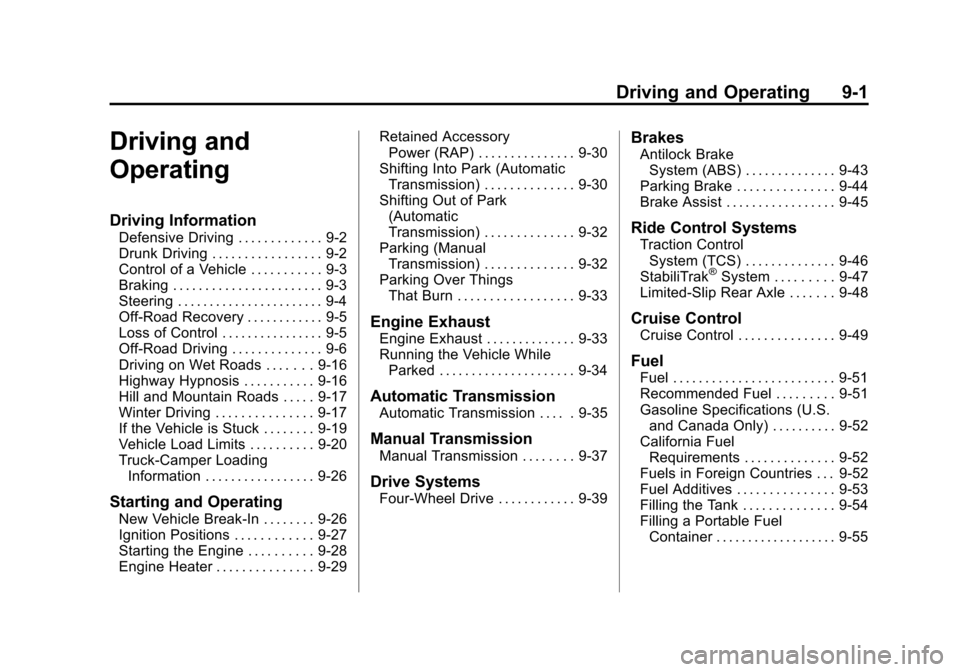
Driving Information
Defensive Driving . . . . . . . . . . . . . 9-2
Drunk Driving . . . . . . . . . . . . . . . . . 9-2
Control of a Vehicle . . . . . . . . . . . 9-3
Braking . . . . . . . . . . . . . . . . . . . . . . . 9-3
Steering . . . . . . . . . . . . . . . . . . . . . . . 9-4
Off-Road Recovery . . . . . . . . . . . . 9-5
Loss of Control . . . . . . . . . . . . . . . . 9-5
Off-Road Driving . . . . . . . . . . . . . . 9-6
Driving on Wet Roads . . . . . . . 9-16
Highway Hypnosis . . . . . . . . . . . 9-16
Hill and Mountain Roads . . . . . 9-17
Winter Driving . . . . . . . . . . . . . . . 9-17
If the Vehicle is Stuck . . . . . . . . 9-19
Vehicle Load Limits . . . . . . . . . . 9-20
Truck-Camper LoadingInformation . . . . . . . . . . . . . . . . . 9-26
Starting and Operating
New Vehicle Break-In . . . . . . . . 9-26
Ignition Positions . . . . . . . . . . . . 9-27
Starting the Engine . . . . . . . . . . 9-28
Engine Heater . . . . . . . . . . . . . . . 9-29 Retained Accessory
Power (RAP) . . . . . . . . . . . . . . . 9-30
Shifting Into Park (Automatic Transmission) . . . . . . . . . . . . . . 9-30
Shifting Out of Park
(Automatic
Transmission) . . . . . . . . . . . . . . 9-32
Parking (Manual Transmission) . . . . . . . . . . . . . . 9-32
Parking Over Things That Burn . . . . . . . . . . . . . . . . . . 9-33
Engine Exhaust
Engine Exhaust . . . . . . . . . . . . . . 9-33
Running the Vehicle WhileParked . . . . . . . . . . . . . . . . . . . . . 9-34
Automatic Transmission
Automatic Transmission . . . . . 9-35
Manual Transmission
Manual Transmission . . . . . . . . 9-37
Drive Systems
Four-Wheel Drive . . . . . . . . . . . . 9-39
Brakes
Antilock BrakeSystem (ABS) . . . . . . . . . . . . . . 9-43
Parking Brake . . . . . . . . . . . . . . . 9-44
Brake Assist . . . . . . . . . . . . . . . . . 9-45
Ride Control Systems
Traction Control System (TCS) . . . . . . . . . . . . . . 9-46
StabiliTrak
®System . . . . . . . . . 9-47
Limited-Slip Rear Axle . . . . . . . 9-48
Cruise Control
Cruise Control . . . . . . . . . . . . . . . 9-49
Fuel
Fuel . . . . . . . . . . . . . . . . . . . . . . . . . 9-51
Recommended Fuel . . . . . . . . . 9-51
Gasoline Specifications (U.S. and Canada Only) . . . . . . . . . . 9-52
California Fuel Requirements . . . . . . . . . . . . . . 9-52
Fuels in Foreign Countries . . . 9-52
Fuel Additives . . . . . . . . . . . . . . . 9-53
Filling the Tank . . . . . . . . . . . . . . 9-54
Filling a Portable Fuel Container . . . . . . . . . . . . . . . . . . . 9-55
Page 189 of 392
Black plate (15,1)Chevrolet Colorado Owner Manual - 2011
Driving and Operating 9-15
accelerating, and braking. Drive at a
reduced speed and avoid sharp
turns or abrupt maneuvers.
Hard packed snow and ice offer the
worst tire traction. On these
surfaces, it is very easy to lose
control. On wet ice, for example, the
traction is so poor that you will have
difficulty accelerating. And, if the
vehicle does get moving, poor
steering and difficult braking can
cause it to slide out of control.
{WARNING
Driving on frozen lakes, ponds,
or rivers can be dangerous.
Underwater springs, currents
under the ice, or sudden thaws
can weaken the ice. Your vehicle
could fall through the ice and you
and your passengers could
drown. Drive your vehicle on safe
surfaces only.
Driving in Water
{WARNING
Driving through rushing water can
be dangerous. Deep water can
sweep your vehicle downstream
and you and your passengers
could drown. If it is only shallow
water, it can still wash away the
ground from under your tires, and
you could lose traction and roll
the vehicle over. Do not drive
through rushing water.
Heavy rain can mean flash flooding,
and flood waters demand extreme
caution.
Find out how deep the water is
before driving through it. Do not try
it if it is deep enough to cover the
wheel hubs, axles, or exhaust
pipe —you probably will not get
through. Deep water can damage
the axle and other vehicle parts. If the water is not too deep, drive
slowly through it. At faster speeds,
water splashes on the ignition
system and the vehicle can stall.
Stalling can also occur if you get the
tailpipe under water. If the tailpipe is
under water, you will never be able
to start the engine. When going
through water, remember that when
the brakes get wet, it might take
longer to stop. See
Driving on Wet
Roads on page 9‑16.
After Off-Road Driving
Remove any brush or debris that
has collected on the underbody,
chassis, or under the hood. These
accumulations can be a fire hazard.
After operation in mud or sand,
have the brake linings cleaned and
checked. These substances can
cause glazing and uneven braking.
Check the body structure, steering,
suspension, wheels, tires, and
exhaust system for damage and
check the fuel lines and cooling
system for any leakage.