instrument panel CHEVROLET COLORADO 2011 1.G Owners Manual
[x] Cancel search | Manufacturer: CHEVROLET, Model Year: 2011, Model line: COLORADO, Model: CHEVROLET COLORADO 2011 1.GPages: 392, PDF Size: 6.37 MB
Page 1 of 392

Black plate (1,1)Chevrolet Colorado Owner Manual - 2011
2011 Chevrolet Colorado Owner ManualM
In Brief. . . . . . . . . . . . . . . . . . . . . . . . 1-1
Instrument Panel . . . . . . . . . . . . . . 1-2
Initial Drive Information . . . . . . . . 1-3
Vehicle Features . . . . . . . . . . . . . 1-13
Performance and Maintenance . . . . . . . . . . . . . . . . 1-16
Keys, Doors and Windows . . . 2-1
Keys and Locks . . . . . . . . . . . . . . . 2-2
Doors . . . . . . . . . . . . . . . . . . . . . . . . . . 2-7
Vehicle Security . . . . . . . . . . . . . . . . 2-9
Exterior Mirrors . . . . . . . . . . . . . . . 2-12
Interior Mirrors . . . . . . . . . . . . . . . . 2-14
Windows . . . . . . . . . . . . . . . . . . . . . 2-15 Seats and Restraints
. . . . . . . . . 3-1
Head Restraints . . . . . . . . . . . . . . . 3-2
Front Seats . . . . . . . . . . . . . . . . . . . . 3-3
Rear Seats . . . . . . . . . . . . . . . . . . . . 3-9
Safety Belts . . . . . . . . . . . . . . . . . . 3-12
Airbag System . . . . . . . . . . . . . . . . 3-26
Child Restraints . . . . . . . . . . . . . . 3-39
Storage . . . . . . . . . . . . . . . . . . . . . . . 4-1
Storage Compartments . . . . . . . . 4-1
Instruments and Controls . . . . 5-1
Controls . . . . . . . . . . . . . . . . . . . . . . . 5-2
Warning Lights, Gauges, and Indicators . . . . . . . . . . . . . . . . . . . . 5-6
Information Displays . . . . . . . . . . 5-19
Vehicle Messages . . . . . . . . . . . . 5-22 Lighting
. . . . . . . . . . . . . . . . . . . . . . . 6-1
Exterior Lighting . . . . . . . . . . . . . . . 6-1
Interior Lighting . . . . . . . . . . . . . . . . 6-5
Lighting Features . . . . . . . . . . . . . . 6-6
Infotainment System . . . . . . . . . 7-1
Introduction . . . . . . . . . . . . . . . . . . . . 7-1
Radio . . . . . . . . . . . . . . . . . . . . . . . . . . 7-7
Audio Players . . . . . . . . . . . . . . . . 7-14
Phone . . . . . . . . . . . . . . . . . . . . . . . . 7-20
Climate Controls . . . . . . . . . . . . . 8-1
Climate Control Systems . . . . . . 8-1
Air Vents . . . . . . . . . . . . . . . . . . . . . . . 8-3
Page 7 of 392
Black plate (1,1)Chevrolet Colorado Owner Manual - 2011
In Brief 1-1
In Brief
Instrument Panel
Instrument Panel . . . . . . . . . . . . . . 1-2
Initial Drive Information
Initial Drive Information . . . . . . . . 1-3
Remote Keyless Entry (RKE)System . . . . . . . . . . . . . . . . . . . . . . 1-4
Door Locks . . . . . . . . . . . . . . . . . . . 1-4
Tailgate . . . . . . . . . . . . . . . . . . . . . . . 1-5
Windows . . . . . . . . . . . . . . . . . . . . . . 1-5
Seat Adjustment . . . . . . . . . . . . . . 1-6
Heated Seats . . . . . . . . . . . . . . . . . 1-7
Head Restraint Adjustment . . . . 1-7
Safety Belts . . . . . . . . . . . . . . . . . . . 1-8 Sensing System for Passenger
Airbag . . . . . . . . . . . . . . . . . . . . . . . 1-8
Mirror Adjustment . . . . . . . . . . . . . 1-9
Steering Wheel Adjustment . . . . . . . . . . . . . . . . . 1-10
Interior Lighting . . . . . . . . . . . . . . 1-10
Exterior Lighting . . . . . . . . . . . . . 1-11
Windshield Wiper/Washer . . . . 1-11
Climate Controls . . . . . . . . . . . . . 1-12
Four-Wheel Drive . . . . . . . . . . . . 1-12
Vehicle Features
Radio(s) . . . . . . . . . . . . . . . . . . . . . 1-13
Satellite Radio . . . . . . . . . . . . . . . 1-14
Cruise Control . . . . . . . . . . . . . . . 1-15
Driver Information Center (DIC) . . . . . . . . . . . . . . . 1-15
Power Outlets . . . . . . . . . . . . . . . 1-15
Performance and Maintenance
Traction Control System (TCS) . . . . . . . . . . . . . . 1-16
StabiliTrak
®System . . . . . . . . . 1-16
Tire Pressure Monitor . . . . . . . . 1-16
Engine Oil Life System . . . . . . 1-17
Driving for Better Fuel Economy . . . . . . . . . . . . . . . . . . . 1-17
Roadside Assistance Program . . . . . . . . . . . . . . . . . . . . 1-17
OnStar
®. . . . . . . . . . . . . . . . . . . . . 1-18
Page 8 of 392
Black plate (2,1)Chevrolet Colorado Owner Manual - 2011
1-2 In Brief
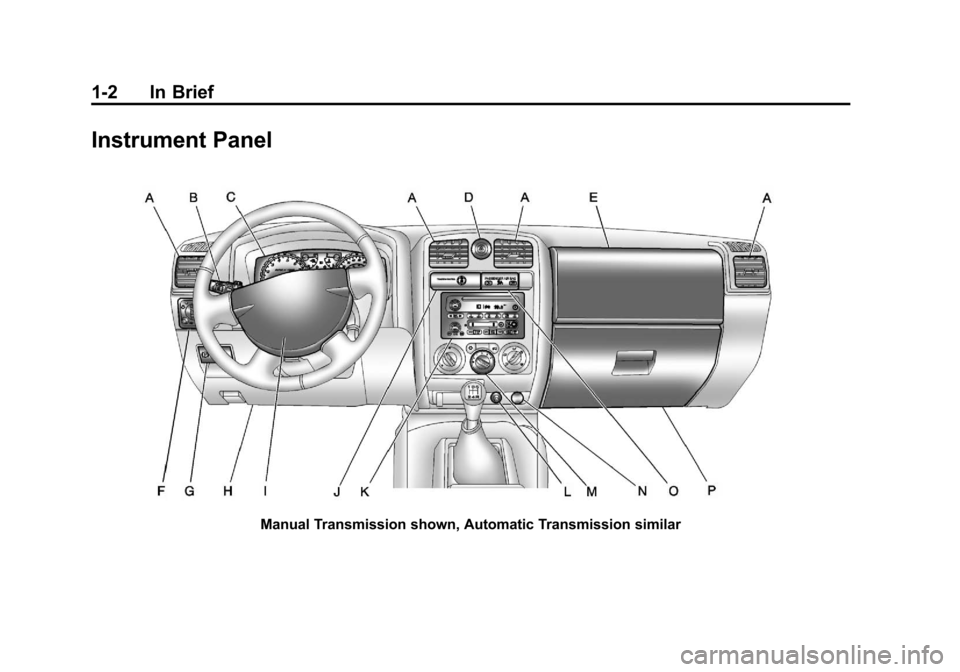
Instrument Panel
Manual Transmission shown, Automatic Transmission similar
Page 14 of 392
Black plate (8,1)Chevrolet Colorado Owner Manual - 2011
1-8 In Brief
Safety Belts
Refer to the following sections for
important information on how to use
safety belts properly.
.Safety Belts on page 3‑12.
.How to Wear Safety Belts
Properly on page 3‑15.
.Lap-Shoulder Belt on page 3‑19.
.Lower Anchors and Tethers for
Children (LATCH System) on
page 3‑47.
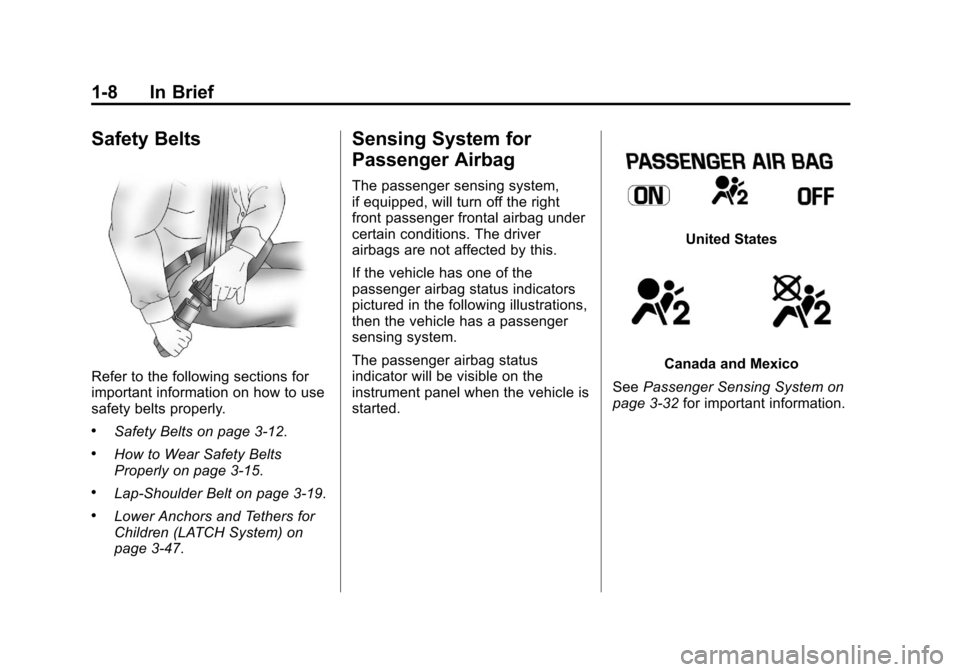
Sensing System for
Passenger Airbag
The passenger sensing system,
if equipped, will turn off the right
front passenger frontal airbag under
certain conditions. The driver
airbags are not affected by this.
If the vehicle has one of the
passenger airbag status indicators
pictured in the following illustrations,
then the vehicle has a passenger
sensing system.
The passenger airbag status
indicator will be visible on the
instrument panel when the vehicle is
started.
United States
Canada and Mexico
See Passenger Sensing System on
page 3‑32 for important information.
Page 16 of 392
Black plate (10,1)Chevrolet Colorado Owner Manual - 2011
1-10 In Brief
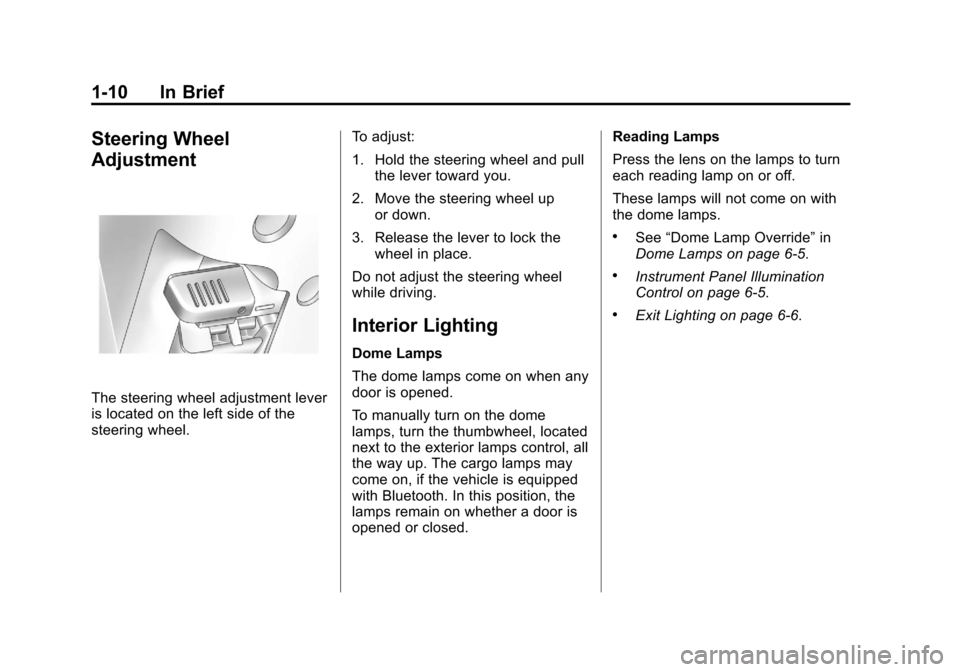
Steering Wheel
Adjustment
The steering wheel adjustment lever
is located on the left side of the
steering wheel.To adjust:
1. Hold the steering wheel and pull
the lever toward you.
2. Move the steering wheel up or down.
3. Release the lever to lock the wheel in place.
Do not adjust the steering wheel
while driving.
Interior Lighting
Dome Lamps
The dome lamps come on when any
door is opened.
To manually turn on the dome
lamps, turn the thumbwheel, located
next to the exterior lamps control, all
the way up. The cargo lamps may
come on, if the vehicle is equipped
with Bluetooth. In this position, the
lamps remain on whether a door is
opened or closed. Reading Lamps
Press the lens on the lamps to turn
each reading lamp on or off.
These lamps will not come on with
the dome lamps.
.See
“Dome Lamp Override” in
Dome Lamps on page 6‑5.
.Instrument Panel Illumination
Control on page 6‑5.
.Exit Lighting on page 6‑6.
Page 18 of 392
Black plate (12,1)Chevrolet Colorado Owner Manual - 2011
1-12 In Brief
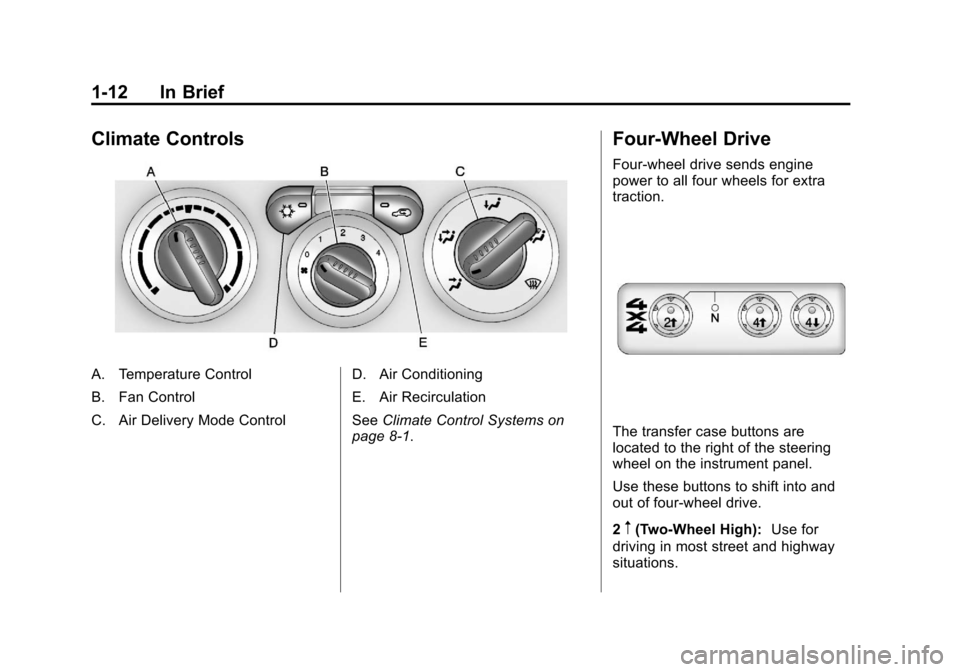
Climate Controls
A. Temperature Control
B. Fan Control
C. Air Delivery Mode ControlD. Air Conditioning
E. Air Recirculation
See
Climate Control Systems on
page 8‑1.
Four-Wheel Drive
Four-wheel drive sends engine
power to all four wheels for extra
traction.
The transfer case buttons are
located to the right of the steering
wheel on the instrument panel.
Use these buttons to shift into and
out of four-wheel drive.
2
m(Two-Wheel High): Use for
driving in most street and highway
situations.
Page 21 of 392
Black plate (15,1)Chevrolet Colorado Owner Manual - 2011
In Brief 1-15
Cruise Control
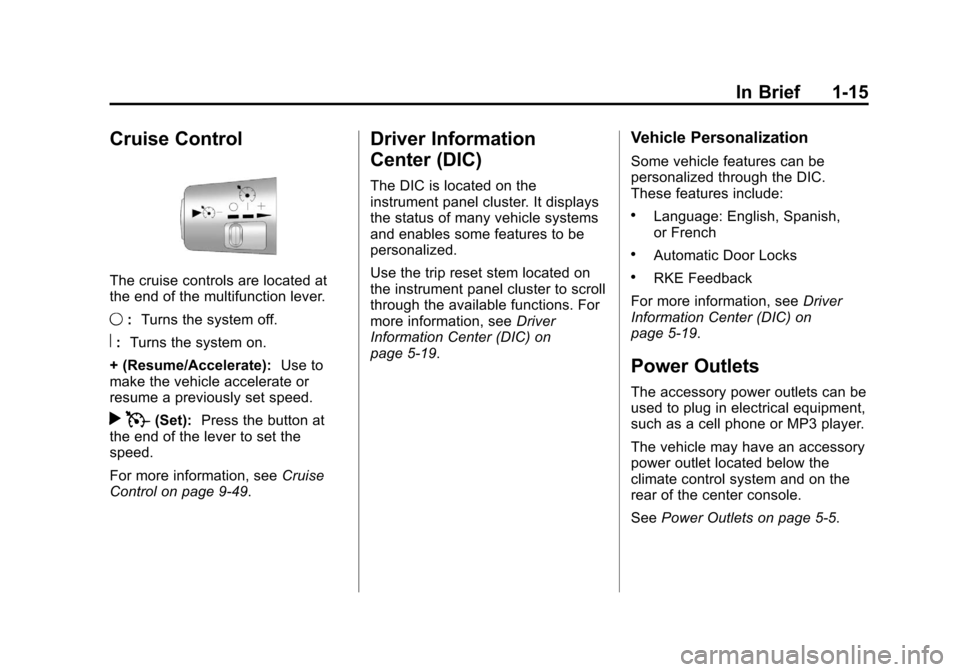
The cruise controls are located at
the end of the multifunction lever.
9:Turns the system off.
R:Turns the system on.
+ (Resume/Accelerate): Use to
make the vehicle accelerate or
resume a previously set speed.
r T(Set): Press the button at
the end of the lever to set the
speed.
For more information, see Cruise
Control on page 9‑49.
Driver Information
Center (DIC)
The DIC is located on the
instrument panel cluster. It displays
the status of many vehicle systems
and enables some features to be
personalized.
Use the trip reset stem located on
the instrument panel cluster to scroll
through the available functions. For
more information, see Driver
Information Center (DIC) on
page 5‑19.
Vehicle Personalization
Some vehicle features can be
personalized through the DIC.
These features include:
.Language: English, Spanish,
or French
.Automatic Door Locks
.RKE Feedback
For more information, see Driver
Information Center (DIC) on
page 5‑19.
Power Outlets
The accessory power outlets can be
used to plug in electrical equipment,
such as a cell phone or MP3 player.
The vehicle may have an accessory
power outlet located below the
climate control system and on the
rear of the center console.
See Power Outlets on page 5‑5.
Page 22 of 392
Black plate (16,1)Chevrolet Colorado Owner Manual - 2011
1-16 In Brief
Performance and
Maintenance
Traction Control
System (TCS)
The traction control system limits
wheel spin. The system turns on
automatically every time the vehicle
is started.
.To turn off traction control, press
and release
don the instrument
panel.
dilluminates and the
appropriate DIC message is
displayed. See Ride Control
System Messages on page 5‑25.
.Press and release the button
again to turn on traction control.
For more information, see Traction
Control System (TCS) on
page 9‑46.
StabiliTrak®System
The Electronic Stability Control
system assists with directional
control of the vehicle in difficult
driving conditions. The system turns
on automatically every time the
vehicle is started.
.To turn off both traction control
and Electronic Stability Control,
press and hold
duntild
illuminates and the appropriate
DIC message is displayed. See
Ride Control System Messages
on page 5‑25.
.Press and release the button
again to turn on both systems.
For more information, see
StabiliTrak
®System on page 9‑47.
Tire Pressure Monitor
This vehicle may have a Tire
Pressure Monitor System (TPMS).
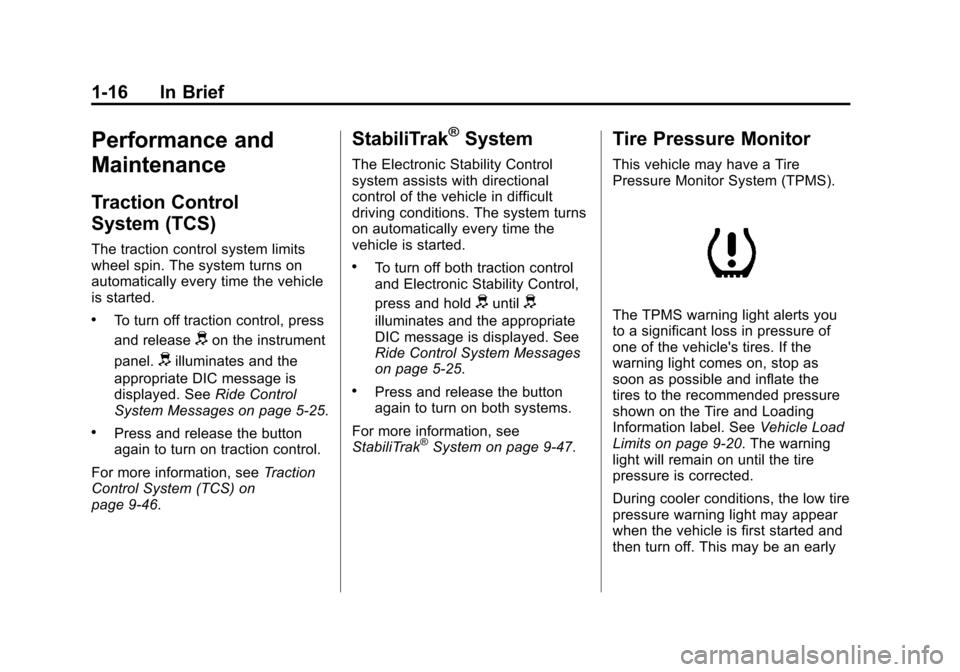
The TPMS warning light alerts you
to a significant loss in pressure of
one of the vehicle's tires. If the
warning light comes on, stop as
soon as possible and inflate the
tires to the recommended pressure
shown on the Tire and Loading
Information label. See Vehicle Load
Limits on page 9‑20. The warning
light will remain on until the tire
pressure is corrected.
During cooler conditions, the low tire
pressure warning light may appear
when the vehicle is first started and
then turn off. This may be an early
Page 35 of 392
Black plate (9,1)Chevrolet Colorado Owner Manual - 2011
Keys, Doors and Windows 2-9
3. Slide the lower end fitting ontothe top bolt. The tailgate will now
stay in the partially opened
position.
4. Repeat Steps 2 and 3 for the driver side.
If you would like to close the
tailgate, the bracket cannot be in the
partially opened position. Use the
top position on the bracket to
anchor it on the bottom bolt.Vehicle Security
This vehicle has theft-deterrent
features; however, they do not make
it impossible to steal.
Anti-Theft Alarm System
If your vehicle has the Remote
Keyless Entry (RKE) system, the
vehicle has a content theft-deterrent
alarm system.
To activate the content
theft-deterrent system:
1. Close all the doors.
2. Lock the doors with the RKE transmitter. The security light,
located on the instrument panel
cluster, will flash. If the LOCK button on the RKE
transmitter is pressed, but a door is
open, the horn will chirp six times.
Press the LOCK button again, within
three seconds, and the doors will
lock. Close the open door and the
system will be activated.
If a locked door is not opened using
the RKE transmitter, or by OnStar
®,
the pre-alarm will go off. If the
engine is not started or UNLOCK
not pressed within 10 seconds, the
front turn signal lamps will flash for
two minutes, and the horn will sound
for two minutes, then will turn off to
save the battery power.
Remember, the theft-deterrent
system will not activate if you lock
the doors with a key, the manual
door lock, or power door lock
switch. The system can only be
activated using the RKE transmitter,
or by OnStar
®. See the OnStar
Owner's Guide for additional
information. You should also
remember that you can start your
vehicle with the correct ignition key
if the alarm has been set off.
Page 58 of 392
Black plate (14,1)Chevrolet Colorado Owner Manual - 2011
3-14 Seats and Restraints
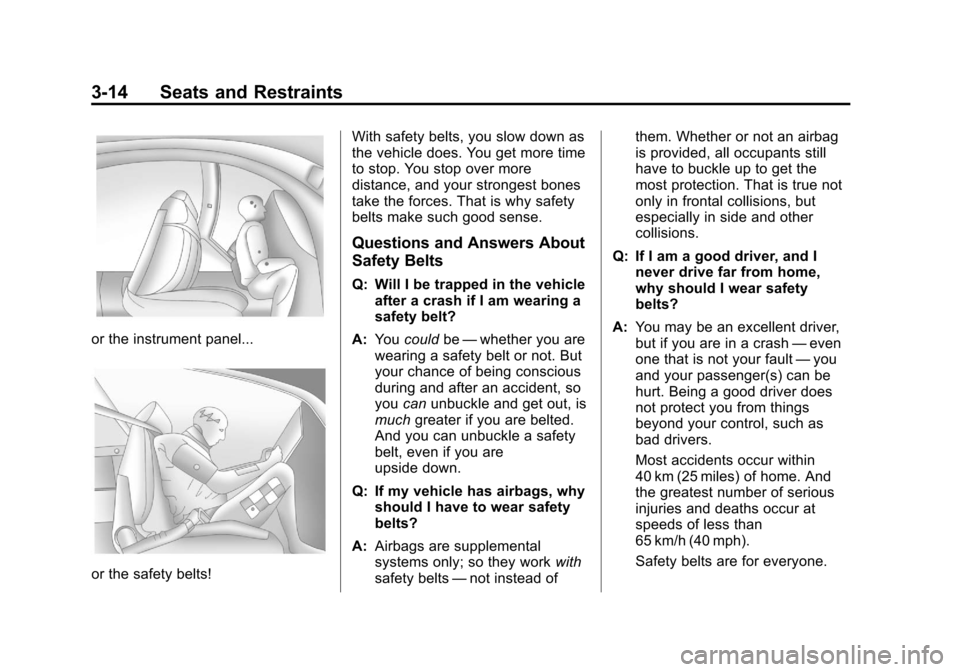
or the instrument panel...
or the safety belts!With safety belts, you slow down as
the vehicle does. You get more time
to stop. You stop over more
distance, and your strongest bones
take the forces. That is why safety
belts make such good sense.
Questions and Answers About
Safety Belts
Q: Will I be trapped in the vehicle
after a crash if I am wearing a
safety belt?
A: You could be—whether you are
wearing a safety belt or not. But
your chance of being conscious
during and after an accident, so
you canunbuckle and get out, is
much greater if you are belted.
And you can unbuckle a safety
belt, even if you are
upside down.
Q: If my vehicle has airbags, why should I have to wear safety
belts?
A: Airbags are supplemental
systems only; so they work with
safety belts —not instead of them. Whether or not an airbag
is provided, all occupants still
have to buckle up to get the
most protection. That is true not
only in frontal collisions, but
especially in side and other
collisions.
Q: If I am a good driver, and I never drive far from home,
why should I wear safety
belts?
A: You may be an excellent driver,
but if you are in a crash —even
one that is not your fault —you
and your passenger(s) can be
hurt. Being a good driver does
not protect you from things
beyond your control, such as
bad drivers.
Most accidents occur within
40 km (25 miles) of home. And
the greatest number of serious
injuries and deaths occur at
speeds of less than
65 km/h (40 mph).
Safety belts are for everyone.