display CHEVROLET COLORADO 2012 1.G User Guide
[x] Cancel search | Manufacturer: CHEVROLET, Model Year: 2012, Model line: COLORADO, Model: CHEVROLET COLORADO 2012 1.GPages: 394, PDF Size: 6.38 MB
Page 116 of 394
Black plate (8,1)Chevrolet Colorado Owner Manual - 2012
5-8 Instruments and Controls
Speedometer
The speedometer shows the
vehicle's speed in either kilometers
per hour (km/h) or miles per
hour (mph).
Odometer
The odometer shows how far the
vehicle has been driven, in either
miles (used in the United States) or
kilometers (used in Canada).
The odometer mileage can be
checked without the vehicle running
by pressing the trip information
stem. See“Odometer” underDriver
Information Center (DIC) on
page 5‑19 for more information.
If the cluster is replaced the new
one will automatically detect and
update the vehicle's accumulated
mileage.
Trip Odometer
The vehicle has a trip odometer that
indicates how far the vehicle has
been driven since the trip odometer
was last set to zero.
See “Trip Odometer” underDriver
Information Center (DIC) on
page 5‑19 for more information.
Tachometer
The tachometer displays the
engine speed in revolutions per
minute (rpm).
Notice:If the engine is operated
with the tachometer in the shaded
warning area, the vehicle could
be damaged, and the damages
would not be covered by the
vehicle warranty. Do not operate
the engine with the tachometer in
the shaded warning area.
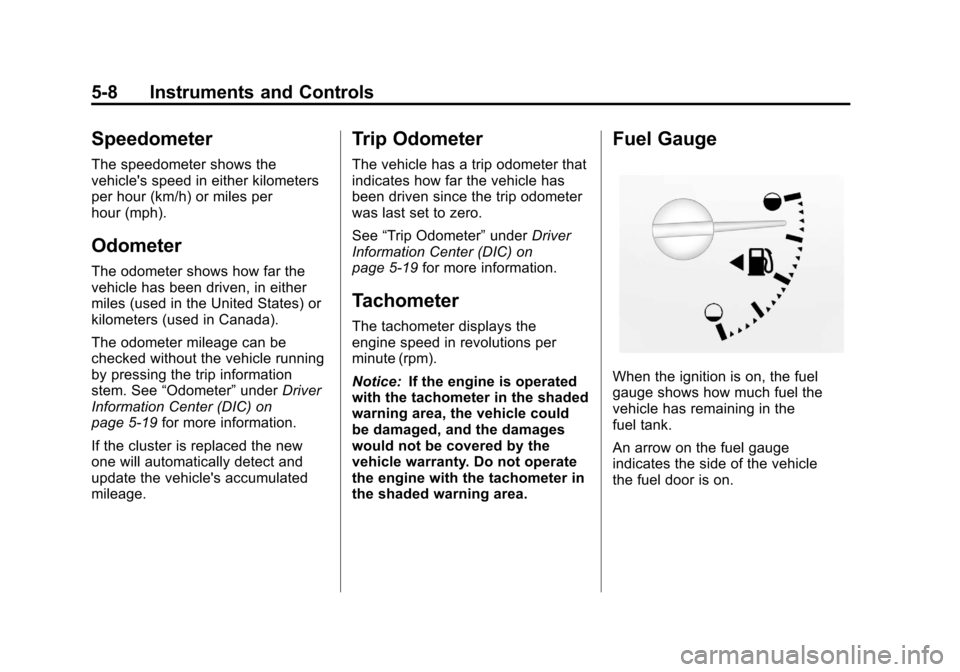
Fuel Gauge
When the ignition is on, the fuel
gauge shows how much fuel the
vehicle has remaining in the
fuel tank.
An arrow on the fuel gauge
indicates the side of the vehicle
the fuel door is on.
Page 117 of 394
Black plate (9,1)Chevrolet Colorado Owner Manual - 2012
Instruments and Controls 5-9
Here are four things that some
owners ask about. None of these
indicate a problem with the vehicle's
fuel gauge:
.At the gas station, the gas pump
shuts off before the gauge
reads full.
.It takes a little more or less
fuel to fill up than the gauge
indicated. For example, the
gauge may have indicated the
tank was half full, but it actually
took a little more or less than
half the tank's capacity to fill
the tank.
.The gauge moves a little while
turning a corner or speeding up.
.The gauge does not go back
to empty when the ignition is
turned off.
When the fuel in the fuel tank is
low, a LOW FUEL message will
display on the Driver Information
Center (DIC). See Fuel System
Messages on page 5‑24 for more
information.
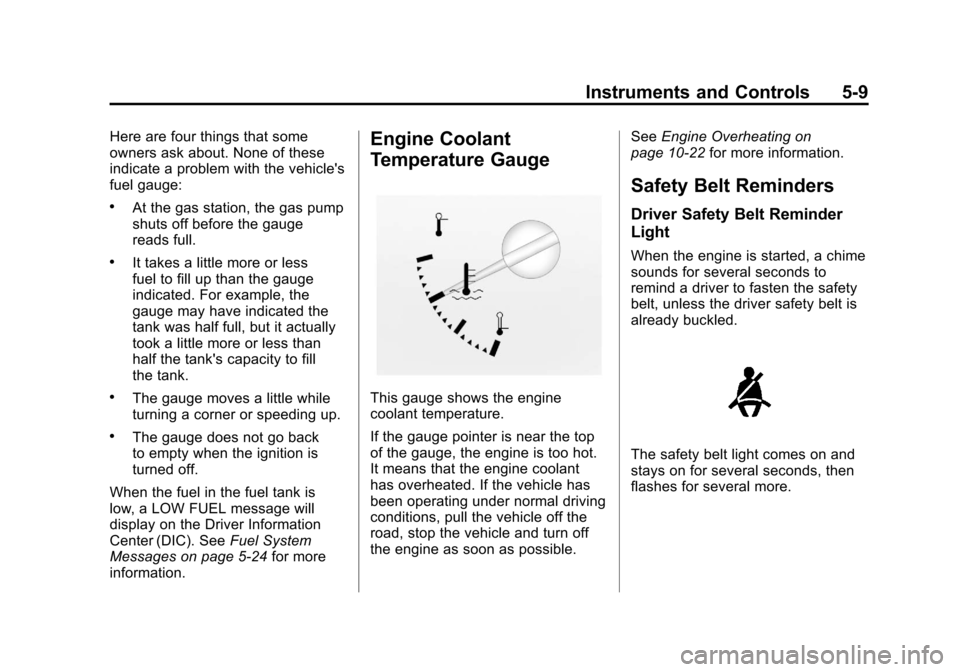
Engine Coolant
Temperature Gauge
This gauge shows the engine
coolant temperature.
If the gauge pointer is near the top
of the gauge, the engine is too hot.
It means that the engine coolant
has overheated. If the vehicle has
been operating under normal driving
conditions, pull the vehicle off the
road, stop the vehicle and turn off
the engine as soon as possible. See
Engine Overheating on
page 10‑22 for more information.
Safety Belt Reminders
Driver Safety Belt Reminder
Light
When the engine is started, a chime
sounds for several seconds to
remind a driver to fasten the safety
belt, unless the driver safety belt is
already buckled.
The safety belt light comes on and
stays on for several seconds, then
flashes for several more.
Page 125 of 394

Black plate (17,1)Chevrolet Colorado Owner Manual - 2012
Instruments and Controls 5-17
If the TCS is off, the system does
not assist in controlling the vehicle.
Turn on the TCS and the StabiliTrak
systems and the warning light
turns off.
SeeTraction Control System (TCS)
on page 9‑42 andStabiliTrak
®
System on page 9‑44 for more
information
Traction Control System
(TCS)/StabiliTrak®Light
The StabiliTrak and Traction Control
System (TCS) indicator/warning light
comes on briefly while starting the
engine. If it does not, have the vehicle
serviced by your dealer. If the
system is working normally the
indicator light then goes off.
The light flashes while the
StabiliTrak system and TCS are
working to assist the driver with
directional control of the vehicle in
difficult driving conditions.
If the StabiliTrak system and TCS
light comes on and stays on while
driving and a TRACTION FAULT
or SERVICE STAB SYS message
displays on the DIC, the vehicle
needs service.
See
StabiliTrak
®System on
page 9‑44, Traction Control System
(TCS) on page 9‑42 andRide
Control System Messages on
page 5‑25 for more information.
Tire Pressure Light
For vehicles with the Tire Pressure
Monitor System (TPMS), this light
comes on briefly when the engine
is started. It provides information
about tire pressures and the TPMS.
When the Light Is On Steady
This indicates that one or more of
the tires are significantly
underinflated.
A Driver Information Center (DIC)
tire pressure message may also
display. See Vehicle Messages on
page 5‑22 for more information.
Stop as soon as possible, and
inflate the tires to the pressure value
shown on the Tire and Loading
Information label. See Tire Pressure
on page 10‑52 for more information.
Page 127 of 394
Black plate (19,1)Chevrolet Colorado Owner Manual - 2012
Instruments and Controls 5-19
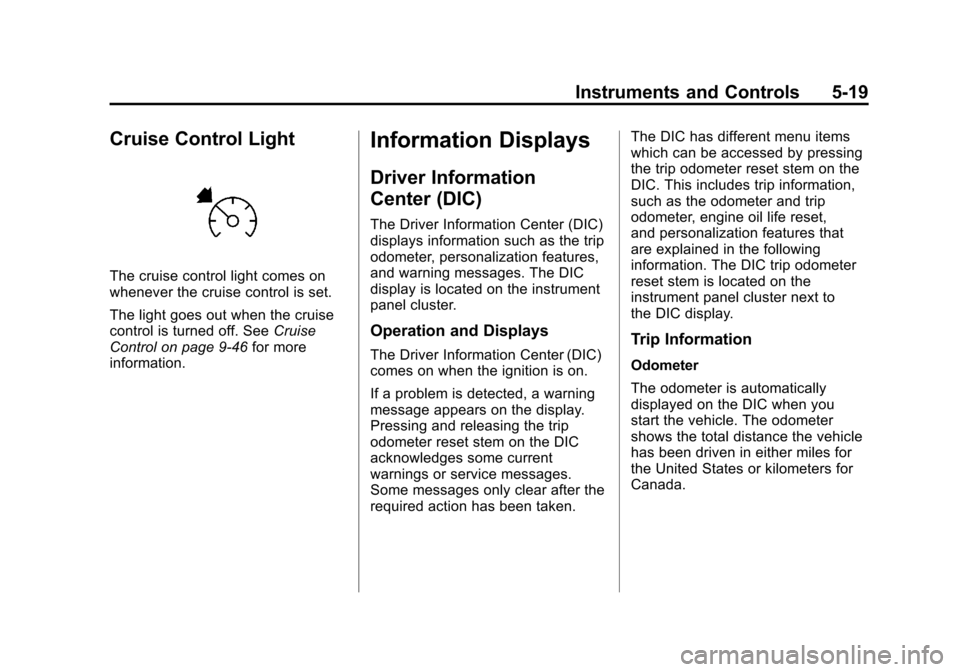
Cruise Control Light
The cruise control light comes on
whenever the cruise control is set.
The light goes out when the cruise
control is turned off. SeeCruise
Control on page 9‑46 for more
information.
Information Displays
Driver Information
Center (DIC)
The Driver Information Center (DIC)
displays information such as the trip
odometer, personalization features,
and warning messages. The DIC
display is located on the instrument
panel cluster.
Operation and Displays
The Driver Information Center (DIC)
comes on when the ignition is on.
If a problem is detected, a warning
message appears on the display.
Pressing and releasing the trip
odometer reset stem on the DIC
acknowledges some current
warnings or service messages.
Some messages only clear after the
required action has been taken. The DIC has different menu items
which can be accessed by pressing
the trip odometer reset stem on the
DIC. This includes trip information,
such as the odometer and trip
odometer, engine oil life reset,
and personalization features that
are explained in the following
information. The DIC trip odometer
reset stem is located on the
instrument panel cluster next to
the DIC display.Trip Information
Odometer
The odometer is automatically
displayed on the DIC when you
start the vehicle. The odometer
shows the total distance the vehicle
has been driven in either miles for
the United States or kilometers for
Canada.
Page 128 of 394
Black plate (20,1)Chevrolet Colorado Owner Manual - 2012
5-20 Instruments and Controls
Trip Odometer
Press and release the reset stem
until TRIP appears on the DIC
display. The trip odometer shows
the current distance traveled since
the last reset of the trip odometer in
either miles for the United States or
kilometers for Canada.
To reset the trip odometer, press
and hold the reset stem until the
display returns to zero.
Engine Oil Life System
With the engine off, turn the key
to ON/RUN and then press the
reset stem until OIL LIFE RESET
appears—alternating between OIL
LIFE and RESET —on the DIC
display. The CHANGE OIL message
alerts you to change the oil on a
schedule consistent with your
driving conditions. Always reset
the OIL LIFE message after an oil
change. To reset the message,
see Engine Oil Life System on
page 10‑12. In addition to the engine oil life
system monitoring the oil life,
additional maintenance is
recommended in the Maintenance
Schedule in this manual. See
Engine Oil on page 10‑9
and
Maintenance Schedule on
page 11‑3 for more information.
Personalization Features
Language
This feature allows you to choose
the language in which the DIC
display shows information.
To set your choice for this feature:
1. With the engine off, turn the key
to ON/RUN, but do not start the
engine.
2. Close all doors so the DOORS message does not display in
the DIC.
3. Momentarily press and release the reset stem until the current
language is displayed: English
(default), Spanish, or French. 4. To select a different language,
press and hold the reset stem
until the next language appears.
5. Repeat Step 4 until the desired language is displayed. Once the
desired language is shown on
the DIC display, the language
is set.
6. To exit the language selection, momentarily press and
release the reset stem. All DIC
messages will now display in the
language selected.
Automatic Door Locks
This feature allows you to program
the door locks to a preferred setting.
To set your choice for this feature:
1. With the engine off, turn the key to LOCK/OFF. Do not remove
the key from the ignition.
2. Press and hold the power door lock button until the DIC
display shows the current door
lock mode.
Page 129 of 394
Black plate (21,1)Chevrolet Colorado Owner Manual - 2012
Instruments and Controls 5-21
3. To view the next availablemode, press and hold the reset
stem until the mode appears.
Release the reset stem and
press and hold again to view the
next mode.
4. Once the desired mode is shown on the DIC display, briefly
press the reset stem to set your
choice. The DIC display then
clears.
The following are the available
modes:
Lock 1 (default): On vehicles with
an automatic transmission, this
mode locks all of the doors when
the vehicle is shifted out of P (Park)
and unlocks all of the doors when
the vehicle is shifted into P (Park).
On vehicles with a manual
transmission, this mode locks all of
the doors when the vehicle speed is
greater than 24 km/h (15 mph) and
unlocks all of the doors when the
key is removed from the ignition. Lock 2:
On vehicles with an
automatic transmission, this mode
locks all of the doors when the
vehicle is shifted out of P (Park) and
unlocks the driver's door when the
vehicle is shifted into P (Park).
On vehicles with a manual
transmission, this mode locks all of
the doors when the vehicle speed is
greater than 24 km/h (15 mph) and
unlocks the driver's door when the
key is removed from the ignition.
Lock 3: On vehicles with an
automatic transmission, this mode
locks all of the doors when the
vehicle is shifted out of P (Park).
The doors will not automatically
unlock.
On vehicles with a manual
transmission, this mode locks all of
the doors when the vehicle speed is
greater than 24 km/h (15 mph). The
doors will not automatically unlock. Remote Keyless Entry (RKE)
Feedback
This feature allows you to program
the Remote Keyless Entry (RKE)
feedback to a preferred setting.
To set your choice for this feature:
1. With the engine off, turn the key
to LOCK/OFF. Do not remove
the key from the ignition.
2. Press and hold the lock and unlock buttons on the RKE
transmitter at the same time.
Hold both buttons until the DIC
display shows the current RKE
feedback mode.
3. To view the next available mode, press and hold the reset
stem until the mode appears.
Release the reset stem and
press and hold again to view the
next mode.
4. Once the desired mode is shown on the DIC display, briefly
press the reset stem to set your
choice. The DIC display then
clears.
Page 130 of 394
Black plate (22,1)Chevrolet Colorado Owner Manual - 2012
5-22 Instruments and Controls
The following are the available
modes:
RFA 1 (default):This mode flashes
the parking lamps when you press
the lock or unlock buttons on the
RKE transmitter.
RFA 2: This mode flashes the
parking lamps and sounds the horn
when you press the lock button on
the RKE transmitter. This mode also
flashes the parking lamps when you
press the unlock button on the RKE
transmitter.
RFA 3: This mode flashes the
parking lamps and sounds the horn
when you press the lock or unlock
buttons on the RKE transmitter.
RFA 4: This mode disables RKE
feedback. There will be no feedback
when you press the lock or unlock
buttons on the RKE transmitter.Vehicle Messages
Messages are displayed on the DIC
to notify the driver that the status of
the vehicle has changed and that
some action may be needed by
the driver to correct the condition.
Multiple messages may appear one
after another. The messages are
displayed for several seconds each.
Some messages may not require
immediate action, but you should
press and release the trip odometer
reset stem to acknowledge that
you received the messages and to
clear them from the display. Each
message must be acknowledged
individually.
Some messages cannot be cleared
from the DIC display because they
are more urgent. These messages
require action before they can be
cleared. You should take any
messages that appear on the
display seriously and remember that
clearing the messages only makes
the messages disappear, not correct
the problem. The following are the possible
messages that can be displayed
and some information about them.
Battery Voltage and
Charging Messages
SERVICE CHARG (Charge)
SYS (System)
This message displays if there is a
problem with the battery charging
system. Under certain conditions,
the battery warning light may also
turn on in the instrument panel
cluster. See
Charging System Light
on page 5‑12. The battery will not
be charging at an optimal rate and
the vehicle will lose the ability to
enter the fuel economy mode. The
vehicle is safe to drive, however
have the electrical system checked
by your dealer. Press and release
the reset stem to acknowledge
the message and clear it from the
display.
Page 131 of 394
Black plate (23,1)Chevrolet Colorado Owner Manual - 2012
Instruments and Controls 5-23
Brake System Messages
ABS (Antilock Brake System)
FAULT
This message displays if there is a
problem with the Antilock Brake
System (ABS). Check the ABS as
soon as possible and have your
vehicle serviced by your dealer. See
Braking on page 9‑4andAntilock
Brake System (ABS) Warning Light
on page 5‑16 for more information.
Press and release the reset stem to
acknowledge the message and
clear it from the display.
BRAKES
This message displays if there is a
problem with the brakes. Check the
brakes as soon as possible and
have your vehicle serviced by your
dealer. See Braking on page 9‑4
and Antilock Brake System (ABS)
Warning Light on page 5‑16 for
more information. Press and release
the reset stem to acknowledge the
message and clear it from the
display.
FLUID
This message displays if the brake
fluid is low. Check the brake fluid
as soon as possible and have your
vehicle serviced by your dealer.
See Braking on page 9‑4 for more
information. Press and release the
reset stem to acknowledge the
message and clear it from the
display.
PARK BRK (Brake)
This message displays when the
parking brake is set. See Parking
Brake on page 9‑41 andAntilock
Brake System (ABS) Warning Light
on page 5‑16 for more information.
The message clears from the
display after the parking brake
is released or by pressing and
releasing the reset stem.
Door Ajar Messages
DOORS
This message displays when one or
more of the doors is ajar. Check all
the doors on your vehicle to make
sure they are closed. The message
clears from the display after all of
the doors are closed.
Engine Cooling System
Messages
AC (Air Conditioning) OFF
This message displays when the
engine coolant temperature is too
high and the air conditioning in your
vehicle needs to be turned off. See
Engine Overheating on page 10‑22
and Climate Control Systems on
page 8‑1 for more information. This
message displays along with the
ENG HOT message.
Page 132 of 394
Black plate (24,1)Chevrolet Colorado Owner Manual - 2012
5-24 Instruments and Controls
ENG (Engine) HOT
This message displays when the
engine coolant temperature is
hot. Check the engine coolant
temperature gauge. SeeEngine
Coolant Temperature Gauge on
page 5‑9. Have your vehicle
serviced by your dealer as soon
as possible if you suspect the
engine is overheating. See Engine
Overheating on page 10‑22 for more
information.
Engine Oil Messages
CHANGE OIL
This message displays when the oil
needs to be changed. Check the oil
in your vehicle as soon as possible
and have your vehicle serviced by
your dealer. See Engine Oil on
page 10‑9 andMaintenance
Schedule on page 11‑3 for more
information. Press and release the
reset stem to acknowledge the
message and clear it from the
display.
OIL
This message displays when the oil
pressure is low. See Engine Oil
Pressure Light on page 5‑18 and
Engine Oil on page 10‑9 for more
information.
Engine Power Messages
REDUCED POWER
This message displays when the
vehicle's engine power is reduced.
Reduced engine power can affect
the vehicle's ability to accelerate.
If this message is on, but there
is no reduction in performance,
proceed to your destination. The
performance may be reduced the
next time the vehicle is driven. The
vehicle may be driven at a reduced
speed while this message is on,
but acceleration and speed may be
reduced. Anytime this message
stays on, the vehicle should be
taken to your dealer for service as soon as possible. Press and release
the reset stem to acknowledge
the message and clear it from the
display.
Fuel System Messages
FUEL CAP
This message displays if the
vehicle's fuel cap is either off or
loose. Pull over as soon as possible
and check to see if the fuel cap is
secure. You may also see the check
engine light on the instrument panel
cluster. If the check engine light
does come on when the fuel cap
was loose, it may take a few driving
trips before the light turns off. See
Malfunction Indicator Lamp on
page 5‑13
for more information
if the light still remains on. Press
and release the reset stem to
acknowledge the message and
clear it from the display.
Page 133 of 394
Black plate (25,1)Chevrolet Colorado Owner Manual - 2012
Instruments and Controls 5-25
LOW FUEL
This message displays if the level of
fuel in the vehicle is low. Also check
the fuel gauge. SeeFuel Gauge on
page 5‑8 for more information. Refill
the fuel tank as soon as possible.
Lamp Messages
TURN SIGNAL
This message displays when the
turn signal is on for about 1.2 km
(0.75 miles) of travel. Press
and release the reset stem to
acknowledge the message and
clear it from the display.
Ride Control System
Messages
SERVICE STAB (Stability) SYS
(System)
This message displays if there is a
problem with the StabiliTrak system.
Have your vehicle serviced by your
dealer. See StabiliTrak
®System on
page 9‑44 for more information.
STAB (Stability) SYS
(System) OFF
This message displays when the
StabiliTrak system is turned off. See
StabiliTrak
®System on page 9‑44
for more information.
TRAC (Traction) OFF
This message displays when the
Traction Control System (TCS)
is turned off by pressing the
StabiliTrak button. See StabiliTrak
®
System on page 9‑44for more
information.
TRAC (Traction) ON
This message displays when the
Traction Control System (TCS) is
turned on when it was previously off
during the same ignition cycle.
TRAC (Traction) LOW
This message displays when the
Traction Control System (TCS) is
active.
TRACTION FAULT
This message will display if there
is a problem with the TCS. Have
your vehicle serviced by your
dealer. See StabiliTrak
®System on
page 9‑44 for more information.
Press and release the reset stem
to acknowledge the message and
clear it from the display.
Service Vehicle Messages
SERV (Service) VEH (Vehicle)
This message displays if your
vehicle needs service. Have your
vehicle serviced by your dealer as
soon as possible.