ignition CHEVROLET COLORADO 2012 1.G Owners Manual
[x] Cancel search | Manufacturer: CHEVROLET, Model Year: 2012, Model line: COLORADO, Model: CHEVROLET COLORADO 2012 1.GPages: 394, PDF Size: 6.38 MB
Page 11 of 394
Black plate (5,1)Chevrolet Colorado Owner Manual - 2012
In Brief 1-5
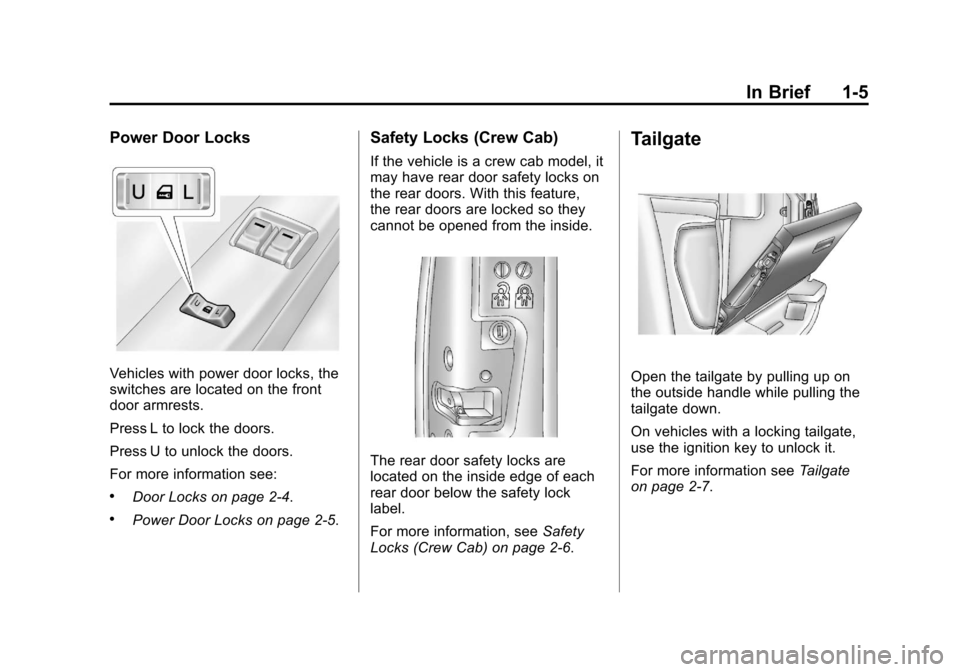
Power Door Locks
Vehicles with power door locks, the
switches are located on the front
door armrests.
Press L to lock the doors.
Press U to unlock the doors.
For more information see:
.Door Locks on page 2‑4.
.Power Door Locks on page 2‑5.
Safety Locks (Crew Cab)
If the vehicle is a crew cab model, it
may have rear door safety locks on
the rear doors. With this feature,
the rear doors are locked so they
cannot be opened from the inside.
The rear door safety locks are
located on the inside edge of each
rear door below the safety lock
label.
For more information, seeSafety
Locks (Crew Cab) on page 2‑6.
Tailgate
Open the tailgate by pulling up on
the outside handle while pulling the
tailgate down.
On vehicles with a locking tailgate,
use the ignition key to unlock it.
For more information see Tailgate
on page 2‑7.
Page 14 of 394
Black plate (8,1)Chevrolet Colorado Owner Manual - 2012
1-8 In Brief
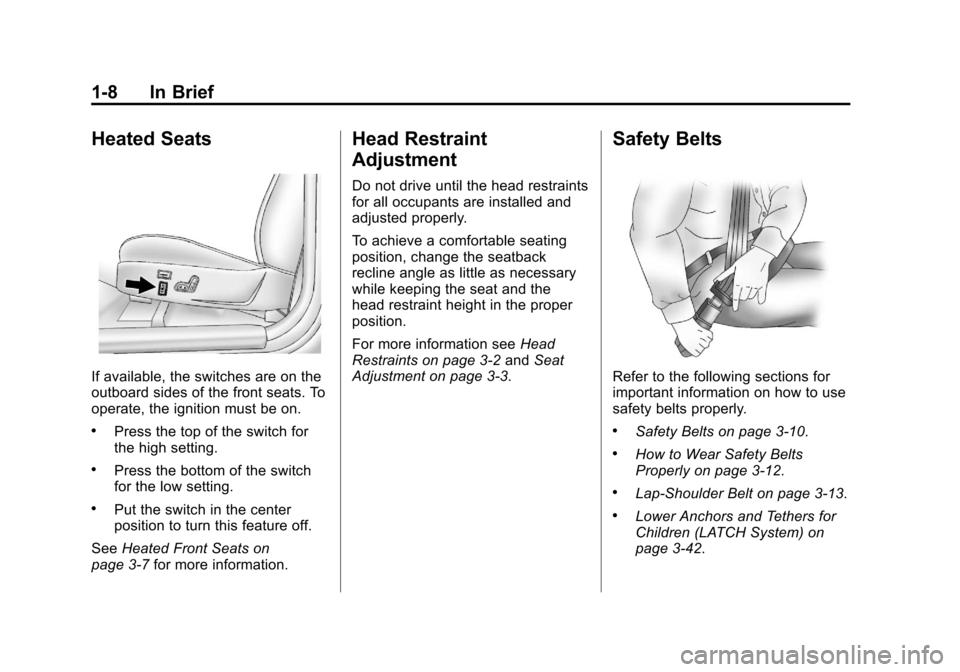
Heated Seats
If available, the switches are on the
outboard sides of the front seats. To
operate, the ignition must be on.
.Press the top of the switch for
the high setting.
.Press the bottom of the switch
for the low setting.
.Put the switch in the center
position to turn this feature off.
See Heated Front Seats on
page 3‑7 for more information.
Head Restraint
Adjustment
Do not drive until the head restraints
for all occupants are installed and
adjusted properly.
To achieve a comfortable seating
position, change the seatback
recline angle as little as necessary
while keeping the seat and the
head restraint height in the proper
position.
For more information see Head
Restraints on page 3‑2 andSeat
Adjustment on page 3‑3.
Safety Belts
Refer to the following sections for
important information on how to use
safety belts properly.
.Safety Belts on page 3‑10.
.How to Wear Safety Belts
Properly on page 3‑12.
.Lap-Shoulder Belt on page 3‑13.
.Lower Anchors and Tethers for
Children (LATCH System) on
page 3‑42.
Page 22 of 394
Black plate (16,1)Chevrolet Colorado Owner Manual - 2012
1-16 In Brief
Setting the Clock
To set the time and date for the
radio with CD (MP3/WMA):
Press and hold the HR button until
the correct hour displays. Press and
hold the MN button until the correct
minute displays. The time can be
set with the ignition on or off.
To synchronize the time with an
FM station broadcasting Radio Data
System (RDS) information, press
and hold the HR and MN buttons
at the same time until RDS TIME
displays. To accept this time, press
and hold the HR and MN buttons,
at the same time, for another
two seconds. If the time is not
available from the station, NO
UPDAT (update) displays.
RDS time is broadcast once a
minute. After tuning to an RDS
broadcast station, it could take a
few minutes for the time to update.For detailed instructions on setting
the clock for your specific audio
system, see
Clock on page 5‑4.
Satellite Radio
XM is a satellite radio service
based in the 48 contiguous United
States and 10 Canadian provinces.
XM satellite radio has a wide
variety of programming and
commercial-free music, coast to
coast, and in digital-quality sound.
A fee is required to receive the
XM service.
For more information, refer to:
.www.xmradio.com or call
1-800-929-2100 (U.S.)
.www.xmradio.ca or call
1-877-438-9677 (Canada)
See Satellite Radio on page 7‑11.
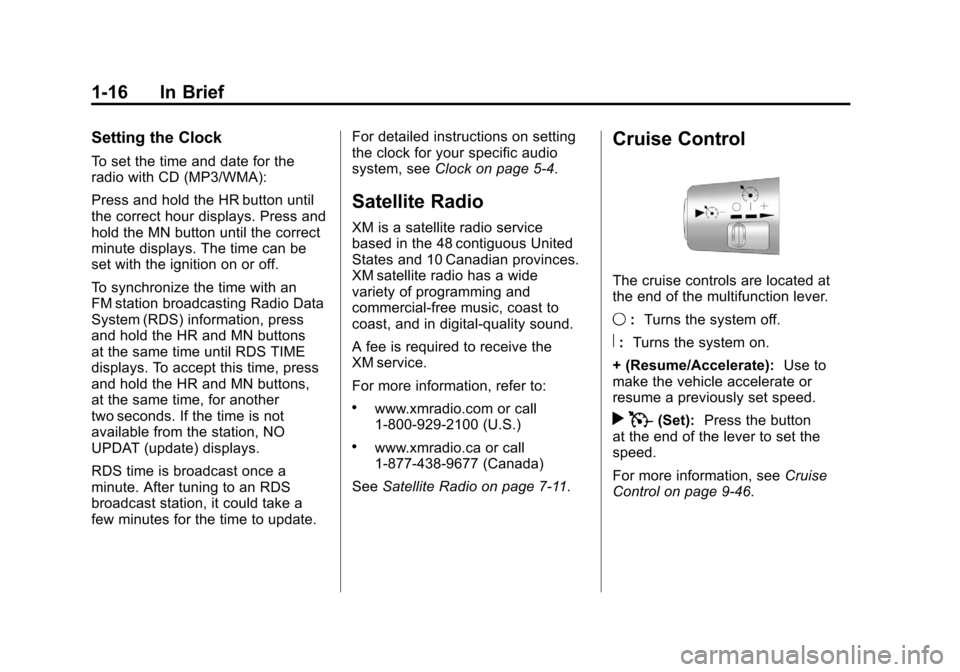
Cruise Control
The cruise controls are located at
the end of the multifunction lever.
9:Turns the system off.
R:Turns the system on.
+ (Resume/Accelerate): Use to
make the vehicle accelerate or
resume a previously set speed.
r T(Set): Press the button
at the end of the lever to set the
speed.
For more information, see Cruise
Control on page 9‑46.
Page 24 of 394
Black plate (18,1)Chevrolet Colorado Owner Manual - 2012
1-18 In Brief
StabiliTrak®System
The StabiliTrak system assists with
directional control of the vehicle in
difficult driving conditions. The
system turns on automatically every
time the vehicle is started.
.To turn off both traction control
and StabiliTrak, press and hold
the TCS/StabiliTrak button
until
gilluminates and the
appropriate DIC message is
displayed. See Ride Control
System Messages on page 5‑25.
.Press and release the TCS/
StabiliTrak button again to turn
on both systems.
For more information, see
StabiliTrak
®System on page 9‑44.
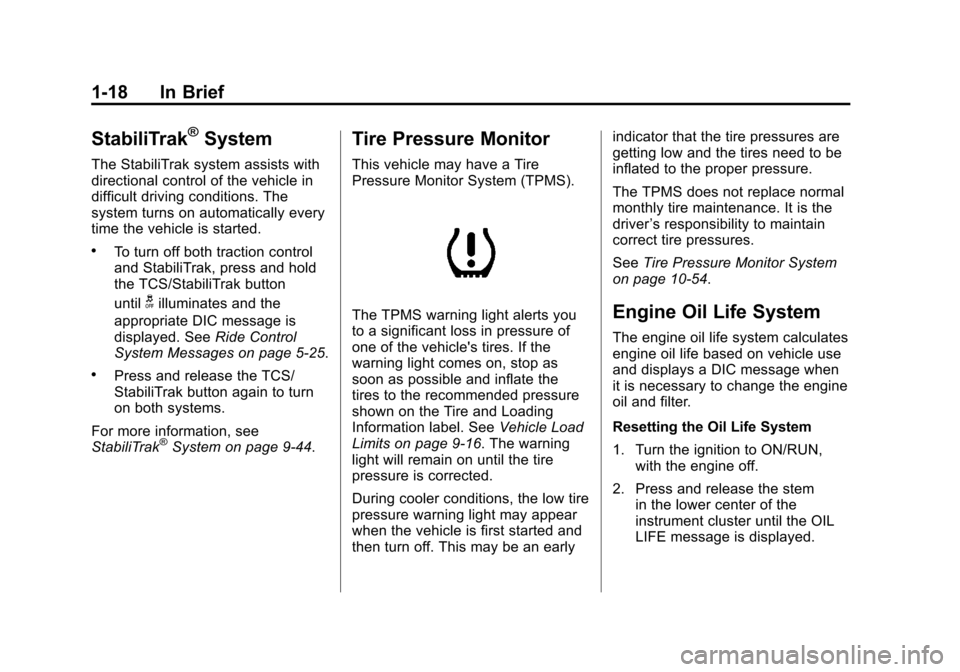
Tire Pressure Monitor
This vehicle may have a Tire
Pressure Monitor System (TPMS).
The TPMS warning light alerts you
to a significant loss in pressure of
one of the vehicle's tires. If the
warning light comes on, stop as
soon as possible and inflate the
tires to the recommended pressure
shown on the Tire and Loading
Information label. See Vehicle Load
Limits on page 9‑16. The warning
light will remain on until the tire
pressure is corrected.
During cooler conditions, the low tire
pressure warning light may appear
when the vehicle is first started and
then turn off. This may be an early indicator that the tire pressures are
getting low and the tires need to be
inflated to the proper pressure.
The TPMS does not replace normal
monthly tire maintenance. It is the
driver
’s responsibility to maintain
correct tire pressures.
See Tire Pressure Monitor System
on page 10‑54.Engine Oil Life System
The engine oil life system calculates
engine oil life based on vehicle use
and displays a DIC message when
it is necessary to change the engine
oil and filter.
Resetting the Oil Life System
1. Turn the ignition to ON/RUN,
with the engine off.
2. Press and release the stem in the lower center of the
instrument cluster until the OIL
LIFE message is displayed.
Page 30 of 394
Black plate (2,1)Chevrolet Colorado Owner Manual - 2012
2-2 Keys, Doors, and Windows
Keys and Locks
Keys
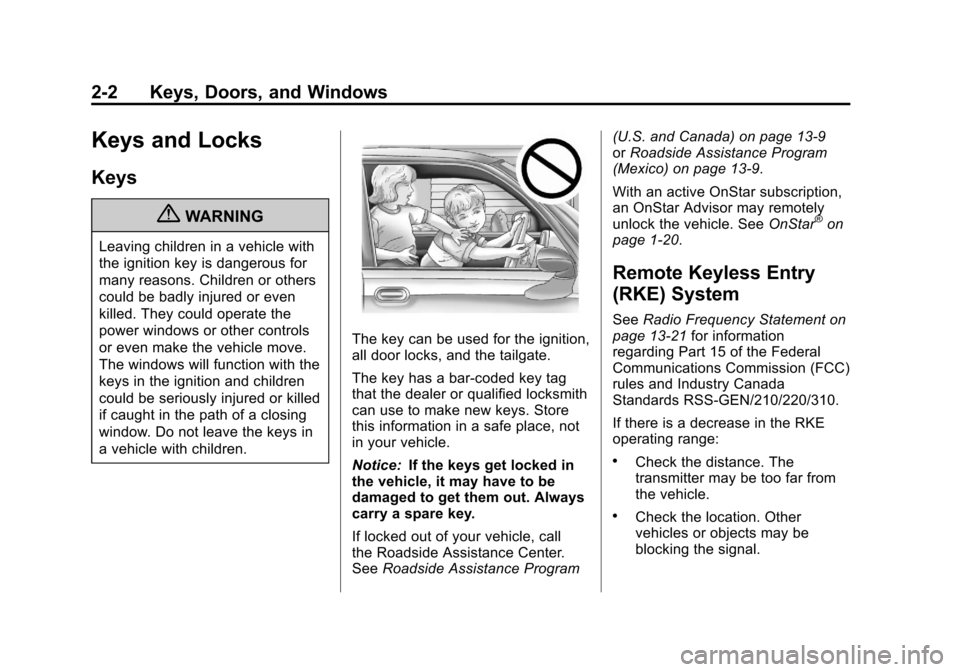
{WARNING
Leaving children in a vehicle with
the ignition key is dangerous for
many reasons. Children or others
could be badly injured or even
killed. They could operate the
power windows or other controls
or even make the vehicle move.
The windows will function with the
keys in the ignition and children
could be seriously injured or killed
if caught in the path of a closing
window. Do not leave the keys in
a vehicle with children.
The key can be used for the ignition,
all door locks, and the tailgate.
The key has a bar-coded key tag
that the dealer or qualified locksmith
can use to make new keys. Store
this information in a safe place, not
in your vehicle.
Notice:If the keys get locked in
the vehicle, it may have to be
damaged to get them out. Always
carry a spare key.
If locked out of your vehicle, call
the Roadside Assistance Center.
See Roadside Assistance Program (U.S. and Canada) on page 13‑9
or
Roadside Assistance Program
(Mexico) on page 13‑9.
With an active OnStar subscription,
an OnStar Advisor may remotely
unlock the vehicle. See OnStar
®on
page 1‑20.
Remote Keyless Entry
(RKE) System
See Radio Frequency Statement on
page 13‑21 for information
regarding Part 15 of the Federal
Communications Commission (FCC)
rules and Industry Canada
Standards RSS-GEN/210/220/310.
If there is a decrease in the RKE
operating range:
.Check the distance. The
transmitter may be too far from
the vehicle.
.Check the location. Other
vehicles or objects may be
blocking the signal.
Page 33 of 394
Black plate (5,1)Chevrolet Colorado Owner Manual - 2012
Keys, Doors, and Windows 2-5
WARNING (Continued)
injuries or even death from
heat stroke. Always lock the
vehicle whenever leaving it.
.Outsiders can easily enter
through an unlocked door
when you slow down or stop
the vehicle. Locking the doors
can help prevent this from
happening.
To lock or unlock the door from the
outside, use the key in the driver or
front passenger door or press the
LOCK or UNLOCK button on the
Remote Keyless Entry (RKE)
transmitter.
To lock a door from the inside,
move the manual lever on the door
forward. To unlock a door from the
inside, move the lever on the door
rearward.
You will see a colored area on the
lever when the door is unlocked.
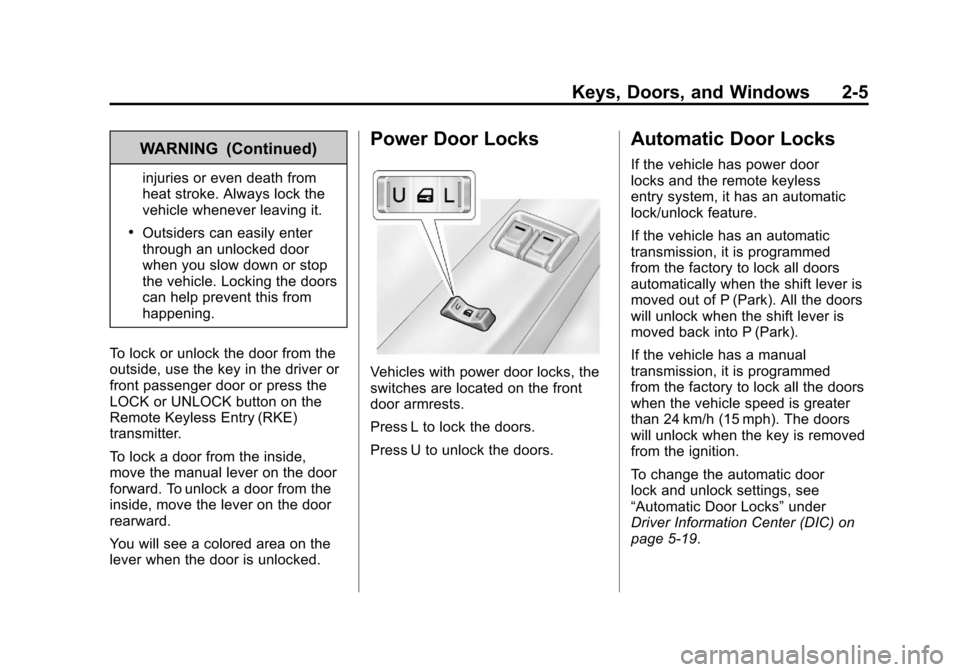
Power Door Locks
Vehicles with power door locks, the
switches are located on the front
door armrests.
Press L to lock the doors.
Press U to unlock the doors.
Automatic Door Locks
If the vehicle has power door
locks and the remote keyless
entry system, it has an automatic
lock/unlock feature.
If the vehicle has an automatic
transmission, it is programmed
from the factory to lock all doors
automatically when the shift lever is
moved out of P (Park). All the doors
will unlock when the shift lever is
moved back into P (Park).
If the vehicle has a manual
transmission, it is programmed
from the factory to lock all the doors
when the vehicle speed is greater
than 24 km/h (15 mph). The doors
will unlock when the key is removed
from the ignition.
To change the automatic door
lock and unlock settings, see
“Automatic Door Locks” under
Driver Information Center (DIC) on
page 5‑19.
Page 34 of 394
Black plate (6,1)Chevrolet Colorado Owner Manual - 2012
2-6 Keys, Doors, and Windows
Lockout Protection
If the vehicle has power door locks,
this feature protects you from
locking the key in the vehicle when
the key is in the ignition and a door
is open.
If the power door lock switch is
pressed when a door is open and
the key is in the ignition, all of the
doors will lock and then the driver
door will unlock.
Safety Locks (Crew Cab)
If the vehicle is a crew cab model, it
may have rear door safety locks.
With this feature, the rear doors are
locked so they cannot be opened
from the inside.
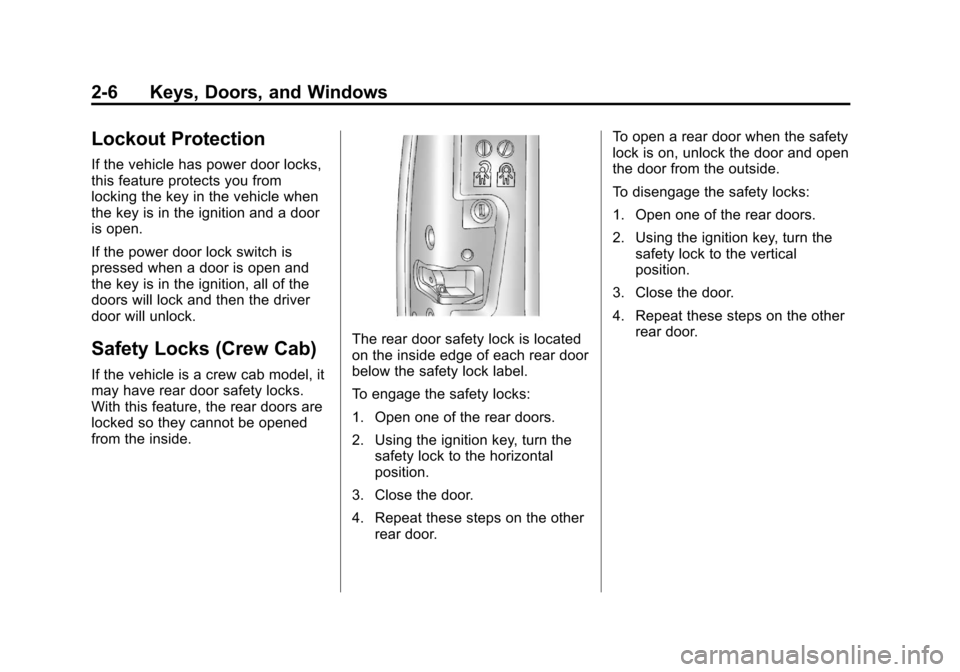
The rear door safety lock is located
on the inside edge of each rear door
below the safety lock label.
To engage the safety locks:
1. Open one of the rear doors.
2. Using the ignition key, turn thesafety lock to the horizontal
position.
3. Close the door.
4. Repeat these steps on the other rear door. To open a rear door when the safety
lock is on, unlock the door and open
the door from the outside.
To disengage the safety locks:
1. Open one of the rear doors.
2. Using the ignition key, turn the
safety lock to the vertical
position.
3. Close the door.
4. Repeat these steps on the other rear door.
Page 35 of 394
Black plate (7,1)Chevrolet Colorado Owner Manual - 2012
Keys, Doors, and Windows 2-7
Doors
Rear Doors
To open the door, open the front
door. Then, use the handle to open
the rear door. The rear door must be
closed before closing the front door.
Tailgate
{WARNING
It is extremely dangerous to
ride on the tailgate, even when
the vehicle is operated at low
speeds. People riding on the
tailgate can easily lose their
balance and fall in response to
vehicle maneuvers. Falling from
a moving vehicle may result in
serious injuries or death. Do
not allow people to ride on the
tailgate. Be sure everyone in your
vehicle is in a seat and using a
safety belt properly.
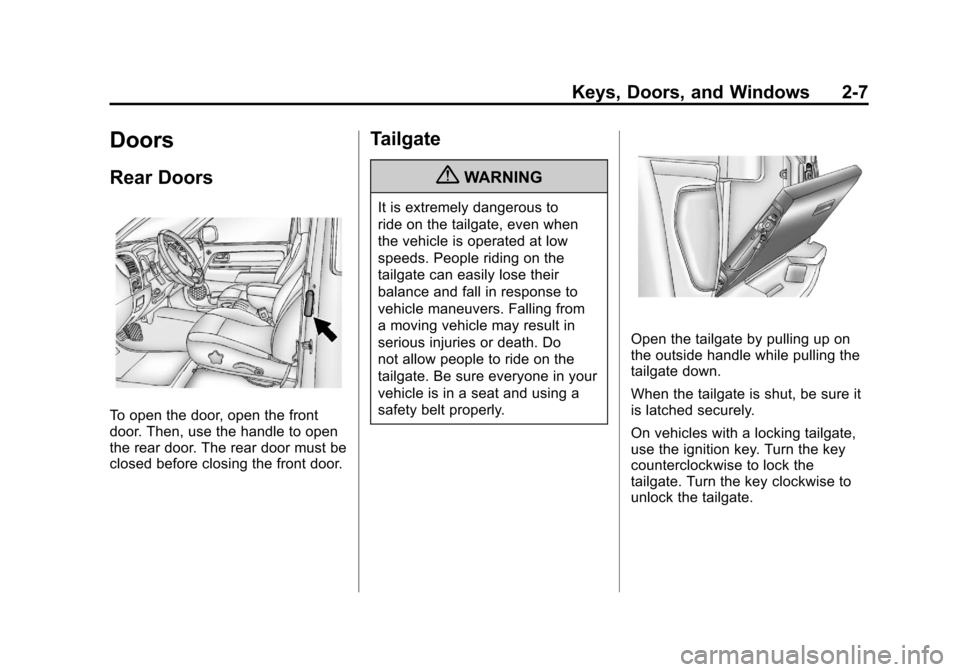
Open the tailgate by pulling up on
the outside handle while pulling the
tailgate down.
When the tailgate is shut, be sure it
is latched securely.
On vehicles with a locking tailgate,
use the ignition key. Turn the key
counterclockwise to lock the
tailgate. Turn the key clockwise to
unlock the tailgate.
Page 37 of 394
Black plate (9,1)Chevrolet Colorado Owner Manual - 2012
Keys, Doors, and Windows 2-9
3. Slide the lower end fitting ontothe top bolt. The tailgate will
now stay in the partially opened
position.
4. Repeat Steps 2 and 3 for the driver side.
If you would like to close the
tailgate, the bracket cannot be in
the partially opened position. Use
the top position on the bracket to
anchor it on the bottom bolt.Vehicle Security
This vehicle has theft-deterrent
features; however, they do not make
it impossible to steal.
Anti-theft Alarm System
If your vehicle has the Remote
Keyless Entry (RKE) system, the
vehicle has a content theft-deterrent
alarm system.
To activate the content
theft-deterrent system:
1. Close all the doors.
2. Lock the doors with the RKE transmitter. The security light,
located on the instrument panel
cluster, will flash. If the LOCK button on the RKE
transmitter is pressed, but a door is
open, the horn will chirp six times.
Press the LOCK button again, within
three seconds, and the doors will
lock. Close the open door and the
system will be activated.
If a locked door is not opened using
the RKE transmitter, or by OnStar
®,
the pre-alarm will go off. If the
engine is not started or UNLOCK
not pressed within 10 seconds, the
front turn signal lamps will flash for
two minutes, and the horn will sound
for two minutes, then will turn off to
save the battery power.
Remember, the theft-deterrent
system will not activate if you lock
the doors with a key, the manual
door lock, or power door lock
switch. The system can only be
activated using the RKE transmitter,
or by OnStar
®. See the OnStar
Owner's Guide for additional
information. You should also
remember that you can start your
vehicle with the correct ignition key
if the alarm has been set off.
Page 38 of 394
Black plate (10,1)Chevrolet Colorado Owner Manual - 2012
2-10 Keys, Doors, and Windows
Here is how to avoid setting off the
alarm by accident:
.If you do not want to activate the
theft-deterrent system, the
vehicle should be locked with
the door key after the doors are
closed.
.Always unlock a door with the
RKE transmitter. Unlocking a
door any other way will set off
the alarm.
If you set off the alarm by accident,
you can turn off the alarm by
pressing UNLOCK on the RKE
transmitter. The alarm will not stop
if you try to unlock a door any
other way.
Testing the Alarm
To test the alarm:
1. From inside the vehicle, activate the system by locking the doors
with the RKE transmitter. 2. Unlock the door with the manual
door lock and open the door.
This should set off the alarm.
3. To turn the alarm off, press the UNLOCK button on the RKE
transmitter or start the engine.
If the alarm does not sound when it
should but the lights flash, check to
see if the horn works. The horn fuse
may be blown. To replace the fuse,
see Fuses and Circuit Breakers on
page 10‑39.
If the alarm does not sound or the
front turn signal lamps do not flash,
see your dealer for service.
Immobilizer
See Radio Frequency Statement on
page 13‑21 for information
regarding Part 15 of the Federal
Communications Commission
(FCC) rules and Industry Canada
Standards RSS-GEN/210/220/310.
Immobilizer Operation
(PASS-Key III+
Canada Only)
This vehicle has a passive
theft-deterrent system.
The system is automatically armed
when the key is removed from the
ignition.
The system is automatically
disarmed when the key is turned
to ON/RUN.
You do not have to manually arm
or disarm the system.
The security light comes on if
there is a problem with arming or
disarming the theft-deterrent
system.
The key uses a transponder that
matches an immobilizer control unit
in the vehicle. Only the correct key
starts the vehicle. If the key is ever
damaged, the vehicle may not start.
When trying to start the vehicle,
if the engine does not start and
the security light comes on, there