change time CHEVROLET COLORADO 2017 2.G User Guide
[x] Cancel search | Manufacturer: CHEVROLET, Model Year: 2017, Model line: COLORADO, Model: CHEVROLET COLORADO 2017 2.GPages: 419, PDF Size: 7.38 MB
Page 148 of 419
Chevrolet Colorado Owner Manual (GMNA-Localizing-U.S./Canada/Mexico-10122675) - 2017 - crc - 8/22/16
Lighting 147
10 minutes after the ignition isturned off. When the headlamps areturned on while the vehicle is off,the headlamps will stay on for10 minutes before turning off toprevent the battery from beingdrained. Turn the headlamp controloff and then back to the headlampon position to make the headlampsstay on for an additional 10 minutes.To k e e p t h e l a m p s o n f o r m o r e t h a n10 minutes, the ignition must be inthe ACC/ACCESSORY or ON/RUNposition.
#:If equipped, it turns on the foglamps. SeeFog Lamps0149.
Exterior Lamps Off
Reminder
Areminderchimesoundswhentheheadlamps or parking lamps aremanually turned on, the ignition isoff, and a door is open. To disablethe chime, turn the lamps off.
Headlamp High/
Low-Beam Changer
Push the turn signal lever towardthe instrument panel to change theheadlamps from low to high beam.
Pull the turn signal lever toward youand release it to return to low-beamheadlamps.
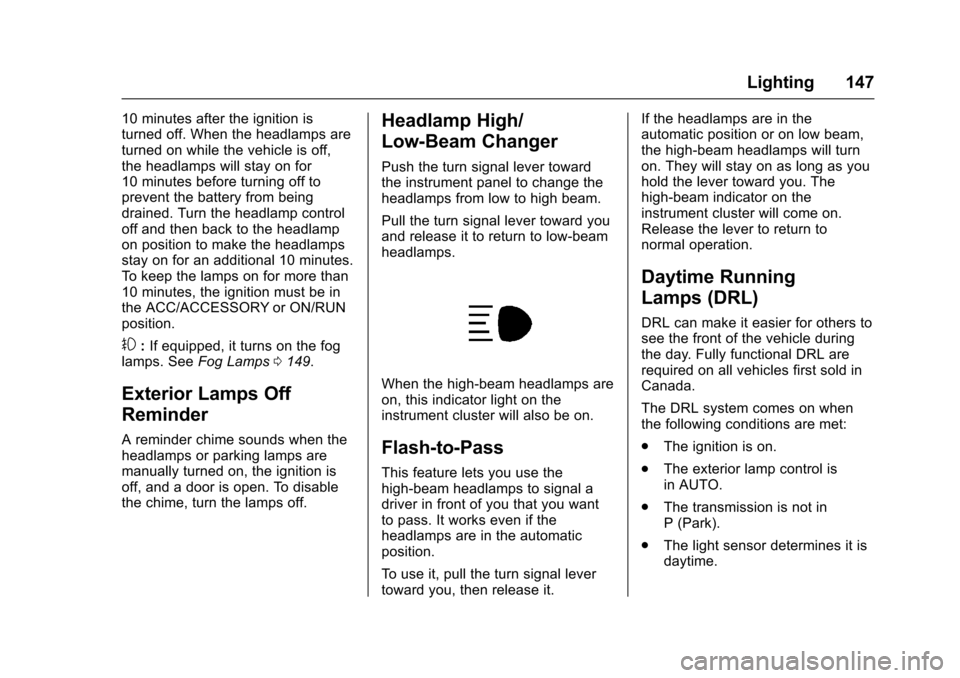
When the high-beam headlamps areon, this indicator light on theinstrument cluster will also be on.
Flash-to-Pass
This feature lets you use thehigh-beam headlamps to signal adriver in front of you that you wantto pass. It works even if theheadlamps are in the automaticposition.
To u s e i t , p u l l t h e t u r n s i g n a l l e v e rtoward you, then release it.
If the headlamps are in theautomatic position or on low beam,the high-beam headlamps will turnon. They will stay on as long as youhold the lever toward you. Thehigh-beam indicator on theinstrument cluster will come on.Release the lever to return tonormal operation.
Daytime Running
Lamps (DRL)
DRL can make it easier for others tosee the front of the vehicle duringthe day. Fully functional DRL arerequired on all vehicles first sold inCanada.
The DRL system comes on whenthe following conditions are met:
.The ignition is on.
.The exterior lamp control isin AUTO.
.The transmission is not inP(Park).
.The light sensor determines it isdaytime.
Page 149 of 419
Chevrolet Colorado Owner Manual (GMNA-Localizing-U.S./Canada/Mexico-10122675) - 2017 - crc - 8/22/16
148 Lighting
When the DRL system is on, onlythe DRL are on. The taillamps,sidemarker lamps, instrument panellights, and other lamps will notbe on.
When it begins to get dark, theautomatic headlamp systemswitches from DRL to theheadlamps.
To t u r n o f f t h e D R L , t u r n t h e e x t e r i o rlamp control to the off position andthen release. For vehicles first soldin Canada, off will only work whenthe vehicle is in P (Park).
Automatic Headlamp
System
When the exterior lamp control isset to AUTO and it is dark enoughoutside, the headlamps come onautomatically.
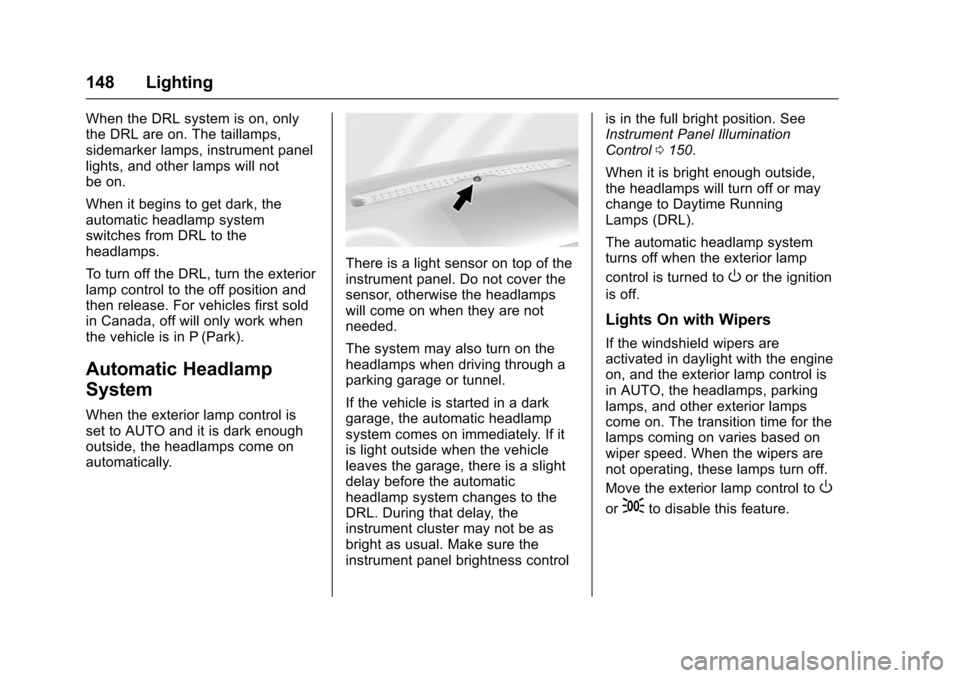
There is a light sensor on top of theinstrument panel. Do not cover thesensor, otherwise the headlampswill come on when they are notneeded.
The system may also turn on theheadlamps when driving through aparking garage or tunnel.
If the vehicle is started in a darkgarage, the automatic headlampsystem comes on immediately. If itis light outside when the vehicleleaves the garage, there is a slightdelay before the automaticheadlamp system changes to theDRL. During that delay, theinstrument cluster may not be asbright as usual. Make sure theinstrument panel brightness control
is in the full bright position. SeeInstrument Panel IlluminationControl0150.
When it is bright enough outside,the headlamps will turn off or maychange to Daytime RunningLamps (DRL).
The automatic headlamp systemturns off when the exterior lamp
control is turned toOor the ignition
is off.
Lights On with Wipers
If the windshield wipers areactivated in daylight with the engineon, and the exterior lamp control isin AUTO, the headlamps, parkinglamps, and other exterior lampscome on. The transition time for thelamps coming on varies based onwiper speed. When the wipers arenot operating, these lamps turn off.
Move the exterior lamp control toO
or;to disable this feature.
Page 150 of 419
Chevrolet Colorado Owner Manual (GMNA-Localizing-U.S./Canada/Mexico-10122675) - 2017 - crc - 8/22/16
Lighting 149
Hazard Warning Flashers
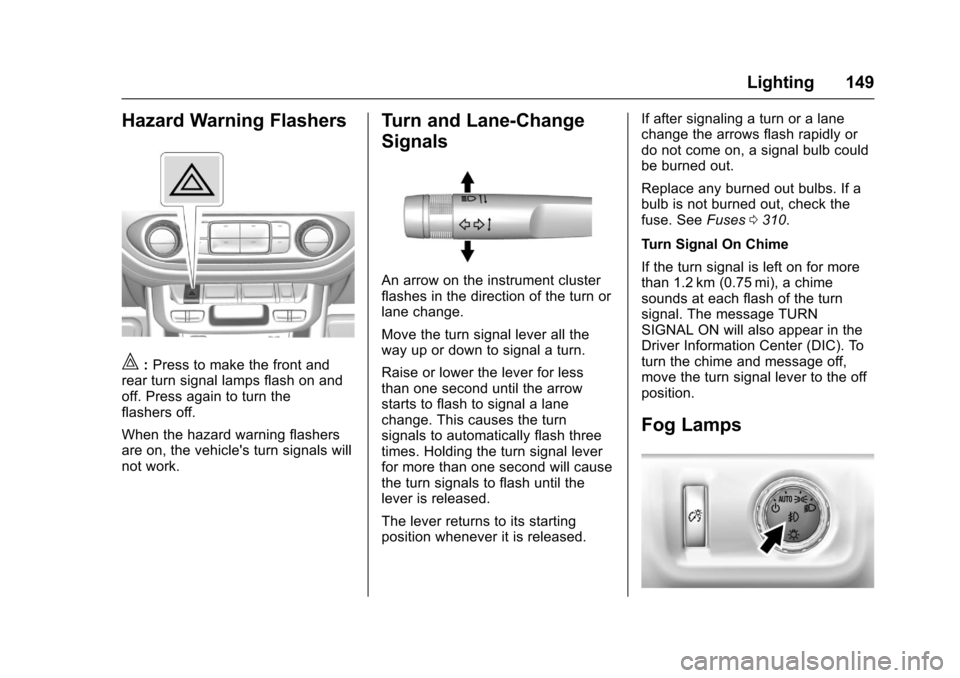
|:Press to make the front andrear turn signal lamps flash on andoff. Press again to turn theflashers off.
When the hazard warning flashersare on, the vehicle's turn signals willnot work.
Turn and Lane-Change
Signals
An arrow on the instrument clusterflashes in the direction of the turn orlane change.
Move the turn signal lever all theway up or down to signal a turn.
Raise or lower the lever for lessthan one second until the arrowstarts to flash to signal a lanechange. This causes the turnsignals to automatically flash threetimes. Holding the turn signal leverfor more than one second will causethe turn signals to flash until thelever is released.
The lever returns to its startingposition whenever it is released.
If after signaling a turn or a lanechange the arrows flash rapidly ordo not come on, a signal bulb couldbe burned out.
Replace any burned out bulbs. If abulb is not burned out, check thefuse. SeeFuses0310.
Turn Signal On Chime
If the turn signal is left on for morethan 1.2 km (0.75 mi), a chimesounds at each flash of the turnsignal. The message TURNSIGNAL ON will also appear in theDriver Information Center (DIC). Toturn the chime and message off,move the turn signal lever to the offposition.
Fog Lamps
Page 152 of 419
Chevrolet Colorado Owner Manual (GMNA-Localizing-U.S./Canada/Mexico-10122675) - 2017 - crc - 8/22/16
Lighting 151
Dome Lamps
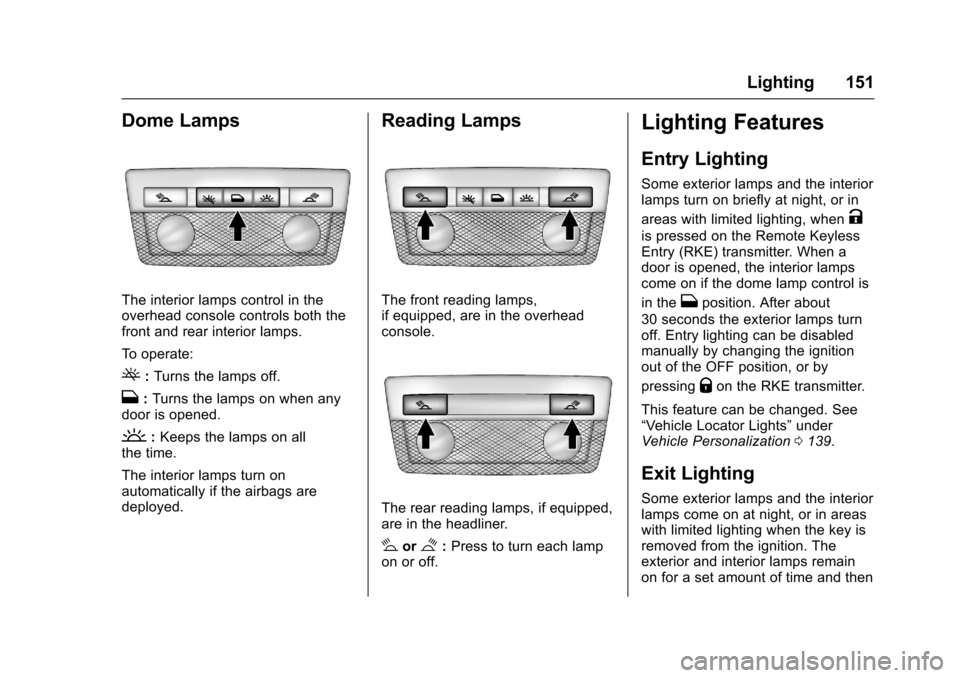
The interior lamps control in theoverhead console controls both thefront and rear interior lamps.
To o p e r a t e :
(:Turns the lamps off.
H:Turns the lamps on when anydoor is opened.
':Keeps the lamps on allthe time.
The interior lamps turn onautomatically if the airbags aredeployed.
Reading Lamps
The front reading lamps,if equipped, are in the overheadconsole.
The rear reading lamps, if equipped,are in the headliner.
#or$:Press to turn each lampon or off.
Lighting Features
Entry Lighting
Some exterior lamps and the interiorlamps turn on briefly at night, or in
areas with limited lighting, whenK
is pressed on the Remote KeylessEntry (RKE) transmitter. When adoor is opened, the interior lampscome on if the dome lamp control is
in theHposition. After about
30 seconds the exterior lamps turnoff. Entry lighting can be disabledmanually by changing the ignitionout of the OFF position, or by
pressingQon the RKE transmitter.
This feature can be changed. See“Ve h i c l e L o c a t o r L i g h t s”underVehicle Personalization0139.
Exit Lighting
Some exterior lamps and the interiorlamps come on at night, or in areaswith limited lighting when the key isremoved from the ignition. Theexterior and interior lamps remainon for a set amount of time and then
Page 177 of 419
Chevrolet Colorado Owner Manual (GMNA-Localizing-U.S./Canada/Mexico-10122675) - 2017 - crc - 8/22/16
176 Infotainment System
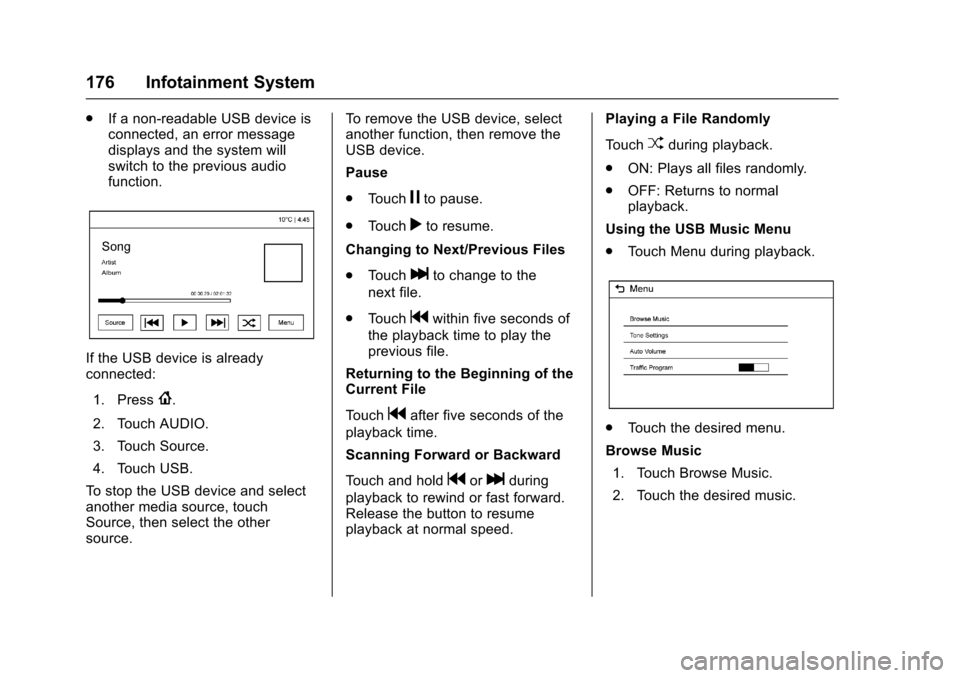
.If a non-readable USB device isconnected, an error messagedisplays and the system willswitch to the previous audiofunction.
If the USB device is alreadyconnected:
1. Press{.
2. Touch AUDIO.
3. Touch Source.
4. Touch USB.
To s t o p t h e U S B d e v i c e a n d s e l e c tanother media source, touchSource, then select the othersource.
To r e m o v e t h e U S B d e v i c e , s e l e c tanother function, then remove theUSB device.
Pause
.To u c hjto pause.
.To u c hrto resume.
Changing to Next/Previous Files
.To u c hlto change to the
next file.
.To u c hgwithin five seconds of
the playback time to play theprevious file.
Returning to the Beginning of theCurrent File
To u c hgafter five seconds of the
playback time.
Scanning Forward or Backward
To u c h a n d h o l dgorlduring
playback to rewind or fast forward.Release the button to resumeplayback at normal speed.
Playing a File Randomly
To u c hZduring playback.
.ON: Plays all files randomly.
.OFF: Returns to normalplayback.
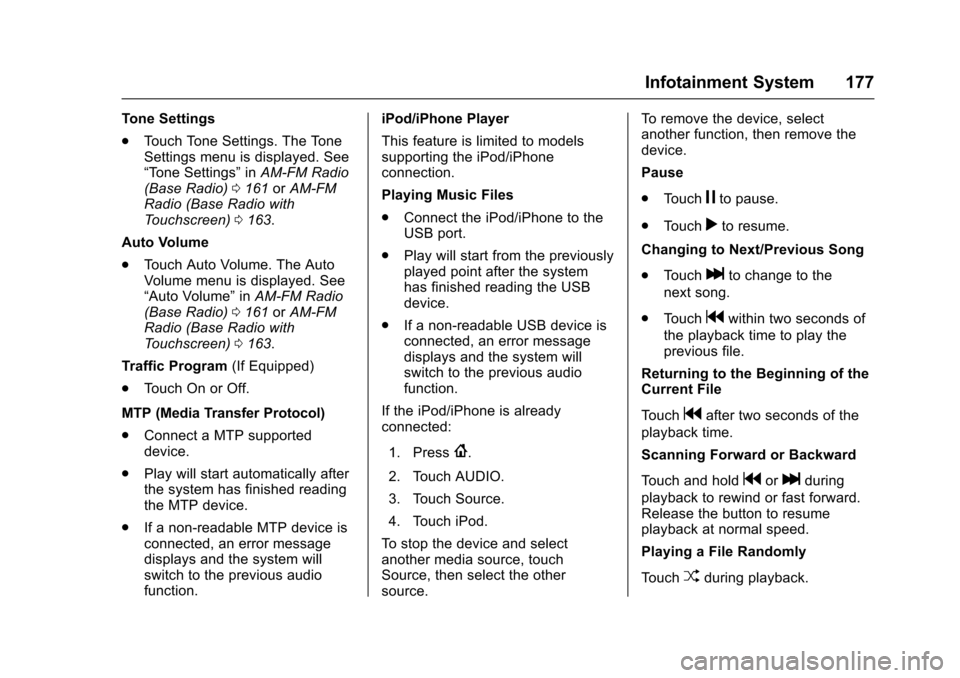
Using the USB Music Menu
.To u c h M e n u d u r i n g p l a y b a c k .
.To u c h t h e d e s i r e d m e n u .
Browse Music
1. Touch Browse Music.
2. Touch the desired music.
Page 178 of 419
Chevrolet Colorado Owner Manual (GMNA-Localizing-U.S./Canada/Mexico-10122675) - 2017 - crc - 8/22/16
Infotainment System 177
To n e S e t t i n g s
.To u c h To n e S e t t i n g s . T h e To n eSettings menu is displayed. See“To n e S e t t i n g s”inAM-FM Radio(Base Radio)0161orAM-FMRadio (Base Radio withTo u c h s c r e e n )0163.
Auto Volume
.To u c h A u t o V o l u m e . T h e A u t oVolume menu is displayed. See“Auto Volume”inAM-FM Radio(Base Radio)0161orAM-FMRadio (Base Radio withTo u c h s c r e e n )0163.
Tr a f f i c P r o g r a m(If Equipped)
.To u c h O n o r O f f .
MTP (Media Transfer Protocol)
.Connect a MTP supporteddevice.
.Play will start automatically afterthe system has finished readingthe MTP device.
.If a non-readable MTP device isconnected, an error messagedisplays and the system willswitch to the previous audiofunction.
iPod/iPhone Player
This feature is limited to modelssupporting the iPod/iPhoneconnection.
Playing Music Files
.Connect the iPod/iPhone to theUSB port.
.Play will start from the previouslyplayed point after the systemhas finished reading the USBdevice.
.If a non-readable USB device isconnected, an error messagedisplays and the system willswitch to the previous audiofunction.
If the iPod/iPhone is alreadyconnected:
1. Press{.
2. Touch AUDIO.
3. Touch Source.
4. Touch iPod.
To s t o p t h e d e v i c e a n d s e l e c tanother media source, touchSource, then select the othersource.
To r e m o v e t h e d e v i c e , s e l e c tanother function, then remove thedevice.
Pause
.To u c hjto pause.
.To u c hrto resume.
Changing to Next/Previous Song
.To u c hlto change to the
next song.
.To u c hgwithin two seconds of
the playback time to play theprevious file.
Returning to the Beginning of theCurrent File
To u c hgafter two seconds of the
playback time.
Scanning Forward or Backward
To u c h a n d h o l dgorlduring
playback to rewind or fast forward.Release the button to resumeplayback at normal speed.
Playing a File Randomly
To u c hZduring playback.
Page 190 of 419
Chevrolet Colorado Owner Manual (GMNA-Localizing-U.S./Canada/Mexico-10122675) - 2017 - crc - 8/22/16
Infotainment System 189
Pairing Information
.Up to five cell phones can bepaired to the Bluetooth system.
.The pairing process is disabledwhen the vehicle is moving.
.Pairing only needs to becompleted once per phone,unless the pairing information onthe cell phone changes or thecell phone is deleted from thesystem.
.Only one paired cell phone canbe connected to the Bluetoothsystem at a time.
.If multiple paired cell phones arewithin range of the system, thesystem connects to the firstavailable paired cell phone in theorder that they were newlypaired to the system. To connectto a different paired phone, see“Connecting to a DifferentPhone”later in this section.
Pairing a Phone or Device
1. From the Home Page, turn theMENU knob to access thePHONE screen button, then
press the MENU knob to selectthe PHONE screen button. If adevice has been previouslypaired, the main Phone menuwill be shown. If no deviceshave been paired, Step 2 canbe skipped.
2. Turn the MENU knob andpress to select ManagePhones.
3. Press the button just below thePA I R s c r e e n b u t t o n . A f o u r - d i g i tPersonal Identification Number(PIN) appears on the display.The PIN is used in Step 5.
4. Start the pairing process on thecell phone to be paired to thevehicle. See your cell phonemanufacturer's user guide forinformation on this process.
5. Locate the device named“Yo u rVehicle”in the list on the cellphone. Follow the instructionson the cell phone to enter thePIN provided in Step 3. If a sixdigit code is shown on thephone and the vehicle screen,confirm the codes are thesame. The system recognizes
the new connected phone afterthe pairing process iscomplete.
6. If the phone prompts to acceptconnection or allow phonebook download, select AlwaysAccept and Allow. The phonebook may not be available ifnot accepted.
7. Repeat Steps 1–6topairadditional phones or devices.
Listing All Paired and ConnectedPhones
1. To list all paired devices, fromthe Home Page turn the MENUknob, then press to select thePHONE screen button.
2. Turn the MENU knob andpress to select ManagePhones.
Deleting a Paired Phone
1. From the Home Page, turn theMENU knob, then press toselect the PHONE screenbutton.
Page 194 of 419
Chevrolet Colorado Owner Manual (GMNA-Localizing-U.S./Canada/Mexico-10122675) - 2017 - crc - 8/22/16
Infotainment System 193
Check that the same digits areshown on the cell phone andsay "Yes" to confirm. SelectConfirm on the cell phone aswell. After the PIN issuccessfully entered, thesystem prompts you to provideanameforthepairedcellphone. This name will be usedto indicate which phones arepaired and connected to thevehicle. The system respondswith“
6. Repeat Steps 1✓5topairadditional phones.
Listing All Paired and ConnectedPhones
The system can list all cell phonespaired to it. If a paired cell phone isalso connected to the vehicle, thesystem responds with“is connected”after that phone name.
1. Pressg.Thesystemresponds
“Ready,”followed by a tone.
2. Say“Bluetooth.”
3. Say“List.”
Deleting a Paired Phone
If the phone name to delete isunknown, see“Listing All Pairedand Connected Phones.”
1. Pressg.Thesystemresponds
“Ready,”followed by a tone.
2. Say“Bluetooth.”
3. Say“Delete.”The system asksfor which phone to delete.
4. Say the name of the phone todelete.
Connecting to a Different Phone
To c o n n e c t t o a d i f f e r e n t c e l l p h o n e ,the Bluetooth system looks for thenext available cell phone in theorder in which all available cellphones were paired. This may needto be repeated depending on howmany cell phones have beenconnected.
1. Pressg.Thesystemresponds
“Ready,”followed by a tone.
2. Say“Bluetooth.”
3. Say“Change phone.”
.If another cell phone isfound, the response will be“
This can be repeated toconnect any of the up tofive paired phones.
.If another cell phone is notfound, the original phoneremains connected.
Storing and Deleting Phone
Numbers
The following commands are usedto delete and store phone numbers.
Store :This command will store aphone number or a group ofnumbers as a name tag.
Digit Store :This command allowsaphonenumbertobestoredasaname tag by entering the digits oneat a time.
Delete :This command is used todelete individual name tags.
Page 195 of 419
Chevrolet Colorado Owner Manual (GMNA-Localizing-U.S./Canada/Mexico-10122675) - 2017 - crc - 8/22/16
194 Infotainment System
Delete All Name Tags :Thiscommand deletes all stored nametags in the Hands-Free CallingDirectory and the DestinationsDirectory.
Using the“Store”Command
1. Pressg.Thesystemresponds
“Ready,”followed by a tone.
2. Say“Store.”
3. Say the entire phone numberor a group of digits all at oncewith no pauses, then follow thedirections given by the systemto save a name tag for thisnumber.
Using the“Digit Store”Command
If an unwanted number isrecognized by the system, say“Correction”at any time to clear thelast number.
To h e a r a l l o f t h e d i g i t s r e c o g n i z e dby the system, say“Ve r i f y”atany time.
1. Pressg.Thesystemresponds
“Ready,”followed by a tone.
2. Say“Digit Store.”
3. Say each digit, one at a time.After each digit is entered, thesystem repeats back the digit itheard followed by a tone. Afterthe last digit has been entered,say“Store,”and then follow thedirections given by the systemto save a name tag for thisnumber.
Using the“Delete”Command
1. Pressg.Thesystemresponds
“Ready,”followed by a tone.
2. Say“Delete.”
3. Say the name tag you want todelete.
Using the“Delete All Name Tags”Command
This command deletes all storedname tags in the Hands-FreeCalling Directory and theDestinations Directory.
To d e l e t e a l l n a m e t a g s :
1. Pressg.Thesystemresponds
“Ready,”followed by a tone.
2. Say“Delete all name tags.”
Listing Stored Numbers
The list command will list all thestored numbers and name tags.
Using the“List”Command
1. Pressg.Thesystemresponds
“Ready,”followed by a tone.
2. Say“Directory.”
3. Say“Hands-Free Calling.”
4. Say“List.”
Making a Call
Calls can be made using thefollowing commands.
Dial or Call :The dial or callcommand can be usedinterchangeably to dial a phonenumber or a stored name tag.
Digit Dial :This command allows aphone number to be dialed byentering the digits one at a time.
Re-dial :This command is used todial the last number used on the cellphone.
Page 198 of 419
Chevrolet Colorado Owner Manual (GMNA-Localizing-U.S./Canada/Mexico-10122675) - 2017 - crc - 8/22/16
Infotainment System 197
3. Say the number or name tagto send.
Clearing the System
Unless information is deleted out ofthe in-vehicle Bluetooth system, itwill be retained indefinitely. Thisincludes all phone pairinginformation. For information on howto delete this information, see“Deleting a Paired Phone.”
Bluetooth (Infotainment
Controls - Base Radio
with Touchscreen)
To u s e i n f o t a i n m e n t c o n t r o l s t oaccess the menu system, seeOverview (Base Radio)0155orOverview (Base Radio withTo u c h s c r e e n )0157.
Pairing
ABluetooth-enabledcellphonemust be paired to the Bluetoothsystem and then connected to thevehicle before it can be used. Seeyour cell phone manufacturer's userguide for Bluetooth functions beforepairing the cell phone. If a Bluetooth
phone is not connected, calls will bemade using OnStar Hands-FreeCalling, if available. SeeOnStarOverview0397.
Pairing Information
.ABluetoothphonewithMP3capability cannot be paired tothe vehicle as a phone and anMP3 player at the same time.
.Up to 10 cell phones can bepaired to the Bluetooth system.
.The pairing process is disabledwhen the vehicle is moving.
.Pairing only needs to becompleted once, unless thepairing information on the cellphone changes or the cell phoneis deleted from the system.
.Only one paired cell phone canbe connected to the Bluetoothsystem at a time.
.If multiple paired cell phones arewithin range of the system, thesystem connects to the firstavailable paired cell phone in theorder that they were first pairedto the system.
When the Bluetooth device andinfotainment system aresuccessfully paired, the phone bookis downloaded automatically. This isdependent on the type of the phonepaired. If the automatic downloaddoes not occur, proceed with thephone book download on thephone.
Pairing a Phone - SSP and NoPaired Device
When there is no paired device onthe infotainment system and SimpleSecure Pairing (SSP) is supported:
1. Press{.
2. Touch PHONE, press#on the
center stack, or pressgon the
steering wheel without OnStar.
3. Touch Search Device.
4. Touch the desired device topair on the searched listscreen.
5. Touch Yes on the pop-upscreen of the Bluetooth deviceand infotainment system.