light CHEVROLET COLORADO 2017 2.G User Guide
[x] Cancel search | Manufacturer: CHEVROLET, Model Year: 2017, Model line: COLORADO, Model: CHEVROLET COLORADO 2017 2.GPages: 419, PDF Size: 7.38 MB
Page 25 of 419
Chevrolet Colorado Owner Manual (GMNA-Localizing-U.S./Canada/Mexico-10122675) - 2017 - crc - 8/22/16
24 In Brief
.Press and releasegto turn on
both systems.iandgturn off
in instrument cluster.
StabiliTrak will automatically turn onif the vehicle exceeds 56 km/h(35 mph). TCS will remain off
untilgis pressed or the ignition is
cycled from Off then On.
SeeTr a c t i o n C o n t r o l / E l e c t r o n i cStability Control0256.
Tire Pressure Monitor
This vehicle may have a TirePressure Monitor System (TPMS).
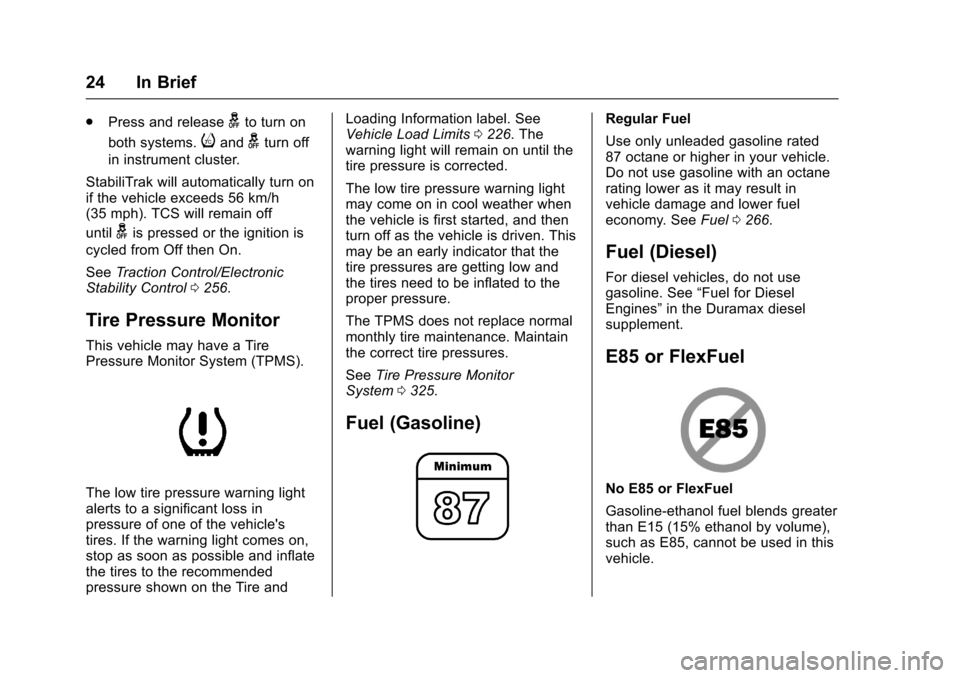
The low tire pressure warning lightalerts to a significant loss inpressure of one of the vehicle'stires. If the warning light comes on,stop as soon as possible and inflatethe tires to the recommendedpressure shown on the Tire and
Loading Information label. SeeVehicle Load Limits0226.Thewarning light will remain on until thetire pressure is corrected.
The low tire pressure warning lightmay come on in cool weather whenthe vehicle is first started, and thenturn off as the vehicle is driven. Thismay be an early indicator that thetire pressures are getting low andthe tires need to be inflated to theproper pressure.
The TPMS does not replace normalmonthly tire maintenance. Maintainthe correct tire pressures.
SeeTire Pressure MonitorSystem0325.
Fuel (Gasoline)
Regular Fuel
Use only unleaded gasoline rated87 octane or higher in your vehicle.Do not use gasoline with an octanerating lower as it may result invehicle damage and lower fueleconomy. SeeFuel0266.
Fuel (Diesel)
For diesel vehicles, do not usegasoline. See“Fuel for DieselEngines”in the Duramax dieselsupplement.
E85 or FlexFuel
No E85 or FlexFuel
Gasoline-ethanol fuel blends greaterthan E15 (15% ethanol by volume),such as E85, cannot be used in thisvehicle.
Page 29 of 419
Chevrolet Colorado Owner Manual (GMNA-Localizing-U.S./Canada/Mexico-10122675) - 2017 - crc - 8/22/16
28 Keys, Doors, and Windows
{Warning
If the key is unintentionally
rotated while the vehicle is
running, the ignition could be
moved out of the RUN position.
This could be caused by heavy
items hanging from the key ring,
or by large or long items attached
to the key ring that could be
contacted by the driver or
steering wheel. If the ignition
moves out of the RUN position,
the engine will shut off, braking
and steering power assist may be
(Continued)
Warning (Continued)
impacted, and airbags may not
deploy. To reduce the risk of
unintentional rotation of the
ignition key, do not change the
way the ignition key and Remote
Keyless Entry (RKE) transmitter,
if equipped, are connected to the
provided key rings.
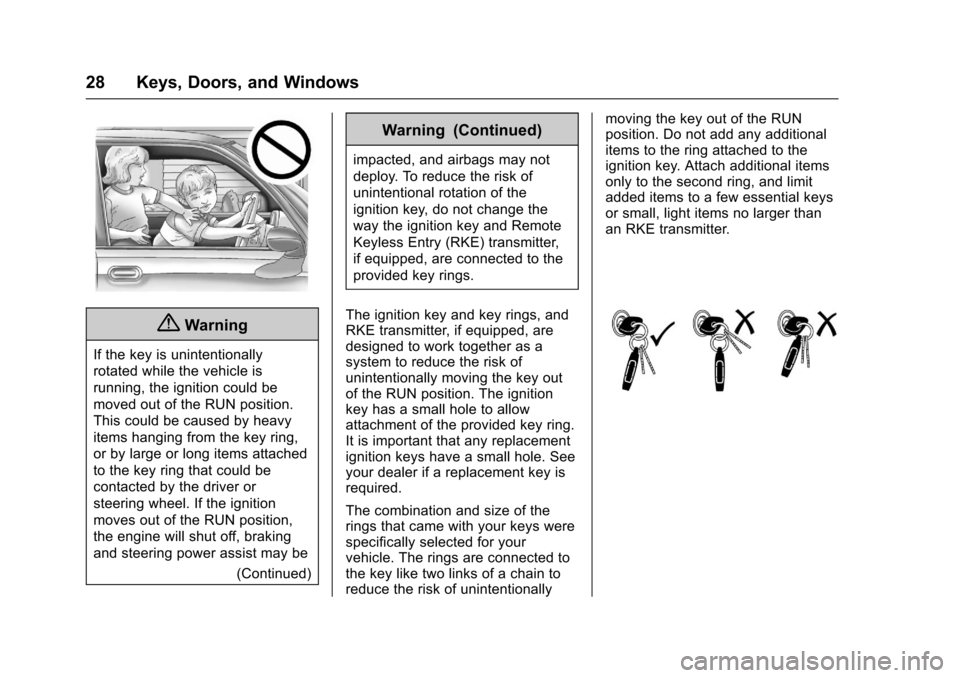
The ignition key and key rings, andRKE transmitter, if equipped, aredesigned to work together as asystem to reduce the risk ofunintentionally moving the key outof the RUN position. The ignitionkey has a small hole to allowattachment of the provided key ring.It is important that any replacementignition keys have a small hole. Seeyour dealer if a replacement key isrequired.
The combination and size of therings that came with your keys werespecifically selected for yourvehicle. The rings are connected tothe key like two links of a chain toreduce the risk of unintentionally
moving the key out of the RUNposition. Do not add any additionalitems to the ring attached to theignition key. Attach additional itemsonly to the second ring, and limitadded items to a few essential keysor small, light items no larger thanan RKE transmitter.
Page 30 of 419
Chevrolet Colorado Owner Manual (GMNA-Localizing-U.S./Canada/Mexico-10122675) - 2017 - crc - 8/22/16
Keys, Doors, and Windows 29
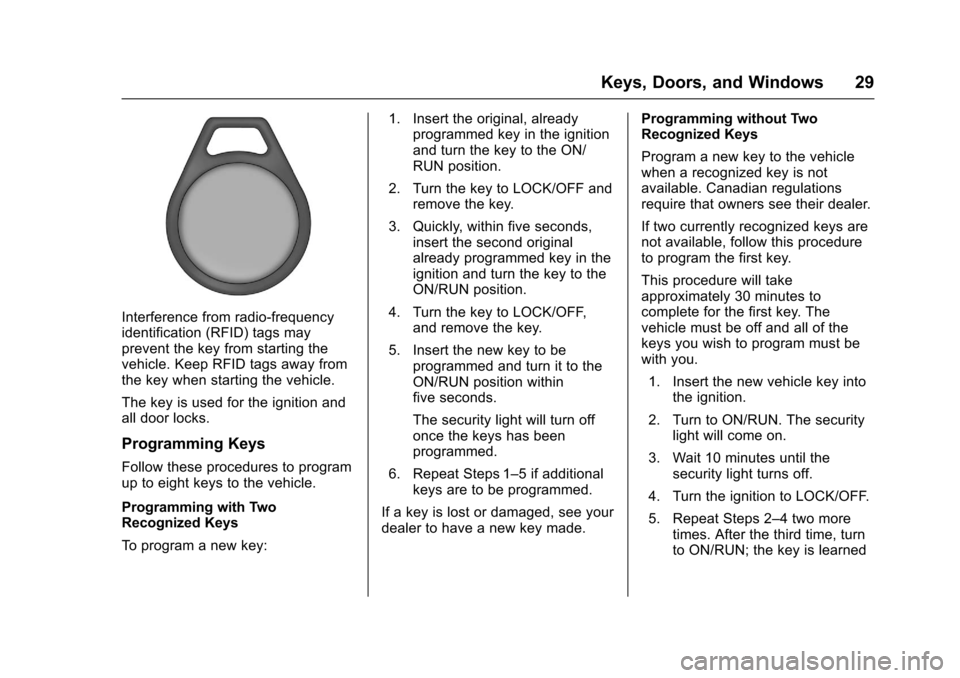
Interference from radio-frequencyidentification (RFID) tags mayprevent the key from starting thevehicle. Keep RFID tags away fromthe key when starting the vehicle.
The key is used for the ignition andall door locks.
Programming Keys
Follow these procedures to programup to eight keys to the vehicle.
Programming with TwoRecognized Keys
To p r o g r a m a n e w k e y :
1. Insert the original, alreadyprogrammed key in the ignitionand turn the key to the ON/RUN position.
2. Turn the key to LOCK/OFF andremove the key.
3. Quickly, within five seconds,insert the second originalalready programmed key in theignition and turn the key to theON/RUN position.
4. Turn the key to LOCK/OFF,and remove the key.
5. Insert the new key to beprogrammed and turn it to theON/RUN position withinfive seconds.
The security light will turn offonce the keys has beenprogrammed.
6. Repeat Steps 1–5ifadditionalkeys are to be programmed.
If a key is lost or damaged, see yourdealer to have a new key made.
Programming without TwoRecognized Keys
Program a new key to the vehiclewhen a recognized key is notavailable. Canadian regulationsrequire that owners see their dealer.
If two currently recognized keys arenot available, follow this procedureto program the first key.
This procedure will takeapproximately 30 minutes tocomplete for the first key. Thevehicle must be off and all of thekeys you wish to program must bewith you.
1. Insert the new vehicle key intothe ignition.
2. Turn to ON/RUN. The securitylight will come on.
3. Wait 10 minutes until thesecurity light turns off.
4. Turn the ignition to LOCK/OFF.
5. Repeat Steps 2–4twomoretimes. After the third time, turnto ON/RUN; the key is learned
Page 36 of 419
Chevrolet Colorado Owner Manual (GMNA-Localizing-U.S./Canada/Mexico-10122675) - 2017 - crc - 8/22/16
Keys, Doors, and Windows 35
If Unlocked Door Anti-Lockout isturned on, the vehicle is off with thedriver door open, and door lockingis requested, all the doors will lockand only the driver door will unlock.The Unlocked Door Anti-Lockoutfeature can be turned on or off usingthe vehicle personalization menus.SeeVehicle Personalization0139.
Safety Locks
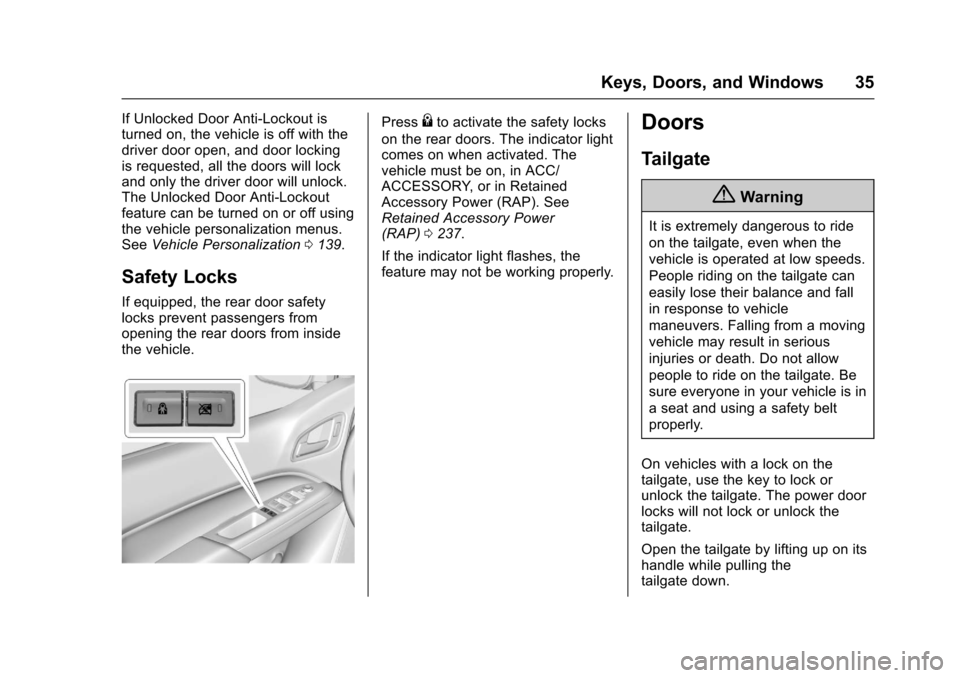
If equipped, the rear door safetylocks prevent passengers fromopening the rear doors from insidethe vehicle.
Press{to activate the safety locks
on the rear doors. The indicator lightcomes on when activated. Thevehicle must be on, in ACC/ACCESSORY, or in RetainedAccessory Power (RAP). SeeRetained Accessory Power(RAP)0237.
If the indicator light flashes, thefeature may not be working properly.
Doors
Tailgate
{Warning
It is extremely dangerous to ride
on the tailgate, even when the
vehicle is operated at low speeds.
People riding on the tailgate can
easily lose their balance and fall
in response to vehicle
maneuvers. Falling from a moving
vehicle may result in serious
injuries or death. Do not allow
people to ride on the tailgate. Be
sure everyone in your vehicle is in
aseatandusingasafetybelt
properly.
On vehicles with a lock on thetailgate, use the key to lock orunlock the tailgate. The power doorlocks will not lock or unlock thetailgate.
Open the tailgate by lifting up on itshandle while pulling thetailgate down.
Page 37 of 419
Chevrolet Colorado Owner Manual (GMNA-Localizing-U.S./Canada/Mexico-10122675) - 2017 - crc - 8/22/16
36 Keys, Doors, and Windows
To s h u t t h e t a i l g a t e , f i r m l y p u s h i tupward until it latches.
After closing the tailgate, pull it backto be sure it latches securely.
Tailgate Removal
The tailgate can be removed toallow for different loading situations.Assistance may be needed with theremoval to avoid damage to thevehicle.
On vehicles with a Rear VisionCamera, it must be disconnectedbefore removing the tailgate. SeeRear Vision Camera (RVC)0261.
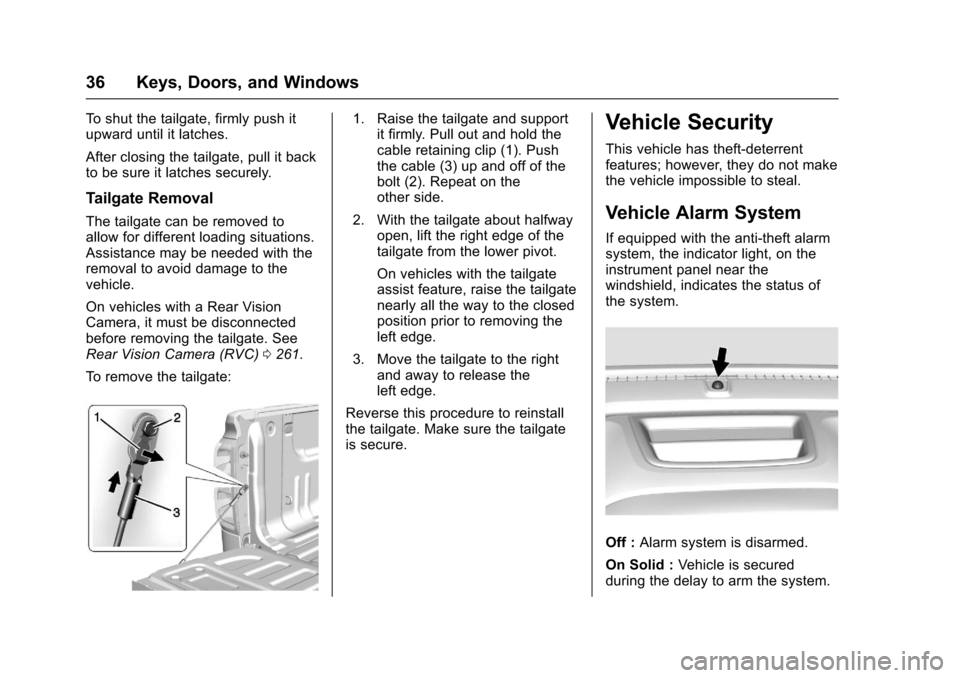
To r e m o v e t h e t a i l g a t e :
1. Raise the tailgate and supportit firmly. Pull out and hold thecable retaining clip (1). Pushthe cable (3) up and off of thebolt (2). Repeat on theother side.
2. With the tailgate about halfwayopen, lift the right edge of thetailgate from the lower pivot.
On vehicles with the tailgateassist feature, raise the tailgatenearly all the way to the closedposition prior to removing theleft edge.
3. Move the tailgate to the rightand away to release theleft edge.
Reverse this procedure to reinstallthe tailgate. Make sure the tailgateis secure.
Vehicle Security
This vehicle has theft-deterrentfeatures; however, they do not makethe vehicle impossible to steal.
Vehicle Alarm System
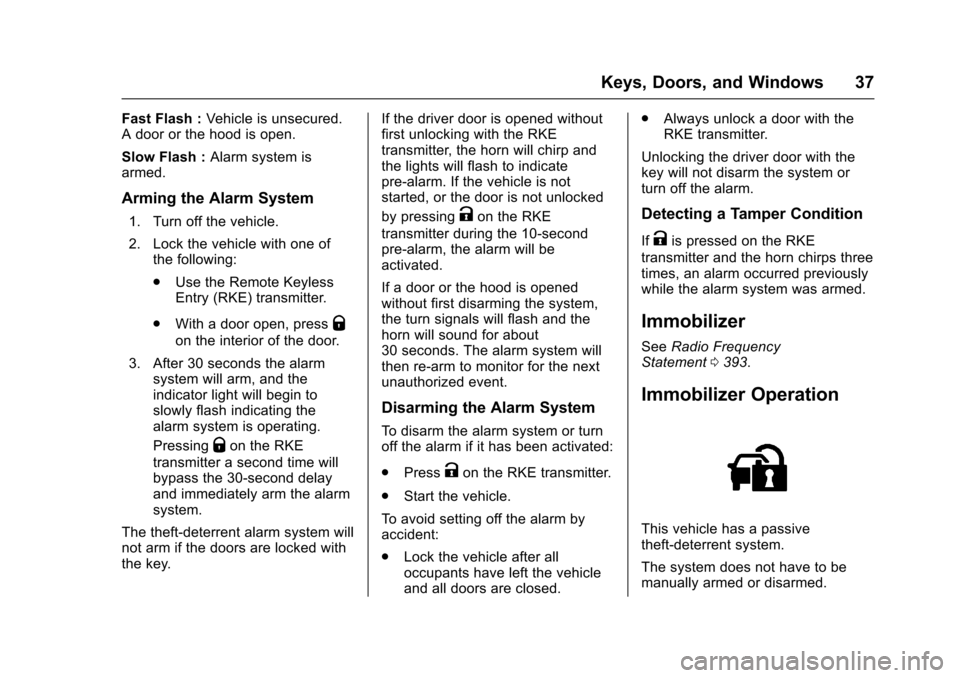
If equipped with the anti-theft alarmsystem, the indicator light, on theinstrument panel near thewindshield, indicates the status ofthe system.
Off :Alarm system is disarmed.
On Solid :Ve h i c l e i s s e c u r e dduring the delay to arm the system.
Page 38 of 419
Chevrolet Colorado Owner Manual (GMNA-Localizing-U.S./Canada/Mexico-10122675) - 2017 - crc - 8/22/16
Keys, Doors, and Windows 37
Fast Flash :Vehicle is unsecured.Adoororthehoodisopen.
Slow Flash :Alarm system isarmed.
Arming the Alarm System
1. Turn off the vehicle.
2. Lock the vehicle with one ofthe following:
.Use the Remote KeylessEntry (RKE) transmitter.
.With a door open, pressQ
on the interior of the door.
3. After 30 seconds the alarmsystem will arm, and theindicator light will begin toslowly flash indicating thealarm system is operating.
PressingQon the RKE
transmitter a second time willbypass the 30-second delayand immediately arm the alarmsystem.
The theft-deterrent alarm system willnot arm if the doors are locked withthe key.
If the driver door is opened withoutfirst unlocking with the RKEtransmitter, the horn will chirp andthe lights will flash to indicatepre-alarm. If the vehicle is notstarted, or the door is not unlocked
by pressingKon the RKE
transmitter during the 10-secondpre-alarm, the alarm will beactivated.
If a door or the hood is openedwithout first disarming the system,the turn signals will flash and thehorn will sound for about30 seconds. The alarm system willthen re-arm to monitor for the nextunauthorized event.
Disarming the Alarm System
To d i s a r m t h e a l a r m s y s t e m o r t u r noff the alarm if it has been activated:
.PressKon the RKE transmitter.
.Start the vehicle.
To a v o i d s e t t i n g o f f t h e a l a r m b yaccident:
.Lock the vehicle after alloccupants have left the vehicleand all doors are closed.
.Always unlock a door with theRKE transmitter.
Unlocking the driver door with thekey will not disarm the system orturn off the alarm.
Detecting a Tamper Condition
IfKis pressed on the RKE
transmitter and the horn chirps threetimes, an alarm occurred previouslywhile the alarm system was armed.
Immobilizer
SeeRadio FrequencyStatement0393.
Immobilizer Operation
This vehicle has a passivetheft-deterrent system.
The system does not have to bemanually armed or disarmed.
Page 39 of 419
Chevrolet Colorado Owner Manual (GMNA-Localizing-U.S./Canada/Mexico-10122675) - 2017 - crc - 8/22/16
38 Keys, Doors, and Windows
The vehicle is automaticallyimmobilized when the vehicle isturned off.
The system is automaticallydisarmed when the key is turned toON/RUN, ACC/ACCESSORY,or START from the LOCK/OFFposition.
The security light, in the instrumentcluster, comes on if there is aproblem with arming or disarmingthe theft-deterrent system.
When trying to start the vehicle, thesecurity light comes on briefly whenthe ignition is turned on.
If the engine does not start and thesecurity light stays on, there is aproblem with the system. Turn theignition off and try again.
If the engine still does not start, andthe key appears to be undamaged,try another ignition key. It may benecessary to check the fuse. SeeFuses0310.Iftheenginestilldoesnot start with the other key, thevehicle needs service. If the vehicledoes start, the first key may befaulty. See your dealer.
It is possible for the immobilizersystem to learn new or replacementkeys. Up to eight keys can beprogrammed for the vehicle. Toprogram additional transmitters, seeRemote Keyless Entry (RKE)System Operation030.
Do not leave the key or device thatdisarms or deactivates the vehicletheft system in the vehicle.
See your dealer to get a new keyblank cut exactly as the ignition keythat operates the system.
Exterior Mirrors
Convex Mirrors
{Warning
Aconvexmirrorcanmakethings,
like other vehicles, look farther
away than they really are. If you
cut too sharply into the right lane,
you could hit a vehicle on the
right. Check the inside mirror or
glance over your shoulder before
changing lanes.
The passenger side mirror is convexshaped. A convex mirror's surface iscurved so more can be seen fromthe driver seat.
Manual Mirrors
If equipped, adjust manual mirrorsby moving the mirror up and downor left to right to see a little of theside of the vehicle and to have aclear view behind the vehicle.
Page 43 of 419
Chevrolet Colorado Owner Manual (GMNA-Localizing-U.S./Canada/Mexico-10122675) - 2017 - crc - 8/22/16
42 Keys, Doors, and Windows
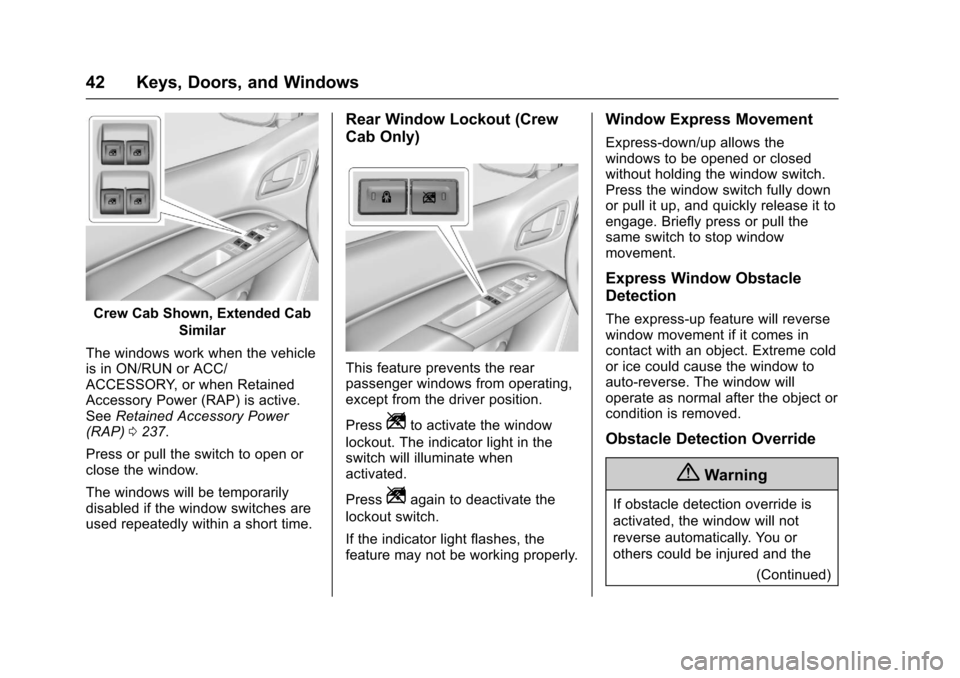
Crew Cab Shown, Extended Cab
Similar
The windows work when the vehicleis in ON/RUN or ACC/ACCESSORY, or when RetainedAccessory Power (RAP) is active.SeeRetained Accessory Power(RAP)0237.
Press or pull the switch to open orclose the window.
The windows will be temporarilydisabled if the window switches areused repeatedly within a short time.
Rear Window Lockout (Crew
Cab Only)
This feature prevents the rearpassenger windows from operating,except from the driver position.
PressZto activate the window
lockout. The indicator light in theswitch will illuminate whenactivated.
PressZagain to deactivate the
lockout switch.
If the indicator light flashes, thefeature may not be working properly.
Window Express Movement
Express-down/up allows thewindows to be opened or closedwithout holding the window switch.Press the window switch fully downor pull it up, and quickly release it toengage. Briefly press or pull thesame switch to stop windowmovement.
Express Window Obstacle
Detection
The express-up feature will reversewindow movement if it comes incontact with an object. Extreme coldor ice could cause the window toauto-reverse. The window willoperate as normal after the object orcondition is removed.
Obstacle Detection Override
{Warning
If obstacle detection override is
activated, the window will not
reverse automatically. You or
others could be injured and the
(Continued)
Page 50 of 419
Chevrolet Colorado Owner Manual (GMNA-Localizing-U.S./Canada/Mexico-10122675) - 2017 - crc - 8/22/16
Seats and Restraints 49
Presszto heat the driver or
passenger cushion and seatback.
The indicator light comes on whenthis feature is on.
Press the button once for thehighest setting. With each press ofthe button, the seat will change tothe next lower setting, and then tothe off setting. The indicator lightsnext to the buttons indicate three forthe highest setting and one for thelowest. If the heated seats are onhigh, their level may automaticallybe lowered after approximately30 minutes.
Remote Start Auto Heated
Seats
During a remote start, the heatedseats can be turned onautomatically. The heated seats arecanceled when the ignition is turnedon. Press the heated seat button touse the heated seats after thevehicle is started.
The heated seat indicator lights donot turn on during a remote start.
The temperature performance of anunoccupied seat may be reduced.This is normal.
The heated seats will not turn onduring a remote start unless theyare enabled in the vehiclepersonalization menu. SeeRemoteVehicle Start032andVehiclePersonalization0139.
Rear Seats
Rear Seat Reminder
Look in Rear Seat ReminderFeature
If equipped, this message displaysunder certain conditions indicatingthere may be an item or passengerin the rear seat. Check beforeexiting the vehicle.
This feature will activate when asecond row door is opened whilethe vehicle is on or up to 10 minutesbefore the vehicle is turned on,including if the vehicle was startedremotely. There will be an alertwhen the vehicle is turned off. Thealert does not directly detect objectsin the rear seat; instead, undercertain conditions, it detects when arear door is opened and closed,indicating that there may besomething in the rear seat.
The feature is active only once eachtime the vehicle is turned on and off,and will require reactivation byopening and closing the second rowdoors. There may be an alert evenwhen there is nothing in the rear
Page 55 of 419
Chevrolet Colorado Owner Manual (GMNA-Localizing-U.S./Canada/Mexico-10122675) - 2017 - crc - 8/22/16
54 Seats and Restraints
If you are using a rear seatingposition with a detachable safetybelt and the safety belt is notattached, seeRear Seats049forinstructions on reconnecting thesafety belt to the mini-buckle.
The following instructions explainhow to wear a lap-shoulder beltproperly.
1. Adjust the seat, if the seat isadjustable, so you can sit upstraight. To see how, see“Seats”in the Index.
2. Pick up the latch plate and pullthe belt across you. Do not letit get twisted.
The lap-shoulder belt may lockif you pull the belt across youvery quickly. If this happens, letthe belt go back slightly tounlock it. Then pull the beltacross you more slowly.
If the shoulder portion of apassenger belt is pulled out allthe way, the child restraintlocking feature may beengaged. If this happens, letthe belt go back all the wayand start again.
If the webbing locks in the latchplate before it reaches thebuckle, tilt the latch plate to flatto unlock.
3. Push the latch plate into thebuckle until it clicks.
Pull up on the latch plate tomake sure it is secure. If thebelt is not long enough, seeSafety Belt Extender056.
Position the release button onthe buckle so that the safetybelt could be quickly unbuckledif necessary.
4. If equipped with a shoulder beltheight adjuster, move it to theheight that is right for you. See“Shoulder Belt Height Adjuster”later in this section forinstructions on use andimportant safety information.