light CHEVROLET COLORADO 2017 2.G Owners Manual
[x] Cancel search | Manufacturer: CHEVROLET, Model Year: 2017, Model line: COLORADO, Model: CHEVROLET COLORADO 2017 2.GPages: 419, PDF Size: 7.38 MB
Page 2 of 419
Chevrolet Colorado Owner Manual (GMNA-Localizing-U.S./Canada/Mexico-10122675) - 2017 - crc - 8/22/16
ContentsIntroduction . . . . . . . . . . . . . . . . . . . . . . 2
In Brief . . . . . . . . . . . . . . . . . . . . . . . . . . . 5
Keys, Doors, and Windows . . . . . 27
Seats and Restraints . . . . . . . . . . . 44
Storage . . . . . . . . . . . . . . . . . . . . . . . 100
Instruments and Controls . . . . . . 102
Lighting . . . . . . . . . . . . . . . . . . . . . . . 146
Infotainment System . . . . . . . . . . 153
Climate Controls . . . . . . . . . . . . . . 208
Driving and Operating . . . . . . . . . 214
Vehicle Care . . . . . . . . . . . . . . . . . . 279
Service and Maintenance . . . . . 365
Te c h n i c a l D a t a . . . . . . . . . . . . . . . . 3 7 9
Customer Information . . . . . . . . . 383
Reporting Safety Defects . . . . . . 393
OnStar . . . . . . . . . . . . . . . . . . . . . . . . 397
Index . . . . . . . . . . . . . . . . . . . . 407
Page 4 of 419
Chevrolet Colorado Owner Manual (GMNA-Localizing-U.S./Canada/Mexico-10122675) - 2017 - crc - 8/22/16
Introduction 3
Danger, Warning, and
Caution
Warning messages found on vehiclelabels and in this manual describehazards and what to do to avoid orreduce them.
{Danger
Danger indicates a hazard with a
high level of risk which will result
in serious injury or death.
{Warning
Warning indicates a hazard that
could result in injury or death.
Caution
Caution indicates a hazard that
could result in property or vehicle
damage.
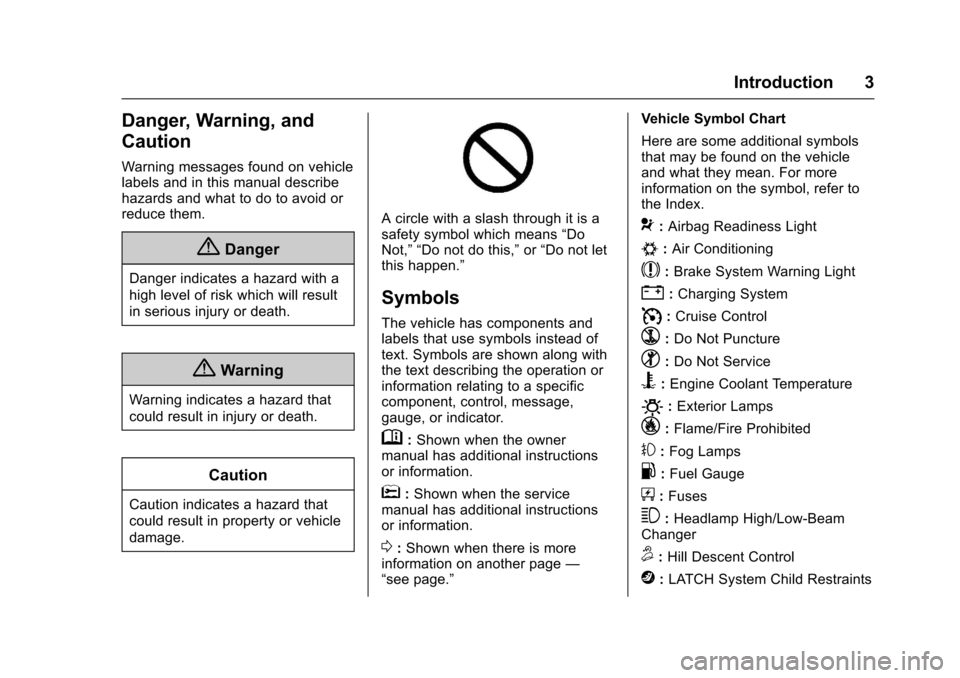
Acirclewithaslashthroughitisasafety symbol which means“DoNot,”“Do not do this,”or“Do not letthis happen.”
Symbols
The vehicle has components andlabels that use symbols instead oftext. Symbols are shown along withthe text describing the operation orinformation relating to a specificcomponent, control, message,gauge, or indicator.
M:Shown when the ownermanual has additional instructionsor information.
*:Shown when the servicemanual has additional instructionsor information.
0:Shown when there is moreinformation on another page—“see page.”
Vehicle Symbol Chart
Here are some additional symbolsthat may be found on the vehicleand what they mean. For moreinformation on the symbol, refer tothe Index.
9:Airbag Readiness Light
#:Air Conditioning
$:Brake System Warning Light
":Charging System
I:Cruise Control
`:Do Not Puncture
^:Do Not Service
B:Engine Coolant Temperature
O:Exterior Lamps
_:Flame/Fire Prohibited
#:Fog Lamps
.:Fuel Gauge
+:Fuses
3:Headlamp High/Low-BeamChanger
5:Hill Descent Control
j:LATCH System Child Restraints
Page 6 of 419
Chevrolet Colorado Owner Manual (GMNA-Localizing-U.S./Canada/Mexico-10122675) - 2017 - crc - 8/22/16
In Brief 5
In Brief
Instrument Panel
Instrument Panel . . . . . . . . . . . . . . . . 6
Initial Drive Information
Initial Drive Information . . . . . . . . . . 8Remote Keyless Entry (RKE)System . . . . . . . . . . . . . . . . . . . . . . . . 8Remote Vehicle Start . . . . . . . . . . . 8Door Locks . . . . . . . . . . . . . . . . . . . . . 9Windows . . . . . . . . . . . . . . . . . . . . . . . . 9Seat Adjustment . . . . . . . . . . . . . . . . 9Heated Seats . . . . . . . . . . . . . . . . . . 11Head Restraint Adjustment . . . . 11Safety Belts . . . . . . . . . . . . . . . . . . . . 11Passenger Sensing System . . . 12Mirror Adjustment . . . . . . . . . . . . . . 12Steering Wheel Adjustment . . . . 13Interior Lighting . . . . . . . . . . . . . . . . 14Exterior Lighting . . . . . . . . . . . . . . . 14Windshield Wiper/Washer . . . . . . 15Climate Controls . . . . . . . . . . . . . . . 15Transmission . . . . . . . . . . . . . . . . . . 17Four-Wheel Drive . . . . . . . . . . . . . . 18
Vehicle Features
Infotainment System . . . . . . . . . . . 19Radio(s) . . . . . . . . . . . . . . . . . . . . . . . 19Satellite Radio . . . . . . . . . . . . . . . . . 19
Portable Audio Devices . . . . . . . . 20Bluetooth®..................... 20Steering Wheel Controls . . . . . . . 20Cruise Control . . . . . . . . . . . . . . . . . 21Driver Information Center (DIC)(Base Level) . . . . . . . . . . . . . . . . . 21Driver Information Center (DIC)(Uplevel) . . . . . . . . . . . . . . . . . . . . . 22Forward Collision Alert (FCA)System . . . . . . . . . . . . . . . . . . . . . . . 22Lane DepartureWarning (LDW) . . . . . . . . . . . . . . . 23Rear Vision Camera (RVC) . . . . 23Power Outlets . . . . . . . . . . . . . . . . . 23
Performance and Maintenance
Traction Control/ElectronicStability Control . . . . . . . . . . . . . . 23Tire Pressure Monitor . . . . . . . . . . 24Fuel (Gasoline) . . . . . . . . . . . . . . . . 24Fuel (Diesel) . . . . . . . . . . . . . . . . . . . 24E85 or FlexFuel . . . . . . . . . . . . . . . . 24Engine Oil Life System . . . . . . . . 25Driving for Better FuelEconomy . . . . . . . . . . . . . . . . . . . . . 25Roadside AssistanceProgram . . . . . . . . . . . . . . . . . . . . . . 26
Page 8 of 419

Chevrolet Colorado Owner Manual (GMNA-Localizing-U.S./Canada/Mexico-10122675) - 2017 - crc - 8/22/16
In Brief 7
1.Air Vents0212.
2. Turn Signal Lever. SeeTu r nand Lane-ChangeSignals0149.
Driver Information Center (DIC)Controls. SeeDriverInformation Center (DIC) (BaseLevel)0126orDriverInformation Center (DIC)(Uplevel)0129.
3.Instrument Cluster (BaseLevel)011 0orInstrumentCluster (Uplevel)011 2.
4.Windshield Wiper/Washer0104.
5. Light Sensor. SeeAutomaticHeadlamp System0148.
Vehicle Alarm System Indicator(If Equipped). SeeVehicleAlarm System036.
6.Infotainment0153.
7.Climate Control Systems0208(If Equipped).
Automatic Climate ControlSystem0210(If Equipped).
8.Heated Front Seats048(IfEquipped).
9.Power Outlets0107(IfEquipped).
10. Shift Lever. SeeAutomaticTr a n s m i s s i o n0241orManualTr a n s m i s s i o n0246.
11 .Auxiliary Jack0179.
USB Port (Base Radio)0170orUSB Port (Base Radio withTo u c h s c r e e n )0173.
12.Hazard WarningFlashers0149.
Tr a c t i o n C o n t r o l / E l e c t r o n i cStability Control0256.
Cargo Lamp0150.
Lane Departure Warning(LDW)0264(If Equipped).
Hill Descent Control (HDC)0258(If Equipped).
To w / H a u l M o d e0245(IfEquipped).
13.Steering Wheel Controls0104(If Equipped).
14.Horn0104.
15.Steering Wheel Adjustment0103(Out of View).
16.Cruise Control0259.
Forward Collision Alert (FCA)System0263(If Equipped).
17. Transfer Case Knob (IfEquipped). SeeFour-WheelDrive0247.
18. Hood Release. SeeHood0282.
19.Parking Brake0254.
20. Data Link Connector (DLC)(Out of View). SeeMalfunctionIndicator Lamp (Check EngineLight)011 8.
21.Exterior Lamp Controls0146.
Fog Lamps0149(IfEquipped).
22.Instrument Panel IlluminationControl0150.
Page 12 of 419
Chevrolet Colorado Owner Manual (GMNA-Localizing-U.S./Canada/Mexico-10122675) - 2017 - crc - 8/22/16
In Brief 11
To r e t u r n t h e s e a t b a c k t o t h e u p r i g h tposition:
1. Lift the lever fully withoutapplying pressure to theseatback.
2. Push and pull on the seatbackto make sure it is locked.
SeeReclining Seatbacks047.
Heated Seats
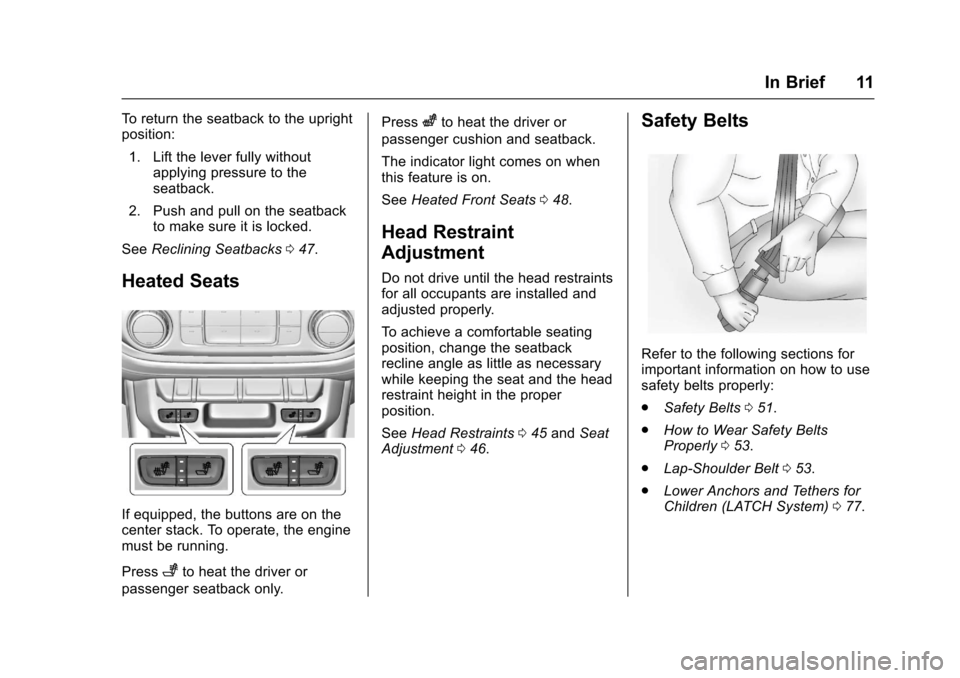
If equipped, the buttons are on thecenter stack. To operate, the enginemust be running.
Press+to heat the driver or
passenger seatback only.
Presszto heat the driver or
passenger cushion and seatback.
The indicator light comes on whenthis feature is on.
SeeHeated Front Seats048.
Head Restraint
Adjustment
Do not drive until the head restraintsfor all occupants are installed andadjusted properly.
To a c h i e v e a c o m f o r t a b l e s e a t i n gposition, change the seatbackrecline angle as little as necessarywhile keeping the seat and the headrestraint height in the properposition.
SeeHead Restraints045andSeatAdjustment046.
Safety Belts
Refer to the following sections forimportant information on how to usesafety belts properly:
.Safety Belts051.
.How to Wear Safety BeltsProperly053.
.Lap-Shoulder Belt053.
.Lower Anchors and Tethers forChildren (LATCH System)077.
Page 13 of 419
Chevrolet Colorado Owner Manual (GMNA-Localizing-U.S./Canada/Mexico-10122675) - 2017 - crc - 8/22/16
12 In Brief
Passenger Sensing
System
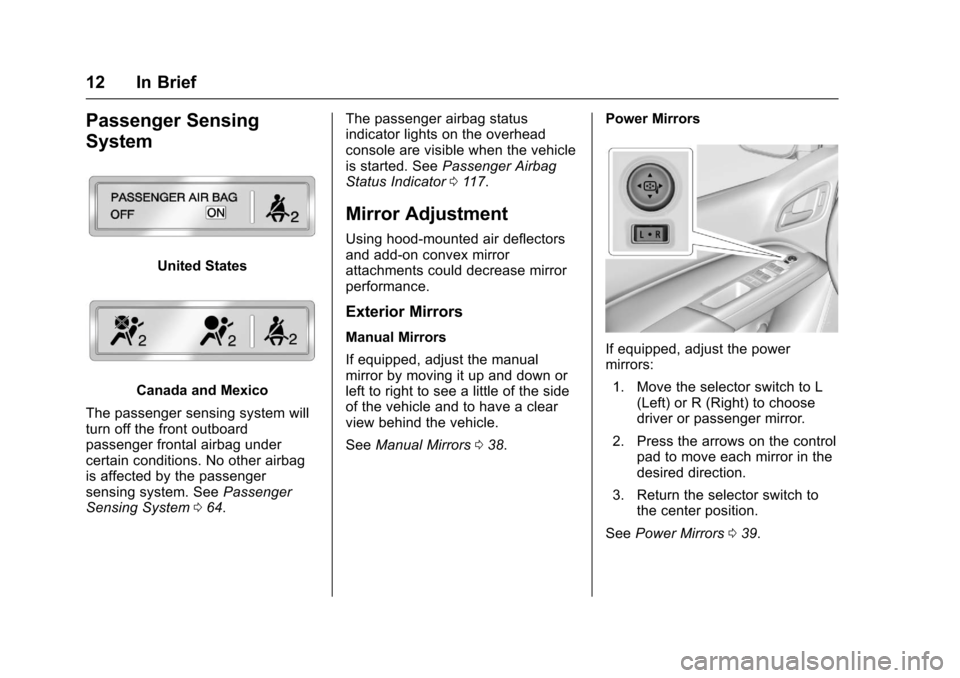
United States
Canada and Mexico
The passenger sensing system willturn off the front outboardpassenger frontal airbag undercertain conditions. No other airbagis affected by the passengersensing system. SeePassengerSensing System064.
The passenger airbag statusindicator lights on the overheadconsole are visible when the vehicleis started. SeePassenger AirbagStatus Indicator011 7.
Mirror Adjustment
Using hood-mounted air deflectorsand add-on convex mirrorattachments could decrease mirrorperformance.
Exterior Mirrors
Manual Mirrors
If equipped, adjust the manualmirror by moving it up and down orleft to right to see a little of the sideof the vehicle and to have a clearview behind the vehicle.
SeeManual Mirrors038.
Power Mirrors
If equipped, adjust the powermirrors:
1. Move the selector switch to L(Left) or R (Right) to choosedriver or passenger mirror.
2. Press the arrows on the controlpad to move each mirror in thedesired direction.
3. Return the selector switch tothe center position.
SeePower Mirrors039.
Page 15 of 419
Chevrolet Colorado Owner Manual (GMNA-Localizing-U.S./Canada/Mexico-10122675) - 2017 - crc - 8/22/16
14 In Brief
Interior Lighting
Dome Lamps
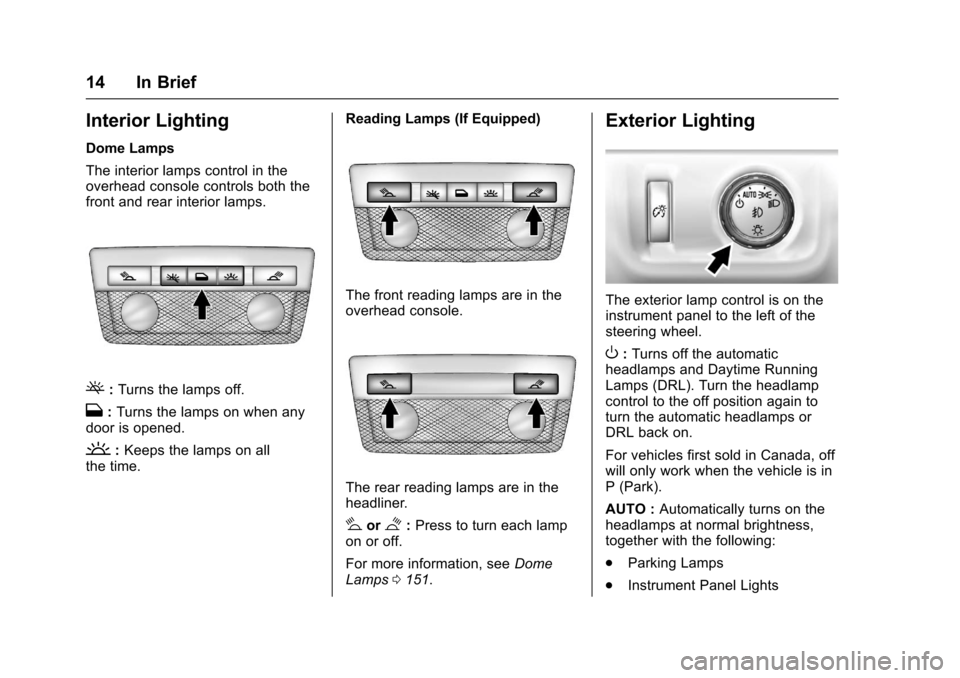
The interior lamps control in theoverhead console controls both thefront and rear interior lamps.
(:Turns the lamps off.
H:Turns the lamps on when anydoor is opened.
':Keeps the lamps on allthe time.
Reading Lamps (If Equipped)
The front reading lamps are in theoverhead console.
The rear reading lamps are in theheadliner.
#or$:Press to turn each lampon or off.
For more information, seeDomeLamps0151.
Exterior Lighting
The exterior lamp control is on theinstrument panel to the left of thesteering wheel.
O:Turns off the automaticheadlamps and Daytime RunningLamps (DRL). Turn the headlampcontrol to the off position again toturn the automatic headlamps orDRL back on.
For vehicles first sold in Canada, offwill only work when the vehicle is inP(Park).
AUTO :Automatically turns on theheadlamps at normal brightness,together with the following:
.Parking Lamps
.Instrument Panel Lights
Page 16 of 419
Chevrolet Colorado Owner Manual (GMNA-Localizing-U.S./Canada/Mexico-10122675) - 2017 - crc - 8/22/16
In Brief 15
.Ta i l l a m p s
.License Plate Lamps
.Front/Rear Sidemarker Lamps
;:Turns on the parking lampsincluding all lamps, except theheadlamps.
5:Turns on the headlampstogether with the parking lamps andinstrument panel lights.
See:
.Exterior Lamp Controls0146.
.Daytime Running Lamps(DRL)0147.
.Fog Lamps0149.
Windshield Wiper/Washer
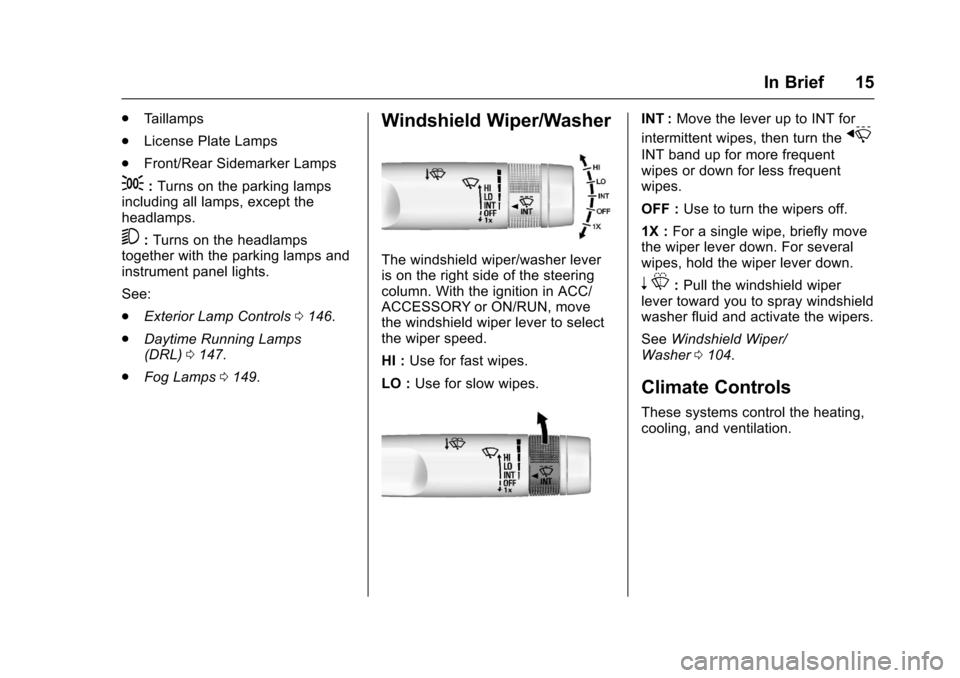
The windshield wiper/washer leveris on the right side of the steeringcolumn. With the ignition in ACC/ACCESSORY or ON/RUN, movethe windshield wiper lever to selectthe wiper speed.
HI :Use for fast wipes.
LO :Use for slow wipes.
INT :Move the lever up to INT for
intermittent wipes, then turn thex
INT band up for more frequentwipes or down for less frequentwipes.
OFF :Use to turn the wipers off.
1X :For a single wipe, briefly movethe wiper lever down. For severalwipes, hold the wiper lever down.
nL:Pull the windshield wiperlever toward you to spray windshieldwasher fluid and activate the wipers.
SeeWindshield Wiper/Washer0104.
Climate Controls
These systems control the heating,cooling, and ventilation.
Page 21 of 419
Chevrolet Colorado Owner Manual (GMNA-Localizing-U.S./Canada/Mexico-10122675) - 2017 - crc - 8/22/16
20 In Brief
Portable Audio Devices
There is a 3.5 mm (1/8 in) auxiliaryinput jack and USB port on thecenter stack. External devices suchas iPods®,laptopcomputers,MP3players, and USB storage devicesmay be connected, depending onthe audio system.
SeeUSB Port (Base Radio)0170orUSB Port (Base Radio withTo u c h s c r e e n )0173andAuxiliaryJack0179.
Bluetooth®
The Bluetooth®system allows userswith a Bluetooth-enabled cell phoneto make and receive hands-freecalls using the vehicle audio systemand controls.
The Bluetooth-enabled cell phonemust be paired with the in-vehicleBluetooth system before it can beused in the vehicle. Not all phoneswill support all functions.
SeeBluetooth (Overview)0187orBluetooth (Infotainment Controls -Base Radio)0188orBluetooth(Voice Recognition)0192orBluetooth (Infotainment Controls -Base Radio withTo u c h s c r e e n )0197.
Steering Wheel Controls
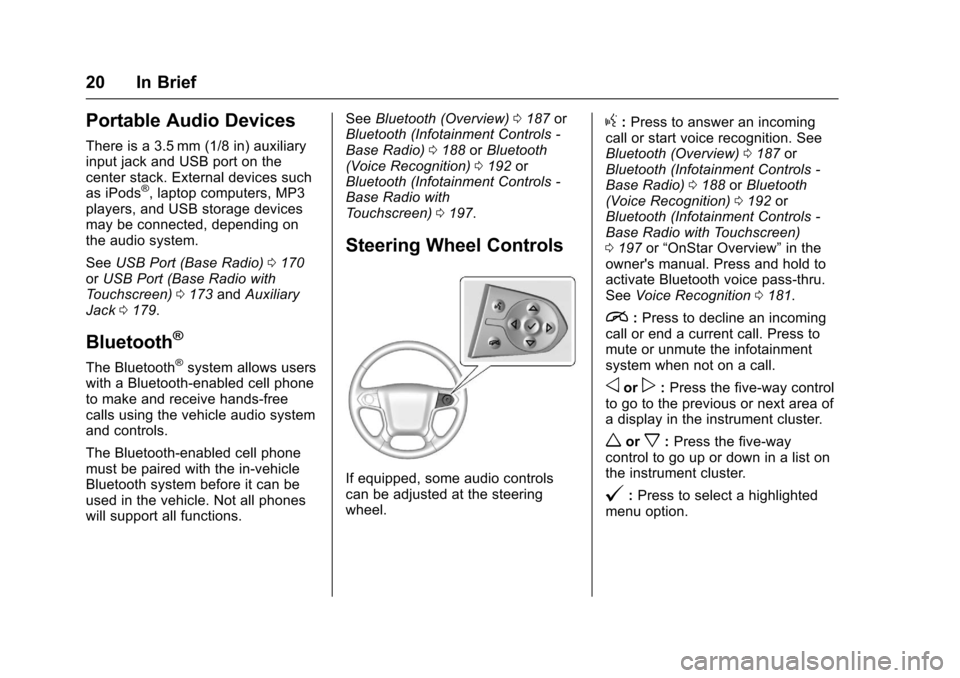
If equipped, some audio controlscan be adjusted at the steeringwheel.
g:Press to answer an incomingcall or start voice recognition. SeeBluetooth (Overview)0187orBluetooth (Infotainment Controls -Base Radio)0188orBluetooth(Voice Recognition)0192orBluetooth (Infotainment Controls -Base Radio with Touchscreen)0197or“OnStar Overview”in theowner's manual. Press and hold toactivate Bluetooth voice pass-thru.SeeVoice Recognition0181.
i:Press to decline an incomingcall or end a current call. Press tomute or unmute the infotainmentsystem when not on a call.
oorp:Press the five-way controlto go to the previous or next area ofadisplayintheinstrumentcluster.
worx:Press the five-waycontrol to go up or down in a list onthe instrument cluster.
@:Press to select a highlightedmenu option.
Page 24 of 419
Chevrolet Colorado Owner Manual (GMNA-Localizing-U.S./Canada/Mexico-10122675) - 2017 - crc - 8/22/16
In Brief 23
Lane Departure
Warning (LDW)
If equipped, LDW may help avoidunintentional lane departures atspeeds of 56 km/h (35 mph) orgreater. LDW uses a camera sensorto detect the lane markings. The
LDW light,@,isgreenifalane
marking is detected. If the vehicledeparts the lane without using a turnsignal in that direction, the light willchange to amber and flash. Inaddition, beeps will sound.
SeeLane Departure Warning(LDW)0264.
Rear Vision
Camera (RVC)
If equipped, RVC displays a view ofthe area behind the vehicle, on theinfotainment display, when thevehicle is shifted into R (Reverse).
SeeRear Vision Camera(RVC)0261.
Power Outlets
Accessory power outlets can beused to plug in electrical equipment,such as a cell phone, MP3player, etc.
The vehicle may have accessorypower outlets:
.On the center stack below theclimate control system,if equipped.
.On the center floor console,if equipped.
.On the rear of the center storageconsole.
Lift the cover to access and replacewhen not in use.
SeePower Outlets0107.
Performance and
Maintenance
Traction Control/
Electronic Stability
Control
The Traction Control System (TCS)limits wheel spin. The system is onwhen the vehicle is started.
The StabiliTrak system assists withdirectional control of the vehicle indifficult driving conditions. Thesystem is on when the vehicle isstarted.
.To t u r n o f f T C S , p r e s s a n drelease the TCS/StabiliTrak
buttongon the center stack.i
illuminates in the instrumentcluster.
.To t u r n o f f b o t h T C S a n d
StabiliTrak, press and holdgon
the center stack, untiliandg
illuminate in the instrumentcluster.