key CHEVROLET COLORADO 2017 2.G Service Manual
[x] Cancel search | Manufacturer: CHEVROLET, Model Year: 2017, Model line: COLORADO, Model: CHEVROLET COLORADO 2017 2.GPages: 419, PDF Size: 7.38 MB
Page 193 of 419
Chevrolet Colorado Owner Manual (GMNA-Localizing-U.S./Canada/Mexico-10122675) - 2017 - crc - 8/22/16
192 Infotainment System
Accepting a Call Waiting Call
To a c c e p t a c a l l w a i t i n g c a l l , d o o n eof the following:
.Press the button just below theSWITCH screen button.
.Pressgon the steering wheel
controls.
Declining a Call Waiting Call
To d e c l i n e a c a l l w a i t i n g c a l l , d o o n eof the following:
.Press the button just below theIGNORE screen button.
.Pression the steering wheel
controls.
.Do nothing.
Ending a Call
To e n d a c a l l , d o o n e o f t h efollowing:
.Press the button just below theEND screen button.
.Pression the steering wheel
controls.
Dual Tone Multi-Frequency
(DTMF) Tones
The in-vehicle Bluetooth system cansend numbers during a call. This isused when calling a menu-drivenphone system.
1. When a call is active, press thebutton just below the KEYPADscreen button.
2. Turn the MENU knob tohighlight the first digit andpress to select.
If not initially in the phoneapplication, from the Home Page,turn the MENU knob, then press toselect the PHONE screen button.From the PHONE main menu, turnthe MENU knob to highlight ActiveCall and press to select.
Bluetooth (Voice
Recognition)
Using Voice Recognition
To u s e v o i c e r e c o g n i t i o n , p r e s sg
on the steering wheel. Use thecommands below for the various
voice features. For additionalinformation, say“Help”while youare in a voice recognition menu.
Pairing
Pairing a Phone
1. Pressg.Thesystemresponds
“Ready,”followed by a tone.
2. Say“Bluetooth.”
3. Say“Pair.”The systemresponds with instructions andafour-digitPersonalIdentification Number (PIN).The PIN is used in Step 5.
4. Start the pairing process on thecell phone that you want topair. For help with this process,see your cell phonemanufacturer's user guide.
5. Locate the device named“Yo u rVehicle”in the list on the cellphone. Follow the instructionson the cell phone to enter thePIN provided in Step 3. Thesystem may respond with a sixdigit code to be confirmed onthe cell phone (instead ofentering a four digit code).
Page 202 of 419
Chevrolet Colorado Owner Manual (GMNA-Localizing-U.S./Canada/Mexico-10122675) - 2017 - crc - 8/22/16
Infotainment System 201
.The infotainment systemtransmits the order to play fromthe Bluetooth device in theBluetooth music play mode.If this is done in a differentmode, then the device transmitsthe order to stop. Depending onthe Bluetooth device options,this order to play/stop may taketime to activate.
.If the Bluetooth music playbackis not functioning, then check tosee if the Bluetooth device is inthe waiting screen mode.
.Sounds may be cut off duringthe Bluetooth music playback.
.The infotainment system outputsthe audio from the cell phone orBluetooth device as it istransmitted.
Text Messaging
If equipped, the infotainment systemmay allow text messages to bereceived and replied to. Receivedmessages can also be read aloud.
Text Menu
Inbox :Select to display incomingmessages. To view a message,select the name of the sender.Select LISTEN to listen to the text
message. PressoBACK on the
center stack to return to theprevious menu.
Settings :See“Te x t S e t t i n g s”laterin this section.
Reply :Select to reply using apredefined text message. See“Te x tSettings.”
Call :Select to place a call to thesender of the text message.
Viewing a Text Message
While viewing a text message:
.Select Reply to reply using apredefined text message.
.Select Call to place a call to thesender of the text message.
Viewing Sender Information
If equipped, select the name of thesender to view sender information ifthis information matches contactinformation already stored.
Select a Predefined Message :Select from a set of quickmessages. Select the messageto send.
Predefined Messages
These are short text messages thatcan be used to send so responseswill not have to be typed.
The messages can be deleted or anew message can be added.
To a d d a n e w m e s s a g e :
1. Select Text Settings, thenselect Manage PredefinedMessages.
2. While in the predefinedmessages list view, select AddNew Predefined Message andakeyboarddisplays.
Page 234 of 419
Chevrolet Colorado Owner Manual (GMNA-Localizing-U.S./Canada/Mexico-10122675) - 2017 - crc - 8/22/16
Driving and Operating 233
Ignition Positions
The ignition switch has four differentpositions.
To s h i f t o u t o f P ( P a r k ) , t h e i g n i t i o nmust be in ON/RUN or ACC/ACCESSORY and the regular brakepedal must be applied.
0(STOPPINGTHEENGINE/LOCK/OFF) :When the vehicle is stopped,turn the ignition switch to LOCK/OFF to turn the engine off. RetainedAccessory Power (RAP) will remainactive. SeeRetained AccessoryPower (RAP)0237.
This position locks the ignition andsteering wheel. It also locks thetransmission on automatictransmission vehicles. The key canbe removed in LOCK/OFF.
The steering can bind with thewheels turned off center. If thishappens, move the steering wheelfrom right to left while turning thekey to ACC/ACCESSORY. If thisdoes not work, then the vehicleneeds service.
Do not turn the engine off when thevehicle is moving. This will cause aloss of power assist in the brakeand steering systems and disablethe airbags.
If the vehicle must be shut off in anemergency:
1. Brake using a firm and steadypressure. Do not pump thebrakes repeatedly. This maydeplete power assist, requiringincreased brake pedal force.
2. Shift the vehicle to N (Neutral).This can be done while thevehicle is moving. After shiftingto N (Neutral), continue to
firmly apply the brakes andsteer the vehicle to a safelocation.
3. Come to a complete stop. Shiftto P (Park) with an automatictransmission, or Neutral with amanual transmission. Turn theignition to LOCK/OFF.
4. Set the parking brake. SeeParking Brake0254.
{Warning
Turning off the vehicle while
moving may cause loss of power
assist in the brake and steering
systems and disable the airbags.
While driving, only shut the
vehicle off in an emergency.
If the vehicle cannot be pulled over,and must be shut off while driving,turn the ignition to ACC/ACCESSORY.
On vehicles with an automatictransmission, the shift lever must bein P (Park) to turn the ignition switchto LOCK/OFF.
Page 235 of 419
Chevrolet Colorado Owner Manual (GMNA-Localizing-U.S./Canada/Mexico-10122675) - 2017 - crc - 8/22/16
234 Driving and Operating
Caution
Using a tool to force the key to
turn in the ignition could cause
damage to the switch or break the
key. Use the correct key, make
sure it is all the way in, and turn it
only with your hand. If the key
cannot be turned by hand, see
your dealer.
1(ACC/ACCESSORY):Thisposition lets things like the radioand the windshield wipers operatewhile the engine is off. It alsounlocks the steering wheel. Use thisposition if the vehicle must bepushed or towed.
2(ON/RUN):This position can beused to operate the electricalaccessories and to display someinstrument cluster warning andindicator lights. This position canalso be used for service anddiagnostics, and to verify the properoperation of the malfunctionindicator lamp as may be requiredfor emission inspection purposes.The switch stays in this position
when the engine is running. Thetransmission is also unlocked in thisposition on automatic transmissionvehicles.
If the key is left in the ACC/ACCESSORY or ON/RUN positionwith the engine off, the battery couldbe drained. The vehicle may notstart if the battery is allowed to drainfor an extended period of time.
3(START):This is the position thatstarts the engine. When the enginestarts, release the key. The ignitionswitch returns to ON/RUN fordriving.
Awarningtonewillsoundwhenthedriver door is opened, the ignition isin ACC/ACCESSORY or LOCK/OFF, and the key is in the ignition.
Starting the Engine
If the vehicle has a diesel engine,see the Duramax dieselsupplement.
Caution
If you add electrical parts or
accessories, you could change
the way the engine operates. Any
resulting damage would not be
covered by the vehicle warranty.
SeeAdd-On Electrical
Equipment0278.
Place the transmission in theproper gear.
Automatic Transmission
Move the shift lever to P (Park) orN(Neutral). The engine will not startin any other position. To restart theengine when the vehicle is alreadymoving, use N (Neutral) only.
Caution
Do not try to shift to P (Park) if the
vehicle is moving. If you do, you
could damage the transmission.
Shift to P (Park) only when the
vehicle is stopped.
Page 236 of 419
Chevrolet Colorado Owner Manual (GMNA-Localizing-U.S./Canada/Mexico-10122675) - 2017 - crc - 8/22/16
Driving and Operating 235
Manual Transmission
The shift lever should be in Neutraland the parking brake engaged.Hold the clutch pedal down to thefloor and start the engine. Thevehicle will not start if the clutchpedal is not all the way down.
Starting Procedure
1. With your foot off theaccelerator pedal, turn theignition key to START. Whenthe engine starts, let go of thekey. The idle speed will godown as the engine gets warm.Do not race the engineimmediately after starting it.Operate the engine andtransmission gently to allow theoil to warm up and lubricate allmoving parts.
Caution
Cranking the engine for long
periods of time, by returning the
ignition to the START position
immediately after cranking has
(Continued)
Caution (Continued)
ended, can overheat and damage
the cranking motor, and drain the
battery. Wait at least 15 seconds
between each try, to let the
cranking motor cool down.
2. If the engine does not startafter five to 10 seconds,especially in very cold weather(below✓18 °C or 0 °F), it couldbe flooded with too muchgasoline. Try pushing theaccelerator pedal all the way tothe floor and holding it therewhile holding the key in STARTfor up to 15 seconds. Wait atleast 15 seconds between eachtry, to allow the cranking motorto cool down. When the enginestarts, let go of the key andaccelerator. If the vehicle startsbriefly but then stops again, dothe same thing. This clears theextra gasoline from the engine.Do not race the engineimmediately after starting it.Operate the engine and
transmission gently until the oilwarms up and lubricates allmoving parts.
Engine Heater
If the vehicle has a diesel engine,see the Duramax dieselsupplement.
{Warning
Do not plug in the engine block
heater while the vehicle is in
parked in a garage or under a
carport. Property damage or
personal injury may result. Always
park the vehicle in a clear open
area away from buildings or
structures.
If equipped, the engine heater canprovide easier starting and betterfuel economy during enginewarm-up in cold weather conditionsat or below✓18 °C (0 °F). Vehicleswith an engine heater should beplugged in at least four hours beforestarting. An internal thermostat inthe plug-end of the cord may exist,
Page 238 of 419
Chevrolet Colorado Owner Manual (GMNA-Localizing-U.S./Canada/Mexico-10122675) - 2017 - crc - 8/22/16
Driving and Operating 237
Warning (Continued)
it overheat and cause a fire,property damage, electricshock, and injury.
.Do not operate the vehiclewith the heater cordpermanently attached to thevehicle. Possible heatercord and thermostatdamage could occur.
.While in use, do not let theheater cord touch vehicleparts or sharp edges. Neverclose the hood on theheater cord.
.Before starting the vehicle,unplug the cord, reattachthe cover to the plug, andsecurely fasten the cord.Keep the cord away fromany moving parts.
4. Before starting the engine, besure to unplug and store thecord as it was before to keep it
away from moving engineparts. If you do not, it could bedamaged.
The length of time the heater shouldremain plugged in depends onseveral factors. Ask a dealer in thearea where you will be parking thevehicle for the best advice on this.
Retained Accessory
Power (RAP)
The following vehicle accessoriescan be used for up to 10 minutesafter the engine is turned off:
.Audio System
.Power Windows
.OnStar System (if equipped)
These features work when the keyis in ON/RUN or ACC/ACCESSORY. Once the key isturned from ON/RUN to LOCK/OFF,the windows continue to work up to10 minutes or until any door isopened. The radio continues towork for up to 10 minutes or until thedriver door is opened.
Accessory Power Outlets (APOs)
The vehicle may have AccessoryPower Outlets (APOs) in severallocations. SeePower Outlets0107.
The APOs in the console or centerseat position are powered byRetained Accessory Power (RAP).They will continue to work for up to10 minutes after the key is turnedfrom ON/RUN to LOCK/OFF, or untilthe driver door is opened.
The APOs on the center stack comefrom the factory powered directlyfrom the vehicle battery, and supplyaccessory power at all times,regardless of ignition key position.
If electronic items are left pluggedinto these APOs for long periods oftime with the vehicle off, the vehiclebattery could be drained. Thevehicle may not start if the battery isallowed to drain for an extendedperiod of time.
Page 239 of 419
Chevrolet Colorado Owner Manual (GMNA-Localizing-U.S./Canada/Mexico-10122675) - 2017 - crc - 8/22/16
238 Driving and Operating
Shifting Into Park
{Warning
It can be dangerous to get out of
the vehicle if the shift lever is not
fully in P (Park) with the parking
brake firmly set. The vehicle can
roll. If you have left the engine
running, the vehicle can move
suddenly. You or others could be
injured. To be sure the vehicle will
not move, even when you are on
fairly level ground, use the steps
that follow. With four-wheel drive,
if the transfer case is in
N(Neutral), the vehicle will be
free to roll, even if the shift lever
is in P (Park). Be sure the transfer
case is in a drive gear. If towing a
trailer, seeDriving Characteristics
and Towing Tips0270.
1. Hold the brake pedal down,then set the parking brake.
SeeParking Brake0254.
2. Hold the button on the shiftlever and push the lever towardthe front of the vehicle intoP(Park).
3. Be sure the transfer case (ifequipped) is in a drivegear—not in N (Neutral).
4. Turn the ignition key toLOCK/OFF.
5. Remove the key and take itwith you. If you can leave thevehicle with the ignition key inyour hand, the vehicle is inP(Park).
Leaving the Vehicle with the
Engine Running
{Warning
It can be dangerous to leave the
vehicle with the engine running.
The vehicle could move suddenly
if the shift lever is not fully in
P(Park) with the parking brake
firmly set.
(Continued)
Warning (Continued)
If you have four-wheel drive and
the transfer case is in N (Neutral),
the vehicle will be free to roll,
even if the shift lever is in
P(Park). So be sure the transfer
case is in a drive gear–not in
N(Neutral).
And, if you leave the vehicle with
the engine running, it could
overheat and even catch fire. You
or others could be injured. Do not
leave the vehicle with the engine
running unless you have to.
If you have to leave the vehicle withthe engine running, be sure thevehicle is in P (Park) and theparking brake is firmly set beforeyou leave it. After you move the shiftlever into P (Park), hold the regularbrake pedal down. Then, see if youcan move the shift lever away fromP(Park) without pressing the buttonon the shift lever. If you can, itmeans that the shift lever was notfully locked into P (Park).
Page 240 of 419
Chevrolet Colorado Owner Manual (GMNA-Localizing-U.S./Canada/Mexico-10122675) - 2017 - crc - 8/22/16
Driving and Operating 239
Torque Lock
If you are parking on a hill and youdo not shift the transmission intoP(Park) properly, the weight of thevehicle may put too much force onthe parking pawl in thetransmission. You may find it difficultto pull the shift lever out of P (Park).This is called torque lock. Toprevent torque lock, set the parkingbrake and then shift into P (Park)properly before you leave the driverseat. To find out how, seeShiftingInto Park0238.
When you are ready to drive, movethe shift lever out of P (Park) beforeyou release the parking brake.
If torque lock does occur, you mayneed to have another vehicle pushyours a little uphill to take some ofthe pressure from the parking pawlin the transmission. You will then beable to pull the shift lever out ofP(Park).
Shifting out of Park
This vehicle is equipped with anelectronic shift lock release system.The shift lock release isdesigned to:
.Prevent ignition key removalunless the shift lever is inP(Park).
.Prevent movement of the shiftlever out of P (Park), unless theignition is in ON/RUN and theregular brake pedal is applied.
To s h i f t o u t o f P ( P a r k ) :
1. Apply the brake pedal.
2. Press the button on the shiftlever.
3. Move the shift lever to thedesired position.
If you still are unable to shift out ofP(Park):
1. Ease the pressure on the shiftlever.
2. While holding down the brakepedal and pressing the shiftlever button, move the shiftlever all the way into P (Park).
3. While holding the shift leverbutton, move the shift lever tothe desired position.
If you are still having a problemshifting, then have the vehicleserviced soon.
This vehicle may have the SafetyBelt Assurance System, which mayprevent the vehicle from shifting outof P (Park). SeeSafety BeltMessages0136.
Parking
If the vehicle has a manualtransmission, before you get out ofthe vehicle, move the shift lever intoR(Reverse), and firmly apply theparking brake. Once the shift leverhas been placed into R (Reverse)with the clutch pedal pressed in,turn the ignition key to LOCK/OFF,remove the key and release theclutch.
If you are parking on a hill, or if thevehicle is pulling a trailer, seeDriving Characteristics and TowingTips0270.
Page 242 of 419
Chevrolet Colorado Owner Manual (GMNA-Localizing-U.S./Canada/Mexico-10122675) - 2017 - crc - 8/22/16
Driving and Operating 241
Running the Vehicle
While Parked
It is better not to park with theengine running.
If the vehicle is left with the enginerunning, follow the proper steps tobe sure the vehicle will not move.SeeShifting Into Park0238andEngine Exhaust0240.Ifthevehiclehas a manual transmission, seeParking0239.
If parking on a hill and pulling atrailer, seeDriving Characteristicsand Towing Tips0270.
Automatic
Transmission
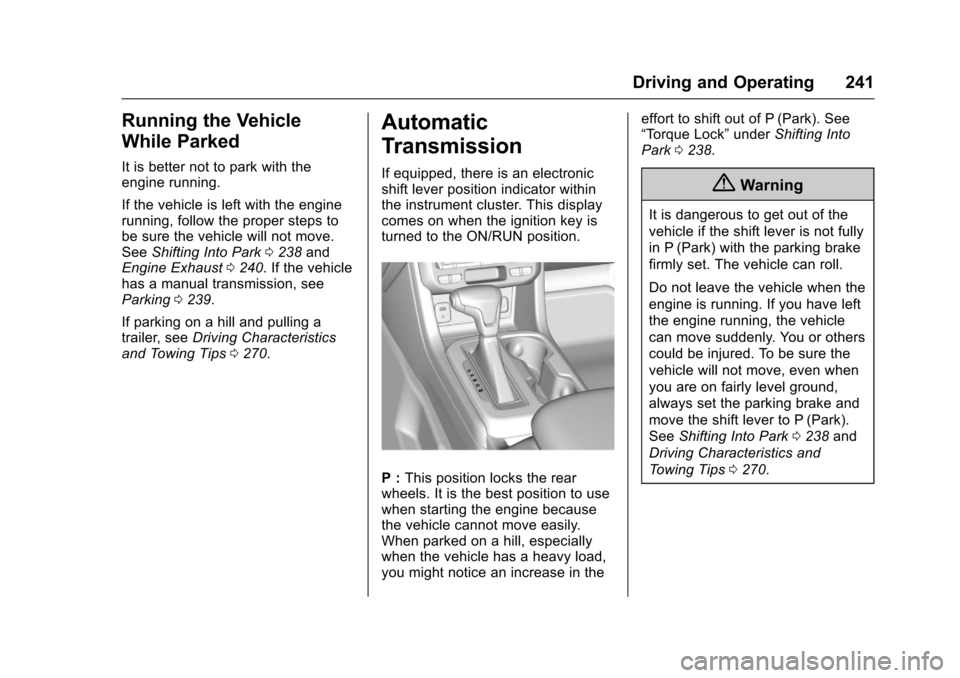
If equipped, there is an electronicshift lever position indicator withinthe instrument cluster. This displaycomes on when the ignition key isturned to the ON/RUN position.
P:This position locks the rearwheels. It is the best position to usewhen starting the engine becausethe vehicle cannot move easily.When parked on a hill, especiallywhen the vehicle has a heavy load,you might notice an increase in the
effort to shift out of P (Park). See“To r q u e L o c k”underShifting IntoPark0238.
{Warning
It is dangerous to get out of the
vehicle if the shift lever is not fully
in P (Park) with the parking brake
firmly set. The vehicle can roll.
Do not leave the vehicle when the
engine is running. If you have left
the engine running, the vehicle
can move suddenly. You or others
could be injured. To be sure the
vehicle will not move, even when
you are on fairly level ground,
always set the parking brake and
move the shift lever to P (Park).
SeeShifting Into Park0238and
Driving Characteristics and
To w i n g T i p s0270.
Page 244 of 419
Chevrolet Colorado Owner Manual (GMNA-Localizing-U.S./Canada/Mexico-10122675) - 2017 - crc - 8/22/16
Driving and Operating 243
off-road. Shift the transmission to alower gear range selection if thetransmission shifts too often. SeeManual Mode0244.
Downshifting the transmission inslippery road conditions could resultin skidding. See“Skidding”underLoss of Control0217.
The vehicle has a shift stabilizationfeature that adjusts the transmissionshifting to the current drivingconditions in order to reduce rapidupshifts and downshifts. This shiftstabilization feature is designed todetermine, before making anupshift, if the engine is able tomaintain vehicle speed by analyzingthings such as vehicle speed,throttle position, and vehicle load.If the shift stabilization featuredetermines that a current vehiclespeed cannot be maintained, thetransmission does not upshift andinstead holds the current gear.In some cases, this could appear tobe a delayed shift, however thetransmission is operating normally.
The transmission uses adaptiveshift controls. The adaptive shiftcontrol process continuallycompares key shift parameters topre-programmed ideal shifts storedin the transmission’scomputer.Thetransmission constantly makesadjustments to improve vehicleperformance according to how thevehicle is being used, such as withaheavyloadorwhenthetemperature changes. During thisadaptive shift control process,shifting might feel different as thetransmission determines the bestsettings.
When temperatures are very cold,the transmission's gear shiftingcould be delayed providing morestable shifts until the engine warmsup. Shifts could be more noticeablewith a cold transmission. Thisdifference in shifting is normal.
M:This position allows selection ofarangeofgearsappropriateforcurrent driving conditions. SeeManual Mode0244.
Caution
Spinning the tires or holding the
vehicle in one place on a hill
using only the accelerator pedal
may damage the transmission.
The repair will not be covered by
the vehicle warranty. If you are
stuck, do not spin the tires. When
stopping on a hill, use the brakes
to hold the vehicle in place.
Normal Mode Grade Braking
Normal Mode Grade Braking isenabled when the vehicle is started,but is not enabled in RangeSelection Mode. It assists inmaintaining desired vehicle speedswhen driving on downhill grades byusing the engine and transmissionto slow the vehicle.