steering CHEVROLET COLORADO 2017 2.G Service Manual
[x] Cancel search | Manufacturer: CHEVROLET, Model Year: 2017, Model line: COLORADO, Model: CHEVROLET COLORADO 2017 2.GPages: 419, PDF Size: 7.38 MB
Page 219 of 419
Chevrolet Colorado Owner Manual (GMNA-Localizing-U.S./Canada/Mexico-10122675) - 2017 - crc - 8/22/16
218 Driving and Operating
The vehicle may straighten out.Be ready for a second skid if itoccurs.
.Slow down and adjust yourdriving according to weatherconditions. Stopping distancecan be longer and vehiclecontrol can be affected whentraction is reduced by water,snow, ice, gravel, or othermaterial on the road. Learn torecognize warning clues—suchas enough water, ice, or packedsnow on the road to make amirrored surface—and slowdown when you have any doubt.
.Try to avoid sudden steering,acceleration, or braking,including reducing vehicle speedby shifting to a lower gear. Anysudden changes could causethe tires to slide.
Remember: Antilock brakes helpavoid only the braking skid.
Off-Road Driving
Four-wheel-drive vehicles can beused for off-road driving. Vehicleswithout four-wheel drive and
vehicles not equipped with AllTe r r a i n ( AT ) o r O n - O f f R o a d ( O O R )tires must not be driven off-roadexcept on a level, solid surface. Forcontact information about theoriginal equipment tires, see thewarranty manual.
One of the best ways for successfuloff-road driving is to control thespeed.
{Warning
When driving off-road, bouncing
and quick changes in direction
can easily throw you out of
position. This could cause you to
lose control and crash. You and
your passengers should always
wear safety belts.
Before Driving Off-Road
.Have all necessary maintenanceand service work completed.
.Fuel the vehicle, fill fluid levels,and check inflation pressure inall tires, including the spare,if equipped.
.Read all the information aboutfour-wheel-drive vehicles in thismanual.
.Remove any underbody airdeflector, if equipped. Re-attachthe air deflector after off-roaddriving.
.SeeHill Descent Control(HDC)0258.
.Know the local laws that apply tooff-road driving.
To g a i n m o r e g r o u n d c l e a r a n c e i fneeded, it may be necessary toremove the front fascia lower airdam. However, driving without theair dam reduces fuel economy.
Caution
Operating the vehicle for
extended periods without the front
fascia lower air dam installed can
cause improper airflow to the
engine. Reattach the front fascia
air dam after off-road driving.
Page 220 of 419
Chevrolet Colorado Owner Manual (GMNA-Localizing-U.S./Canada/Mexico-10122675) - 2017 - crc - 8/22/16
Driving and Operating 219
Loading the Vehicle for
Off-Road Driving
{Warning
.Unsecured cargo on theload floor can be tossedabout when driving overrough terrain. You or yourpassengers can be struckby flying objects. Secure thecargo properly.
.Keep cargo in the cargoarea as far forward and aslow as possible. Theheaviest things should beon the floor, forward of therear axle.
.Heavy loads on the roofraise the vehicle's center ofgravity, making it more likelyto roll over. You can beseriously or fatally injured ifthe vehicle rolls over. Putheavy loads inside thecargo area, not on the roof.
For more information about loadingthe vehicle, seeVehicle Load Limits0226andTires0316.
Environmental Concerns
.Always use established trails,roads, and areas that have beenset aside for public off-roadrecreational driving and obey allposted regulations.
.Do not damage shrubs, flowers,trees, or grasses or disturbwildlife.
.Do not park over things thatburn. SeeParking over ThingsThat Burn0240.
Driving on Hills
Driving safely on hills requires goodjudgment and an understanding ofwhat the vehicle can and cannot do.
{Warning
Many hills are simply too steep
for any vehicle. Driving up hills
can cause the vehicle to stall.
Driving down hills can cause loss
(Continued)
Warning (Continued)
of control. Driving across hills can
cause a rollover. You could be
injured or killed. Do not drive on
steep hills.
Before driving on a hill, assess thesteepness, traction, andobstructions. If the terrain aheadcannot be seen, get out of thevehicle and walk the hill beforedriving further.
When driving on hills:
.Use a low gear and keep a firmgrip on the steering wheel.
.Maintain a slow speed.
.When possible, drive straight upor down the hill.
.Slow down when approachingthe top of the hill.
.Use headlamps even during theday to make the vehicle morevisible.
Page 222 of 419
Chevrolet Colorado Owner Manual (GMNA-Localizing-U.S./Canada/Mexico-10122675) - 2017 - crc - 8/22/16
Driving and Operating 221
.Never back down a hill inN(Neutral)usingonlythebrake. The vehicle can rollbackward quickly and youcould lose control.
.If driving downhill when thevehicle stalls, shift to alower gear, release theparking brake, and drivestraight down the hill.
3. If the vehicle cannot berestarted after stalling, set theparking brake, shift intoP(Park),andturnthevehicle off.
3.1. Leave the vehicle andseek help.
3.2. Stay clear of the path thevehicle would take if itrolled downhill.
.Avoid turns that take the vehicleacross the incline of the hill.Ahillthatcanbedrivenstraightup or down might be too steep todrive across. Driving across anincline puts more weight on the
downhill wheels, which couldcause a downhill slide or arollover.
.Surface conditions can be aproblem. Loose gravel, muddyspots, or even wet grass cancause the tires to slip sideways,downhill. If the vehicle slipssideways, it can hit somethingthat will trip it—arock,arut,etc.—and roll over.
.Hidden obstacles can make thesteepness of the incline moresevere. If a rock is driven acrosswith the uphill wheels, or if thedownhill wheels drop into a rutor depression, the vehicle can tilteven more.
.If an incline must be drivenacross, and the vehicle starts toslide, turn downhill. This shouldhelp straighten out the vehicleand prevent the side slipping.
{Warning
Getting out of the vehicle on the
downhill side when stopped
across an incline is dangerous.
If the vehicle rolls over, you could
be crushed or killed. Always get
out on the uphill side of the
vehicle and stay well clear of the
rollover path.
Driving in Mud, Sand, Snow,
or Ice
Use a low gear when driving in mud—the deeper the mud, the lowerthe gear. Keep the vehicle movingto avoid getting stuck.
Traction changes when driving onsand. On loose sand, such as onbeaches or sand dunes, the tirestend to sink into the sand. Thisaffects steering, accelerating, andbraking. Drive at a reduced speedand avoid sharp turns or abruptmaneuvers.
Page 223 of 419
Chevrolet Colorado Owner Manual (GMNA-Localizing-U.S./Canada/Mexico-10122675) - 2017 - crc - 8/22/16
222 Driving and Operating
Traction is reduced on hard packedsnow and ice and it is easy to losecontrol. Reduce vehicle speed whendriving on hard packed snowand ice.
{Warning
Driving on frozen lakes, ponds,
or rivers can be dangerous. Ice
conditions vary greatly and the
vehicle could fall through the ice;
you and your passengers could
drown. Drive your vehicle on safe
surfaces only.
Driving in Water
{Warning
Driving through rushing water can
be dangerous. Deep water can
sweep your vehicle downstream
and you and your passengers
could drown. If it is only shallow
water, it can still wash away the
ground from under your tires.
(Continued)
Warning (Continued)
Traction could be lost, and the
vehicle could roll over. Do not
drive through rushing water.
Caution
Do not drive through standing
water if it is deep enough to cover
the wheel hubs, axles, or exhaust
pipe. Deep water can damage the
axle and other vehicle parts.
If the standing water is not too deep,drive slowly through it. At fasterspeeds, water splashes and thevehicle can stall. When goingthrough water, the brakes get wetand it may take longer to stop. See“Driving on Wet Roads”later in thissection.
After Off-Road Driving
Remove any brush or debris thathas collected on the underbody orchassis, or under the hood. Theseaccumulations can be a fire hazard.
After operation in mud or sand,have the brake linings cleaned andchecked. These substances cancause glazing and uneven braking.Check the body structure, steering,suspension, wheels, tires, andexhaust system for damage andcheck the fuel lines and coolingsystem for any leakage.
More frequent maintenance serviceis required. See theMaintenanceSchedule0366.
Driving on Wet Roads
Rain and wet roads can reducevehicle traction and affect yourability to stop and accelerate.Always drive slower in these typesof driving conditions and avoiddriving through large puddles anddeep-standing or flowing water.
Page 225 of 419
Chevrolet Colorado Owner Manual (GMNA-Localizing-U.S./Canada/Mexico-10122675) - 2017 - crc - 8/22/16
224 Driving and Operating
{Warning
Coasting downhill in N (Neutral)
or with the ignition off is
dangerous. This can cause
overheating of the brakes and
loss of steering. Always have the
engine running and the vehicle
in gear.
.Drive at speeds that keep thevehicle in its own lane. Do notswing wide or cross thecenter line.
.Be alert on top of hills;something could be in your lane(e.g., stalled car, accident).
.Pay attention to special roadsigns (e.g., falling rocks area,winding roads, long grades,passing or no-passing zones)and take appropriate action.
Winter Driving
Driving on Snow or Ice
Snow or ice between the tires andthe road creates less traction orgrip, so drive carefully. Wet ice canoccur at about 0 °C (32 °F) whenfreezing rain begins to fall. Avoiddriving on wet ice or in freezing rainuntil roads can be treated.
For Slippery Road Driving:
.Accelerate gently. Acceleratingtoo quickly causes the wheels tospin and makes the surfaceunder the tires slick.
.Turn on Traction Control. SeeTr a c t i o n C o n t r o l / E l e c t r o n i cStability Control0256.
.The Antilock Brake System(ABS) improves vehicle stabilityduring hard stops, but thebrakes should be applied soonerthan when on dry pavement.SeeAntilock Brake System(ABS)0254.
.Allow greater following distanceand watch for slippery spots. Icypatches can occur on otherwiseclear roads in shaded areas.The surface of a curve or anoverpass can remain icy whenthe surrounding roads are clear.Avoid sudden steeringmaneuvers and braking whileon ice.
.Turn off cruise control.
Blizzard Conditions
Stop the vehicle in a safe place andsignal for help. Stay with the vehicleunless there is help nearby.If possible, use RoadsideAssistance. SeeRoadsideAssistance Program0387.Togethelp and keep everyone in thevehicle safe:
.Turn on the hazard warningflashers.
.Tie a red cloth to an outsidemirror.
Page 227 of 419
Chevrolet Colorado Owner Manual (GMNA-Localizing-U.S./Canada/Mexico-10122675) - 2017 - crc - 8/22/16
226 Driving and Operating
Rocking the Vehicle to Get
It Out
Turn the steering wheel left andright to clear the area around thefront wheels. For four-wheel-drivevehicles, shift into Four-Wheel DriveHigh. Turn the TCS off. Shift backand forth between R (Reverse) andaforwardgear,spinningthewheelsas little as possible. To preventtransmission wear, wait until thewheels stop spinning before shiftinggears. Slowly spinning the wheels inthe forward and reverse directionscauses a rocking motion that couldfree the vehicle. If that does not getthe vehicle out after a few tries, itmight need to be towed out. SeeTo w i n g t h e V e h i c l e0351.Recoveryhooks can be used, if the vehiclehas them.
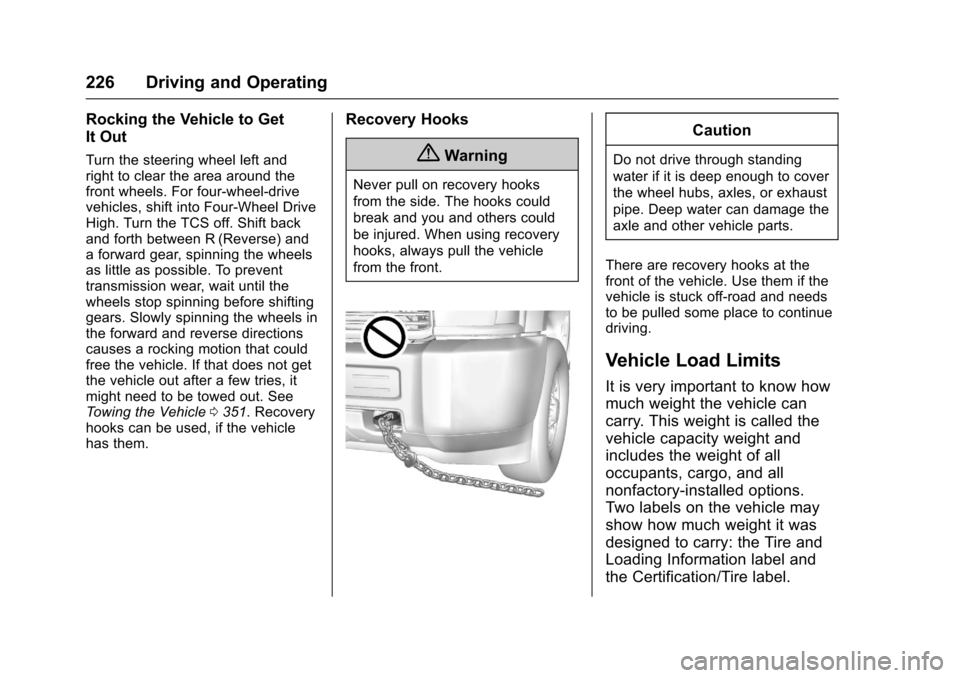
Recovery Hooks
{Warning
Never pull on recovery hooks
from the side. The hooks could
break and you and others could
be injured. When using recovery
hooks, always pull the vehicle
from the front.
Caution
Do not drive through standing
water if it is deep enough to cover
the wheel hubs, axles, or exhaust
pipe. Deep water can damage the
axle and other vehicle parts.
There are recovery hooks at thefront of the vehicle. Use them if thevehicle is stuck off-road and needsto be pulled some place to continuedriving.
Vehicle Load Limits
It is very important to know how
much weight the vehicle can
carry. This weight is called the
vehicle capacity weight and
includes the weight of all
occupants, cargo, and all
nonfactory-installed options.
Two labels on the vehicle may
show how much weight it was
designed to carry: the Tire and
Loading Information label and
the Certification/Tire label.
Page 234 of 419
Chevrolet Colorado Owner Manual (GMNA-Localizing-U.S./Canada/Mexico-10122675) - 2017 - crc - 8/22/16
Driving and Operating 233
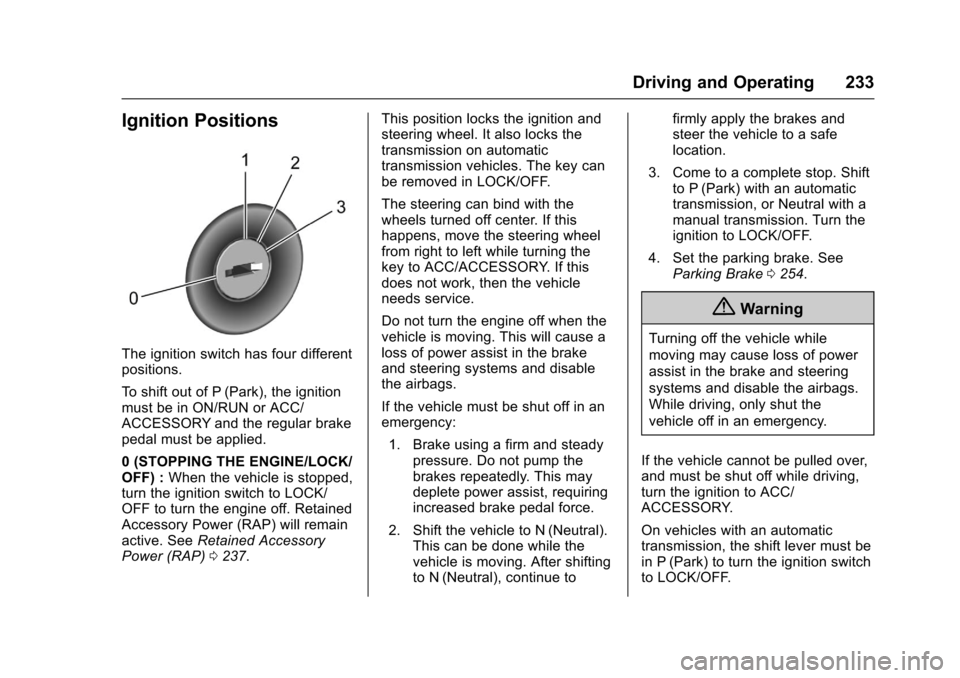
Ignition Positions
The ignition switch has four differentpositions.
To s h i f t o u t o f P ( P a r k ) , t h e i g n i t i o nmust be in ON/RUN or ACC/ACCESSORY and the regular brakepedal must be applied.
0(STOPPINGTHEENGINE/LOCK/OFF) :When the vehicle is stopped,turn the ignition switch to LOCK/OFF to turn the engine off. RetainedAccessory Power (RAP) will remainactive. SeeRetained AccessoryPower (RAP)0237.
This position locks the ignition andsteering wheel. It also locks thetransmission on automatictransmission vehicles. The key canbe removed in LOCK/OFF.
The steering can bind with thewheels turned off center. If thishappens, move the steering wheelfrom right to left while turning thekey to ACC/ACCESSORY. If thisdoes not work, then the vehicleneeds service.
Do not turn the engine off when thevehicle is moving. This will cause aloss of power assist in the brakeand steering systems and disablethe airbags.
If the vehicle must be shut off in anemergency:
1. Brake using a firm and steadypressure. Do not pump thebrakes repeatedly. This maydeplete power assist, requiringincreased brake pedal force.
2. Shift the vehicle to N (Neutral).This can be done while thevehicle is moving. After shiftingto N (Neutral), continue to
firmly apply the brakes andsteer the vehicle to a safelocation.
3. Come to a complete stop. Shiftto P (Park) with an automatictransmission, or Neutral with amanual transmission. Turn theignition to LOCK/OFF.
4. Set the parking brake. SeeParking Brake0254.
{Warning
Turning off the vehicle while
moving may cause loss of power
assist in the brake and steering
systems and disable the airbags.
While driving, only shut the
vehicle off in an emergency.
If the vehicle cannot be pulled over,and must be shut off while driving,turn the ignition to ACC/ACCESSORY.
On vehicles with an automatictransmission, the shift lever must bein P (Park) to turn the ignition switchto LOCK/OFF.
Page 235 of 419
Chevrolet Colorado Owner Manual (GMNA-Localizing-U.S./Canada/Mexico-10122675) - 2017 - crc - 8/22/16
234 Driving and Operating
Caution
Using a tool to force the key to
turn in the ignition could cause
damage to the switch or break the
key. Use the correct key, make
sure it is all the way in, and turn it
only with your hand. If the key
cannot be turned by hand, see
your dealer.
1(ACC/ACCESSORY):Thisposition lets things like the radioand the windshield wipers operatewhile the engine is off. It alsounlocks the steering wheel. Use thisposition if the vehicle must bepushed or towed.
2(ON/RUN):This position can beused to operate the electricalaccessories and to display someinstrument cluster warning andindicator lights. This position canalso be used for service anddiagnostics, and to verify the properoperation of the malfunctionindicator lamp as may be requiredfor emission inspection purposes.The switch stays in this position
when the engine is running. Thetransmission is also unlocked in thisposition on automatic transmissionvehicles.
If the key is left in the ACC/ACCESSORY or ON/RUN positionwith the engine off, the battery couldbe drained. The vehicle may notstart if the battery is allowed to drainfor an extended period of time.
3(START):This is the position thatstarts the engine. When the enginestarts, release the key. The ignitionswitch returns to ON/RUN fordriving.
Awarningtonewillsoundwhenthedriver door is opened, the ignition isin ACC/ACCESSORY or LOCK/OFF, and the key is in the ignition.
Starting the Engine
If the vehicle has a diesel engine,see the Duramax dieselsupplement.
Caution
If you add electrical parts or
accessories, you could change
the way the engine operates. Any
resulting damage would not be
covered by the vehicle warranty.
SeeAdd-On Electrical
Equipment0278.
Place the transmission in theproper gear.
Automatic Transmission
Move the shift lever to P (Park) orN(Neutral). The engine will not startin any other position. To restart theengine when the vehicle is alreadymoving, use N (Neutral) only.
Caution
Do not try to shift to P (Park) if the
vehicle is moving. If you do, you
could damage the transmission.
Shift to P (Park) only when the
vehicle is stopped.
Page 248 of 419
Chevrolet Colorado Owner Manual (GMNA-Localizing-U.S./Canada/Mexico-10122675) - 2017 - crc - 8/22/16
Driving and Operating 247
Caution
Shifting to R (Reverse) while the
vehicle is moving forward could
damage the transmission. The
repairs would not be covered by
the vehicle warranty. Shift to
R(Reverse) only after the vehicle
is stopped.
Use R (Reverse), along with theparking brake, for parking thevehicle.
Shift Speeds
{Warning
If you skip a gear when
downshifting, you could lose
control of the vehicle. You could
injure yourself or others. Do not
shift down more than one gear at
atimewhendownshifting.
Shift Indicator
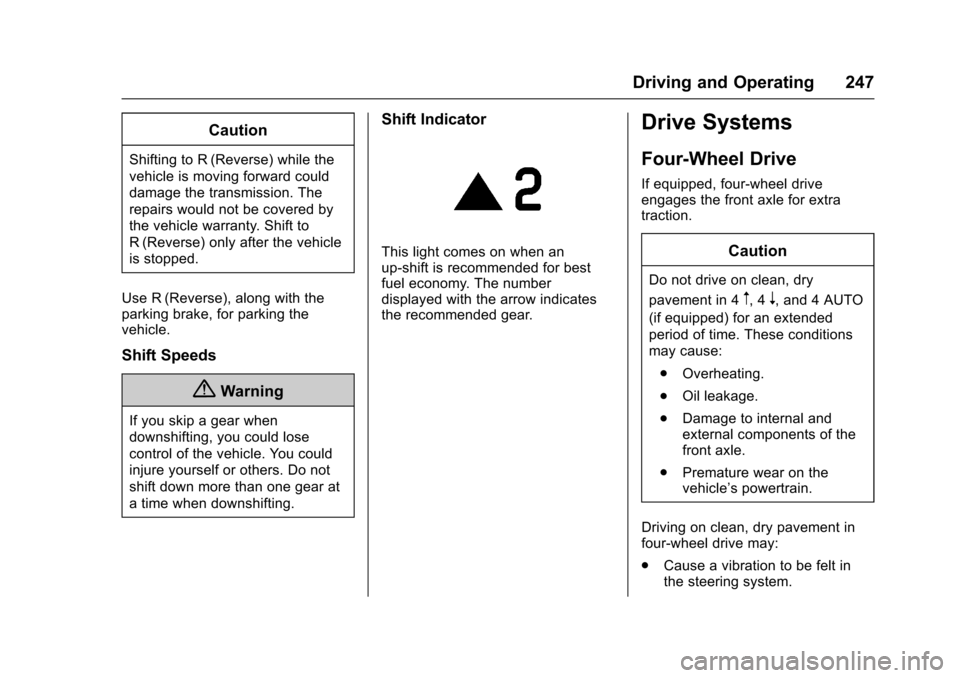
This light comes on when anup-shift is recommended for bestfuel economy. The numberdisplayed with the arrow indicatesthe recommended gear.
Drive Systems
Four-Wheel Drive
If equipped, four-wheel driveengages the front axle for extratraction.
Caution
Do not drive on clean, dry
pavement in 4m,4n,and4AUTO
(if equipped) for an extended
period of time. These conditions
may cause:
.Overheating.
.Oil leakage.
.Damage to internal andexternal components of thefront axle.
.Premature wear on thevehicle’spowertrain.
Driving on clean, dry pavement infour-wheel drive may:
.Cause a vibration to be felt inthe steering system.
Page 249 of 419
Chevrolet Colorado Owner Manual (GMNA-Localizing-U.S./Canada/Mexico-10122675) - 2017 - crc - 8/22/16
248 Driving and Operating
.Cause tires to wear faster.
.Cause additional driveline noise.
{Warning
Shifting the transfer case to
N(Neutral) can cause the vehicle
to roll even if the transmission is
in P (Park). You or someone else
could be seriously injured. Be
sure to set the parking brake
before placing the transfer case in
N(Neutral). SeeParking
Brake0254.
Caution
Extended high-speed operation in
4nmay damage or shorten the
life of the drivetrain.
Engagement noise and bump when
shifting between 4nand 4mor from
N(Neutral), with the engine running,is normal.
Shifting into 4nwill turn Traction
Control and StabiliTrak®off. SeeTr a c t i o n C o n t r o l / E l e c t r o n i c S t a b i l i t yControl0256.
Electronic Transfer Case
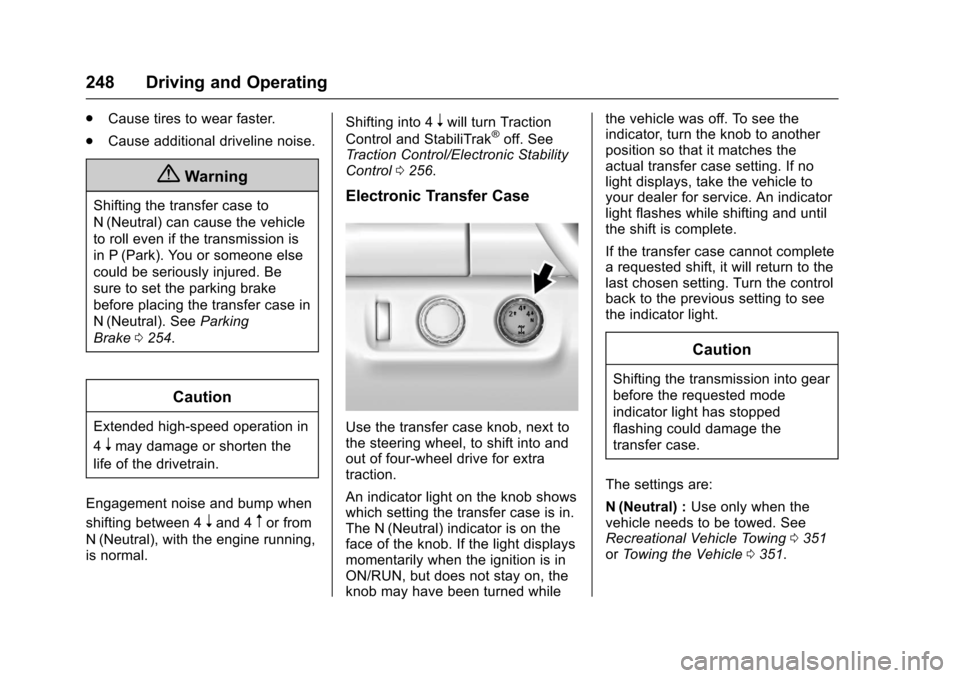
Use the transfer case knob, next tothe steering wheel, to shift into andout of four-wheel drive for extratraction.
An indicator light on the knob showswhich setting the transfer case is in.The N (Neutral) indicator is on theface of the knob. If the light displaysmomentarily when the ignition is inON/RUN, but does not stay on, theknob may have been turned while
the vehicle was off. To see theindicator, turn the knob to anotherposition so that it matches theactual transfer case setting. If nolight displays, take the vehicle toyour dealer for service. An indicatorlight flashes while shifting and untilthe shift is complete.
If the transfer case cannot completearequestedshift,itwillreturntothelast chosen setting. Turn the controlback to the previous setting to seethe indicator light.
Caution
Shifting the transmission into gear
before the requested mode
indicator light has stopped
flashing could damage the
transfer case.
The settings are:
N(Neutral) :Use only when thevehicle needs to be towed. SeeRecreational Vehicle Towing0351orTo w i n g t h e V e h i c l e0351.