ignition CHEVROLET COLORADO 2017 2.G Workshop Manual
[x] Cancel search | Manufacturer: CHEVROLET, Model Year: 2017, Model line: COLORADO, Model: CHEVROLET COLORADO 2017 2.GPages: 419, PDF Size: 7.38 MB
Page 254 of 419
Chevrolet Colorado Owner Manual (GMNA-Localizing-U.S./Canada/Mexico-10122675) - 2017 - crc - 8/22/16
Driving and Operating 253
If the transmission is in gear and/ormoving more than 5 km/h (3 mph),
the 4m,AUTO,or2mindicator light
will flash for 30 seconds but will notcomplete the shift. With the vehiclemoving less than 5 km/h (3 mph),and the transmission in N (Neutral),attempt the shift again.
Shifting Into N (Neutral)
To s h i f t :
1. Park the vehicle on a levelsurface.
2. Set the parking brake andpress and hold the brakepedal. SeeParkingBrake0254.
3. Start the vehicle or turn theignition to ON/RUN.
4. Shift the transmission toN(Neutral).
5. Shift the transfer case to 2m.
6. Turn the transfer case knobclockwise to N (Neutral) until itstops and hold it there until theN(Neutral) light starts blinking.This will take at least10 seconds. Then slowly
release the knob to the 4n
position. The N (Neutral) lightwill come on when the transfercase shift to N (Neutral) iscomplete.
7. With the engine running, verifythat the transfer case is inN(Neutral) by shifting thetransmission to R (Reverse),then shift the transmission toD(Drive). There should be nomovement of the vehicle whileshifting the transmission.
8. Turn the engine off, and theignition to ACC/ACCESSORY.
9. Place the transmission shiftlever in P (Park). SeeRecreational VehicleTo w i n g0351.
10. Turn the ignition to LOCK/OFF.
Shifting Out of N (Neutral)
To s h i f t :
1. Set the parking brake andapply the brake pedal.
2. Turn the ignition to ON/RUNwith the engine off.
3. Shift the transmission toN(Neutral).
4. Turn the transfer case knob tothe desired setting.
After the transfer case hasshifted out of N (Neutral), theN(Neutral) light will goout.
5. Release the parking brake.
6. Start the engine and shift thetransmission to thedesired gear.
Page 256 of 419
Chevrolet Colorado Owner Manual (GMNA-Localizing-U.S./Canada/Mexico-10122675) - 2017 - crc - 8/22/16
Driving and Operating 255
Set the parking brake by holding theregular brake pedal down, thenpushing down the parking brakepedal.
If the ignition is on, the brakesystem warning light will come on.SeeBrake System WarningLight0120.
Caution
Driving with the parking brake on
can overheat the brake system
and cause premature wear or
damage to brake system parts.
Make sure that the parking brake
is fully released and the brake
warning light is off before driving.
To r e l e a s e t h e p a r k i n g b r a k e , h o l dthe regular brake pedal down, thenpush down momentarily on theparking brake pedal until you feelthe pedal release. Slowly pull yourfoot up off the parking brake pedal.If the parking brake is not releasedwhen you begin to drive, the brake
system warning light will flash and achime will sound warning you thatthe parking brake is still on.
If you are towing a trailer and areparking on a hill, seeDrivingCharacteristics and TowingTips0270.
Brake Assist
The Brake Assist feature isdesigned to assist the driver instopping or decreasing vehiclespeed in emergency drivingconditions. This feature uses thestability system hydraulic brakecontrol module to supplement thepower brake system underconditions where the driver hasquickly and forcefully applied thebrake pedal in an attempt to quicklystop or slow down the vehicle. Thestability system hydraulic brakecontrol module increases brakepressure at each corner of thevehicle until the ABS activates.
Minor brake pedal pulsation orpedal movement during this time isnormal and the driver shouldcontinue to apply the brake pedal asthe driving situation dictates. TheBrake Assist feature willautomatically disengage when thebrake pedal is released or brakepedal pressure is quicklydecreased.
Hill Start Assist (HSA)
This vehicle has a Hill Start Assist(HSA) feature, which may be usefulwhen the vehicle is stopped on agrade sufficient enough to activateHSA. This feature is designed toprevent the vehicle from rolling,either forward or rearward, duringvehicle drive off. After the drivercompletely stops and holds thevehicle in a complete standstill on agrade, HSA will be automaticallyactivated. During the transitionperiod between when the driverreleases the brake pedal and startsto accelerate to drive off on a grade,
Page 259 of 419
Chevrolet Colorado Owner Manual (GMNA-Localizing-U.S./Canada/Mexico-10122675) - 2017 - crc - 8/22/16
258 Driving and Operating
StabiliTrak will automatically turn onif the vehicle exceeds 56 km/h(35 mph). Traction control will
remain off until the driver pressesg
or the ignition is cycled Off then On.
Adding accessories can affect thevehicle performance. SeeAccessories andModifications0281.
Hill Descent
Control (HDC)
If equipped, HDC can be used whendriving downhill. It sets andmaintains vehicle speed whiledescending a very steep incline in aforward or reverse gear.
The HDC switch is on the centerstack, below the climate controls.
Press5to enable or disable HDC.
Vehicle speed must be below60 km/h (37 mph).
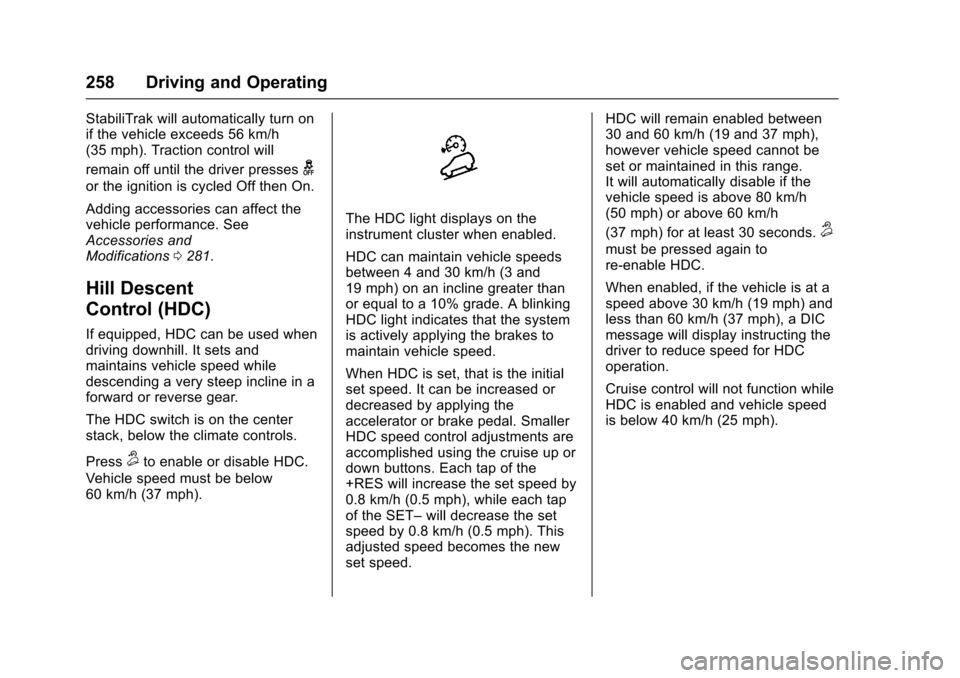
The HDC light displays on theinstrument cluster when enabled.
HDC can maintain vehicle speedsbetween 4 and 30 km/h (3 and19 mph) on an incline greater thanor equal to a 10% grade. A blinkingHDC light indicates that the systemis actively applying the brakes tomaintain vehicle speed.
When HDC is set, that is the initialset speed. It can be increased ordecreased by applying theaccelerator or brake pedal. SmallerHDC speed control adjustments areaccomplished using the cruise up ordown buttons. Each tap of the+RES will increase the set speed by0.8 km/h (0.5 mph), while each tapof the SET–will decrease the setspeed by 0.8 km/h (0.5 mph). Thisadjusted speed becomes the newset speed.
HDC will remain enabled between30 and 60 km/h (19 and 37 mph),however vehicle speed cannot beset or maintained in this range.It will automatically disable if thevehicle speed is above 80 km/h(50 mph) or above 60 km/h
(37 mph) for at least 30 seconds.5
must be pressed again tore-enable HDC.
When enabled, if the vehicle is at aspeed above 30 km/h (19 mph) andless than 60 km/h (37 mph), a DICmessage will display instructing thedriver to reduce speed for HDCoperation.
Cruise control will not function whileHDC is enabled and vehicle speedis below 40 km/h (25 mph).
Page 262 of 419
Chevrolet Colorado Owner Manual (GMNA-Localizing-U.S./Canada/Mexico-10122675) - 2017 - crc - 8/22/16
Driving and Operating 261
Ending Cruise Control
There are four ways to end cruisecontrol:
.Step lightly on the brake pedal.
.Press*.
.Press the clutch pedal forseveral seconds or shift thetransmission to N (Neutral).
.To t u r n o f f c r u i s e c o n t r o l ,
press5.
Erasing Speed Memory
The cruise control set speed is
erased from memory if5is pressed
or if the ignition is turned off.
Driver Assistance
Systems
Rear Vision
Camera (RVC)
{Warning
The camera(s) do not display
children, pedestrians, bicyclists,
crossing traffic, animals, or any
other object outside of the
cameras’field of view, below the
bumper, or under the vehicle.
Shown distances may be different
from actual distances. Do not
drive or park the vehicle using
only these camera(s). Always
check behind and around the
vehicle before driving. Failure to
use proper care may result in
injury, death, or vehicle damage.
If equipped, the RVC system isdesigned to help the driver whenbacking up by displaying a view ofthe area behind the vehicle. Whenthe key is in ON/RUN and the driver
shifts the vehicle into R (Reverse),the video image automaticallyappears on the infotainment screen.The infotainment screen goes to theprevious screen after approximatelyfour seconds once the vehicle isshifted out of R (Reverse).
To s e e t h e p r e v i o u s s c r e e n s o o n e r,do one of the following:
.Press a hard key on theinfotainment system.
.Shift into P (Park).
The RVC will not work properly ifthe tailgate is down. If the tailgate isdown, do not use this system.
Guidelines
The RVC system may have aguideline overlay that can help thedriver align the vehicle whenbacking into a parking spot.
To t u r n t h e g u i d e l i n e s o n o r o f f :
1. Shift into P (Park).
2. Press SETTINGS on the homescreen of the infotainmentsystem.
3. Select Rear Camera.
Page 280 of 419
Chevrolet Colorado Owner Manual (GMNA-Localizing-U.S./Canada/Mexico-10122675) - 2017 - crc - 8/22/16
Vehicle Care 279
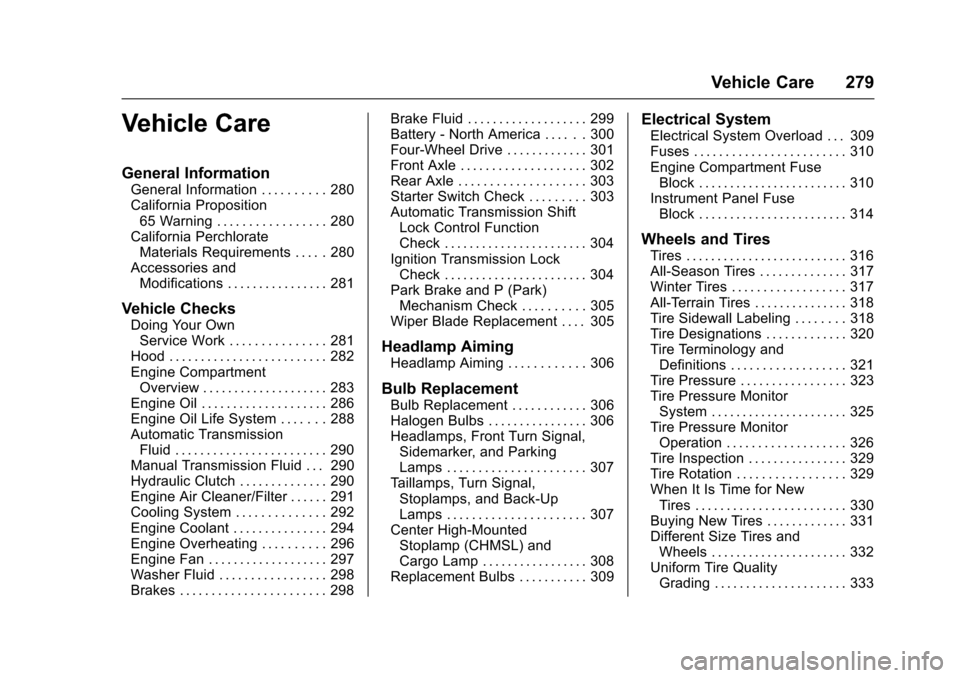
Vehicle Care
General Information
General Information . . . . . . . . . . 280California Proposition65 Warning . . . . . . . . . . . . . . . . . 280California PerchlorateMaterials Requirements . . . . . 280Accessories andModifications . . . . . . . . . . . . . . . . 281
Vehicle Checks
Doing Your OwnService Work . . . . . . . . . . . . . . . 281Hood . . . . . . . . . . . . . . . . . . . . . . . . . 282Engine CompartmentOverview . . . . . . . . . . . . . . . . . . . . 283Engine Oil . . . . . . . . . . . . . . . . . . . . 286Engine Oil Life System . . . . . . . 288Automatic TransmissionFluid . . . . . . . . . . . . . . . . . . . . . . . . 290Manual Transmission Fluid . . . 290Hydraulic Clutch . . . . . . . . . . . . . . 290Engine Air Cleaner/Filter . . . . . . 291Cooling System . . . . . . . . . . . . . . 292Engine Coolant . . . . . . . . . . . . . . . 294Engine Overheating . . . . . . . . . . 296Engine Fan . . . . . . . . . . . . . . . . . . . 297Washer Fluid . . . . . . . . . . . . . . . . . 298Brakes . . . . . . . . . . . . . . . . . . . . . . . 298
Brake Fluid . . . . . . . . . . . . . . . . . . . 299Battery - North America . . . . . . 300Four-Wheel Drive . . . . . . . . . . . . . 301Front Axle . . . . . . . . . . . . . . . . . . . . 302Rear Axle . . . . . . . . . . . . . . . . . . . . 303Starter Switch Check . . . . . . . . . 303Automatic Transmission ShiftLock Control FunctionCheck . . . . . . . . . . . . . . . . . . . . . . . 304Ignition Transmission LockCheck . . . . . . . . . . . . . . . . . . . . . . . 304Park Brake and P (Park)Mechanism Check . . . . . . . . . . 305Wiper Blade Replacement . . . . 305
Headlamp Aiming
Headlamp Aiming . . . . . . . . . . . . 306
Bulb Replacement
Bulb Replacement . . . . . . . . . . . . 306Halogen Bulbs . . . . . . . . . . . . . . . . 306Headlamps, Front Turn Signal,Sidemarker, and ParkingLamps . . . . . . . . . . . . . . . . . . . . . . 307Ta i l l a m p s , T u r n S i g n a l ,Stoplamps, and Back-UpLamps . . . . . . . . . . . . . . . . . . . . . . 307Center High-MountedStoplamp (CHMSL) andCargo Lamp . . . . . . . . . . . . . . . . . 308Replacement Bulbs . . . . . . . . . . . 309
Electrical System
Electrical System Overload . . . 309Fuses . . . . . . . . . . . . . . . . . . . . . . . . 310Engine Compartment FuseBlock . . . . . . . . . . . . . . . . . . . . . . . . 310Instrument Panel FuseBlock . . . . . . . . . . . . . . . . . . . . . . . . 314
Wheels and Tires
Tires . . . . . . . . . . . . . . . . . . . . . . . . . . 316All-Season Tires . . . . . . . . . . . . . . 317Winter Tires . . . . . . . . . . . . . . . . . . 317All-Terrain Tires . . . . . . . . . . . . . . . 318Tire Sidewall Labeling . . . . . . . . 318Tire Designations . . . . . . . . . . . . . 320Tire Terminology andDefinitions . . . . . . . . . . . . . . . . . . 321Tire Pressure . . . . . . . . . . . . . . . . . 323Tire Pressure MonitorSystem . . . . . . . . . . . . . . . . . . . . . . 325Tire Pressure MonitorOperation . . . . . . . . . . . . . . . . . . . 326Tire Inspection . . . . . . . . . . . . . . . . 329Tire Rotation . . . . . . . . . . . . . . . . . 329When It Is Time for NewTires . . . . . . . . . . . . . . . . . . . . . . . . 330Buying New Tires . . . . . . . . . . . . . 331Different Size Tires andWheels . . . . . . . . . . . . . . . . . . . . . . 332Uniform Tire QualityGrading . . . . . . . . . . . . . . . . . . . . . 333
Page 305 of 419
Chevrolet Colorado Owner Manual (GMNA-Localizing-U.S./Canada/Mexico-10122675) - 2017 - crc - 8/22/16
304 Vehicle Care
Do not use the acceleratorpedal, and be ready to turn offthe engine immediately if itstarts.
3. For automatic transmissionvehicles, try to start the enginein each gear. The vehicleshould start only in P (Park) orN(Neutral). If the vehicle startsin any other position, contactyour dealer for service.
For manual transmissionvehicles, put the shift lever inNeutral, push the clutch pedaldown halfway, and try to startthe engine. The vehicle shouldstart only when the clutchpedal is pushed down all theway to the floor. If the vehiclestarts when the clutch pedal isnot pushed all the way down,contact your dealer for service.
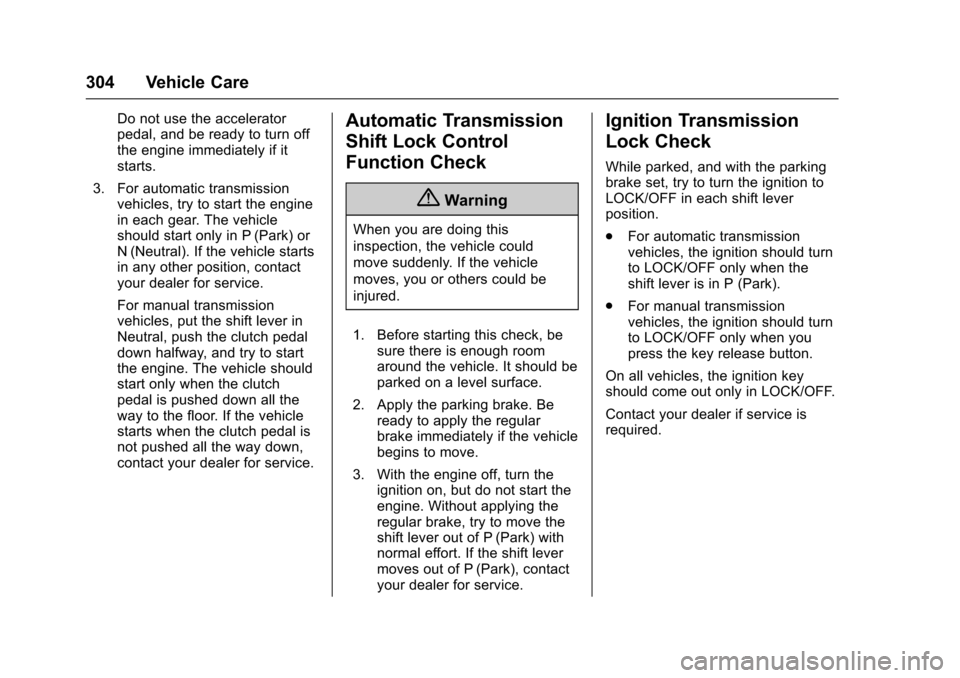
Automatic Transmission
Shift Lock Control
Function Check
{Warning
When you are doing this
inspection, the vehicle could
move suddenly. If the vehicle
moves, you or others could be
injured.
1. Before starting this check, besure there is enough roomaround the vehicle. It should beparked on a level surface.
2. Apply the parking brake. Beready to apply the regularbrake immediately if the vehiclebegins to move.
3. With the engine off, turn theignition on, but do not start theengine. Without applying theregular brake, try to move theshift lever out of P (Park) withnormal effort. If the shift levermoves out of P (Park), contactyour dealer for service.
Ignition Transmission
Lock Check
While parked, and with the parkingbrake set, try to turn the ignition toLOCK/OFF in each shift leverposition.
.For automatic transmissionvehicles, the ignition should turnto LOCK/OFF only when theshift lever is in P (Park).
.For manual transmissionvehicles, the ignition should turnto LOCK/OFF only when youpress the key release button.
On all vehicles, the ignition keyshould come out only in LOCK/OFF.
Contact your dealer if service isrequired.
Page 313 of 419
Chevrolet Colorado Owner Manual (GMNA-Localizing-U.S./Canada/Mexico-10122675) - 2017 - crc - 8/22/16
312 Vehicle Care
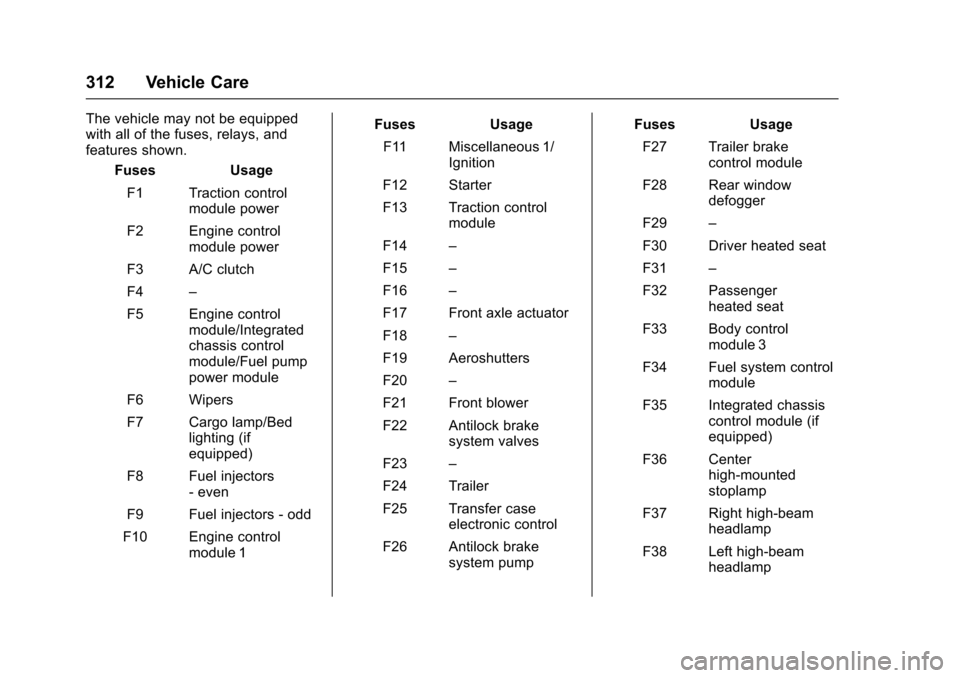
The vehicle may not be equippedwith all of the fuses, relays, andfeatures shown.
Fuses Usage
F1 Traction controlmodule power
F2 Engine controlmodule power
F3 A/C clutch
F4–
F5 Engine controlmodule/Integratedchassis controlmodule/Fuel pumppower module
F6 Wipers
F7 Cargo lamp/Bedlighting (ifequipped)
F8 Fuel injectors-even
F9 Fuel injectors - odd
F10 Engine controlmodule 1
Fuses Usage
F11 Miscellaneous 1/Ignition
F12 Starter
F13 Traction controlmodule
F14–
F15–
F16–
F17 Front axle actuator
F18–
F19 Aeroshutters
F20–
F21 Front blower
F22 Antilock brakesystem valves
F23–
F24 Trailer
F25 Transfer caseelectronic control
F26 Antilock brakesystem pump
Fuses Usage
F27 Trailer brakecontrol module
F28 Rear windowdefogger
F29–
F30 Driver heated seat
F31–
F32 Passengerheated seat
F33 Body controlmodule 3
F34 Fuel system controlmodule
F35 Integrated chassiscontrol module (ifequipped)
F36 Centerhigh-mountedstoplamp
F37 Right high-beamheadlamp
F38 Left high-beamheadlamp
Page 314 of 419
Chevrolet Colorado Owner Manual (GMNA-Localizing-U.S./Canada/Mexico-10122675) - 2017 - crc - 8/22/16
Vehicle Care 313
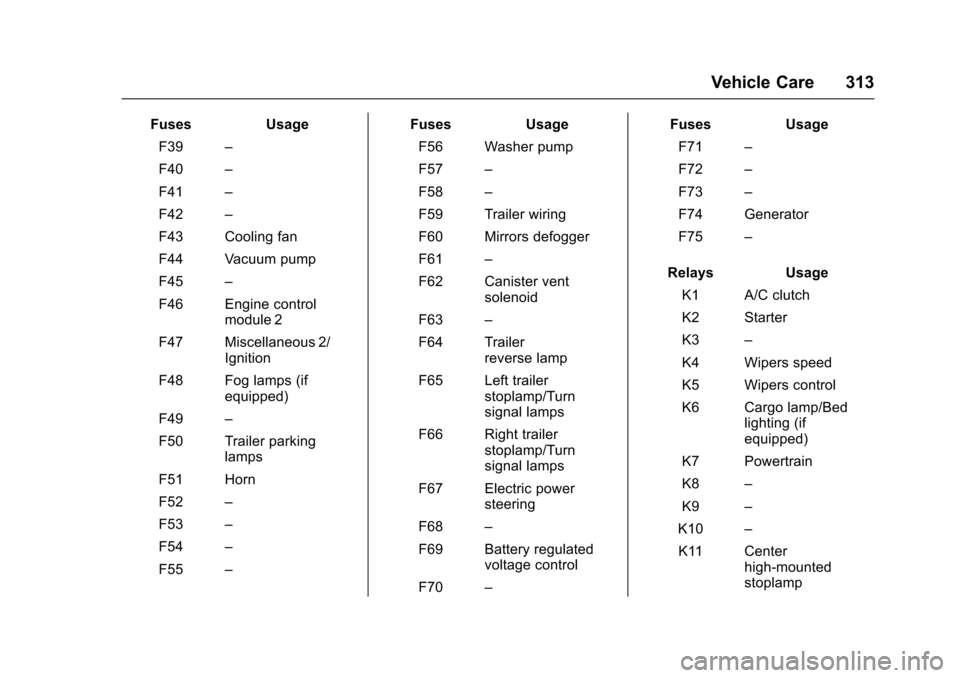
FusesUsage
F39–
F40–
F41–
F42–
F43 Cooling fan
F44 Vacuum pump
F45–
F46 Engine controlmodule 2
F47 Miscellaneous 2/Ignition
F48 Fog lamps (ifequipped)
F49–
F50 Trailer parkinglamps
F51 Horn
F52–
F53–
F54–
F55–
FusesUsage
F56 Washer pump
F57–
F58–
F59 Trailer wiring
F60 Mirrors defogger
F61–
F62 Canister ventsolenoid
F63–
F64 Trailerreverse lamp
F65 Left trailerstoplamp/Turnsignal lamps
F66 Right trailerstoplamp/Turnsignal lamps
F67 Electric powersteering
F68–
F69 Battery regulatedvoltage control
F70–
FusesUsage
F71–
F72–
F73–
F74 Generator
F75–
RelaysUsage
K1 A/C clutch
K2 Starter
K3–
K4 Wipers speed
K5 Wipers control
K6 Cargo lamp/Bedlighting (ifequipped)
K7 Powertrain
K8–
K9–
K10–
K11 Centerhigh-mountedstoplamp
Page 317 of 419
Chevrolet Colorado Owner Manual (GMNA-Localizing-U.S./Canada/Mexico-10122675) - 2017 - crc - 8/22/16
316 Vehicle Care
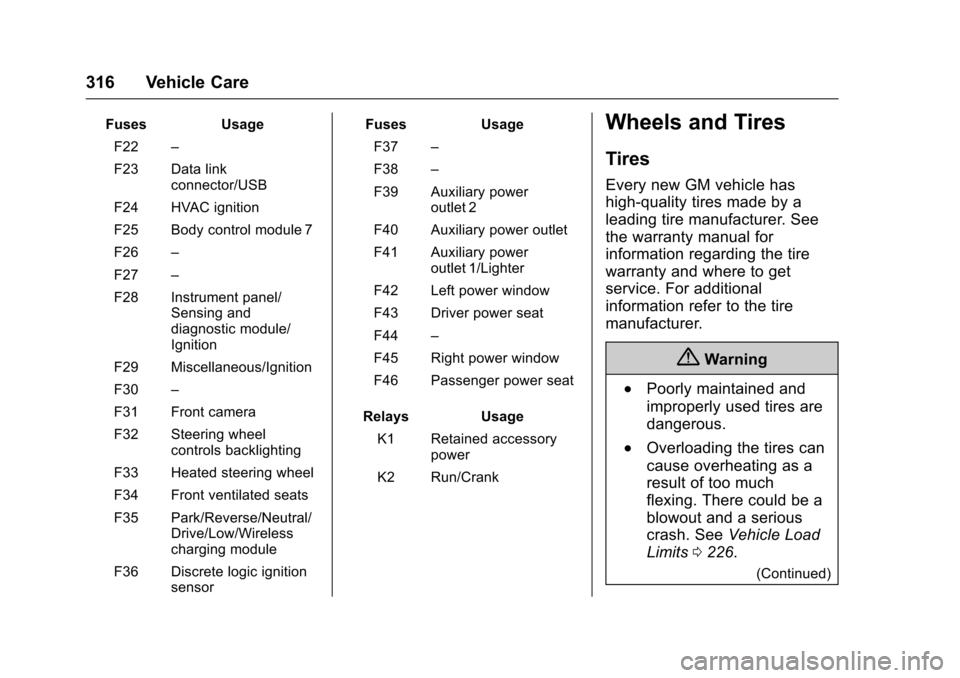
FusesUsage
F22–
F23 Data linkconnector/USB
F24 HVAC ignition
F25 Body control module 7
F26–
F27–
F28 Instrument panel/Sensing anddiagnostic module/Ignition
F29 Miscellaneous/Ignition
F30–
F31 Front camera
F32 Steering wheelcontrols backlighting
F33 Heated steering wheel
F34 Front ventilated seats
F35 Park/Reverse/Neutral/Drive/Low/Wirelesscharging module
F36 Discrete logic ignitionsensor
FusesUsage
F37–
F38–
F39 Auxiliary poweroutlet 2
F40 Auxiliary power outlet
F41 Auxiliary poweroutlet 1/Lighter
F42 Left power window
F43 Driver power seat
F44–
F45 Right power window
F46 Passenger power seat
RelaysUsage
K1 Retained accessorypower
K2 Run/Crank
Wheels and Tires
Tires
Every new GM vehicle has
high-quality tires made by a
leading tire manufacturer. See
the warranty manual for
information regarding the tire
warranty and where to get
service. For additional
information refer to the tire
manufacturer.
{Warning
.Poorly maintained and
improperly used tires are
dangerous.
.Overloading the tires can
cause overheating as a
result of too much
flexing. There could be a
blowout and a serious
crash. SeeVehicle Load
Limits0226.
(Continued)
Page 327 of 419
Chevrolet Colorado Owner Manual (GMNA-Localizing-U.S./Canada/Mexico-10122675) - 2017 - crc - 8/22/16
326 Vehicle Care
Tire Pressure Monitor
Operation
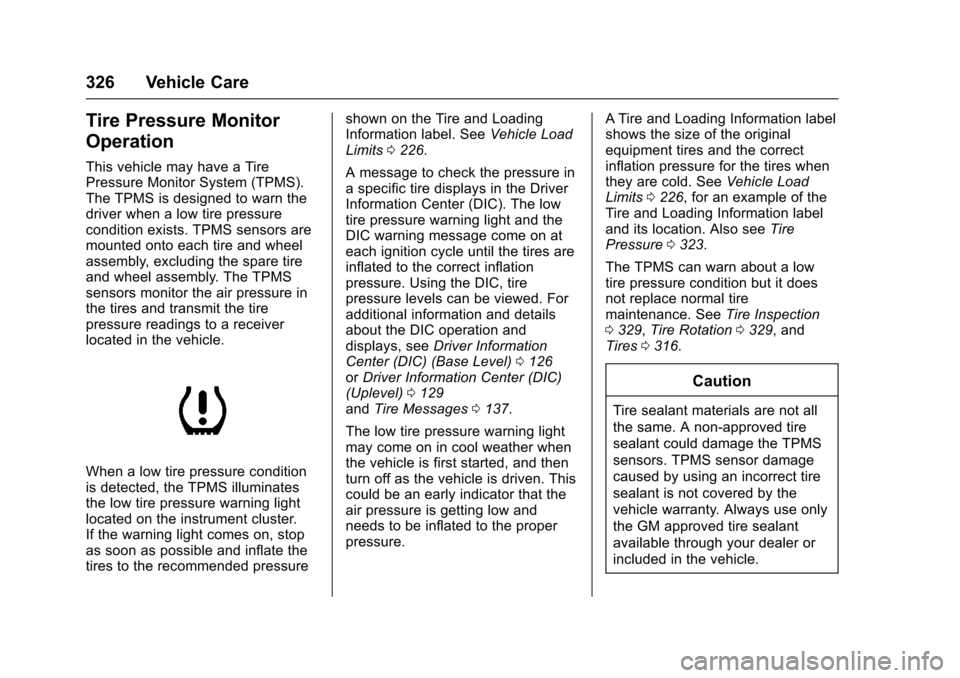
This vehicle may have a TirePressure Monitor System (TPMS).The TPMS is designed to warn thedriver when a low tire pressurecondition exists. TPMS sensors aremounted onto each tire and wheelassembly, excluding the spare tireand wheel assembly. The TPMSsensors monitor the air pressure inthe tires and transmit the tirepressure readings to a receiverlocated in the vehicle.
When a low tire pressure conditionis detected, the TPMS illuminatesthe low tire pressure warning lightlocated on the instrument cluster.If the warning light comes on, stopas soon as possible and inflate thetires to the recommended pressure
shown on the Tire and LoadingInformation label. SeeVehicle LoadLimits0226.
AmessagetocheckthepressureinaspecifictiredisplaysintheDriverInformation Center (DIC). The lowtire pressure warning light and theDIC warning message come on ateach ignition cycle until the tires areinflated to the correct inflationpressure. Using the DIC, tirepressure levels can be viewed. Foradditional information and detailsabout the DIC operation anddisplays, seeDriver InformationCenter (DIC) (Base Level)0126orDriver Information Center (DIC)(Uplevel)0129andTire Messages0137.
The low tire pressure warning lightmay come on in cool weather whenthe vehicle is first started, and thenturn off as the vehicle is driven. Thiscould be an early indicator that theair pressure is getting low andneeds to be inflated to the properpressure.
ATire and Loading Information labelshows the size of the originalequipment tires and the correctinflation pressure for the tires whenthey are cold. SeeVehicle LoadLimits0226,foranexampleoftheTire and Loading Information labeland its location. Also seeTirePressure0323.
The TPMS can warn about a lowtire pressure condition but it doesnot replace normal tiremaintenance. SeeTire Inspection0329,Tire Rotation0329,andTires0316.
Caution
Tire sealant materials are not all
the same. A non-approved tire
sealant could damage the TPMS
sensors. TPMS sensor damage
caused by using an incorrect tire
sealant is not covered by the
vehicle warranty. Always use only
the GM approved tire sealant
available through your dealer or
included in the vehicle.