tow CHEVROLET COLORADO 2017 2.G Repair Manual
[x] Cancel search | Manufacturer: CHEVROLET, Model Year: 2017, Model line: COLORADO, Model: CHEVROLET COLORADO 2017 2.GPages: 419, PDF Size: 7.38 MB
Page 353 of 419
Chevrolet Colorado Owner Manual (GMNA-Localizing-U.S./Canada/Mexico-10122675) - 2017 - crc - 8/22/16
352 Vehicle Care
Caution (Continued)
warranty. If using a shield, only
use one that attaches to the
towing vehicle.
Dinghy Towing
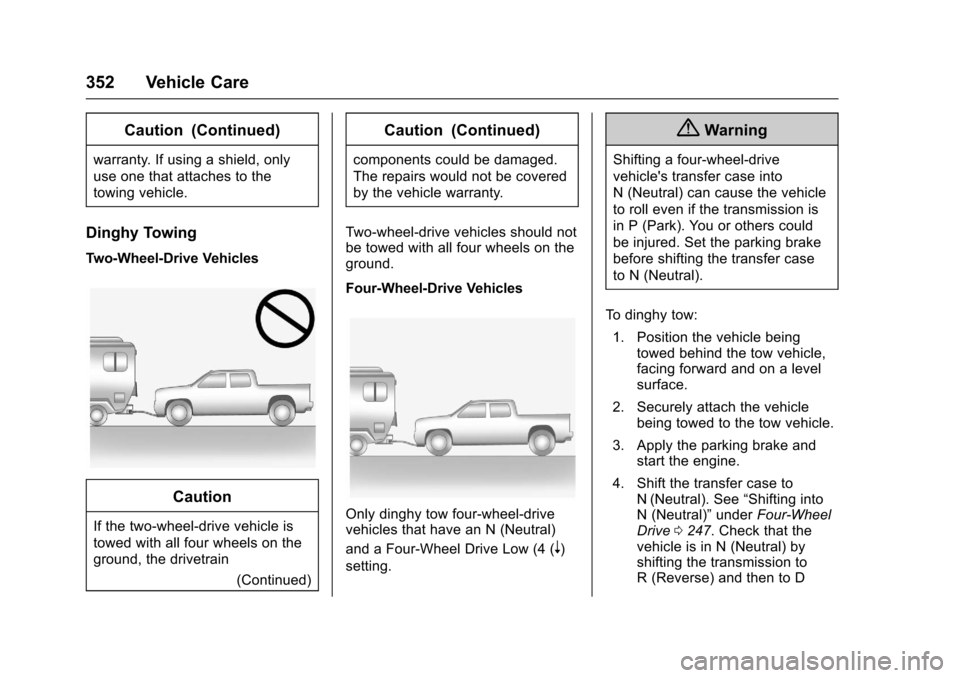
Two-Wheel-Drive Vehicles
Caution
If the two-wheel-drive vehicle is
towed with all four wheels on the
ground, the drivetrain
(Continued)
Caution (Continued)
components could be damaged.
The repairs would not be covered
by the vehicle warranty.
Tw o - w h e e l - d r i v e v e h i c l e s s h o u l d n o tbe towed with all four wheels on theground.
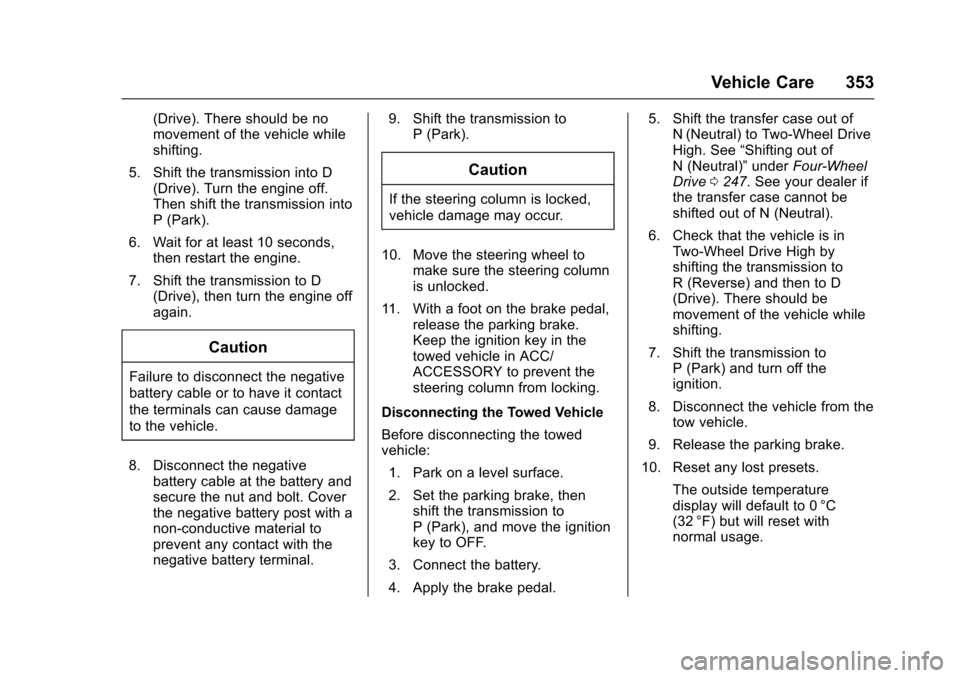
Four-Wheel-Drive Vehicles
Only dinghy tow four-wheel-drivevehicles that have an N (Neutral)
and a Four-Wheel Drive Low (4 (n)
setting.
{Warning
Shifting a four-wheel-drive
vehicle's transfer case into
N(Neutral)cancausethevehicle
to roll even if the transmission is
in P (Park). You or others could
be injured. Set the parking brake
before shifting the transfer case
to N (Neutral).
To d i n g h y t o w :
1. Position the vehicle beingtowed behind the tow vehicle,facing forward and on a levelsurface.
2. Securely attach the vehiclebeing towed to the tow vehicle.
3. Apply the parking brake andstart the engine.
4. Shift the transfer case toN(Neutral). See“Shifting intoN(Neutral)”underFour-WheelDrive0247.Checkthatthevehicle is in N (Neutral) byshifting the transmission toR(Reverse)andthentoD
Page 354 of 419
Chevrolet Colorado Owner Manual (GMNA-Localizing-U.S./Canada/Mexico-10122675) - 2017 - crc - 8/22/16
Vehicle Care 353
(Drive). There should be nomovement of the vehicle whileshifting.
5. Shift the transmission into D(Drive). Turn the engine off.Then shift the transmission intoP(Park).
6. Wait for at least 10 seconds,then restart the engine.
7. Shift the transmission to D(Drive), then turn the engine offagain.
Caution
Failure to disconnect the negative
battery cable or to have it contact
the terminals can cause damage
to the vehicle.
8. Disconnect the negativebattery cable at the battery andsecure the nut and bolt. Coverthe negative battery post with anon-conductive material toprevent any contact with thenegative battery terminal.
9. Shift the transmission toP(Park).
Caution
If the steering column is locked,
vehicle damage may occur.
10. Move the steering wheel tomake sure the steering columnis unlocked.
11 . W i t h a f o o t o n t h e b r a k e p e d a l ,release the parking brake.Keep the ignition key in thetowed vehicle in ACC/ACCESSORY to prevent thesteering column from locking.
Disconnecting the Towed Vehicle
Before disconnecting the towedvehicle:
1. Park on a level surface.
2. Set the parking brake, thenshift the transmission toP(Park),andmovetheignitionkey to OFF.
3. Connect the battery.
4. Apply the brake pedal.
5. Shift the transfer case out ofN(Neutral) to Two-Wheel DriveHigh. See“Shifting out ofN(Neutral)”underFour-WheelDrive0247.Seeyourdealerifthe transfer case cannot beshifted out of N (Neutral).
6. Check that the vehicle is inTw o - W h e e l D r i v e H i g h b yshifting the transmission toR(Reverse)andthentoD(Drive). There should bemovement of the vehicle whileshifting.
7. Shift the transmission toP(Park)andturnofftheignition.
8. Disconnect the vehicle from thetow vehicle.
9. Release the parking brake.
10. Reset any lost presets.
The outside temperaturedisplay will default to 0 °C(32 °F) but will reset withnormal usage.
Page 355 of 419
Chevrolet Colorado Owner Manual (GMNA-Localizing-U.S./Canada/Mexico-10122675) - 2017 - crc - 8/22/16
354 Vehicle Care
Dolly Towing
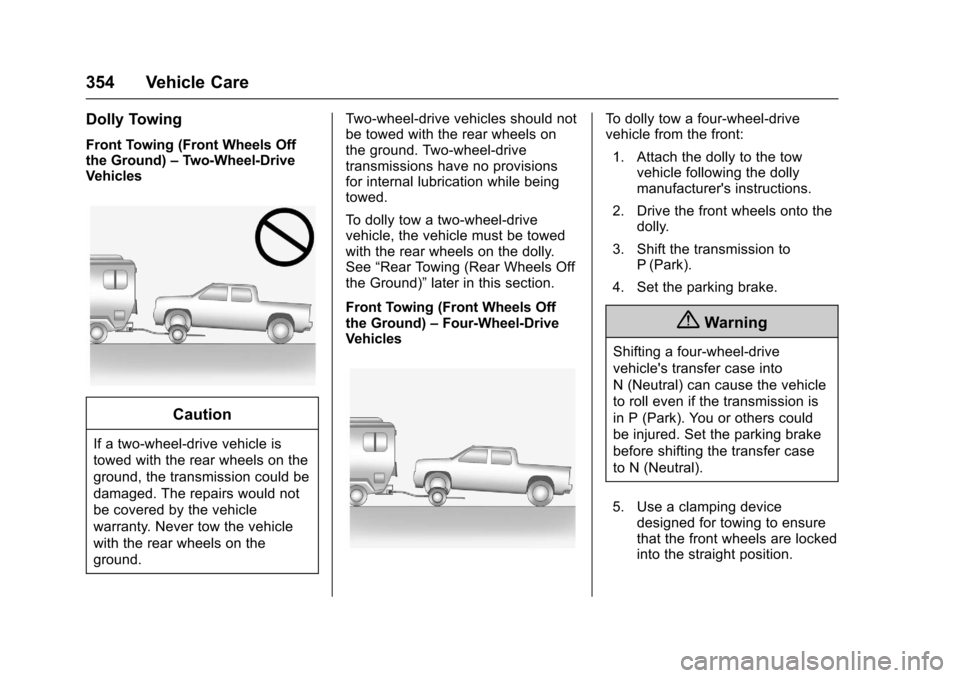
Front Towing (Front Wheels Offthe Ground)–Two-Wheel-DriveVehicles
Caution
If a two-wheel-drive vehicle is
towed with the rear wheels on the
ground, the transmission could be
damaged. The repairs would not
be covered by the vehicle
warranty. Never tow the vehicle
with the rear wheels on the
ground.
Tw o - w h e e l - d r i v e v e h i c l e s s h o u l d n o tbe towed with the rear wheels onthe ground. Two-wheel-drivetransmissions have no provisionsfor internal lubrication while beingtowed.
To d o l l y t o w a t w o - w h e e l - d r i v evehicle, the vehicle must be towedwith the rear wheels on the dolly.See“Rear Towing (Rear Wheels Offthe Ground)”later in this section.
Front Towing (Front Wheels Offthe Ground)–Four-Wheel-DriveVehicles
To d o l l y t o w a f o u r - w h e e l - d r i v evehicle from the front:
1. Attach the dolly to the towvehicle following the dollymanufacturer's instructions.
2. Drive the front wheels onto thedolly.
3. Shift the transmission toP(Park).
4. Set the parking brake.
{Warning
Shifting a four-wheel-drive
vehicle's transfer case into
N(Neutral)cancausethevehicle
to roll even if the transmission is
in P (Park). You or others could
be injured. Set the parking brake
before shifting the transfer case
to N (Neutral).
5. Use a clamping devicedesigned for towing to ensurethat the front wheels are lockedinto the straight position.
Page 356 of 419
Chevrolet Colorado Owner Manual (GMNA-Localizing-U.S./Canada/Mexico-10122675) - 2017 - crc - 8/22/16
Vehicle Care 355
6. Secure the vehicle to the dollyfollowing the manufacturer'sinstructions.
7. Shift the transfer case toN(Neutral). See“Shifting intoN(Neutral)”underFour-WheelDrive0247for the properprocedure.
8. Release the parking brake onlyafter the vehicle being towed isfirmly attached to the towvehicle.
9. Turn the ignition to LOCK/OFF.
Rear Towing (Rear Wheels Off
the Ground)
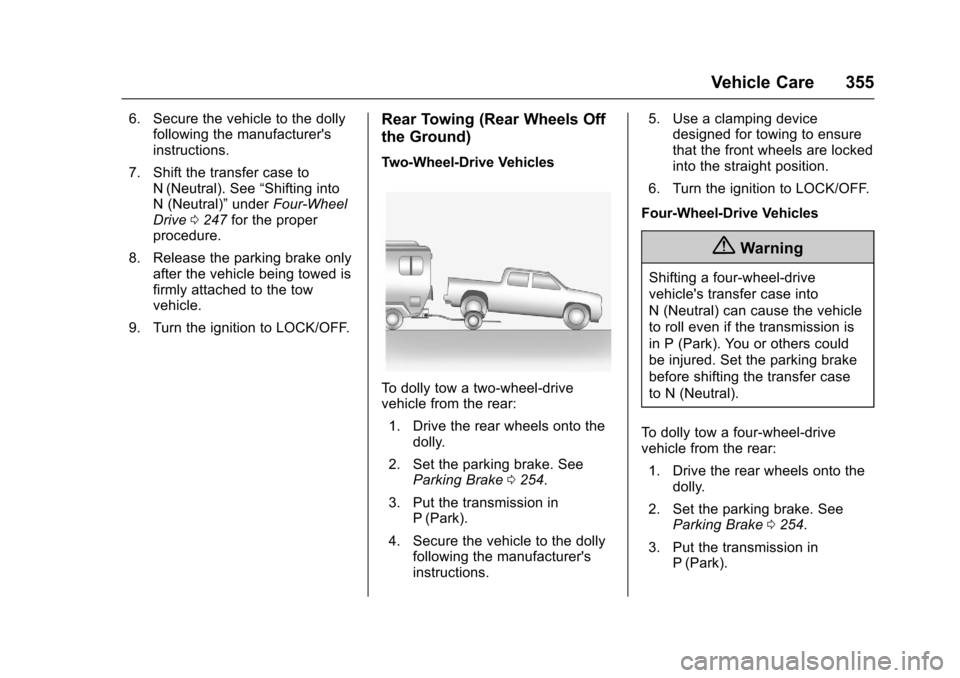
Two-Wheel-Drive Vehicles
To d o l l y t o w a t w o - w h e e l - d r i v evehicle from the rear:
1. Drive the rear wheels onto thedolly.
2. Set the parking brake. SeeParking Brake0254.
3. Put the transmission inP(Park).
4. Secure the vehicle to the dollyfollowing the manufacturer'sinstructions.
5. Use a clamping devicedesigned for towing to ensurethat the front wheels are lockedinto the straight position.
6. Turn the ignition to LOCK/OFF.
Four-Wheel-Drive Vehicles
{Warning
Shifting a four-wheel-drive
vehicle's transfer case into
N(Neutral)cancausethevehicle
to roll even if the transmission is
in P (Park). You or others could
be injured. Set the parking brake
before shifting the transfer case
to N (Neutral).
To d o l l y t o w a f o u r - w h e e l - d r i v evehicle from the rear:
1. Drive the rear wheels onto thedolly.
2. Set the parking brake. SeeParking Brake0254.
3. Put the transmission inP(Park).
Page 357 of 419
Chevrolet Colorado Owner Manual (GMNA-Localizing-U.S./Canada/Mexico-10122675) - 2017 - crc - 8/22/16
356 Vehicle Care
4. Secure the vehicle to the dollyfollowing the manufacturer'sinstructions.
5. Use a clamping devicedesigned for towing to ensurethat the front wheels are lockedinto the straight position.
6. Shift the transfer case toN(Neutral). See“Shifting intoN(Neutral)”underFour-WheelDrive0247for the properprocedure.
7. Turn the ignition to LOCK/OFF.
Appearance Care
Exterior Care
Locks
Locks are lubricated at the factory.Use a de-icing agent only whenabsolutely necessary, and have thelocks greased after using. SeeRecommended Fluids andLubricants0375.
Washing the Vehicle
To p r e s e r v e t h e v e h i c l e ' s f i n i s h ,wash it often and out of directsunlight.
Caution
Do not use petroleum-based,
acidic, or abrasive cleaning
agents as they can damage the
vehicle's paint, metal, or plastic
parts. If damage occurs, it would
not be covered by the vehicle
warranty. Approved cleaning
products can be obtained from
(Continued)
Caution (Continued)
your dealer. Follow all
manufacturer directions regarding
correct product usage, necessary
safety precautions, and
appropriate disposal of any
vehicle care product.
Caution
Avoid using high-pressure
washes closer than 30 cm (12 in)
to the surface of the vehicle. Use
of power washers exceeding
8,274 kPa (1,200 psi) can result
in damage or removal of paint
and decals.
Page 358 of 419
Chevrolet Colorado Owner Manual (GMNA-Localizing-U.S./Canada/Mexico-10122675) - 2017 - crc - 8/22/16
Vehicle Care 357
Caution
Do not power wash any
component under the hood that
has thisesymbol.
This could cause damage that
would not be covered by the
vehicle warranty.
If using an automatic car wash,follow with the car washinstructions. The windshield wiperand rear window wiper, if equipped,must be off. Remove anyaccessories that may be damagedor interfere with the car washequipment.
Rinse the vehicle well, beforewashing and after, to remove allcleaning agents completely. If theyare allowed to dry on the surface,they could stain.
Dry the finish with a soft, cleanchamois or an all-cotton towel toavoid surface scratches and waterspotting.
Finish Care
Application of aftermarket clearcoatsealant/wax materials is notrecommended. If painted surfacesare damaged, see your dealer tohave the damage assessed andrepaired. Foreign materials such ascalcium chloride and other salts, icemelting agents, road oil and tar, treesap, bird droppings, chemicals fromindustrial chimneys, etc., candamage the vehicle's finish if theyremain on painted surfaces. Washthe vehicle as soon as possible.If necessary, use non-abrasivecleaners that are marked safe forpainted surfaces to remove foreignmatter.
Occasional hand waxing or mildpolishing should be done to removeresidue from the paint finish. Seeyour dealer for approved cleaningproducts.
Do not apply waxes or polishes touncoated plastic, vinyl, rubber,decals, simulated wood, or flat paintas damage can occur.
Caution
Machine compounding or
aggressive polishing on a
basecoat/clearcoat paint finish
may damage it. Use only
non-abrasive waxes and polishes
that are made for a basecoat/
clearcoat paint finish on the
vehicle.
To k e e p t h e p a i n t f i n i s h l o o k i n g n e w,keep the vehicle garaged orcovered whenever possible.
Protecting Exterior Bright MetalMoldings
Caution
Failure to clean and protect the
bright metal moldings can result
in a hazy white finish or pitting.
This damage would not be
covered by the vehicle warranty.
Page 360 of 419
Chevrolet Colorado Owner Manual (GMNA-Localizing-U.S./Canada/Mexico-10122675) - 2017 - crc - 8/22/16
Vehicle Care 359
Caution
Failure to clean lamps properly
can cause damage to the lamp
cover that would not be covered
by the vehicle warranty.
Caution
Using wax on low gloss black
finish stripes can increase the
gloss level and create a
non-uniform finish. Clean low
gloss stripes with soap and
water only.
Air Intakes
Clear debris from the air intakes,between the hood and windshield,when washing the vehicle.
Windshield and Wiper Blades
Clean the outside of the windshieldwith glass cleaner.
Clean rubber blades using a lint-freecloth or paper towel soaked withwindshield washer fluid or a milddetergent. Wash the windshieldthoroughly when cleaning theblades. Bugs, road grime, sap, andabuildupofvehiclewash/waxtreatments may cause wiperstreaking.
Replace the wiper blades if they areworn or damaged. Damage can becaused by extreme dustyconditions, sand, salt, heat, sun,snow, and ice.
Weatherstrips
Apply Dielectric silicone grease onweatherstrips to make them lastlonger, seal better, and not stick orsqueak. Lubricate weatherstripsonce a year. Hot, dry climates mayrequire more frequent application.Black marks from rubber material onpainted surfaces can be removed byrubbing with a clean cloth. SeeRecommended Fluids andLubricants0375.
Tires
Use a stiff brush with tire cleaner toclean the tires.
Caution
Using petroleum-based tire
dressing products on the vehicle
may damage the paint finish and/
or tires. When applying a tire
dressing, always wipe off any
overspray from all painted
surfaces on the vehicle.
Wheels and Trim—Aluminum
or Chrome
Use a soft, clean cloth with mildsoap and water to clean the wheels.After rinsing thoroughly with cleanwater, dry with a soft, clean towel.Awaxmaythenbeapplied.
Caution
Chrome wheels and other chrome
trim may be damaged if the
vehicle is not washed after driving
(Continued)
Page 363 of 419
Chevrolet Colorado Owner Manual (GMNA-Localizing-U.S./Canada/Mexico-10122675) - 2017 - crc - 8/22/16
362 Vehicle Care
Caution
To p r e v e n t s c r a t c h i n g , n e v e r u s e
abrasive cleaners on automotive
glass. Abrasive cleaners or
aggressive cleaning may damage
the rear window defogger.
Cleaning the windshield with waterduring the first three to six monthsof ownership will reduce tendencyto fog.
Speaker Covers
Va c u u m a r o u n d a s p e a k e r c o v e rgently, so that the speaker will notbe damaged. Clean spots with waterand mild soap.
Coated Moldings
Coated moldings should be cleaned.
.When lightly soiled, wipe with asponge or soft, lint-free clothdampened with water.
.When heavily soiled, use warmsoapy water.
Fabric/Carpet/Suede
Start by vacuuming the surfaceusing a soft brush attachment. If arotating vacuum brush attachment isbeing used, only use it on the floorcarpet. Before cleaning, gentlyremove as much of the soil aspossible:
.Gently blot liquids with a papertowel. Continue blotting until nomore soil can be removed.
.For solid soils, remove as muchas possible prior to vacuuming.
To c l e a n :
1. Saturate a clean, lint-freecolorfast cloth with water.Microfiber cloth isrecommended to prevent linttransfer to the fabric or carpet.
2. Remove excess moisture bygently wringing until water doesnot drip from the cleaning cloth.
3. Start on the outside edge of thesoil and gently rub toward thecenter. Rotate the cleaning
cloth to a clean area frequentlyto prevent forcing the soil in tothe fabric.
4. Continue gently rubbing thesoiled area until there is nolonger any color transfer fromthe soil to the cleaning cloth.
5. If the soil is not completelyremoved, use a mild soapsolution followed only by plainwater.
If the soil is not completelyremoved, it may be necessary touse a commercial upholsterycleaner or spot lifter. Test a smallhidden area for colorfastness beforeusing a commercial upholsterycleaner or spot lifter. If ringformation occurs, clean the entirefabric or carpet.
After cleaning use a paper towel toblot excess moisture.
Cleaning High Gloss Surfaces
and Vehicle Information and
Radio Displays
Use a microfiber cloth on high glosssurfaces or vehicle displays. First,use a soft bristle brush to remove
Page 367 of 419
Chevrolet Colorado Owner Manual (GMNA-Localizing-U.S./Canada/Mexico-10122675) - 2017 - crc - 8/22/16
366 Service and Maintenance
keep the vehicle in good workingcondition, improves fuel economy,and reduces vehicle emissions.
Because of the way people usevehicles, maintenance needs vary.There may need to be morefrequent checks and services.
Normal Service
All maintenance services, includingthose listed under AdditionalRequired Services, are forvehicles that:
.Carry passengers and cargowithin recommended limits onthe Tire and Loading Informationlabel. SeeVehicle LoadLimits0226.
.Are driven on reasonable roadsurfaces within legal drivinglimits.
.Use the recommended fuel. SeeFuel0266.
Severe Service
In addition to the normal serviceschedule, some vehicles requireservice more often. Severe serviceis for vehicles that are:
.Mainly driven in heavy city trafficin hot weather.
.Mainly driven in hilly ormountainous terrain.
.Frequently towing a trailer.
.Used for high-speed orcompetitive driving.
.Used for taxi, police, or deliveryservice.
{Warning
Performing maintenance work can
be dangerous and can cause
serious injury. Perform
maintenance work only if the
required information, proper tools,
and equipment are available.
If they are not, see your dealer to
have a trained technician do the
work. SeeDoing Your Own
Service Work0281.
Maintenance
Schedule
Owner Checks and Services
At Each Fuel Stop
.Check the engine oil level. SeeEngine Oil0286.
Once a Month
.Check the tire inflationpressures. SeeTirePressure0323.
.Inspect the tires for wear. SeeTire Inspection0329.
.Check the windshield washerfluid level. SeeWasherFluid0298.
Engine Oil Change
When the CHANGE ENGINE OILSOON message displays, have theengine oil and filter changed withinthe next 1 000 km/600 mi. If drivenunder the best conditions, theengine oil life system may notindicate the need for vehicle servicefor up to a year. The engine oil andfilter must be changed at least once
Page 387 of 419
Chevrolet Colorado Owner Manual (GMNA-Localizing-U.S./Canada/Mexico-10122675) - 2017 - crc - 8/22/16
386 Customer Information
Te l e p h o n e d e v i c e s ( T T Y s ) )Roadside Assistance:1-800-268-6800
Overseas
Please contact the local GeneralMotors Business Unit.
Customer Assistance for
Text Telephone (TTY)
Users
To a s s i s t c u s t o m e r s w h o a r e d e a f ,hard of hearing, or speech-impairedand who use Text Telephones(TTYs), Chevrolet has TTYequipment available at its CustomerAssistance Center. Any TTY user inthe U.S. can communicate withChevrolet by dialing:1-800-833-2438. TTY users inCanada can dial 1-800-263-3830.
Online Owner Center
Online Owner Experience
(U.S.) my.chevrolet.com
The Chevrolet online ownerexperience allows interaction withChevrolet and keeps importantvehicle-specific information in oneplace.
Membership Benefits
E:Download owner manuals andview vehicle-specific how-to videos.
G:View maintenance schedules,alerts, and OnStar VehicleDiagnostic Information. Scheduleservice appointments.
I:View and print dealer-recordedservice records and self-recordedservice records.
D:Select a preferred dealer andview locations, maps, phonenumbers, and hours.
r:Track your vehicle’swarrantyinformation.
J:View active recalls by VehicleIdentification Number (VIN). SeeVehicle Identification Number(VIN)0379.
H:View GM Card, SiriusXMSatellite radio (if equipped), andOnStar account information (ifequipped).
F:Chat with online helprepresentatives.
See my.chevrolet.com to registeryour vehicle.
Chevrolet Owner Centre
(Canada) chevroletowner.ca
Visit the Chevrolet Owner Centre:
.Chat live with online helprepresentatives.
.Locate owner resources such aslease-end, financing, andwarranty information.
.Retrieve your favorite articles,quizzes, tips, and multimediagalleries organized into theFeatured Articles and Auto CareSections.
.Download owner manuals.