charging CHEVROLET COLORADO 2017 2.G Owners Manual
[x] Cancel search | Manufacturer: CHEVROLET, Model Year: 2017, Model line: COLORADO, Model: CHEVROLET COLORADO 2017 2.GPages: 419, PDF Size: 7.38 MB
Page 4 of 419
Chevrolet Colorado Owner Manual (GMNA-Localizing-U.S./Canada/Mexico-10122675) - 2017 - crc - 8/22/16
Introduction 3
Danger, Warning, and
Caution
Warning messages found on vehiclelabels and in this manual describehazards and what to do to avoid orreduce them.
{Danger
Danger indicates a hazard with a
high level of risk which will result
in serious injury or death.
{Warning
Warning indicates a hazard that
could result in injury or death.
Caution
Caution indicates a hazard that
could result in property or vehicle
damage.
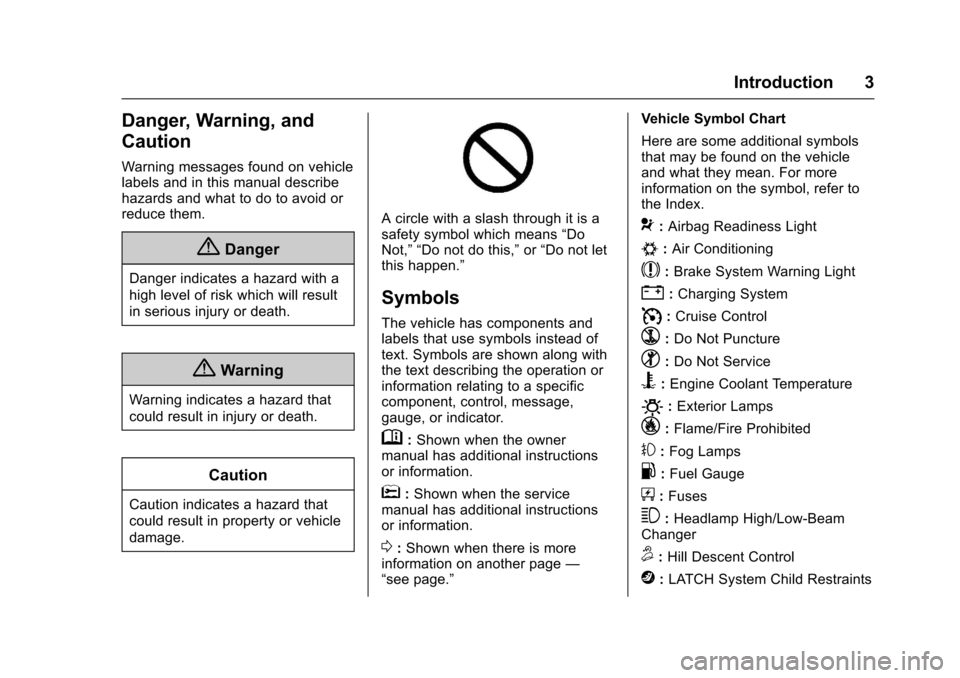
Acirclewithaslashthroughitisasafety symbol which means“DoNot,”“Do not do this,”or“Do not letthis happen.”
Symbols
The vehicle has components andlabels that use symbols instead oftext. Symbols are shown along withthe text describing the operation orinformation relating to a specificcomponent, control, message,gauge, or indicator.
M:Shown when the ownermanual has additional instructionsor information.
*:Shown when the servicemanual has additional instructionsor information.
0:Shown when there is moreinformation on another page—“see page.”
Vehicle Symbol Chart
Here are some additional symbolsthat may be found on the vehicleand what they mean. For moreinformation on the symbol, refer tothe Index.
9:Airbag Readiness Light
#:Air Conditioning
$:Brake System Warning Light
":Charging System
I:Cruise Control
`:Do Not Puncture
^:Do Not Service
B:Engine Coolant Temperature
O:Exterior Lamps
_:Flame/Fire Prohibited
#:Fog Lamps
.:Fuel Gauge
+:Fuses
3:Headlamp High/Low-BeamChanger
5:Hill Descent Control
j:LATCH System Child Restraints
Page 103 of 419
Chevrolet Colorado Owner Manual (GMNA-Localizing-U.S./Canada/Mexico-10122675) - 2017 - crc - 8/22/16
102 Instruments and Controls
Instruments and
Controls
Controls
Steering Wheel Adjustment . . . 103Steering Wheel Controls . . . . . . 104Horn . . . . . . . . . . . . . . . . . . . . . . . . . . 104Windshield Wiper/Washer . . . . 104Compass . . . . . . . . . . . . . . . . . . . . . 105Clock . . . . . . . . . . . . . . . . . . . . . . . . . 106Power Outlets . . . . . . . . . . . . . . . . 107Wireless Charging . . . . . . . . . . . . 107
Warning Lights, Gauges, and
Indicators
Warning Lights, Gauges, andIndicators . . . . . . . . . . . . . . . . . . . 109Instrument Cluster (BaseLevel) . . . . . . . . . . . . . . . . . . . . . . . 110Instrument Cluster(Uplevel) . . . . . . . . . . . . . . . . . . . . 112Speedometer . . . . . . . . . . . . . . . . . 114Odometer . . . . . . . . . . . . . . . . . . . . . 114Trip Odometer . . . . . . . . . . . . . . . . 114Ta c h o m e t e r . . . . . . . . . . . . . . . . . . . 11 4Fuel Gauge . . . . . . . . . . . . . . . . . . . 114Engine Coolant TemperatureGauge . . . . . . . . . . . . . . . . . . . . . . 115Safety Belt Reminders . . . . . . . . 116
Airbag Readiness Light . . . . . . . 117Passenger Airbag StatusIndicator . . . . . . . . . . . . . . . . . . . . . 117Charging System Light . . . . . . . 118Malfunction Indicator Lamp(Check Engine Light) . . . . . . . . 118Brake System WarningLight . . . . . . . . . . . . . . . . . . . . . . . . 120Antilock Brake System (ABS)Warning Light . . . . . . . . . . . . . . . 121Up-Shift Light (ManualTransmission) . . . . . . . . . . . . . . . 121To w / H a u l M o d e L i g h t . . . . . . . . . 1 2 1Hill Descent Control Light . . . . 121Lane Departure Warning(LDW) Light . . . . . . . . . . . . . . . . . 122Vehicle Ahead Indicator . . . . . . 122Traction Off Light . . . . . . . . . . . . . 122StabiliTrak®OFF Light . . . . . . . . 122Traction Control System (TCS)/StabiliTrak®Light . . . . . . . . . . . 123Tire Pressure Light . . . . . . . . . . . 123Engine Oil Pressure Light . . . . 124Low Fuel Warning Light (BaseLevel) . . . . . . . . . . . . . . . . . . . . . . . 124Low Fuel Warning Light(Uplevel) . . . . . . . . . . . . . . . . . . . . 124Security Light . . . . . . . . . . . . . . . . . 125High-Beam On Light . . . . . . . . . . 125Front Fog Lamp Light . . . . . . . . . 125Lamps On Reminder . . . . . . . . . 125
Cruise Control Light . . . . . . . . . . 125Door Ajar Light (UplevelCluster) . . . . . . . . . . . . . . . . . . . . . 126
Information Displays
Driver Information Center (DIC)(Base Level) . . . . . . . . . . . . . . . . 126Driver Information Center (DIC)(Uplevel) . . . . . . . . . . . . . . . . . . . . 129
Vehicle Messages
Vehicle Messages . . . . . . . . . . . . 132Battery Voltage and ChargingMessages . . . . . . . . . . . . . . . . . . . 132Brake System Messages . . . . . 133Compass Messages . . . . . . . . . . 133Door Ajar Messages . . . . . . . . . . 133Engine Cooling SystemMessages . . . . . . . . . . . . . . . . . . . 133Engine Oil Messages . . . . . . . . . 134Engine Power Messages . . . . . 134Fuel System Messages . . . . . . . 135Key and Lock Messages . . . . . 135Lamp Messages . . . . . . . . . . . . . . 135Object Detection SystemMessages . . . . . . . . . . . . . . . . . . . 135Ride Control SystemMessages . . . . . . . . . . . . . . . . . . . 136Airbag System Messages . . . . 136Safety Belt Messages . . . . . . . . 136Security Messages . . . . . . . . . . . 137
Page 108 of 419
Chevrolet Colorado Owner Manual (GMNA-Localizing-U.S./Canada/Mexico-10122675) - 2017 - crc - 8/22/16
Instruments and Controls 107
To s e t t h e c l o c k d i s p l a y :
1. Touch SETTINGS on the HomePage, then touch Timeand Date.
2. Touch Clock Display, thentouch Off or On to turn theclock display off or on.
3. TouchSto go back to the
previous menu.
Power Outlets
For USB charging port locations,seeUSB Port (Base Radio)0170orUSB Port (Base Radio withTo u c h s c r e e n )0173.
Accessory power outlets can beused to plug in electrical equipment,such as a cell phone, MP3player, etc.
The vehicle may have accessorypower outlets:
.On the center stack below theclimate control system,if equipped.
.On the center floor console,if equipped.
.On the rear of the center storageconsole.
Lift the cover to access and replacewhen not in use.
{Warning
Power is always supplied to the
outlets. Do not leave electrical
equipment plugged in when the
vehicle is not in use because the
vehicle could catch fire and cause
injury or death.
Caution
Leaving electrical equipment
plugged in for an extended period
of time while the vehicle is off will
drain the battery. Always unplug
electrical equipment when not in
use and do not plug in equipment
that exceeds the maximum
15 amp rating.
Certain power accessory plugs maynot be compatible with theaccessory power outlet and couldoverload vehicle or adapter fuses.If a problem is experienced, seeyour dealer.
When adding electrical equipment,be sure to follow the properinstallation instructions included withthe equipment. SeeAdd-OnElectrical Equipment0278.
Caution
Hanging heavy equipment from
the power outlet can cause
damage not covered by the
vehicle warranty. The power
outlets are designed for
accessory power plugs only, such
as mobile phone charge cords.
Wireless Charging
If equipped, the vehicle has wirelesscharging in front of the center floorconsole. The system wirelesslycharges one PMA or Qi compatiblemobile device.
Page 109 of 419
Chevrolet Colorado Owner Manual (GMNA-Localizing-U.S./Canada/Mexico-10122675) - 2017 - crc - 8/22/16
108 Instruments and Controls
To c h e c k f o r p h o n e o r o t h e r d e v i c ecompatibility:
.In the U.S., seemy.chevrolet.com/learn.
.In Canada, seegmtotalconnect.ca.
.Or, see your dealer for details.
{Warning
Wireless charging can affect the
operation of an implanted
pacemaker or other medical
devices. If you have one, it is
recommended to consult with
your doctor before using the
wireless charging system.
The vehicle must be in ON/RUN,ACC/ACCESSORY, or RetainedAccessory Power (RAP). Thewireless charging feature may notcorrectly indicate charging when thevehicle is in RAP. SeeRetainedAccessory Power (RAP)0237.
The operating temperature is -20 °C(-4 °F) to 60 °C (140 °F) for thecharging system and 0 °C (32 °F) to35 °C (95 °F) for the phone.
{Warning
Remove all metal objects from the
charging pad before charging
your mobile device. Metal objects,
such as coins, keys, rings,
or paper clips, between the phone
and charging pad will become
very hot. On the rare occasion
that the charging system does not
detect a metal object, and the
object gets wedged between the
phone and charger, remove the
phone and allow the metallic
object to cool before removing it
from the charging pad, to prevent
burns.
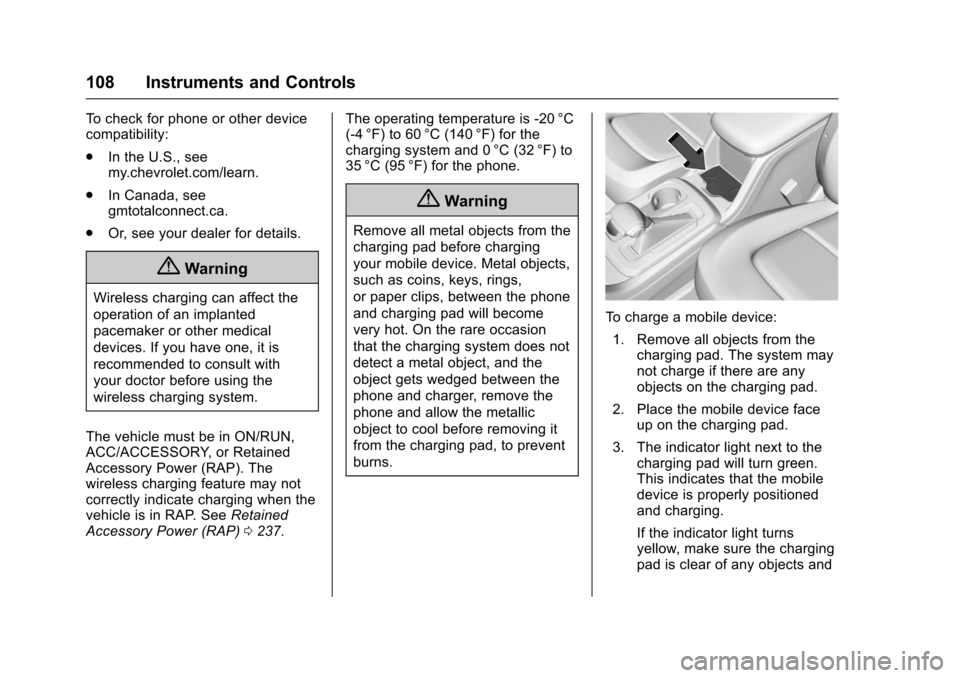
To c h a r g e a m o b i l e d e v i c e :
1. Remove all objects from thecharging pad. The system maynot charge if there are anyobjects on the charging pad.
2. Place the mobile device faceup on the charging pad.
3. The indicator light next to thecharging pad will turn green.This indicates that the mobiledevice is properly positionedand charging.
If the indicator light turnsyellow, make sure the chargingpad is clear of any objects and
Page 110 of 419
Chevrolet Colorado Owner Manual (GMNA-Localizing-U.S./Canada/Mexico-10122675) - 2017 - crc - 8/22/16
Instruments and Controls 109
verify that the mobile device iscapable of wireless chargingbefore re-positioning it.
If the indicator light does notturn on, this indicates that themobile device may need to bere-positioned.
To r e - p o s i t i o n , r e m o v e t h emobile device from the pad,turn 180 degrees and waitthree seconds before placing/aligning the mobile device onthe pad again.
Warning Lights,
Gauges, and
Indicators
Warning lights and gauges cansignal that something is wrongbefore it becomes serious enoughto cause an expensive repair orreplacement. Paying attention to thewarning lights and gauges couldprevent injury.
Some warning lights come on brieflywhen the engine is started toindicate they are working. Whenone of the warning lights comes onand stays on while driving, or whenone of the gauges shows there maybe a problem, check the section thatexplains what to do. Waiting to dorepairs can be costly and evendangerous.
Page 119 of 419
Chevrolet Colorado Owner Manual (GMNA-Localizing-U.S./Canada/Mexico-10122675) - 2017 - crc - 8/22/16
118 Instruments and Controls
If the word ON or the on symbol islit on the passenger airbag statusindicator, it means that the frontoutboard passenger frontal airbag isallowed to inflate.
If the word OFF or the off symbol islit on the airbag status indicator, itmeans that the passenger sensingsystem has turned off the frontoutboard passenger frontal airbag.
If, after several seconds, both statusindicator lights remain on, or if thereare no lights at all, there may be aproblem with the lights or thepassenger sensing system. Seeyour dealer for service.
{Warning
If the airbag readiness light ever
comes on and stays on, it means
that something may be wrong
with the airbag system. To help
avoid injury to yourself or others,
have the vehicle serviced right
away. SeeAirbag Readiness
Light011 7for more information,
including important safety
information.
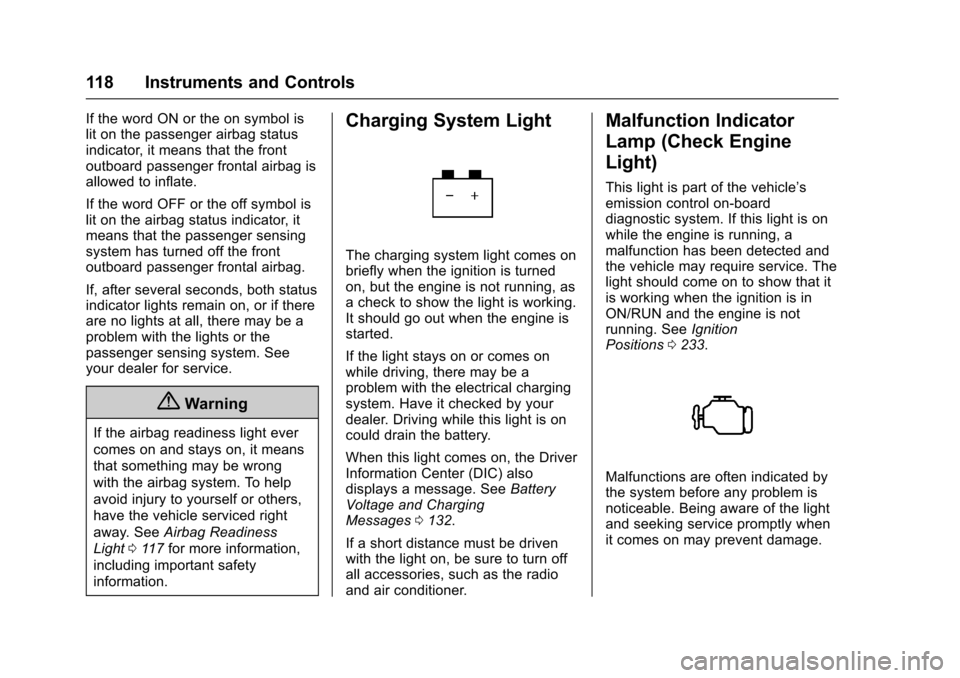
Charging System Light
The charging system light comes onbriefly when the ignition is turnedon, but the engine is not running, asachecktoshowthelightisworking.It should go out when the engine isstarted.
If the light stays on or comes onwhile driving, there may be aproblem with the electrical chargingsystem. Have it checked by yourdealer. Driving while this light is oncould drain the battery.
When this light comes on, the DriverInformation Center (DIC) alsodisplays a message. SeeBatteryVoltage and ChargingMessages0132.
If a short distance must be drivenwith the light on, be sure to turn offall accessories, such as the radioand air conditioner.
Malfunction Indicator
Lamp (Check Engine
Light)
This light is part of the vehicle’semission control on-boarddiagnostic system. If this light is onwhile the engine is running, amalfunction has been detected andthe vehicle may require service. Thelight should come on to show that itis working when the ignition is inON/RUN and the engine is notrunning. SeeIgnitionPositions0233.
Malfunctions are often indicated bythe system before any problem isnoticeable. Being aware of the lightand seeking service promptly whenit comes on may prevent damage.
Page 129 of 419
Chevrolet Colorado Owner Manual (GMNA-Localizing-U.S./Canada/Mexico-10122675) - 2017 - crc - 8/22/16
128 Instruments and Controls
recommended in the MaintenanceSchedule in this manual. SeeMaintenance Schedule0366.
The Oil Life display must be resetafter each oil change. Do not resetthe Oil Life display accidentally atany time other than when the oil hasjust been changed. It cannot bereset accurately until the next oilchange. To reset the engine oil lifesystem, seeEngine Oil LifeSystem0288.
Oil Pressure :Oil pressure isdisplayed in either kilopascal (kPa)or in pounds per square inch (psi).
Tire Pressure :Displays a vehiclewith the approximate pressures ofall four tires. Tire pressure isdisplayed in either kilopascal (kPa)or in pounds per square inch (psi).SeeTire Pressure Monitor System0325andTire Pressure MonitorOperation0326.
Battery Voltage :Displays thecurrent battery voltage, if equipped.Battery voltage changes are normalwhile driving. SeeCharging SystemLight011 8.Ifthereisaproblemwith the battery charging system,
the DIC will display a message. SeeBattery Voltage and ChargingMessages0132.
Engine Hours :Shows the totalnumber of hours the engine has run.
Tr a n s m i s s i o n F l u i dTe m p e r a t u r e :Shows thetemperature of the automatictransmission fluid in either degreesCelsius (°C) or degreesFahrenheit (°F).
Tr a i l e r B r a k e ( I f E q u i p p e d ) :TRAILER GAIN shows the trailergain setting. This setting can beadjusted from 0.0 to 10.0 with eitheratrailerconnectedordisconnected.
OUTPUT shows the power output tothe trailer anytime a trailer withelectric brakes is connected. Outputis displayed as a bar graph. Dashesmay appear in the OUTPUT displayif a trailer is not connected.
Units :Movewxto change
between Metric or US when the Unitdisplay is active. Press SET/CLR toconfirm the setting. This will changethe displays on the DIC to the typeof measurements you select.
ECO Drive Assist Menu (ECO)
Items
This menu is only available on somevehicles. Press MENU on the turnsignal lever until the ECO menu is
displayed. Usewxto scroll
through the menu items. Not allitems are available on every vehicle.The following is a list of all possiblemenu items:
Best Average Fuel Economy :Thebottom displays the best averagefuel economy (AFE) that is achievedfor a selected distance. The topdisplays a running average of fueleconomy for the most recentlytraveled selected distance. Thecenter bar graph displays theinstantaneous fuel economy.Quickly press the SET/CLR buttonto change the settings for thedistance options.
When viewing best AFE, a severalsecond press and hold of SET/CLRwill reset the best value. The bestvalue will show“---“until theselected distance has beentraveled.
Page 132 of 419
Chevrolet Colorado Owner Manual (GMNA-Localizing-U.S./Canada/Mexico-10122675) - 2017 - crc - 8/22/16
Instruments and Controls 131
vehicle speeds recorded since thelast reset. Reset the average speed
by pressingVwhen it is displayed.
Fuel Economy :The centerdisplays the approximateinstantaneous fuel economy as anumber and bar graph. Displayedabove the bar graph is a runningaverage of fuel economy for themost recently traveled selecteddistance. Displayed below the bargraph is the best average fueleconomy that has been achieved forthe selected distance. The selecteddistance is displayed at the top ofthe page as“last xxx mi/km.”
Presspto select the distance or
reset best value. Usewandxto
choose the distance and pressV.
Presswandxto select“Reset
Best Score.”PressVto reset the
best average fuel economy. Afterreset, the best value displays“-,-”until the selected distance has beentraveled.
The display provides information onhow current driving behavior affectsthe running average and how wellrecent driving compares to the bestthat has been achieved for theselected distance.
Timer :This display can be used as
atimer.Tostartthetimer,pressV
while this display is active. Thedisplay will show the amount of timethat has passed since the timer was
last reset. To stop the timer, pressV
briefly while this display is activeand the timer is running. To reset
the timer to zero, press and holdV
while this display is active, or presspand select reset.
Speed Limit :Shows signinformation, which comes from aroadway database in the onboardnavigation, if equipped.
Battery Voltage :Displays thecurrent battery voltage, if equipped.Battery voltage changes are normalwhile driving. SeeCharging SystemLight011 8.Ifthereisaproblemwith the battery charging system,
the DIC will display a message. SeeBattery Voltage and ChargingMessages0132.
Oil Pressure :Oil pressure isdisplayed in either kilopascal (kPa)or in pounds per square inch (psi).
Engine Hours :Shows the totalnumber of hours the engine has run.
Tr a n s m i s s i o n F l u i dTe m p e r a t u r e :Shows thetemperature of the automatictransmission fluid in either degreesCelsius (°C) or degreesFahrenheit (°F).
Tr a i l e r B r a k e ( I f E q u i p p e d ) :TRAILER GAIN shows the trailergain setting. This setting can beadjusted from 0.0 to 10.0 with eitheratrailerconnectedordisconnected.
OUTPUT shows the power output tothe trailer anytime a trailer withelectric brakes is connected. Outputis displayed as a bar graph. Dashesmay appear in the OUTPUT displayif a trailer is not connected.
Blank Page :Shows noinformation.
Page 133 of 419
Chevrolet Colorado Owner Manual (GMNA-Localizing-U.S./Canada/Mexico-10122675) - 2017 - crc - 8/22/16
132 Instruments and Controls
Vehicle Messages
Messages displayed on the DICindicate the status of the vehicle orsome action that may be needed tocorrect a condition. Multiplemessages may display one after theother.
The messages that do not requireimmediate action can beacknowledged and cleared by
pressing SET/CLR orV.The
messages that require immediateaction cannot be cleared until thataction is performed. All messagesshould be taken seriously andclearing the messages does notcorrect the problem.
The following are some of thevehicle messages that may bedisplayed depending on yourvehicle content.
If the vehicle has a diesel engine,see the Duramax diesel supplementfor additional messages.
Battery Voltage and
Charging Messages
BATTERY LOW START
VEHICLE
When the vehicle’sbatteryisseverely discharged, this messagewill display and four chimes willsound. Start the vehicleimmediately. If the vehicle is notstarted and the battery continues todischarge, the climate controls,heated seats, and audio systemswill shut off and the vehicle mayrequire a jump start. These systemswill function again after the vehicleis started.
BATTERY SAVER ACTIVE
This message displays when thebattery voltage drops belowexpected levels and features aredisabled. Turn off all unnecessaryaccessory features.
SERVICE BATTERY
CHARGING SYSTEM
On some vehicles, this messagedisplays if there is a problem withthe battery charging system. Undercertain conditions, the chargingsystem light may also turn on in theinstrument cluster. SeeChargingSystem Light011 8.Drivingwiththisproblem could drain the battery.Turn off all unnecessaryaccessories. Have the electricalsystem checked as soon aspossible. See your dealer.
TRANSPORT MODE ON
This message is displayed when thevehicle is in transport mode. Somefeatures can be disabled while inthis mode, including RemoteKeyless Entry (RKE), remote start,and the vehicle alarm system. Takethe vehicle to your dealer for serviceto turn transport mode off.
Page 153 of 419
Chevrolet Colorado Owner Manual (GMNA-Localizing-U.S./Canada/Mexico-10122675) - 2017 - crc - 8/22/16
152 Lighting
automatically turn off. The interiorlamps do not come on if the domelamp control is in the Off position.
The exterior lamps turn offimmediately by turning the exteriorlamps control off.
This feature can be changed. SeeVehicle Personalization0139.
Battery Load
Management
The vehicle has Electric PowerManagement (EPM), whichestimates the battery's temperatureand state of charge. It then adjuststhe voltage for best performanceand extended life of the battery.
When the battery's state of chargeis low, the voltage is raised slightlyto quickly bring the charge back up.When the state of charge is high,the voltage is lowered slightly toprevent overcharging. The voltmetergauge or the voltage display on theDriver Information Center (DIC),if equipped, may show the voltage
moving up or down. This is normal.If there is a problem, an alert will bedisplayed.
The battery can be discharged atidle if the electrical loads are veryhigh. This is true for all vehicles.This is because the generator(alternator) may not be spinning fastenough at idle to produce all thepower that is needed for very highelectrical loads.
Ahighelectricalloadoccurswhenseveral of the following are on, suchas: headlamps, high beams, foglamps, rear window defogger,climate control fan at high speed,heated seats, engine cooling fans,trailer loads, and loads plugged intoaccessory power outlets.
EPM works to prevent excessivedischarge of the battery. It does thisby balancing the generator's outputand the vehicle's electrical needs.It can increase engine idle speed togenerate more power, wheneverneeded. It can temporarily reducethe power demands of someaccessories.
Normally, these actions occur insteps or levels, without beingnoticeable. In rare cases at thehighest levels of corrective action,this action may be noticeable to thedriver. If so, a DIC message mightbe displayed and it is recommendedthat the driver reduce the electricalloads as much as possible. SeeBattery Voltage and ChargingMessages0132.
Battery Power Protection
This feature shuts off the dome andreading lamps, if they are left on formore than 10 minutes after theignition is turned off. The cargolamp shuts off after 20 minutes. Thisprevents the battery fromrunning down.