reset CHEVROLET COLORADO 2017 2.G Owners Manual
[x] Cancel search | Manufacturer: CHEVROLET, Model Year: 2017, Model line: COLORADO, Model: CHEVROLET COLORADO 2017 2.GPages: 419, PDF Size: 7.38 MB
Page 20 of 419
Chevrolet Colorado Owner Manual (GMNA-Localizing-U.S./Canada/Mexico-10122675) - 2017 - crc - 8/22/16
In Brief 19
Vehicle Features
Infotainment System
The base radio and base radio withtouchscreen information is includedin this manual. See the infotainmentmanual for information on theuplevel radios, audio players,phone, navigation system, RearSeat Entertainment (RSE), andvoice or speech recognition,if equipped.
Radio(s)
O:Press to turn the system on.Press and hold to turn it off. Whenon, press to mute; press again tounmute. Turn to increase ordecrease the volume.
RADIO :Press to choose betweenFM, AM, and SXM, if equipped.
MEDIA :Press to change the audiosource between USB, AUX, andBluetooth®Audio, if equipped.
{:Press to go to the Home Page.
MENU :Press to select a menu.
g:Press to seek the previousstation.
l:Press to seek the next station.
SeeOverview (Base Radio)0155orOverview (Base Radio withTo u c h s c r e e n )0157about theseand other radio features.
Storing Radio Station Presets
Up to 25 preset stations from allbands can be stored in the favoritelists in any order. Up to five stationscan be stored in each favorite pageand the number of favorite pagescan be set.
To s t o r e t h e s t a t i o n t o a p o s i t i o n i nthe list, while on the active sourcemain page, such as AM, FM,or SXM (if equipped), press andhold a favorites/soft key button onthe faceplate.
See“Storing Radio Station Presets”underAM-FM Radio (Base Radio)0161orAM-FM Radio (Base Radiowith Touchscreen)0163.
Setting the Clock
SeeClock0106.
Satellite Radio
Vehicles with a SiriusXM®satelliteradio tuner and a valid SiriusXMsatellite radio subscription canreceive SiriusXM programming.
SiriusXM Satellite Radio
Service
SiriusXM is a satellite radio servicebased in the 48 contiguous UnitedStates and 10 Canadian provinces.SiriusXM satellite radio has a widevariety of programming andcommercial-free music, coast tocoast, and in digital-quality sound.AfeeisrequiredtoreceivetheSiriusXM service.
For more information refer to:
.www.siriusxm.com or call1-888-601-6296 (U.S.).
.www.siriusxm.ca or call1-877-438-9677 (Canada).
SeeSatellite Radio (Base Radio)0164orSatellite Radio (BaseRadio with Touchscreen)0165.
Page 23 of 419
Chevrolet Colorado Owner Manual (GMNA-Localizing-U.S./Canada/Mexico-10122675) - 2017 - crc - 8/22/16
22 In Brief
3.MENU:Press to display theDIC menus. This button is alsoused to return to or exit the lastscreen displayed on the DIC.
SeeDriver Information Center (DIC)(Base Level)0126orDriverInformation Center (DIC)(Uplevel)0129.
Driver Information Center
(DIC) (Uplevel)
The DIC display is in the instrumentcluster. It shows the status of manyvehicle systems.
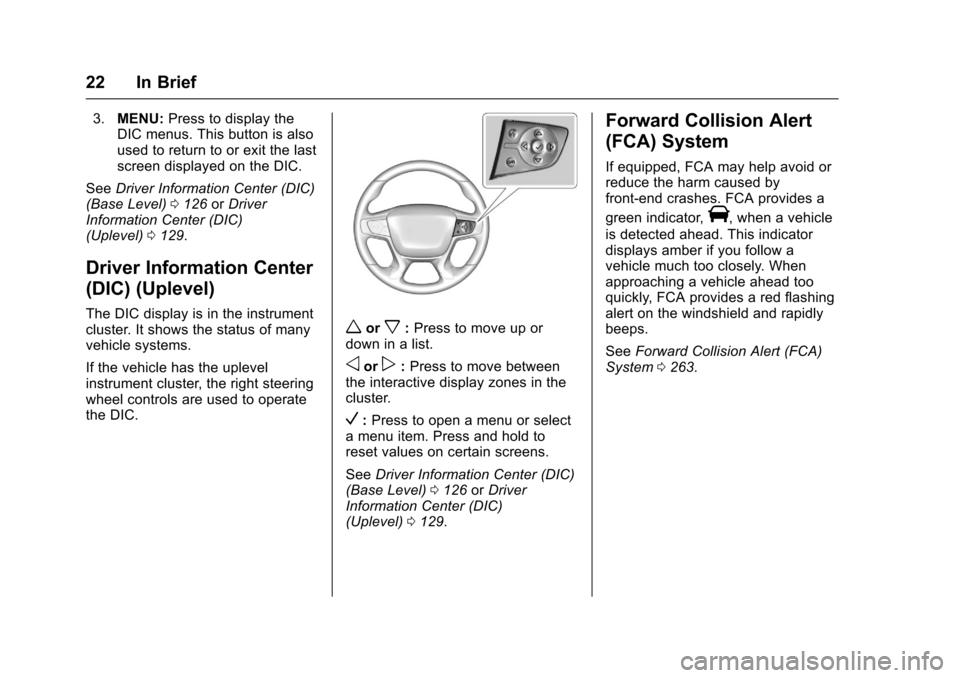
If the vehicle has the uplevelinstrument cluster, the right steeringwheel controls are used to operatethe DIC.
worx:Press to move up ordown in a list.
oorp:Press to move betweenthe interactive display zones in thecluster.
V:Press to open a menu or selectamenuitem.Pressandholdtoreset values on certain screens.
SeeDriver Information Center (DIC)(Base Level)0126orDriverInformation Center (DIC)(Uplevel)0129.
Forward Collision Alert
(FCA) System
If equipped, FCA may help avoid orreduce the harm caused byfront-end crashes. FCA provides a
green indicator,V,whenavehicle
is detected ahead. This indicatordisplays amber if you follow avehicle much too closely. Whenapproaching a vehicle ahead tooquickly, FCA provides a red flashingalert on the windshield and rapidlybeeps.
SeeForward Collision Alert (FCA)System0263.
Page 26 of 419
Chevrolet Colorado Owner Manual (GMNA-Localizing-U.S./Canada/Mexico-10122675) - 2017 - crc - 8/22/16
In Brief 25
Engine Oil Life System
The engine oil life system calculatesengine oil life based on vehicle useand, on most vehicles, displays aDriver Information Center (DIC)message when it is necessary tochange the engine oil and filter. Theoil life system should be reset to100% only following an oil change.
Resetting the Oil Life System
To r e s e t t h e e n g i n e o i l l i f e s y s t e m :
1. Display OIL LIFE REMAININGon the DIC. SeeDriverInformation Center (DIC) (BaseLevel)0126orDriverInformation Center (DIC)(Uplevel)0129.Ifthevehicledoes not have DIC buttons, thevehicle must be in P (Park) toaccess this display.
2. Press and holdVon the DIC,
or SET/CLR on the turn signallever if the vehicle does nothave DIC buttons, for severalseconds. The oil life willchange to 100%.
The oil life system can also be resetas follows:
1. Display OIL LIFE REMAININGon the DIC. SeeDriverInformation Center (DIC) (BaseLevel)0126orDriverInformation Center (DIC)(Uplevel)0129.
2. Fully press the acceleratorpedal slowly three times withinfive seconds. If the displayshows 100%, the system isreset.
SeeEngine Oil Life System0288.
Driving for Better Fuel
Economy
Driving habits can affect fuelmileage. Here are some driving tipsto get the best fuel economypossible.
.Avoid fast starts and acceleratesmoothly.
.Brake gradually and avoidabrupt stops.
.Avoid idling the engine for longperiods of time.
.When road and weatherconditions are appropriate, usecruise control.
.Always follow posted speedlimits or drive more slowly whenconditions require.
.Keep vehicle tires properlyinflated.
.Combine several trips into asingle trip.
.Replace the vehicle's tires withthe same TPC Spec numbermolded into the tire's sidewallnear the size.
.Follow recommended scheduledmaintenance.
Page 35 of 419
Chevrolet Colorado Owner Manual (GMNA-Localizing-U.S./Canada/Mexico-10122675) - 2017 - crc - 8/22/16
34 Keys, Doors, and Windows
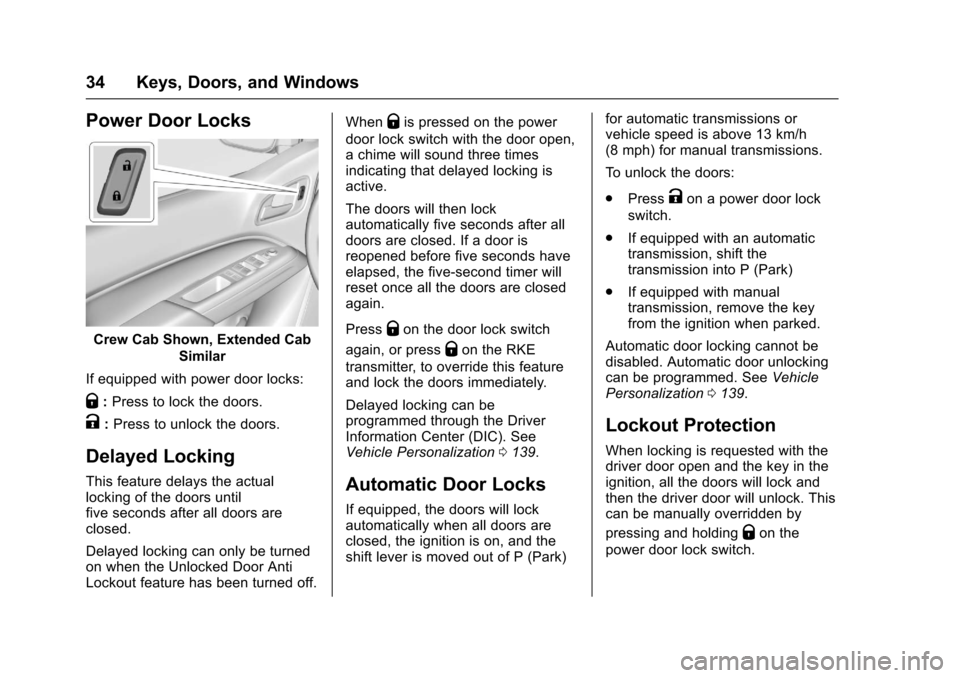
Power Door Locks
Crew Cab Shown, Extended Cab
Similar
If equipped with power door locks:
Q:Press to lock the doors.
K:Press to unlock the doors.
Delayed Locking
This feature delays the actuallocking of the doors untilfive seconds after all doors areclosed.
Delayed locking can only be turnedon when the Unlocked Door AntiLockout feature has been turned off.
WhenQis pressed on the power
door lock switch with the door open,achimewillsoundthreetimesindicating that delayed locking isactive.
The doors will then lockautomatically five seconds after alldoors are closed. If a door isreopened before five seconds haveelapsed, the five-second timer willreset once all the doors are closedagain.
PressQon the door lock switch
again, or pressQon the RKE
transmitter, to override this featureand lock the doors immediately.
Delayed locking can beprogrammed through the DriverInformation Center (DIC). SeeVehicle Personalization0139.
Automatic Door Locks
If equipped, the doors will lockautomatically when all doors areclosed, the ignition is on, and theshift lever is moved out of P (Park)
for automatic transmissions orvehicle speed is above 13 km/h(8 mph) for manual transmissions.
To u n l o c k t h e d o o r s :
.PressKon a power door lock
switch.
.If equipped with an automatictransmission, shift thetransmission into P (Park)
.If equipped with manualtransmission, remove the keyfrom the ignition when parked.
Automatic door locking cannot bedisabled. Automatic door unlockingcan be programmed. SeeVehiclePersonalization0139.
Lockout Protection
When locking is requested with thedriver door open and the key in theignition, all the doors will lock andthen the driver door will unlock. Thiscan be manually overridden by
pressing and holdingQon the
power door lock switch.
Page 115 of 419
Chevrolet Colorado Owner Manual (GMNA-Localizing-U.S./Canada/Mexico-10122675) - 2017 - crc - 8/22/16
114 Instruments and Controls
Units :Presspwhile Units is
displayed to enter the Units menu.Choose U.S. or metric units by
pressingVwhile the desired item is
highlighted.
Info Pages :Presspwhile Info
Pages is displayed to enter the InfoPages menu and select the items tobe displayed in the Info app. SeeDriver Information Center (DIC)(Base Level)0126orDriverInformation Center (DIC)(Uplevel)0129.
Speed Warning :The SpeedWarning display allows the driver toset a speed that they do not want toexceed. To set the Speed Warning,
presspwhen Speed Warning is
displayed. Pressworxto adjust
the value. PressVto set the speed.
Once the speed is set, this feature
can be turned off by pressingV
while viewing this page. If theselected speed limit is exceeded, apop-up warning is displayed with achime.
Speedometer
The speedometer shows thevehicle's speed in either kilometersper hour (km/h) or miles perhour (mph).
Odometer
The odometer shows how far thevehicle has been driven, in eitherkilometers or miles.
Trip Odometer
The trip odometer shows how farthe vehicle has been driven sincethe trip odometer was last reset.
The trip odometer is accessed andreset through the Driver InformationCenter (DIC). SeeDriverInformation Center (DIC) (BaseLevel)0126orDriver InformationCenter (DIC) (Uplevel)0129.
Tachometer
The tachometer displays the enginespeed in revolutions perminute (rpm).
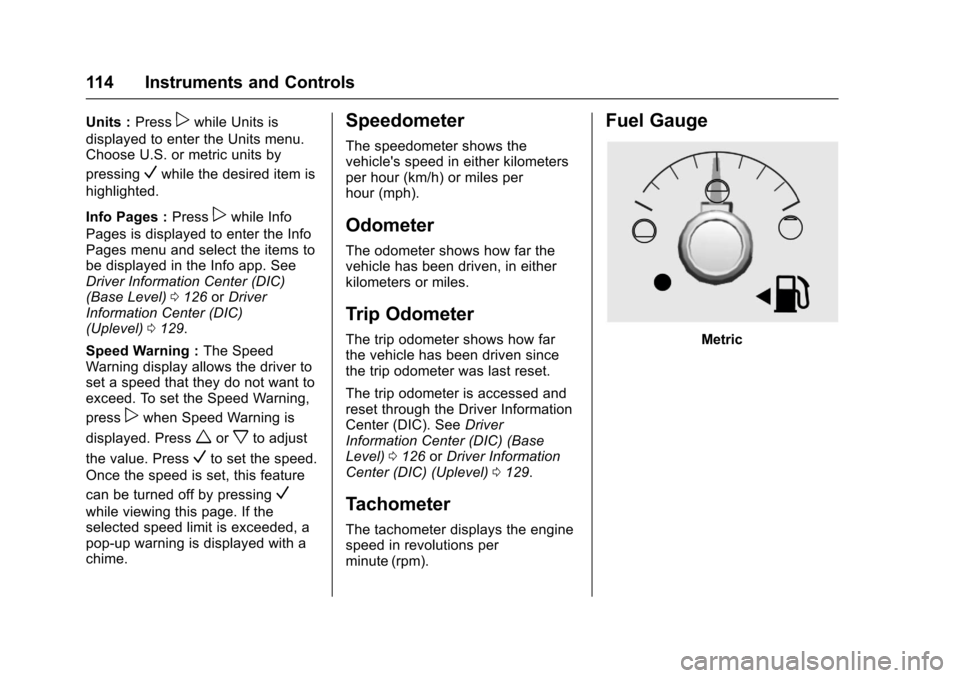
Fuel Gauge
Metric
Page 122 of 419
Chevrolet Colorado Owner Manual (GMNA-Localizing-U.S./Canada/Mexico-10122675) - 2017 - crc - 8/22/16
Instruments and Controls 121
Warning (Continued)
warning light on can lead to a
crash. If the light is still on after
the vehicle has been pulled off
the road and carefully stopped,
have the vehicle towed for
service.
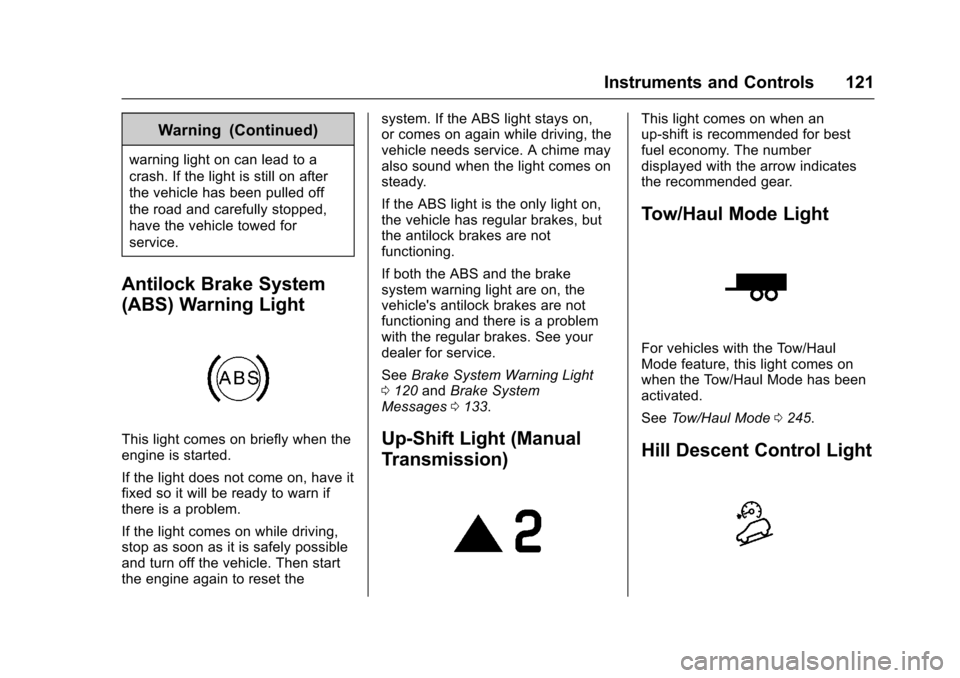
Antilock Brake System
(ABS) Warning Light
This light comes on briefly when theengine is started.
If the light does not come on, have itfixed so it will be ready to warn ifthere is a problem.
If the light comes on while driving,stop as soon as it is safely possibleand turn off the vehicle. Then startthe engine again to reset the
system. If the ABS light stays on,or comes on again while driving, thevehicle needs service. A chime mayalso sound when the light comes onsteady.
If the ABS light is the only light on,the vehicle has regular brakes, butthe antilock brakes are notfunctioning.
If both the ABS and the brakesystem warning light are on, thevehicle's antilock brakes are notfunctioning and there is a problemwith the regular brakes. See yourdealer for service.
SeeBrake System Warning Light0120andBrake SystemMessages0133.
Up-Shift Light (Manual
Transmission)
This light comes on when anup-shift is recommended for bestfuel economy. The numberdisplayed with the arrow indicatesthe recommended gear.
Tow/Haul Mode Light
For vehicles with the Tow/HaulMode feature, this light comes onwhen the Tow/Haul Mode has beenactivated.
SeeTo w / H a u l M o d e0245.
Hill Descent Control Light
Page 127 of 419
Chevrolet Colorado Owner Manual (GMNA-Localizing-U.S./Canada/Mexico-10122675) - 2017 - crc - 8/22/16
126 Instruments and Controls
Door Ajar Light (Uplevel
Cluster)
This light comes on when a door isopen or not securely latched. Beforedriving, check that all doors areproperly closed.
Information Displays
Driver Information Center
(DIC) (Base Level)
The DIC displays information aboutyour vehicle. It also displayswarning messages if a systemproblem is detected. SeeVehicleMessages0132.Allmessagesappear in the DIC display in thecenter of the instrument cluster.
DIC Operation and Displays
The DIC has different displayswhich can be accessed by using theDIC buttons on the turn signal lever.
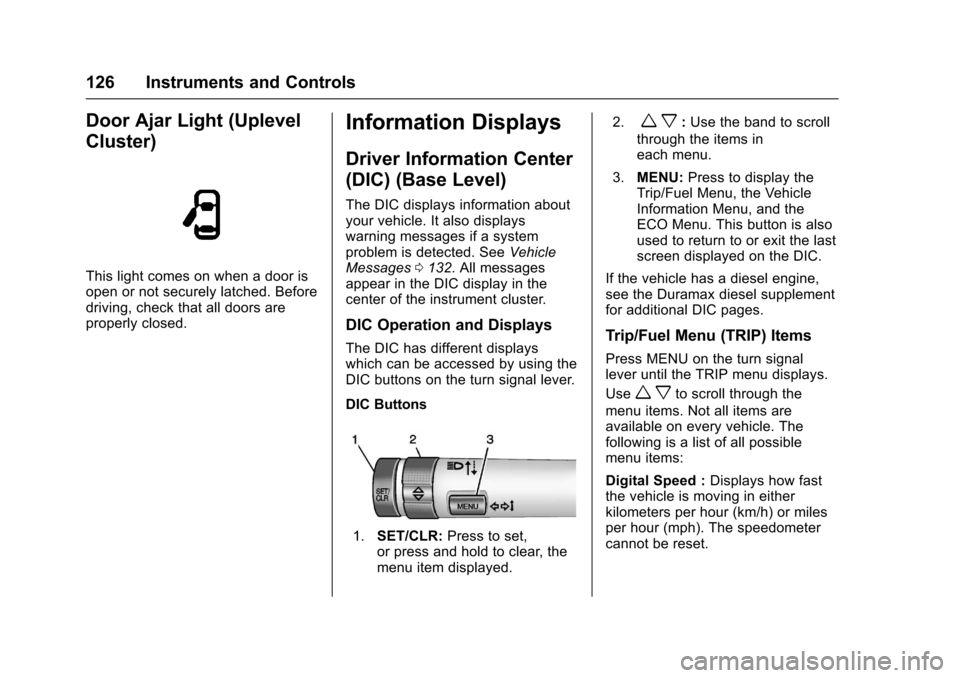
DIC Buttons
1.SET/CLR:Press to set,or press and hold to clear, themenu item displayed.
2.wx:Use the band to scroll
through the items ineach menu.
3.MENU:Press to display theTrip/Fuel Menu, the VehicleInformation Menu, and theECO Menu. This button is alsoused to return to or exit the lastscreen displayed on the DIC.
If the vehicle has a diesel engine,see the Duramax diesel supplementfor additional DIC pages.
Trip/Fuel Menu (TRIP) Items
Press MENU on the turn signallever until the TRIP menu displays.
Usewxto scroll through the
menu items. Not all items areavailable on every vehicle. Thefollowing is a list of all possiblemenu items:
Digital Speed :Displays how fastthe vehicle is moving in eitherkilometers per hour (km/h) or milesper hour (mph). The speedometercannot be reset.
Page 128 of 419
Chevrolet Colorado Owner Manual (GMNA-Localizing-U.S./Canada/Mexico-10122675) - 2017 - crc - 8/22/16
Instruments and Controls 127
Tr i p 1 o r Tr i p 2 , Av e r a g e F u e lEconomy :Displays the currentdistance traveled, in eitherkilometers (km) or miles (mi), fromthe last reset for the trip odometer.The trip odometer can be reset tozero by pressing and holding theSET/CLR button while the tripodometer display is showing.
Also displays the approximateaverage liters per 100 kilometers(L/100 km) or miles per gallon(mpg). This number is based on thenumber of L/100 km (mpg) recordedsince the last time this menu itemwas reset. This number reflects onlythe approximate average fueleconomy that the vehicle has rightnow, and will change as drivingconditions change. Reset theaverage consumption by pressingSET/CLR when it is displayed.
Fuel Range :Displays theapproximate distance the vehiclecan be driven without refueling. Thefuel range estimate is based on anaverage of the vehicle's fueleconomy over recent driving history
and the amount of fuel remaining inthe fuel tank. Fuel range cannot bereset.
Average Vehicle Speed :Displaysthe average vehicle speed of thevehicle in kilometers per hour (km/h)or miles per hour (mph). Thisaverage is based on the variousvehicle speeds recorded since thelast reset. Reset the average speedby pressing SET/CLR when it isdisplayed.
Timer :To s t a r t t h e t i m e r , p r e s sSET/CLR while Timer is displayed.The display will show the amount oftime that has passed since the timerwas last reset, not including time theignition is off. Time will continue tobe counted as long as the ignition ison, even if another display is beingshown on the DIC. The timer willrecord up to 99 hours, 59 minutes,and 59 seconds (99:59:59) afterwhich the display will return to zero.To s t o p t h e t i m e r, p r e s s S E T / C L Rbriefly while Timer is displayed. Toreset the timer to zero, press andhold SET/CLR.
Navigation :Used for the OnStarTurn-by-Turn guidance. SeeOnStarOverview0397.
Blank Display :Displays noinformation.
Vehicle Information Menu
(VEHICLE) Items
Press MENU on the turn signallever until the VEHICLE menu is
displayed. Usewxto scroll
through the menu items. Not allitems are available on every vehicle.The following is a list of all possiblemenu items:
Remaining Oil Life :Displays anestimate of the oil's remaining usefullife. If REMAINING OIL LIFE 99% isdisplayed, that means 99% of thecurrent oil life remains.
When the remaining oil life is low,the CHANGE ENGINE OIL SOONmessage will appear on the display.SeeEngine Oil Messages0134.The oil should be changed as soonas possible. SeeEngine Oil0286.In addition to the engine oil lifesystem monitoring the oil life,additional maintenance is
Page 129 of 419
Chevrolet Colorado Owner Manual (GMNA-Localizing-U.S./Canada/Mexico-10122675) - 2017 - crc - 8/22/16
128 Instruments and Controls
recommended in the MaintenanceSchedule in this manual. SeeMaintenance Schedule0366.
The Oil Life display must be resetafter each oil change. Do not resetthe Oil Life display accidentally atany time other than when the oil hasjust been changed. It cannot bereset accurately until the next oilchange. To reset the engine oil lifesystem, seeEngine Oil LifeSystem0288.
Oil Pressure :Oil pressure isdisplayed in either kilopascal (kPa)or in pounds per square inch (psi).
Tire Pressure :Displays a vehiclewith the approximate pressures ofall four tires. Tire pressure isdisplayed in either kilopascal (kPa)or in pounds per square inch (psi).SeeTire Pressure Monitor System0325andTire Pressure MonitorOperation0326.
Battery Voltage :Displays thecurrent battery voltage, if equipped.Battery voltage changes are normalwhile driving. SeeCharging SystemLight011 8.Ifthereisaproblemwith the battery charging system,
the DIC will display a message. SeeBattery Voltage and ChargingMessages0132.
Engine Hours :Shows the totalnumber of hours the engine has run.
Tr a n s m i s s i o n F l u i dTe m p e r a t u r e :Shows thetemperature of the automatictransmission fluid in either degreesCelsius (°C) or degreesFahrenheit (°F).
Tr a i l e r B r a k e ( I f E q u i p p e d ) :TRAILER GAIN shows the trailergain setting. This setting can beadjusted from 0.0 to 10.0 with eitheratrailerconnectedordisconnected.
OUTPUT shows the power output tothe trailer anytime a trailer withelectric brakes is connected. Outputis displayed as a bar graph. Dashesmay appear in the OUTPUT displayif a trailer is not connected.
Units :Movewxto change
between Metric or US when the Unitdisplay is active. Press SET/CLR toconfirm the setting. This will changethe displays on the DIC to the typeof measurements you select.
ECO Drive Assist Menu (ECO)
Items
This menu is only available on somevehicles. Press MENU on the turnsignal lever until the ECO menu is
displayed. Usewxto scroll
through the menu items. Not allitems are available on every vehicle.The following is a list of all possiblemenu items:
Best Average Fuel Economy :Thebottom displays the best averagefuel economy (AFE) that is achievedfor a selected distance. The topdisplays a running average of fueleconomy for the most recentlytraveled selected distance. Thecenter bar graph displays theinstantaneous fuel economy.Quickly press the SET/CLR buttonto change the settings for thedistance options.
When viewing best AFE, a severalsecond press and hold of SET/CLRwill reset the best value. The bestvalue will show“---“until theselected distance has beentraveled.
Page 130 of 419
Chevrolet Colorado Owner Manual (GMNA-Localizing-U.S./Canada/Mexico-10122675) - 2017 - crc - 8/22/16
Instruments and Controls 129
The display provides feedback onhow current driving behavior in thebar graph affects the runningaverage in the top display and howwell recent driving compares to thebest that has been achieved.
Driver Information Center
(DIC) (Uplevel)
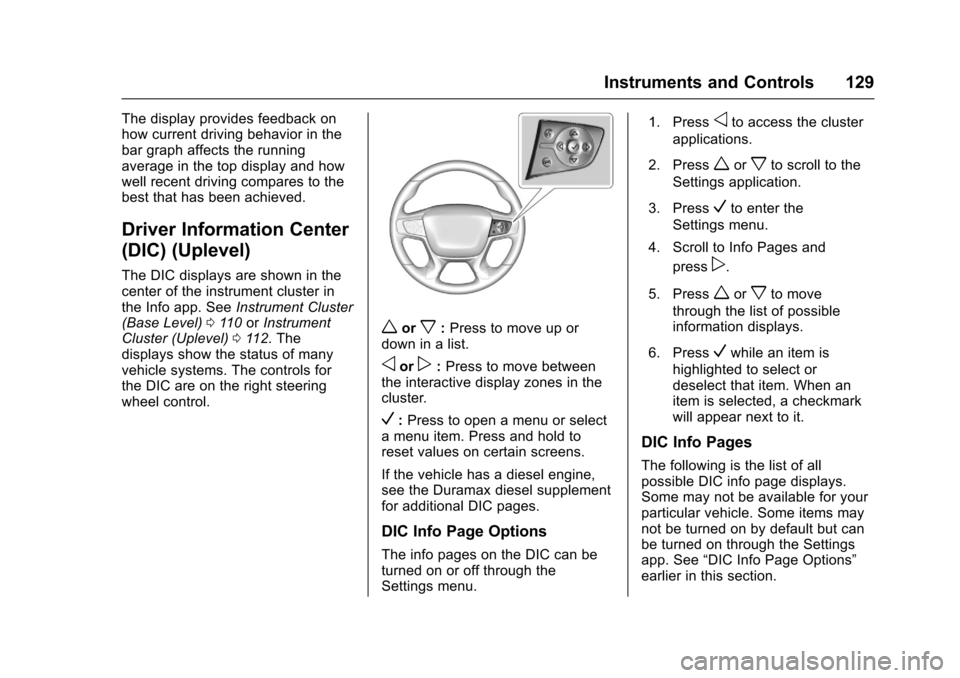
The DIC displays are shown in thecenter of the instrument cluster inthe Info app. SeeInstrument Cluster(Base Level)011 0orInstrumentCluster (Uplevel)011 2.Thedisplays show the status of manyvehicle systems. The controls forthe DIC are on the right steeringwheel control.
worx:Press to move up ordown in a list.
oorp:Press to move betweenthe interactive display zones in thecluster.
V:Press to open a menu or selectamenuitem.Pressandholdtoreset values on certain screens.
If the vehicle has a diesel engine,see the Duramax diesel supplementfor additional DIC pages.
DIC Info Page Options
The info pages on the DIC can beturned on or off through theSettings menu.
1. Pressoto access the cluster
applications.
2. Pressworxto scroll to the
Settings application.
3. PressVto enter the
Settings menu.
4. Scroll to Info Pages and
pressp.
5. Pressworxto move
through the list of possibleinformation displays.
6. PressVwhile an item is
highlighted to select ordeselect that item. When anitem is selected, a checkmarkwill appear next to it.
DIC Info Pages
The following is the list of allpossible DIC info page displays.Some may not be available for yourparticular vehicle. Some items maynot be turned on by default but canbe turned on through the Settingsapp. See“DIC Info Page Options”earlier in this section.