light CHEVROLET CORVETTE 1993 4.G Workshop Manual
[x] Cancel search | Manufacturer: CHEVROLET, Model Year: 1993, Model line: CORVETTE, Model: CHEVROLET CORVETTE 1993 4.GPages: 370, PDF Size: 21.43 MB
Page 120 of 370
Downloaded from www.Manualslib.com manuals search engine i
t
I
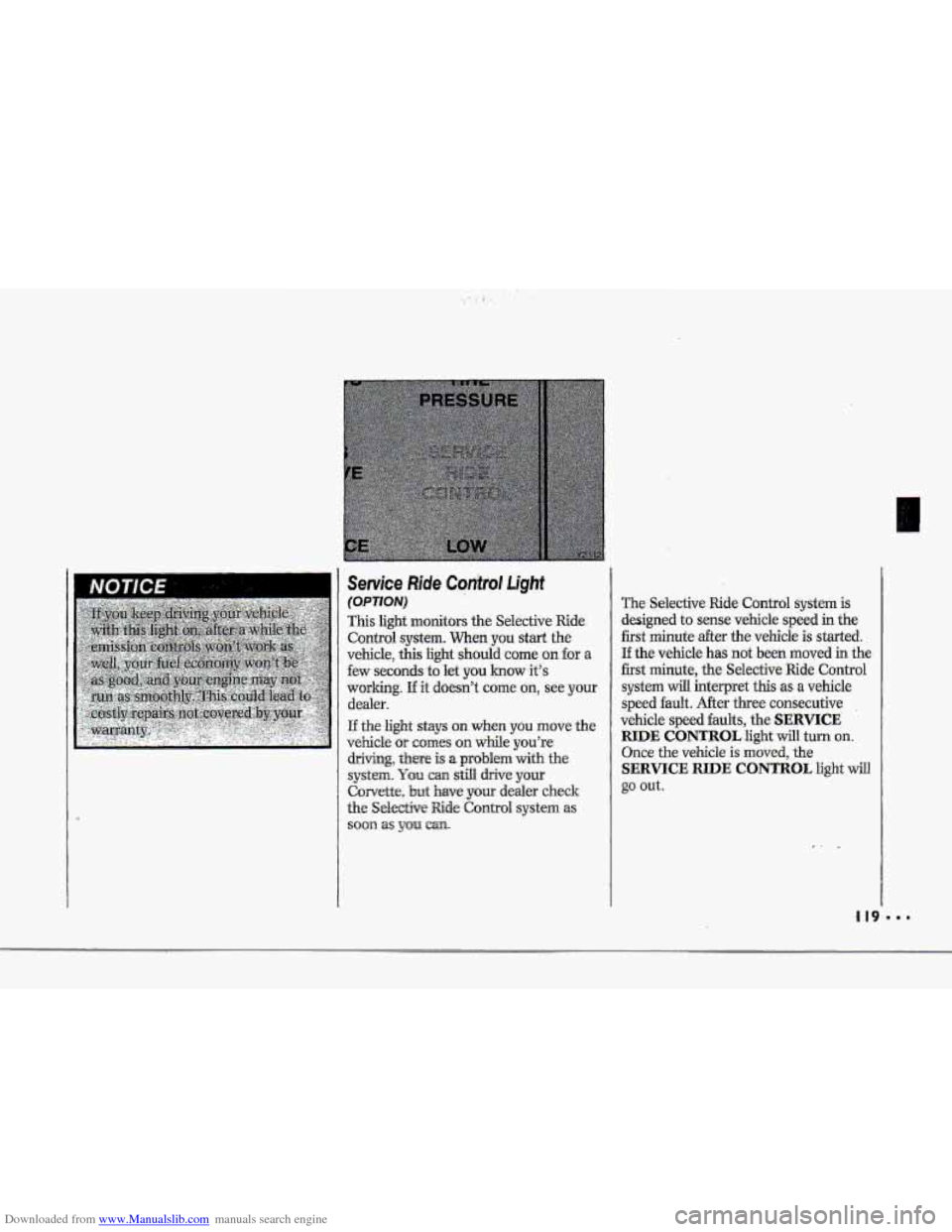
The Selective Ride Control system is
designed to sense vehicle speed in the
first minute after the vehicle is started.
If the vehicle has not been moved in the
first minute, the Selective Ride Control
system
will interpret this as a vehicle
speed
fault. After thee consecutive .
vehicle speed faults, the SERVICE
RIDE CONTROL light will turn on.
Once the vehicle is moved, the
SERVICE RIDE CONTROL light will
go out.
,I 19
Page 121 of 370
Downloaded from www.Manualslib.com manuals search engine Features & Controls
Passive Keyless Entry Light
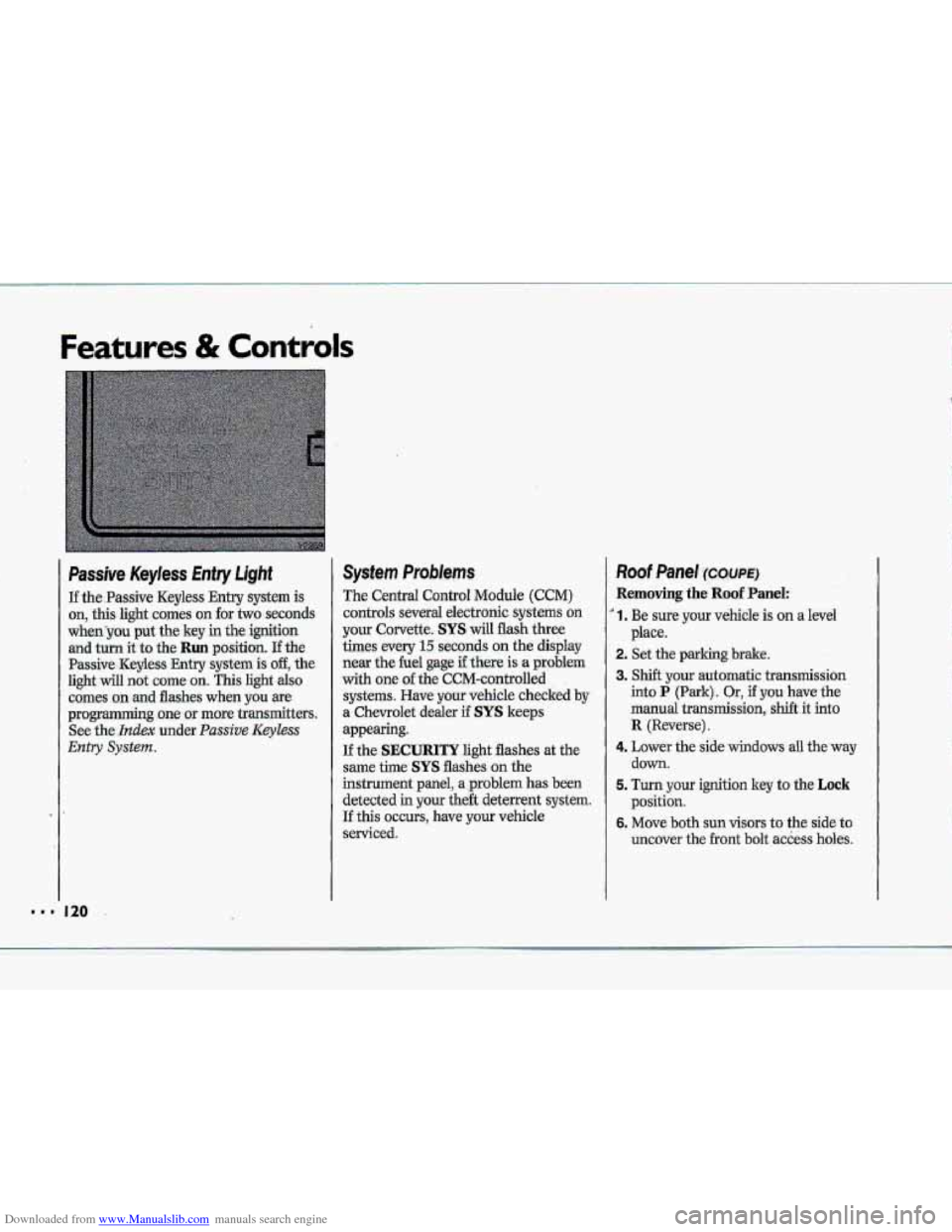
If the.Passive Keyless Entry system is
on, this light comes on for two seconds
whenyou put the key in the ignition
and turn it to the Run position. If the
Passive -Keyless Entry .system is off, the
light will not cume on. This light also
comes on .md flashes when you we
programming~ one or more transmitters.
See
the- Index under. Passive Keyless
Entry System.
System Problems
The Central Control Module (CCM)
controls several electronic systems on
your Corvette. SYS will flash three
times every
15 seconds on the display
near the he1 gage if there is a problem
with one of the CCM-cantrolled
systems. Have your vehicle checked
by
a. Chevrolet dealer if SYS keeps
appearing.
If the SECURITY light flashes at the
same the SYS flashes on the
instrument panel, a ,problem has been
detected in your the& deterrent system.
If this OCCUTS, have YQW vehicle
serviced.
Roof Panel ~XWE)
Removing the Roof Panel:
' 1. Be sure your vehicle is on a level
2. Set the parking brake.
3. Shift your automatic transmission
into P (Park). Or, if you have the
manual
transmission, shift it into
R {Reverse).
4. Lower the side windows all the'way
down.
5. Turn your ignition key to the Lock
position.
6. Move both sun visors to the side to
uncover the
.front bolt access holes.
place.
k p*
.&
"' 120
Page 122 of 370
Downloaded from www.Manualslib.com manuals search engine T
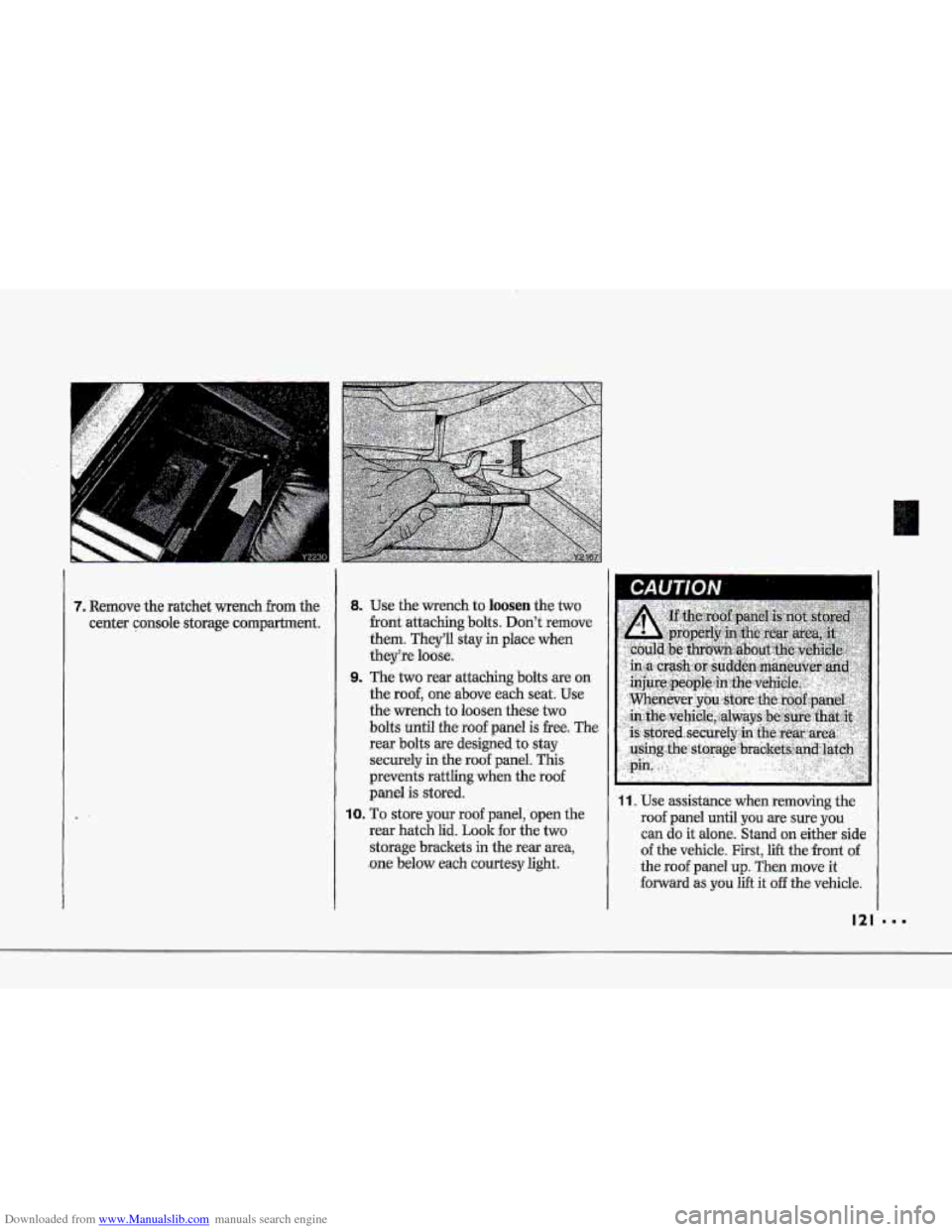
7. Remove the ratchet wench from the
center console storage compartment.
8. Use the-wrench to loosen the two
-front attaching bolts. Don't remove
them. They'll stay in place when
theyke luase.
9. The two rear attaching bolts are,on
the
roof, one above each seat; Use
the wrench to loosen these two
bolts until the roof panel is -free. The
rear bolts are designed
to stay
securely
in the roof panel. This
prevents
rattling when the roof
panel is stored.
10. To store your roof panel, open the
rear hatch lid.
Look for the two
storage brackets in the rear area,
.one below each courtesy light,
11. Use assistance when removing the
roof panel until you 'are sure you
can do it alone. Stand onzeither side
of the vehicIe. First, lift the front of -
the roof panel up. Then move it
forward as,.you lift it off the vehicle.
121
Page 126 of 370
Downloaded from www.Manualslib.com manuals search engine rh To Lower Your Convertible Tow
~~~ ~
. Park on a level surface, set the
parking brake
firmly, shift an
automatic transmission into
P (Park)
and shut off the engine. Shift a
manual transmission into R (Reverse).
Then lower both
windpp and-sun
visors.
E
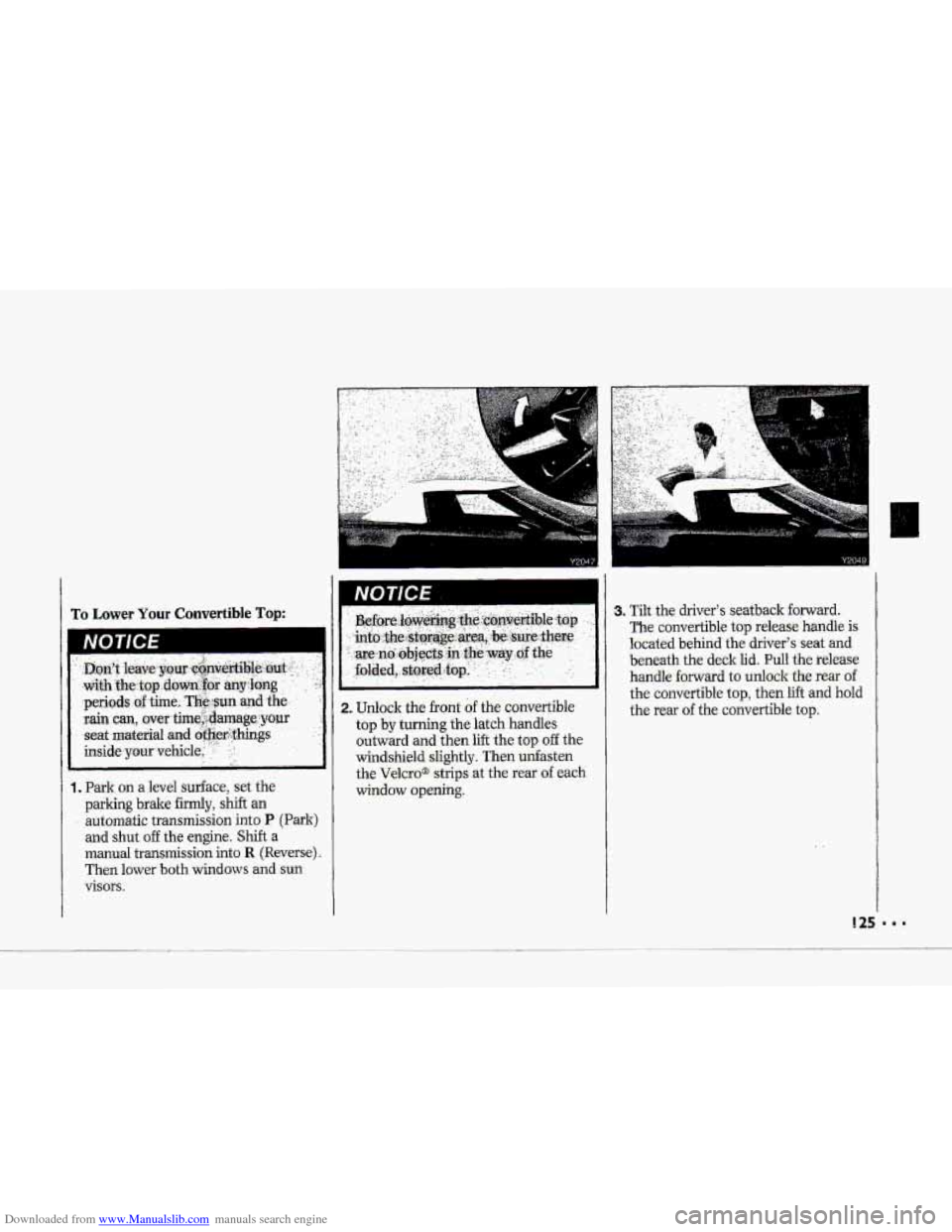
i 1. Unlock the front of the convertible
top by turning the latch handles
outward and then
lift the top off the
windshield slightly. Then unfasten
the
Velcro@ strips at the rear of each
window opening.
I
3. Tilt the driver's seatback forward.
The convertible top release handle is
located behind the driver's seat and
beneath the deck
lid. Pull the release
handle
forward to unlock the rear of
the convertible top, then lift and hold
the rear
of the convertible top.
Page 131 of 370
Downloaded from www.Manualslib.com manuals search engine ..I
Features & Controls
Convertiible Hardtop (CONT.)
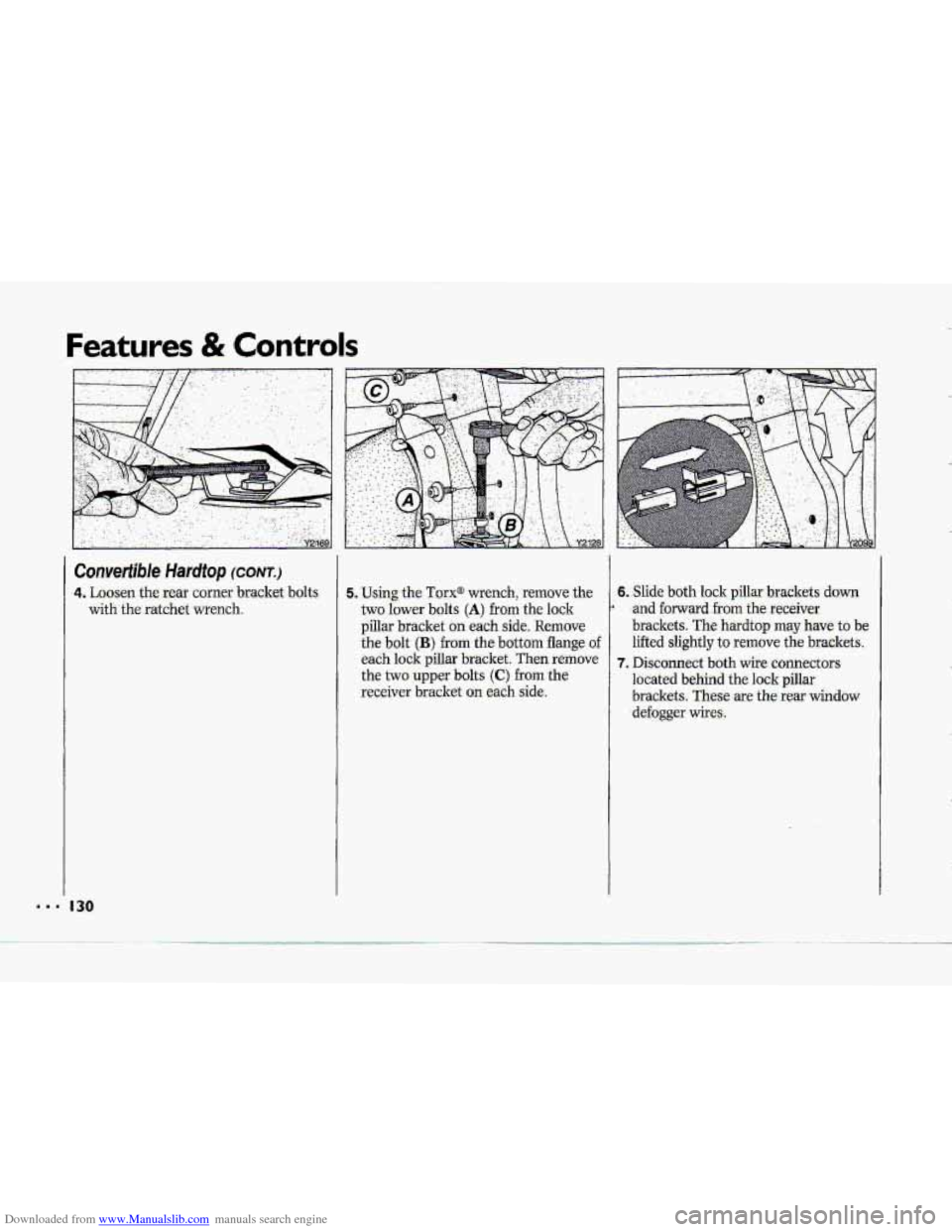
4. Loosen the rear comer bracket bolts
with the ratchet wrench.
130
5. Using the Torx@ wrench, remove the 6. Slide both lock pillar brackets down
two lower bolts
(A) from th-e lock
brackets.
These are the rear window -receiver bracket on each side. located behind the lock pillar
the two upper
bolts (C) from the
7. Disconnect both wife connectors
each lock pillar bracket. Then remove lifted slightly
to remove
the brackets.
the bolt (B) from the bottom flange of
brackets. The hardtop may have to be
pillar bracket on each side, Remove
* and forward from the receiver
defogger wires.
Page 133 of 370
Downloaded from www.Manualslib.com manuals search engine ..I
Features & Controls
Convertible Hardtop (CONT.)
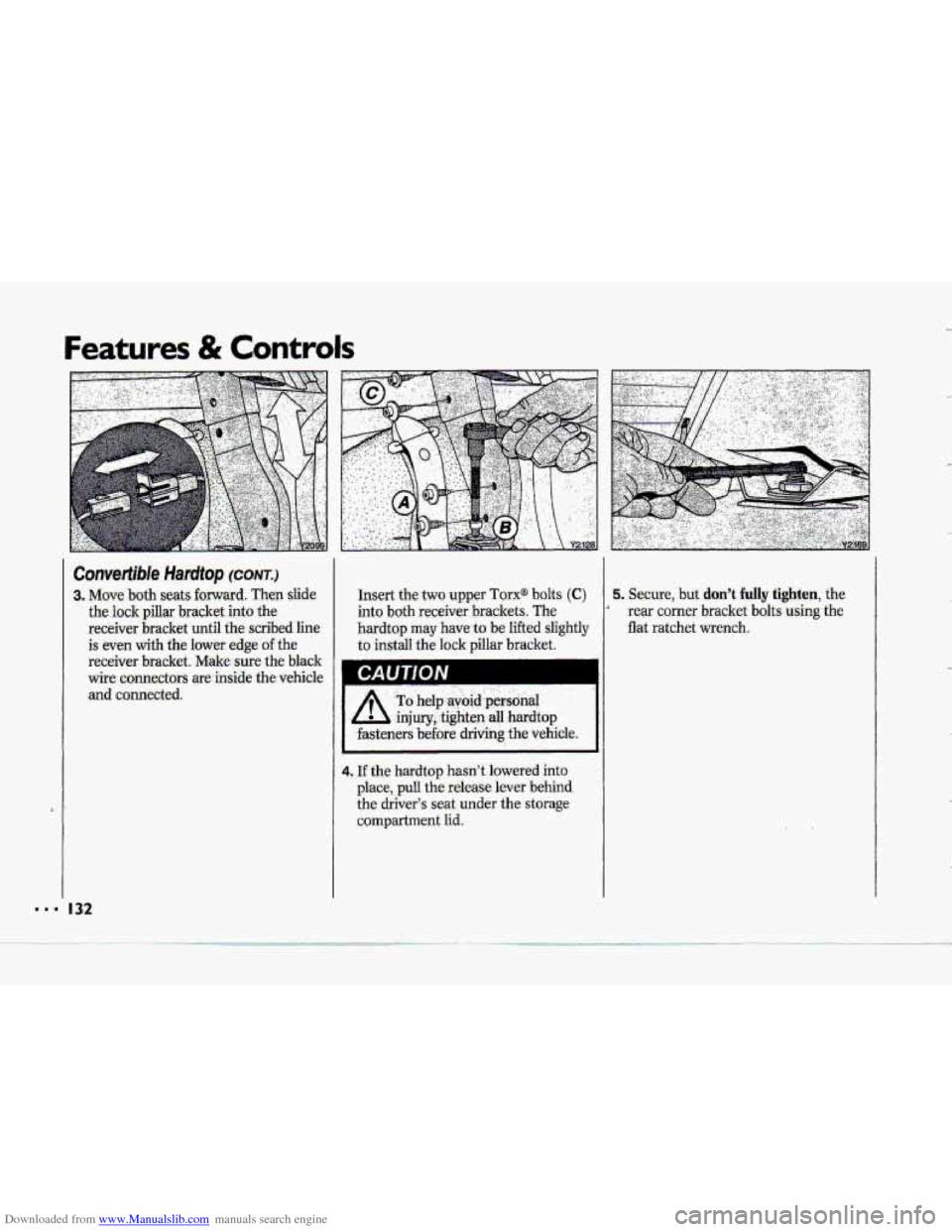
-3. Move both seats forward. Then slide
the lock pillar bracket into the
receiver bracket until
the scribed line
is even with the lower edge of the
receiver bracket. Make-sure the black
wire. connectors are inside the vehicle
and connected.
I 32
Insert the two upper Tarx@ bolts (C)
into both receiver brackets:. The
hardtop may have- to be lifted slightly
to install the lock pillar bracket.
A’
To help,avbid .p&oial . ,.
,injury,,tighten all hardtop
.fasteners
before driving the vehicle.
4. If the hardtop hasn’t lowered into
place, pull the release lever -behind
the driver3 seat.under the storage
compartment lid.
5. Secure, but don’t fully tighten, the
rear corner bracket bdts using the
flat ratchet wrench.
4
Page 141 of 370
Downloaded from www.Manualslib.com manuals search engine Comfort Controls & Audio Systems
... I..
1. 140
Automutic Ekctronic
Climate Control (OPTION)
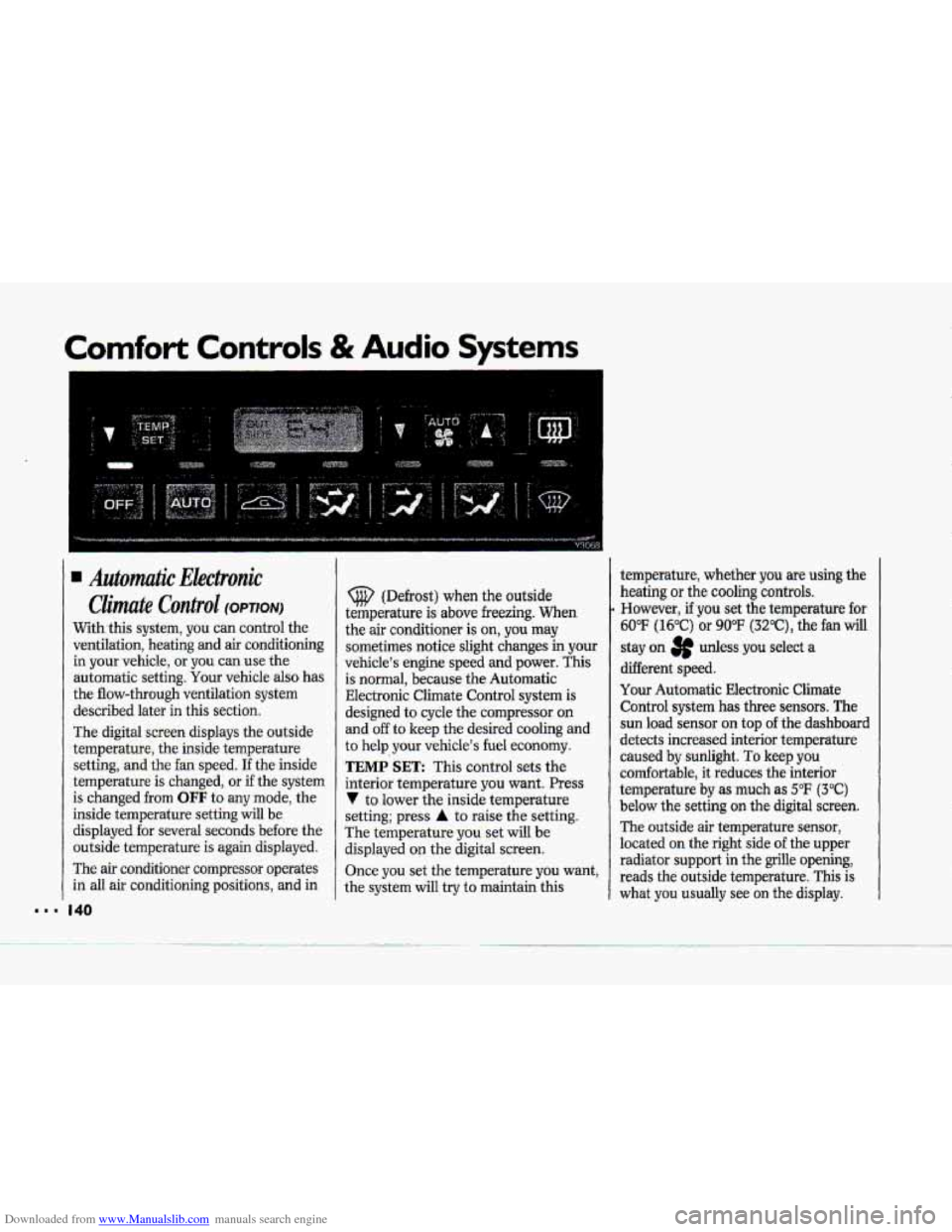
With this system, you can control the
ventilation, heating
and air conditioning
in your vehicle, or you can use the
automatic setting.
Your vehicle also has
the flow-through ventilation system
described later
in this section.
The digital screen displays the outside
temperature, the inside temperature
setting, and the fan speed.
If the inside
temperature is changed,
or if the system
is changed from
OFF to any mode, the
inside temperature setting will be
displayed for several seconds before the
outside temperature is again displayed.
The
air conditioner compressor operates
in all air conditioning positions, and in
(@ (Defrost) when the outside
temperature is above freezing.
When
the air conditioner is on, you may
sometimes notice slight changes in your
vehicle's engine speed and power. This
is normal, because the Automatic
EIectronic Climate Control system
is
designed to cycle the compressor on
and off to keep the desired cooling and
to
help your vehicle's fuel economy.
TEMP SET: This control sets the
interior temperature you want. Press
V to lower the inside temperature
setting; press
A to raise the setting.
The temperature
you set will be
displayed on the digital screen.
Once you set the temperature you want,
the system will try to maintain this temperature,
whether
you are using the
heating
or the cooling controls.
However, if you set the temperature for
60°F (16°C) or 90°F (3Z°C), the fan will
stay on 3p udess you select a
different speed.
Your Automatic Electronic Climate
Control system
has three sensors. The
sun load sensor on top of the dashboard
detects increased interior temperature
caused by sunlight.
To keep you
comfortable, it reduces the interior
temperature
by as much as 5°F (3°C)
below the setting on the digital screen.
The outside air temperature sensor,
located on the right
side of the upper
radiator support
in the grille opening,
reads the outside temperature.
This is
what you usually see on the display.
Page 142 of 370
Downloaded from www.Manualslib.com manuals search engine 4
$"
i i
I i
?- i
i
i I
r I
r"
!
The outside ternperatufe sensor reading
is filtered (to minimize false readings)
as follows:
If- the outside temperature decreases,
the -&splayed temperature
will update
immediately.
I€- the outside temperature increases
(such as when stopped in traffic), the
displayed temperature will not update
until one
of the following eonditiom
is met:
Vehicle speed is above 25 mph
Vehicle speed 'is above 45 mph
Updates will occur continuously as long
as the vehicle speed remains above
25 mph (40 Wh).
zf the ignition is turned off for more
than three hours, the current outside air
tempepature when the vehicle is restarted
will be stored in the system immediately.
The third sensor
is the in-vehicle
tempefature sensor, located
in-the
center air outlet on the passenger side.
If you block or cover either interior
sensor, the sensor
will give your system
a false reading.
(40 ,nn/h) for at least 3 minutes, or
(72 krn/h) for 1% minutes.
AUTO (Automatic): This system
autmnatically
adjusts to the
temperature range you select.
rt stays
at. this temperature
with the least
possible noise level
and it will select
the best mode (Heater,
Air
Conditioning or Bi-Level) and fm
speed to keep you comfortable. The
fan blower
will vary its speed
automatically unless you ovenide
it
with theVqrAbutton,
1 .I Set the temperature you want with
2. Press AUTO. An indicator light will
3. Press A (Vent) to allow outside. air
the
TEMP SET switch.
glow above
this.hutton.
to
flaw into the vehicle.
d
Page 143 of 370
Downloaded from www.Manualslib.com manuals search engine Comfort Controls & Audio Systems
Automutic Electrunic
Climate Cuntvul (C0nt.j
Use These Settings to Set Your Fan
Speed
V (Lqw.Ean): 'This. setting overrides.
the automatic fan speed. To decrease
fan speed, press the
V button and
hold until
you see the fan speed you
want.
AUTO # (Automatic Fan): when
you use this setting, the controller
chooses the fan speed based on the
input signals.
In the AUTO mode
during hot weather (after the vehicle
has not been running for a period of
time) the-fan speed will be
low when
the vehicle is initially
started. This
I42
initial low fan speed is used to purge
the vehicle of hot interior air. In the
AUTO 3f mode during cold weather,
the
fan speed will be delayed. in the
heat
mode until the engine coolant
reaches
an adequate temperature to
provide heat.
A (High .Fan) : This setting overrides
the automatic fan speed. To increase
fan speed, press the A button and
hold until you see the fan speed you
want. There is no €an blower delay.
Fan speeds wil1 range from 1 (lowest
setting)
to 10 (highest setting). When
any fan speed is selected, it will appear
on the digital screen briefly and the
ot~tside temperature will also appear.
Air Conditioning System
If a light above a button flashes when
you turn
on the ignition, it may indicate
an electrical problem with your air
conditioning system. The flashing will
continue for one minute, then go but. It
means you should have your system
checked
and serviced if needed.
It may
also mean the rekigerant level is
too low in your air conditioner system.
The. light will still flash after rebigerant
is added. This means your system will
not cool the air until it is reset.
Page 144 of 370
Downloaded from www.Manualslib.com manuals search engine h
P
To Reset Your System:
1. Turn your ignition.lrey to Off or
Lock.
2. Pull the Courtesy Lights Fuse and
Radio Fuse .out of the- main fuse
panel for
one minute.
3. Put-the fuses back in and start your
vehicle. Your system shuuld be
working.
If you still have a problem,
see your deder,
.For
fuse location, see the Index under
Fuses E. CircuitBreakers and Fuse
.Panel.
Directional Controls
When the €allowing buttons are pressed,
an indicator light.
will glow above .the
button and the fan speed will go to
AUTO 3f unless you select a dBerent
speed. When the system is'changed
€rum
OFF tu any mode, the inside
temperature setting is displayed for
several seconds before the .outside
temperature is again displayed.
& (Maximum A/C): Use for
maximum cooling
or quick cool-down
on very hot days..
This setting will not
operate when outside temperatures are
below
40°F (5°C) I
-2 (Bi-Level): This setting lets air
inte the vehicle only through the
.heater and air conditioner outlets and
brings.the temperature
to the range
you choose. It controls the fan blower
speed by using t-he input signals.
Bi-Level al.so
defogs the side windows,
You can. override the,fan blower speed
by using
the V and A buttons.
a(Vent): In this setting, the
compressor
will not. mn. The-system
will adju-st
to the temperature you
choose, but it cannot cool the vehicle
to a temperature colder than the
outside air temperature, This setting