light CHEVROLET CORVETTE 1995 4.G User Guide
[x] Cancel search | Manufacturer: CHEVROLET, Model Year: 1995, Model line: CORVETTE, Model: CHEVROLET CORVETTE 1995 4.GPages: 386, PDF Size: 20.15 MB
Page 64 of 386
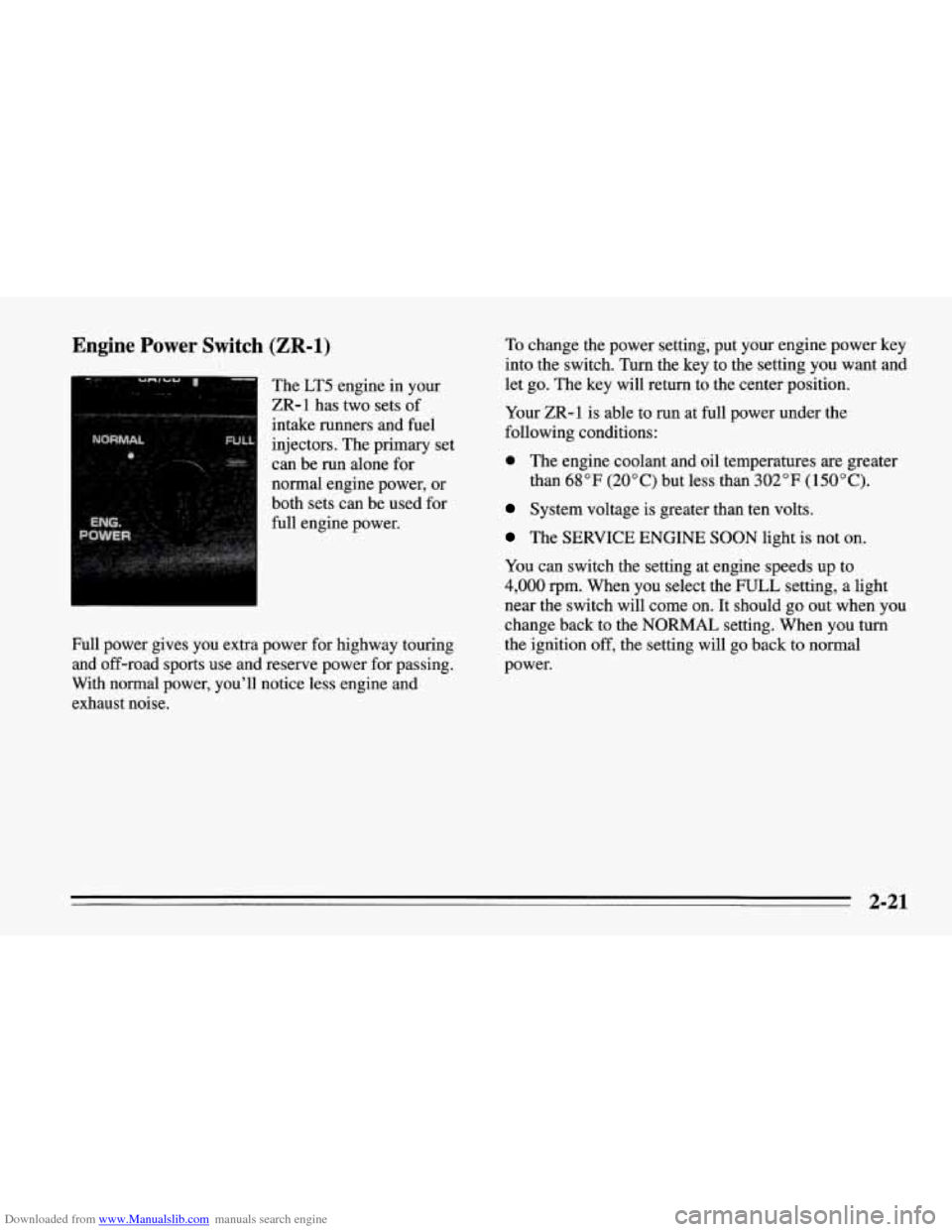
Downloaded from www.Manualslib.com manuals search engine Engine Power Switch (ZR-1)
The LT5 engine in your
ZR-1 has two sets of
intake runners and fuel
injectors. The primary set
can be run alone for
normal engine power, or
both sets can be used for
full engine power.
Full power gives you extra power for highway touring
and off-road sports use and reserve power for passing.
With normal power, you’ll notice less engine and
exhaust noise. To
change the power setting, put your engine power key
into the switch. Turn the key to the setting
you want and
let go. The key will return to the center position.
Your ZR-1 is able to run at full power under the
following conditions:
0 The engine coolant and oil temperatures are greater
than
68°F (20°C) but less than 302°F (150°C).
System voltage is greater than ten volts.
The SERVICE ENGINE SOON light is not on.
You can switch the setting at engine speeds up to
4,000 rpm. When you select the FULL setting, a light
near the switch will come on.
It should go out when you
change back to the NORMAL setting. When you turn
the ignition off, the setting will go back to normal
power.
2-21
Page 65 of 386
Downloaded from www.Manualslib.com manuals search engine Racing or Other Competitive Driving
See your Warranty Book before using your Corvette for
racing
or other competitive driving.
NOTICE:
If you use your Corvette for racing or other
competitive driving, your engine may use more oil than
it would with normal use. Low oil levels
can damage the engine. Be sure to check the oil
level often during racing or other competitive
driving and keep the level at or near the upper
mark on the engine oil dipstick. You may need to
add oil. See “Engine Oil” in the Index.
J
Driving Through Deep Standing
Water
NOTICE:
If you drive too quickly through deep puddles or
standing water, water can come in through your
engine’s air intake and badly damage your
engine. Never drive through water that is slightly
lower than the underbody of your vehicle.
If you
can’t avoid deep puddles or standing water, drive
through them very slowly.
2-22
Page 72 of 386
Downloaded from www.Manualslib.com manuals search engine Shift Speeds (Manual Transmission)
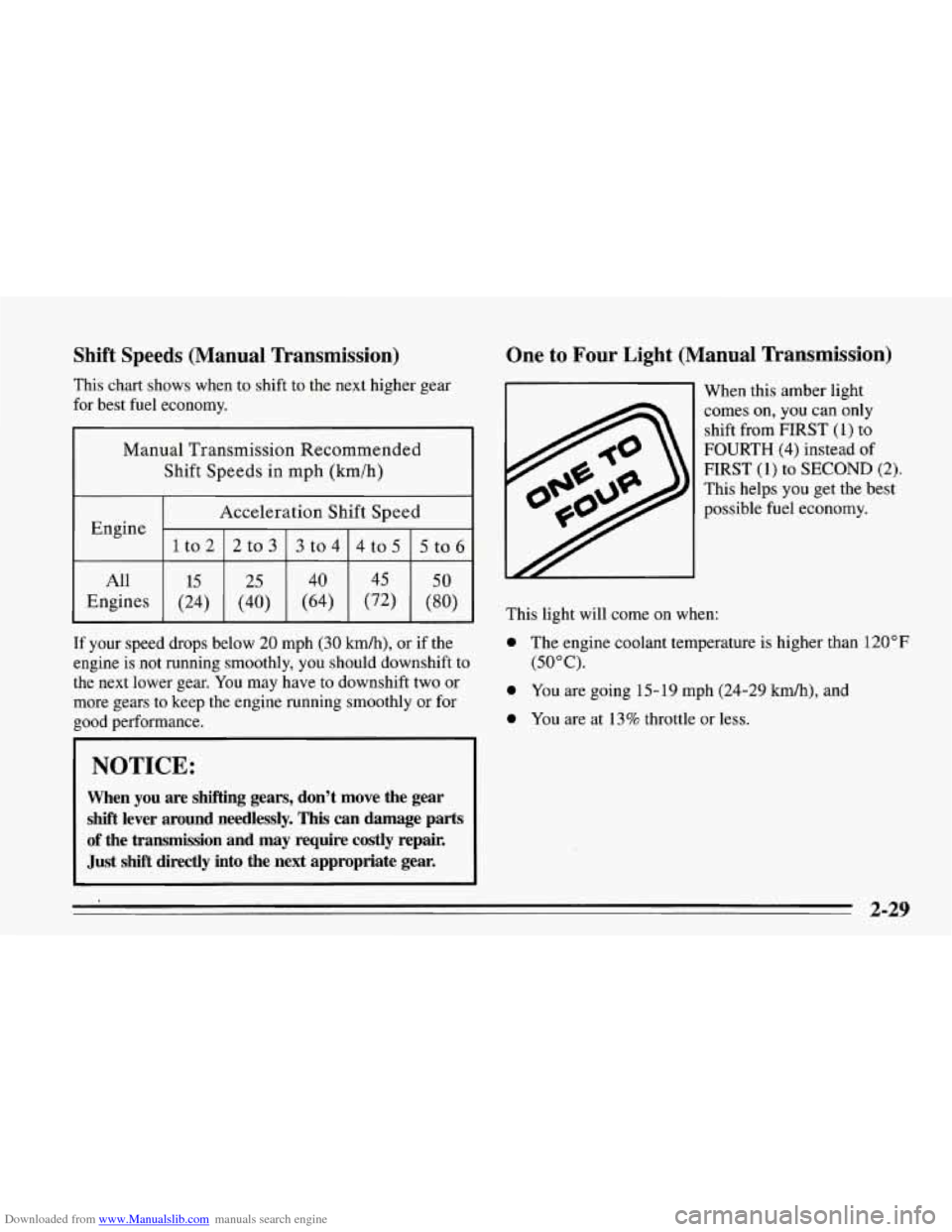
This chart shows when to shift to the next higher gear
for best fuel economy.
Manual Transmission Recommended
Shift Speeds in mph
(krn/h)
Acceleration Shift Speed
1to2
5to6 4to5
3to4
2to3
Engine
All
(80) (72)
(64)
(40)
(24) Engines
50 45 40
25 15
If your speed drops below 20 mph (30 kmk), or if the
engine is not running smoothly, you should downshift to
the next lower gear. You may have to downshift two or
more gears to keep the engine running smoothly or for
good performance.
NOTICE:
When you are shifting gears, don’t move the gear
shift lever around needlessly. This can damage parts
of the transmission and may require costly repair.
Just
shift directly into the next appropriate gear.
One to Four Light (Manual Transmission)
This light will come on when: When
this amber light
comes
on, you can only
shift from
FIRST (1) to
FOURTH
(4) instead of
FIRST (1) to SECOND (2).
This helps you get the best
possible fuel economy.
0 The engine coolant temperature is higher than 120°F
(50°C).
0 You are going 15-19 mph (24-29 km/h), and
0 You are at 13% throttle or less.
2-29
Page 74 of 386
Downloaded from www.Manualslib.com manuals search engine Selective Ride Control (Option)
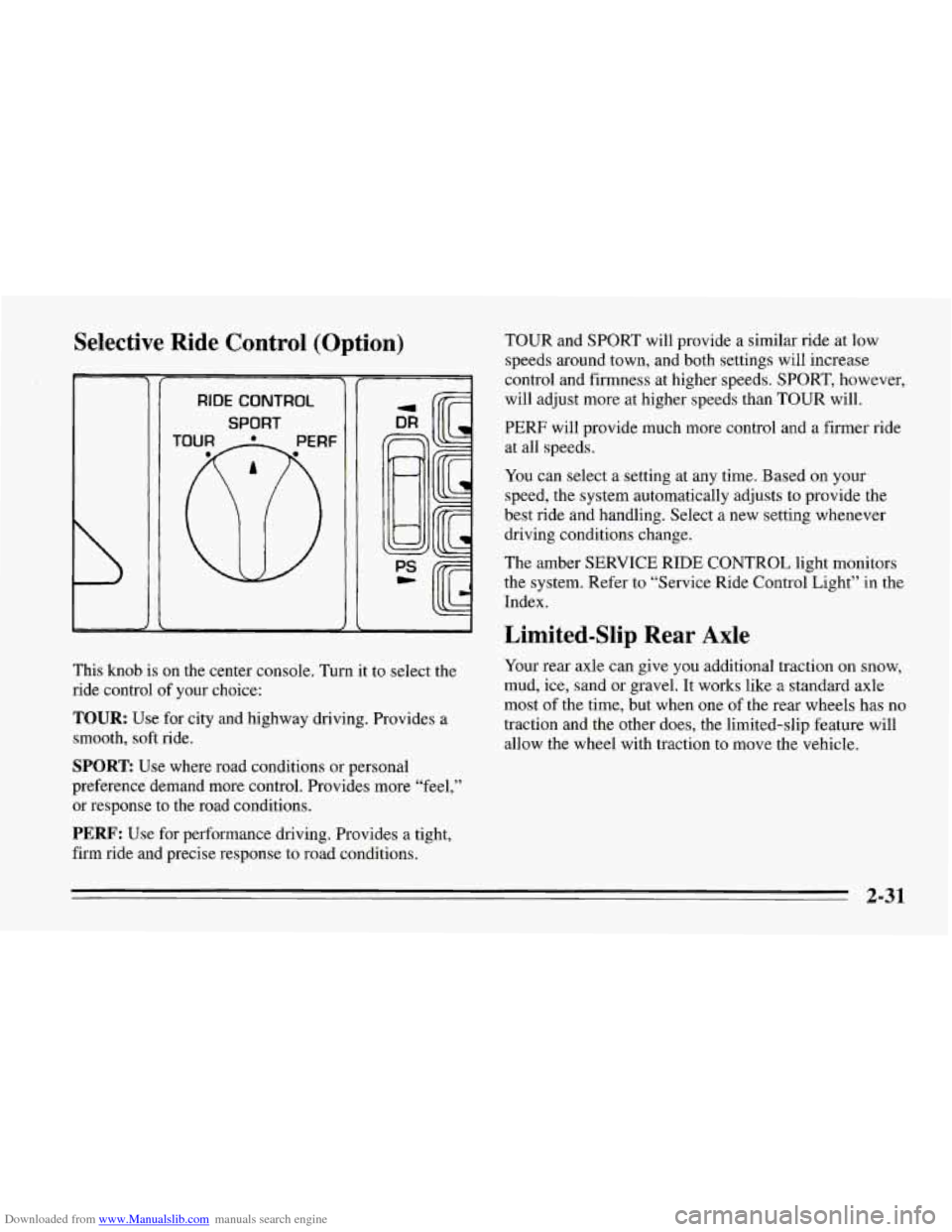
RIDE CONTROL
SPORT I/
This knob is on the center console. Turn it to select the
ride control of your choice:
TOUR: Use for city and highway driving. Provides a
smooth, soft ride.
SPORT: Use where road conditions or personal
preference demand more control. Provides more “feel,”
or response to the road conditions.
PERF: Use for performance driving. Provides a tight,
firm ride and precise response to road conditions. TOUR
and SPORT will provide a similar ride at low
speeds around town, and both settings will increase
control and firmness at higher speeds. SPORT, however,
will adjust more at higher speeds than TOUR will.
PERF will provide much more control and a firmer ride
at all speeds.
You can select a setting at any time. Based on your
speed, the system automatically adjusts to provide the
best ride and handling. Select a new setting whenever
driving conditions change.
The amber SERVICE RIDE CONTROL light monitors
the system. Refer to “Service Ride Control Light” in the
Index.
Limited-Slip Rear Axle
Your rear axle can give you additional traction on snow,
mud, ice, sand or gravel. It works like a standard axle
most of the time, but when one of the rear wheels has no
traction and the other does, the limited-slip feature will
allow the wheel with traction to move the vehicle.
2-31
Page 75 of 386
Downloaded from www.Manualslib.com manuals search engine Parking Brake
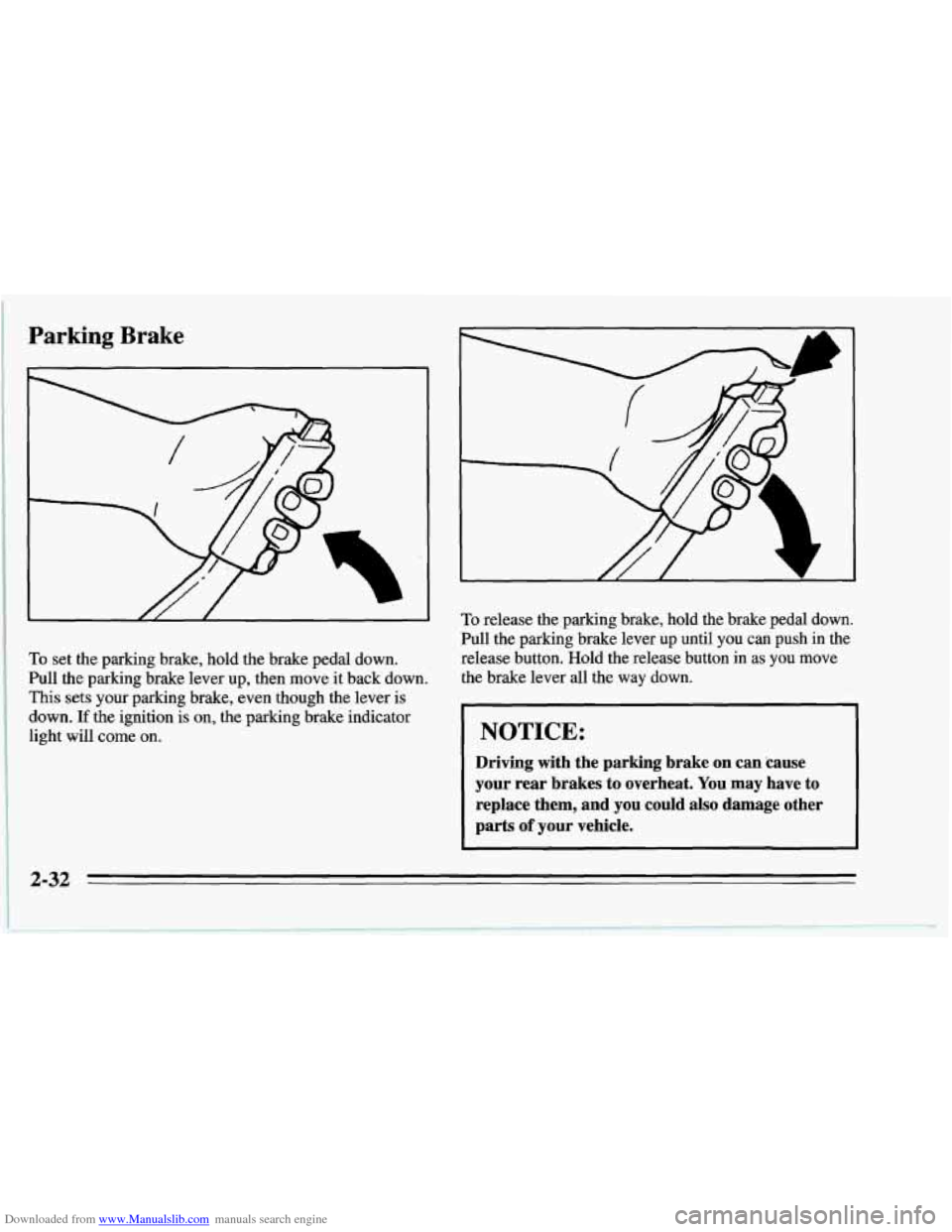
To set the parking brake, hold the brake pedal down.
Pull the parking brake lever up, then move it back down.
This sets your parking brake, even though the lever is
down.
If the ignition is on, the parking brake indicator
light will come on.
To release the parking brake, hold the brake pedal down.
Pull the parking brake lever up until you can push in the
release button. Hold the release button in
as you move
the brake lever all the way down.
NOTICE:
Driving with the parking brake on can 'cause
your rear brakes to overheat. You may have to
replace them, and you could also damage other
parts
of your vehicle.
2-32
Page 83 of 386
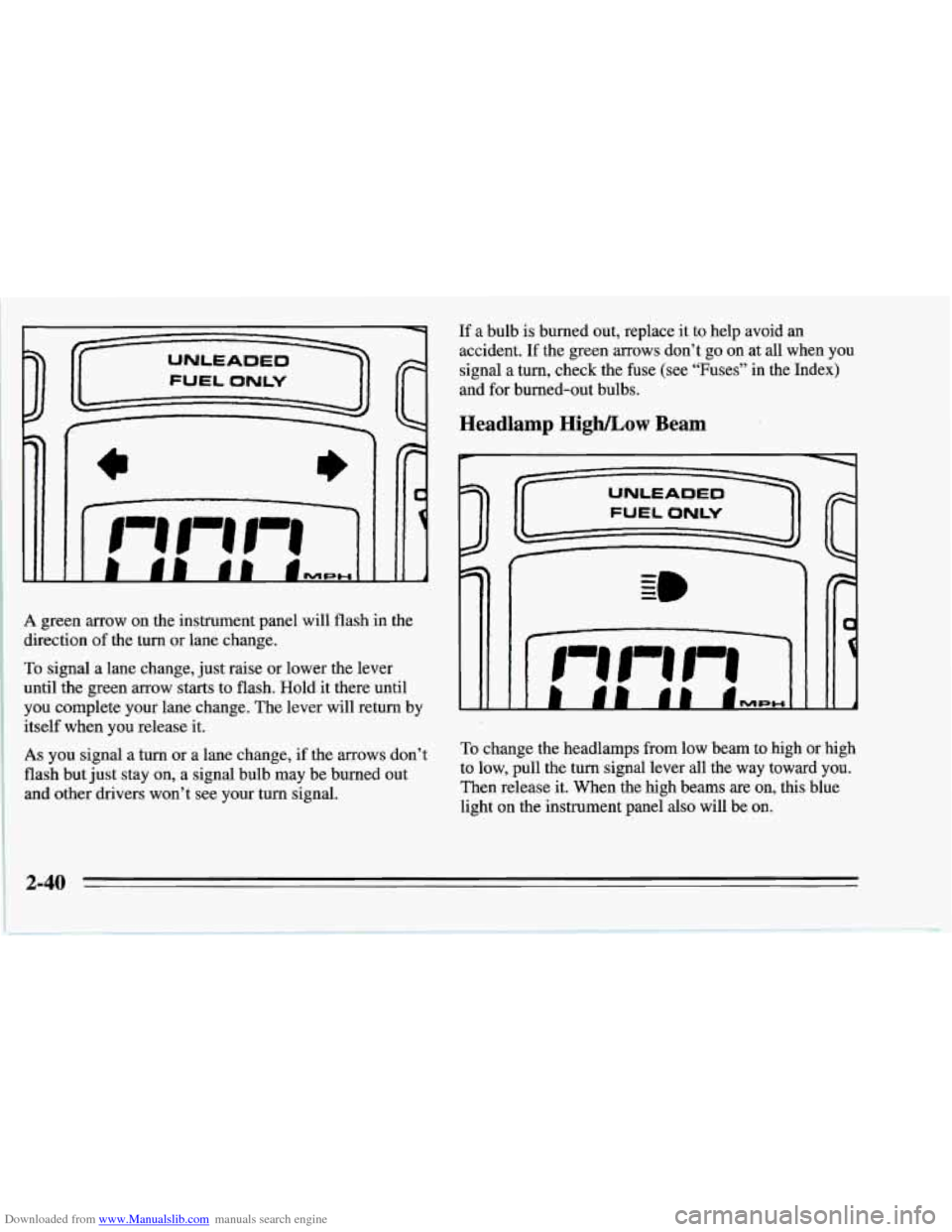
Downloaded from www.Manualslib.com manuals search engine A green arrow on the instrument panel will flash in the
direction
of the turn or lane change.
To signal a lane change, just raise or lower the lever
until the green arrow starts to flash. Hold it there until
you complete your lane change. The lever will return by
itself when you release it.
As you signal a turn or a lane change, if the arrows don’t
flash but just stay on, a signal bulb may be’burned out
and other drivers won’t see your turn signal.
If a bulb is burned out, replace it to help avoid an
accident. If the green arrows don’t go on at all when you
signal a turn, check the fuse (see “Fuses” in the Index)
and for burned-out bulbs.
Headlamp HighLow Beam
P
1 1
To change the headlamps from low beam to high or high
to low, pull the turn signal lever all the way toward you.
Then release it. When the high beams are
on, this blue
light
on the instrument panel also will be on.
2-40
Page 84 of 386
Downloaded from www.Manualslib.com manuals search engine Windshield Wipers
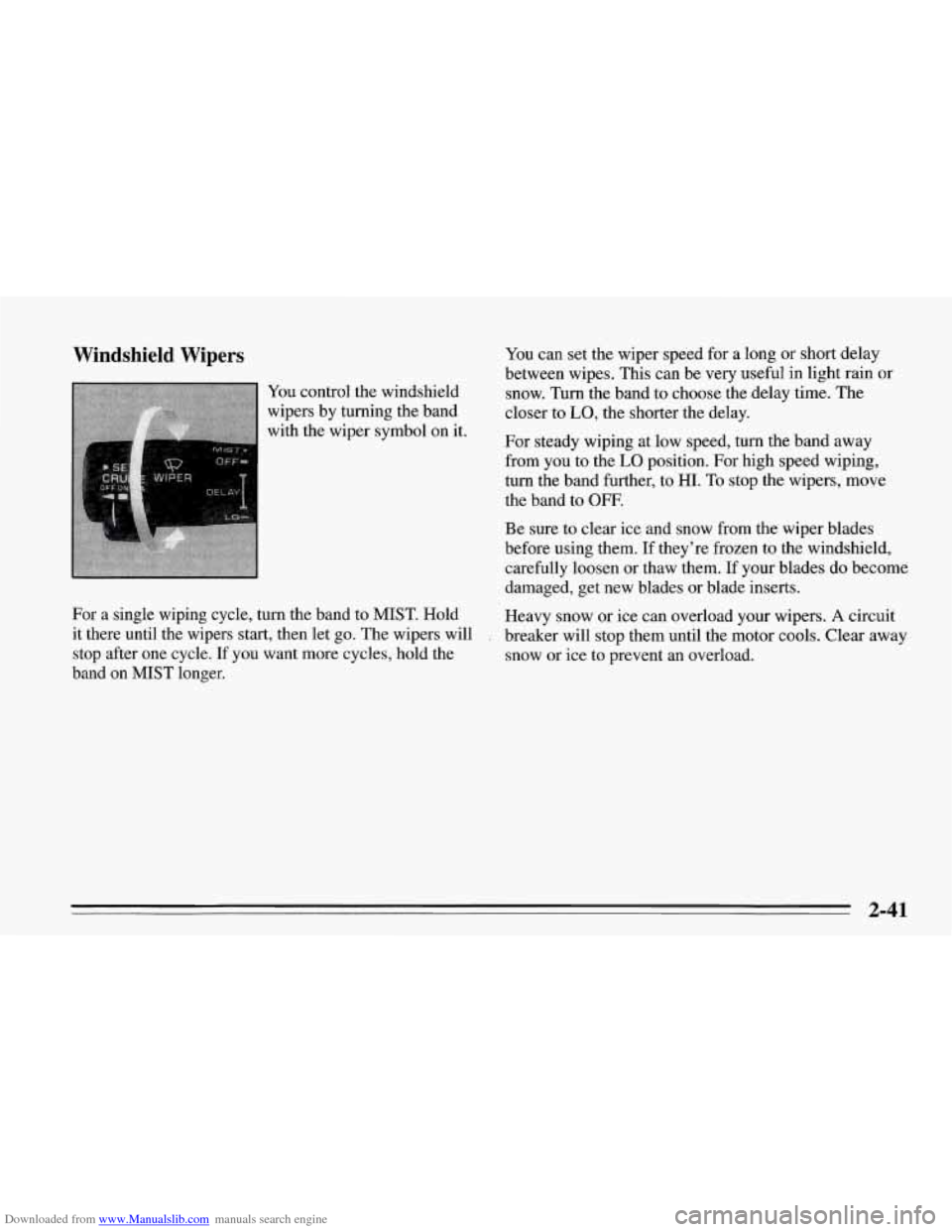
You control the windshield
wipers by turning the band
with the wiper symbol on it.
For
a single wiping cycle, turn the band to MIST. Hold
it there until the wipers start, then let go. The wipers will
stop after one cycle.
If you want more cycles, hold the
band
on MIST longer. You
can set the wiper speed for a long or short delay
between wipes. This can be very useful in light rain or
snow. Turn the band to choose the delay time. The
closer to
LO, the shorter the delay.
For steady wiping at low speed, turn the band away
from you to the
LO position. For high speed wiping,
turn the band further, to HI. To stop the wipers, move
the band to OFF.
Be sure to clear ice and snow from the wiper blades
before using them.
If they’re frozen to the windshield,
carefully loosen or thaw them. If your blades
do become
damaged, get new blades or blade inserts.
Heavy snow or ice can overload your wipers.
A circuit
breaker will stop them until the motor cools. Clear away
snow or ice to prevent an overload.
2-41
Page 88 of 386
Downloaded from www.Manualslib.com manuals search engine To Increase Speed While Using Cruise Control
There are two ways to go to a higher speed. Here’s the
first:
Use the accelerator pedal to get to the higher speed.
Push the button at the end of the lever, then release
the button and the accelerator pedal. You’ll now
cruise at the higher speed.
Here’s the second way to go to a higher speed:
Move the cruise switch to R/A. Hold it there until
you get up to the speed you want,
and then release
the switch.
To increase your speed in very small amounts, move
the switch to
R/A for less than half a second and then
release it. Each time you do this, your vehicle will
go
about 1 mph (1.6 km/h) faster.
To Reduce Speed While Using Cruise Control
There are two ways to reduce your speed while using
cruise control:
Push in the button at the end of the lever until you
reach the lower speed you want, then release it.
0 To slow down in very small amounts, push the
button for less than half a second. Each time you
do this, you’ll go 1 mph (1.6 km/h) slower.
Passing Another Vehicle While Using Cruise Control
Use the accelerator pedal to increase your speed. When
you take your foot off the pedal, your vehicle will slow
down to the cruise control speed you set earlier.
Using Cruise Control on Hills
How well your cruise control will work on hills depends
upon your speed, load, and the steepness
of the hills.
When going up steep hills, you may have to step on the
accelerator pedal to maintain your speed. When going
downhill, you may have to brake or shift to a lower gear
to keep your speed down. Of course, applying the brake
takes you out of cruise control. Many drivers find ths to
be too much trouble and don’t use cruise control on
steep hills.
To Get Out of Cruise Control
There are several ways to turn off the cruise control:
Step lightly on the brake pedal or push the clutch
pedal, if you have a manual transmission;
OR
0 Move the cruise switch to OFF,
To Erase Speed Memory
When you turn off the cruise control or the ignition,
your cruise control set speed memory is erased.
2-45
Page 90 of 386
Downloaded from www.Manualslib.com manuals search engine Headlamp Doors
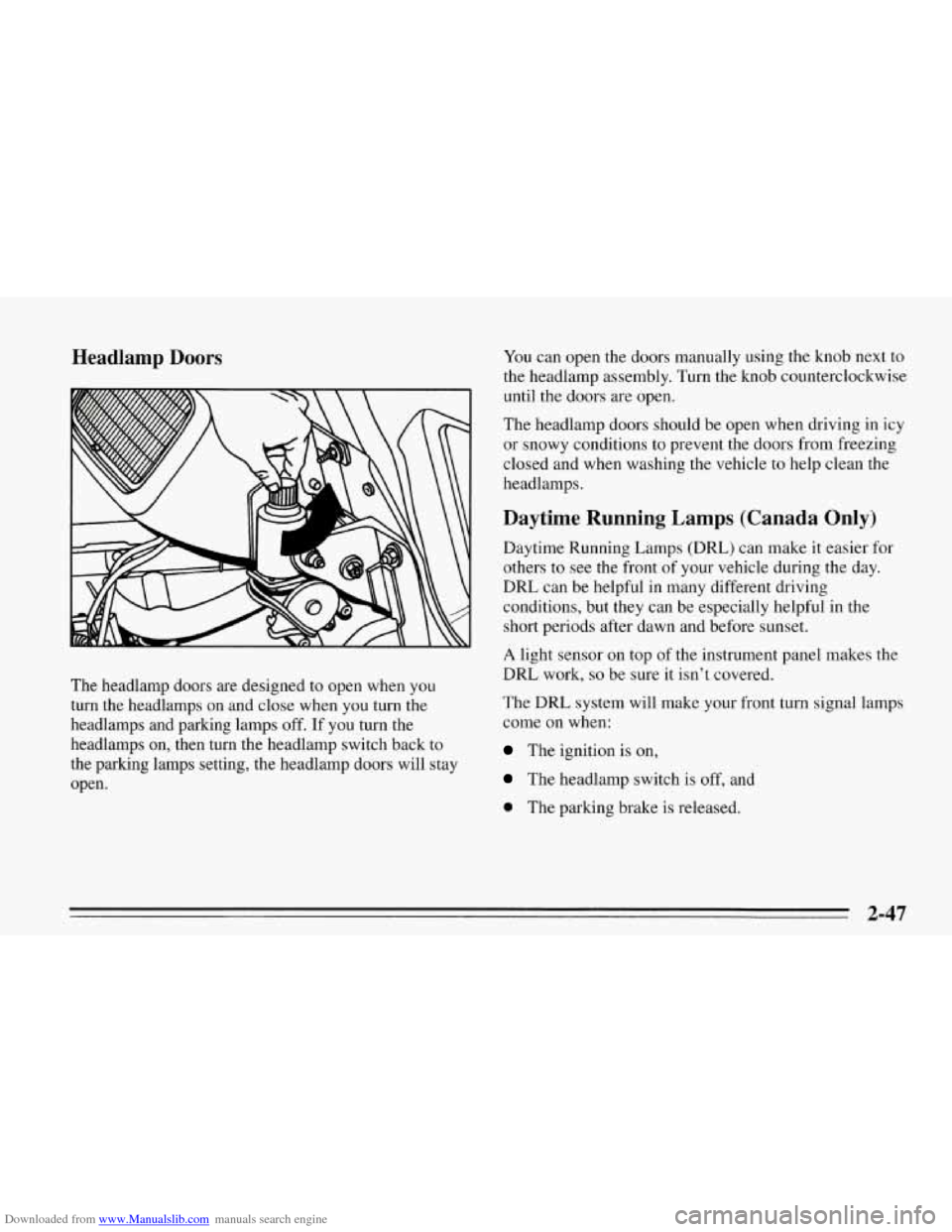
The headlamp doors are designed to open when you
turn the headlamps on and close when you turn the
headlamps and parking lamps off. If you turn the
headlamps on, then turn the headlamp switch back to
the parking lamps setting, the headlamp doors will stay
open. You
can open the doors manually using the knob next to
the headlamp assembly. Turn the knob counterclockwise
until the doors are open.
The headlamp doors should be open when driving in icy
or snowy conditions to prevent the doors from freezing
closed and when washing the vehicle to help clean the
headlamps.
Daytime Running Lamps (Canada Only)
Daytime Running Lamps (DRL) can make it easier for
others to see the front of your vehicle during the day.
DRL can be helpful in many different driving
conditions, but they can be especially helpful in the
short periods after dawn and before sunset.
A light sensor on top of the instrument panel makes the
DRL work,
so be sure it isn’t covered.
The DRL system will make your front turn signal lamps
come on when:
The ignition is on,
The headlamp switch is off, and
0 The parking brake is released.
2-47
Page 91 of 386
Downloaded from www.Manualslib.com manuals search engine When the DRL are on, only your front turn signal lamps
will be
on. The taillamps, sidemarker and other lamps
won’t
be on. Your instrument panel won’t be lit up either.
When it’s dark enough outside, your front turn signal
lamps will go out and your headlamps will come on.
The other lamps that come on with your headlamps will
also come on.
When it’s bright enough outside, the regular lamps will
go off, and your front turn signal lamps come on.
As with any vehicle, you should turn on the regular
headlamp system any time you need
it.
Fog Lamps
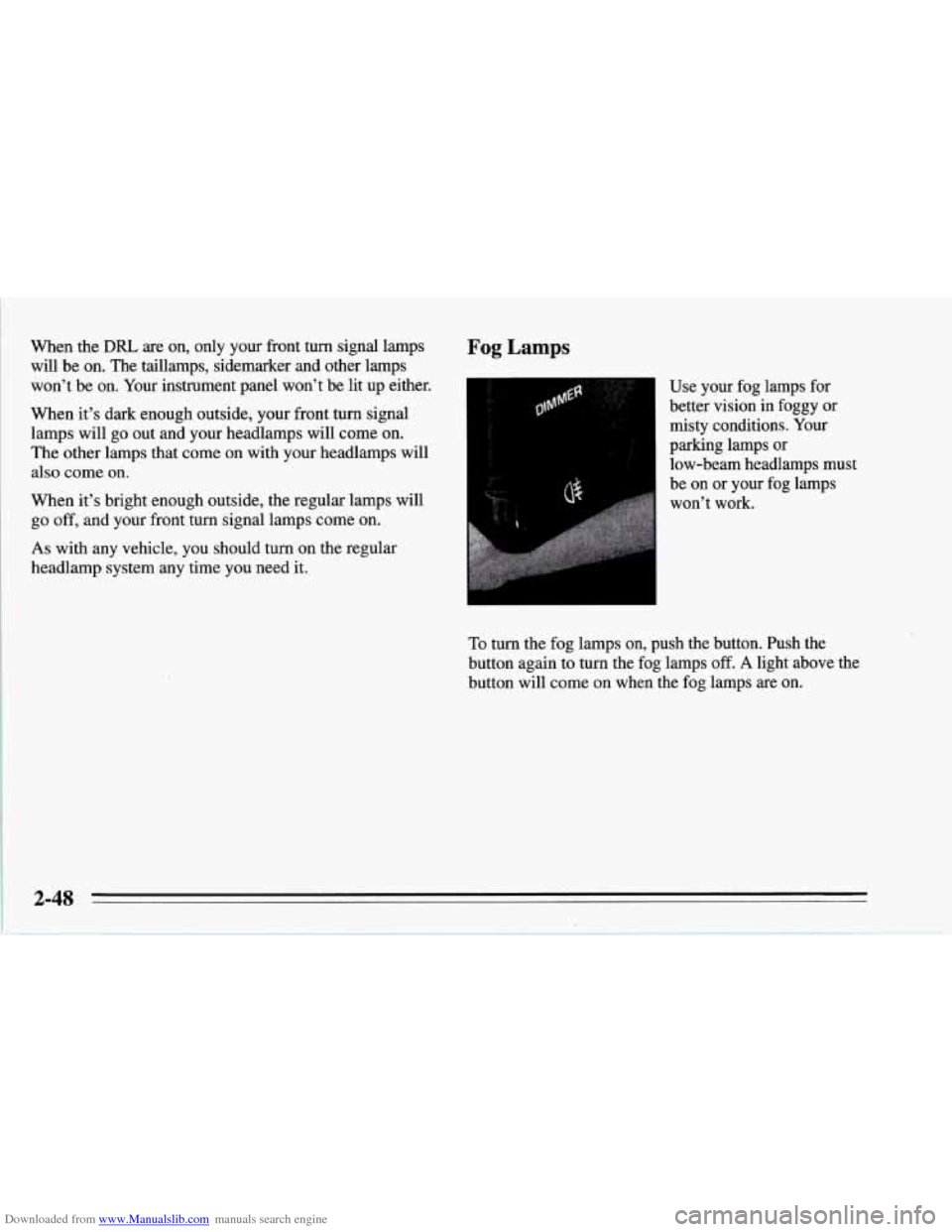
Use your fog lamps for
better vision in foggy or
misty conditions. Your
parking lamps
or
low-beam headlamps must
be on or your fog lamps
won’t work.
To turn the fog lamps on, push the button. Push the
button again
to turn the fog lamps off. A light above the
button will come on when the fog lamps are on.
2-48