service CHEVROLET CORVETTE 1995 4.G Owner's Manual
[x] Cancel search | Manufacturer: CHEVROLET, Model Year: 1995, Model line: CORVETTE, Model: CHEVROLET CORVETTE 1995 4.GPages: 386, PDF Size: 20.15 MB
Page 130 of 386
Downloaded from www.Manualslib.com manuals search engine Be sure to reset the monitor when your oil is changed,
even if the CHANGE OIL light didn’t come on. If you
don’t reset the monitor, it won’t work correctly. Follow
these steps:
1. Turn the key to RUN, but don’t start the engine.
2. Press ENG MET on the Trip Monitor. Then, within
five seconds, press it again.
3. Witbin five seconds, press and hold GAUGES on the
Trip’Monitor. The CHANGE OIL light should flash.
4. Hold the GAUGES button until the CHANGE OIL
light stops flashing and goes out. This should take
about ten seconds.
When the light goes out, the monitor is reset. If the
monitor doesn’t reset, turn the ignition
off, then try
again.
Service Ride Control Light
SERVICE
RIDE
CONTROL
If your vehicle is equipped
with Selective Ride Control,
this amber light should
come on for
a few seconds
when you start your vehicle.
If the light stays on or comes on while you’re driving,
there may be
a problem with your Selective Ride
Control system. You can still drive, but you should see
your dealer soon.
The Selective Ride Control system is designed to sense
vehicle speed in the first minute after the vehicle is
started. If the vehicle is not moved in that first minute,
the system records a fault. The SERVICE RIDE
CONTROL light comes on after three faults are
recorded. If the light comes on for this reason, move
your Corvette and the light should
go out.
2-87
Page 131 of 386
Downloaded from www.Manualslib.com manuals search engine The SERVICE RIDE CONTROL light may also come
on if the selective ride control knob is not placed fully
into a position. For example, if the selection position is
between
TOUR and SPORT or SPORT and PERF, the
light may come on. If the light comes on for this reason,
move the select switch to the desired position and the
light should go out.
Passive Keyless Entry Light
1
PASSIVE
KEYLESS
ENTRY
This amber light will come
on for about two seconds
when you
turn the ignition
on, unless your keyless
entry system is
off. The
light also comes on and
flashes when you
are
programming transmitters.
See “Passive Keyless Entry System” in the Index.
Security Light
This amber light comes on
to remind you to arm your
theft-deterrent system. If it
comes on and stays on when
your ignition is on, there
may be a problem with your
theft-deterrent system.
See “Universal Theft-Deterrent” and “PASS-Key” in the
Index.
2-88
Page 132 of 386
Downloaded from www.Manualslib.com manuals search engine Driver Information Center
SERVICE ASR ASR OFF
ASR LOW
ACTIVE COOLANT
PASSIVE
KEYLESS
ENTRY AIR
BAG
SERVICE
115- SOON
SERVICE LTPWS ABS
ACTIVE
SERVICE
(@I
LOWlFLAT TIRE
SERVICE RIDE
CONTROL
LOW OIL
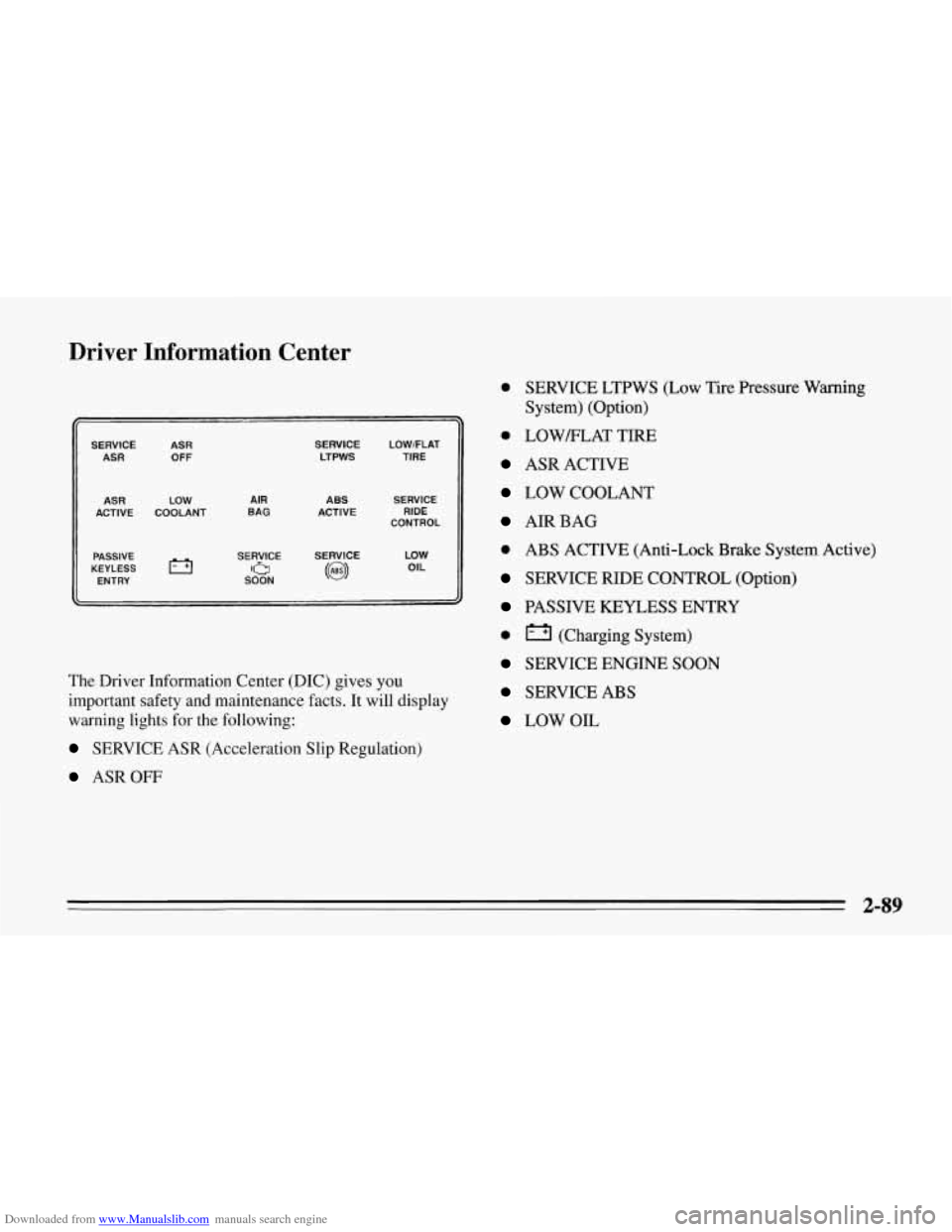
The Driver Information Center (DIC) gives you
important safety and maintenance facts.
It will display
warning lights for the following:
SERVICE ASR (Acceleration Slip Regulation)
ASROFF
0 SERVICE LTPWS (Low Tire Pressure Warning
System) (Option)
0 LOWELAT TIRE
ASR ACTIVE
LOW COOLANT
AIRBAG
0 ABS ACTIVE (Anti-Lock Brake System Active)
SERVICE RIDE CONTROL (Option)
PASSIVE KEYLESS ENTRY
0 (Charging System)
SERVICE ENGINE SOON
SERVICE ABS
LOW OIL
2-89
Page 151 of 386
Downloaded from www.Manualslib.com manuals search engine Defogging and Defrosting Windows
Your vehicle has several settings for clearing your
windows. The air conditioner compressor will run to
help remove moisture from the air.
To defrost the windshield quickly, press the arrows on
the
TEMP SET switch to set a comfortable temperature.
Press DEFROST and the fan will go to high speed. After
the windows are clear, you can lower the speed using the
downward arrow or
AUTO FAN.
With the automatic system, to warm passengers while
keeping the windshield clear? press the arrows on the
TEMP SET switch to set a comfortable temperature. Press
HEATER and DEFROST at the same time and, if you
don’t like the automatic setting, press the
arrows on the fan
speed switch.
To defrost the side windows quickly, press the arrows on
the
TEMP SET switch to set a comfortable temperature.
Then press DEFROST and,
if you don’t like the automatic
setting, press the arrows on the fan speed switch.
System Problems
If the light above an air control button flashes when you
turn on the ignition, your system may have an electrical
problem. The flashing will continue for one minute, then
stop.
The flashing light could also mean the refrigerant level
is too low in your system. The light will continue to
flash, even if refrigerant is added, until the system is
reset. Have your system checked and serviced if needed.
To reset your system:
1. Turn your ignition key to OFF or LOCK.
2. Remove the courtesy lamps and radio fuses from the
main fuse panel and wait one minute. See “Fuses and
Circuit Breakers” in the Index.
3. Put the fuses back in and start your vehicle.
The light shouldn’t come on and your system should be
working properly. If you still have a problem, see your
dealer.
Page 161 of 386
Downloaded from www.Manualslib.com manuals search engine Understanding Radio Reception
FM Stereo
FM Stereo will give you the best sound. But FM signals
will reach only about 10 to
40 miles (16 to 65 km). And,
:ausing the sound to come and go.
1 tall buildings or hills can interfere with FM signals,
4M
The range for most AM stations is greater than for FM,
especially at night. The longer range, however, can
cause stations to interfere with each other. AM can pick
reducing the treble to reduce this noise if you ever get it.
1 up noise from things like storms and power lines. Try
Care of Your Cassette Tape Player
A tape player that is not cleaned regularly can cause
reduced sound quality, ruined cassettes, or a damaged
mechanism. Cassette tapes should be stored in their
cases away from contaminants, direct sunlight, and
extreme heat.
If they aren't, they may not operate
properly or cause failure of the tape player.
'
Your tape player should be cleaned regularly after every
50 hours of use. If you notice a reduction in sound
quality, try a known good cassette to see
if the tape or
the tape player is at fault. If this other cassette has no
improvement in sound quality, clean the tape player.
Cleaning may be done with a scrubbing action,
non-abrasive cleaning cassette with pads which scrub
the tape head as the hubs of the cleaner cassette turn. It
is normal for the cartridge to eject while cleaning. Insert
the cassette at least
3 times to ensure thorough cleaning.
A scrubbing action cleaning cassette is available through
your Chevrolet dealership.
You may also choose a non-scrubbing action, wet-type
cleaner which uses a cassette with a fabric belt to clean
the tape head. This type of cleaning cassette will not
eject. It may not clean as thoroughly as the scrubbing
type cleaner.
Cassettes are subject to wear and the sound quality may
degrade over time. Always make sure that the cassette
tape is in
good condition before you have your tape
player serviced.
3-18
Page 171 of 386
Downloaded from www.Manualslib.com manuals search engine Remember: Anti-lock doesn’t change the time you need
to get your foot up
to the brake pedal. If you get too
close to the vehicle in front of you, you won’t have time
to apply your brakes if that vehicle suddenly slows or
stops. Always leave enough room up ahead to stop, even
though you have anti-lock brakes.
To Use Anti-Lock
Don’t pump the brakes. Just hold the brake pedal down
and let anti-lock work for you. You may hear a motor or
clicking noise and feel the brake pedal move a little
during a hard stop, but this
is normal. When your
anti-lock system is adjusting brake pressure
to help
avoid a braking skid, the ABS ACTIVE light will come
on. See “Anti-Lock Brake System Active Light” in the
Index.
ASR (Acceleration Slip Regulation) System
Your vehicle has a traction control system called ASR
that limits wheel spin. This is especially useful in
slippery road conditions. The system operates only if it
senses that the rear wheels are spinning too much or are
beginning to lose traction. When, this happens, the
system works the rear brakes and reduces engine power
(by closing the throttle and managing engine spark) to
limit wheel spin. ‘The ASR
ACTIVE light will come on when the ASR
system
is limiting wheel spin. See “ASR System Active
Light” in the Index. You may feel the system working,
or you may notice some noise, but this is normal.
If your vehicle is in cruise control when the ASR system
begins to limit wheel spin, the cruise control will
automatically disengage. When road conditions allow
you to safely use it again,
you may re-engage the cruise
control. (See “Cruise Control” in the Index.)
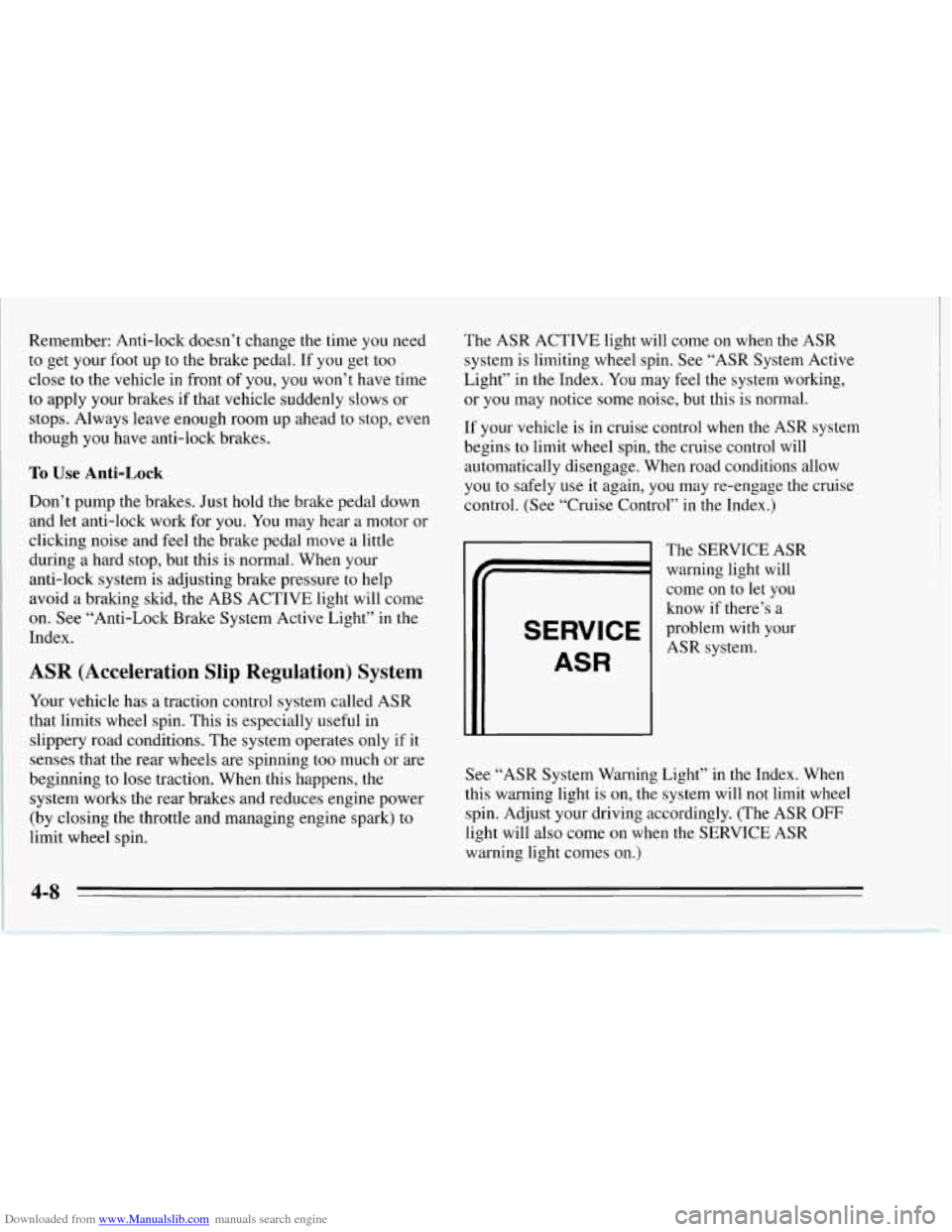
SERVICE
ASR
The SERVICE ASR
warning light will
come on to
let you
know if there’s a
problem with your
ASR system.
See “ASR System Warning Light’’ in the Index. When
this warning light
is on, the system will not limit wheel
spin. Adjust your driving accordingly. (The ASR
OFF
light will also come on when the SERVICE ASR
warning light comes on.)
4-8
Page 184 of 386
Downloaded from www.Manualslib.com manuals search engine The exit speed is usually posted.
Reduce your speed according to your speedometer, not
to your sense of motion. After driving for any distance
at higher speeds, you may tend to think
you are going
slower than you actually are.
Before Leaving on a Long Trip
Make sure you’re ready. Try to be well rested. If you
must start when you’re not fresh
-- such as after a day’s
work
-- don’t plan to make too many miles that first part
of the journey. Wear comfortable clothing and shoes you
can easily drive in.
Is your vehicle ready for a long trip?
If you keep it
serviced and maintained, it’s ready to
go. If it needs
service, have it done before starting out. Of course,
you’ll find experienced and able service experts in
Chevrolet dealers all across North America. They’ll be
ready and willing to help if you need it. Here
are some things you can check before a trip:
0
0
0
0
0
0
0
Windshield Washer Fluid: Is the reservoir full? Are
all windows clean inside and outside?
Wiper Blades: Are they in good shape?
Fuel, Engine Oil, Other Fluids: Have you checked
all levels?
Lamps: Are they all working? Are the lenses clean?
Tires: They are vitally important to a safe,
trouble-free trip. Is the tread good enough for
long-distance driving? Are the tires all inflated to the
recommended pressure?
Weather Forecasts: What’s the weather outlook
along your route? Should you delay your trip a short
time to avoid
a major storm system?
Maps: Do you have up-to-date maps?
4-21
Page 185 of 386
Downloaded from www.Manualslib.com manuals search engine Highway Hypnosis
Is there actually such a condition as “highway
hypnosis”? Or is it just plain falling asleep at the wheel?
Call it highway hypnosis, lack
of awareness, or
whatever.
There is something about an easy stretch
of road with
the same scenery, along with the hum of the tires on the
road, the drone
of the engine, and the rush of the wind
against the vehicle that can make you sleepy. Don’t let it
happen to you! If it does, your vehicle can leave the
road in
less than a second, and you could crash and be
injured.
What can
you do about highway hypnosis? First, be
aware that
it can happen.
Then here are some tips:
Make sure your vehicle is well ventilated, with a
Keep your eyes moving. Scan the road ahead and to
the sides. Check your rearview mirrors and your
instruments frequently.
comfortably
cool interior.
If you get sleepy, pull off the road into a rest, service,
or parking area and take a nap, get some exercise, or
both. For safety, treat drowsiness on the highway as
an emergency.
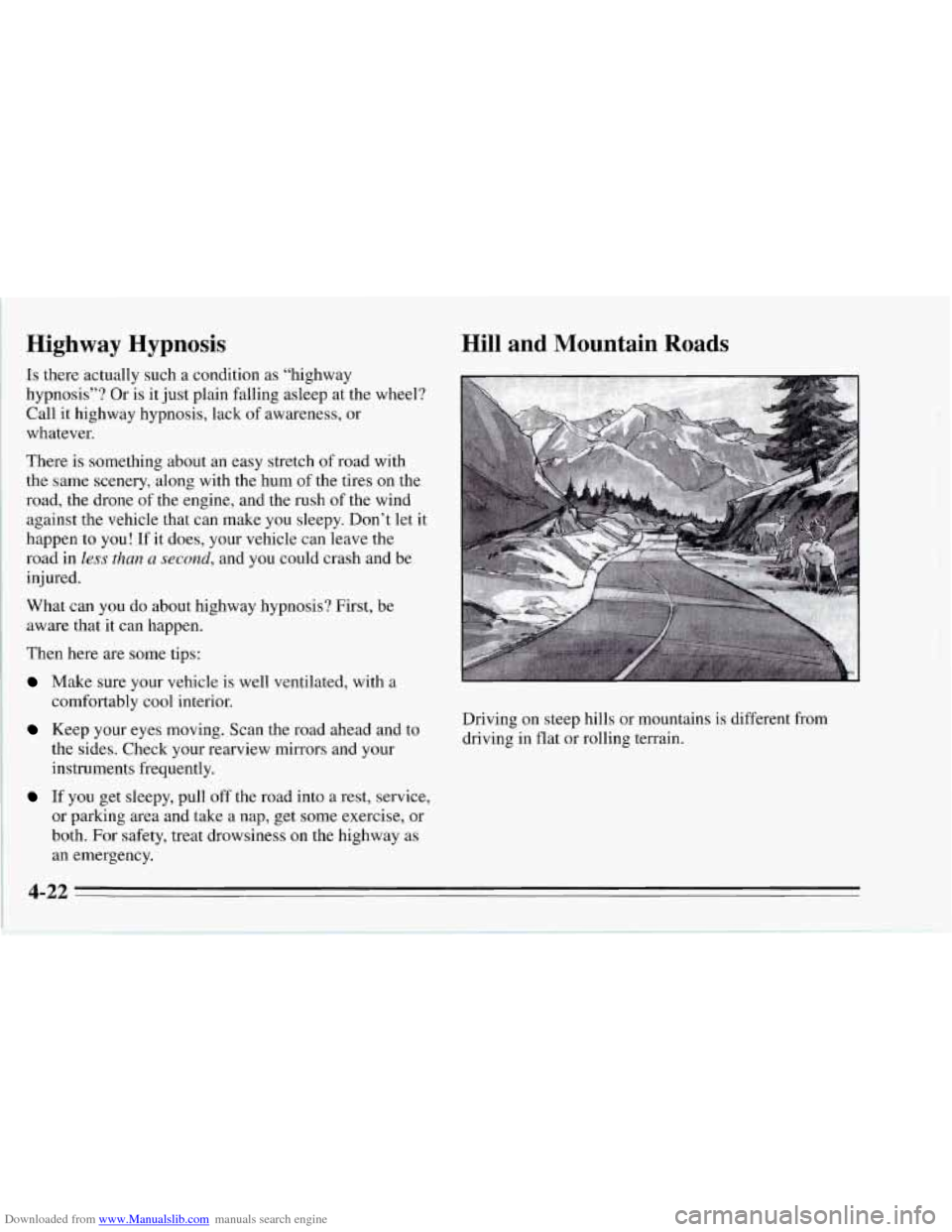
Hill and Mountain Roads
Driving on steep hills or mountains is different from
driving in flat or rolling terrain.
4-22
Page 198 of 386
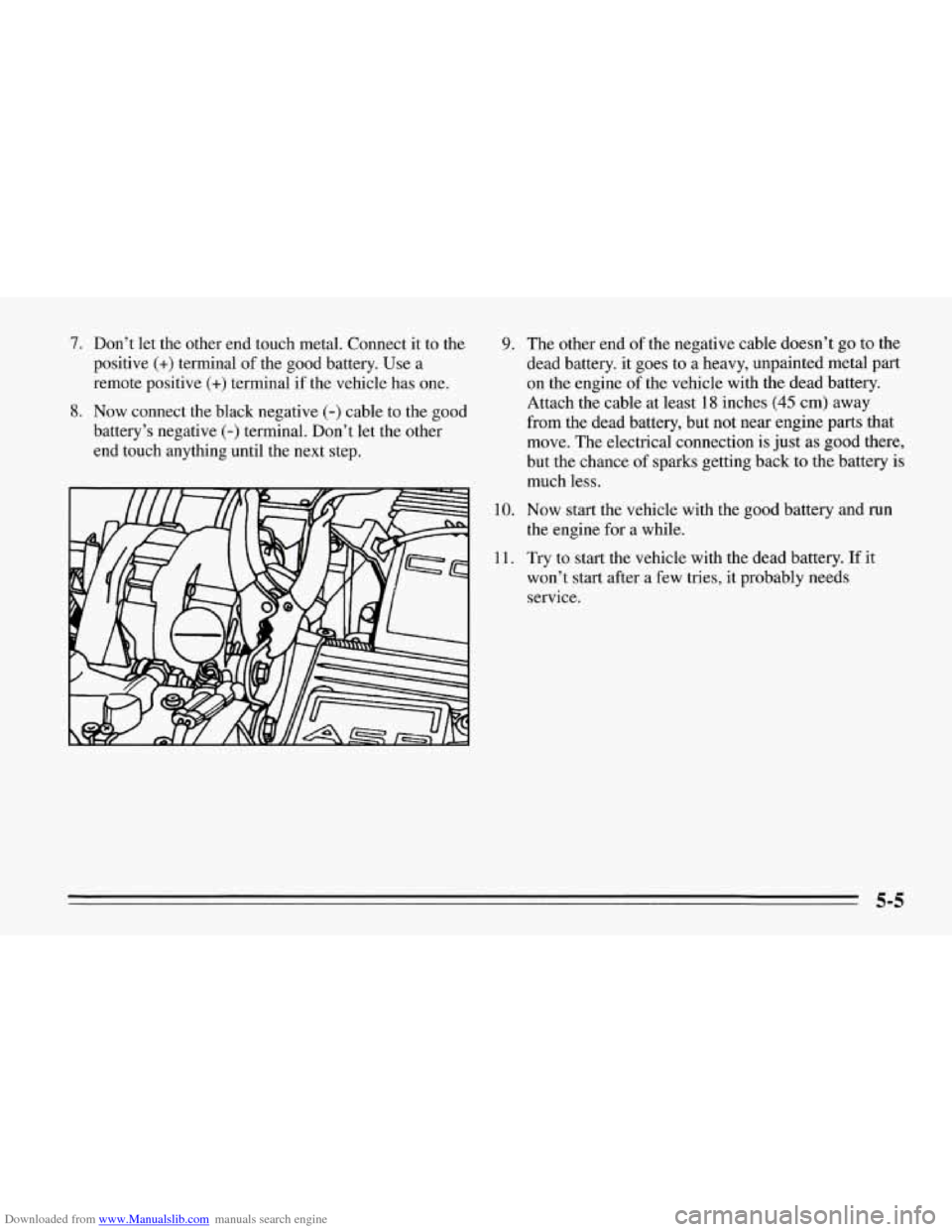
Downloaded from www.Manualslib.com manuals search engine 7. Don’t let the other end touch metal. Connect it to the
positive
(+) terminal of the good battery. Use a
remote positive
(+) terminal if the vehicle has one.
8. Now connect the black negative (-) cable to the good
battery’s negative
(-) terminal. Don’t let the other
end touch anything until the next step.
9. The other end of the negative cable doesn’t go to the
dead battery. it goes to a heavy, unpainted metal part
on the engine of the vehicle with the dead battery.
Attach the cable at least
1.8 inches (45 cm) away
from the dead battery, but not near engine parts that
move. The electrical connection is just as good there,
but the chance of sparks getting back to the battery is
10.
11.
much less.
Now start the vehicle with the good battery and run the engine for a while.
Try to start the vehicle with the dead battery. If it
won’t start after a few tries, it probably needs service.
Page 199 of 386
Downloaded from www.Manualslib.com manuals search engine I- +
I B'
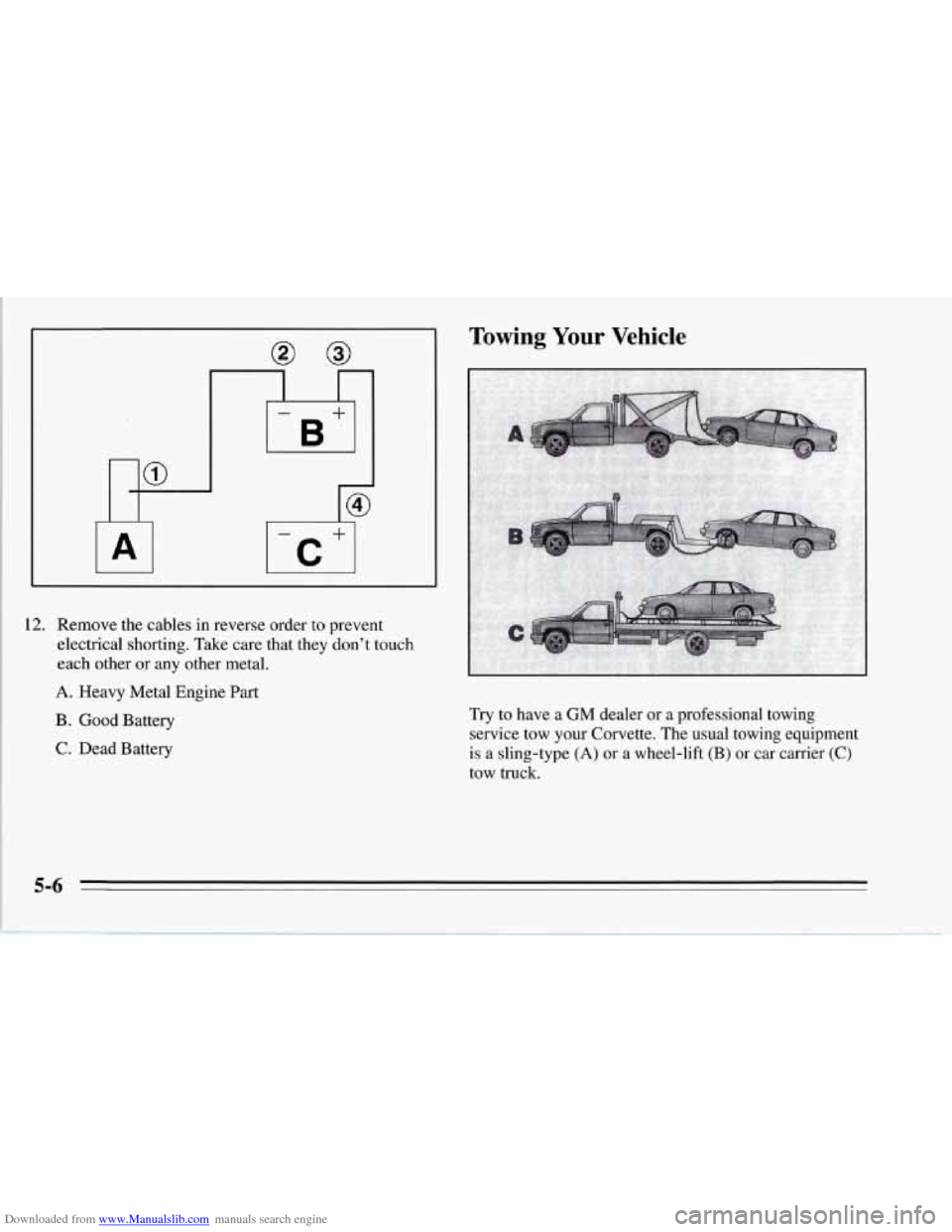
12. Remove the cables in reverse order to prevent
electrical shorting. Take care that they don't touch
each other or any other metal.
A. Heavy Metal Engine Part
B . Good Battery
C. Dead Battery
rowing Your Vehicle
Try to have a GM dealer or a professional towing
service tow your Corvette. The usual towing equipment
is a sling-type
(A) or a wheel-lift (B) or car carrier (C)
tow truck.