display CHEVROLET CORVETTE 1997 5.G User Guide
[x] Cancel search | Manufacturer: CHEVROLET, Model Year: 1997, Model line: CORVETTE, Model: CHEVROLET CORVETTE 1997 5.GPages: 356, PDF Size: 18.43 MB
Page 98 of 356
Downloaded from www.Manualslib.com manuals search engine Resuming a Set Speed
Suppose you set your cruise control at a desired speed
and then you apply the brake or clutch pedal. This, of
course, disengages the cruise control. But you don’t
need to reset it.
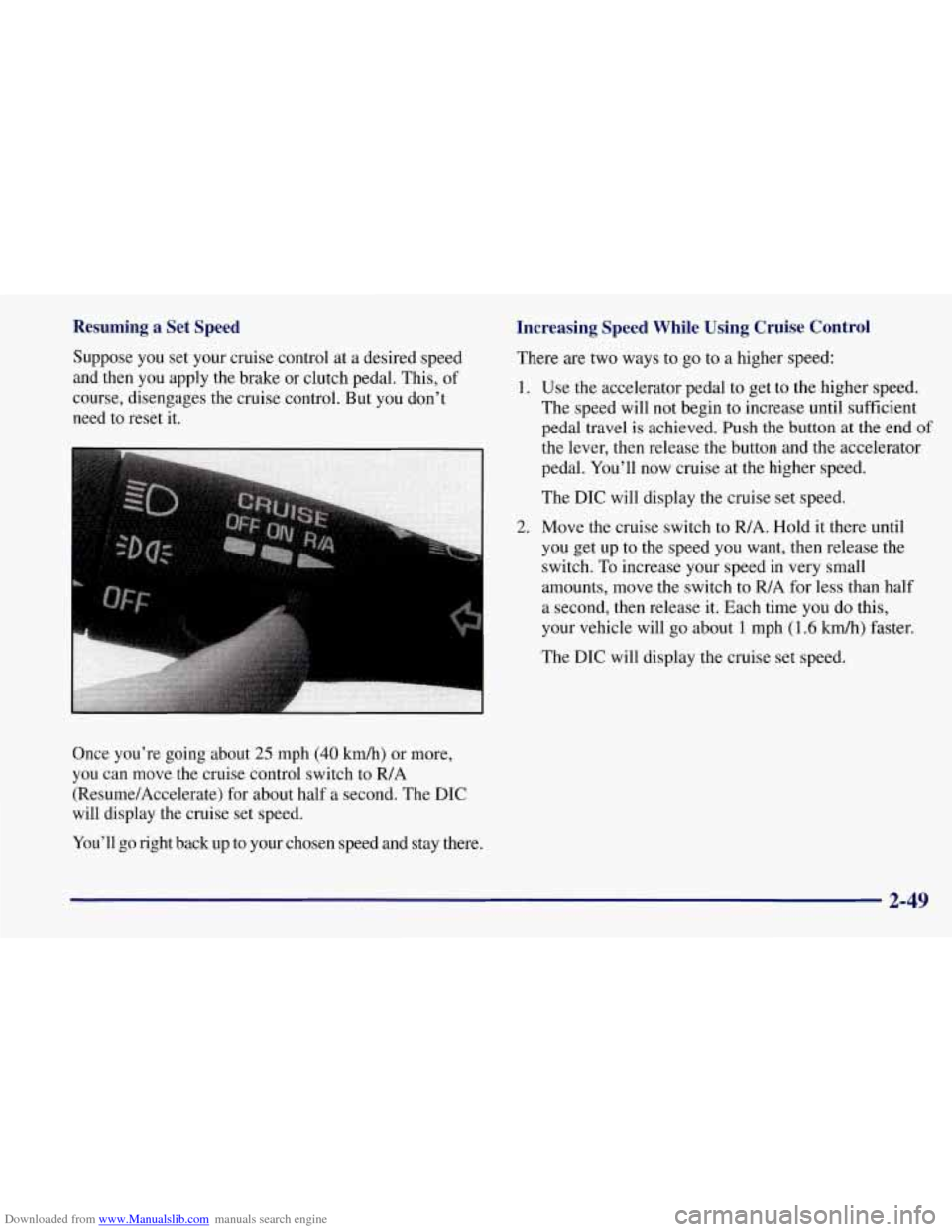
Once you’re going about
25 mph (40 km/h) or more,
you can move the cruise control switch to FUA
(Resume/Accelerate) for about half a second. The DIC
will display the cruise set speed.
You’ll go right back up to your chosen speed and stay there.
Increasing Speed While Using Cruise Control
There are two ways to go to a higher speed:
1. Use the accelerator pedal to get to the higher speed.
The speed will not begin to increase until sufficient
pedal travel is achieved. Push
the button at the end of
2.
ihe lever, then release the button and the accelerator
pedal. You’ll now cruise at the higher speed.
The DIC will display
the cruise set speed.
Move the cruise switch to
FUA. Hold it there until
you get up to the speed you want, then release the
switch.
To increase your speed in very small
amounts, move the switch to
R/A for less than half
a second, then release it. Each time you do this,
your vehicle will go about
1 mph (1.6 kmk) faster.
The DIC will display the cruise set speed.
2-49
Page 99 of 356
Downloaded from www.Manualslib.com manuals search engine Reducing Speed While Using Cruise Control
There are two ways to reduce your speed while using
cruise control:
Push in the button at the end of the lever until you
reach the lower speed you want, then release it.
The DIC will display the cruise set speed.
To slow down in very small amounts, push the
button for less than half a second. Each time you
do this, you’ll go
1 mph (1.6 km/h) slower.
The DIC will display the cruise set speed.
Passing Another Vehicle While Using Cruise Control
Use the accelerator pedal to increase your speed. When
you take your foot off the pedal, your vehicle will slow
down to the cruise control speed you set earlier.
Using Cruise Control on Hills
How well your cruise control will work on hills depends
upon
your speed, load and the steepness of the hills.
When going downhill, you may have to brake or shift to
a lower gear to keep your speed down. Of course,
applying the brake takes you out of cruise control. Many
drivers find this to be too much trouble and don’t use
cruise control on steep hills.
Getting Out of Cruise Control
There are two ways to turn off the cruise control:
Step lightly on the brake pedal or push the clutch
Move the cruise switch to OFF.
pedal, if you have a manual transmission vehicle; or
The DIC will display the message “CRUISE
DISENGAGED.’’
Erasing Speed Memory
When you turn off the cruise control or the ignition,
your cruise control set speed memory is erased.
Exterior Lamps
Daytime Running Lamps
Daytime Running Lamps (DRL) can make it easier
for others to see the front of your vehicle during the
day. DRL can be helpful in many different driving
conditions, but they can be especially helpful in the
short periods after dawn and before sunset.
The DRL system will make your front turn signal
come on when:
0 the ignition is on,
the headlamp switch is off and
the parking brake is released. lamps
2-50
Page 101 of 356
Downloaded from www.Manualslib.com manuals search engine Interior Lamps
Instrument Panel Brightness Control
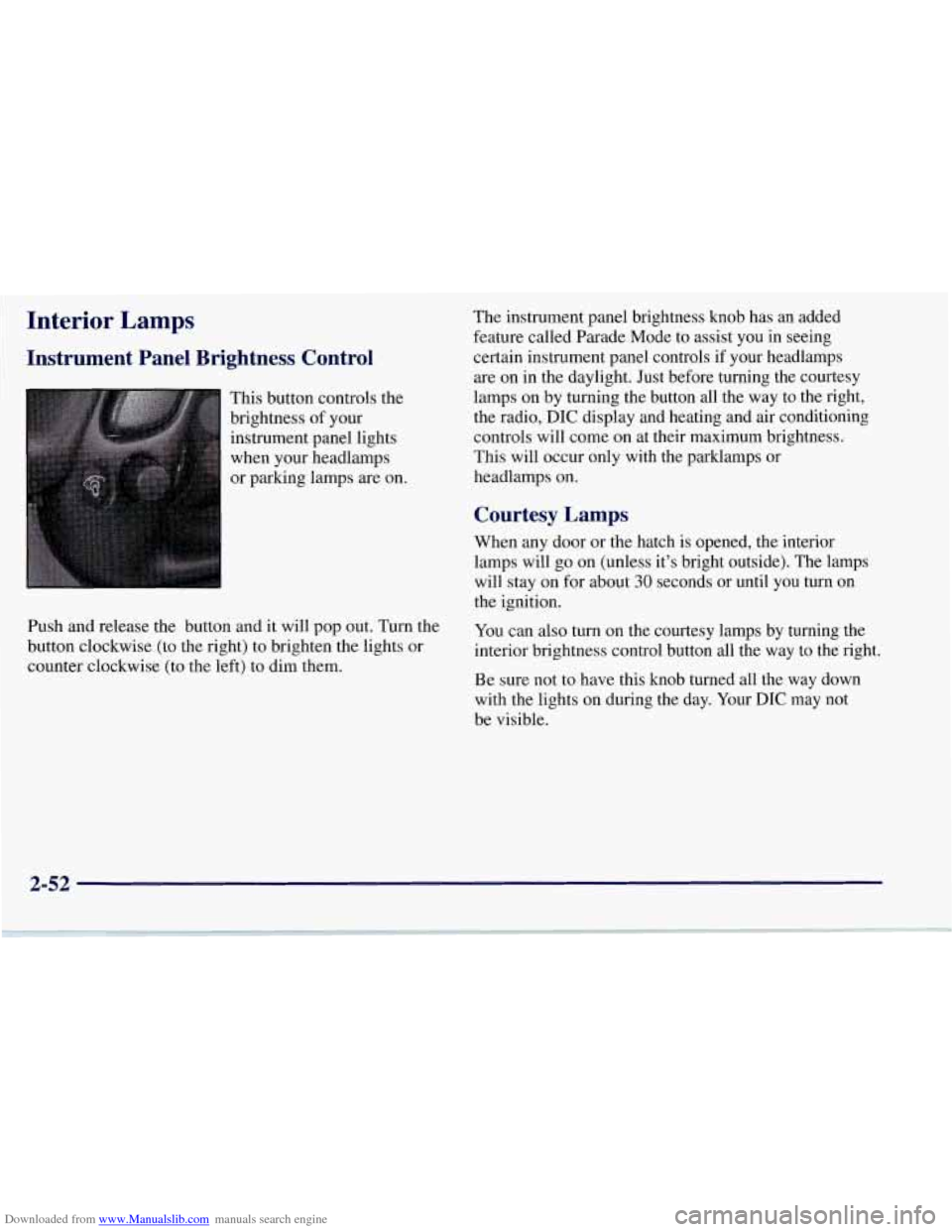
This button controls the
brightness of your
instrument panel lights
when your headlamps
or parking lamps are on.
Push and release the button and it will pop out. Turn the
button clockwise (to the right) to brighten the lights or
counter clockwise (to the left) to dim them. The
instrument panel brightness knob has an added
feature called Parade Mode to assist you in seeing
certain instrument panel controls if your headlamps
are on in the daylight. Just before turning the courtesy
lamps on by turning the button all the way to the right,
the radio,
DIC display and heating and air conditioning
controls will come on at their maximum brightness..
This will occur only with the parklamps or
headlamps on.
Courtesy Lamps
When any door or the hatch is opened, the interior
lamps will go on (unless it’s bright outside). The lamps
will stay on for about
30 seconds or until you turn on
the ignition.
You can also turn on the courtesy lamps by turning the
interior brightness control button all the way to the right.
Be sure not to have this knob turned all the way down
with the lights on during the day. Your
DIC may not
be visible.
2-52
Page 120 of 356
Downloaded from www.Manualslib.com manuals search engine Speedometer
Your speedometer lets you see your speed in either miles
per hour (mph) or kilometers per hour
(km/h).
You may note that there are not two separate scales
for mph and
km/h. When you press the EM
(EnglisMetric) button on the DIC, the cluster
will calculate the proper speed and move the needle
to the correct position. Either the
MPH or the km/h
telltale will illuminate, depending on which
measurement you choose.
Tachometer
The tachometer displays the engine speed in thousands
of revolutions per minute (rpm).
Fuel will shut off at about
6200 rpm.
If you continue to drive your Corvette at the fuel shut
off rpm, you could damage your engine. Be sure to
operate your Corvette below the fuel shut
off rpm or
reduce your rpm quickly when the fuel shuts off.
Warning Lights, Gages.and Messages
This part describes the warning lights and gages that
may be on your vehicle. The pictures will help you
locate them. Warning
lights and gages can signal that something
is
wrong before it becomes serious enough to cause an
expensive repair or replacement. Paying attention to
your warning lights and gages could also save you or
others from injury.
Warning lights come on when there may be or is a
problem with one of your vehicle’s functions.
As
you will see in the details on the next few pages,
some warning lights come on briefly when you start
the engine just to let you know they’re working. If
you are familiar with this section, you should not be
alarmed when this happens.
Gages can indicate when there may be or is a problem
with one
of your vehicle’s functions. Often gages and
warning lights work together to let you know when
there’s a problem with your vehicle.
When one of the warning lights comes on and stays
on when you are driving, or when one of the gages
shows there may be a problem, check the section that
tells you what to do about it. Please follow this manual’s
advice. Waiting to
do repairs can be costly -- and even
dangerous.
So please get to know your warning lights
and gages. They’re a big help.
Your vehicle also has a Driver Information Center that
works along with the warning lights and gages.
See
“Driver Information Center” in the Index.
2-71
Page 127 of 356
Downloaded from www.Manualslib.com manuals search engine Engine Oil Pressure Gage
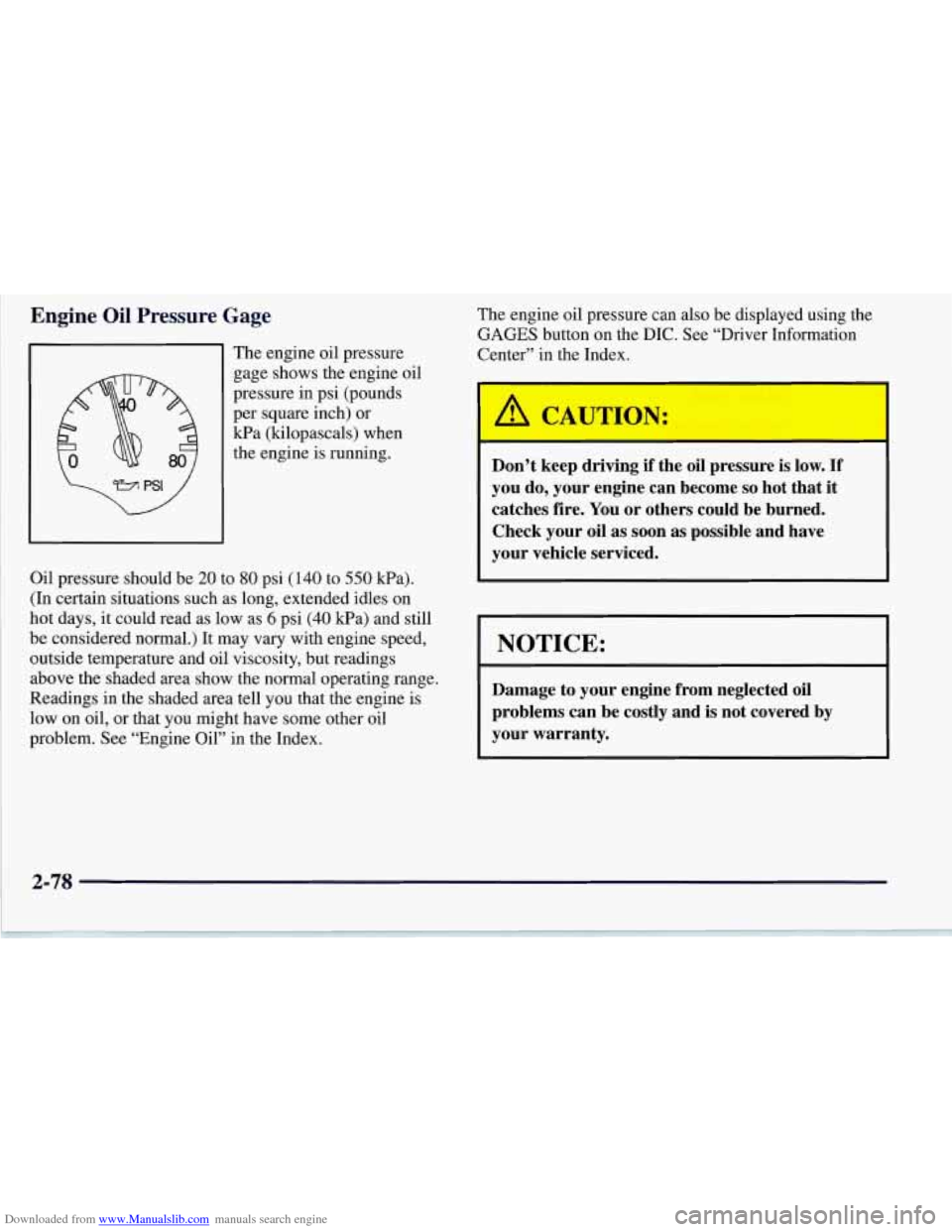
The engine oil pressure
gage shows the engine oil
pressure in psi (pounds
per square inch) or
Wa (kilopascals) when
the engine
is running.
Oil pressure should be
20 to 80 psi (140 to 550 Wa).
(In certain situations such as long, extended idles on
hot days, it could read as low as
6 psi (40 kPa) and still
be considered normal.) It may vary with engine speed,
outside temperature and oil viscosity, but readings
above the shaded area show the normal operating range.
Readings in the shaded area tell
you that the engine is
low on oil, or that you might have some other oil
problem. See “Engine Oil” in the Index.
2-78
The engine oil pressure can also be displayed using the
GAGES button on the DIC. See “Driver Information
Center” in the Index.
I
/A CAUTION:
Don’t keep driving if the oil pressure is low. If
you do, your engine can become so hot that it
catches fire. You or others could be burned.
Check your oil as soon as possible and have
your vehicle serviced.
I NOTICE:
Damage to your engine from neglected oil
problems can be costly and is not covered
by
your warranty.
Page 129 of 356
Downloaded from www.Manualslib.com manuals search engine Fuel Gage
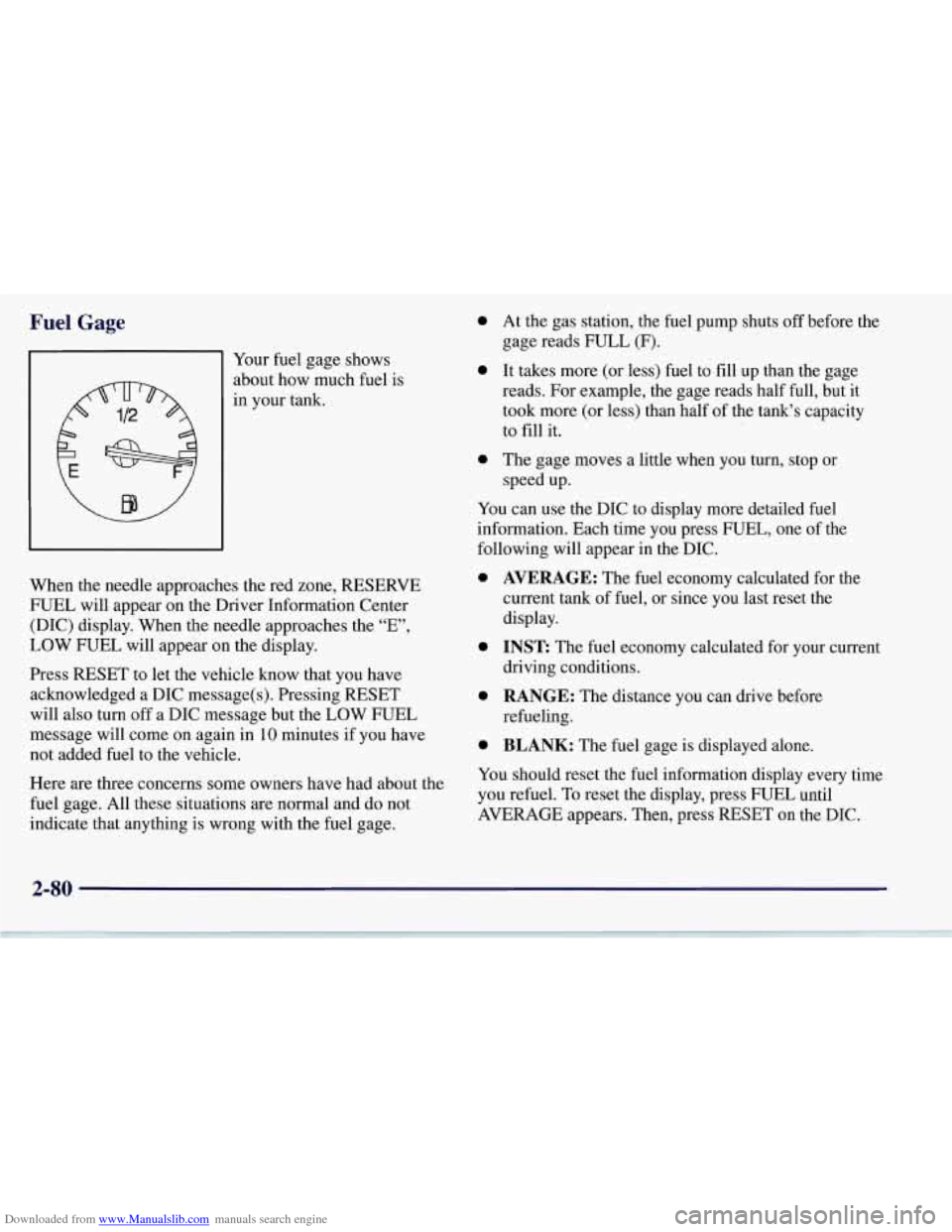
91 Your fuel gage shows
about how much fuel is
in your tank.
When the needle approaches the red zone, RESERVE
FUEL will appear on the Driver Information Center
(DIC) display. When the needle approaches the “E”,
LOW FUEL will appear on the display.
Press RESET to let the vehicle know that you have
acknowledged a DIC message(s). Pressing RESET
will also turn off a DIC message but the LOW FUEL
message will come on again in
10 minutes if you have
not added fuel to the vehicle.
Here
are three concerns some owners have had about the
fuel gage. All these situations
are normal and do not
indicate that anything is wrong with the fuel gage.
0
0
a
At the gas station, the fuel pump shuts off before the
gage reads FULL
(F).
It takes more (or less) fuel to fill up than the gage
reads. For example, the gage reads half full, but it
took more (or less) than half of the tank’s capacity
to
fill it.
The gage moves a little when you turn, stop or
speed up.
You can use the DIC to display more detailed fuel
information. Each time you press FUEL, one of the
following will appear
in the DIC.
0
0
0
0
AVERAGE: The fuel economy calculated for the
current tank
of fuel, or since you last reset the
display.
INST The fuel economy calculated for your current
driving conditions.
RANGE: The distance you can drive before
refueling.
BLANK: The fuel gage is displayed alone.
You should reset the fuel information display every time
you refuel. To reset the display, press FUEL until
AVERAGE appears. Then, press RESET on the DIC.
2-80
Page 130 of 356
Downloaded from www.Manualslib.com manuals search engine Driver Information Center (DIC)
The Driver Information Center (DIC) will display
information about how your vehicle is functioning, as
well as warning messages if a system problem is
detected. The DIC display area is located in the
instrument cluster below the speedometer and
tachometer, directly above the steering column.
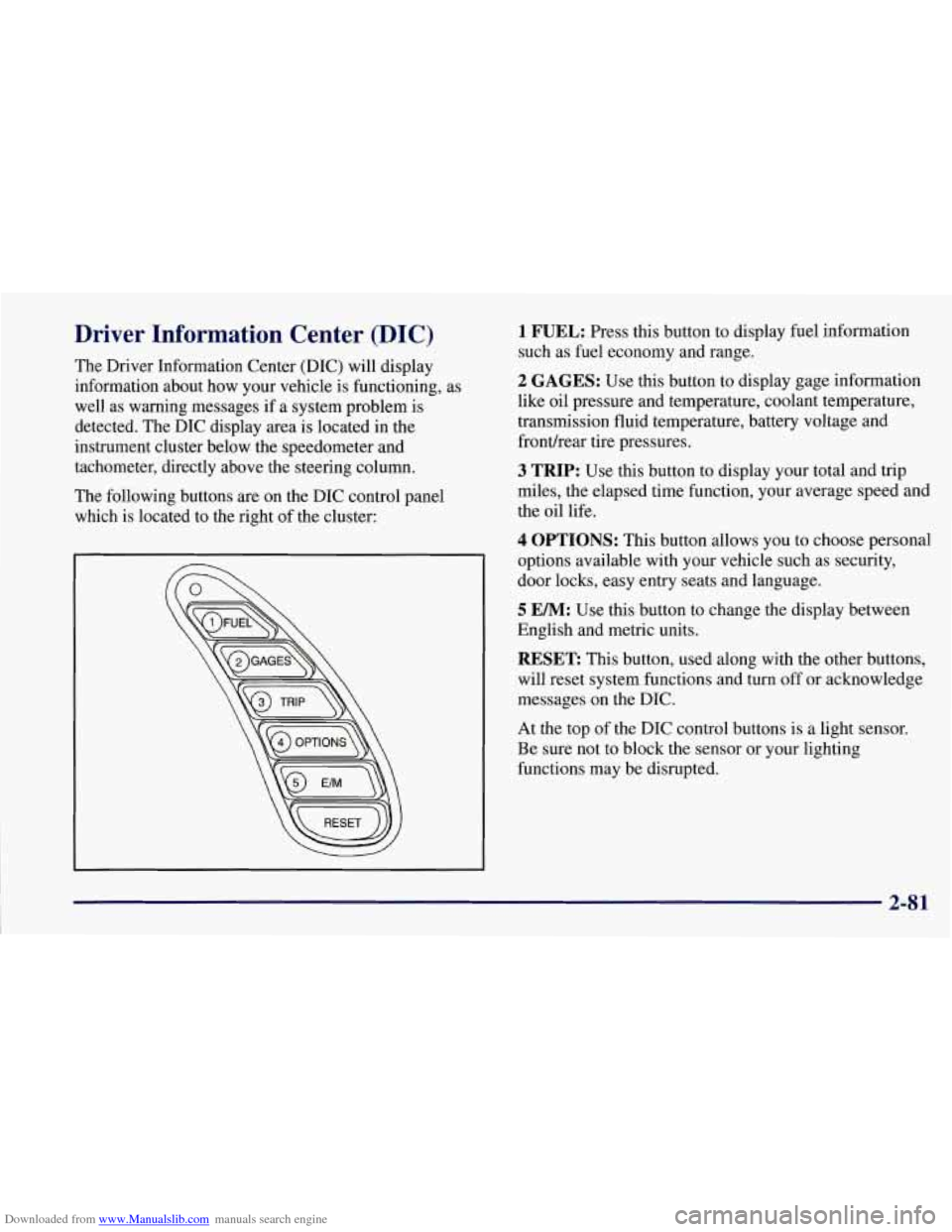
The following buttons are on the DIC control panel
which is located to the right of the cluster:
1 FUEL: Press this button to display fuel information
such as fuel economy and range.
2 GAGES: Use this button to display gage information
like oil pressure and temperature, coolant temperature,
transmission fluid temperature, battery voltage and
fronurear tire pressures.
3 TRIP: Use this button to display your total and trip
miles, the elapsed time function, your average speed and
the oil life.
4 OPTIONS: This button allows you to choose personal
options available with your vehicle such as security,
door locks, easy entry seats and language.
5 EM: Use this button to change the display between
English and metric units.
RESET: This button, used along with the other buttons,
will reset system functions and turn off or acknowledge
messages on the DIC.
At the top
of the DIC control buttons is a light sensor.
Be sure not to block the sensor or your lighting
functions may be disrupted.
2-81
Page 131 of 356
Downloaded from www.Manualslib.com manuals search engine DIC Controls and Displays
Turn on the system by turning the ignition to ON. When
you turn on the ignition, the DIC will be in the mode last
displayed when the engine was turned off. Each DIC
button allows you to scroll through a menu. A blank
page ends each menu.
If a problem is detected, a diagnostic message will
appear on the display. Press RESET to acknowledge any
current warning or service messages. The following
pages will show the messages you can see on the DIC
display by pressing the DIC buttons.
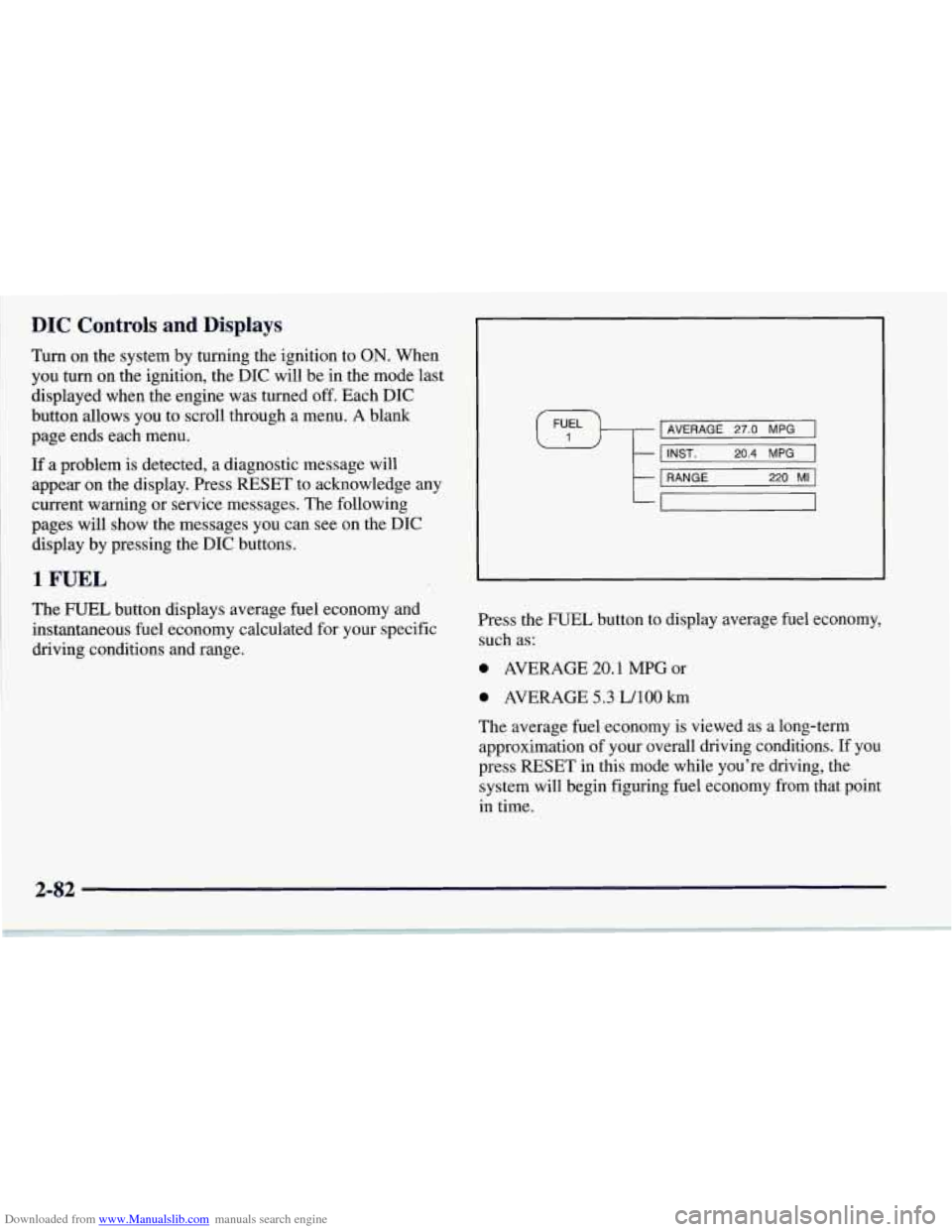
1 FUEL
The FUEL button displays average fuel economy and
instantaneous fuel economy calculated for your specific
driving conditions and range.
I AVERAGE 27.0 MPG I \#/ I I INST. 20.4 MPG 1 I I I
t
1 RANGE 220 MI 1
-
Press the FUEL button to display average fuel economy,
such as:
0 AVERAGE 20.1 MPG or
0 AVERAGE 5.3 LAO0 km
The average fuel economy is viewed as a long-term
approximation of your overall driving conditions. If you
press
RESET in this mode while you're driving, the
system will begin figuring fuel economy from that point
in time.
Page 132 of 356
Downloaded from www.Manualslib.com manuals search engine Press FUEL again to display instantaneous fuel
economy, such as:
INST. 20.1 MPG or
INST. 5.3 WlOO km
Press FUEL again to display the range, such as:
RANGE 20 MI or
RANGE 32 km
The range calculates the remaining distance you can
drive without refueling. It's based on fuel economy
and the fuel remaining in the tank.
If the range is lower than 30 miles (48
km) miles, the
display will read RANGE
LOW.
The fuel economy data used to determine fuel range
is an average of recent driving conditions. As your
driving conditions change, this data is gradually
updated. Resetting the fuel range causes the fuel
economy data to be updated immediately. Press
RESET to reset the fuel range.
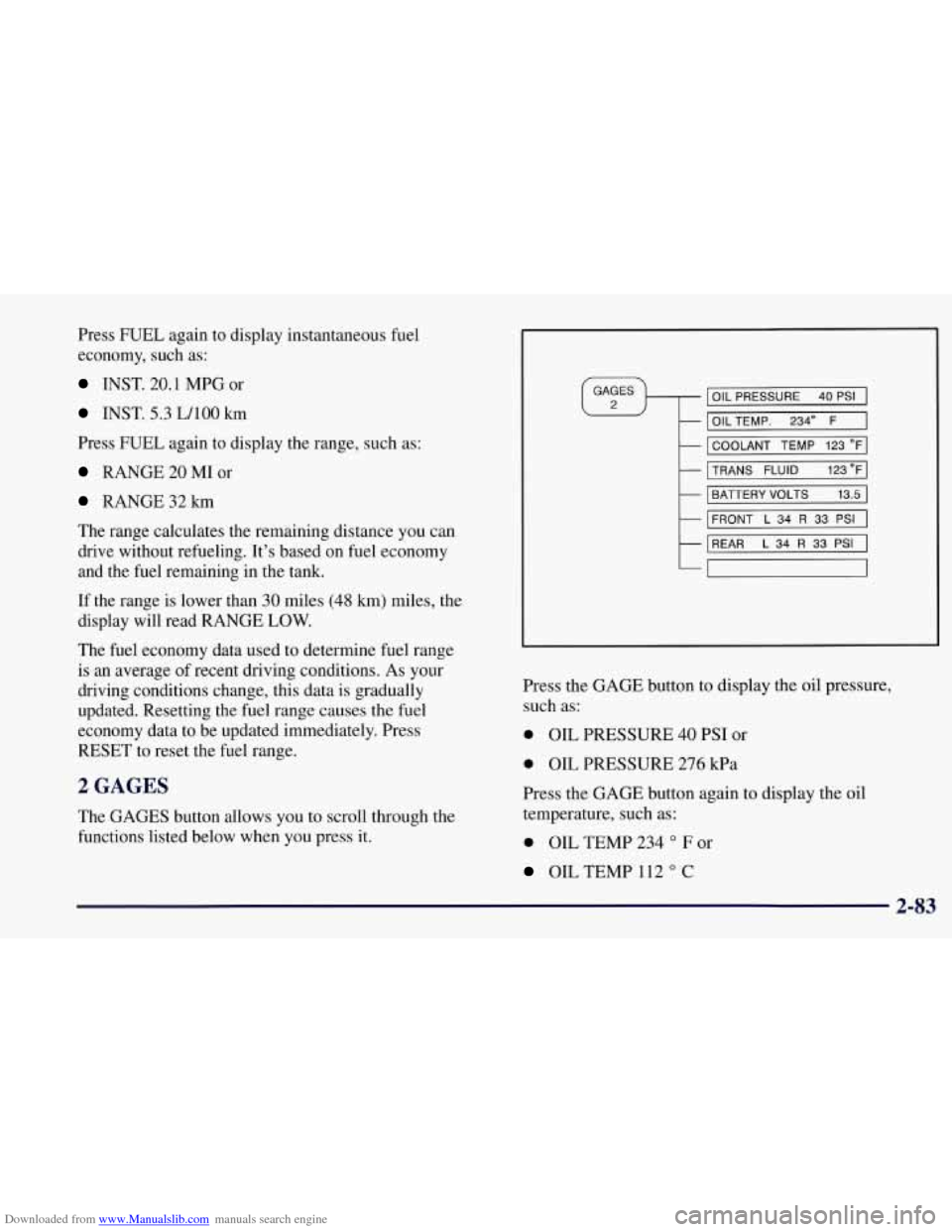
2 GAGES
The GAGES button allows you to scroll through the
functions listed below when you press it.
IOIL PRESSURE 40 PSI I
I OILTEMP. 2340 F 1
I COOLANT TEMP 123 OF]
MNS FLUID 123"FI
I BATTERY VOLTS 13.5 I
I
FRONT L 34 R 33 PSI I
REAR L 34 R 33 PSI I
7
Press the GAGE button to display the oil pressure,
such as:
0 OIL PRESSURE 40 PSI or
0 OIL PRESSURE 276 kPa
Press the GAGE button again to display the
oil
temperature, such as:
0 OIL TEMP 234 O F or
OIL TEMP 112 O C
2-83
Page 133 of 356
Downloaded from www.Manualslib.com manuals search engine Press the GAGE button again to display the coolant
temperature, such as:
0 COOLANT TEMP 123 O F or
COOLANT TEMP 51 O C or
Press the GAGE button again to display the transmission fluid temperature (automatics only), such as:
0 TRANS FLUID 123 O F or
0 TRANS FLUID 51 O C
Press the GAGE button again to display the battery
voltage, such as:
BATTERY 13.5 VOLTS
Press the GAGE button again to display the tire pressure
for the front tires (left and right), such as:
0 FRONT L34 R33 PSI
0 FRONT L 234 R228 kPa
Press the GAGE button again to display the tire pressure
for the rear tires (left and right), such as:
REAR L34 R33 PSI
0 REAR L234 R228 kPa
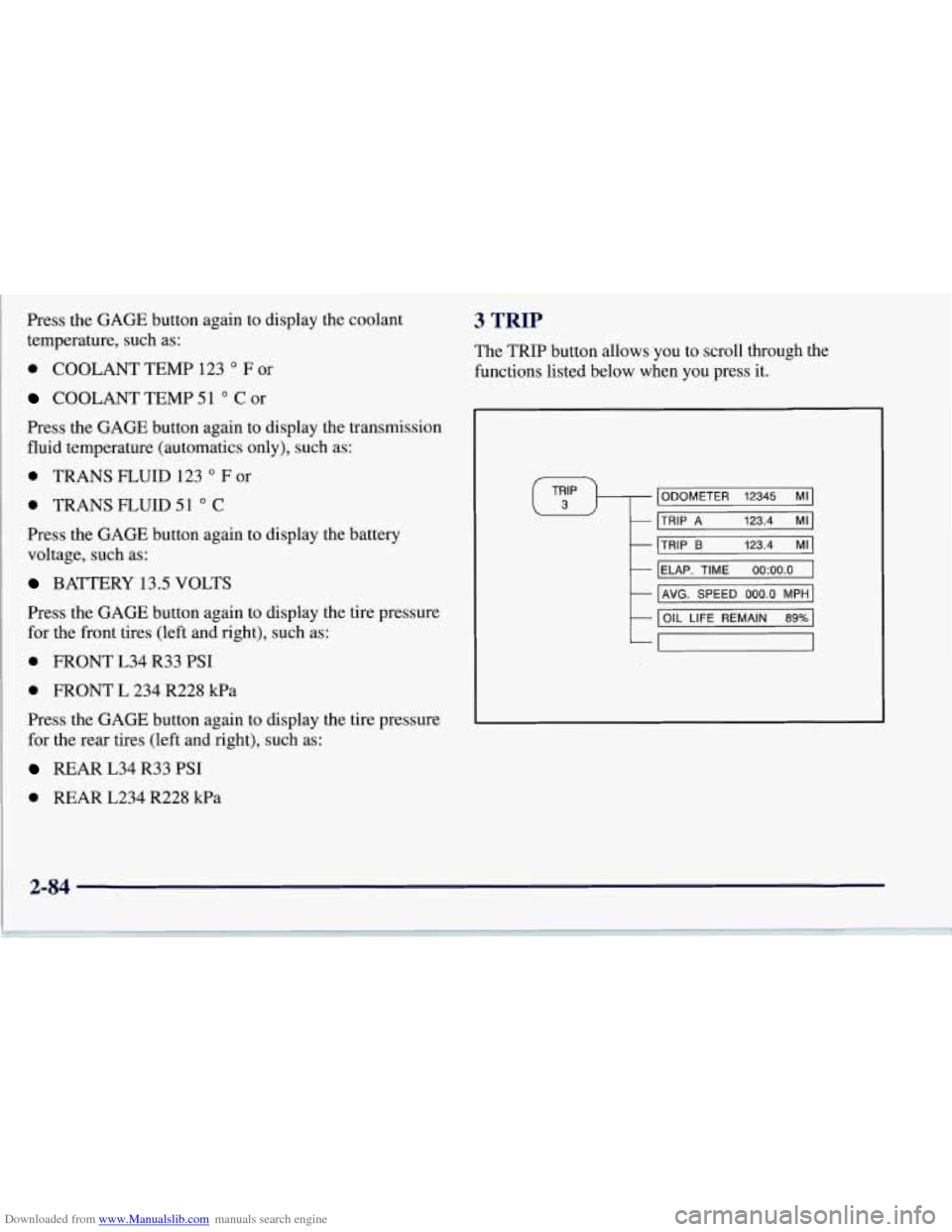
3 TRIP
The TRIP button allows you to scroll through the
functions listed below when you press it.
ODOMETER 12345 MI
TRIP A 123.4 MI
ti
1
TRIP B 123.4 MI1
IELAP.
TIME 0O:OO.O I
t I AVG. SPEED 000.0 MPH I
t
I OIL LIFE REMAIN 89% I
-
2-84