tow CHEVROLET CORVETTE 1998 5.G User Guide
[x] Cancel search | Manufacturer: CHEVROLET, Model Year: 1998, Model line: CORVETTE, Model: CHEVROLET CORVETTE 1998 5.GPages: 378, PDF Size: 19.91 MB
Page 114 of 378
Downloaded from www.Manualslib.com manuals search engine NOTICE:
To avoid damage to the roof panel, paint and
weatherstripping do not drop or rest it on its
edges. Place the roof panel in the egg-shaped
stowage receivers after removing it from
the vehicle.
1. Park on a level surface, set the parking brake firmly
and shift an automatic transmission into PARK (P).
Shift a manual transmission into REVERSE
(R).
Turn the ignition key to OFF. Lower both sunshades
and rotate them toward the door glass.
2. Open the rear liftgate and remove any items that may
interfere with proper storage
of the roof panel. Also
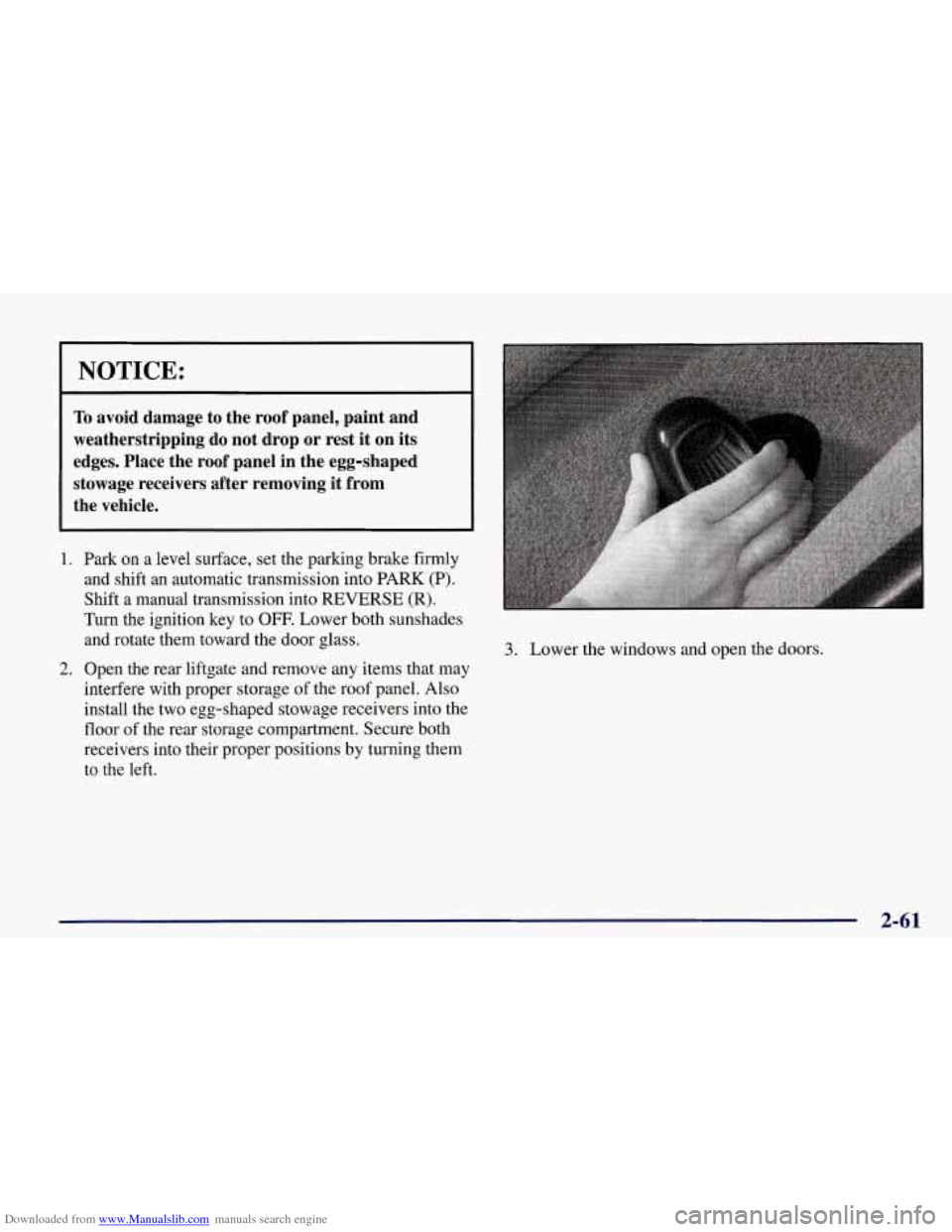
install the two egg-shaped stowage receivers into the
floor of the rear storage compartment. Secure both
receivers into their proper positions by turning them
to the left.
3. Lower the windows and open the doors.
2-61
Page 115 of 378
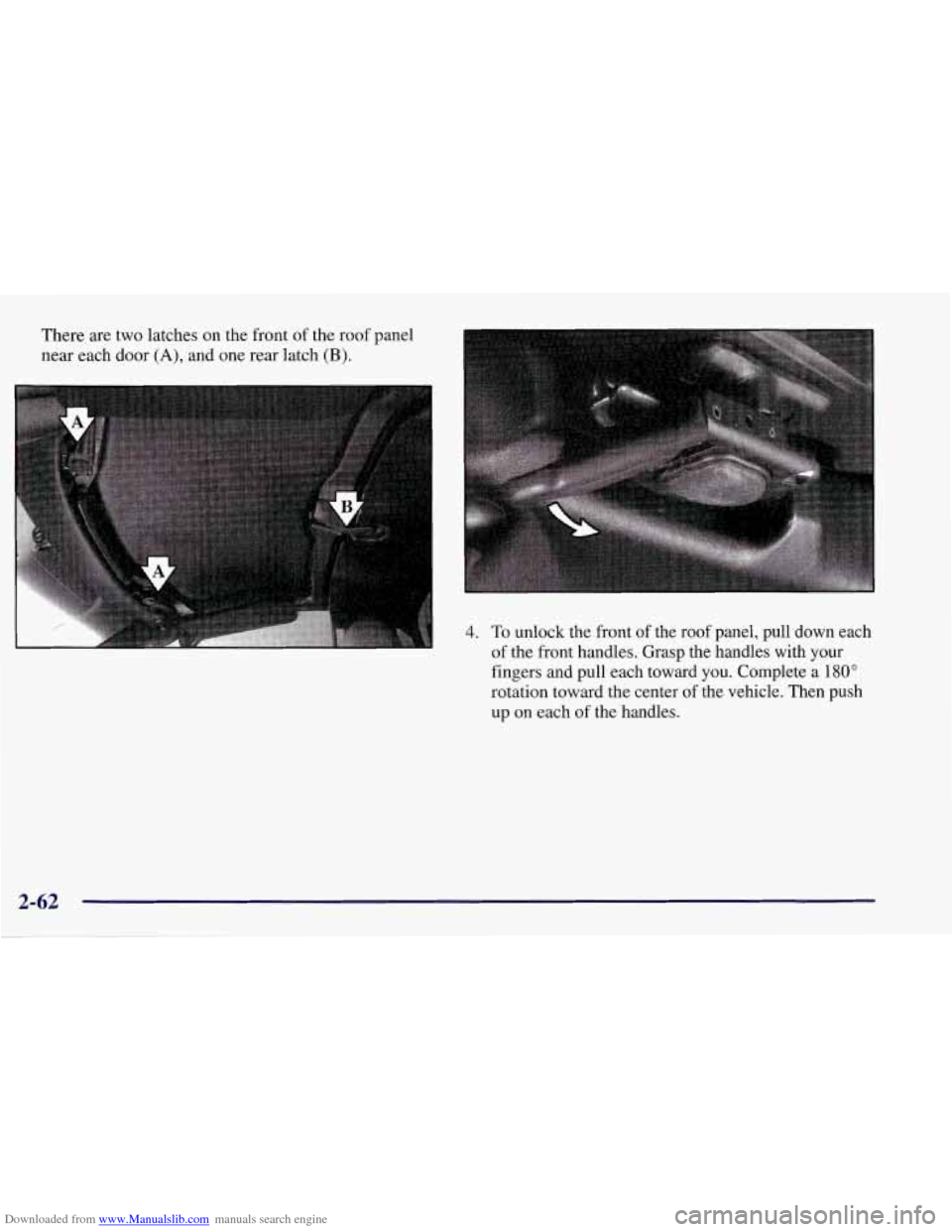
Downloaded from www.Manualslib.com manuals search engine There are two latches on the front of the roof panel
near each door
(A), and one rear latch (B).
4. To unlock the front of the roof panel, pull down each
of the front handles. Grasp the handles with your
fingers and pull each toward
you. Complete a 180"
rotation toward the center of the vehicle. Then push
up
on each of the handles.
2-62
Page 117 of 378
Downloaded from www.Manualslib.com manuals search engine Storing the Roof Panel
I A CAUTION
If the roof panel is not stored properly, it could be
thrown about the vehicle in a crash or sudden
maneuver. People in the vehicle could be injured.
Whenever you store the roof panel
in the vehicle,
always be sure that
it is stored securely in the
rear area using the storage pins.
NOTICE:
To avoid damage to the roof panel, paint and
weatherstripping, do not drop or rest it on its
edges. Place the roof panel in the egg-shaped
stowage receivers after removing it from
the vehicle.
1. Turn the roof panel so that the rear edge of the panel
is facing the storage area. The locating pins (at the
rear
of the panel) should point toward the
egg-shaped stowage receivers on the floor of the
center compartment.
2. Push the panel forward until the pins bottom out in
the receivers.
Page 120 of 378
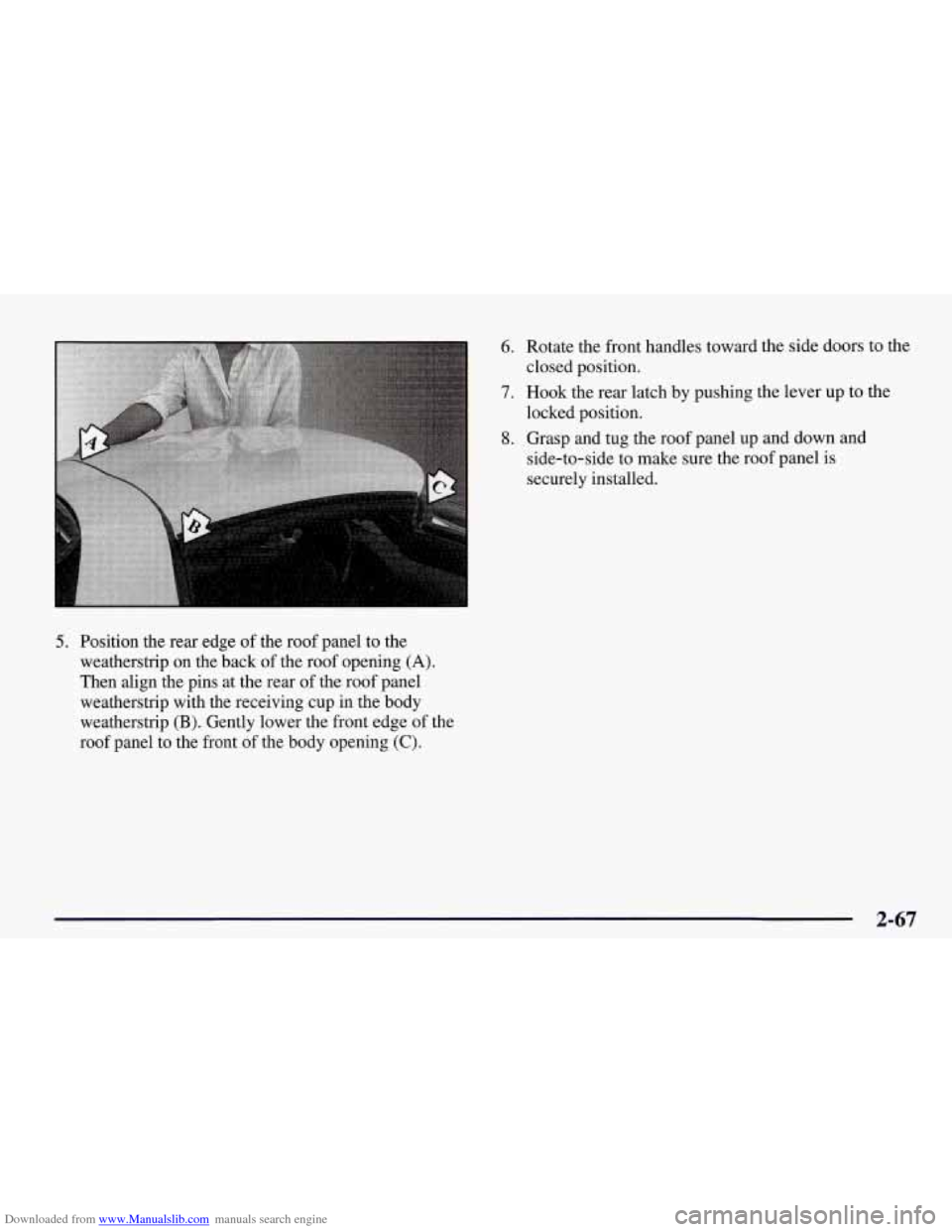
Downloaded from www.Manualslib.com manuals search engine 5. Position the rear edge of the roof panel to the
weatherstrip on the back
of the roof opening (A).
Then align the pins at the rear of the roof panel
weatherstrip with the receiving cup in the body
weatherstrip
(B). Gently lower the front edge of the
roof panel to the front of the body opening
(C).
6. Rotate the front handles toward the side doors to the
closed position.
7. Hook the rear latch by pushing the lever up to the
locked position.
8. Grasp and tug the roof panel up and down and
side-to-side to make sure the roof panel is
securely installed.
2-67
Page 122 of 378
Downloaded from www.Manualslib.com manuals search engine Lowering Your Convertible Top
I NOTICE:
Don’t leave your convertible out with the top
down for any long periods of time. The sun and
rain can damage your seat material and other
things inside your vehicle.
1. Set the parking brake firmly. Shift an automatic
transmission into PARK (P). Shift a manual
transmission into REVERSE
(R). Turn the ignition
key
to OFF. Lower both sunshades and rotate them
toward the door glass.
NOTICE:
Before lowering the convertible top into the
storage area, be sure there are no objects in the
way of the folded, stored top. The weight of a
stored top on items in the storage area may cause
the convertible top back glass to break.
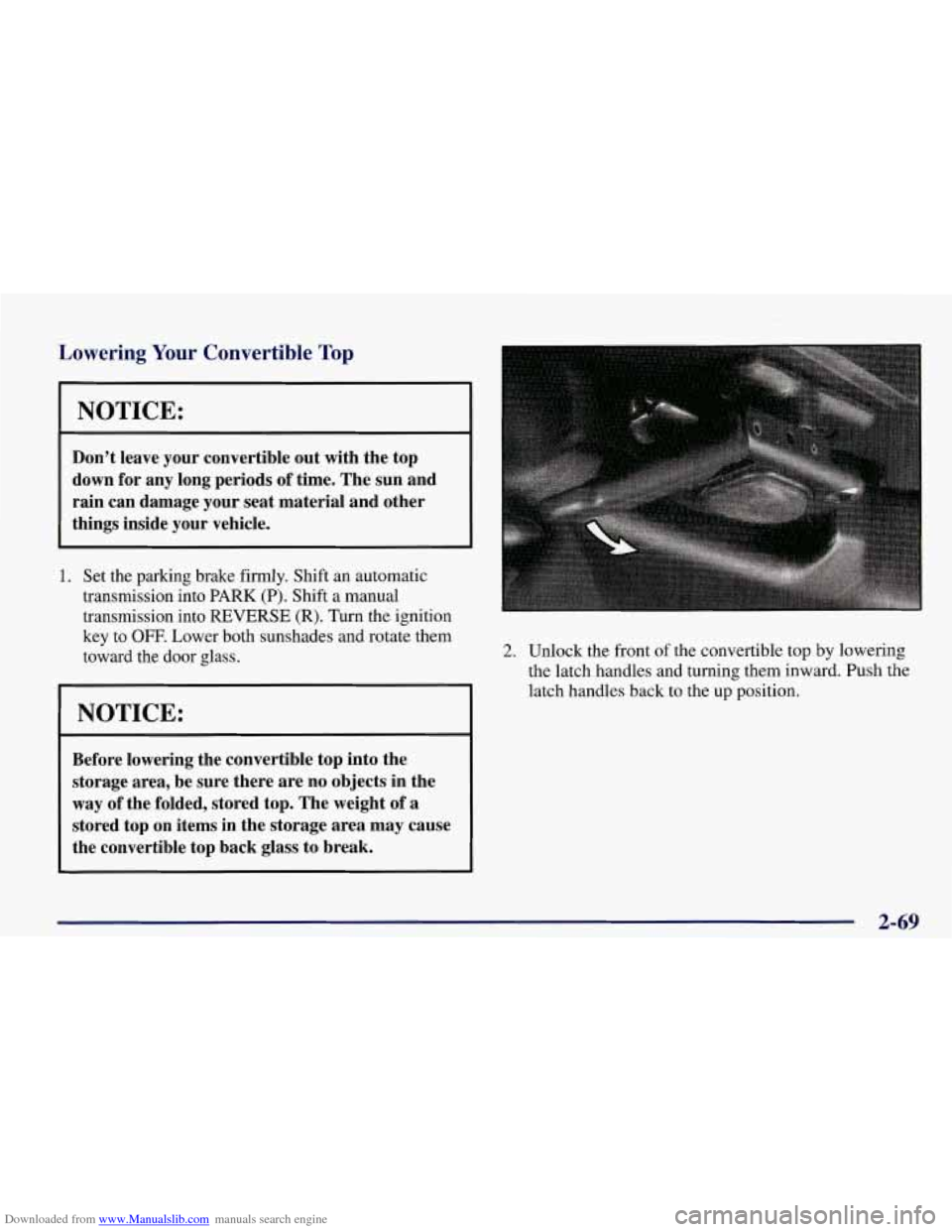
2. Unlock the front of the convertible top by lowering
the latch handles and turning them inward. Push the
latch handles back to the up position.
2-69
Page 133 of 378
Downloaded from www.Manualslib.com manuals search engine If the light comes on while you are driving and you have Anti-Lock Brake System Warning Light
a LOW -BRAKE FLUID message showing on the DIC,
pull
off the road and stop carefully. You may notice that
engine and may stay on for
on, have the vehicle towed for service. (See “Towing on
when you
start your
to the
floor. It may take longer to stop. If the light is still system,
the light will come
the pedal is, harder to push. Or, the pedal may
go closer With
the anti-lock brake
several seconds.
Your Vel le” in the Index.)
w v v
That’s’normal.
Your brake system may not be working properly
if the brake warning light is on. Driving with the
brake warning light on can lead to an accident.
If
the light is still on after you’ve pulled off the road
and stopped carefully, have the vehicle towed
for service.
If the light stays on, turn the ignition to OFF. Or, if the
light comes on when you’re driving, stop as soon as
possible and turn the ignition
off. Then start the engine
again to reset the system.
If the light still stays on, or
comes
on again while you’re driving, your vehicle needs
service. If the regular brake system warning light isn’t
on, you still have brakes, but you don’t have anti-lock
brakes. If the regular brake system warning light
is also
on, you don’t have anti-lock brakes and there’s a
problem with your regular brakes. See “Brake System
Warning Light” earlier in this section.
The anti-lock brake system warning light should come
on briefly when you turn the ignition key to
ON. If the
light doesn’t come on then, have it fixed so it will be
ready to warn you if there is a problem.
Page 151 of 378
Downloaded from www.Manualslib.com manuals search engine ABS ACTIVE (Anti-Lock Brake System Active) - :
When your anti-lock system is adjusting brake pressure
to help avoid a braking skid, the ABS ACTIVE message
will be displayed.
Slippery road conditions may exist if this message is
displayed,
so adjust your driving accordingly. The
message will stay on for a few seconds after the system
stops adjusting brake pressure.
SERVICE ABS (Anti-Lock Brake System) - : If the
SERVICE ABS message is displayed when you
are
driving, stop as soon as possible and turn the ignition
off. Then start the engine again to reset the system. If
the message stays on, or comes back on again while you
are driving, your vehicle is in need of service. If the
regular brake system warning light isn’t on, you still
have brakes, but don’t have anti-lock brakes. If the
regular brake system light is also on, you don’t have
anti-lock brakes and there is a problem with your
brakes.
See “Brake System Warning Light” earlier in
this section.
If the SERVICE ABS message is being displayed, your
traction control system and the optional active handling system will also be disabled. The driver information
center will scroll three messages SERVICE ABS,
SERVICE TRACTION SYS. and SERVICE ACTIVE
HNDLG and the instrument cluster car icon will be illuminated.
The driver can acknowledge these messages
by pressing the reset button three times. When the
service message is displayed the computer controlled
systems will not assist the driver and you should have
the system repaired as soon as possible. Adjust your
driving accordingly.
SERVICE COLUMN LOCK: The system that
controls the locking and unlocking of the steering
column may not work properly. Have the vehicle towed
to a dealer for service.
LOW OIL PRESSURE: You will hear four chimes and
the CHECK GAGES telltale will come on when this
message is displayed.
To acknowledge the warning,
press the RESET button. After you press the
RESET
button, a message will be displayed and you will hear a
chime every minute until the vehicle is serviced.
If you
do not press RESET, the message will remain on the
digital display until the vehicle is serviced.
Low oil pressure may be the result of a combination of
low oil level and abrupt changes in the vehicle’s
direction. When this warning
is displayed, you should
not operate the engine at high
RPM or make fast abrupt
moves. When convenient, you should check the oil
level. See “Engine Oil” in the Index.
Page 161 of 378
Downloaded from www.Manualslib.com manuals search engine Comfort Controls
This section tells you how to make your air system work
for you. Your comfort control system uses
ozone-friendly
R- 134a refrigerant.
With these systems, you can control the heating, cooling and ventilation in your vehicle. Your vehicle also has
a flow-through ventilation system described later
in
this section.
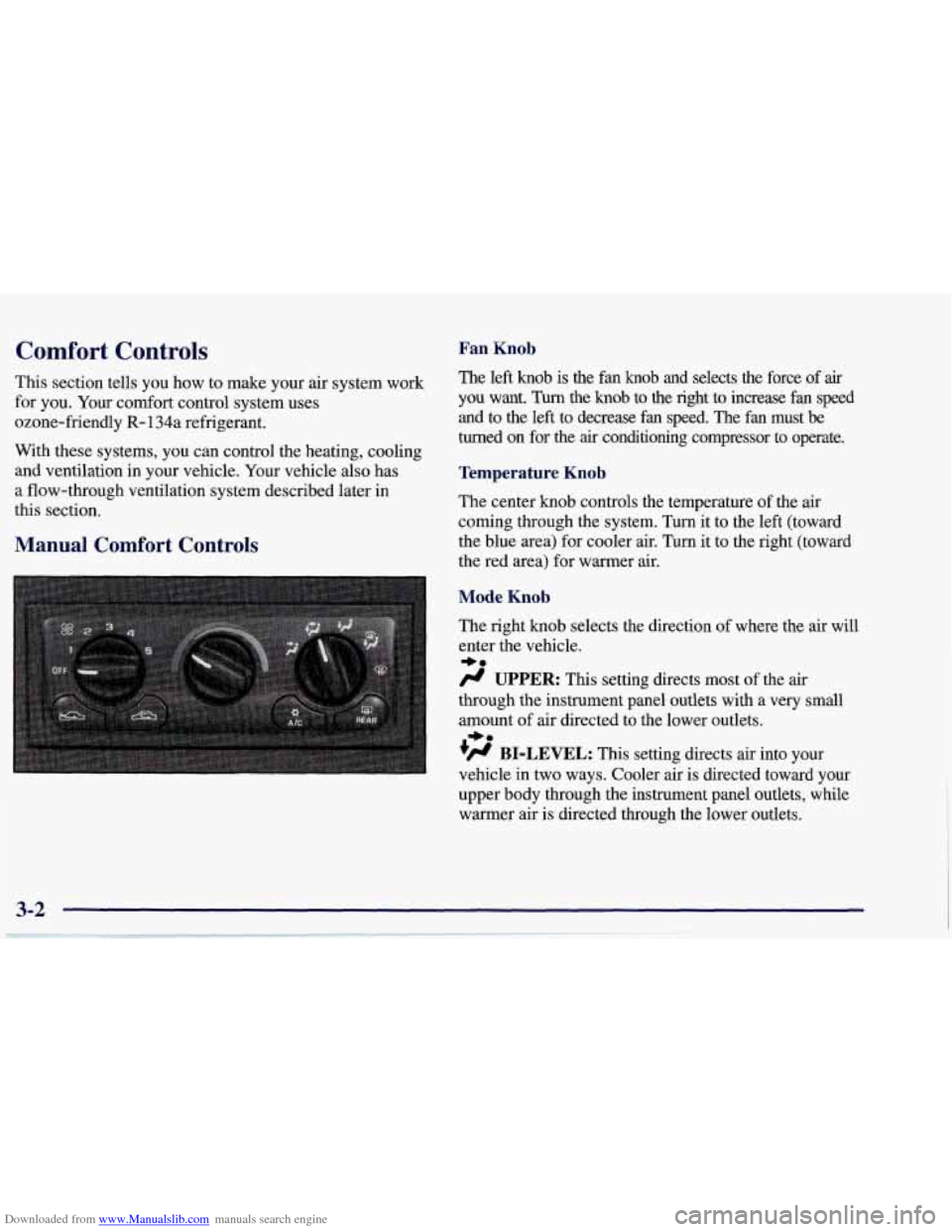
Manual Comfort Controls
Fan Knob
The left knob is the fan knob and selects the force of air
you want. Turn the knob to the right to increase fan speed
and to the
left to decrease fan speed. The fan must be
turned on for the
air conditioning compressor to operate.
Temperature Knob
The center knob controls the temperature of the air
coming through the system.
Turn it to the left (toward
the blue area) for cooler air. Turn it to the right (toward\
the red area) for warmer air.
Mode Knob
The right knob selects the direction of where the air will
enter the vehicle.
/.I UPPER: This setting directs most of the air
through the instrument panel outlets with a very small
amount of air directed to the lower outlets.
+H BI-LEVEL: This setting directs air into your
vehicle in two ways. Cooler air
is directed toward your
upper body through the instrument panel outlets, while
warmer air is directed through the lower outlets.
*e
+e
Page 162 of 378
Downloaded from www.Manualslib.com manuals search engine a
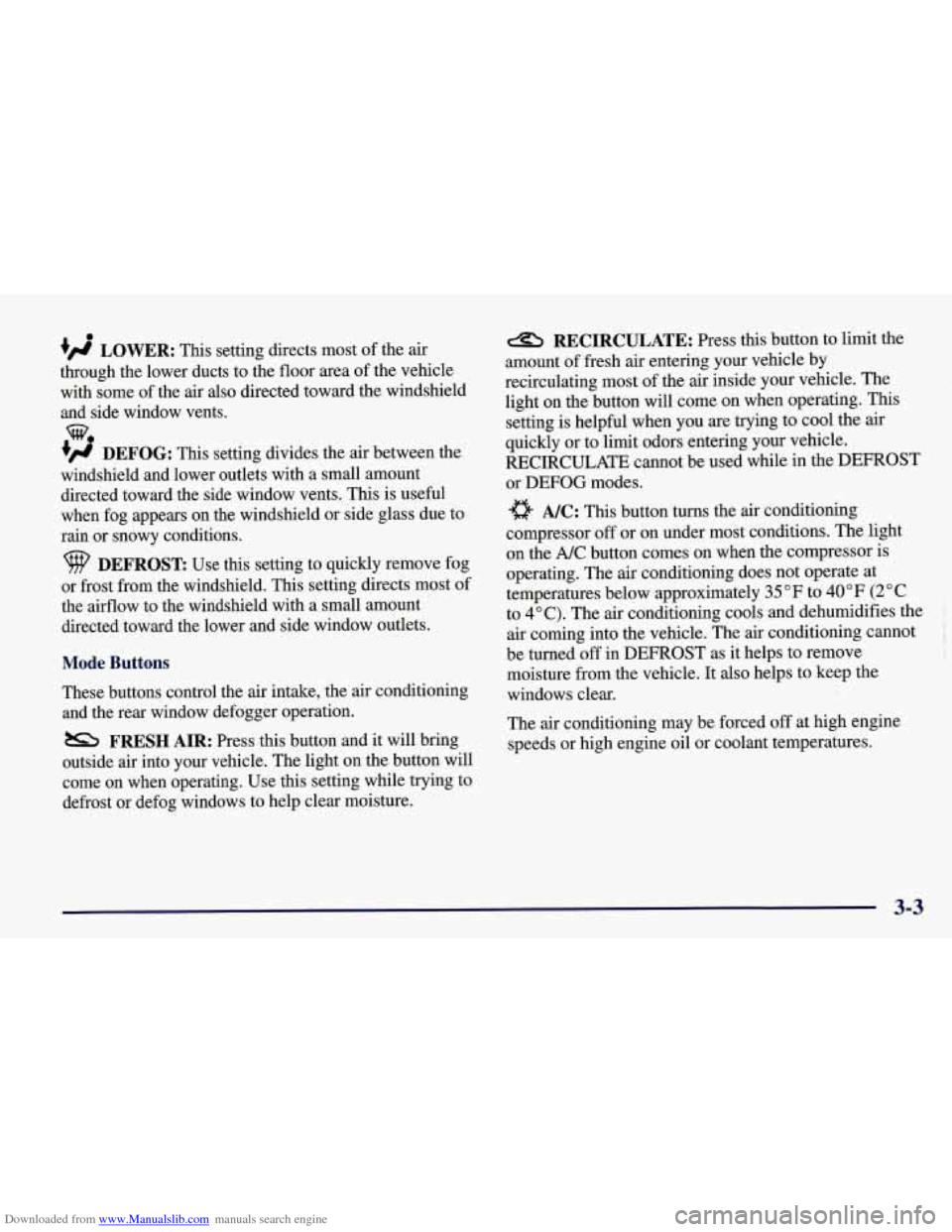
+' LOWER: This setting directs most of the air
through the lower ducts to the floor area of the vehicle with some of the air also directed toward the windshield
and side window vents.
+# DEFOG: This setting divides the air between the
windshield and lower outlets with a small amount directed toward the side window vents. This is useful
when fog appears on the windshield or side glass due to
rain or snowy conditions.
DEFROST Use this setting to quickly remove fog
or frost from the windshield. This setting directs most of
the airflow to the windshield with
a small amount
directed toward the lower and side window outlets.
Mode Buttons
These buttons control the air intake, the air conditioning and the rear window defogger operation.
FRESH AIR: Press this button and it will bring
outside air into your vehicle. The light on the button will
come on when operating. Use this setting while trying to
defrost or defog windows to help clear moisture.
RECIRCULATE: Press this button to limit the
amount of fresh air entering your vehicle by
recirculating most of the
air inside your vehicle. The
light on the button will come on when operating. This
setting is helpful when you are trying to cool the air
quickly or to limit odors entering your vehicle.
RECIRCULATE cannot be used while in the DEFROST
or
DEFOG modes.
e A/C: This button turns the air conditioning
compressor
off or on under most conditions. The light
on the A/C button comes on when the compressor is
operating. The air conditioning does not operate at
temperatures below approximately
35 OF to 40°F (2" C
to 4°C). The air conditioning cools and dehumidifies the
air coming into the vehicle. The air conditioning cannot
be turned
off in DEFROST as it helps to remove
moisture from the vehicle. It also helps to keep the
windows clear.
The air conditioning may be forced
off at high engine
speeds
or high engine oil or coolant temperatures.
3-3
Page 166 of 378
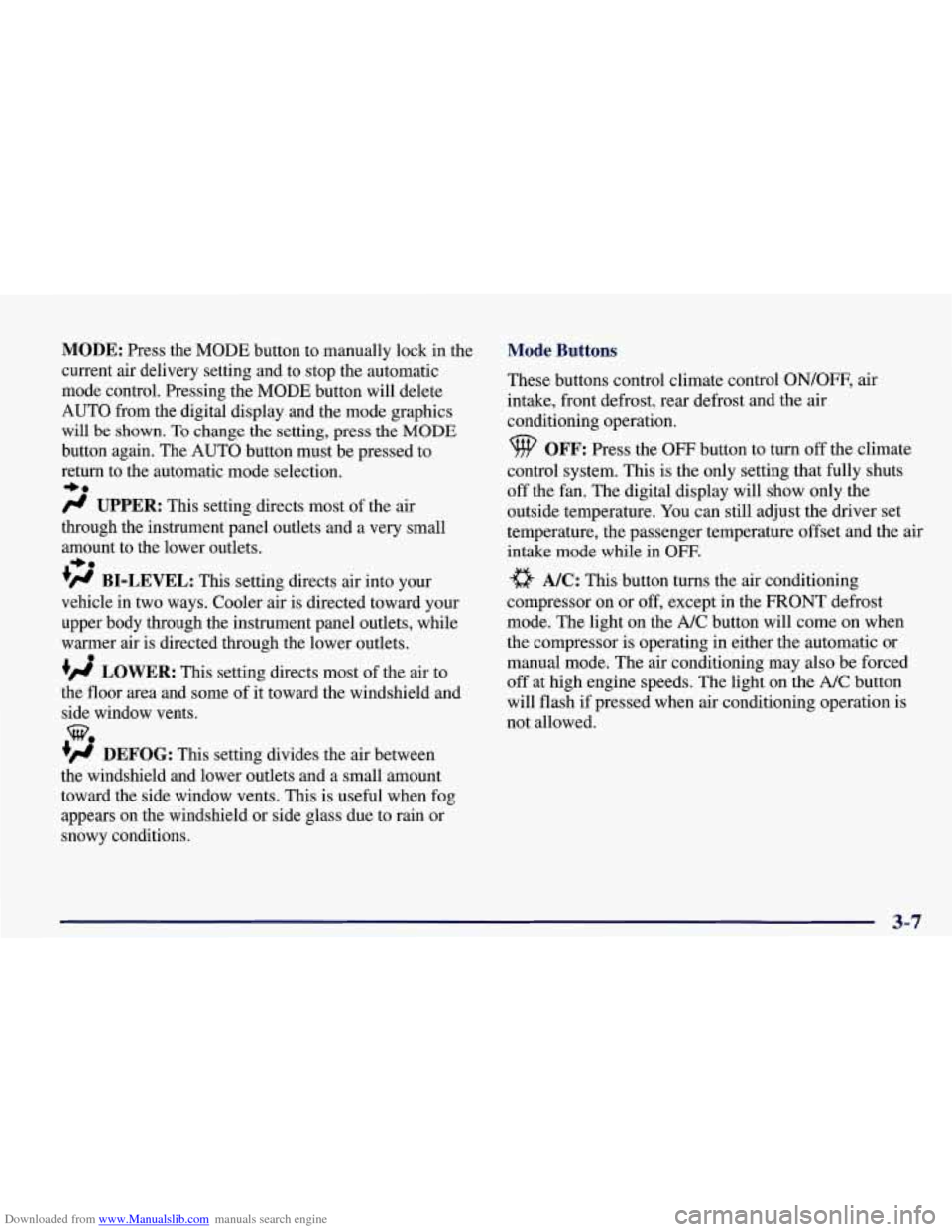
Downloaded from www.Manualslib.com manuals search engine MODE: Press the MODE button to manually lock in the
current air delivery setting and to stop the automatic
mode control. Pressing the MODE button will delete
AUTO from the digital display and the mode graphics
will be shown. To change the setting, press the MODE
button again. The AUTO button must be pressed to
return to the automatic mode selection.
-bo
UPPER: This setting directs most of the air
through the instrument panel outlets and a very small amount to the lower outlets.
+# BI-LEVEL: This setting directs air into your
vehicle in two ways. Cooler air is directed toward your upper body through the instrument panel outlets, while
warmer air is directed through the lower outlets.
+# LOWER: This setting directs most of the air to
the floor area and some of it toward the windshield and
side window vents.
+’, DEFOG: This setting divides the air between
the windshield and lower outlets and a small amount
toward the side window vents. This is useful when fog
appears
on the windshield or side glass due to rain or
snowy conditions.
+e
e
w.
Mode Buttons
These buttons control climate control OWOFF, air
intake, front defrost, rear defrost and the air
conditioning operation.
OFF: Press the OFF button to turn off the climate
control system.
This is the only setting that fully shuts
off the fan. The digital display will show only the
outside temperature. You can still adjust the driver set
temperature, the passenger temperature offset and the
air
intake mode while in OFF.
a A/C: This button turns the air conditioning
compressor on or
off, except in the FRONT defrost
mode. The light on the
A/C button will come on when
the compressor is operating in either the automatic or
manual mode. The air conditioning may also be forced
off at high engine speeds. The light on the A/C button
will flash
if pressed when air conditioning operation is
not allowed.
3-7