engine oil CHEVROLET CORVETTE 1998 5.G Owners Manual
[x] Cancel search | Manufacturer: CHEVROLET, Model Year: 1998, Model line: CORVETTE, Model: CHEVROLET CORVETTE 1998 5.GPages: 378, PDF Size: 19.91 MB
Page 15 of 378
Downloaded from www.Manualslib.com manuals search engine Vehicle Symbols
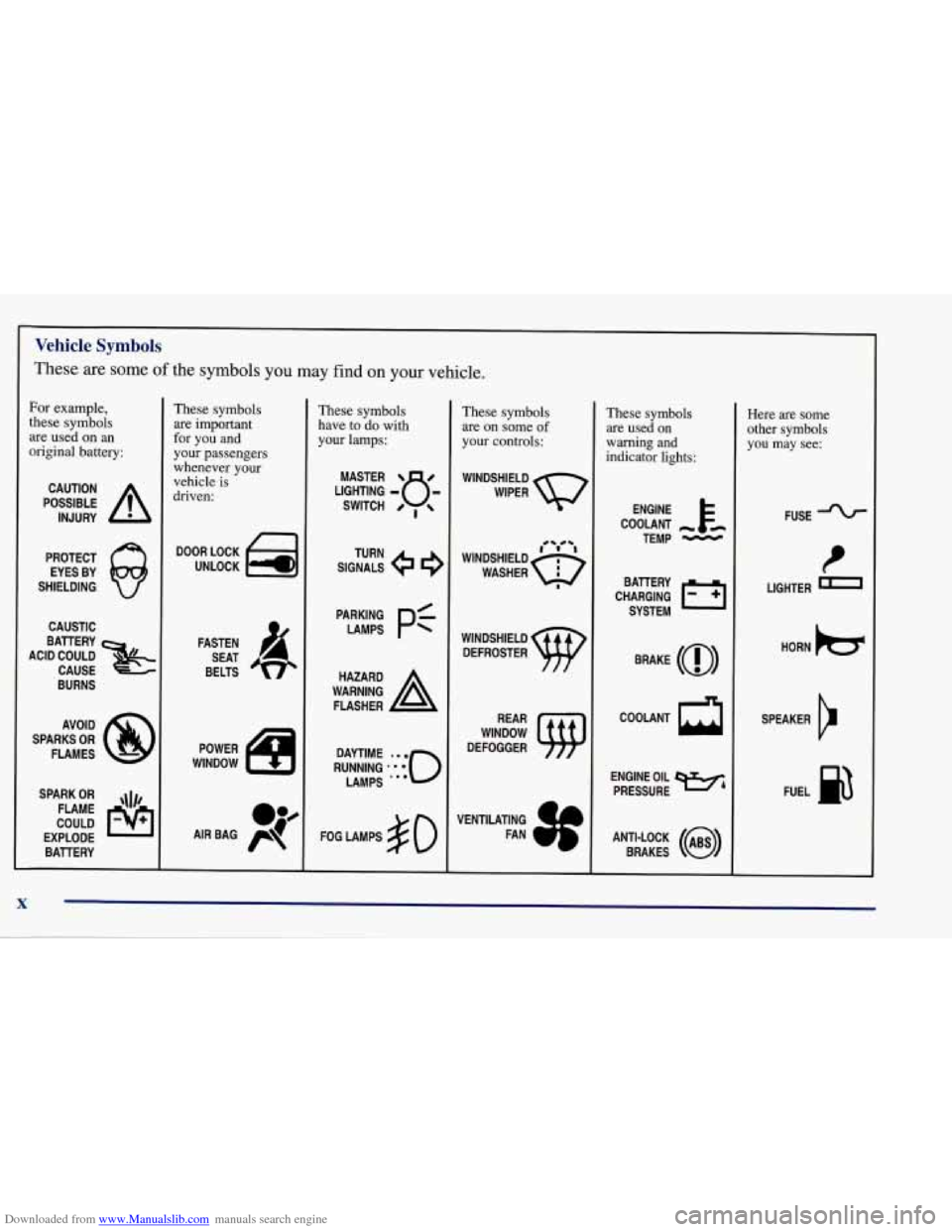
These are some of the symbols you may find on your vehicle.
For example,
these symbols
are used on
an
original battery:
POSSIBLE A
CAUTION
INJURY
PROTECT EYES BY
SHIELDING
Q
CAUSTIC
These symbols
are important
for you and
your passengers
whenever your
vehicle
is
driven:
DOOR LOCK
UNLOCK
ACID COULD BAlTERY
CAUSE
BURNS
AVOID
SPARKS
OR
FLAMES
SPARK
OR ,\I/,
COULD FLAME
EXPLODE BAllERY FASTEN
SEAT
BELTS
These symbols
have
to do with
your lamps:
SIGNALS TURN
A
FLASHER
FOG LAMPS
$0
These symbols
are on some
of
your controls:
WINDSHIELD
DEFROSTER
WINDOW
DEFOGGER
VENTILATING FAN
These symbols
are used on
warning and
indicator lights:
COOLANT -
TEMP -
CHARGING I-1
BATTERY
SYSTEM
BRAKE
(@)
COOLANT
a
ENGINE OIL
PRESSURE
WA
ANTI-LOCK (@)
BRAKES
Here are some
other symbols
you may see:
FUSE
t
LIGHTER
HORN
b
SPEAKER
b
FUEL p3
X
Page 77 of 378
Downloaded from www.Manualslib.com manuals search engine Racing or Other Competitive Driving
See your Warranty Book before using your vehicle for
racing
or other competitive driving.
NOTICE:
If you use your vehicle for racing or other
competitive driving, your engine may use more
oil than
it would with normal use. Low oil levels
can damage the engine. Be sure to check the oil
level often during racing or other competitive
driving and keep the level at or near the upper
mark on the engine
oil dipstick. You may need to
add oil. See “Adding Oil” under “Engine” in
the Index.
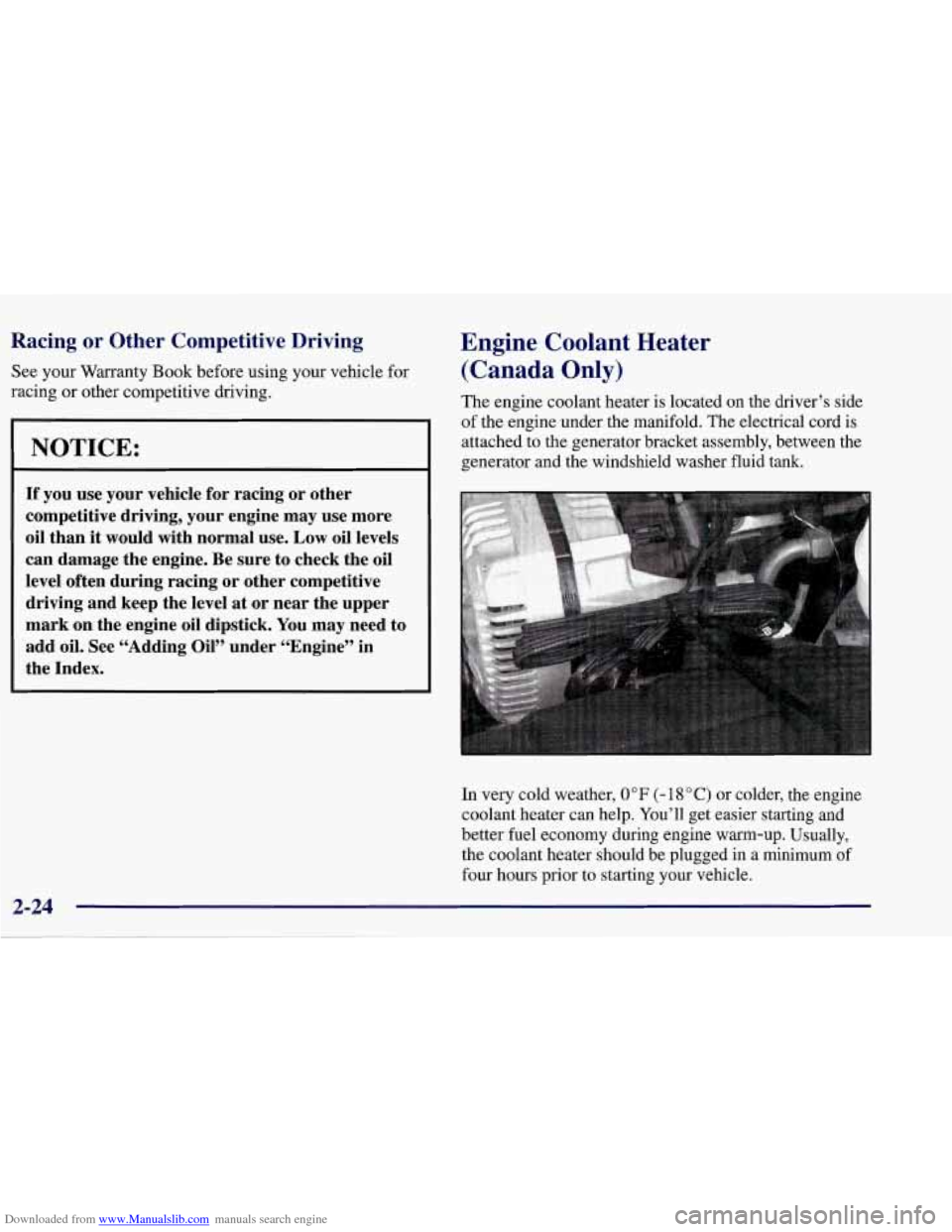
Engine Coolant Heater
(Canada Only)
The engine coolant heater is located on the driver’s side
of the engine under the manifold. The electrical cord is
attached to the generator bracket assembly, between the
generator and the windshield washer fluid tank.
In very cold weather,
0 OF (- 18 O C) or colder, the engine
coolant heater can help. You’ll get easier starting and
better fuel economy during engine warm-up. Usually,
the coolant heater should be plugged in a minimum of
four hours prior to starting your vehicle.
2-24
Page 78 of 378
Downloaded from www.Manualslib.com manuals search engine To Use the Engine Coolant Heater
1. Turn off the engine.
2. Open the hood and unwrap the electrical cord. With
headlamps closed, route the cord in the opening
between the left hand headlamp door and the fender
panel.
Do not pinch the cord when closing the hood.
3. Plug it into a normal, grounded 1 10-volt AC outlet.
A CAUTIO
I
Plugging the cord into an ungrounded outlet
could cause an electrical shock. Also, the wrong
kind of extension cord could overheat and cause
a fire. You could be seriously injured. Plug the
cord into
a properly grounded three-prong
110-volt
AC outlet. If the cord won’t reach, use a
heavy-duty three-prong extension cord rated for
at least
15 amps.
4. Before starting the engine, be sure to unplug and
store the cord as it was before to keep it away from
moving engine parts. If you don’t, it could
be damaged.
How long should you keep the coolant heater plugged in? The answer depends on the outside temperature, the
kind of oil you have, and some other things. Instead of
trying to list everything here, we ask that you contact
your dealer in the area where you’ll be parking your
vehicle. The dealer can give you the best advice for that
particular area.
~ --
2-25
Page 137 of 378
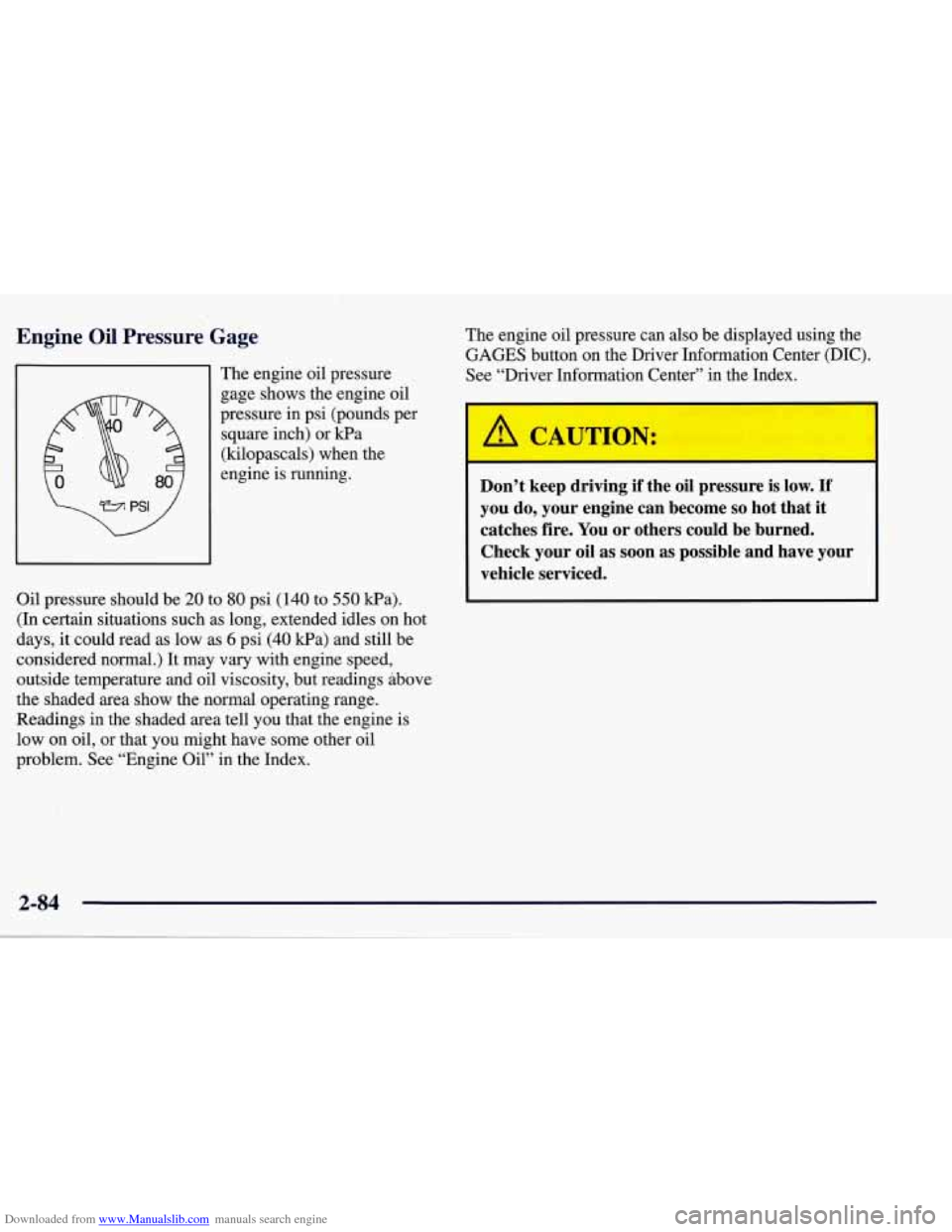
Downloaded from www.Manualslib.com manuals search engine Engine Oil Pressure Gage
The engine oil pressure
gage shows the engine oil
pressure in psi (pounds per
square inch) or kPa
(kilopascals) when the
engine is running.
Oil pressure should be
20 to 80 psi (140 to 550 Wa).
(In certain situations such as long, extended idles on hot
days, it could read as low as
6 psi (40 kPa) and still be
considered normal.) It may vary with engine speed,
outside temperature and oil viscosity, but readings above
the shaded area show the normal operating range.
Readings in the shaded area tell you that the engine is
low on oil, or that you might have some other oil
problem. See “Engine Oil” in the Index. The
engine oil pressure can also be displayed using the
GAGES button on the Driver Information Center (DIC).
See “Driver Information Center” in the Index.
A CAUTION:
Don’t keep driving if the oil pressure is low. If
you do, your engine can become so hot that it
catches fire. You or others could be burned.
Check your oil as soon as possible and have your
vehicle serviced.
2-84
Page 138 of 378
Downloaded from www.Manualslib.com manuals search engine I NOTICE:
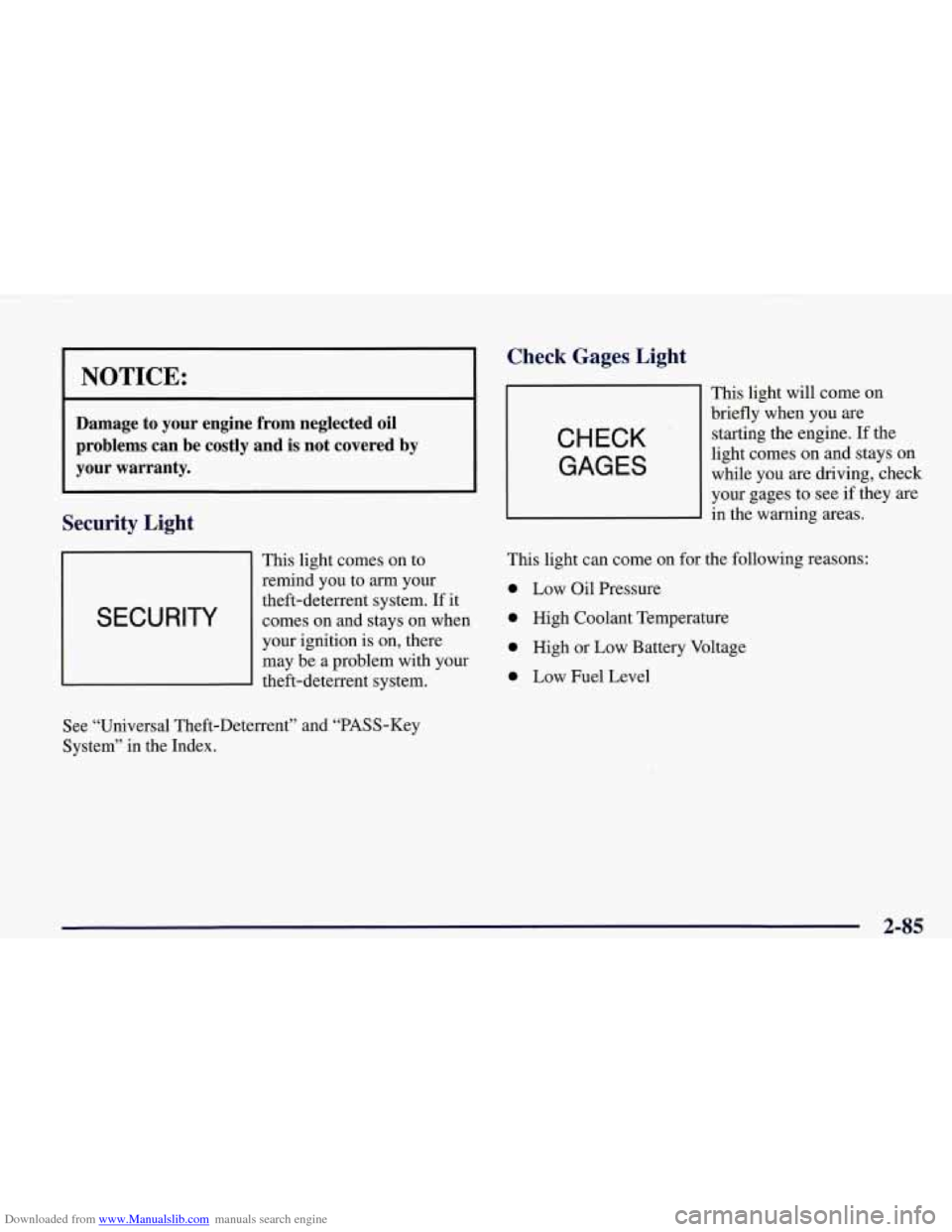
Damage to your engine from neglected oil
problems can be costly and
is not covered by
your warranty.
Security Light
This light comes on to
remind you to
arrn your
I SECURITY
theft-deterrent system. If it
comes on and stays on when
I
your ignition is on, there
may be a problem with your
theft-deterrent system.
Check Gages, Light
CHECK
GAGES
This light will come on
briefly when you are
starting the engine. If the
light comes on and stays on
while you are driving, check
your gages to see
if they are
in the warning areas.
This light can come on for the following reasons:
0 Low Oil Pressure
0 High Coolant Temperature
0 High or Low Battery Voltage
0 Low Fuel Level
See “Universal Theft-Deterrent” and “PASS-Key
System” in the Index.
2-85
Page 140 of 378
Downloaded from www.Manualslib.com manuals search engine Driver Information Center (DIC)
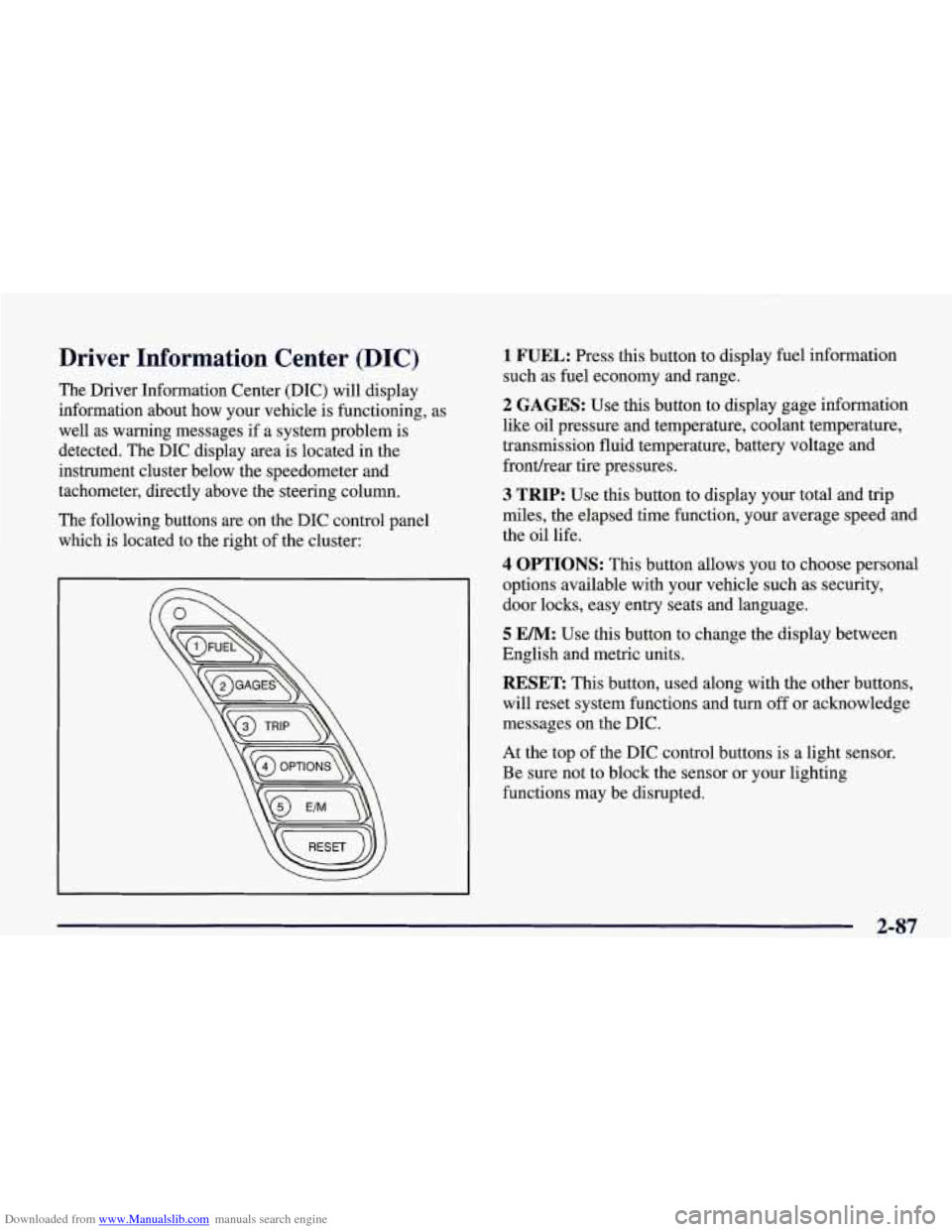
The Driver Information Center (DIC) will display
information about how your vehicle is functioning, as
well as warning messages if a system problem is
detected. The DIC display area is located in the
instrument cluster below the speedometer and
tachometer, directly above the steering column.
The following buttons are on the DIC control panel which is located to the right of the cluster:
1 FUEL: Press this button to display fuel information
such as fuel economy and range.
2 GAGES: Use this button to display gage information
like oil pressure and temperature, coolant temperature,
transmission fluid temperature, battery voltage and
fronthear tire pressures.
3 TRIP: Use this button to display your total and trip
miles, the elapsed time function, your average speed and
the oil life.
4 OPTIONS: This button allows you to choose personal
options available with your vehicle such as security,
door locks, easy entry seats and language.
5 EM: Use this button to change the display between
English and metric units.
RESET: This button, used along with the other buttons,
will reset system functions and turn
off or acknowledge
messages on the DIC.
At the top of the DIC control buttons is a light sensor.
Be sure not to block the sensor or your lighting
functions may be disrupted.
2-87
Page 142 of 378
Downloaded from www.Manualslib.com manuals search engine Press FUEL again to display instantaneous fuel
economy, such as:
0 INST. 20.1 MPG or
0 INST. 5.3 WlOO km
Press FUEL again to display the range, such as:
0 RANGE 20 MI or
RANGE32km
The range calculates the remaining distance you can
drive without refueling. It's based on fuel economy and
the fuel remaining in the tank.
If the range is lower than 30 miles (48 krn), the display
will read RANGE LOW.
The fuel economy data used to determine fuel range is
an average of recent driving conditions.
As your driving
conditions change, this data is gradually updated.
Resetting the fuel range causes the fuel economy data to
be updated immediately. Press RESET to reset the
fuel range.
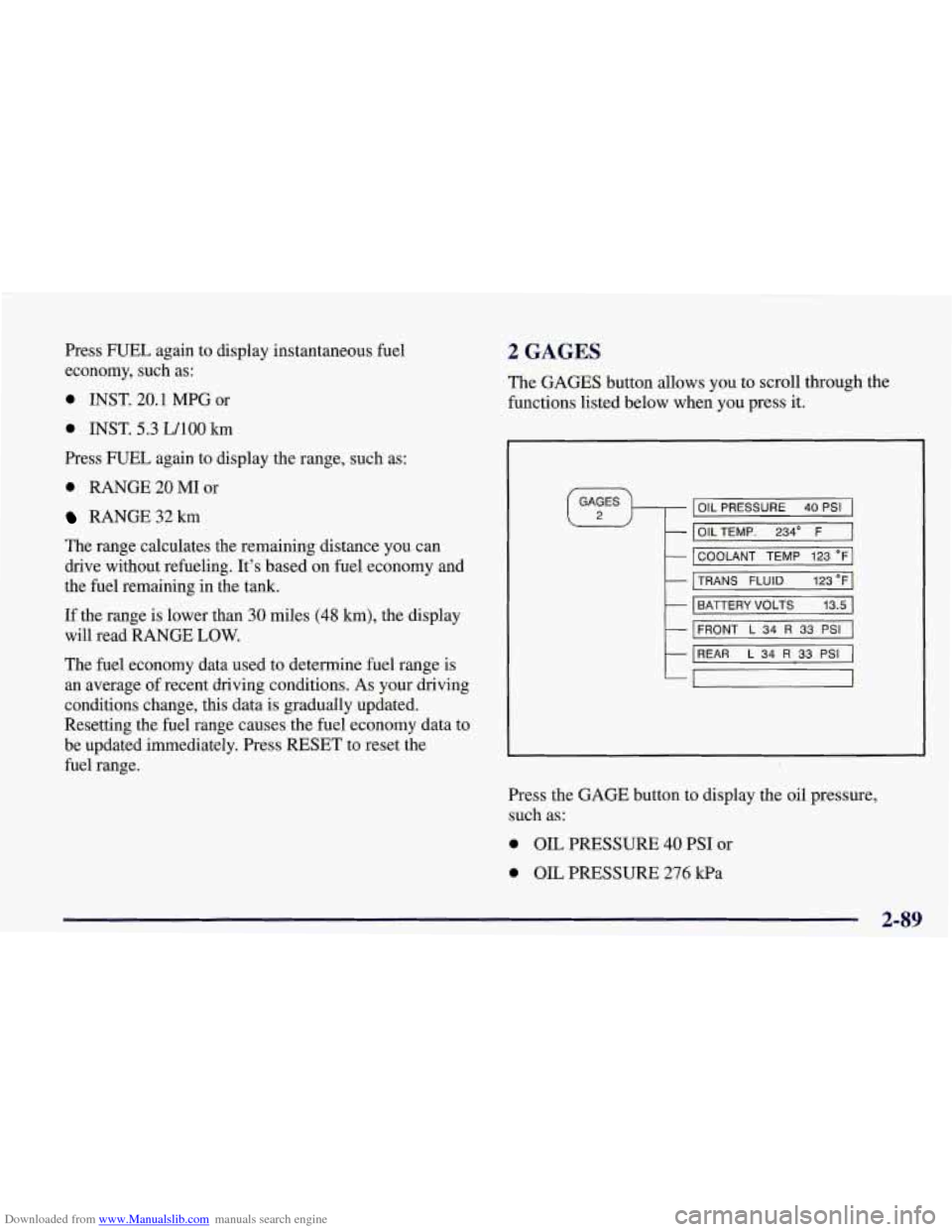
2 GAGES
The GAGES button allows you to scroll through the
functions listed below when you press it.
GAGES
2 OIL PRESSURE 40 PSI
- OILTEMP. 234" F
- COOLANT TEMP 123 "F
- TRANS FLUID 123°F
- BATTERY VOLTS 13.5
- FRONT L 34 R 33 PSI
- REAR L 34 R 33 PSI
-,
Press the GAGE button to display the oil pressure,
such as:
0 OIL PRESSURE 40 PSI or
0 OIL PRESSURE 276 kPa
2-89
Page 143 of 378
Downloaded from www.Manualslib.com manuals search engine Press the GAGE button again to display the oil
temperature, such as:
OIL TEMP 234 O F or
OILTEMP 112 O C
Press the GAGE button again to display the coolant
temperature, such as:
COOLANT TEMP 123 O F or
COOLANTTEMP51 O C
Press the GAGE button again to display the transmission
fluid temperature (automatics only), such as:
TRANS FLUID 123 O For
TRANS FLUID 51 O C
Press the GAGE button again to display the battery
voltage, such as:
0 BATTERY 13.5 VOLTS
Press the GAGE button again to display the tire pressure
for the front tires (left and right), such as:
FRONT L34 R33 PSI or
FRONT L 234 R228 kPa
Press the
GAGE button again to display the tire pressure
for the rear tires (left and right), such as:
REAR L34 R33 PSI or
0 REAR L234 R228 kPa
Page 144 of 378
Downloaded from www.Manualslib.com manuals search engine 3 TRIP
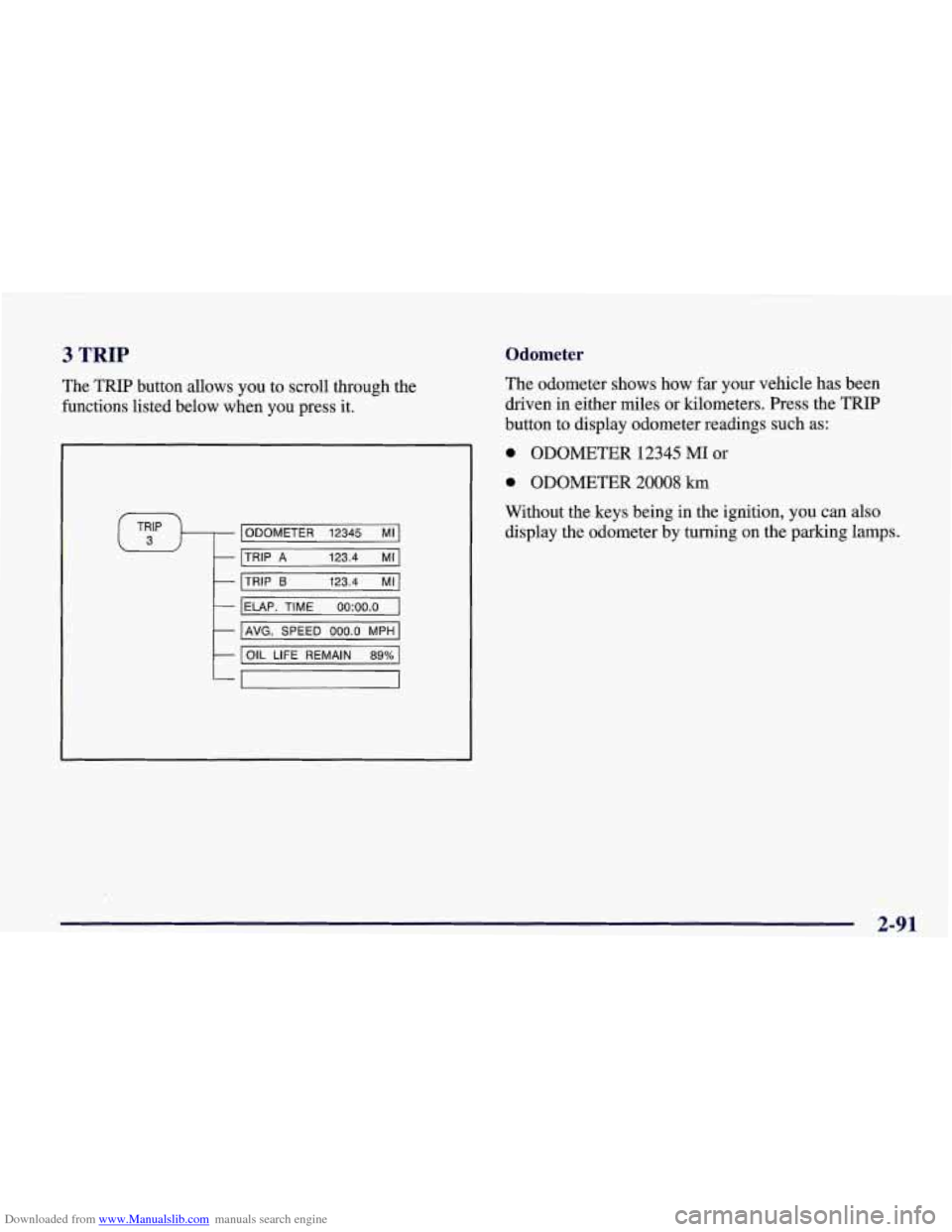
The TRIP button allows you to scroll through the
functions listed below when you press it.
ODOMETER 12345 MI
TRIP
A 123.4 MI
TRIP 6 123.4 MI
IELAP. TIME oo:oo.o I
I AVG. SPEED 000.0 MPH I
I OIL LIFE REMAIN 89% 1
Odometer
The odometer shows how far your vehicle has been
driven in either miles or kilometers. Press the TRIP
button to display odometer readings such
as:
0 ODOMETER 12345 MI or
0 ODOMETER 20008 km
Without the keys being in the ignition, you can also display the odometer by turning on the parking lamps.
2-91
Page 146 of 378
Downloaded from www.Manualslib.com manuals search engine Average Speed
Press the
TRIP button until the average speed is
displayed, such as:
AVERAGE SPEED 62 MPH or
AVERAGE SPEED 100 km/h
Press reset in this mode to start calculating the average
speed. Press and hold RESET to clear.
Engine Oil Life
Press the TRIP button until the engine oil life is
displayed, such as
OIL LIFE REMAIN 89%.
This is an estimate of the engine oil’s remaining useful
life. It will show 99% when the system is reset after an oil change.
It will alert you to change your oil on a
schedule consistent with your driving conditions.
When the remaining oil life is low, the system will alert
you with the message CHANGE
OIL SOON.
When the oil life is down to zero, ‘you will receive the
message
CHANGE OIL NOW.
To reset the OIL LEE reminder after an oil change:
1. With the ignition on, press the TRIP button so the
OIL LIFE percentage is displayed.
2. Press RESET and hold for two seconds. The word
RESET
will appear, then OIL LIFE 99%.
Remember, you must reset the
OIL LIFE yourself after
each oil change. It will not reset itself. Also, be careful
not to reset the
OIL LIFE accidentally at any time other
than when the oil has just been changed. It can’t be reset
accurately until the next oil change.
The DIC does not replace the need to maintain your
vehicle as recommended in the Maintenance Schedule in
this manual. Also, the oil change reminder will not
detect dusty conditions or engine malfunctions that may
affect the oil.
If you drive in dusty areas, change your oil
after every
3,000 miles (5 000 km) or three months,
whichever occurs first, unless the DIC instructs you to
do
so sooner. Also, the oil change reminder does not
measure how much oil you have in your engine,
so be
sure to check your oil level often. See “Engine Oil” in
the Index.
2-93