lock CHEVROLET CORVETTE 2002 5.G Owner's Manual
[x] Cancel search | Manufacturer: CHEVROLET, Model Year: 2002, Model line: CORVETTE, Model: CHEVROLET CORVETTE 2002 5.GPages: 384, PDF Size: 2.49 MB
Page 86 of 384
2-28
Automatic Transmission Operation
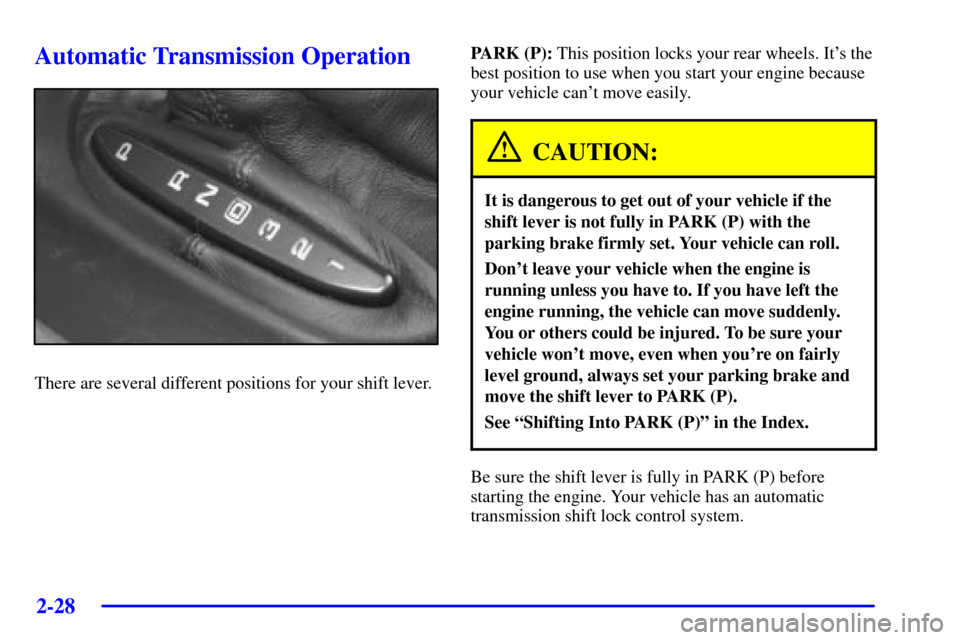
There are several different positions for your shift lever.PARK (P): This position locks your rear wheels. It's the
best position to use when you start your engine because
your vehicle can't move easily.
CAUTION:
It is dangerous to get out of your vehicle if the
shift lever is not fully in PARK (P) with the
parking brake firmly set. Your vehicle can roll.
Don't leave your vehicle when the engine is
running unless you have to. If you have left the
engine running, the vehicle can move suddenly.
You or others could be injured. To be sure your
vehicle won't move, even when you're on fairly
level ground, always set your parking brake and
move the shift lever to PARK (P).
See ªShifting Into PARK (P)º in the Index.
Be sure the shift lever is fully in PARK (P) before
starting the engine. Your vehicle has an automatic
transmission shift lock control system.
Page 89 of 384

2-31
Manual Transmission Operation
This is the shift pattern
for the six
-speed
manual transmission.
Here's how to operate your transmission:
FIRST (1): Press the clutch pedal and shift into
FIRST (1). Then slowly let up on the clutch pedal
as you press the accelerator pedal.
You can shift into FIRST (1) when you're going less
than 40 mph (64 km/h). If you've come to a complete
stop and it's hard to shift into FIRST (1), put the shift
lever in NEUTRAL and let up on the clutch. Press the
clutch pedal back down. Then shift into FIRST (1).
SECOND (2): Press the clutch pedal as you let up
on the accelerator pedal and shift into SECOND (2).
Then, slowly let up on the clutch pedal as you press
the accelerator pedal.THIRD (3), FOURTH (4), FIFTH (5) and
SIXTH (6): Shift into THIRD (3), FOURTH (4),
FIFTH (5) and SIXTH (6) the same way you do for
SECOND (2). Slowly let up on the clutch pedal as you
press the accelerator pedal.
To stop, let up on the accelerator pedal and press the
brake pedal. Just before the vehicle stops, press the
clutch pedal and the brake pedal, and shift to NEUTRAL.
NEUTRAL: Use this position when you start or idle
your engine. Your shift lever is in NEUTRAL when it is
centered in the shift pattern, not in any gear.
REVERSE (R): To back up, press down the clutch
pedal and shift into REVERSE (R). Just apply pressure
to get the lever past FIFTH (5) and SIXTH (6) into
REVERSE (R). Let up on the clutch pedal slowly while
pressing the accelerator pedal.
Your six
-speed manual transmission has a feature that
allows you to safely shift into REVERSE (R) while
the vehicle is rolling (at less than 3 mph (5 km/h)).
You will be locked out if you try to shift into
REVERSE (R) while your vehicle is moving faster
than 3 mph (5 km/h). If you have turned your ignition
off and wish to park your vehicle in REVERSE (R),
you will have to move the shift lever quickly to the
right, and immediately forward into gear.
Page 95 of 384
2-37 Leaving Your Vehicle With the Engine
Running (Automatic Transmission Only)
CAUTION:
It can be dangerous to leave your vehicle with
the engine running. Your vehicle could move
suddenly if the shift lever is not fully in PARK (P)
with the parking brake firmly set. And, if you
leave the vehicle with the engine running, it could
overheat and even catch fire. You or others could
be injured. Don't leave your vehicle with the
engine running unless you have to.
If you have to leave your vehicle with the engine
running, be sure your vehicle is in PARK (P) and
your parking brake is firmly set before you leave it.
After you've moved the shift lever into PARK (P),
hold down the regular brake pedal. See if you can
move the shift lever away from PARK (P) without
first pulling it toward you. If you can, it means that
the shift lever wasn't fully locked into PARK (P).
Torque Lock (Automatic Transmission)
If you are parking on a hill and you don't shift your
transmission into PARK (P) properly, the weight of the
vehicle may put too much force on the parking pawl in
the transmission. You may find it difficult to pull the
shift lever out of PARK (P). This is called ªtorque lock.º
To prevent torque lock, set the parking brake and then
shift into PARK (P) properly before you leave the
driver's seat. To find out how, see ªShifting Into
PARK (P)º in the Index.
When you are ready to drive, move the shift lever out
of PARK (P) before you release the parking brake.
If torque lock does occur, you may need to have another
vehicle push yours a little uphill to take some of the
pressure from the parking pawl in the transmission,
so you can pull the shift lever out of PARK (P).
Page 96 of 384

2-38
Shifting Out of PARK (P)
(Automatic Transmission)
Your vehicle has an automatic transmission shift lock
control system. You have to fully apply your regular
brake before you can shift from PARK (P) when the
ignition is in ON. See ªAutomatic Transmission
Operationº in the Index.
As a reminder, you will see a message in the Driver
Information Center (DIC) that will say PRESS BRAKE
BEFORE SHIFT within 15 seconds unless the brake
is pressed.
If you cannot shift out of PARK (P), ease pressure on
the shift lever
-- push the shift lever all the way into
PARK (P) and release the shift lever button as you
maintain brake application. Then press the shift lever
button and move the shift lever into the gear you wish.If you ever hold the brake pedal down but still can't
shift out of PARK (P), try this:
1. Turn the key to ACC.
2. Apply and hold the brake until the end of Step 4.
3. Shift to NEUTRAL (N).
4. Start the engine and then shift to the drive gear
you want.
5. Have your vehicle inspected by your dealer as
soon as possible.
Parking Your Vehicle (Manual
Transmission Models Only)
Before you get out of your vehicle, move the shift lever
into REVERSE (R) and firmly apply the parking brake.
Once the shift lever has been placed into REVERSE (R)
with the clutch pedal pressed in, you can turn the
ignition key to OFF, remove the key and release
the clutch.
Page 100 of 384
2-42
Tilt Wheel
A tilt wheel allows you to adjust the steering wheel
before you drive. You can raise it to the highest level
to give your legs more room when you exit and enter
the vehicle.
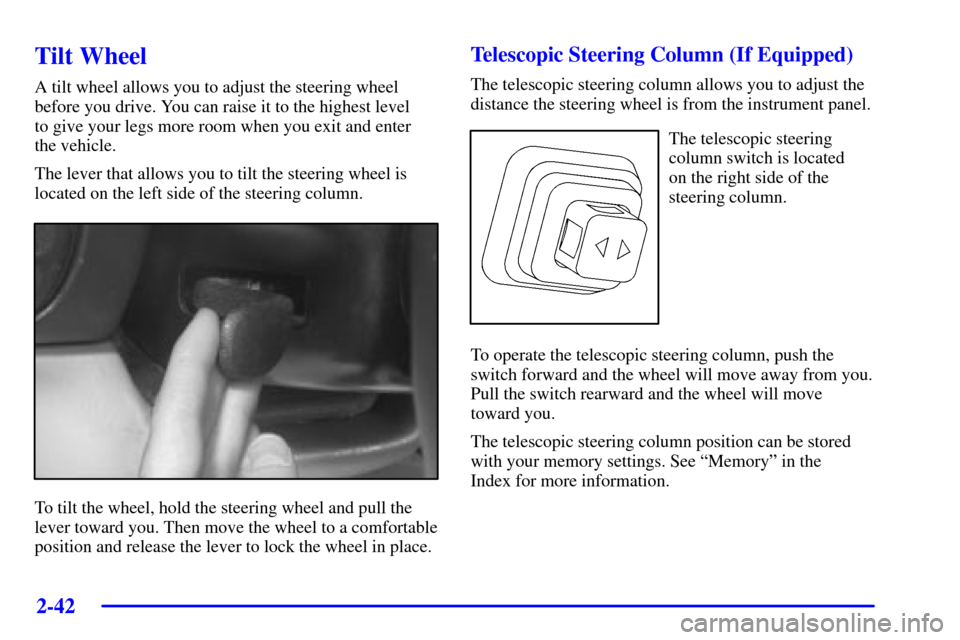
The lever that allows you to tilt the steering wheel is
located on the left side of the steering column.
To tilt the wheel, hold the steering wheel and pull the
lever toward you. Then move the wheel to a comfortable
position and release the lever to lock the wheel in place.
Telescopic Steering Column (If Equipped)
The telescopic steering column allows you to adjust the
distance the steering wheel is from the instrument panel.
The telescopic steering
column switch is located
on the right side of the
steering column.
To operate the telescopic steering column, push the
switch forward and the wheel will move away from you.
Pull the switch rearward and the wheel will move
toward you.
The telescopic steering column position can be stored
with your memory settings. See ªMemoryº in the
Index for more information.
Page 103 of 384
2-45
OFF: Move the lever to OFF to turn off the
windshield wipers.
INT (Intermittent): Move the lever to INT to choose a
delayed wiping cycle. Turn the INT ADJ band down for
a longer delay or up for a shorter delay. The further the
INT ADJ band is turned upward, the shorter the delay
will be and the further the INT ADJ band is turned
downward, the longer the delay will be. The wiper
speed can only be adjusted when the lever is in the
INT position. Use this position for light rain or snow.
LO (Low Speed): Move the lever up to the first
setting past INT, for steady wiping at low speed.
HI (High Speed): Move the lever up to the second
setting past INT, for steady wiping at high speed.
MIST: Move the lever all the way down to MIST for
a single wiping cycle. Hold it there until the windshield
wipers start; then let go. The windshield wipers will stop
after one wipe. If you want more wipes, hold the band
on MIST longer.
Heavy snow or ice can overload the wipers. If this
occurs, a circuit breaker will stop the wipers until the
motor cools. So, be sure to clear any ice and snow
from the windshield wiper blades before using them.
If the wiper blades are frozen to the windshield, carefully
loosen them or warm the windshield before turning the
wipers on. If you blades do become worn or damaged,
get new blades or blade inserts.Windshield Washer
The lever on the right side of the steering column also
controls the windshield washer. There is a button
at the end of the lever. To spray washer fluid on the
windshield, press the button and hold it. The washer
will spray until you release the button. The wipers will
continue to clear the window for about six seconds after
the button is released and then stop or return to your
preset speed.
CAUTION:
In freezing weather, don't use your washer until
the windshield is warmed. Otherwise the washer
fluid can form ice on the windshield, blocking
your vision.
If the fluid in the windshield washer fluid reservoir is
low, the message LOW WASHER FLUID will appear
on the Driver Information Center (DIC) display.
It will take 60 seconds after the bottle is refilled for
this message to turn off. For information on the correct
washer fluid mixture to use, see ªWindshield Washer
Fluidº and ªRecommended Fluids and Lubricantsº in
the Index.
Page 108 of 384
2-50
Headlamps Doors
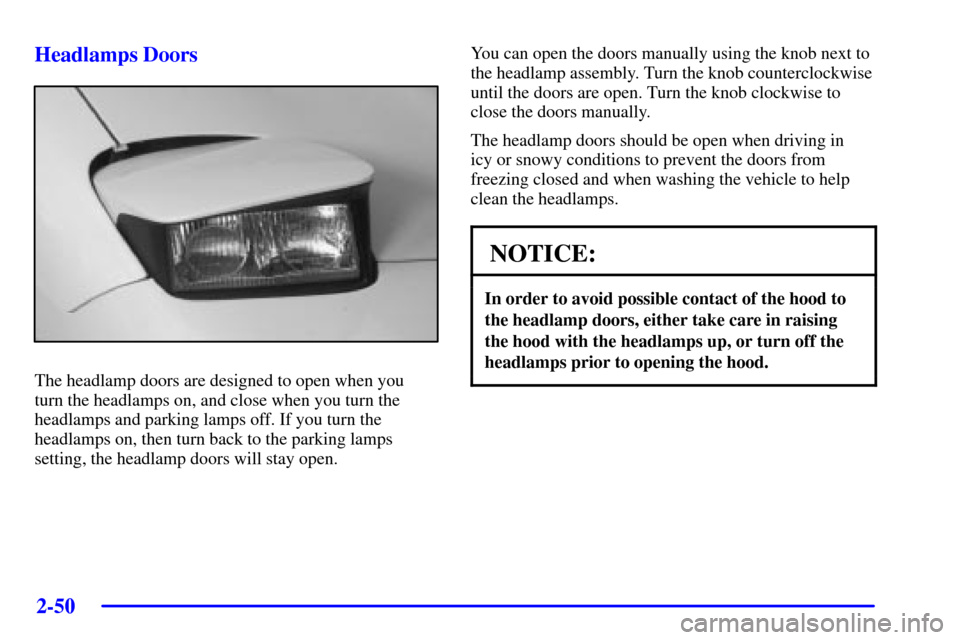
The headlamp doors are designed to open when you
turn the headlamps on, and close when you turn the
headlamps and parking lamps off. If you turn the
headlamps on, then turn back to the parking lamps
setting, the headlamp doors will stay open.You can open the doors manually using the knob next to
the headlamp assembly. Turn the knob counterclockwise
until the doors are open. Turn the knob clockwise to
close the doors manually.
The headlamp doors should be open when driving in
icy or snowy conditions to prevent the doors from
freezing closed and when washing the vehicle to help
clean the headlamps.
NOTICE:
In order to avoid possible contact of the hood to
the headlamp doors, either take care in raising
the hood with the headlamps up, or turn off the
headlamps prior to opening the hood.
Page 111 of 384
2-53
Interior Lamps
Instrument Panel Brightness Control
This feature controls the brightness of the instrument
panel lights.
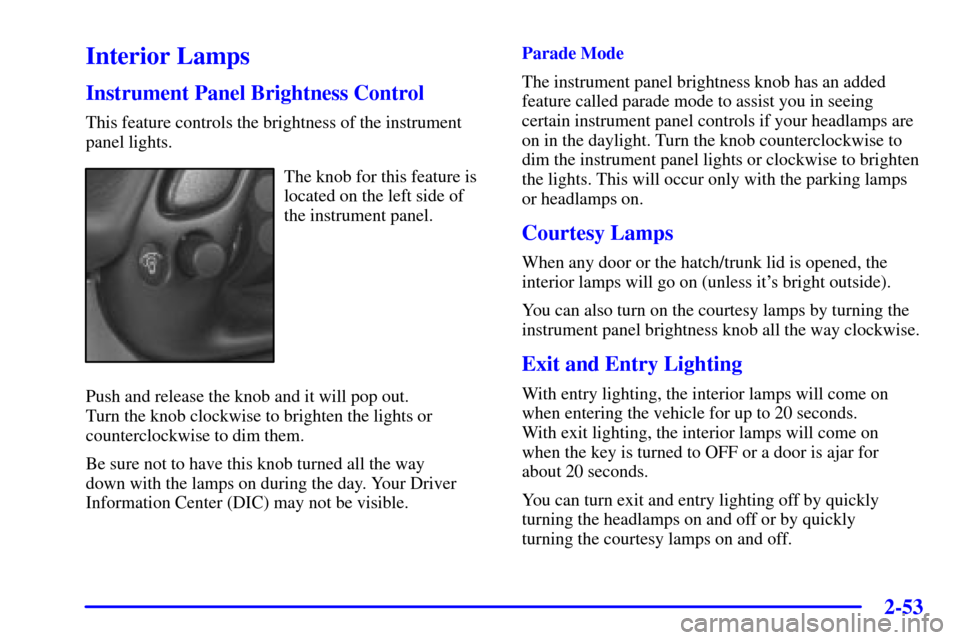
The knob for this feature is
located on the left side of
the instrument panel.
Push and release the knob and it will pop out.
Turn the knob clockwise to brighten the lights or
counterclockwise to dim them.
Be sure not to have this knob turned all the way
down with the lamps on during the day. Your Driver
Information Center (DIC) may not be visible.Parade Mode
The instrument panel brightness knob has an added
feature called parade mode to assist you in seeing
certain instrument panel controls if your headlamps are
on in the daylight. Turn the knob counterclockwise to
dim the instrument panel lights or clockwise to brighten
the lights. This will occur only with the parking lamps
or headlamps on.
Courtesy Lamps
When any door or the hatch/trunk lid is opened, the
interior lamps will go on (unless it's bright outside).
You can also turn on the courtesy lamps by turning the
instrument panel brightness knob all the way clockwise.
Exit and Entry Lighting
With entry lighting, the interior lamps will come on
when entering the vehicle for up to 20 seconds.
With exit lighting, the interior lamps will come on
when the key is turned to OFF or a door is ajar for
about 20 seconds.
You can turn exit and entry lighting off by quickly
turning the headlamps on and off or by quickly
turning the courtesy lamps on and off.
Page 115 of 384
2-57
Storage Compartments
Glove Box
To open the glove box, lift up on the lever. Use your
door key to lock or unlock it. The glove box has a
light inside.
Instrument Panel Cupholder
The cupholder is located on the center console in front
of the ashtray. To open it, place your thumb on the left
side of the lid and push down. Raise the right side with
your index finger.
Center Console Storage
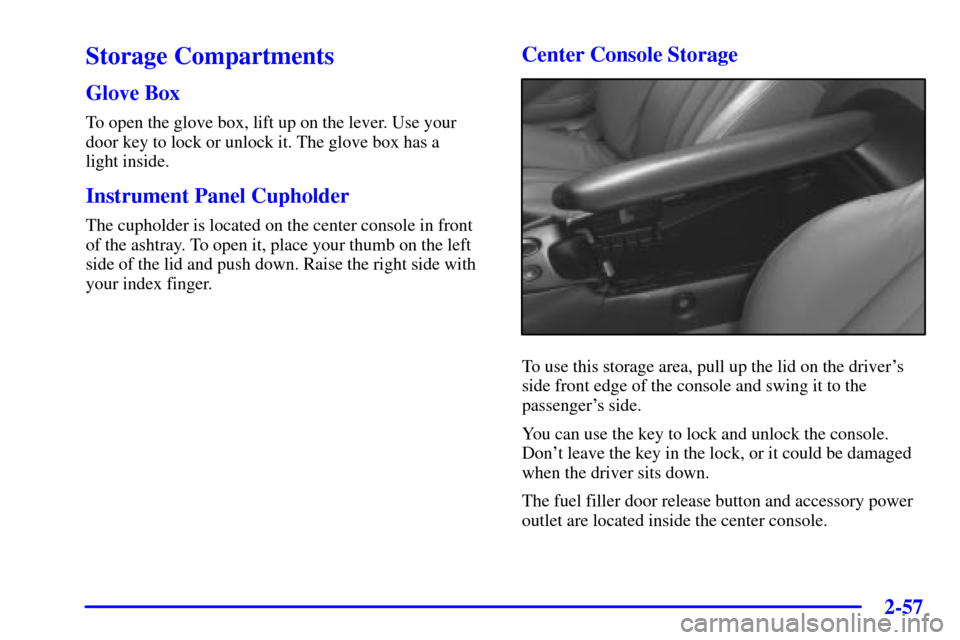
To use this storage area, pull up the lid on the driver's
side front edge of the console and swing it to the
passenger's side.
You can use the key to lock and unlock the console.
Don't leave the key in the lock, or it could be damaged
when the driver sits down.
The fuel filler door release button and accessory power
outlet are located inside the center console.
Page 116 of 384
2-58
Security Shade (Option)
The security shade can provide hidden storage in the
rear area of the vehicle. The shade is also helpful in
blocking the glare from the removeable roof when it is
stored in the rear compartment.
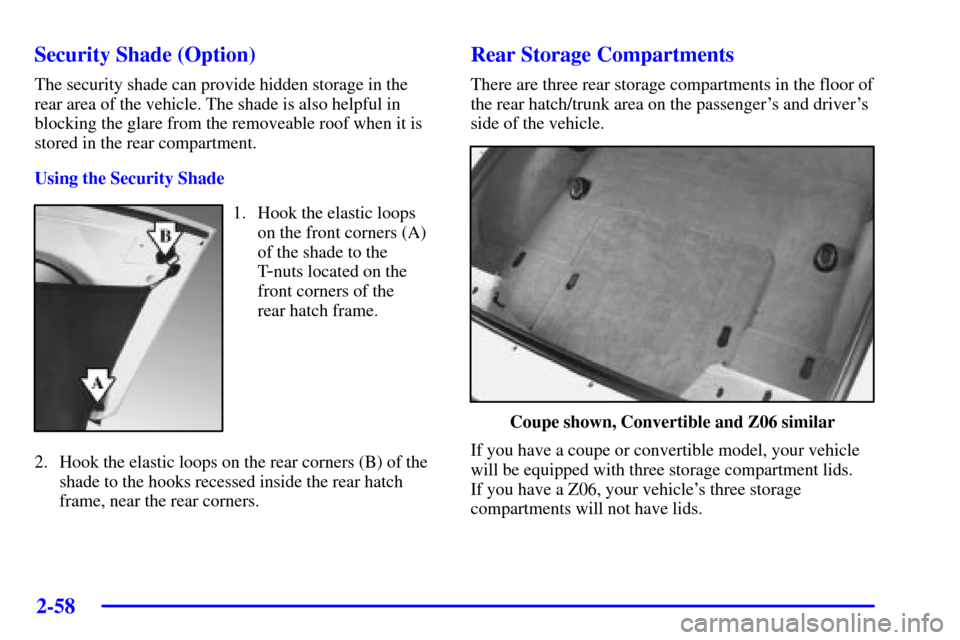
Using the Security Shade
1. Hook the elastic loops
on the front corners (A)
of the shade to the
T
-nuts located on the
front corners of the
rear hatch frame.
2. Hook the elastic loops on the rear corners (B) of the
shade to the hooks recessed inside the rear hatch
frame, near the rear corners.
Rear Storage Compartments
There are three rear storage compartments in the floor of
the rear hatch/trunk area on the passenger's and driver's
side of the vehicle.
Coupe shown, Convertible and Z06 similar
If you have a coupe or convertible model, your vehicle
will be equipped with three storage compartment lids.
If you have a Z06, your vehicle's three storage
compartments will not have lids.