radio CHEVROLET CORVETTE 2002 5.G Owner's Manual
[x] Cancel search | Manufacturer: CHEVROLET, Model Year: 2002, Model line: CORVETTE, Model: CHEVROLET CORVETTE 2002 5.GPages: 384, PDF Size: 2.49 MB
Page 207 of 384

3-31
Disabling the Theft-Deterrent Feature
Enter your secret code as follows; pause no more than
15 seconds between steps:
1. Turn the ignition to ACC or ON.
2. Turn the radio off.
3. Press the 1 and 4 pushbuttons at the same time.
Hold them down until SEC shows on the display.
4. Press MN and 000 will appear on the display.
5. Press MN again to make the last two digits agree
with your code.
6. Press HR to make the first one or two digits agree
with your code.
7. Press AM FM after you have confirmed that the
code matches the secret code you have written down.
The display will show
---, indicating that the radio
is no longer secured.
If the code entered is incorrect, SEC will appear on the
display. The radio will remain secured until the correct
code is entered.When battery power is removed and later applied to a
secured radio, the radio won't turn on and LOC will
appear on the display.
To unlock a secured radio, see ªUnlocking the
Theft
-Deterrent Feature After a Power Lossº earlier
in this section.
Understanding Radio Reception
AM
The range for most AM stations is greater than for FM,
especially at night. The longer range, however, can
cause stations to interfere with each other. AM can pick
up noise from things like storms and power lines. Try
reducing the treble to reduce this noise if you ever get it.
FM Stereo
FM stereo will give you the best sound, but FM signals
will reach only about 10 to 40 miles (16 to 65 km).
Tall buildings or hills can interfere with FM signals,
causing the sound to come and go.
Page 208 of 384
3-32 Tips About Your Audio System
Hearing damage from loud noise is almost undetectable
until it is too late. Your hearing can adapt to higher
volumes of sound. Sound that seems normal can be
loud and harmful to your hearing. Take precautions by
adjusting the volume control on your radio to a safe
sound level before your hearing adapts to it.
To help avoid hearing loss or damage do the following:
1. Adjust the volume knob to the lowest setting.
2. Increase volume slowly until you hear comfortably
and clearly.NOTICE:
Before you add any sound equipment to your
vehicle
-- like a tape player, CB radio, mobile
telephone or two
-way radio -- be sure you
can add what you want. If you can, it's very
important to do it properly. Added sound
equipment may interfere with the operation
of your vehicle's engine, Delphi Electronics
radio or other systems, and even damage them.
Your vehicle's systems may interfere with the
operation of sound equipment that has been
added improperly.
So, before adding sound equipment, check with
your dealership and be sure to check federal
rules covering mobile radio and telephone units.
Page 209 of 384

3-33 Care of Your Cassette Tape Player
A tape player that is not cleaned regularly can cause
reduced sound quality, ruined cassettes or a damaged
mechanism. Cassette tapes should be stored in their
cases away from contaminants, direct sunlight and
extreme heat. If they aren't, they may not operate
properly or may cause failure of the tape player.
Your tape player should be cleaned regularly after every
50 hours of use. Your radio may display CLN to indicate
that you have used your tape player for 50 hours without
resetting the tape clean timer. If this message appears
on the display, your cassette tape player needs to be
cleaned. It will still play tapes, but you should clean it
as soon as possible to prevent damage to your tapes and
player. If you notice a reduction in sound quality, try a
known good cassette to see if it is the tape or the tape
player at fault. If this other cassette has no improvement
in sound quality, clean the tape player.
The recommended cleaning method for your
cassette tape player is the use of a scrubbing action,
non
-abrasive cleaning cassette with pads which scrub
the tape head as the hubs of the cleaner cassette turn.
The recommended cleaning cassette is available through
your dealership (GM Part No. 12344789).When cleaning the cassette tape player with the
recommended non
-abrasive cleaning cassette,
it is possible that the cassette may eject, because
the cut tape detection feature on your radio may
recognize it as a broken tape. To prevent the cleaning
cassette from being ejected, use the following steps:
1. Turn the ignition to ON or ACC.
2. Turn the radio off.
3. Press and hold the TAPE AUX button for five
seconds. The tape symbol on the display will flash
for two seconds.
4. Insert the scrubbing action cleaning cassette.
5. Eject the cleaning cassette after the manufacturer's
recommended cleaning time.
When the cleaning cassette has been ejected, the cut tape
detection feature is active again.
You may also choose a non
-scrubbing action, wet-type
cleaner which uses a cassette with a fabric belt to clean
the tape head. This type of cleaning cassette will not
eject on its own. A non
-scrubbing action cleaner may
not clean as thoroughly as the scrubbing type cleaner.
The use of a non
-scrubbing action, dry-type cleaning
cassette is not recommended.
Page 210 of 384

3-34
After you clean the player, press and hold the EJECT
for five seconds to reset the CLN indicator. The radio
will display
--- to show the indicator was reset.
Cassettes are subject to wear and the sound quality may
degrade over time. Always make sure the cassette tape is in
good condition before you have your tape player serviced.
Care of Your Compact Discs
Handle discs carefully. Store them in their original cases
or other protective cases and away from direct sunlight
and dust. If the surface of a disc is soiled, dampen a
clean, soft cloth in a mild, neutral detergent solution and
clean it, wiping from the center to the edge.
Be sure never to touch the side without writing when
handling discs. Pick up discs by grasping the outer edges
or the edge of the hole and the outer edge.
Care of Your Compact Disc Player
The use of CD lens cleaner discs is not advised, due to
the risk of contaminating the lens of the CD optics with
lubricants internal to the CD mechanism.
Fixed Mast Antenna (Z06)
The fixed mast antenna can withstand most car washes
without being damaged. If the mast should ever become
slightly bent, you can straighten it out by hand. If the
mast is badly bent, as it might be by vandals, you should
replace it.
Check every once in a while to be sure the mast is still
tightened to the rear quarter panel.
Page 211 of 384
3-35 Power Antenna Mast Care (Convertible)
Your power antenna will look its best and work well if
it's cleaned from time to time. To clean the antenna mast
do the following:
1. Turn on the ignition and radio to raise the antenna.
2. Dampen a clean cloth with mineral spirits or
equivalent solvent.
3. Wipe the cloth over the mast sections, removing
any dirt.
4. Wipe dry with a clean cloth.
5. Make the antenna go up and down by turning the
radio or ignition off and on.
6. Repeat if necessary.
NOTICE:
Don't lubricate the power antenna. Lubrication
could damage it.
NOTICE:
Before entering an automatic car wash, turn off
your radio to make the power antenna go down.
This will prevent the mast from possibly getting
damaged. If the antenna does not go down when
you turn the radio off, it may be damaged or
need to be cleaned. In either case, lower the
antenna by hand by carefully pressing the
antenna down.
If the mast portion of your antenna is damaged, you can
replace it. See your dealer for a replacement kit and
follow the instructions in the kit.
Integrated Windshield and Rear Window
Antennas (Coupe)
The antennas in your vehicle are located in the
windshield and the rear window. The connectors are
at the top of the windshield and the top of the rear
window above the rear window defogger.
Page 249 of 384
5-4
2. Get the vehicles close enough so the jumper cables
can reach, but be sure the vehicles aren't touching
each other. If they are, it could cause a ground
connection you don't want. You wouldn't be able
to start your vehicle, and the bad grounding could
damage the electrical systems.
To avoid the possibility of the vehicles rolling, set
the parking brake firmly on both vehicles involved
in the jump start procedure. Put an automatic
transmission in PARK (P) or a manual transmission
in NEUTRAL before setting the parking brakes.
NOTICE:
If you leave your radio on, it could be badly
damaged. The repairs wouldn't be covered by
your warranty.
3. Turn off the ignition on both vehicles. Unplug
unnecessary accessories plugged into the cigarette
lighter or in the accessory power outlet. Turn off the
radio and all lamps that aren't needed. This will
avoid sparks and help save both batteries. And it
could save your radio!
4. Open the hoods and locate the batteries. Find the
positive (+) and negative (
-) terminal locations on
each vehicle. See ªEngine Compartment Overviewº
in the Index for more information on location.
CAUTION:
An electric fan can start up even when the engine
is not running and can injure you. Keep hands,
clothing and tools away from any underhood
electric fan.
Page 269 of 384
5-24
NOTICE:
Do not allow the air compressor to operate
continuously for more than six minutes to help
prevent damage from overheating.
NOTICE:
If 26 psi (179 kPa) tire pressure cannot be
reached after six minutes, the vehicle should not
be driven further. Damage to the tire is severe
and the sealant will not be effective. Remove the
air compressor plug from the accessory power
outlet and unscrew the inflating hose from
the tire valve. See ªRoadside Assistanceº in
the Index.
If 26 psi (179 kPa) tire pressure is reached in six minutes
or less, disconnect the air compressor and attach the
enclosed maximum speed label to the inside upper left
corner of the windshield or to the face of the radio/clock.
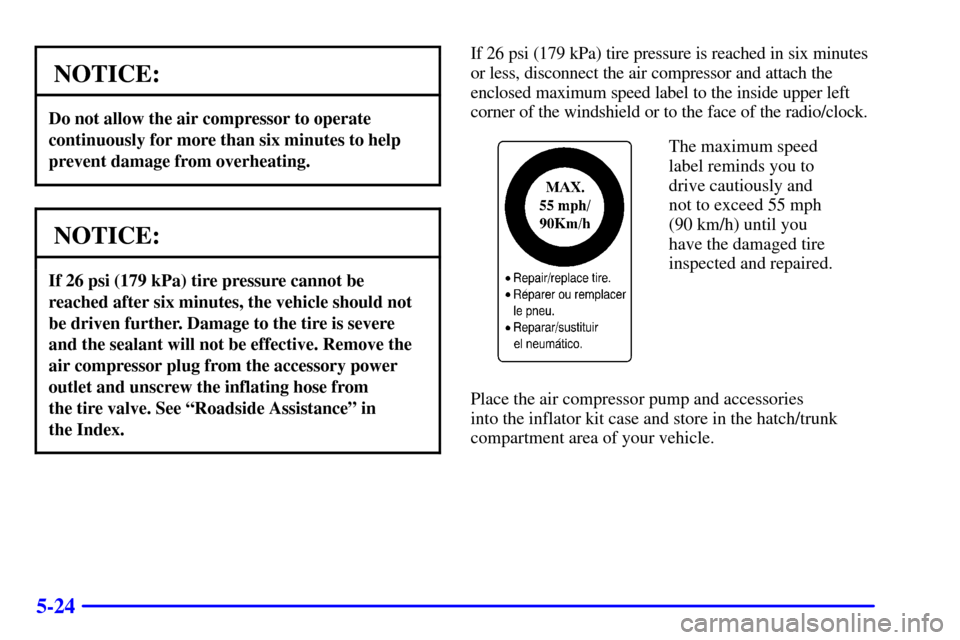
The maximum speed
label reminds you to
drive cautiously and
not to exceed 55 mph
(90 km/h) until you
have the damaged tire
inspected and repaired.
Place the air compressor pump and accessories
into the inflator kit case and store in the hatch/trunk
compartment area of your vehicle.
Page 316 of 384

6-44
How to Check
Use a good quality pocket
-type gage to check tire
pressure. You can't tell if your tires are properly inflated
simply by looking at them. Radial tires may look
properly inflated even when they're underinflated.
Be sure to put the valve caps back on the valve stems.
They help prevent leaks by keeping out dirt and moisture.
If your vehicle is equipped with the Tire Pressure
Monitor, you can check tire inflation pressures while
driving. After you've reached a speed of 15 mph
(24 kmh) or more, press and release the GAGES button
on the Driver Information Center (DIC) until the front
tire pressures are displayed. Then, press and release the
GAGES button for the rear tire pressures. If the display
doesn't show tire pressure, or if the SERVICE TIRE
MON SYS message appears, see your dealer for service.
For more information, see ªTire Pressure Monitorº and
ªDriver Information Center (DIC)º in the Index.
Tire Pressure Monitor (Except Z06)
The Tire Pressure Monitor (TPM) has a sensor on
each road wheel that transmits to a receiver on the
instrument panel.
The system operates on a radio frequency subject to
Federal Communications Commission (FCC) Rules
and with Industry and Science Canada.
This device complies with Part 15 of the FCC Rules.
Operation is subject to the following two conditions:
(1) this device may not cause harmful interference,
and (2) this device must accept any interference
received, including interference that may cause
undesired operation.
This device complies with RSS
-210 of Industry and
Science Canada. Operation is subject to the following
two conditions: (1) this device may not cause
interference, and (2) this device must accept any
interference received, including interference that may
cause undesired operation of the device.
Page 340 of 384
6-68
Electrical System
Add-On Electrical Equipment
NOTICE:
Don't add anything electrical to your vehicle
unless you check with your dealer first. Some
electrical equipment can damage your vehicle
and the damage wouldn't be covered by your
warranty. Some add
-on electrical equipment
can keep other components from working as
they should.
Your vehicle has an air bag system. Before attempting to
add anything electrical to your vehicle, see ªServicing
Your Air Bag
-Equipped Vehicleº in the Index.
Accessory Power Plug
The accessory power plug can be used to connect
electrical equipment such as a cellular phone or
CB radio. It is located behind the carpeting, on the
passenger's side toe
-board, at the top left corner
near the body control module. Be sure to follow the
installation instructions included with the equipment.
To use the accessory power plug, do the following:
1. Remove the toe
-board panel by lifting up on the
latches at the top of each corner of the panel.
2. Locate the black connector at the top left corner
of the compartment near the body control module
above the two white diagnostic connectors.
3. Disconnect the connector pigtail by pulling forward
on the plastic locking tab and pull the connection
apart from the wire harness.
Page 342 of 384
6-70 Windshield Wipers
The windshield wiper motor is protected by a fuse and
an internal circuit breaker. If the motor overheats due to
heavy snow, etc., the wiper will stop until the motor
cools. If the overload is caused by some electrical
problem and not snow, etc., be sure to get it fixed.
Power Windows and Other Power Options
Circuit breakers protect the power seats and other
power accessories. When the current load is too heavy,
the circuit breaker opens and closes, protecting the
circuit until the problem is fixed or goes away.
Fuses and Circuit Breakers
The wiring circuits in your vehicle are protected
from short circuits by a combination of maxi
-fuses,
mini
-fuses and circuit breakers. This greatly reduces
the chance of fires caused by electrical problems.
Look at the silver
-colored band inside the fuse.
If the band is broken or melted, replace the fuse.
Be sure you replace a bad fuse with a new one of the
identical size and rating.If you ever have a problem on the road and don't have
a spare fuse, you can borrow one that has the same
amperage. Just pick some feature of your vehicle that
you can get along without
-- like the radio or cigarette
lighter
-- and use its fuse, if it is the correct amperage.
Replace it as soon as you can.
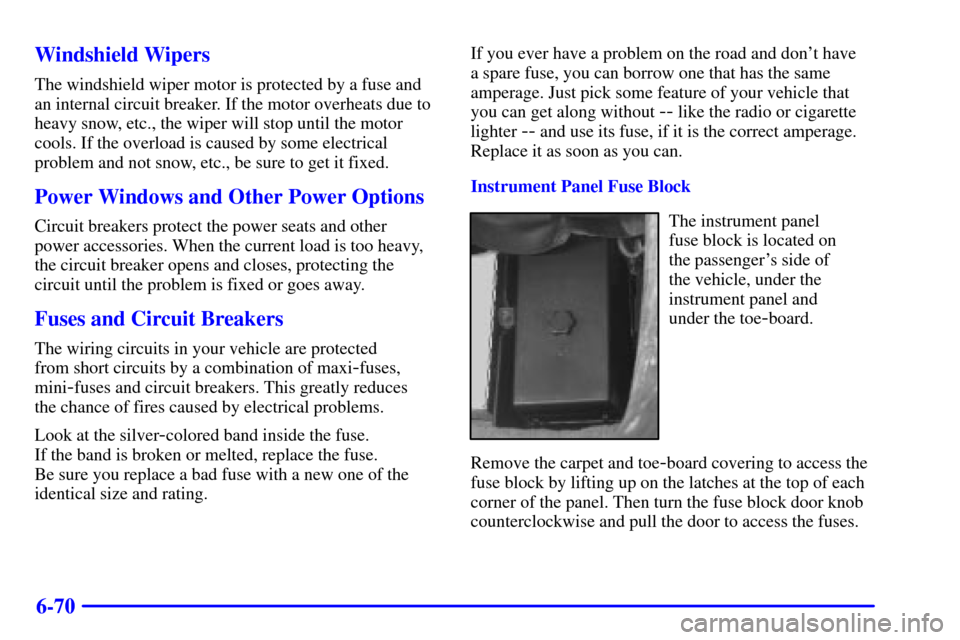
Instrument Panel Fuse Block
The instrument panel
fuse block is located on
the passenger's side of
the vehicle, under the
instrument panel and
under the toe
-board.
Remove the carpet and toe
-board covering to access the
fuse block by lifting up on the latches at the top of each
corner of the panel. Then turn the fuse block door knob
counterclockwise and pull the door to access the fuses.