warning CHEVROLET CORVETTE 2003 5.G Owner's Manual
[x] Cancel search | Manufacturer: CHEVROLET, Model Year: 2003, Model line: CORVETTE, Model: CHEVROLET CORVETTE 2003 5.GPages: 368, PDF Size: 2.55 MB
Page 165 of 368

Blank Page
There is a blank page at the end of the OPTIONS
menu. When the blank page is displayed, you
can access the following items:
FOB TRAINING:This option allows you to match the
RKE transmitter(s) to your vehicle. You can access this
option by pressing and holding RESET for three
seconds while you are on the blank page at the end of
the OPTIONS menu. The message FOB TRAINING
will be displayed. See ªMatching Transmitter(s) To Your
Vehicleº under
Remote Keyless Entry System
Operation on page 2-5
TIRE TRAINING (Except Z06):The Tire Pressure
Monitor (TPM) operates with battery-powered sensors
that are located inside the valve stems on each tire.
Each sensor has a unique ID code so the vehicle knows
the tire location of the sensor. When the vehicle
reaches a speed of greater than 15 mph (24 km/h), the
sensors begin to send the tire pressure readings to
a receiver inside the vehicle. These readings are
displayed when using the GAGES button on the DIC. If
you are unable to display your tire pressures while
the vehicle speed is greater than 15 mph (24 km/h), you
may need to have your sensor ID codes learned by
the vehicle. See your dealer.
DIC Warnings and Messages
The following messages and warnings may appear in
the DIC display. The DIC display area is located in
the instrument panel cluster below the speedometer and
tachometer, directly above the steering column. You
may receive more than one message at a time.
Messages will appear one behind the other. To
acknowledge a message and remove it from the display,
press RESET. You may scroll through the messages
that may have been sent at the same time. The
message center is continuously updated with the vehicle
performance status.
ABS ACTIVE (Anti-Lock Brake System
Active):When your anti-lock system is adjusting brake
pressure to help avoid a braking skid, the ABS
ACTIVE message will be displayed.
Slippery road conditions may exist if this message is
displayed, so adjust your driving accordingly. The
message will stay on for a few seconds after the system
stops adjusting brake pressure.
3-53
Page 166 of 368

ACT HNDLG ± WARMING UP:When you ®rst start
your vehicle (especially during cold winter weather), and
begin to drive away (up to 6 mph (10 km/h)), the
message ACT HNDLG ± WARMING UP may be
displayed in the DIC, the instrument panel cluster light
will be on, and a chime will sound. This is normal.
You can acknowledge this message by pressing the
RESET button. The Active Handling System
performance is affected until the next message WARM
UP COMPLETE is displayed in the DIC.
During hot or cold temperature conditions, this message
may be displayed in the DIC after exceeding 12 mph
(20 km/h) for 30 seconds. The Active Handling System is
off until the WARM UP COMPLETE message is
displayed.
WARM UP COMPLETE:If you receive this message
and hear a chime, the system has completed the
functional check of the Active Handling System.
TRAC/ACT HNDLG ± ON:If the Traction Control and
Active Handling Systems are off, pressing the Active
Handling System console button momentarily will
turn both systems on. The message TRAC/ACT
HNDLG ± ON will be displayed temporarily in the DIC,
the instrument panel cluster light will be off and a
chime will sound.TRAC/ACT HNDLG ± OFF:By pressing the Active
Handling System console button brie¯y, the driver can
turn the Traction Control and Active Handling Systems
off. The message TRAC/ACT HNDLG ± OFF will be
displayed in the DIC, the instrument panel cluster light
will be on and a chime will sound. You can acknowledge
this message by pressing the RESET button. The
anti-lock brake systems remains on with the Traction
Control and Active Handling Systems off. You should
adjust your driving accordingly.
COMPETITIVE DRIVING:When the Competitive
Driving mode is selected, this message will be displayed
in the DIC. The instrument panel cluster light will not
be on when the Competitive Driving mode is selected.
The Traction Control System will not be operating
while in the Competitive Driving mode. You should
adjust your driving accordingly.
SERVICE ABS (Anti-Lock Brake System):If the
SERVICE ABS message is displayed when you
are driving, stop as soon as possible and turn the
ignition off. Then start the engine again to reset the
system. If the message stays on, or comes back
on again while you are driving, your vehicle is in need
of service. If the regular brake system warning light isn't
on, you still have brakes, but don't have anti-lock
brakes. If the regular brake system light is also on, you
don't have anti-lock brakes and there is a problem
with your brakes. See
Brake System Warning Light on
page 3-35.
3-54
Page 167 of 368

If the SERVICE ABS message is being displayed, your
Traction Control System and the Active Handling
System will also be disabled. The Driver Information
Center will scroll three messages: SERVICE ABS,
SERVICE TRACTION SYS and SERVICE ACTIVE
HNDLG, and the instrument cluster car icon will
be illuminated. The driver can acknowledge these
messages by pressing the reset button three times.
When the service message is displayed the computer
controlled systems will not assist the driver and you
should have the system repaired as soon as possible.
Adjust your driving accordingly.
SERVICE COLUMN LOCK (Manual Transmission
Only):If the system that controls the locking and
unlocking of the steering column does not work properly,
have the vehicle towed to a dealer for service.
PULL KEY ± WAIT 10 SEC (Manual Transmission
Only):If this message comes on, the steering column
lock system has detected a problem while disengaging
the steering column lock. This message may occur when
the ignition key is removed and reinserted before the
steering column lock system fully locks or unlocks
the steering column. To acknowledge that you have read
this message, and to clear it from the display, remove
the ignition key and wait 10 seconds before reinserting
the key into the ignition. If you attempt to operate
your vehicle without removing the key for 10 seconds,
the vehicle's fuel system will shut off when you
reach 1.5 mph (2.4 km/h). If the message stays on afterremoving the key and waiting 10 seconds, have your
vehicle taken to an authorized dealer as soon as
possible for diagnosis and repair.
LOW OIL PRESSURE:You will hear four chimes and
the CHECK GAGES telltale will come on when this
message is displayed. To acknowledge the warning,
press the RESET button. After you press the RESET
button, a message will be displayed and you will hear a
chime every minute until the vehicle is serviced. If
you do not press RESET, the message will remain on
the digital display until the vehicle is serviced.
Low oil pressure may be the result of a combination of
low oil level and abrupt changes in the vehicle's
direction. When this warning is displayed, you should
not operate the engine at high rpm or make fast abrupt
moves. As soon as possible, you should check the
oil level. See
Engine Oil on page 5-13.
LOW OIL LEVEL:Press RESET to acknowledge that
you have read the message and to remove it from
the display. The message will reappear every
10 minutes until this condition changes. Once the
vehicle senses a temperature change in the engine oil,
the light will remain off.
You will hear two chimes when this message is
displayed. If this message appears after starting your
engine, your engine oil level may be too low. You
may need to add oil. See
Engine Overheating on
page 5-26.
3-55
Page 169 of 368

TRACTION SYSTEM ± OFF:You will hear a single
quick tone when this message is displayed. This
message comes on and stays on when the Traction
Control System button on the console is pressed to turn
the system off. To acknowledge this message, press
RESET.
SERVICE TRACTION SYSTEM:If the SERVICE
TRACTION SYS message is displayed when you are
driving, there is a problem with your Traction Control
System and your vehicle is in need of service. When this
message is displayed, the system will not limit wheel
spin. Adjust your driving accordingly.
The SERVICE ACTIVE HNDLG message will also be
displayed and the instrument cluster car icon will also be
illuminated. The driver can acknowledge both messages
by pressing the reset button two times which will also
turn off the instrument cluster icon. When the service
messages are displayed, the computer controlled
systems will not assist the driver in controlling the
vehicle. Have the system repaired as soon as possible.
Adjust your driving accordingly.
SERVICE RIDE CONTROL:This message is used to
indicate to the driver that the Selective Ride Control
system has detected a malfunction and that the system
must be serviced. The SERVICE RIDE CONTROL
message will always come on when a failure is detected
by the Selective Ride Control system. If a fault is
present in the Selective Ride Control system whichcauses the shocks to be in their full soft condition, the
SERVICE RIDE CONTROL, SHOCKS INOPERATIVE
and MAXIMUM SPEED 80 MPH (129 km/h) will
display together. You will never get a SHOCKS
INOPERATIVE and MAXIMUM SPEED 80 MPH
(129 km/h) message without a SERVICE RIDE
CONTROL message.
SHOCKS INOPERATIVE:You will hear four chimes
when this message is displayed. To acknowledge
that you have read the message and to remove it from
the display, press RESET. The message will reappear
every 10 minutes until this condition changes.
This message indicates that a malfunction is present in
the Selective Ride Control system which is causing
the shocks to be in their full soft mode. This is a warning
to the driver that the vehicle handling may be affected.
Have your vehicle serviced as soon as possible.
MAXIMUM SPEED 80 MPH (129 km/h):You will hear
four chimes when this message is displayed. To
acknowledge the warning, press RESET. After you
press RESET, a message will reappear every
10 minutes until this condition changes.
This message indicates that a malfunction is present in
the selective real time damping system. The vehicle
speed will be limited to 80 mph (129 km/h) when
the shock absorber system has failed and the shocks
are in their full soft mode. Have your vehicle serviced as
soon as possible.
3-57
Page 170 of 368

COOLANT OVER TEMP:You will hear four chimes
and the CHECK GAGES telltale will come on when this
message is displayed. To acknowledge the warning,
press the RESET button. After you press the RESET
button, a message will be displayed and you will hear a
chime every minute until this condition changes. If
you do not press RESET, the message will remain on
the digital display until the condition changes.
If the engine coolant exceeds 255ÉF (124ÉC), this
message is displayed. If you have been operating your
vehicle under normal driving conditions, you should
pull off the road, stop your vehicle and turn off the
engine as soon as possible. You can monitor the coolant
temperature with the GAGES button on the DIC or
the engine coolant gage on the instrument panel cluster.
See
Engine Overheating on page 5-26.
REDUCE ENGINE RPM:You will hear four chimes
when this message is displayed. To acknowledge
the warning, press the RESET button. After you press
the RESET button, a message will be displayed and you
will hear a chime every minute until this condition
changes. If you do not press RESET, the message will
remain on the digital display until the condition
changes.
If the engine oil temperature exceeds 320ÉF (160ÉC),
this message is displayed. You should check the engine
coolant temperature and engine oil level. If your
engine is too hot, see
Engine Overheating on page 5-26.Your vehicle may need service, so see your dealer. You
can monitor the oil temperature with the GAGES
button on the DIC.
HIGH TRANS TEMP (Automatic Transmission
Only):You will hear four chimes when this message is
displayed. To acknowledge this warning, press the
RESET button. After you press the RESET button, the
message will be displayed every 10 minutes until
the condition changes. If you do not press RESET, the
message remains on the display until the condition
changes.
If the transmission ¯uid temperature rises above 270ÉF
(132ÉC) or rises rapidly, this message is displayed.
The transmission may shift gears or apply the torque
converter clutch to reduce the ¯uid temperature. Driving
aggressively or driving on long hills can cause the
transmission ¯uid temperature to be higher than normal.
If this message appears, you may continue to drive at
a slower speed. You should also monitor the
transmission ¯uid temperature and allow it to cool to at
least 230ÉF (110ÉC). The transmission ¯uid temperature
can be monitored with the GAGES button on the
DIC. See
Automatic Transmission Fluid on page 5-20.
You should also check the engine coolant temperature.
If it is also hot, see
Engine Overheating on page 5-26.
If the HIGH TRANS TEMP message is displayed during
normal vehicle operation on ¯at roads, your vehicle
may need service. See your dealer for an inspection.
3-58
Page 171 of 368

SERVICE ACTIVE HANDLING:If the SERVICE
ACTIVE HNDLG message is displayed, there is a
problem with your Active Handling System and your
vehicle needs service. The instrument cluster light
will also be on and a chime will sound. When this
message is displayed, the system is not working. Adjust
your driving accordingly.
ACTIVE HANDLING:Your vehicle is equipped with a
computer controlled system to assist the driver in
controlling the vehicle in difficult driving conditions. You
may feel or hear the system working and see the
ACTIVE HANDLING message displayed in the DIC.
This is normal when the system is operating. Also see
Braking on page 4-6.
LOW TIRE PRESSURE (Except Z06):You will hear
two chimes when this message is displayed. To
acknowledge the warning, press RESET. After you
press RESET, a message will appear every 10 minutes
until this condition changes. This message indicates
that the pressure in one of your tires is less than 25 psi
(172 kPa). Next to the LOW TIRE PRESSURE
message, you can see either LF (left front), LR (left
rear), RF (right front) or RR (right rear) to indicate to you
which tire is low on pressure. You can receive more
than one tire pressure message at a time. To read other
messages that may have been sent at the same time,
press RESET. If a tire pressure message appears on the
DIC, stop as soon as you can. Have the tire pressures
checked and set to those shown on your Tire LoadingInformation Label. See
Extended Mobility Tires (Except
Z06) on page 5-54andTire Pressure Monitor System
(Except Z06) on page 5-57.
{CAUTION:
When the LOW TIRE PRESSURE or FLAT TIRE
message is displayed on the Driver Information
Center, your vehicle's handling capabilities will
be reduced during severe maneuvers. If you
drive too fast, you could lose control of your
vehicle. You or others could be injured. Don't
drive over 55 mph (90 km/h) when the LOW
TIRE PRESSURE or FLAT TIRE message is
displayed. Drive cautiously and check your tire
pressures as soon as you can.
FLAT TIRE (Except Z06):You will hear two chimes
when this message is displayed followed by the
message MAX SPEED 55 MPH (90 km/h). If this
message appears, do not drive your vehicle above this
limit. The next message to appear is REDUCED
HANDLING. Adjust your driving accordingly. To
acknowledge these warnings, press RESET. After you
press RESET, a message will reappear every
10 minutes until this condition changes.
3-59
Page 172 of 368

This message indicates that the pressure in one of your
tires is lower than 5 psi (34 kPa). Next to the FLAT
TIRE message, you can see either LF (left front), LR (left
rear), RF (right front) or RR (right rear) to indicate to
you which tire is ¯at. You can receive more than one tire
pressure message at a time. To read other messages
that may have been sent at the same time, press
RESET. If a tire pressure message appears on the DIC,
stop as soon as you can. Have the tire pressures
checked and set to those shown on your Tire Loading
Information Label. See
Extended Mobility Tires
(Except Z06) on page 5-54andIn¯ation -- Tire Pressure
on page 5-56.
{CAUTION:
When the LOW TIRE PRESSURE or FLAT TIRE
message is displayed on the Driver Information
Center, your vehicle's handling capabilities will
be reduced during severe maneuvers. If you
drive too fast, you could lose control of your
vehicle. You or others could be injured. Don't
drive over 55 mph (90 km/h) when the LOW
TIRE PRESSURE or FLAT TIRE message is
displayed. Drive cautiously and check your tire
pressures as soon as you can.HIGH TIRE PRESSURE ± (LF, LR, RF, RR)
(Except Z06):You will hear two chimes when this
message is displayed. To acknowledge the warning,
press RESET. After you press RESET, a message will
reappear every 10 minutes until this condition changes.
This message indicates that the pressure in one of your
tires is higher than 42 psi (290 kPa). Next to the HIGH
TIRE PRESSURE message, you can see either LF (left
front), LR (left rear), RF (right front) or RR (right rear) to
indicate to you which tire is higher than 42 psi (290 kPa).
You can receive more than one tire pressure message at
a time. To read other messages that may have been sent
at the same time, press RESET. If a tire pressure
message appears on the DIC, stop as soon as you can.
Have the tire pressures checked and set to those shown
on your Tire Loading Information Label. See
Extended
Mobility Tires (Except Z06) on page 5-54andIn¯ation --
Tire Pressure on page 5-56.
SERVICE TIRE MON SYS (Except Z06):If this
message comes on, a part on the Tire Pressure
Monitor (TPM) is not working properly. If you drive your
vehicle while any of the four sensors are missing or
inoperable, the warning will come on in approximately
10 minutes. If all four sensors are missing, the warning
will come on in approximately 15 to 20 minutes. (All the
sensors would be missing, for example, if you put
different wheels on your vehicle without transferring the
sensors.) If the warning comes on and stays on, there
may be a problem with the TPM. See your dealer.
3-60
Page 199 of 368
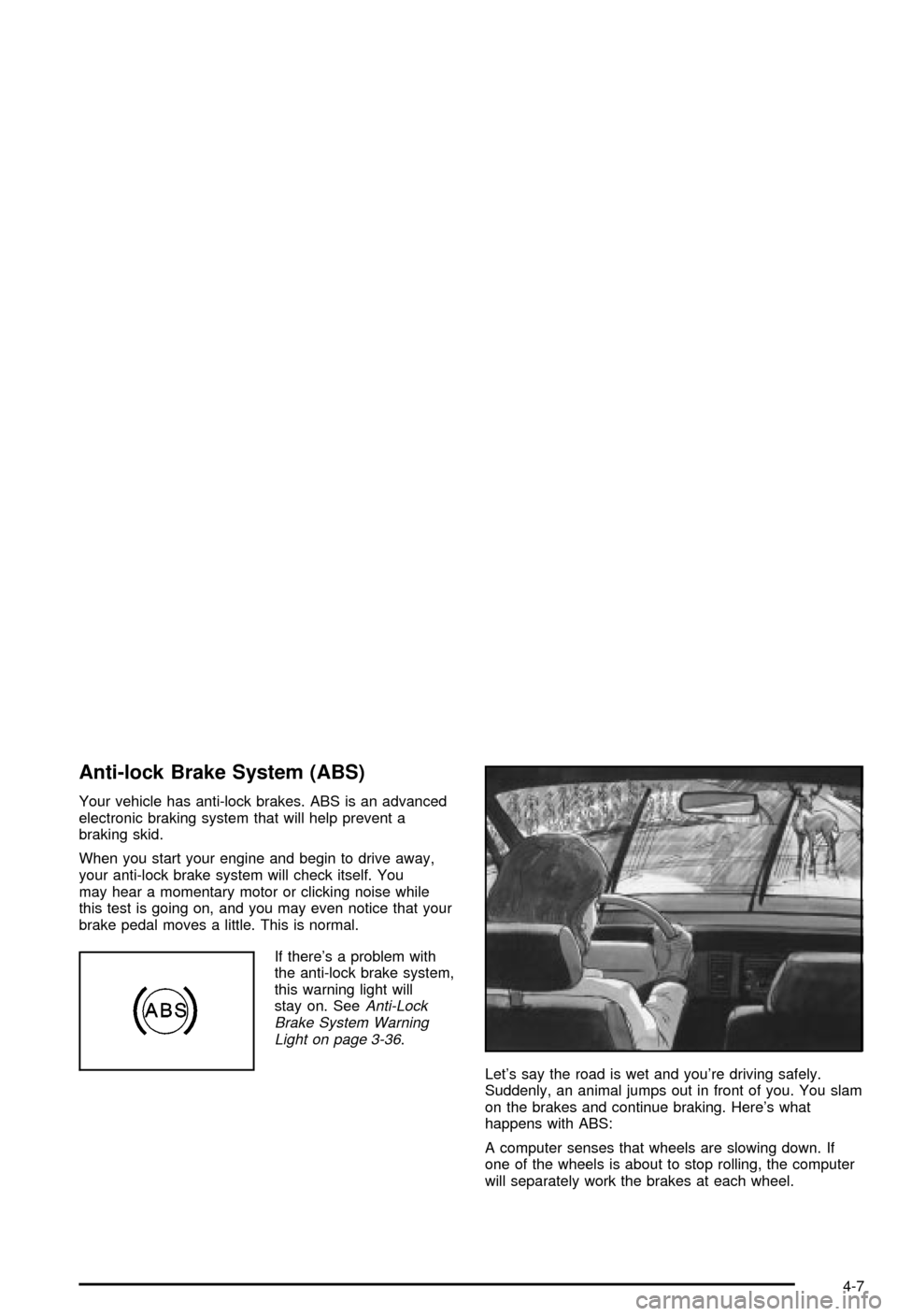
Anti-lock Brake System (ABS)
Your vehicle has anti-lock brakes. ABS is an advanced
electronic braking system that will help prevent a
braking skid.
When you start your engine and begin to drive away,
your anti-lock brake system will check itself. You
may hear a momentary motor or clicking noise while
this test is going on, and you may even notice that your
brake pedal moves a little. This is normal.
If there's a problem with
the anti-lock brake system,
this warning light will
stay on. See
Anti-Lock
Brake System Warning
Light on page 3-36
.
Let's say the road is wet and you're driving safely.
Suddenly, an animal jumps out in front of you. You slam
on the brakes and continue braking. Here's what
happens with ABS:
A computer senses that wheels are slowing down. If
one of the wheels is about to stop rolling, the computer
will separately work the brakes at each wheel.
4-7
Page 201 of 368

Traction Control System (TCS)
Your vehicle has a traction control system called TCS
that limits wheel spin. This is especially useful in slippery
road conditions. The system operates only if it senses
that the rear wheels are spinning too much or are
beginning to lose traction. When this happens, the
system works the rear brakes and reduces engine power
(by closing the throttle and managing engine spark) to
limit wheel spin.
The TRACTION SYS ACTIVE message will come on
when the TCS system is limiting wheel spin. See
DIC Warnings and Messages on page 3-53. You may
feel or hear the system working, but this is normal.
If your vehicle is in cruise control when the TCS system
begins to limit wheel spin, the cruise control will
automatically disengage. When road conditions allow
you to safely use it again, you may re-engage the cruise
control. See
Turn Signal/Multifunction Lever on
page 3-6.The SERVICE TRACTION
SYSTEM message and
the TCS warning light will
come on to let you
know if there's a problem
with your TCS system.
See
DIC Warnings
and Messages on
page 3-53
.
When this light and the SERVICE TRACTION SYSTEM
message are on, the system will not limit wheel spin.
Adjust your driving accordingly.
The TCS system automatically comes on whenever you
start your vehicle. To limit wheel spin, especially in
slippery road conditions, you should always leave the
system on. But you can turn the TCS system off if
you ever need to.
4-9
Page 202 of 368

To turn the system off,
press the button located
on the console. You
can turn the system on or
off at any time by
pressing the ACTIVE
HANDLING button. The
DIC will display the
appropriate message when
you push the button.
Active Handling System
The Active Handling System is a computer controlled
system that helps the driver maintain directional control
of the vehicle in difficult driving conditions. This is
accomplished by selectively applying any one of the
vehicle's brakes.
When you ®rst start your vehicle and begin to drive away
(6 mph (10 km/h)), the message ACT HNDLG WARMING
UP may be displayed in the DIC, the instrument cluster
light will be on, and a chime will sound. This is normal.
You can acknowledge this message by pressing the
RESET button. The Active Handling System performance
is affected until the message, WARM UP COMPLETE, is
displayed in the DIC.The ACT HNDLG WARMING UP message may be
displayed in the DIC after exceeding 12 mph (20 km/h)
for 30 seconds. The Active Handling System is off
until the WARM UP COMPLETE message is displayed.
The ACTIVE HANDLING message will come on
when the system is operating. See
DIC Warnings and
Messages on page 3-53for more information. You
may also feel or hear the system working. This
is normal.
The SERVICE ACTIVE
HNDLG message will be
displayed, the instrument
cluster light will come
on, and a chime will sound
to let you know if there
is a problem with the
system. See
DIC Warnings
and Messages on
page 3-53
for more
information.
When this light and the SERVICE ACTIVE HNDLG
message are on, the system is not operational. Adjust
your driving accordingly.
4-10