clutch CHEVROLET CORVETTE 2003 5.G Owners Manual
[x] Cancel search | Manufacturer: CHEVROLET, Model Year: 2003, Model line: CORVETTE, Model: CHEVROLET CORVETTE 2003 5.GPages: 368, PDF Size: 2.55 MB
Page 77 of 368

When the engine is not running, ACCESSORY and ON
allow you to operate your electrical accessories,
such as the radio.
A warning tone will sound if you open the driver's door
while the ignition is in OFF or ACCESSORY and
the key is in the ignition.
Retained Accessory Power (RAP)
With RAP, your power windows and the audio system
will continue to work for up to 15 minutes after the
ignition key is turned to OFF and neither door is opened.
If a door is opened, the power windows and audio
system will shut off.
Starting Your Engine
This vehicle has a computer system that monitors
engine speed, throttle and pedal position, and records
the current status.
Automatic Transmission
Move your shift lever to PARK (P) or NEUTRAL (N).
Your engine won't start in any other position ± that's a
safety feature. To restart when you're already moving,
use NEUTRAL (N) only.
Notice:Don't try to shift to PARK (P) if your
vehicle is moving. If you do, you could damage the
transmission. Shift to PARK (P) only when your
vehicle is stopped.
Manual Transmission
The shift lever should be in NEUTRAL and the parking
brake engaged. Hold the clutch pedal to the ¯oor
and start the engine. Your vehicle won't start if the clutch
pedal is not all the way down ± that's a safety feature.
1. With your foot off the accelerator pedal, turn
the ignition key to START. When the engine starts,
let go of the key. The idle speed will go down as
your engine gets warm.
Notice:Holding your key in START for longer than
15 seconds at a time will cause your battery to
be drained much sooner. And the excessive heat
can damage your starter motor. Wait about 15
seconds between each try to help avoid draining
your battery or damaging your starter.
2. If it doesn't start within 10 seconds, push the
accelerator pedal all the way to the ¯oor, while you
hold the ignition key in START. When the engine
starts, let go of the key and let up on the accelerator
pedal. Wait about 15 seconds between each try.
2-21
Page 83 of 368

Notice:If your wheels won't turn, don't try to drive.
This might happen if you were stuck in very deep
sand or mud or were up against a solid object. You
could damage your transmission. Also, if you
stop when going uphill, don't hold your vehicle there
with only the accelerator pedal. This could overheat
and damage the transmission. Use your brakes
or shift into PARK (P) to hold your vehicle in
position on a hill.
Maximum engine speed is limited to protect driveline
components from improper operation.
Manual Transmission Operation
This is the shift pattern for
the six-speed manual
transmission.Here is how to operate your transmission:
FIRST (1):Press the clutch pedal and shift into
FIRST (1). Then slowly let up on the clutch pedal as
you press the accelerator pedal.
You can shift into FIRST (1) when you're going less
than 40 mph (64 km/h). If you come to a complete stop
and it's hard to shift into FIRST (1), put the shift
lever in NEUTRAL and let up on the clutch. Press the
clutch pedal back down. Then shift into FIRST (1).
SECOND (2):Press the clutch pedal as you let up on
the accelerator pedal and shift into SECOND (2).
Then, slowly let up on the clutch pedal as you press the
accelerator pedal.
THIRD (3), FOURTH (4), FIFTH (5) and
SIXTH (6):Shift into THIRD (3), FOURTH (4), FIFTH (5)
and SIXTH (6) the same way you do for SECOND (2).
Slowly let up on the clutch pedal as you press the
accelerator pedal.
To stop, let up on the accelerator pedal and press the
brake pedal. Just before the vehicle stops, press
the clutch pedal and the brake pedal, and shift to
NEUTRAL.
2-27
Page 84 of 368

NEUTRAL:Use this position when you start or idle
your engine. Your shift lever is in NEUTRAL when it is
centered in the shift pattern, not in any gear.
REVERSE (R):To back up, press down the clutch
pedal and shift into REVERSE (R). Just apply pressure
to get the lever past FIFTH (5) and SIXTH (6) into
REVERSE (R). Let up on the clutch pedal slowly while
pressing the accelerator pedal.
Your six-speed manual transmission has a feature that
allows you to safely shift into REVERSE (R) while
the vehicle is rolling (at less than 3 mph (5 km/h)). You
will be locked out if you try to shift into REVERSE (R)
while your vehicle is moving faster than 3 mph (5 km/h).
If you have turned your ignition off and wish to park
your vehicle in REVERSE (R), you will have to move the
shift lever quickly to the right, and immediately forward
into gear.Shift Speeds (Manual Transmission)
{CAUTION:
If you skip a gear when you downshift, you
could lose control of your vehicle. You could
injure yourself or others. Don't shift down
more than one gear at a time when you
downshift.
This chart shows when to shift to the next higher gear
for the best fuel economy.
2-28
Page 86 of 368
If your vehicle is a Z06, do not downshift into a gear
shown below at a speed greater than shown in the table:
FIRST (1) 48 mph (77 km/h)
SECOND (2) 69 mph (111 km/h)
THIRD (3) 100 mph (161 km/h)
FOURTH (4) 143 mph (230 km/h)
Notice:If you skip more than one gear when you
downshift, or if you race the engine when you
release the clutch pedal while downshifting, you
could damage the engine, clutch, driveshaft or the
transmission.
The six-speed transmission has a spring that centers
the gearshift lever near THIRD (3) and FOURTH (4).
This spring helps you know which gear you are in when
you are shifting. Be careful when shifting from
FIRST (1) to SECOND (2) or downshifting from
SIXTH (6) to FIFTH (5). The spring will try to pull the
gearshift lever toward FOURTH (4) and THIRD (3).
Make sure you move the lever into SECOND (2)
or FIFTH (5). If you let the gearshift lever move in the
direction of the pulling, you may end up shifting
from FIRST (1) to FOURTH (4) or from SIXTH (6) to
THIRD (3).
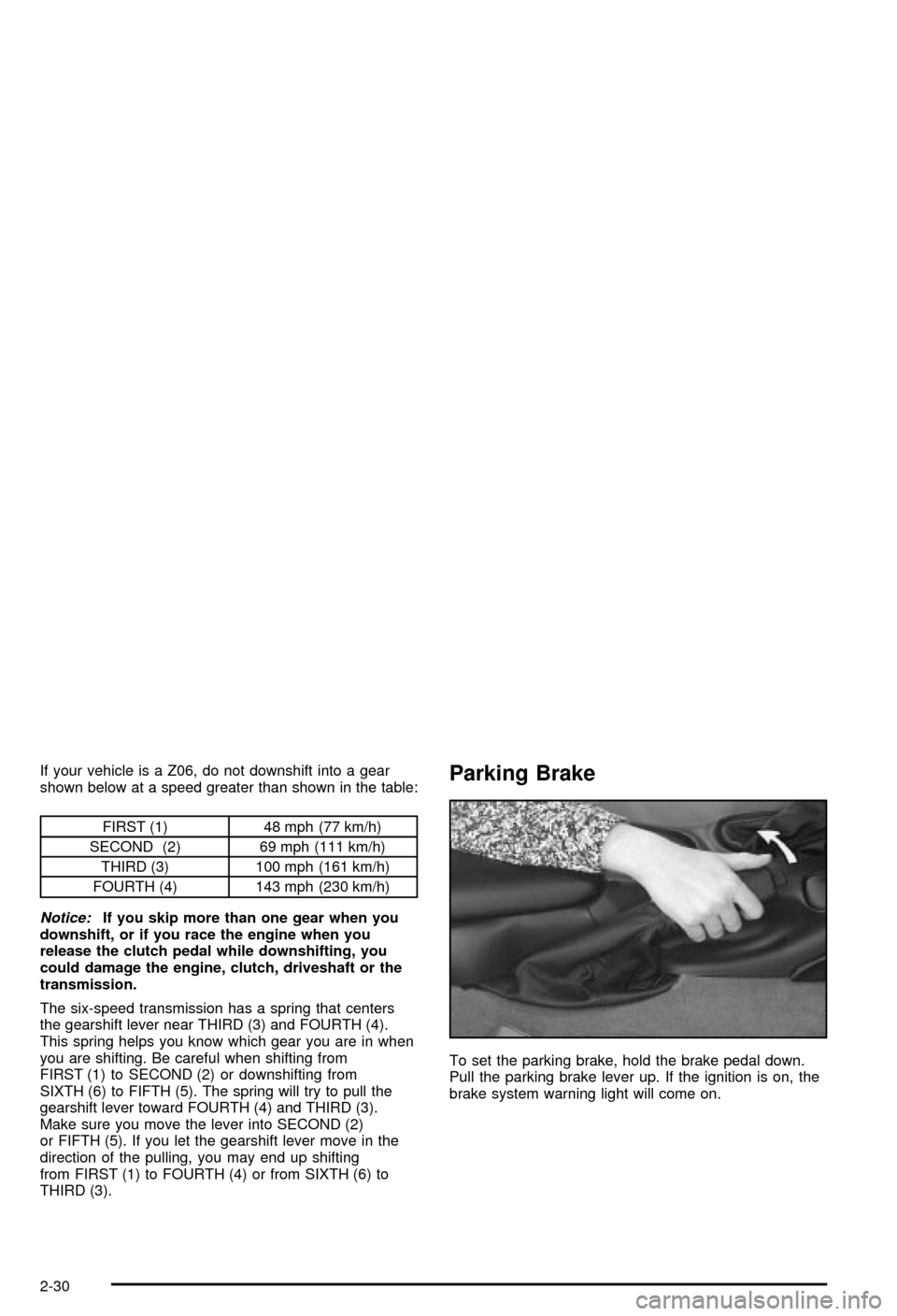
Parking Brake
To set the parking brake, hold the brake pedal down.
Pull the parking brake lever up. If the ignition is on, the
brake system warning light will come on.
2-30
Page 90 of 368

If you ever hold the brake pedal down but still can't shift
out of PARK (P), try this:
1. Turn the key to ACCESSORY.
2. Apply and hold the brake until the end of Step 4.
3. Shift to NEUTRAL (N).
4. Start the engine and then shift to the drive gear
you want.
5. Have your vehicle inspected by your dealer as soon
as possible.
Parking Your Vehicle
(Manual Transmission)
Before you get out of your vehicle, move the shift lever
into REVERSE (R) and ®rmly apply the parking
brake. Once the shift lever has been placed into
REVERSE (R) with the clutch pedal pressed in, you can
turn the ignition key to OFF, remove the key and
release the clutch.
Parking Over Things That Burn
{CAUTION:
Things that can burn could touch hot exhaust
parts under your vehicle and ignite. Don't park
over papers, leaves, dry grass or other things
that can burn.
2-34
Page 121 of 368
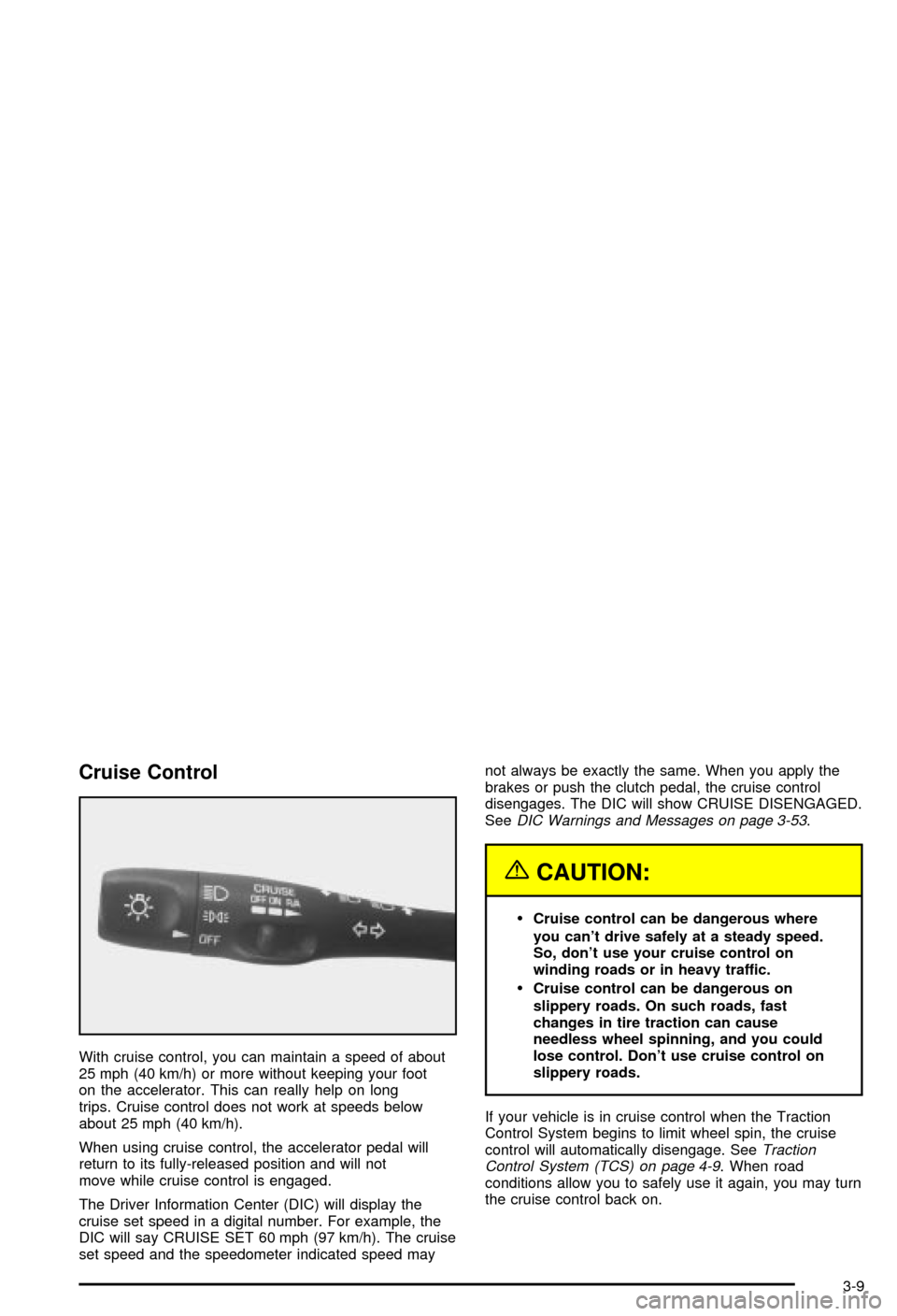
Cruise Control
With cruise control, you can maintain a speed of about
25 mph (40 km/h) or more without keeping your foot
on the accelerator. This can really help on long
trips. Cruise control does not work at speeds below
about 25 mph (40 km/h).
When using cruise control, the accelerator pedal will
return to its fully-released position and will not
move while cruise control is engaged.
The Driver Information Center (DIC) will display the
cruise set speed in a digital number. For example, the
DIC will say CRUISE SET 60 mph (97 km/h). The cruise
set speed and the speedometer indicated speed maynot always be exactly the same. When you apply the
brakes or push the clutch pedal, the cruise control
disengages. The DIC will show CRUISE DISENGAGED.
See
DIC Warnings and Messages on page 3-53.
{CAUTION:
·Cruise control can be dangerous where
you can't drive safely at a steady speed.
So, don't use your cruise control on
winding roads or in heavy traffic.
·Cruise control can be dangerous on
slippery roads. On such roads, fast
changes in tire traction can cause
needless wheel spinning, and you could
lose control. Don't use cruise control on
slippery roads.
If your vehicle is in cruise control when the Traction
Control System begins to limit wheel spin, the cruise
control will automatically disengage. See
Traction
Control System (TCS) on page 4-9. When road
conditions allow you to safely use it again, you may turn
the cruise control back on.
3-9
Page 122 of 368
Setting Cruise Control
{CAUTION:
If you leave your cruise control on when you're
not using cruise, you might hit a button and go
into cruise when you don't want to. You could
be startled and even lose control. Keep the
cruise control switch off until you want to use
cruise control.
1. Move the cruise control switch to ON.
2. Get up to the speed you want.
3. Press the SET button at the end of the lever and
release it. The cruise set speed will be displayed
by the Driver Information Center (DIC).
4. Take your foot off the accelerator pedal. The pedal
will return to an idle position.
Resuming a Set Speed
Suppose you set the cruise control at a desired speed
and then you apply the brake or clutch pedal. This,
of course, disengages the cruise control. But you don't
need to reset it.Once you're going about 25 mph (40 km/h) or more, you
can move the cruise control switch to R/A
(Resume/Accelerate) brie¯y. The Driver Information
Center (DIC) will display the cruise set speed.
You'll go right back up to your chosen speed and
stay there.
Increasing Speed While Using Cruise
Control
There are two ways to go to a higher speed:
·Use the accelerator pedal to get to the higher
speed. The speed will not begin to increase
until sufficient pedal travel is achieved. Press the
SET button at the end of the lever, then release the
button and the accelerator pedal. You'll now
cruise at the higher speed.
·Move the cruise switch to R/A. Hold it there until
you get up to the speed you want, then release
the switch. (To increase your speed in very small
amounts, move the switch to R/A brie¯y, then
release it. Each time you do this, the vehicle will go
about 1 mph (1.6 km/h) faster.)
The Driver Information Center (DIC) will display the
cruise set speed.
3-10
Page 123 of 368

Reducing Speed While Using Cruise
Control
There are two ways to reduce speed while using cruise
control:
·Press in the SET button at the end of the lever until
you reach the lower speed you want, then release it.
·To slow down in very small amounts, press the SET
button brie¯y. Each time you do this, you'll go about
1 mph (1.6 km/h) slower.
The Driver Information Center (DIC) will display the
cruise set speed.
Passing Another Vehicle While Using
Cruise Control
Use the accelerator pedal to increase speed. When you
take your foot off the pedal, the vehicle will slow
down to the cruise control speed you set earlier.
Using Cruise Control on Hills
How well your cruise control will work on hills depends
upon your speed, load and the steepness of the
hills. When going downhill, you may have to brake or
shift to a lower gear to keep your speed down. Of
course, applying the brake takes you out of cruise
control. Many drivers ®nd this to be too much trouble
and don't use cruise control on steep hills.
Ending Cruise Control
There are two ways to turn off the cruise control:
·Step lightly on the brake pedal or push the clutch
pedal, if you have a manual transmission vehicle.
·Move the cruise switch to OFF.
The Driver Information Center (DIC) will display the
message CRUISE DISENGAGED.
Erasing Speed Memory
When you turn off the cruise control or the ignition,
cruise control set speed memory is erased.
3-11
Page 170 of 368

COOLANT OVER TEMP:You will hear four chimes
and the CHECK GAGES telltale will come on when this
message is displayed. To acknowledge the warning,
press the RESET button. After you press the RESET
button, a message will be displayed and you will hear a
chime every minute until this condition changes. If
you do not press RESET, the message will remain on
the digital display until the condition changes.
If the engine coolant exceeds 255ÉF (124ÉC), this
message is displayed. If you have been operating your
vehicle under normal driving conditions, you should
pull off the road, stop your vehicle and turn off the
engine as soon as possible. You can monitor the coolant
temperature with the GAGES button on the DIC or
the engine coolant gage on the instrument panel cluster.
See
Engine Overheating on page 5-26.
REDUCE ENGINE RPM:You will hear four chimes
when this message is displayed. To acknowledge
the warning, press the RESET button. After you press
the RESET button, a message will be displayed and you
will hear a chime every minute until this condition
changes. If you do not press RESET, the message will
remain on the digital display until the condition
changes.
If the engine oil temperature exceeds 320ÉF (160ÉC),
this message is displayed. You should check the engine
coolant temperature and engine oil level. If your
engine is too hot, see
Engine Overheating on page 5-26.Your vehicle may need service, so see your dealer. You
can monitor the oil temperature with the GAGES
button on the DIC.
HIGH TRANS TEMP (Automatic Transmission
Only):You will hear four chimes when this message is
displayed. To acknowledge this warning, press the
RESET button. After you press the RESET button, the
message will be displayed every 10 minutes until
the condition changes. If you do not press RESET, the
message remains on the display until the condition
changes.
If the transmission ¯uid temperature rises above 270ÉF
(132ÉC) or rises rapidly, this message is displayed.
The transmission may shift gears or apply the torque
converter clutch to reduce the ¯uid temperature. Driving
aggressively or driving on long hills can cause the
transmission ¯uid temperature to be higher than normal.
If this message appears, you may continue to drive at
a slower speed. You should also monitor the
transmission ¯uid temperature and allow it to cool to at
least 230ÉF (110ÉC). The transmission ¯uid temperature
can be monitored with the GAGES button on the
DIC. See
Automatic Transmission Fluid on page 5-20.
You should also check the engine coolant temperature.
If it is also hot, see
Engine Overheating on page 5-26.
If the HIGH TRANS TEMP message is displayed during
normal vehicle operation on ¯at roads, your vehicle
may need service. See your dealer for an inspection.
3-58
Page 229 of 368

Service............................................................5-3
Doing Your Own Service Work.........................5-3
Adding Equipment to the Outside of Your
Vehicle......................................................5-4
Fuel................................................................5-4
Gasoline Octane............................................5-4
Gasoline Speci®cations....................................5-5
California Fuel...............................................5-5
Additives.......................................................5-6
Fuels in Foreign Countries...............................5-6
Filling Your Tank............................................5-7
Filling a Portable Fuel Container.......................5-9
Checking Things Under
the Hood....................................................5-10
Hood Release..............................................5-11
Engine Compartment Overview.......................5-12
Engine Oil...................................................5-13
Engine Air Cleaner/Filter................................5-18
Automatic Transmission Fluid.........................5-20
Manual Transmission Fluid.............................5-20
Hydraulic Clutch...........................................5-22
Engine Coolant.............................................5-23
Coolant Surge Tank Pressure Cap..................5-26
Engine Overheating.......................................5-26
Cooling System............................................5-29
Power Steering Fluid.....................................5-35Windshield Washer Fluid................................5-36
Brakes........................................................5-37
Battery........................................................5-40
Jump Starting...............................................5-41
Rear Axle.......................................................5-46
Bulb Replacement..........................................5-47
Halogen Bulbs..............................................5-47
Headlamps..................................................5-47
Taillamps and Turn Signal Lamps...................5-49
Back-Up Lamps............................................5-51
Replacement Bulbs.......................................5-51
Windshield Wiper Blade Replacement..............5-51
Tires..............................................................5-54
Extended Mobility Tires (Except Z06)...............5-54
In¯ation -- Tire Pressure................................5-56
Tire Pressure Monitor System (Except Z06)......5-57
Tire Rotation................................................5-58
Buying New Tires.........................................5-59
Uniform Tire Quality Grading..........................5-60
Wheel Alignment and Tire Balance..................5-61
Wheel Replacement......................................5-61
Tire Chains..................................................5-64
Lifting Your Vehicle.......................................5-64
If a Tire Goes Flat........................................5-68
Tire In¯ator Kit (Z06 Only).............................5-70
Section 5 Service and Appearance Care
5-1