service CHEVROLET CORVETTE 2004 5.G Owner's Manual
[x] Cancel search | Manufacturer: CHEVROLET, Model Year: 2004, Model line: CORVETTE, Model: CHEVROLET CORVETTE 2004 5.GPages: 384, PDF Size: 2.46 MB
Page 178 of 384

REDUCED ENGINE POWER:You will hear chimes
continuously when this message is displayed. To
acknowledge that you have read the message and to
remove it from the display, press RESET. The message
will reappear every 15 seconds until this condition
changes.
If the Driver Information Center (DIC) displays the
REDUCED ENGINE POWER message and the CHECK
ENGINE light comes on, a noticeable reduction in the
vehicle’s performance may occur. If the REDUCED
ENGINE POWER message is displayed but there is no
reduction in performance, proceed to your destination.
The performance may be reduced the next time
the vehicle is driven.
The vehicle may be driven at a reduced speed while the
REDUCED ENGINE POWER message is displayed,
but acceleration and speed may be reduced. Anytime
the CHECK ENGINE light stays on, the vehicle
should be taken to an authorized dealer as soon as
possible for diagnosis and repair.
Also, refer toMalfunction Indicator Lamp on page 3-41.
If the REDUCED ENGINE POWER message is
displayed in combination with the COOLANT OVER
TEMP message, seeEngine Overheating on page 5-26.REDUCE ENGINE RPM:You will hear four chimes
when this message is displayed. To acknowledge
the warning, press the RESET button. After you press
the RESET button, a message will be displayed and you
will hear a chime every minute until this condition
changes. If you do not press RESET, the message will
remain on the digital display until the condition
changes.
If the engine oil temperature exceeds 320°F (160°C),
this message is displayed. You should check the engine
coolant temperature and engine oil level. If your
engine is too hot, seeEngine Overheating on page 5-26.
Your vehicle may need service, so see your dealer.
You can monitor the oil temperature with the GAGES
button on the DIC.
SERVICE ABS (Anti-Lock Brake System):If the
SERVICE ABS message is displayed when you
are driving, stop as soon as possible and turn the
ignition off. Then start the engine again to reset the
system. If the message stays on, or comes back
on again while you are driving, your vehicle is in need
of service. If the regular brake system warning light
is not on, you still have brakes, but do not have anti-lock
brakes. If the regular brake system light is also on,
you do not have anti-lock brakes and there is a problem
with your brakes. SeeBrake System Warning Light
on page 3-38.
3-64
Page 179 of 384

If the SERVICE ABS message is being displayed, your
Traction Control System and the Active Handling
System will also be disabled. The Driver Information
Center will scroll three messages: SERVICE ABS,
SERVICE TRACTION SYS and SERVICE ACTIVE
HNDLG, and the instrument cluster car icon will
be illuminated. The driver can acknowledge these
messages by pressing the reset button three times.
When the service message is displayed the computer
controlled systems will not assist the driver and you
should have the system repaired as soon as possible.
Adjust your driving accordingly.
SERVICE ACTIVE HANDLING:If the SERVICE
ACTIVE HNDLG message is displayed, there is a
problem with your Active Handling System and your
vehicle needs service. The instrument cluster light
will also be on and a chime will sound. When this
message is displayed, the system is not working. Adjust
your driving accordingly.SERVICE COLUMN LOCK (Manual Transmission
Only):If the system that controls the locking and
unlocking of the steering column does not work properly,
have the vehicle towed to a dealer for service.
SERVICE RIDE CONTROL:This message is used to
indicate to the driver that the Selective Ride Control
system has detected a malfunction and that the system
must be serviced. The SERVICE RIDE CONTROL
message will always come on when a failure is detected
by the Selective Ride Control system. If a fault is
present in the Selective Ride Control system which
causes the shocks to be in their full soft condition, the
SERVICE RIDE CONTROL, SHOCKS INOPERATIVE
and MAXIMUM SPEED 80 MPH (129 km/h) will
display together. You will never get a SHOCKS
INOPERATIVE and MAXIMUM SPEED 80 MPH
(129 km/h) message without a SERVICE RIDE
CONTROL message.
3-65
Page 180 of 384

SERVICE TIRE MON SYS (Except Z06):If this
message comes on, a part on the Tire Pressure
Monitor (TPM) is not working properly. If you drive your
vehicle while any of the four sensors are missing or
inoperable, the warning will come on in about
10 minutes. If all four sensors are missing, the warning
will come on in about 15 to 20 minutes. All the
sensors would be missing, for example, if you put
different wheels on your vehicle without transferring the
sensors. If the warning comes on and stays on, there
may be a problem with the TPM. See your dealer.
SERVICE TRACTION SYSTEM:If the SERVICE
TRACTION SYS message is displayed when you are
driving, there is a problem with your Traction Control
System and your vehicle is in need of service. When this
message is displayed, the system will not limit wheel
spin. Adjust your driving accordingly.
The SERVICE ACTIVE HNDLG message will also be
displayed and the instrument cluster car icon will also be
illuminated. The driver can acknowledge both messages
by pressing the reset button two times which will alsoturn off the instrument cluster icon. When the service
messages are displayed, the computer controlled
systems will not assist the driver in controlling the
vehicle. Have the system repaired as soon as possible.
Adjust your driving accordingly.
SERVICE VEHICLE SOON:If this message appears
on the DIC, there may be an electrical or another system
problem with your vehicle. Have your vehicle checked
by your dealer if this message keeps appearing.
SHOCKS INOPERATIVE:You will hear four chimes
when this message is displayed. To acknowledge
that you have read the message and to remove it from
the display, press RESET. The message will reappear
every 10 minutes until this condition changes.
This message indicates that a malfunction is present in
the Selective Ride Control system which is causing
the shocks to be in their full soft mode. This is a warning
to the driver that the vehicle handling may be affected.
Have your vehicle serviced as soon as possible.
3-66
Page 203 of 384

A non-scrubbing action, wet-type cleaner which uses a
cassette with a fabric belt to clean the tape head
can be used. This type of cleaning cassette will not
eject on its own. A non-scrubbing action cleaner may not
clean as thoroughly as the scrubbing type cleaner.
The use of a non-scrubbing action, dry-type cleaning
cassette is not recommended.
After the player is cleaned, press and hold the EJECT
button for five seconds to reset the CLN indicator.
The radio will display --- or CLEANED to show the
indicator was reset.
Cassettes are subject to wear and the sound quality
may degrade over time. Always make sure the cassette
tape is in good condition before the tape player is
serviced.Care of Your CDs
Handle CDs carefully. Store them in their original cases
or other protective cases and away from direct
sunlight and dust. If the surface of a CD is soiled,
dampen a clean, soft cloth in a mild, neutral detergent
solution and clean it, wiping from the center to the edge.
Be sure never to touch the side without writing when
handling CDs. Pick up CDs by grasping the outer edges
or the edge of the hole and the outer edge.
Care of Your CD Player
The use of CD lens cleaners for CD players is not
advised, due to the risk of contaminating the lens of the
CD optics with lubricants internal to the CD mechanism.
Fixed Mast Antenna (Z06)
The fixed mast antenna can withstand most car washes
without being damaged. If the mast should ever
become slightly bent, straighten it out by hand. If the
mast is badly bent, replace it.
Check occasionally to make sure the mast is still
tightened to the rear quarter panel.
3-89
Page 214 of 384

The SERVICE TRACTION
SYSTEM message and
the TCS warning light will
come on to let you
know if there is a problem
with your TCS system.
SeeDIC Warnings
and Messages on
page 3-58.
When this light and the SERVICE TRACTION SYSTEM
message are on, the system will not limit wheel spin.
Adjust your driving accordingly.
The TCS system automatically comes on whenever you
start your vehicle. To limit wheel spin, especially in
slippery road conditions, you should always leave the
system on. But you can turn the TCS system off if
you ever need to.To turn the system off,
press the button located
on the console. You
can turn the system on or
off at any time by
pressing the ACTIVE
HANDLING button. The
DIC will display the
appropriate message when
you push the button.
Active Handling System
The Active Handling System is a computer controlled
system that helps the driver maintain directional control
of the vehicle in difficult driving conditions. This is
accomplished by selectively applying any one of the
vehicle’s brakes.
When you first start your vehicle and begin to drive away
(6 mph (10 km/h)), the message ACT HNDLG WARMING
UP may be displayed in the DIC, the instrument cluster
light will be on, and a chime will sound. This is normal.
You can acknowledge this message by pressing the
RESET button. The Active Handling System performance
is affected until the message, WARM UP COMPLETE, is
displayed in the DIC.
4-10
Page 215 of 384

The ACT HNDLG WARMING UP message may be
displayed in the DIC after exceeding 12 mph (20 km/h)
for 30 seconds. The Active Handling System is off
until the WARM UP COMPLETE message is displayed.
The ACTIVE HANDLING message will come on
when the system is operating. SeeDIC Warnings and
Messages on page 3-58for more information. You
may also feel or hear the system working. This
is normal.
The SERVICE ACTIVE
HNDLG message will be
displayed, the instrument
cluster light will come
on, and a chime will sound
to let you know if there
is a problem with the
system. SeeDIC Warnings
and Messages on
page 3-58for more
information.
When this light and the SERVICE ACTIVE HNDLG
message are on, the system is not operational. Adjust
your driving accordingly.The Active Handling System comes on automatically
whenever you start your vehicle. To help maintain
directional control of the vehicle, you should always
leave the system on. You can turn the system off if you
ever need to. If you turn the Active Handling System
off, the Traction Control System will also be turned off.
Adjust your driving accordingly.
To turn the system off,
press the ACTIVE
HANDLING button on the
console. You can turn
the system on and off at
any time by pressing
the button. The DIC will
display the appropriate
message when you push
the button.
4-11
Page 229 of 384
The exit ramp can be curved, sometimes quite sharply.
The exit speed is usually posted. Reduce your speed
according to your speedometer, not to your sense
of motion. After driving for any distance at higher
speeds, you may tend to think you are going slower
than you actually are.
Before Leaving on a Long Trip
Make sure you are ready. Try to be well rested. If you
must start when you are not fresh — such as after
a day’s work — do not plan to make too many miles that
first part of the journey. Wear comfortable clothing
and shoes you can easily drive in.
Is your vehicle ready for a long trip? If you keep it
serviced and maintained, it is ready to go. If it needs
service, have it done before starting out. Of course, you
will find experienced and able service experts in GM
dealerships all across North America. They will be ready
and willing to help if you need it.Here are some things you can check before a trip:
•Windshield Washer Fluid:Is the reservoir full? Are
all windows clean inside and outside?
•Wiper Blades:Are they in good shape?
•Fuel, Engine Oil, Other Fluids:Have you checked
all levels?
•Lamps:Are they all working? Are the lenses clean?
•Tires:They are vitally important to a safe,
trouble-free trip. Is the tread good enough for
long-distance driving? Are the tires all inflated to the
recommended pressure?
•Weather Forecasts:What is the weather outlook
along your route? Should you delay your trip a
short time to avoid a major storm system?
•Maps:Do you have up-to-date maps?
4-25
Page 230 of 384
Highway Hypnosis
Is there actually such a condition as “highway
hypnosis”? Or is it just plain falling asleep at the wheel?
Call it highway hypnosis, lack of awareness, or
whatever.
There is something about an easy stretch of road with
the same scenery, along with the hum of the tires on the
road, the drone of the engine, and the rush of the
wind against the vehicle that can make you sleepy. Do
not let it happen to you! If it does, your vehicle can
leave the road inless than a second,and you could
crash and be injured.
What can you do about highway hypnosis? First, be
aware that it can happen.
Then here are some tips:
•Make sure your vehicle is well ventilated, with a
comfortably cool interior.
•Keep your eyes moving. Scan the road ahead and
to the sides. Check your rearview mirrors and your
instruments frequently.
•If you get sleepy, pull off the road into a rest,
service or parking area and take a nap, get some
exercise, or both. For safety, treat drowsiness
on the highway as an emergency.
Hill and Mountain Roads
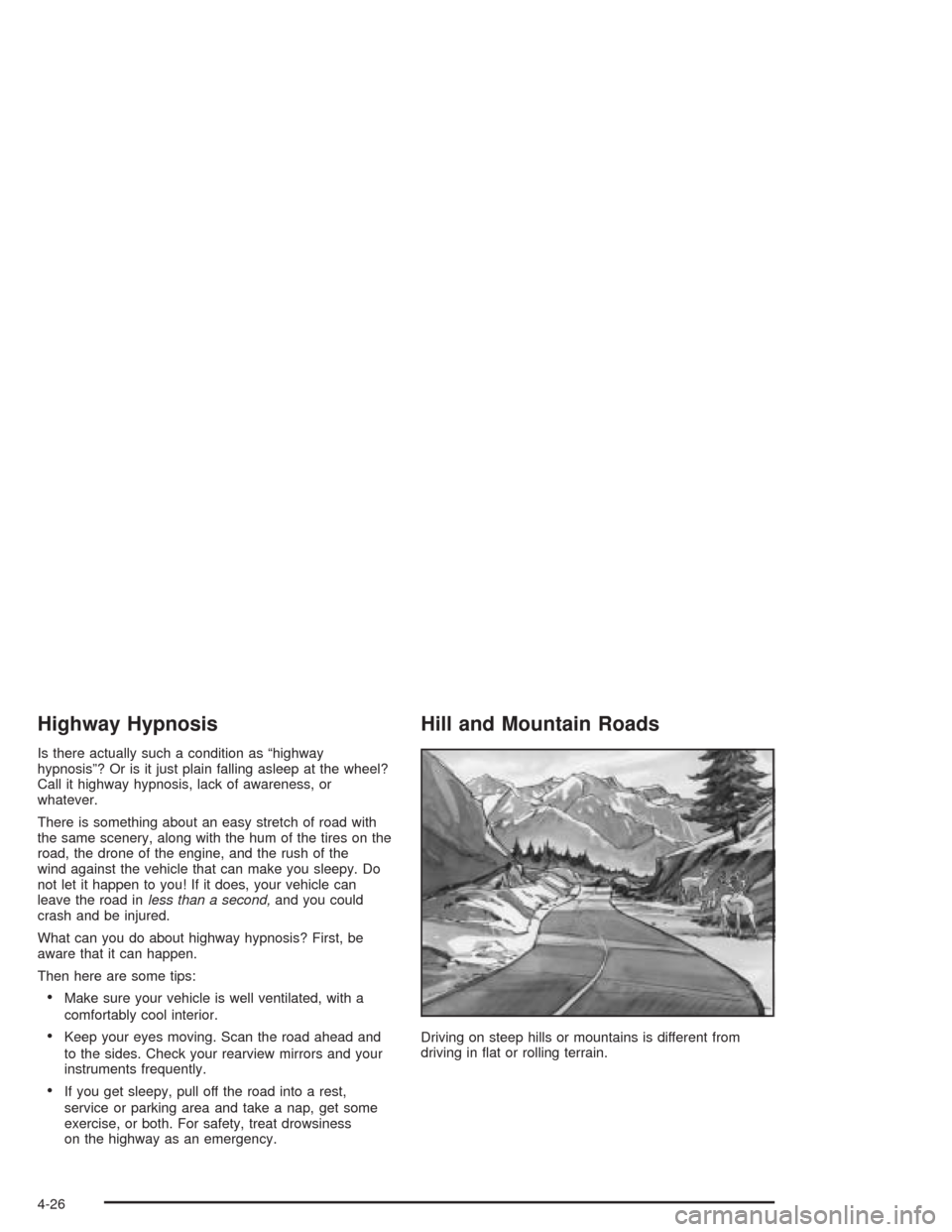
Driving on steep hills or mountains is different from
driving in flat or rolling terrain.
4-26
Page 237 of 384
Towing
Towing Your Vehicle
Consult your dealer or a professional towing service if
you need to have your disabled vehicle towed. See
Roadside Assistance Program on page 7-6.
Recreational Vehicle Towing
Recreational vehicle towing means towing your vehicle
behind another vehicle — such as behind a motorhome.
The two most common types of recreational vehicle
towing are known as “dinghy towing” (towing your vehicle
with all four wheels on the ground) and “dolly towing”
(towing your vehicle with two wheels on the ground and
two wheels up on a device known as a “dolly”).
Your vehicle was not designed to be towed with any of
its wheels on the ground. If your vehicle must be
towed, see “Towing Your Vehicle” earlier in this section.
Loading Your Vehicle
It is very important to know how much weight your
vehicle can carry. This weight is called the vehicle
capacity weight and includes the weight of all occupants,
cargo and all nonfactory-installed options. Two labels
on your vehicle show how much weight it may properly
carry, the Tire and Loading Information label and the
Certification label.
{CAUTION:
Do not load your vehicle any heavier than the
GVWR, or either the maximum front or rear
GAWR. If you do, parts on your vehicle can
break, and it can change the way your vehicle
handles. These could cause you to lose
control and crash. Also, overloading can
shorten the life of your vehicle.
4-33
Page 243 of 384
Service............................................................5-3
Doing Your Own Service Work.........................5-4
Adding Equipment to the Outside of
Your Vehicle..............................................5-4
Fuel................................................................5-4
Gasoline Octane............................................5-5
Gasoline Specifications....................................5-5
California Fuel...............................................5-5
Additives.......................................................5-6
Fuels in Foreign Countries...............................5-6
Filling Your Tank............................................5-7
Filling a Portable Fuel Container.....................5-10
Checking Things Under the Hood....................5-10
Hood Release..............................................5-11
Engine Compartment Overview.......................5-12
Engine Oil...................................................5-13
Engine Air Cleaner/Filter................................5-18
Automatic Transmission Fluid.........................5-20
Manual Transmission Fluid.............................5-21
Hydraulic Clutch...........................................5-22
Engine Coolant.............................................5-23
Coolant Surge Tank Pressure Cap..................5-26
Engine Overheating.......................................5-26
Cooling System............................................5-29
Power Steering Fluid.....................................5-35
Windshield Washer Fluid................................5-36Brakes........................................................5-37
Battery........................................................5-40
Jump Starting...............................................5-41
Rear Axle.......................................................5-47
Bulb Replacement..........................................5-48
Halogen Bulbs..............................................5-48
Headlamps..................................................5-48
Taillamps and Turn Signal Lamps...................5-50
Back-Up Lamps............................................5-52
Windshield Wiper Blade Replacement..............5-52
Tires..............................................................5-55
Extended Mobility Tires (Except Z06)...............5-61
Inflation - Tire Pressure.................................5-62
Tire Pressure Monitor Operation
(Except Z06).............................................5-64
Tire Rotation................................................5-65
When It Is Time for New Tires.......................5-65
Buying New Tires.........................................5-66
Uniform Tire Quality Grading..........................5-67
Wheel Alignment and Tire Balance..................5-68
Wheel Replacement......................................5-68
Tire Chains..................................................5-71
Lifting Your Vehicle.......................................5-71
If a Tire Goes Flat........................................5-75
Tire Inflator Kit (Z06 Only).............................5-77
Section 5 Service and Appearance Care
5-1