climate control CHEVROLET CORVETTE 2004 5.G Owners Manual
[x] Cancel search | Manufacturer: CHEVROLET, Model Year: 2004, Model line: CORVETTE, Model: CHEVROLET CORVETTE 2004 5.GPages: 384, PDF Size: 2.46 MB
Page 1 of 384
Seats and Restraint Systems........................... 1-1
Front Seats
............................................... 1-2
Safety Belts
.............................................. 1-6
Child Restraints
.......................................1-19
Air Bag System
.......................................1-40
Restraint System Check
............................1-49
Features and Controls..................................... 2-1
Keys
........................................................ 2-3
Doors and Locks
....................................... 2-9
Windows
.................................................2-14
Theft-Deterrent Systems
............................2-16
Starting and Operating Your Vehicle
...........2-19
Mirrors
....................................................2-37
Storage Areas
.........................................2-40
Roof Panel
..............................................2-44
Convertible Top
.......................................2-50
Vehicle Personalization
.............................2-57
Instrument Panel............................................. 3-1
Instrument Panel Overview
.......................... 3-2
Climate Controls
......................................3-23
Warning Lights, Gages, and Indicators
........3-32
Driver Information Center (DIC)
..................3-48
Audio System(s)
.......................................3-69Driving Your Vehicle....................................... 4-1
Your Driving, the Road, and Your Vehicle
..... 4-2
Towing
...................................................4-33
Service and Appearance Care.......................... 5-1
Service
..................................................... 5-3
Fuel
......................................................... 5-4
Checking Things Under the Hood
...............5-10
Rear Axle
...............................................5-47
Bulb Replacement
....................................5-48
Windshield Wiper Blade Replacement
.........5-52
Tires
......................................................5-55
Appearance Care
.....................................5-82
Vehicle Identification
.................................5-91
Electrical System
......................................5-92
Capacities and Specifications
.....................5-99
Maintenance Schedule..................................... 6-1
Maintenance Schedule
................................ 6-2
Customer Assistance and Information.............. 7-1
Customer Assistance and Information
........... 7-2
Reporting Safety Defects
...........................7-10
Index................................................................ 1
2004 Chevrolet Corvette Owner ManualM
Page 4 of 384
Vehicle Damage Warnings
Also, in this manual you will find these notices:
Notice:These mean there is something that could
damage your vehicle.
A notice tells about something that can damage your
vehicle. Many times, this damage would not be covered
by your vehicle’s warranty, and it could be costly. But
the notice will tell you what to do to help avoid the
damage.
When you read other manuals, you might see
CAUTION and NOTICE warnings in different
colors or in different words.
There are also warning labels on your vehicle. They use
the same words, CAUTION or NOTICE.
Vehicle Symbols
The vehicle has components and labels that use
symbols instead of text. Symbols are shown along with
the text describing the operation or information
relating to a specific component, control, message,
gage, or indicator.
If you need help figuring out a specific name of a
component, gage, or indicator, reference the
following topics:
•Seats and Restraint Systems in Section 1
•Features and Controls in Section 2
•Instrument Panel Overview in Section 3
•Climate Controls in Section 3
•Warning Lights, Gages, and Indicators in Section 3
•Audio System(s) in Section 3
•Engine Compartment Overview in Section 5
iv
Page 67 of 384
Hatch/Trunk
{CAUTION:
It can be dangerous to drive with the
hatch/trunk lid open because carbon monoxide
(CO) gas can come into your vehicle. You can
not see or smell CO. It can cause
unconsciousness and even death. If you must
drive with the hatch/trunk lid open or if
electrical wiring or other cable connections
must pass through the seal between the body
and the hatch/trunk lid:
Make sure all other windows are shut.
Turn the fan on your heating or cooling
system to its highest speed and select the
control setting that will force outside air
into your vehicle. SeeDual Automatic
Climate Control System on page 3-23.
If you have air outlets on or under the
instrument panel, open them all the way.
SeeEngine Exhaust on page 2-36.Notice:Closing the hatch/trunk lid forcefully or
from the sides can cause damage to the glass, the
defogger or the weather stripping. Be sure objects
will t in the hatch/trunk area before closing the
hatch/trunk lid. When closing the hatch/trunk
lid, gently pull down from the center.
Notice:Do not store heavy or sharp objects in the
rear storage compartments located in the
hatch/trunk area. If you do, the objects could
damage the underbody.
2-11
Page 92 of 384
Engine Exhaust
{CAUTION:
Engine exhaust can kill. It contains the gas
carbon monoxide (CO), which you can not see
or smell. It can cause unconsciousness and
death.
You might have exhaust coming in if:
Your exhaust system sounds strange or
different.
Your vehicle gets rusty underneath.
Your vehicle was damaged in a collision.
Your vehicle was damaged when driving
over high points on the road or over road
debris.
Repairs were not done correctly.
Your vehicle or exhaust system had been
modied improperly.
If you ever suspect exhaust is coming into
your vehicle:
Drive it only with all the windows down to
blow out any CO; and
Have your vehicle xed immediately.
Running Your Engine While You
Are Parked (Automatic
Transmission)
It’s better not to park with the engine running. But if you
ever have to, here are some things to know.
{CAUTION:
Idling the engine with the climate control
system off could allow dangerous exhaust into
your vehicle. See the earlier Caution under
Engine Exhaust on page 2-36.
Also, idling in a closed-in place can let deadly
carbon monoxide (CO) into your vehicle even if
the climate control fan is at the highest setting.
One place this can happen is a garage.
Exhaust — with CO — can come in easily.
NEVER park in a garage with the engine
running.
Another closed-in place can be a blizzard. See
Winter Driving on page 4-28.
2-36
Page 95 of 384
To adjust either mirror, press the LT (left) or RT (right)
button to select the mirror, then press the arrows to
adjust the direction of the mirror. The mirror will
stay selected for 20 seconds after the last adjustment.
An indicator light will come on above the mirror that
you select.
Your preferred mirror position can be stored if you have
the memory option. SeeMemory on page 2-57.
For operation of the heated outside mirrors, seeDual
Automatic Climate Control System on page 3-23.
Outside Automatic Dimming Mirror
If your vehicle has this feature, the driver’s side
outside mirror will adjust for the glare of headlamps
behind you. This feature is controlled by the on and off
setting on the inside mirror. SeeAutomatic Dimming
Rearview Mirror on page 2-38.
Outside Convex Mirror
Your passenger’s side mirror is convex. A convex
mirror’s surface is curved so you can see more from the
driver’s seat.
{CAUTION:
A convex mirror can make things (like other
vehicles) look farther away than they really are.
If you cut too sharply into the right lane, you
could hit a vehicle on your right. Check your
inside mirror or glance over your shoulder
before changing lanes.
2-39
Page 113 of 384
Vehicle Personalization
Memory
If your vehicle has this feature, MEMORY can store and
recall the settings for the driver’s seat position, the
outside rearview mirror positions, telescopic steering
column (if equipped), radio presets, tone, volume,
playback mode (AM/FM, tape or CD), last displayed
station, compact disc position and tape direction and the
last climate control setting.The MEMORY buttons are located on the driver’s door,
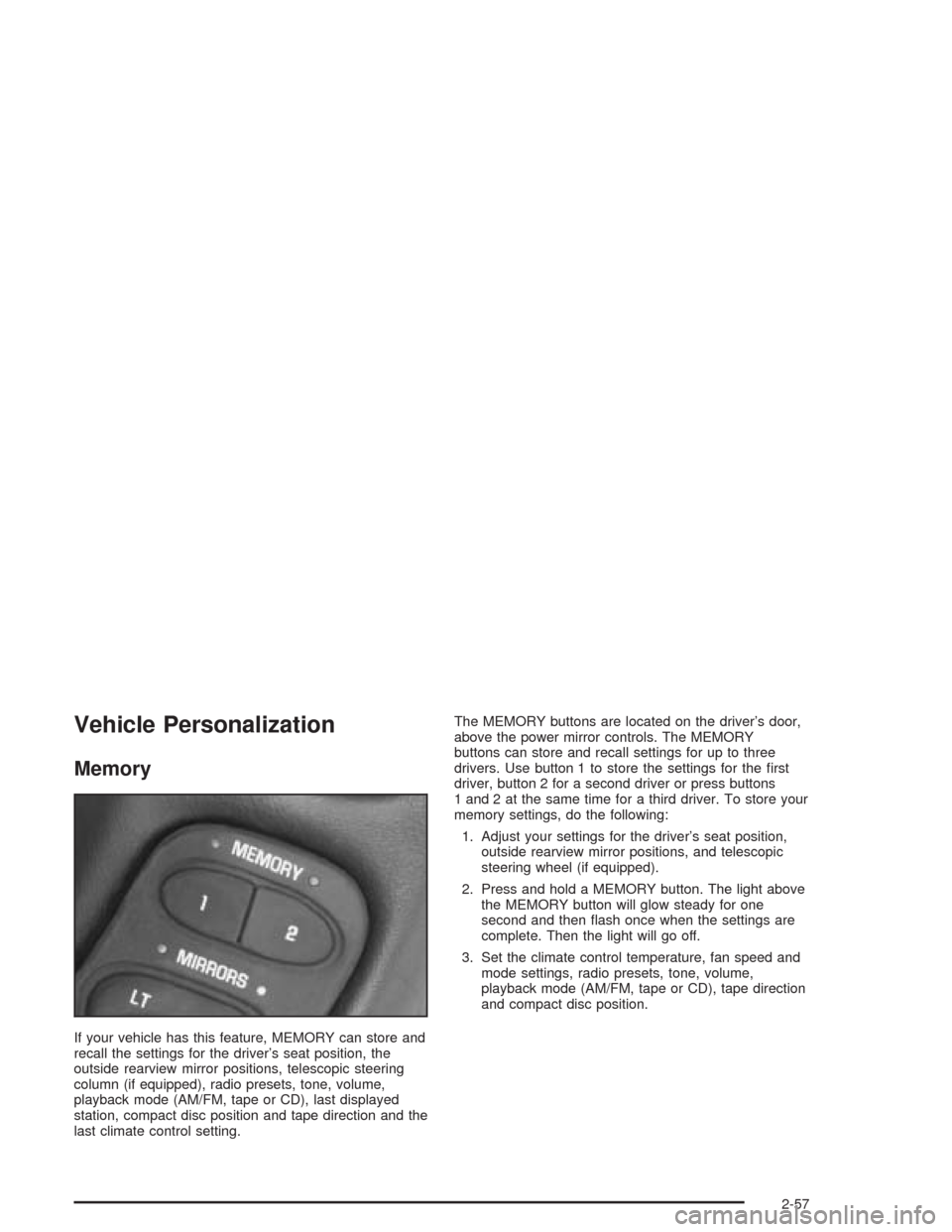
above the power mirror controls. The MEMORY
buttons can store and recall settings for up to three
drivers. Use button 1 to store the settings for the first
driver, button 2 for a second driver or press buttons
1 and 2 at the same time for a third driver. To store your
memory settings, do the following:
1. Adjust your settings for the driver’s seat position,
outside rearview mirror positions, and telescopic
steering wheel (if equipped).
2. Press and hold a MEMORY button. The light above
the MEMORY button will glow steady for one
second and then flash once when the settings are
complete. Then the light will go off.
3. Set the climate control temperature, fan speed and
mode settings, radio presets, tone, volume,
playback mode (AM/FM, tape or CD), tape direction
and compact disc position.
2-57
Page 114 of 384
Your memory settings are now programmed. Any
changes that are made to the audio system and climate
controls while driving will be automatically stored
when the ignition key is turned off.
When first entering your vehicle, after pressing the
unlock button on your remote keyless entry transmitter
or a MEMORY button, a recall of your settings will
occur when the door is closed and the ignition key is in
the ignition switch. As the memory settings are
recalled, the light above the button will flash until the
correct settings are achieved, then glow for five seconds
when complete.
A memory recall can be stopped by pressing any
memory seat, mirror or steering column position button.Drivers 1, 2 and 3 correspond to the order in which your
remote keyless entry transmitters were programmed.
SeeRemote Keyless Entry System on page 2-5
for more information.
Memory recall will not work if the vehicle is moving.
Memory recall will be temporarily interrupted during
engine crank.
If easy entry is on, you must press the MEMORY button
to reset the seat.
2-58
Page 115 of 384
Instrument Panel Overview...............................3-2
Hazard Warning Flashers................................3-4
Other Warning Devices...................................3-5
Horn.............................................................3-5
Tilt Wheel.....................................................3-5
Turn Signal/Multifunction Lever.........................3-6
Exterior Lamps.............................................3-13
Interior Lamps..............................................3-17
Head-Up Display (HUD).................................3-18
Accessory Power Outlets...............................3-22
Ashtrays and Cigarette Lighter........................3-23
Climate Controls............................................3-23
Dual Automatic Climate
Control System.........................................3-23
Outlet Adjustment.........................................3-31
Warning Lights, Gages, and Indicators............3-32
Instrument Panel Cluster................................3-33
Speedometer and Odometer...........................3-34
Tachometer.................................................3-34
Safety Belt Reminder Light.............................3-34
Air Bag Readiness Light................................3-35
Air Bag Off Light..........................................3-36
Voltmeter Gage............................................3-37
Brake System Warning Light..........................3-38
Anti-Lock Brake System Warning Light.............3-39
Traction Control System (TCS) Warning Light . . .3-39Active Handling System Light.........................3-40
Engine Coolant Temperature Gage..................3-41
Malfunction Indicator Lamp.............................3-41
Engine Oil Pressure Gage.............................3-44
Security Light...............................................3-45
Check Gages Warning Light...........................3-46
Fuel Gage...................................................3-46
Driver Information Center (DIC).......................3-48
DIC Controls and Displays.............................3-49
DIC Warnings and Messages.........................3-58
Other Messages...........................................3-68
Audio System(s).............................................3-69
Setting the Time...........................................3-69
Radio with Cassette......................................3-70
Radio with CD..............................................3-76
Trunk-Mounted CD Changer...........................3-81
Theft-Deterrent Feature..................................3-86
Radio Reception...........................................3-88
Care of Your Cassette Tape Player.................3-88
Care of Your CDs.........................................3-89
Care of Your CD Player................................3-89
Fixed Mast Antenna (Z06)..............................3-89
Power Antenna Mast Care (Convertible)...........3-90
Integrated Windshield and Rear Window
Antennas (Coupe).....................................3-90
Section 3 Instrument Panel
3-1
Page 117 of 384
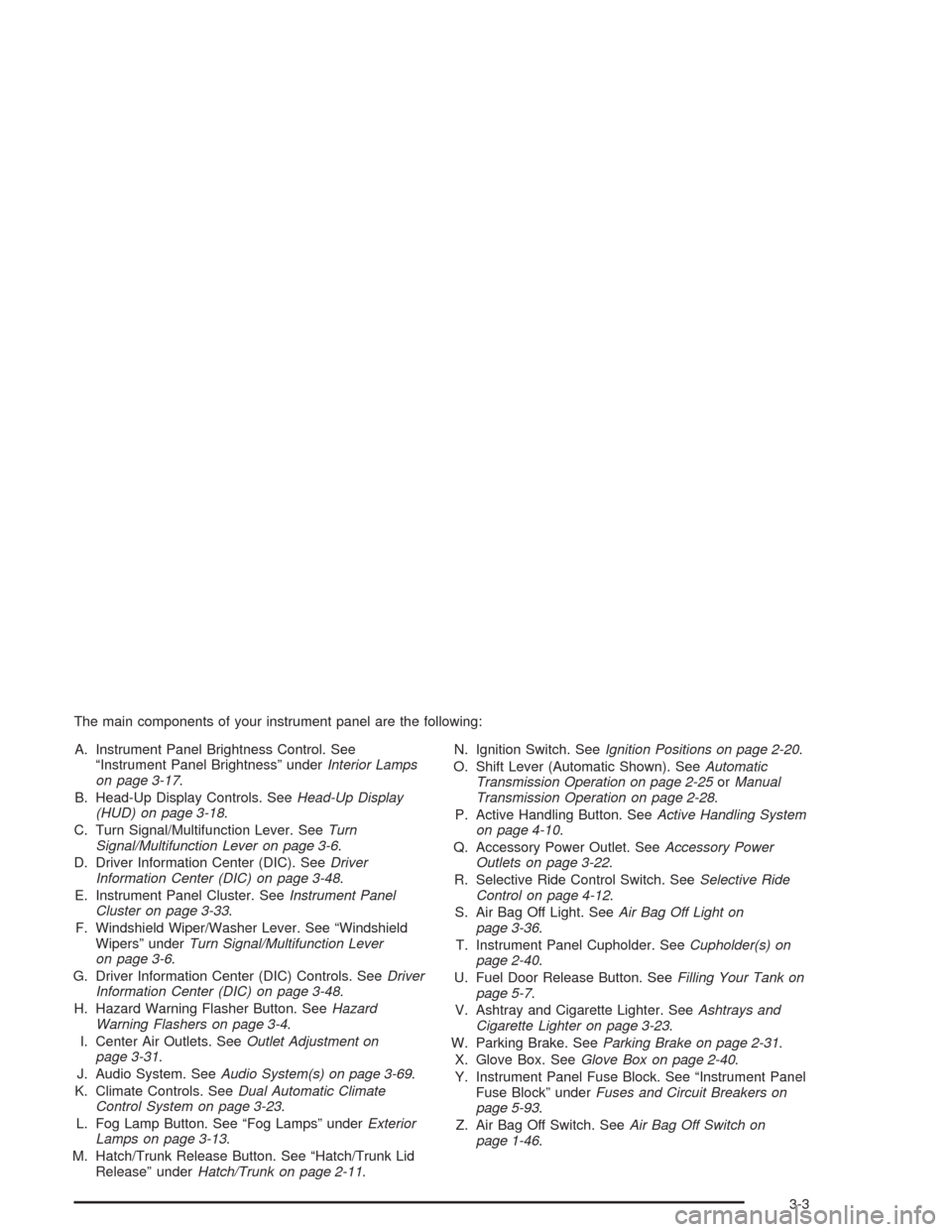
The main components of your instrument panel are the following:
A. Instrument Panel Brightness Control. See
“Instrument Panel Brightness” underInterior Lamps
on page 3-17.
B. Head-Up Display Controls. SeeHead-Up Display
(HUD) on page 3-18.
C. Turn Signal/Multifunction Lever. SeeTurn
Signal/Multifunction Lever on page 3-6.
D. Driver Information Center (DIC). SeeDriver
Information Center (DIC) on page 3-48.
E. Instrument Panel Cluster. SeeInstrument Panel
Cluster on page 3-33.
F. Windshield Wiper/Washer Lever. See “Windshield
Wipers” underTurn Signal/Multifunction Lever
on page 3-6.
G. Driver Information Center (DIC) Controls. SeeDriver
Information Center (DIC) on page 3-48.
H. Hazard Warning Flasher Button. SeeHazard
Warning Flashers on page 3-4.
I. Center Air Outlets. SeeOutlet Adjustment on
page 3-31.
J. Audio System. SeeAudio System(s) on page 3-69.
K. Climate Controls. SeeDual Automatic Climate
Control System on page 3-23.
L. Fog Lamp Button. See “Fog Lamps” underExterior
Lamps on page 3-13.
M. Hatch/Trunk Release Button. See “Hatch/Trunk Lid
Release” underHatch/Trunk on page 2-11.N. Ignition Switch. SeeIgnition Positions on page 2-20.
O. Shift Lever (Automatic Shown). SeeAutomatic
Transmission Operation on page 2-25orManual
Transmission Operation on page 2-28.
P. Active Handling Button. SeeActive Handling System
on page 4-10.
Q. Accessory Power Outlet. SeeAccessory Power
Outlets on page 3-22.
R. Selective Ride Control Switch. SeeSelective Ride
Control on page 4-12.
S. Air Bag Off Light. SeeAir Bag Off Light on
page 3-36.
T. Instrument Panel Cupholder. SeeCupholder(s) on
page 2-40.
U. Fuel Door Release Button. SeeFilling Your Tank on
page 5-7.
V. Ashtray and Cigarette Lighter. SeeAshtrays and
Cigarette Lighter on page 3-23.
W. Parking Brake. SeeParking Brake on page 2-31.
X. Glove Box. SeeGlove Box on page 2-40.
Y. Instrument Panel Fuse Block. See “Instrument Panel
Fuse Block” underFuses and Circuit Breakers on
page 5-93.
Z. Air Bag Off Switch. SeeAir Bag Off Switch on
page 1-46.
3-3
Page 137 of 384
Ashtrays and Cigarette Lighter
The ashtray and cigarette lighter are located on the
instrument panel, in front of the shift lever. To use the
ashtray, lift up on the bottom of the door.
Notice:If you put papers or other ammable items
in the ashtray, hot cigarettes or other smoking
materials could ignite them and possibly damage
your vehicle. Never put ammable items in the
ashtray.
Loose objects, such as paper clips, can lodge behind
and beneath the ashtray lid and prevent movement
of the lid. You should avoid putting small, loose objects
near the ashtray.
To use the cigarette lighter, push it in all the way and let
go. When it is ready, it will pop back out by itself.
Notice:Holding a cigarette lighter in while it is
heating will not allow the lighter to back away from
the heating element when it is hot. Damage from
overheating may occur to the lighter or heating
element, or a fuse could be blown. Do not hold a
cigarette lighter in while it is heating.
Climate Controls
Dual Automatic Climate
Control System
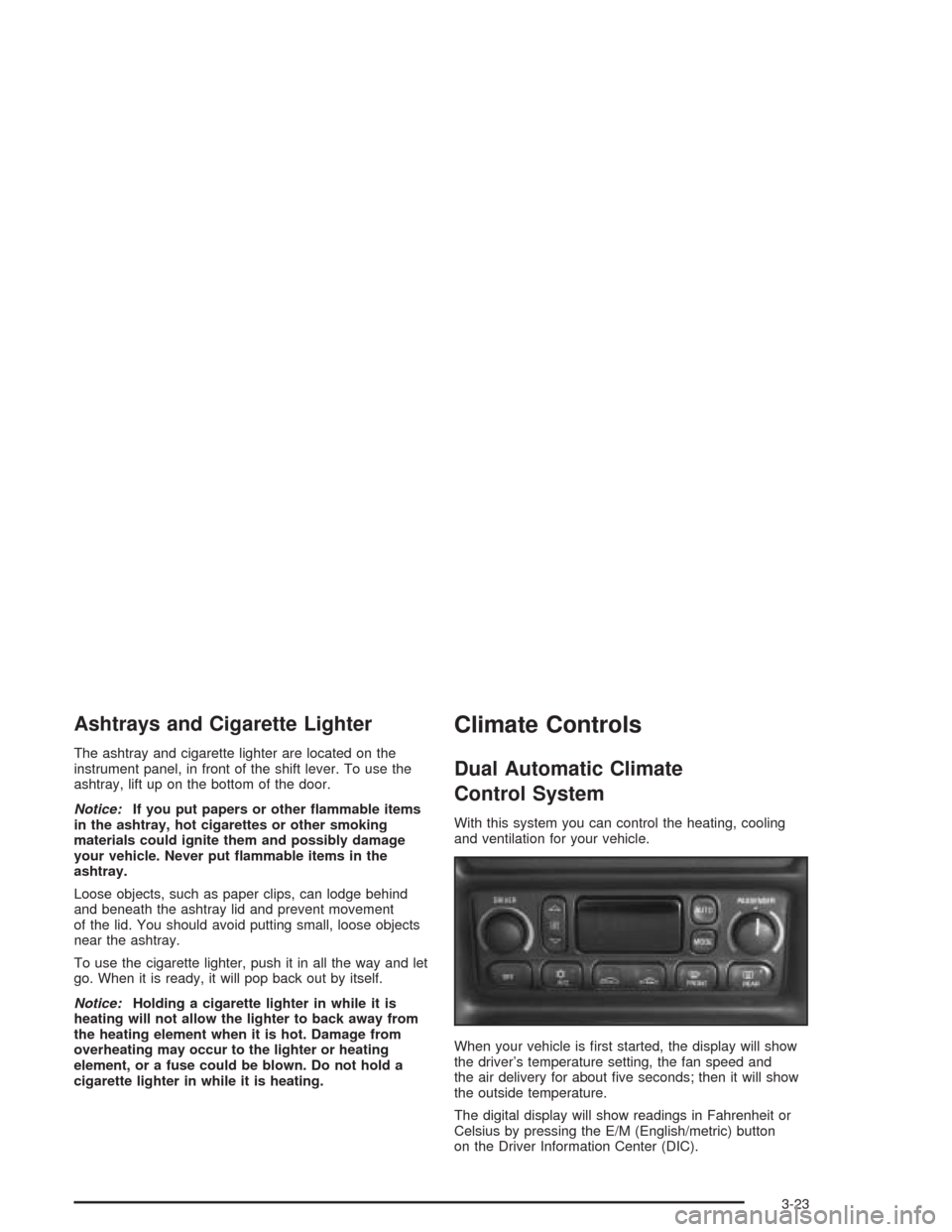
With this system you can control the heating, cooling
and ventilation for your vehicle.
When your vehicle is first started, the display will show
the driver’s temperature setting, the fan speed and
the air delivery for about five seconds; then it will show
the outside temperature.
The digital display will show readings in Fahrenheit or
Celsius by pressing the E/M (English/metric) button
on the Driver Information Center (DIC).
3-23