low oil pressure CHEVROLET CORVETTE 2004 5.G Owners Manual
[x] Cancel search | Manufacturer: CHEVROLET, Model Year: 2004, Model line: CORVETTE, Model: CHEVROLET CORVETTE 2004 5.GPages: 384, PDF Size: 2.46 MB
Page 133 of 384
The information may be displayed in English or metric
units and appears as an image focused out toward
the front of your vehicle. The HUD consists of the
following information:
•Speedometer
•Turn Signal Indicators
•High-Beam Indicator Symbol
•Tachometer
•Oil, Temperature and Fuel Gages
•Shift Light (Performance SHIFT Light)
This light is used for performance driving to indicate
that the vehicle’s best performance level has been
reached to shift the transmission into the next higher
gear. The SHIFT light will display at an engine speed
of about 5,750 rpm (6,250 rpm on Z06), just prior to
reaching the engine fuel cut-off mode.
•Check Gages IconThere are five HUD selections that you can choose to
view in the HUD display. By pressing and holding
the PAGE button, you can scroll through these pages in
the following order:
•Speed Only
•Speed and Gage
•Speed, Tachometer and Gage
•Speed and Tachometer
•Tachometer Only
When you have chosen the desired HUD display,
release the PAGE button.
Gages can be scrolled through by tapping the PAGE
button (only when a gage is displayed). The gages
shown are the following:
•Oil Pressure
•Coolant Temperature
•Fuel Level
The selections that you choose will remain in the HUD
display until they are changed.
3-19
Page 158 of 384
Emissions Inspection and Maintenance
Programs
Some state/provincial and local governments have or
may begin programs to inspect the emission control
equipment on your vehicle. Failure to pass this
inspection could prevent you from getting a vehicle
registration.
Here are some things you need to know to help your
vehicle pass an inspection:
Your vehicle will not pass this inspection if the CHECK
ENGINE light is on or not working properly.
Your vehicle will not pass this inspection if the OBD
(on-board diagnostic) system determines that critical
emission control systems have not been completely
diagnosed by the system. The vehicle would be
considered not ready for inspection. This can happen if
you have recently replaced your battery or if your
battery has run down. The diagnostic system is
designed to evaluate critical emission control systems
during normal driving. This may take several days
of routine driving. If you have done this and your vehicle
still does not pass the inspection for lack of OBD
system readiness, your GM dealer can prepare the
vehicle for inspection.
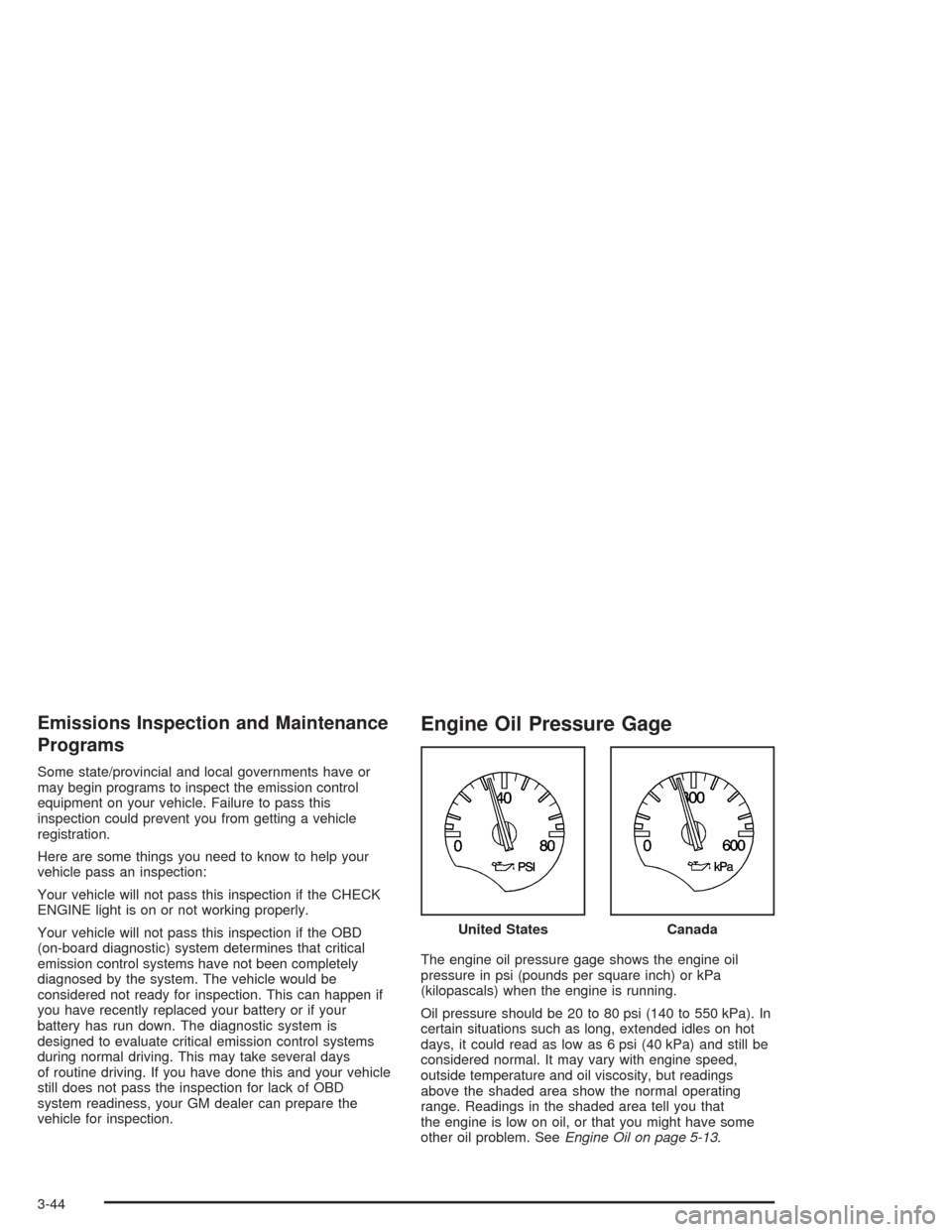
Engine Oil Pressure Gage
The engine oil pressure gage shows the engine oil
pressure in psi (pounds per square inch) or kPa
(kilopascals) when the engine is running.
Oil pressure should be 20 to 80 psi (140 to 550 kPa). In
certain situations such as long, extended idles on hot
days, it could read as low as 6 psi (40 kPa) and still be
considered normal. It may vary with engine speed,
outside temperature and oil viscosity, but readings
above the shaded area show the normal operating
range. Readings in the shaded area tell you that
the engine is low on oil, or that you might have some
other oil problem. SeeEngine Oil on page 5-13. United States
Canada
3-44
Page 159 of 384
The engine oil pressure can also be displayed using the
GAGES button on the Driver Information Center (DIC).
SeeDriver Information Center (DIC) on page 3-48.
{CAUTION:
Do not keep driving if the oil pressure is low. If
you do, your engine can become so hot that it
catches re. You or others could be burned.
Check your oil as soon as possible and have
your vehicle serviced.
Notice:Lack of proper engine oil maintenance may
damage the engine. The repairs would not be
covered by your warranty. Always follow the
maintenance schedule in this manual for changing
engine oil.
Security Light
This light comes on to
remind you to arm your
theft-deterrent system. If it
comes on and stays on
when your ignition is
on, there may be a
problem with your
theft-deterrent system.
SeeTheft-Deterrent System on page 2-16and
PASS-Key
®on page 2-18.
3-45
Page 160 of 384
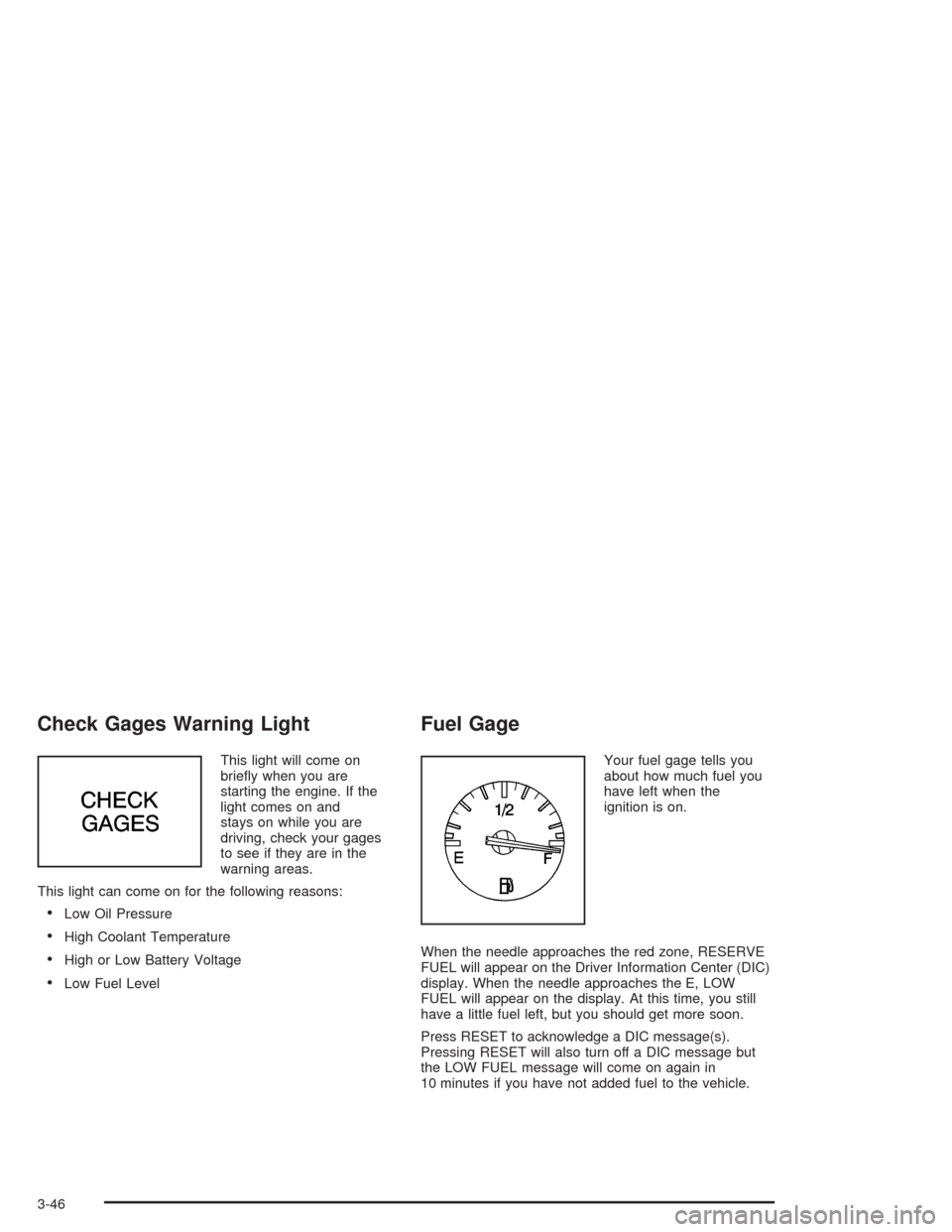
Check Gages Warning Light
This light will come on
briefly when you are
starting the engine. If the
light comes on and
stays on while you are
driving, check your gages
to see if they are in the
warning areas.
This light can come on for the following reasons:
•Low Oil Pressure
•High Coolant Temperature
•High or Low Battery Voltage
•Low Fuel Level
Fuel Gage
Your fuel gage tells you
about how much fuel you
have left when the
ignition is on.
When the needle approaches the red zone, RESERVE
FUEL will appear on the Driver Information Center (DIC)
display. When the needle approaches the E, LOW
FUEL will appear on the display. At this time, you still
have a little fuel left, but you should get more soon.
Press RESET to acknowledge a DIC message(s).
Pressing RESET will also turn off a DIC message but
the LOW FUEL message will come on again in
10 minutes if you have not added fuel to the vehicle.
3-46
Page 162 of 384
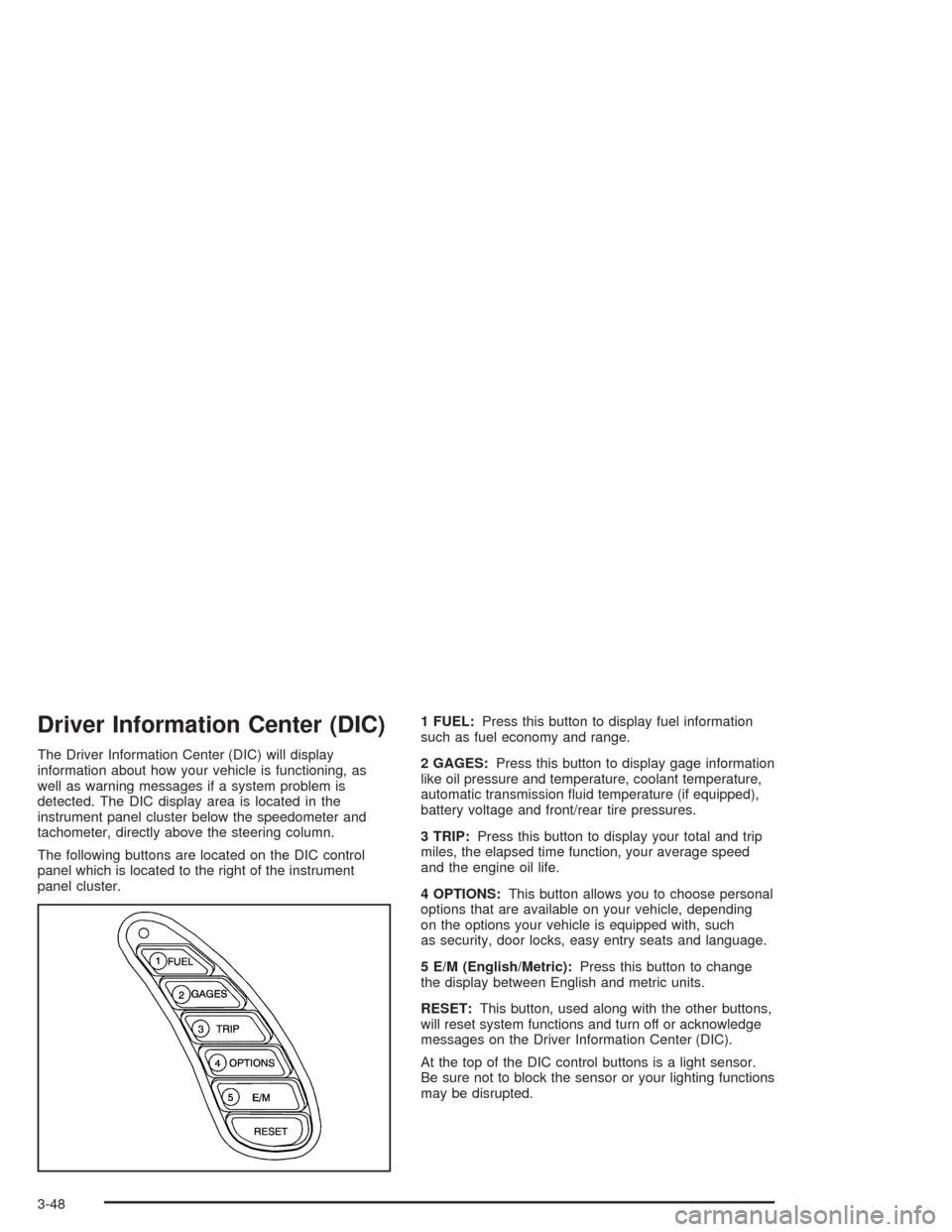
Driver Information Center (DIC)
The Driver Information Center (DIC) will display
information about how your vehicle is functioning, as
well as warning messages if a system problem is
detected. The DIC display area is located in the
instrument panel cluster below the speedometer and
tachometer, directly above the steering column.
The following buttons are located on the DIC control
panel which is located to the right of the instrument
panel cluster.1 FUEL:Press this button to display fuel information
such as fuel economy and range.
2 GAGES:Press this button to display gage information
like oil pressure and temperature, coolant temperature,
automatic transmission fluid temperature (if equipped),
battery voltage and front/rear tire pressures.
3 TRIP:Press this button to display your total and trip
miles, the elapsed time function, your average speed
and the engine oil life.
4 OPTIONS:This button allows you to choose personal
options that are available on your vehicle, depending
on the options your vehicle is equipped with, such
as security, door locks, easy entry seats and language.
5 E/M (English/Metric):Press this button to change
the display between English and metric units.
RESET:This button, used along with the other buttons,
will reset system functions and turn off or acknowledge
messages on the Driver Information Center (DIC).
At the top of the DIC control buttons is a light sensor.
Be sure not to block the sensor or your lighting functions
may be disrupted.
3-48
Page 164 of 384
The average fuel economy is viewed as a long-term
approximation of your overall driving conditions. If you
press RESET in this mode while you’re driving, the
system will begin figuring fuel economy from that point
in time.
Press FUEL again to display instantaneous fuel
economy, such as:
•INST. 20.1 MPG or
•INST. 5.3 L/100 km
Press FUEL again to display the range, such as:
•RANGE 20 MI or
•RANGE 32 km
The range calculates the remaining distance you can
drive without refueling. It’s based on fuel economy and
the fuel remaining in the tank.
If the range is lower than 30 miles (48 km), the display
will read RANGE LOW.
The fuel economy data used to determine fuel range is
an average of recent driving conditions. As your
driving conditions change, this data is gradually updated.
Resetting the fuel range causes the fuel economy
data to be updated immediately. Press RESET to reset
the fuel range.
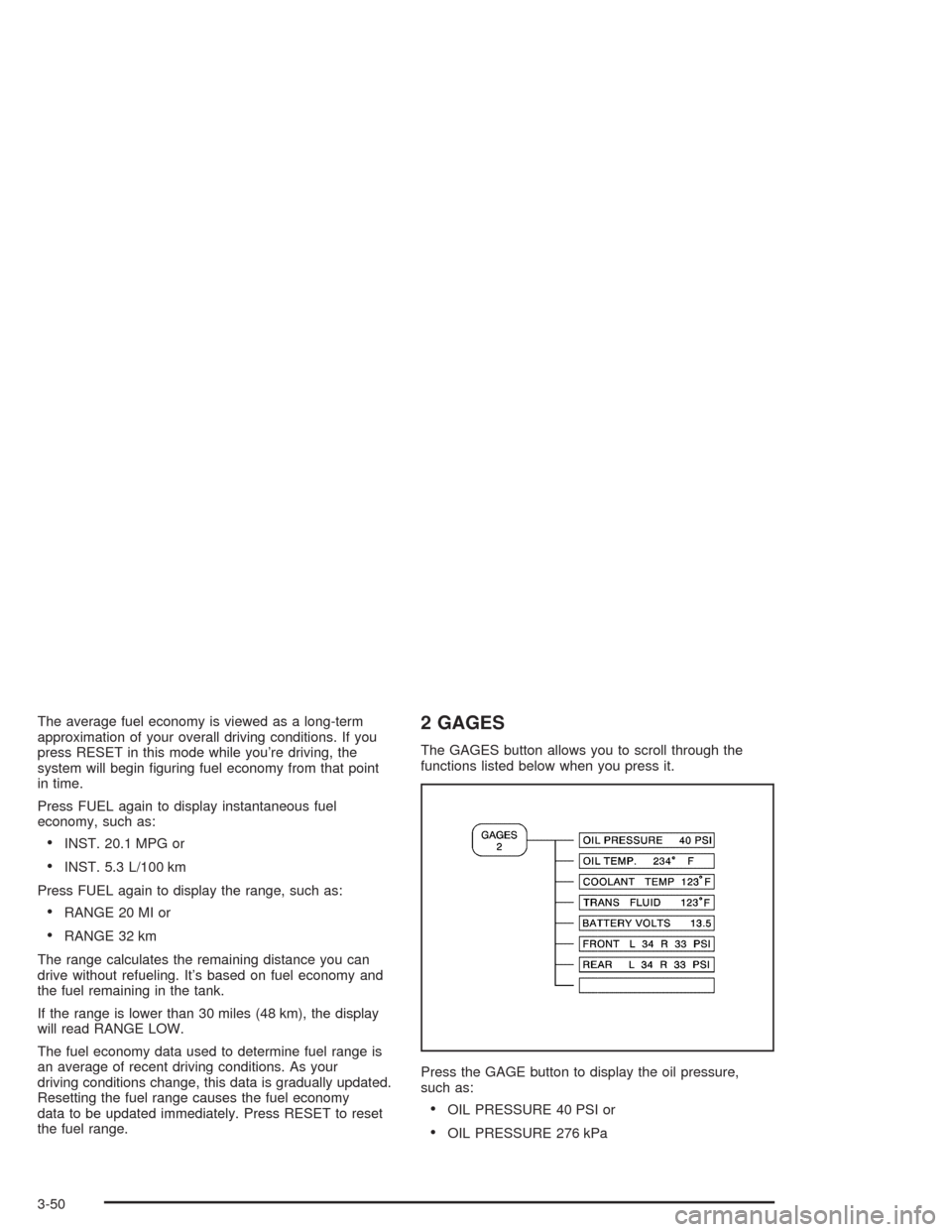
2 GAGES
The GAGES button allows you to scroll through the
functions listed below when you press it.
Press the GAGE button to display the oil pressure,
such as:
•OIL PRESSURE 40 PSI or
•OIL PRESSURE 276 kPa
3-50
Page 176 of 384
LOW OIL LEVEL:Press RESET to acknowledge that
you have read the message and to remove it from
the display. The message will reappear every
10 minutes until this condition changes. Once the
vehicle senses a temperature change in the engine oil,
the light will remain off.
You will hear two chimes when this message is
displayed. If this message appears after starting your
engine, your engine oil level may be too low. You
may need to add oil. SeeEngine Overheating on
page 5-26.
LOW OIL PRESSURE:You will hear four chimes and
the CHECK GAGES telltale will come on when this
message is displayed. To acknowledge the warning,
press the RESET button. After you press the RESET
button, a message will be displayed and you will hear a
chime every minute until the vehicle is serviced. If
you do not press RESET, the message will remain on
the digital display until the vehicle is serviced.
Low oil pressure may be the result of a combination of
low oil level and abrupt changes in the vehicle’s
direction. When this warning is displayed, you should
not operate the engine at high rpm or make fast abrupt
moves. As soon as possible, you should check the
oil level. SeeEngine Oil on page 5-13.LOW TIRE PRESSURE (Except Z06):You will hear
two chimes when this message is displayed. To
acknowledge the warning, press RESET. After you
press RESET, a message will appear every 10 minutes
until this condition changes. This message indicates
that the pressure in one of your tires is less than 25 psi
(172 kPa). Next to the LOW TIRE PRESSURE
message, you can see either LF (left front), LR (left
rear), RF (right front) or RR (right rear) to indicate to you
which tire is low on pressure. You can receive more
than one tire pressure message at a time. To read other
messages that may have been sent at the same time,
press RESET. If a tire pressure message appears on the
DIC, stop as soon as you can. Have the tire pressures
checked and set to those shown on your Tire Loading
Information Label. SeeExtended Mobility Tires
(Except Z06) on page 5-61andTire Pressure
Monitor Operation (Except Z06) on page 5-64.
3-62
Page 229 of 384
The exit ramp can be curved, sometimes quite sharply.
The exit speed is usually posted. Reduce your speed
according to your speedometer, not to your sense
of motion. After driving for any distance at higher
speeds, you may tend to think you are going slower
than you actually are.
Before Leaving on a Long Trip
Make sure you are ready. Try to be well rested. If you
must start when you are not fresh — such as after
a day’s work — do not plan to make too many miles that
first part of the journey. Wear comfortable clothing
and shoes you can easily drive in.
Is your vehicle ready for a long trip? If you keep it
serviced and maintained, it is ready to go. If it needs
service, have it done before starting out. Of course, you
will find experienced and able service experts in GM
dealerships all across North America. They will be ready
and willing to help if you need it.Here are some things you can check before a trip:
•Windshield Washer Fluid:Is the reservoir full? Are
all windows clean inside and outside?
•Wiper Blades:Are they in good shape?
•Fuel, Engine Oil, Other Fluids:Have you checked
all levels?
•Lamps:Are they all working? Are the lenses clean?
•Tires:They are vitally important to a safe,
trouble-free trip. Is the tread good enough for
long-distance driving? Are the tires all inflated to the
recommended pressure?
•Weather Forecasts:What is the weather outlook
along your route? Should you delay your trip a
short time to avoid a major storm system?
•Maps:Do you have up-to-date maps?
4-25
Page 255 of 384
A. Coolant Surge Tank and Pressure Cap. SeeEngine
Coolant on page 5-23.
B. Battery. SeeBattery on page 5-40.
C. Engine Oil Dipstick. SeeEngine Oil on page 5-13.
D. Engine Oil Fill Cap. SeeEngine Oil on page 5-13.
E. Engine Air Cleaner/Filter. SeeEngine Air
Cleaner/Filter on page 5-18.
F. Power Steering Fluid Reservoir. SeePower Steering
Fluid on page 5-35.
G. Brake Fluid Reservoir. SeeBrakes on page 5-37.
H. Clutch Master Cylinder Reservoir. SeeHydraulic
Clutch on page 5-22.
I. Windshield Washer Fluid Reservoir. SeeWindshield
Washer Fluid on page 5-36.Engine Oil
If the LOW OIL LEVEL message on the Driver
Information Center comes on, it means you need to
check your engine oil level right away. For more
information, seeDriver Information Center (DIC) on
page 3-48.
You should check your engine oil level regularly; this is
an added reminder.
Checking Engine Oil
It is a good idea to check your engine oil level every
time you get fuel. In order to get an accurate reading,
the oil must be warm and the vehicle must be on
level ground.
The engine oil dipstick handle is a yellow loop. See
Engine Compartment Overview on page 5-12for
the location of the engine oil dipstick.
Turn off the engine and give the oil a few minutes to
drain back into the oil pan. If you don’t, the oil dipstick
might not show the actual level.
Pull out the dipstick and clean it with a paper towel or a
cloth, then push it back in all the way. Remove it
again, keeping the tip down.
5-13
Page 268 of 384
Coolant Surge Tank Pressure Cap
Notice:If the pressure cap is not tightly installed,
coolant loss and possible engine damage may
occur. Be sure the cap is properly and tightly
secured.
SeeEngine Compartment Overview on page 5-12for
information on location.
Engine Overheating
You will find an engine coolant temperature gage on the
instrument panel cluster and a COOLANT OVER
TEMP message on the Driver Information Center (DIC).
SeeEngine Coolant Temperature Gage on page 3-41
andDIC Warnings and Messages on page 3-58.
Overheated Engine Protection
Operating Mode
If an overheated engine condition exists and the
messages COOLANT OVER TEMP and REDUCED
ENGINE POWER are displayed, along with the Check
Engine light, an overheat protection mode which
alternates firing groups of cylinders helps prevent engine
damage. In this mode, you will notice a loss in power
and engine performance. This operating mode
allows your vehicle to be driven to a safe place in an
emergency; you may drive up to 50 miles (80 km).
Notice:After driving in the overheated engine
protection operating mode, to avoid engine damage,
allow the engine to cool before attempting any
repair. The engine oil will be severely degraded.
Repair the cause of coolant loss, change the oil and
reset the oil life system. SeeEngine Oil on
page 5-13.
5-26